Your phone can play games. You already know this if you’ve perused an app store in the last 15 years, or seen the absolute dregs of YouTube advertising. But did you know that your phone can play PC games?
And I don’t mean an emulated build of Age of Empires that looked old even running on Windows XP. I mean new Steam games, downloaded from your own Steam account, played right on your phone.
This is a super-cool development, using a lot of the same tech that makes the Linux-based Steam Deck play nice (ha!) with Windows games. But as you might expect, it’s also a bit janky.
Still, with both the Steam Machine and Steam Deck coming in at much higher prices, it might be a nice way to get some more fun out of the devices you already own. Let’s check it out.
Full access to local Steam games in an Android app
The tool in question is called GameHub, an app from accessory company GameSir, which has at least been around for a while. That means this isn’t some sketchy, fly-by-night operation. And sadly, it’s only for Android at the moment—sorry iPhone users, this is predictably a little more hackery than Apple is comfortable with.
GameSir
GameHub is an app that interfaces with Steam (and other game stores, including Epic Games Store), downloads full-fat PC games to your Android phone’s local storage, and plays them using a flavor of the Proton compatibility layer that allows Windows games to run on Android and Arm hardware. You launch the app, log into Steam, download games, then play them—it’s all fairly straightforward. You even get access to cloud saves, if they’re supported by said games.
That said, you probably won’t be surprised to learn that playing PC games locally on an Android device comes with lots of issues. The good news is that it works; the bad news is that it doesn’t work with everything. I loaded the app up on my Galaxy Z6 Fold—a fairly powerful phone, though a couple of years old now—to do some testing.
Testing out old and new games
Predictably, low-power 2D games work the best here. I was able to get my favorite short break game, 20 Minutes Till Dawn, downloaded and running without any hiccups. This is a minimal 2D game based on the Unity engine—it’d probably be pretty easy to get an Android port made, if the developer wanted one.
Flanne
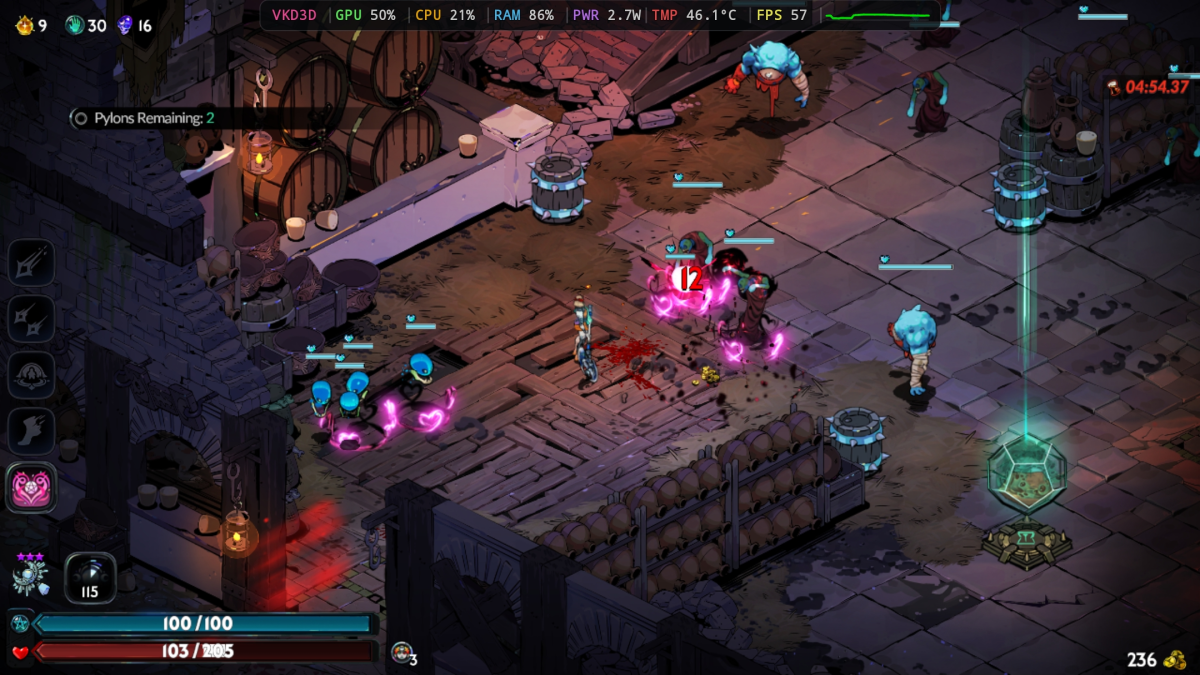
Hades 2 is a bit of a midpoint for this test. Technically, the gameplay is all 2D, but there are up to a dozen or so polygonal models going over the 2D background at any given time, plus a lot of effects, some pretty serious high-res sprites, and voice acting.
The game eventually downloaded and played on my phone, but for some reason GameHub kept trying to download the demo version at first. It took several tries to get it up and running, and when I did, it could only go at about 30 to 45 frames per second once combat started. That’s certainly playable, but far from ideal.
SuperGiant
Then I tried Absolum, a wonderful 2D beat-em-up from last year. With all-2D gameplay, it should do at least as well as Hades 2. Maybe even better. Yet… it wouldn’t launch at all. Dang.
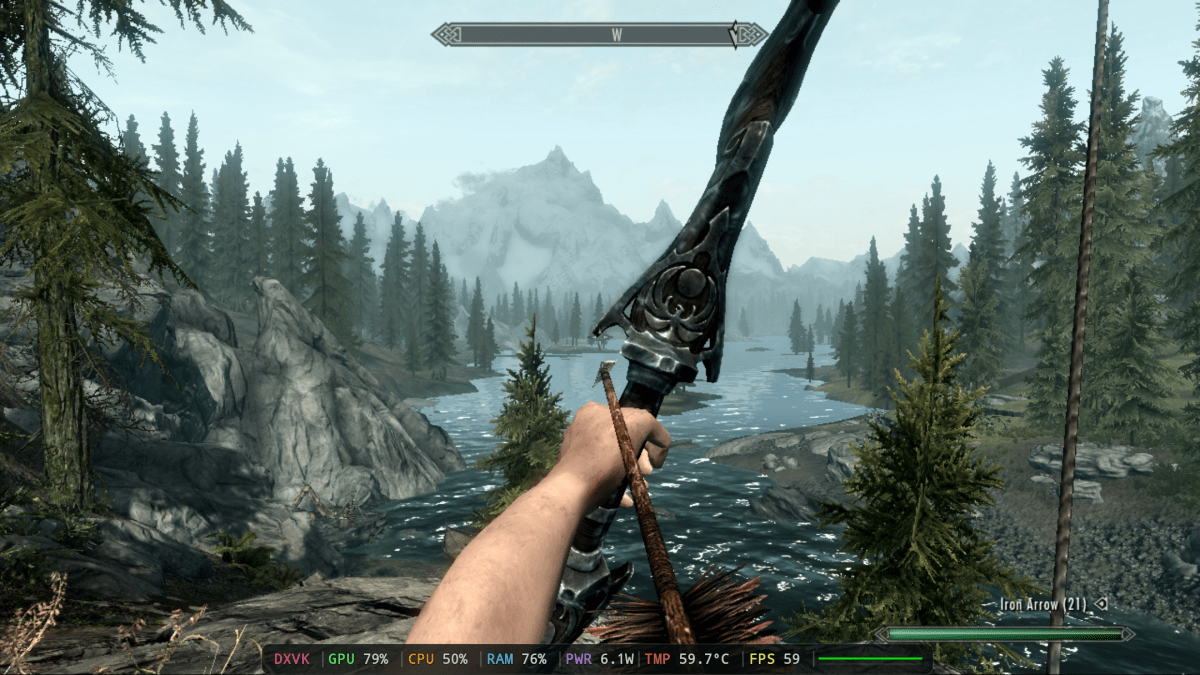
Alright, let’s go for some older titles then. Skyrim is an obvious choice, which has been re-released a dozen times and runs fine on the 10-year-old Arm-based Nintendo Switch. It downloads and launches, though getting through the pre-load screen requires you to use the phone screen as a touchpad. Once launched, I’m in the familiar interface and running at 60 frames per second. Nice!
Bethesda
Another classic 3D favorite of mine is Just Cause 2, and it has about the same technical requirements as Skyrim. So I downloaded it and… it won’t launch. Bummer.
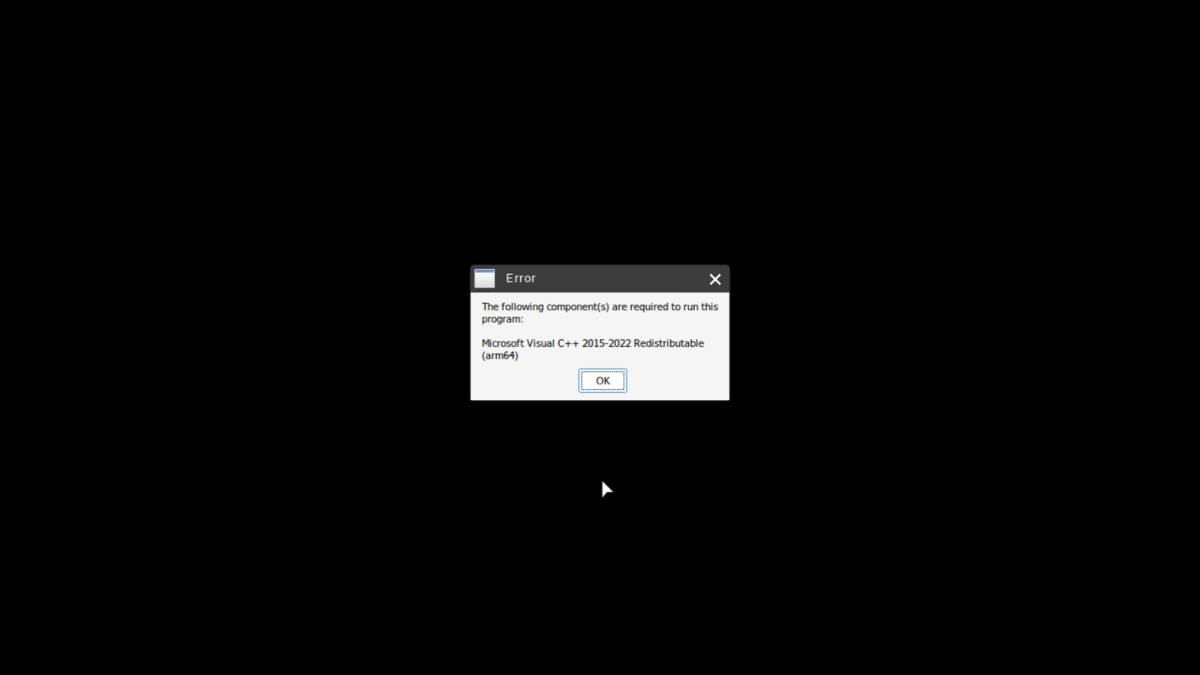
Time to try the hardest test here: my favorite current obsession that’s also a visual treat, Dead as Disco. (Incidentally, this one works fine on handheld gaming PCs.) It’s a full-power Unreal Engine 5 game, but it only needs a few gigs of storage. I loaded it up… and it demanded a Visual C++ component—an Arm64 one, for a bit of additional insult.
Michael Crider / Foundry
So yeah, playing any particular game you want via GameHub is a bit of a crapshoot. Older games and 2D games are much more likely to work well, though a few more recent ones should also be playable.
It’s a bad time to be a PC gamer, but this is a passable solution for now
The GameHub app and interface itself is surprisingly good. You can browse all of Steam and Epic and see which games are in your personal library, and a “compatibility” rating for most games shows you how likely it is that it’ll actually run.
The app offers touchscreen controls, too, if you’re feeling masochistic. But it obviously works best with an attached controller. I connected an 8BitDo Bluetooth model that I’ve used and enjoyed for a couple of years, and had no issues—the games read it as a standard Xbox-style input.
GameSir
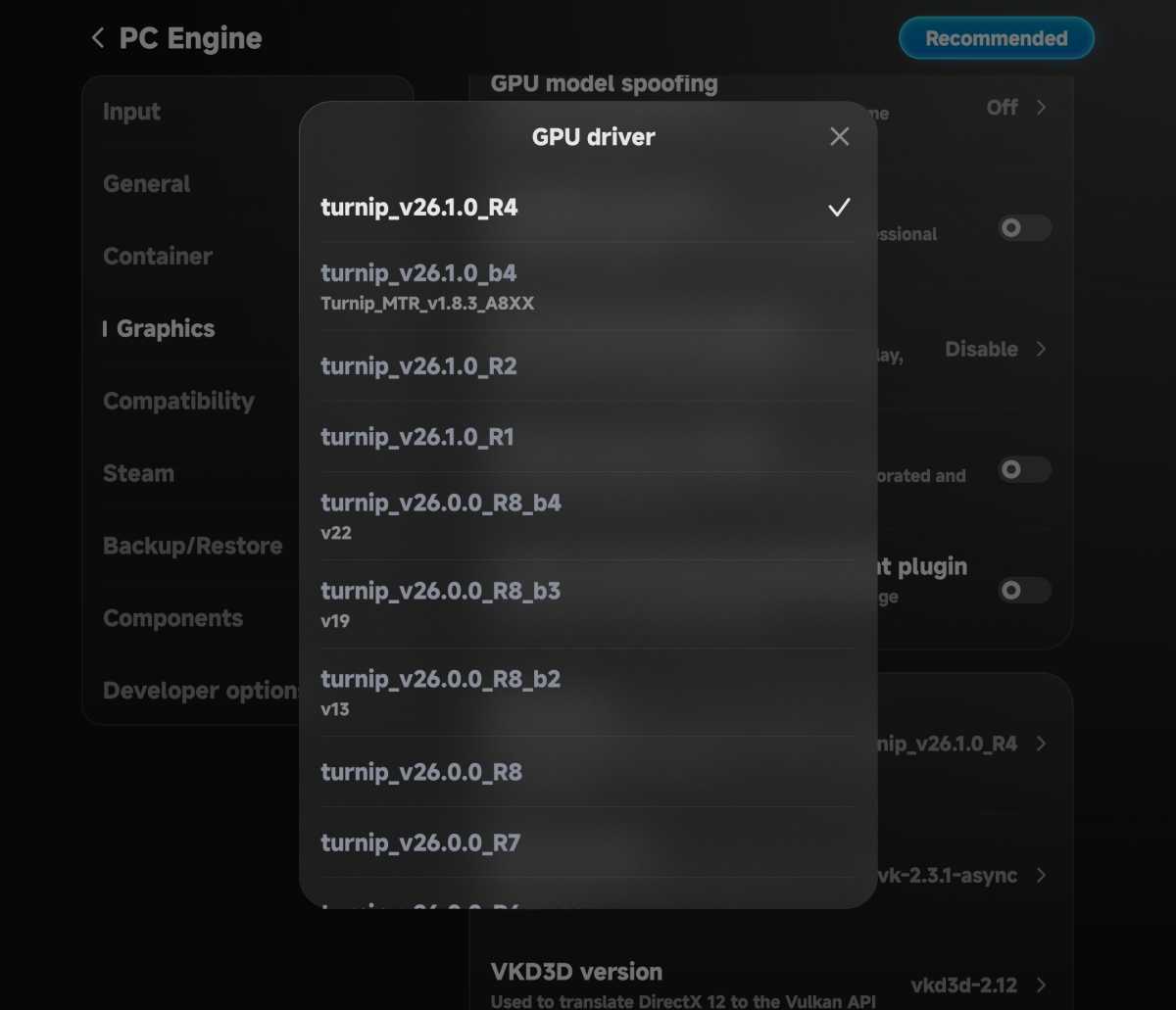
GameHub also offers a lot of tweaking if you want to invest some time and effort into trying to get games to work. For example, I tried three different GPU drivers to see if I could get Absolum to launch. (It still didn’t launch, but I appreciate the option to tinker, and the 1.7-star compatibility rating was verified.) You can even add Steam game shortcuts to your phone’s home screen, if you’re so inclined.
Is GameHub an alternative to a Steam Deck? Absolutely not. But GameHub is free, works with the phone and the games you already own, and gives you a portable option that doesn’t rely on cloud streaming. If you happen to own and enjoy at least one of the games that work well with the system—and I fully admit that that’s a big if—it’s a good way to play on the go without spending four figures on extra hardware.


