At a glance
Expert’s Rating
Pros
- 4K (3840 x 2160 at 60Hz)
- Excellent color matching
- Touchscreen
- Fantastic flexible magnetic stand
- Lightweight
Cons
- Premium price
- Laptop battery drain
Our Verdict
The pick of the espresso range of portable monitors is the Pro touchscreen, a 4K rarity among portable screens but at a premium price. if you can afford it and fit it in your backpack, stretch for the 17.3-inch but the 15.6-inch Pro is more compact and lighter.
Price When Reviewed
This value will show the geolocated pricing text for product undefined
Best Pricing Today
Price When Reviewed
$799
Best Prices Today: espresso Pro 17
What is it? The espresso Pro 17 Touch is a premium 17.3-inch 4K portable monitor designed to give MacBook users a larger, colour-accurate second screen wherever they work. It’s ideal for creatives, developers and professionals who need extra workspace, while the ingenious magnetic Stand+ delivers unmatched portability, flexibility and ergonomic positioning.
Who is it for? Creative professionals, developers, engineers and executives who need a large, high-quality portable display for productivity or colour-sensitive work.
Who shouldn’t buy it? If you just need a needs a simple second screen, the cheaper espresso Lite 15 (reviewed separately) offers better value for everyday productivity, while travellers may prefer the lighter Pro 15.
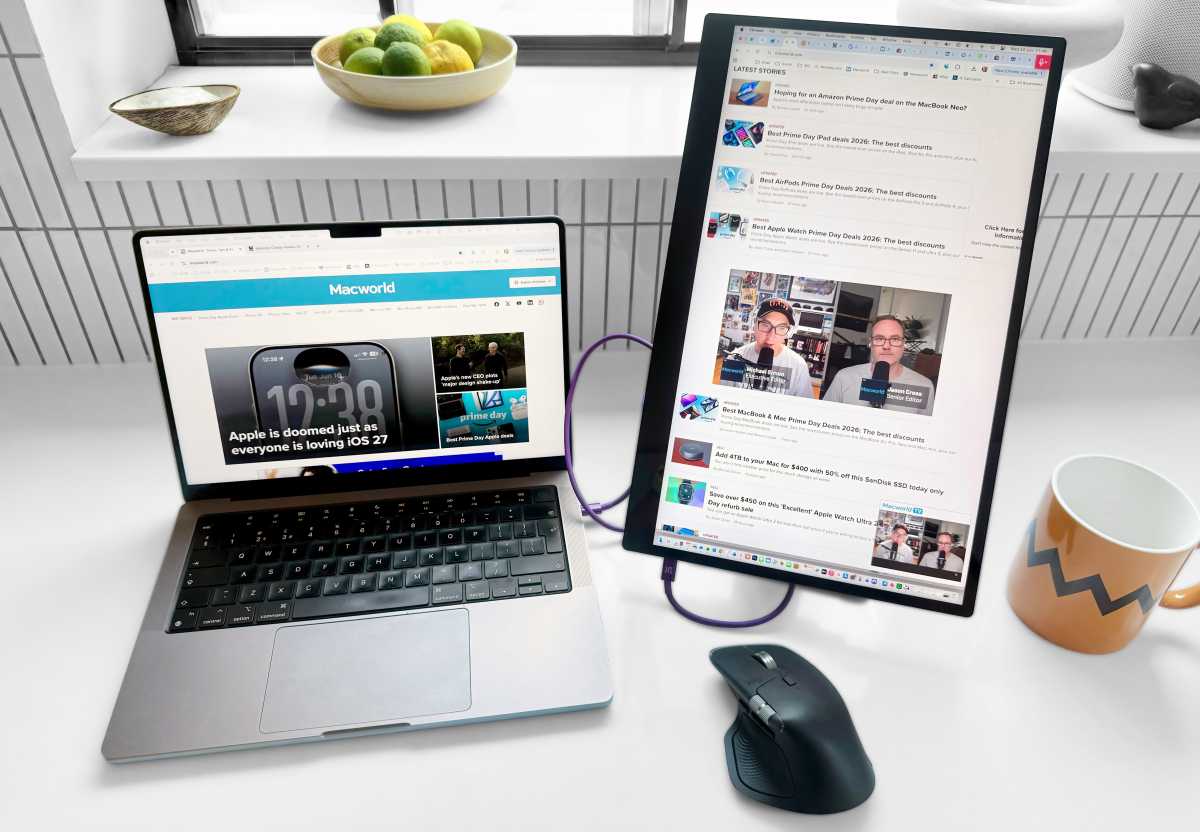
A second screen to expand your MacBook’s workspace allows you to multitask more efficiently without the frustration of constant tab jumping, or searching for hidden windows even on a 16-inch MacBook Pro. You get more space for viewing open windows at the same time—for instance, for supporting documents or apps while you’re on a video call or giving a presentation.
Blessed with one or more displays, your laptop is transformed into a real alternative to a desktop computer. That’s fine in a dedicated office but if you need to move around or even just hide the whole setup away when not in use, you should look for a properly portable display.
We’ve reviewed several of the best portable displays, and we were mighty impressed by the lightweight and clever espresso range, which starts with the 15.6-inch espresso Lite 15 but hits its peak with the 17.3-inch 4K touchscreen expresso Pro 17. If the $799 / £649 price puts you off, keep reading as you get a lot for your money: from the top-end screen to the clever magnetic Stand+, touchscreen functionality and a bunch of smart software tools.
Creatives, executives, developers and engineers will be most interested in the Pro 17 (a 15.6-inch Pro with touch is also available) with its 4K resolution and multi-touch functionality.
If you just want a super-portable second screen, read our review of the HD-screen 15 Lite that’s the right mix of features and price in the most portable design of the range.
Simon Jary
How portable is it really?
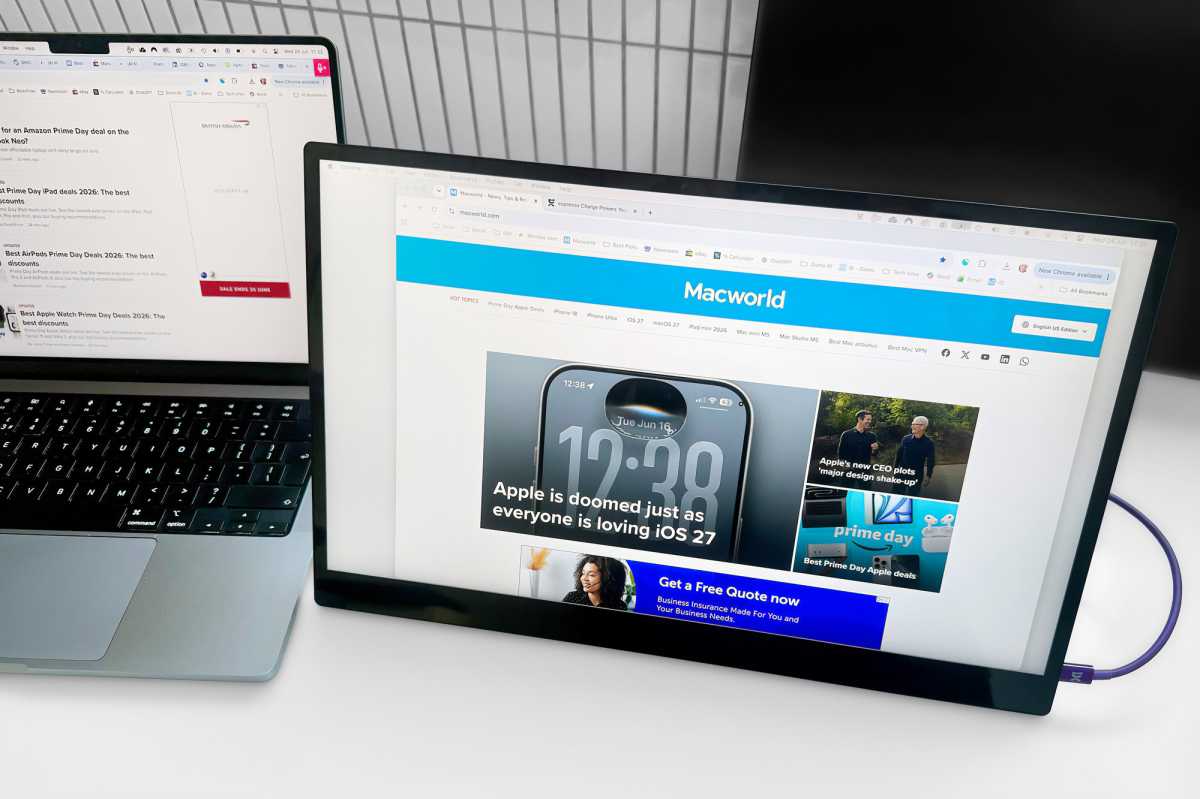
The entire espresso range delivers on thinness and weight. The Pro 17 measures 15.7 x 9.7 x 0.35 inches (398 x 246 x 9mm) and weighs 1.55lbs (1.1kg). It’s actually thinner than the 15 Lite that is 0.37 inches (9.5mm) thick, although only a pedant would make a big deal of that. More worthy of note is the 0.2-inch (5.5mm) thinness of the non-Lite non-touch espresso 15.
If you plan to be carrying your second screen around a lot, you might consider weight and size against the benefits of a larger screen. The anodized aluminum Pro models weigh more than the plastic-build Lite 15, which is a noticeable 0.4kg lighter than the Pro 17. The sweet spot is the Pro 15 that’s only 100g heavier than the Lite 15 and the same basic dimensions.
A pro for the Pro is the smaller bezel around the screen: around 6.4mm on the sides and top compared to the Lite’s 9.5mm.
The Pro 15 measures 14.2 x 8.9 x 0.35 inches (360 x 225 x 9mm) and weighs 1.76lbs (0.8kg). The margins are fine indeed.
It doesn’t have to be used as a portable monitor. It’s good enough to be your permanently placed second or third screen.
Simon Jary
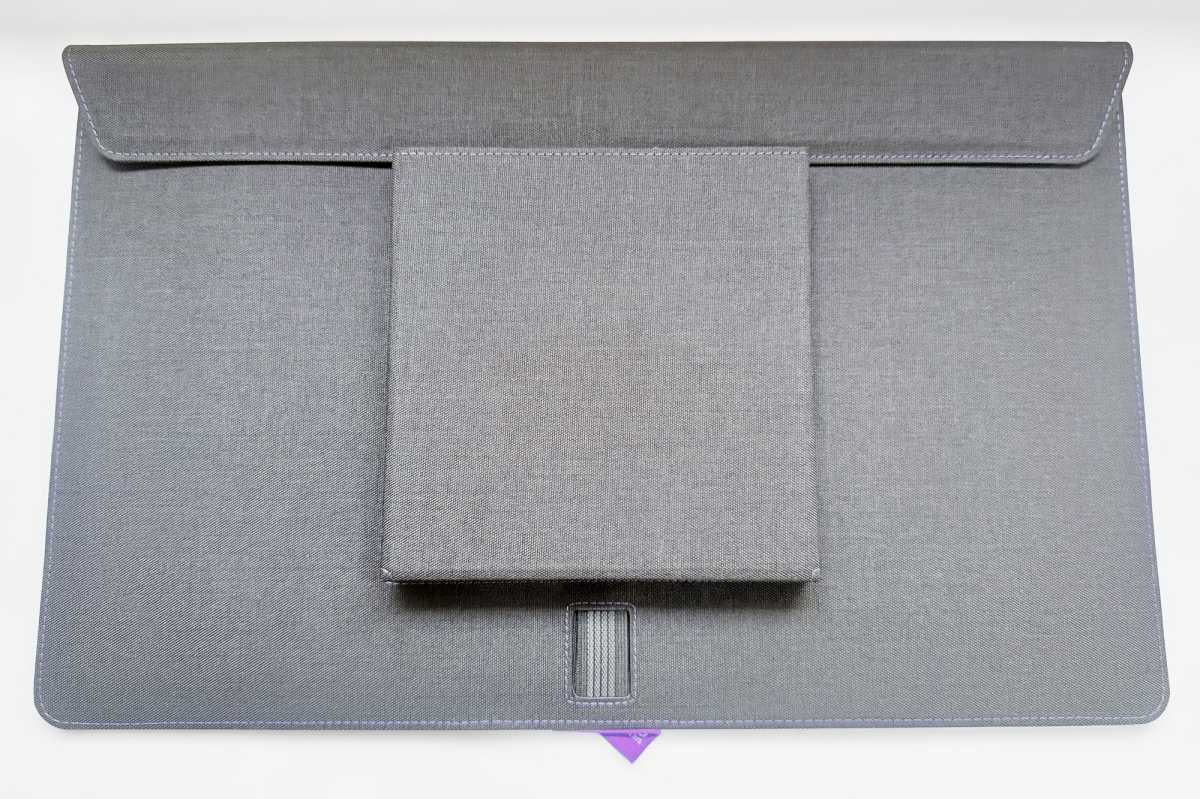
Even the heaviest (Pro 17) feels light in the hand, although you should keep all of them in their respective nylon cases when carrying them around. The cases include a section for the stand, but will set you back another $99/£89.
The Pro 17 screen plus Stand+ Pro weighs in at 1.9kg combined, which is 0.25kg lighter than the 16-inch MacBook Pro. The Pro 15 plus Stand+ weighs 1.4kg, less than the 15-inch MacBook Air or 14-inch MacBook Pro.
Simon Jary
What makes the Stand+ better than other portable monitor stands?
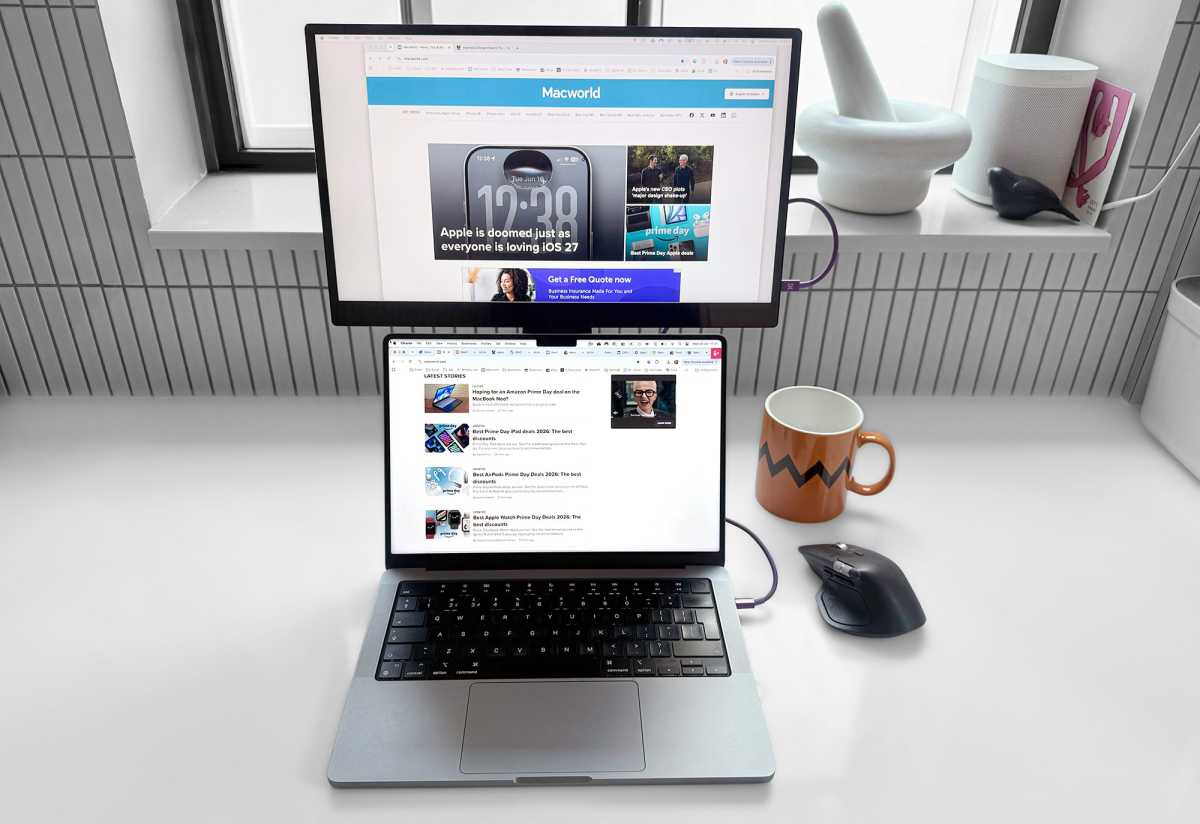
No offense to the great screens, but the neat espresso Stand+ is the real star of the show. It’s flexible enough to sit the screen at table height or raise it up to 1.45 feet (445mm), measuring to the top of the screen. A middle ground of 1.07 feet (325mm) is also possible.
At its highest you can raise it comfortably and sturdily above the open screen of your MacBook—we tested with a 14-inch MacBook Pro.
Simon Jary
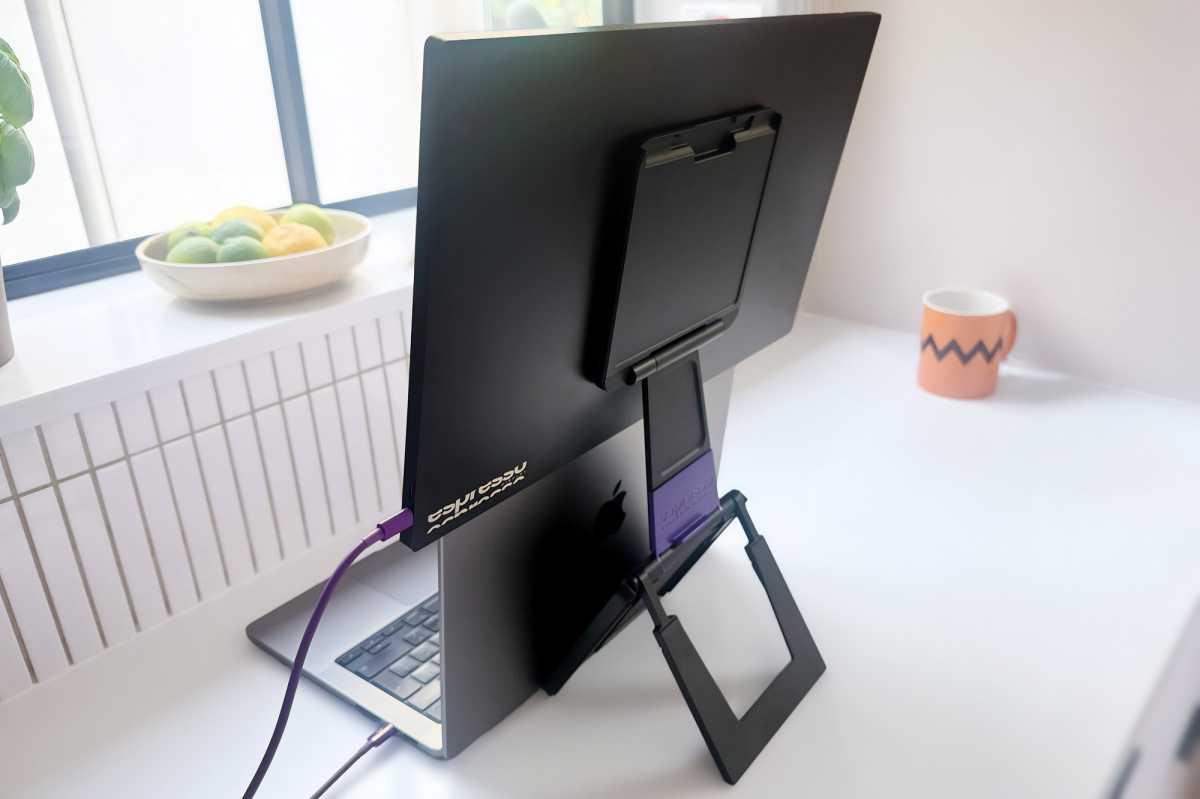
Another clever feature of the Stand+ is its simple magnetic attachment to the back of the espresso screen—no screws or VESA mount required. The stand packs flat for travel.
The Pro 17 comes with the heavier Stand+ Pro, which features a bigger magnet for the larger screen essentially. It also includes a purple segment on the back that you can tilt down for more touchscreen or pen related tasks. The company tells me that a lot of musicians use this when they plug their dials and mixing consoles into it.
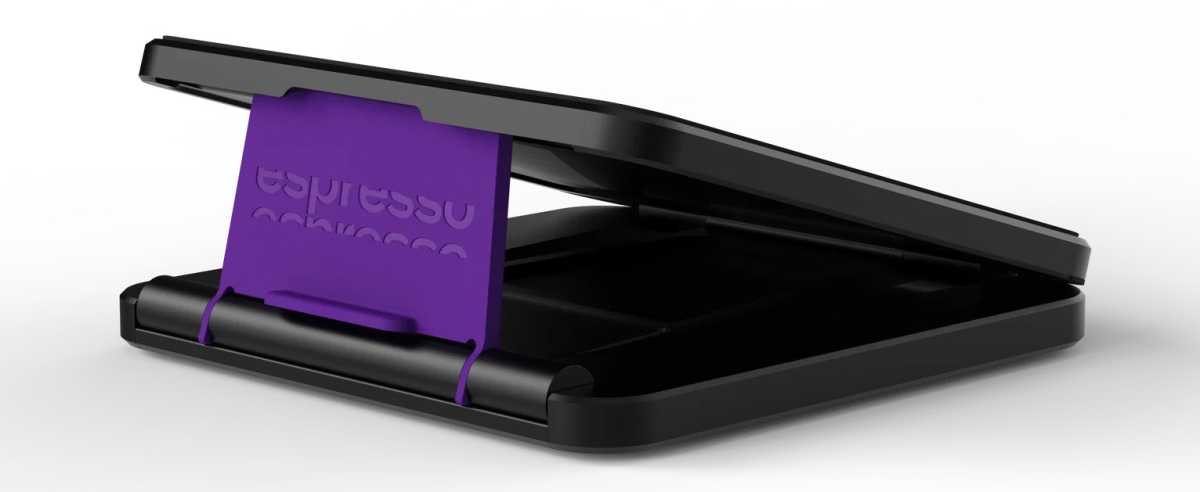
Espresso
If you don’t want to lug the stand from A to B, you can buy an extra one for the office for $69/£69 (Stand+ Pro) or $99/£79 (Stand+ Pro) so it’s there waiting for you, nicely folded up in a desk drawer.
How easy is it to setup?
The espresso displays show their Apple sympathies by connecting via USB-C, compatible with the MacBook’s Thunderbolt.
All work with Macs, iPad (USB-C), and iPhone (15 and later). Note that they will only mirror what is on the iPhone’s screen but can extend the display of a Mac or iPad.
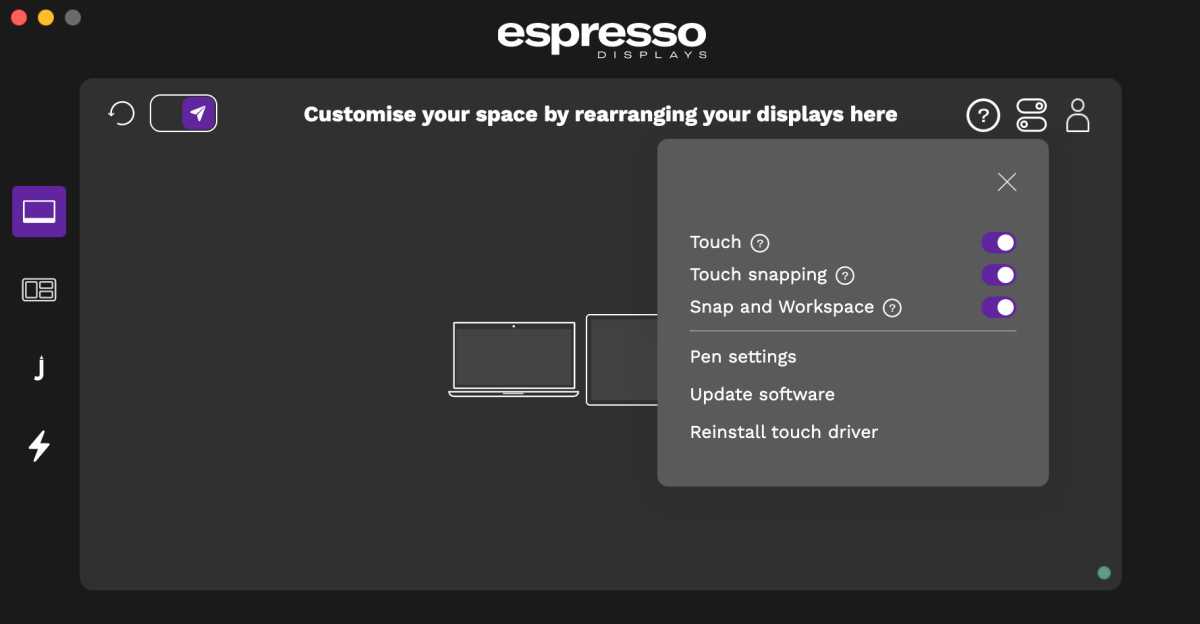
While the connection is plug and play, it’s recommended you download dedicated espressoFlow software—especially for the touchscreen Pro models.
Simon Jary
Another way the espresso displays stand out from the crowd are the extras within espressoFlow, such as workspace management and settings. These include Glide, which is a simple way for you to arrange and auto-rotate the screens without having to go into the Mac’s Displays Settings–although that works too.
You can set the screens in either Landscape or Portrait orientations, which isn’t possible with some other portable displays.
The customizable Snap feature makes switching between tasks easier with a simple click of keystroke.
The touch screens also gain a set of features called Jot that works with Mac apps such as Google Slides, Apple Keynote and Notes, Microsoft PowerPoint and OneNote, and Evernote. It’s an innovative drawing/writing app that allows you to quickly capture, markup and share ideas, take notes, communicate visually, and share feedback and markups on projects.
Magic Jot lets you drop your notes and feedback into a project, document or template. Blank Jot is an on-demand notepad for creativity, notes and feedback. Screen Jot almost instantly shares screenshots and markup with colleagues.
Display specs
While it’s a little larger in physical size, we like the extra screen real estate offered by the Pro 17, although the price jumps up significantly. But it’s not all about physical size.
The espresso Pro is a 16:9 LCD panel, with a 60Hz refresh rate. While the non-Pro screens are HD (1920 x 1080 pixels), the Pro screens are 4K UHD (3840 x 2160)—the minimum spec for creative professionals.
The screens differ in terms of brightness, with the Pro 15 at 550 nits and the Pro 17 at 450. As with other portable displays, brightness is not a strong point, and you can see the difference when it’s next to an open MacBook or iPad. However, we found it perfectly acceptable in use during our testing—especially when plugged into a wall charger rather than taking power from the laptop.
In terms of color gamut, the Pro 17 rates as extremely color-accurate at 99.6% DCI-P3, with 100% Adobe RGB for the Pro 15 (both 1.07 billion colors).
A DeltaE score measures the difference between the intended colour and the colour the monitor actually displays. The espresso Pro has a DeltaE of 2, which is generally regarded as excellent. At this level, colour differences are difficult to detect in normal use and are typically only noticeable on close inspection.
Simon Jary
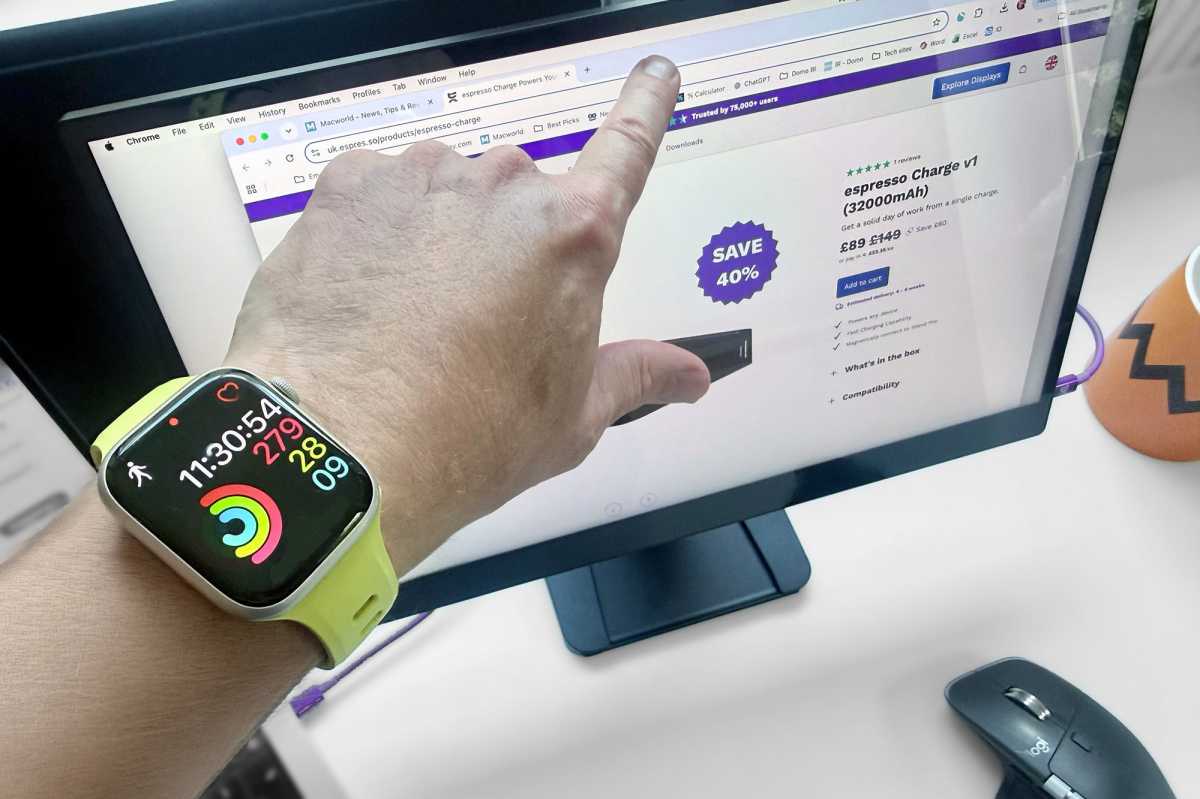
The Pro models come with plug-and-play touchscreen functions, from moving windows around with your finger or scrolling without having to reach for your mouse. It’s not as touch capable as the iPad but matches most basic touch screens in terms of functionality.
For finer and more accurate input control you’ll need the 3oz (85g) espressoPen ($89/£89) that allows for basic notetaking, sketching, and markups with 4,096 levels of pressure sensitivity, tilt functionality and palm rejection. It’s not as precise as a dedicated professional art pen but handles the basics well.
I’m no artist so can’t vouch for exactly how it differs to other touchscreens at the finer level, but it certainly works well for basic touch controls and is much easier to set-up than other touchscreen monitors I’ve tested.
Simon Jary
Ports and power: How much battery does it use?
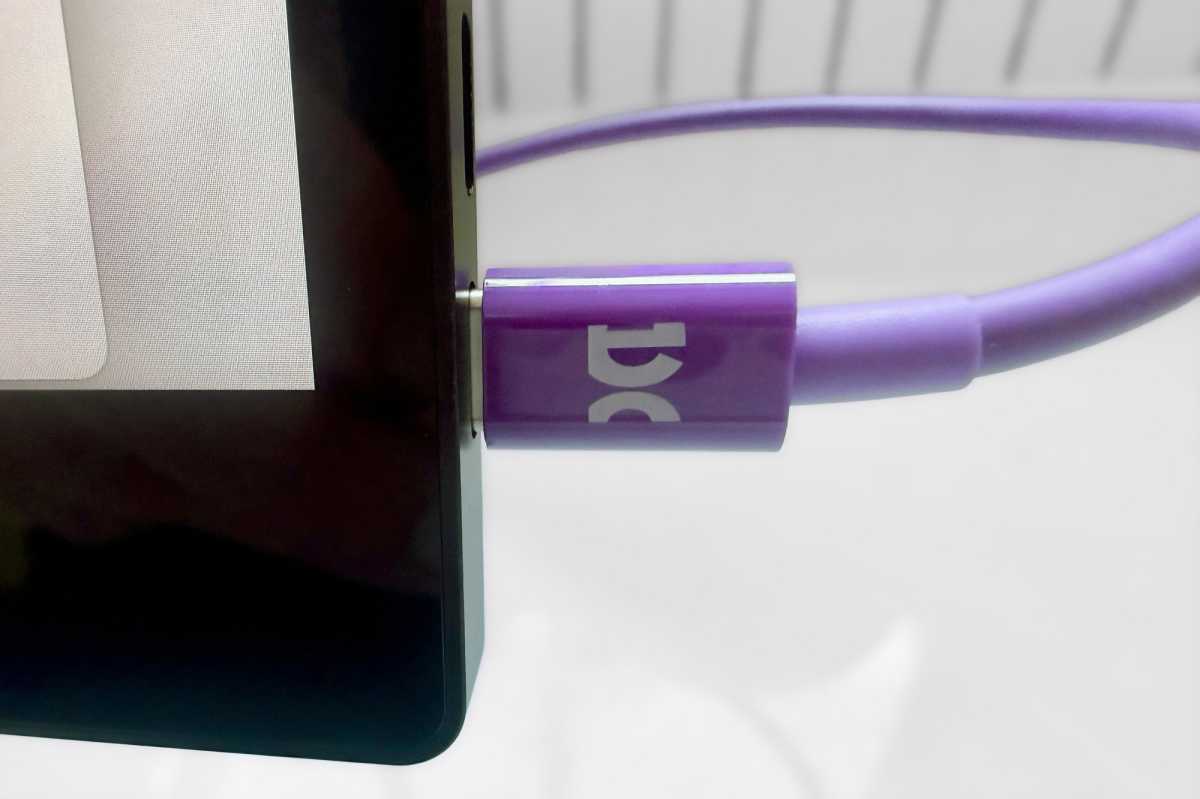
The espresso monitors have two identical USB-C ports. In the box espresso includes a distinctive purple cable that is good for both data and power. As we explain in more detail in our roundup of the best USB-C cables, some cables are good for charging and others for data—some, like the espresso USB-C cable are adept at both.
The monitors are bus-powered, meaning they can draw power directly from the connected computer. The Pro 17 consumes up to 18W at its maximum 450-nit brightness, while the Pro 15 uses around 13W, so extended use will noticeably reduce your MacBook’s battery life.
For longer sessions, you’ll want to power either the monitor or your laptop separately. Espresso sells its matching magnetic espressoCharge power bank, which packs a 32,000mAh (118.4Wh) battery, attaches beneath the Stand+, and can keep the display running for hours for $199 / £89 and attaches magnetically under the stand’s base. A cheaper v2 of the charger (with 26000mAh battery) is selling in the US for $129.
If the screen is receiving power from a separate charger it can passthrough up to 100W of power to the laptop.
Some portable displays include a built-in battery so you can use them longer on the go, but this adds considerable weight to the monitor. Staying light and giving you flexibility to draw power from the laptop or connect to a charger via the USB-C port offers you flexibility.
None of the espresso monitors ship with a charger. See our comparison reviews of the best Mac laptop chargers for options or consider a budget iPhone charger that will do just as well although not offer much in the way of passthrough power to the MacBook.
If you want to work with the MacBook’s lid closed, you’ll need a separate power connection to the laptop.
Simon Jary
Is it worth the premium price?
The espresso Pro 15 is priced at $699 / £584, with the Pro 17 at $799 / £649 direct from espresso. That’s a sizeable jump from the entry-level Lite 15 at $249 / £219, but you gain the aluminum body plus 4K resolution and superior color performance. You can also find the Pro 15 and Pro 17 available from Amazon.
Check out our other reviews of the best portable displays for Mac for comparisons.
There are cheaper alternatives to the 4K 17-inch espresso Pro—for example this same-size 4K portable from UPerfect for under $500—but you’ll need to buy a better VESA mounted stand to match the espresso Stand+ and we haven’t tested one that also offers touch functionality or espresso’s other software goodies.
You are paying a premium price but getting a premium product. As an Apple user, this is something you should be used to.
Of course, you can add much larger displays—see our roundup of the best monitors for Mac—but if you are often travelling with it you’ll certainly need the portability.
Should you buy the espresso Pro 17 portable display?
It’s clear that the hardware and software designers get the Apple user and have created super-slim portable monitors that come alive when magnetically attached to the super-adjustable sturdy Stand+.
The pick of the range is the Pro 17 touchscreen, a 4K rarity among portable screens. You’ll pay for the superior specs and features but be rewarded with a fine MacBook display that should increase your daily productivity and work flexibility.


