USB-C has been one of the best innovations for convenience and compatibility, but it also means that my bag of cables and plugs is now a tangled mess of confusion. I don’t know which ones are for data, which are for charging, or how fast each one is. When I need a cable, I have to pick one and try it out to see—not exactly quick and easy.
So I finally bit the bullet and bought a USB cable tester to see what all of my USB-C cables are good for. I went in expecting a few to be bad (and therefore could be tossed guilt-free) with the rest being fast and safe.
But the testing process also helped me discover that my charging habits were inefficient, and that I could be moving data around much faster if I just used the right USB-C cable for the job.
A few years ago, we tested dozens of old USB cables and found that some of them were actually dangerous. Fortunately, that wasn’t the case this time around. Performance was the only negative here.
What I used to test my USB-C cables
I opted to use the Treedix USB Cable Tester with a 2.4-inch display and the ability to test USB-C eMarkers, charging speeds, data transfer rates, and a variety of USB types including Type-A, Type-C, Type-B, both Mini and Micro USB, and even Apple’s Lightning connection.
What’s a USB-C eMarker and why is it important? It’s a tiny chip that’s embedded inside the connector, and it tells you the exact specs of the cable: speed, wattage, manufacturer, etc. The eMarker is both for safety and performance—it prevents high-wattage devices from drawing too much power, and it allows chargers to smartly negotiate power and data.
Jon Martindale / Foundry
Fittingly, you can power this tester via USB-C, but it also comes with a AAA battery included. Once it’s powered on, it gives you several display modes for testing different aspects of cables. Each screen makes it pretty clear what you’re looking at, and though the buttons are a little flimsy, the whole device is bright, functional, and easy to use.
It’s perfect for someone looking to audit one or a bunch of USB cables that have been cluttering up that drawer for far too long.
Get the Treedix USB Cable Tester
The cables and the results
For control’s sake, I began the audit with a couple of brand-new cables direct from Amazon: an Amazon Basics USB-C Cable and a Ugreen USB-C Cable, both promising 8K and 240W support.
Jon Martindale / Foundry
Jon Martindale / Foundry
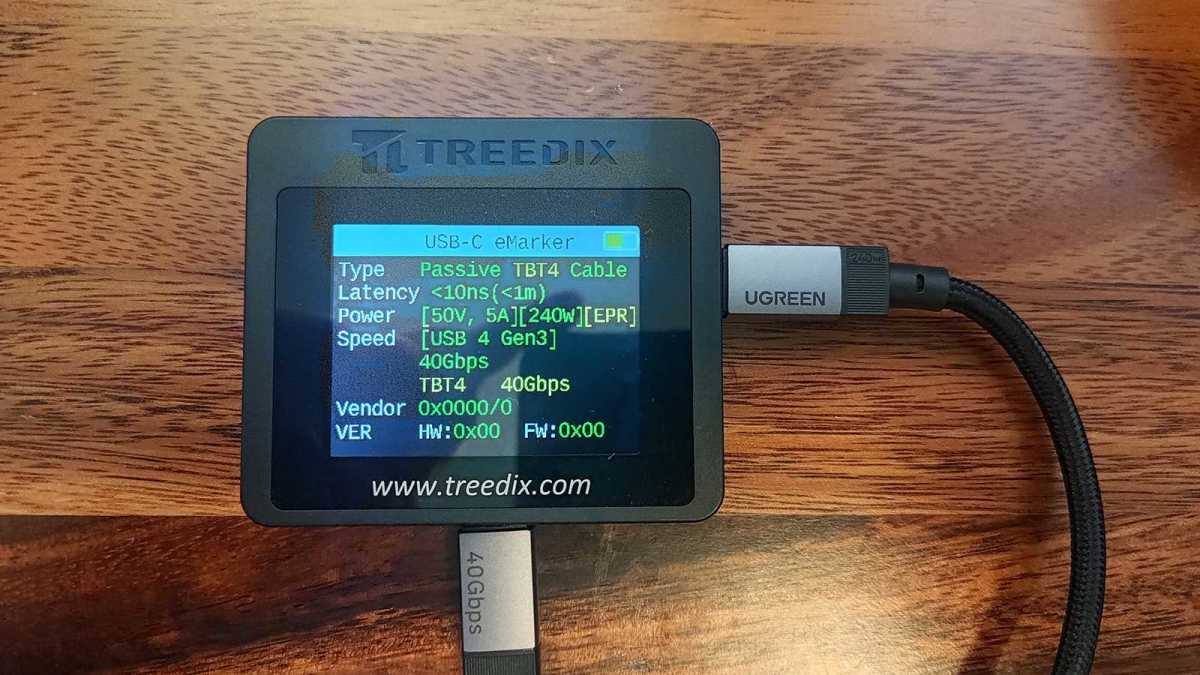
When I plugged in the Ugreen cable, it lit the thing up like a Christmas tree: most of the pins enabled, official USB-C eMarkers, and proper grounding for the shell. This particular cable was recognized as a passive Thunderbolt 4 cable, with up to 240W of charging capacity and 40Gbps of data transfer over USB4.
Jon Martindale / Foundry
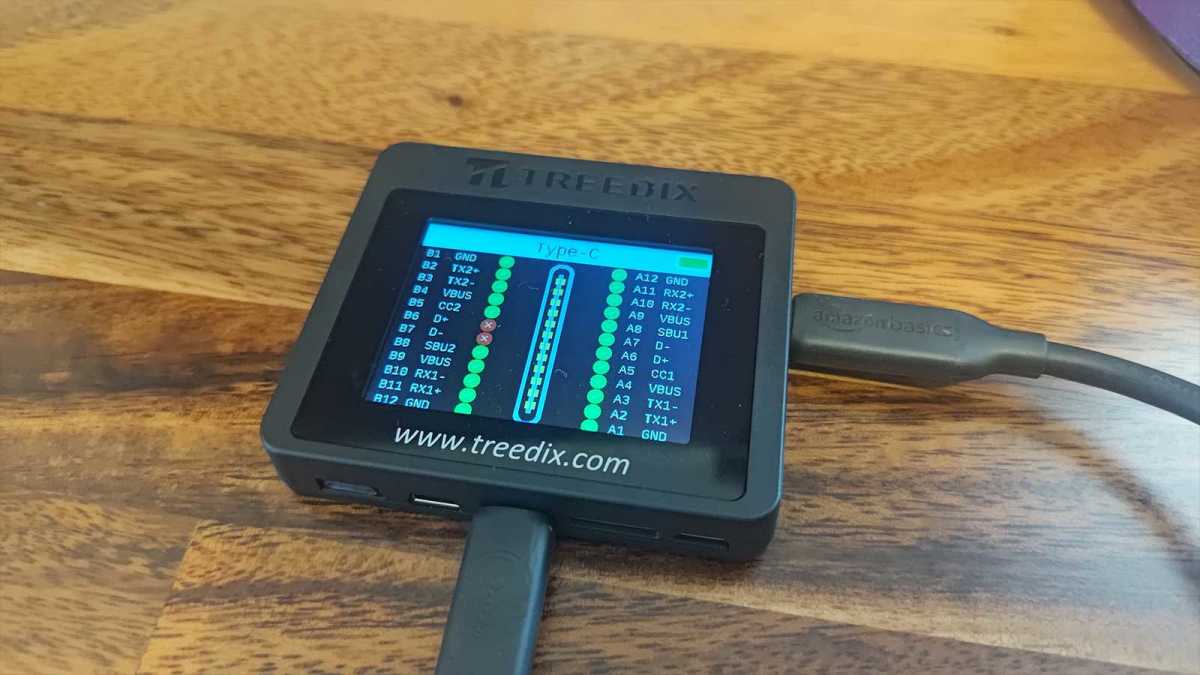
The Amazon Basics cable was right there with it, costing about half the price and delivering the same performance and features, except without the fancy nylon braiding and hook-and-loop cable tie.
All well and good. But what about the spaghetti mess of other cables I keep tucked behind the treadmill I don’t use?
Jon Martindale / Foundry
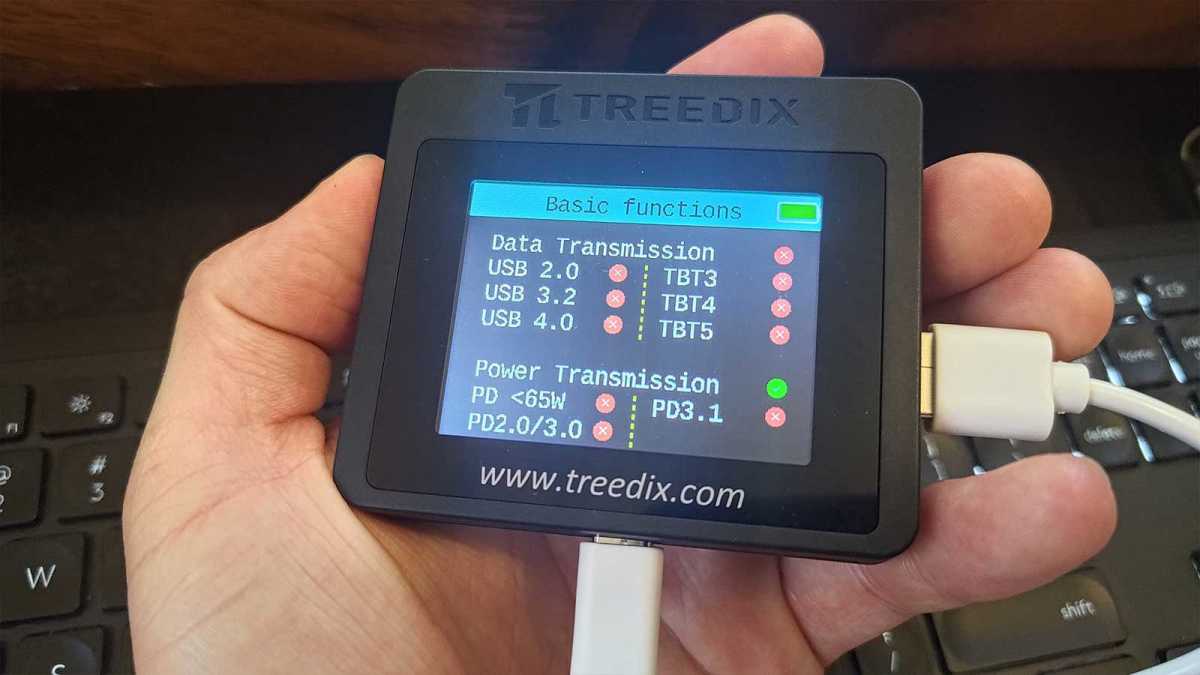
The first cord on the chopping block was an unbranded white USB-C cable that I’ve periodically used for plugging Xbox controllers into my PC whenever my wife and I play co-op and I don’t want to put up with the input lag that comes from Bluetooth.
Or so I thought! Apparently this no-name white cable wasn’t that cable, instead being some other random cable I had lying around. (That’s the kind of mistake that can easily happen when you have a ton of cords, and a good example of why this tester is handy.) This particular cable has no data transmission capabilities at all—only basic power transmission, according to the Treedix tester. No USB-C eMarker chip, either.
This one is definitely going in the bin.
Jon Martindale / Foundry
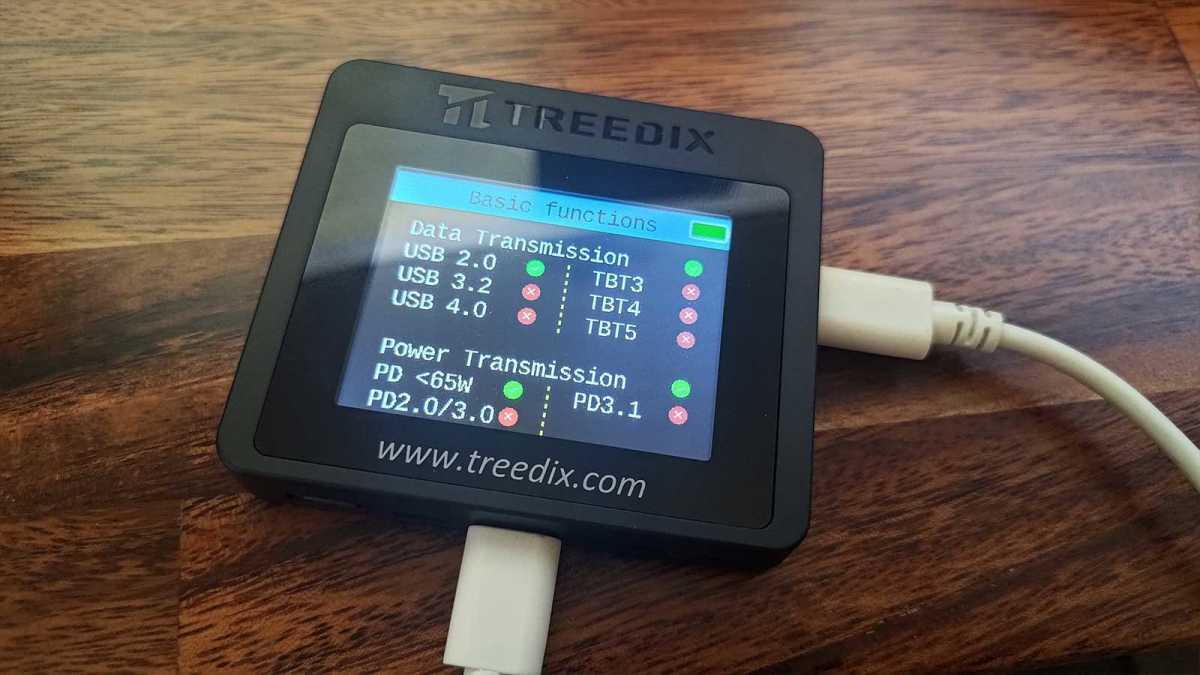
Back to the real white USB-C cable I’d meant to test, the one I use for my Xbox controllers. This one does have basic USB 2.0 data transmission and power transmission. Its power delivery is somewhere under 65W, but that’s better than whatever that other cable managed. Keep.
Jon Martindale / Foundry
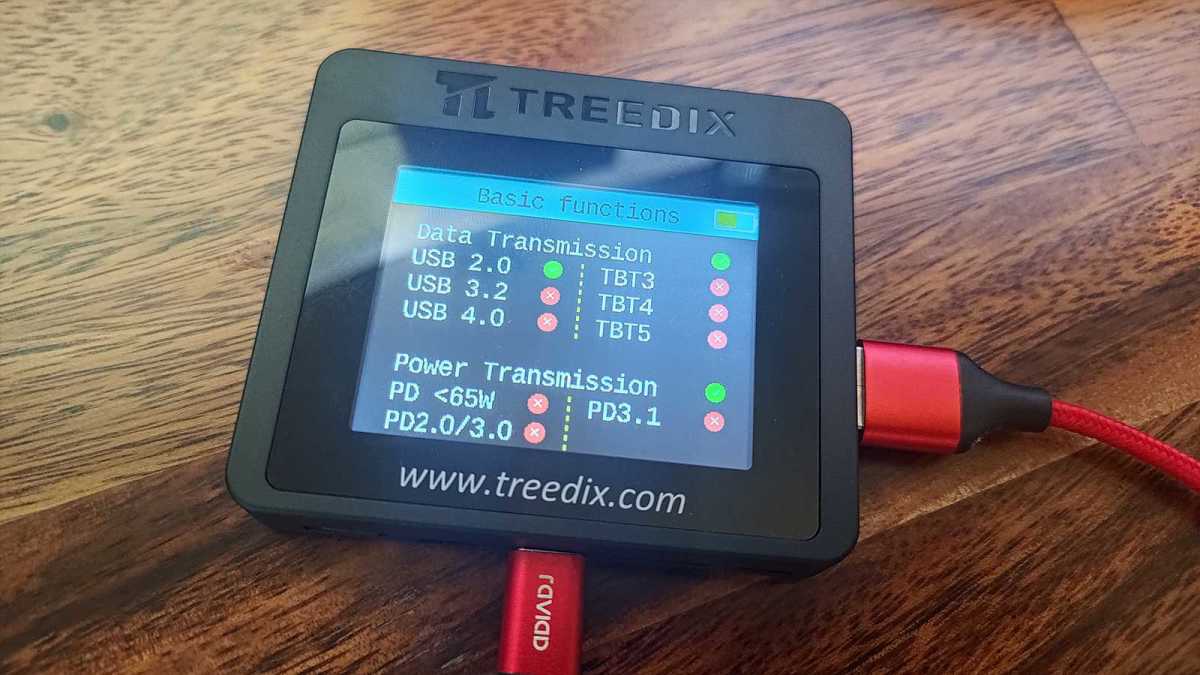
I then tested this red cable I had lying around, which I was sure came with my equally red Samsung T7 portable SSD—but turned out to be altogether unrelated. Made by Raviad, it wasn’t the high-speed data cable I thought it was, offering merely basic USB 2.0 and power transmission. Off to the bin, thanks.
Jon Martindale / Foundry
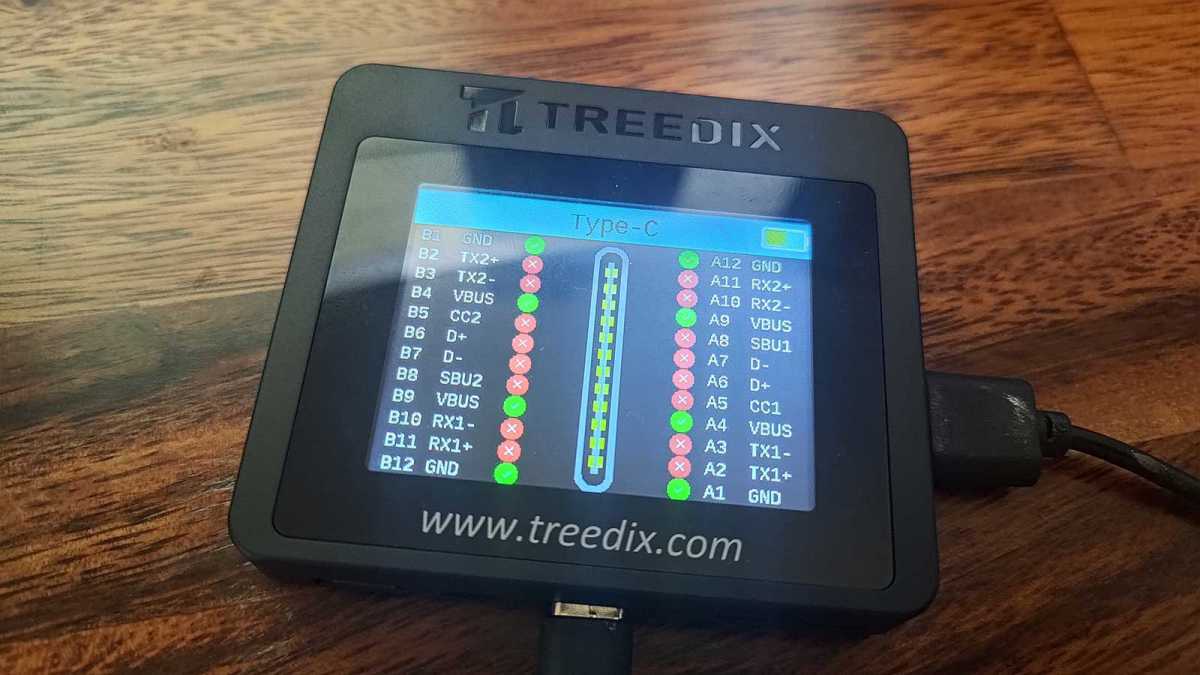
I found this unknown black cable with only basic power transmission and barely any pins enabled. Easy decision: ditch it.
I found another unknown black USB-C-to-USB-A cable (not pictured) with unopened cardboard shroud. It has USB 3.2 support alongside some basic power delivery. I’ll probably find a use for it, so it stays for now.
Jon Martindale / Foundry
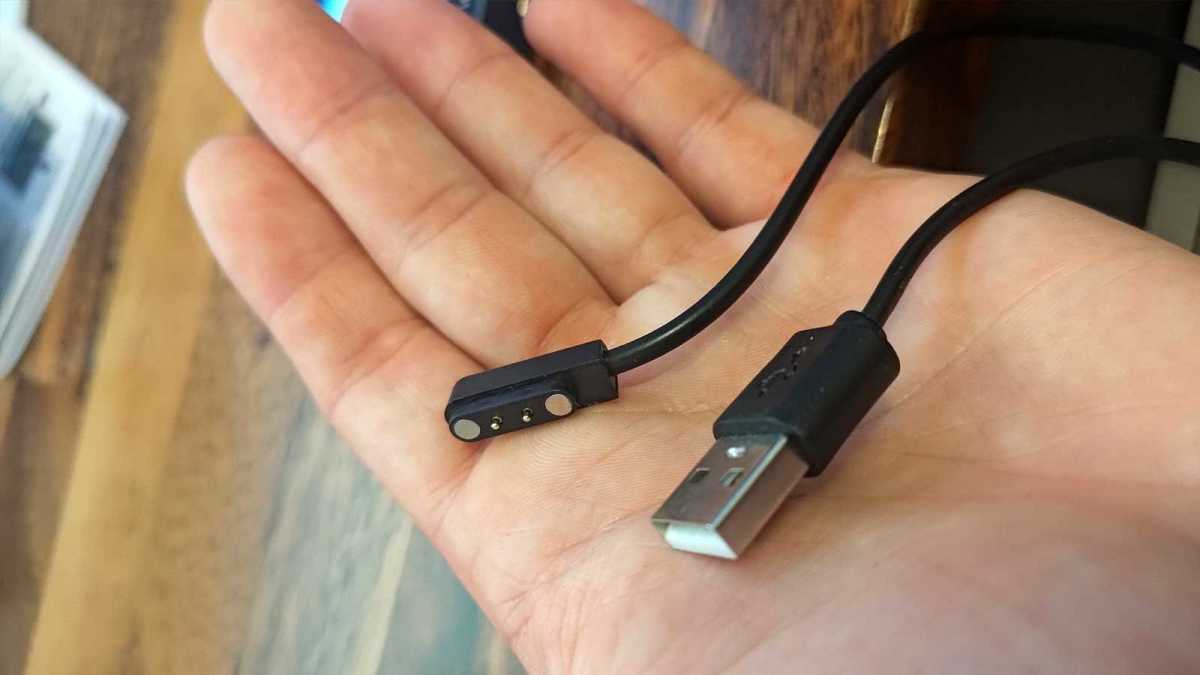
I don’t even know what this one’s supposed to connect to. Bin.
Jon Martindale / Foundry
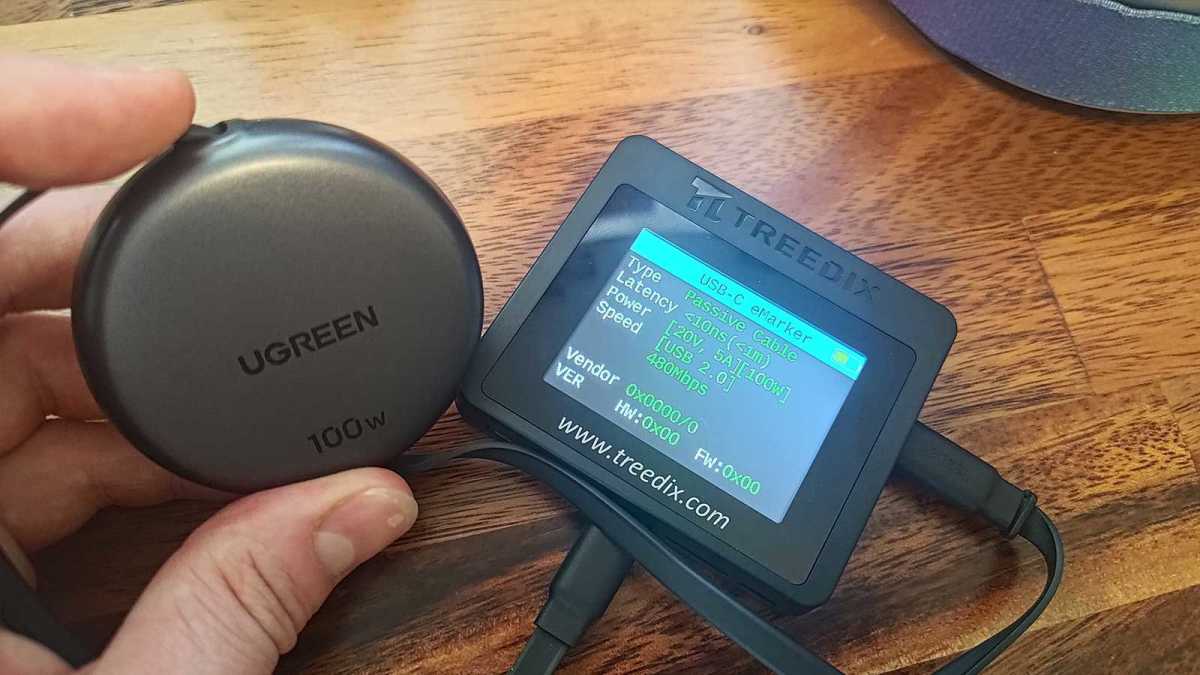
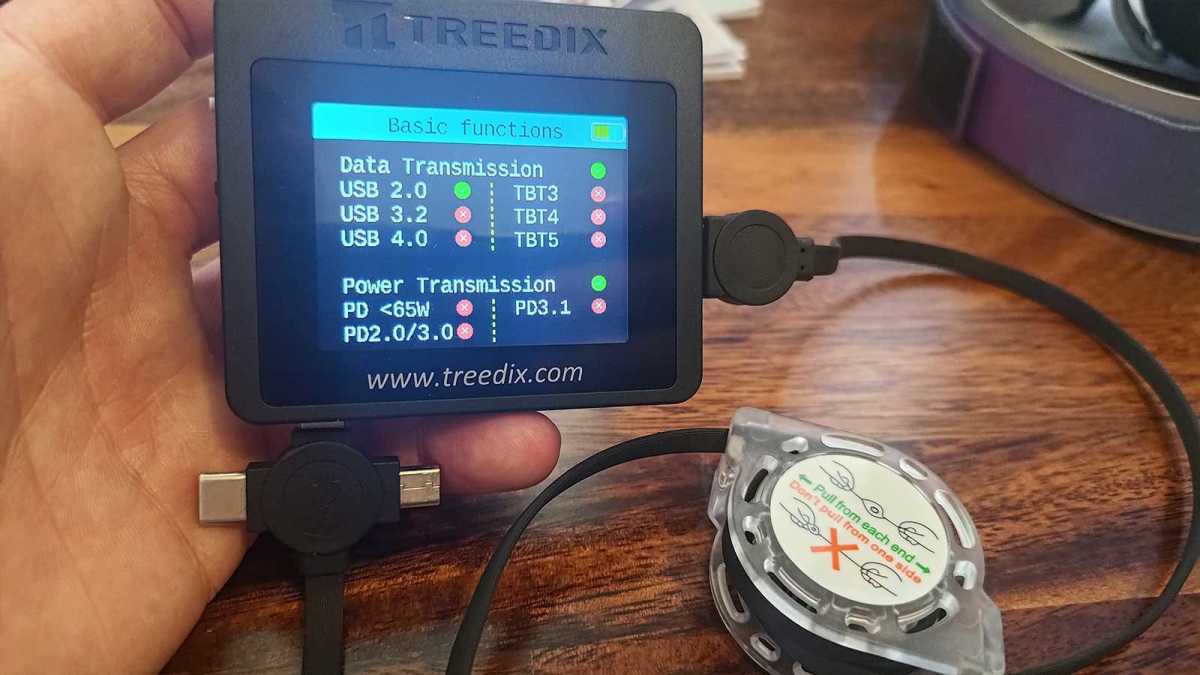
Ah, Ugreen again—finally a brand I recognize. This one is a nifty 100W retractable cable, which is great for portability and flexibility. Does that impact its performance? Well, the tester shows that it has the USB-C eMarker chip, a true 100W charging capacity, and only USB 2.0 data transmission. That’s good enough for a spare laptop charger.
Jon Martindale / Foundry
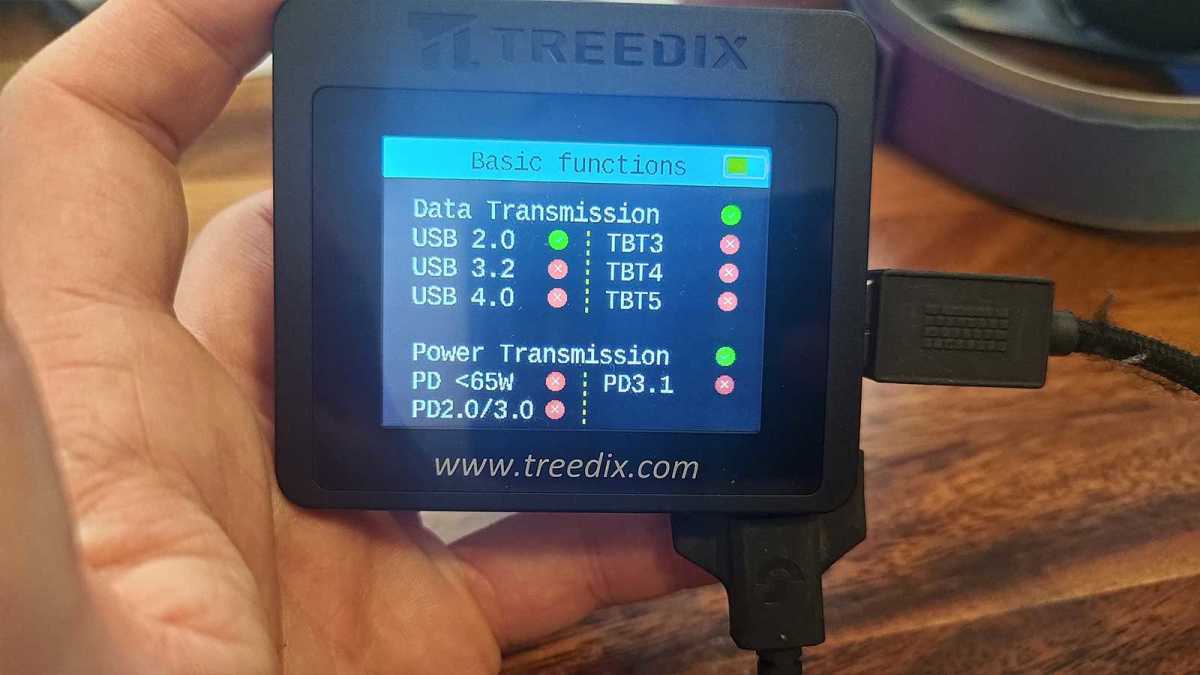
I previously wrote about my favorite 3-in-1 USB accessory, a tri-pronged USB-A cable with connections for USB-C, Micro-USB, and Lightning. This one’s also retractable, but that tri-pronged end is what I love about it—I can hook up almost any device type in my house.
No USB-C eMarker chip in this one, but it manages basic data transmission, sub-65W charging on USB-C, and basic power transmission on Lightning and Micro-USB. I’ll keep it for its versatility, but now that I know what it’s actually capable of, it has fallen a bit in my expectations.
Jon Martindale / Foundry
Next up in my audit was this weird Logitech Micro-USB cable that I’m supposed to use for recharging my G915 TKL Pro keyboard. I always found it slow to charge, and this tester shows me why: only basic USB 2.0 data transmissions and basic power transmission.
Jon Martindale / Foundry
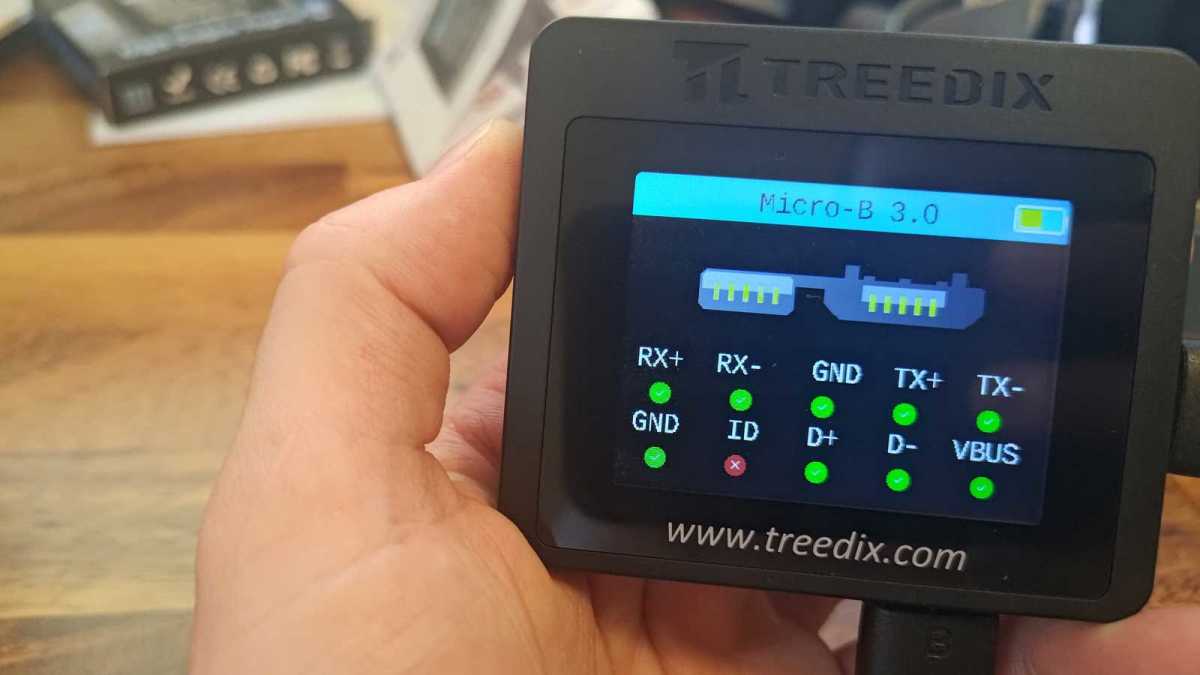
I know this is supposed to be a test of USB-C cables, but I also found a stray USB Micro-B cable in the mix. No idea what it’s for or where it came from. Turns out it has USB 3.2 speeds but no power delivery.
One random black USB-C cable I found had a USB 3.1 Gen 1 label on it, but the Treedix suggested it was rated for up to USB4 data speeds and 100W charging. It has a thick gauge so perhaps it’s over-engineered. I’ll need to do some further testing on that one.
I went on like this for a couple of hours, doggedly plodding through my messy cable pile and finding a fair mix of duff cables and capable ones. I threw away two of those chunky USB-B cables that I hope I’ll never have to connect to a printer ever again, as well as a couple of aging kettle leads and HDMI 1.4 cables.
It took a while, but I’d do it again
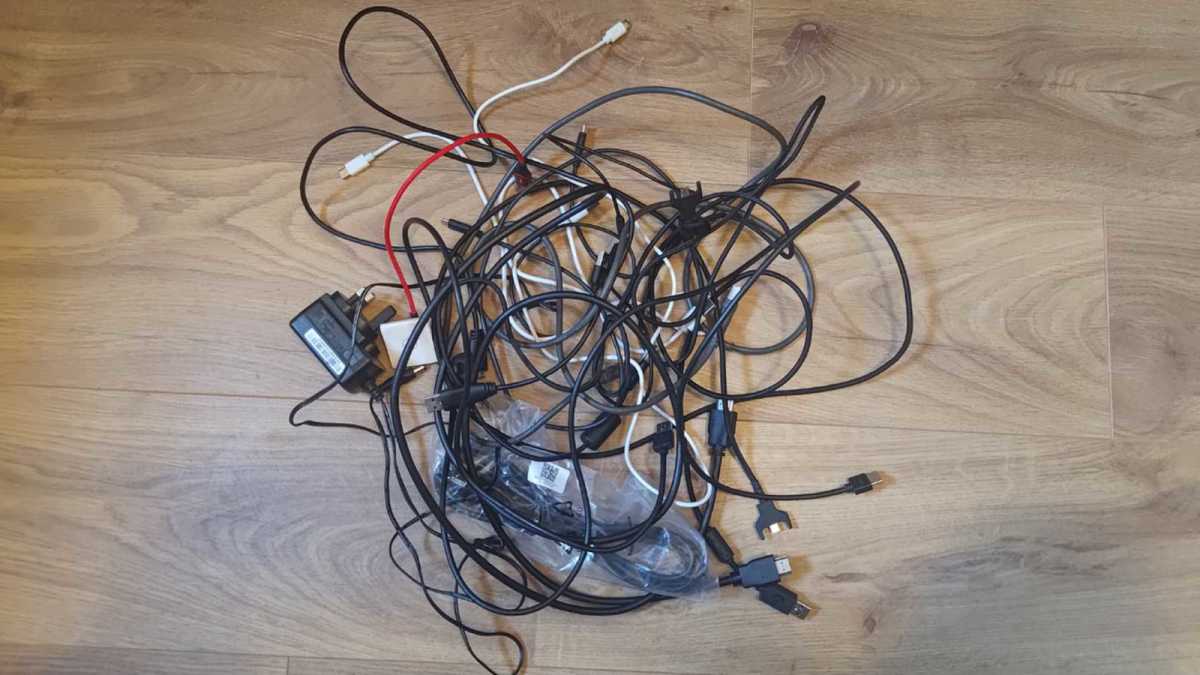
Testing USB cables isn’t the most glamorous way to spend a hot summer afternoon, but while my partner looked on in puzzlement as I exclaimed every time I found a random USB4 or 100W charging cable, my pile of spaghetti mess grew smaller and smaller.
My bag of cables is no longer a mass of “probably fine” solutions when I need a USB cable. I now know they all offer high charging speeds, and the ones with data transfer support at least USB 3.2 Gen 1 speeds.
Jon Martindale / Foundry
That’s the value of testing like this. I can be my usual hoardy self and keep all the cables just in case, but now and again give them a proper audit to make sure the ones I’m hanging on to are actually useful. The rest can head off to the e-waste pile for recycling. For a few dollars and a few seconds per cable, I’ve bought myself peace of mind, less clutter, and convenience—all worth the few bucks for a tester.
Get the Treedix USB Cable Tester


