You should set up a guest Wi-Fi network at home—or so says common advice. Putting visitors and even internet-capable devices (e.g., smart TV, baby monitors, cameras, etc.) keeps their security weaknesses isolated. But not all experts agree.
The other day, my colleague Adam Patrick Murray mentioned he’d been told not to set up a guest network. This flew in the face of what I understand, so I went to the source to talk it through.
Turns out, this security expert and I didn’t have opposing views. Just different takes on the same information. And by the end of our chat, I got him to come around to my thinking. (Sort of.)
The reason for using a guest network
You don’t have control over other people’s devices. A friend could show up at your place with a compromised phone or laptop, for example. Meanwhile, smart products can have glaring holes in their security—vulnerabilities that hackers would use to spy on you, insert themselves into your browsing sessions, and/or compromise your devices.
Placing them on a guest network separates their traffic from your home network’s. So long as the two streams never mix, any guest (or “guest”) devices can’t see what you’re up to. Beyond the security benefits, this approach also protects your privacy. (Though not fully for smart devices that record and report your usage habits, or take photos and videos of your home’s interior—they’ll still have an internet connection.)
The problem with guest Wi-Fi
For a security expert like Mike Danseglio, an ethical hacker and cybersecurity instructor, home routers don’t handle guest traffic as effectively as he’d like, which is why he told Adam not to use one.
His concern: All traffic still passes through a single device, so the router’s firmware is what isolates the data flowing through your home and guest networks. In a corporate environment, such VLAN (virtual local area network) configurations like these can be trusted. Companies pay big bucks for the equipment (and the network engineers) that manage them.
A quick sketch provided by Danseglio, illustrating how a guest Wi-Fi network and home Wi-Fi network connect to your router, devices, and the internet.
Mike Danseglio
Danseglio doesn’t see consumer-grade routers as equally reliable, in part because few explain how their guest Wi-Fi network works. With no details on implementation, you don’t know what you’re getting–from one router to another. One model’s guest Wi-Fi network could differ in effectiveness from another’s. And both would likely still fail to compare to a proper VLAN setup. “There are known techniques that are effective at bridging the networks,” he says.
Overall, Danseglio believes you’re better off leaving untrustworthy devices off your network altogether: “If you don’t trust folks, have them either on a totally separate network, like literally a completely separate path to the internet, or just don’t give them access at all.”
Why I decided to argue with a security expert
I agree that you shouldn’t rely on a guest network to keep you safe. Instead, it’s risk reduction.
But I see value in it. Most people won’t want to set up a whole separate network for guest and smart devices. That includes me—if you want the same seamless experience as with a single router, a lot more effort is required than just plugging a second router into your modem.
Most people don’t have better alternatives for devices with useful features but lax security. Realistically, they can’t leave them off their network or skip buying them to protect themselves. If you struggle to remember if you left your fridge door open, you want the notifications.
How we came to agree on guest Wi-Fi use
Christopher Null/Foundry
When presented with these constraints, Danseglio ultimately agreed that a guest network could provide some protection. But with very specific stipulations:
“For [a] situation where the device requires connectivity for core functionality AND the consumer buys the device AND the consumer doesn’t trust the manufacturer… then a guest network provides a little more security than joining the standard network, and I’d recommend it. I’d just be clear that a guest network isn’t a ‘makes the device perfectly trustworthy’ feature.”
Another way to look at it: Think of this as knowing lithium batteries can spontaneously combust under certain circumstances. You decide to keep your spares in a fireproof pouch in your garage (assuming your winters don’t get too cold). Could a fire start, escape the pouch, then the garage, and spread to your house? Sure. But it’s not a bad precaution.
What home routers can you trust?
Since not all home routers implement guest Wi-Fi networks in the same way, which ones can you trust? I posed this question to Danseglio, knowing home networking enthusiasts often wax poetic about Ubiquiti and its surprisingly consumer-friendly prosumer router.
His take: “I think Ubiquiti and some of the higher-end brands like Meraki and Aruba are much more likely to properly isolate guest network traffic. Ubiquiti in particular has several different network isolation features, and the company documents exactly how each of the features work. That’s usually a really good sign the company put thought into this category of security control, and usually that means it’s a more dependable control.”
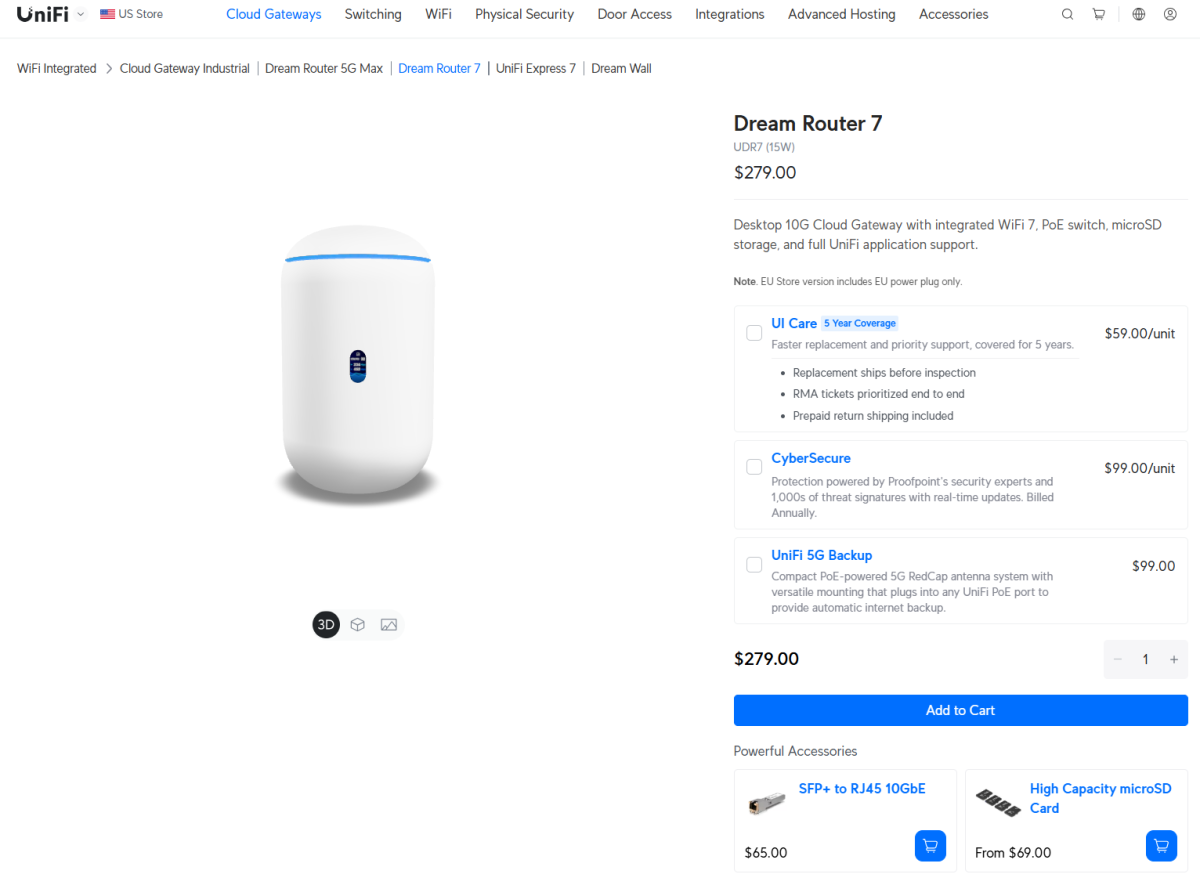
Ubiquiti
Meraki and Aruba sell corporate-grade networking equipment, but Ubiquiti straddles the line between consumer and enterprise. Its Dream Router 7 (referenced above) is $280—cheaper than similar high-end routers from Asus, Netgear, and Linksys, but still has a simple enough web interface that home networking noobs can get by pretty easily.
My main recommendation if you get a fancy router, no matter which type: Turn off remote access. Local-only access for router management won’t eliminate all security vulnerabilities, but like making your friends and family use a guest Wi-Fi network, it helps reduce the risk.
Related posts:
 Anthropic appoints a national security expert to its governing trust
 Security expert details how a simple Microsoft tool led to the discovery of a serious macOS flaw
 Get two Blink Wi-Fi security cams for the lowest price ever (60% off)
 TP-Link’s Tapo 2K outdoor Wi-Fi security cam is now $70 (was $120)