At a glance
Expert’s Rating
Pros
- Enjoyable and spacious keyboard
- Decent audio, webcam, and microphones
- Good CPU performance from Core i3-N305
- 512GB PCIe SSD is excellent at this price point
Cons
- Design looks and feel its price
- IPS LCD lacks color and contrast
- Battery life is usable but not amazing
Our Verdict
The Acer Chromebook Plus 514 isn’t the most attractive ChromeOS machine, but it offers good performance and lots of storage for the price.
Price When Reviewed
This value will show the geolocated pricing text for product undefined
Best Pricing Today
Price When Reviewed
$399.99
Best Prices Today: Acer Chromebook Plus S14
Buying a Chromebook in 2026 can feel like a bit of a gamble. Many models are available, but pricing seems to vary wildly, and a lot of retail sites list new and ancient models side-by-side. The Acer Chromebook Plus 514 enters this confusing market as a sensible choice with decent specs and a mid-range price of $399.99. It’s definitely not the most attractive ChromeOS laptop, but it delivers good value for your money.
Acer Chromebook Plus 514: Specs and features as-tested
The Acer Chromebook Plus 514 is currently available in just one configuration. It includes an Intel Core i3-N305 processor with eight CPU cores and 8GB of DDR5 memory. These are respectable specifications, but the real surprise is the 512GB solid state drive, which feels generous.
- CPU: Intel Core i3-N305
- Memory: 8GB DDR5
- Graphics/GPU: Intel UHD
- NPU: None
- Display: 14-inch 1920×1080 IPS 60Hz touchscreen
- Storage: 512GB M.2 PCIe NVMe solid state drive
- Webcam and microphone: 1080p webcam with privacy shutter, dual-array microphone
- Connectivity: 2x USB-A 3.2 Gen 1, 2x USB-C 3.2, Gen 1 microSD card reader, 3.5mm audio jack
- Networking: Wi-Fi 6E, Bluetooth 5.2
- Biometrics: None
- Battery capacity: 53 watt-hours
- Dimensions: 12.9 x 8.9 x 0.81 inches
- Weight: 3.15 pounds
- Operating System: ChromeOS
- Price: $399.99 MSRP
Acer lists an MSRP of $399.99. It’s not among the least expensive options, which still dip below $200. But it’s also far from the most expensive, as top-flight ChromeOS machines exceed $600.
Acer Chromebook Plus 514: Design and build quality
Foundry / Matthew Smith
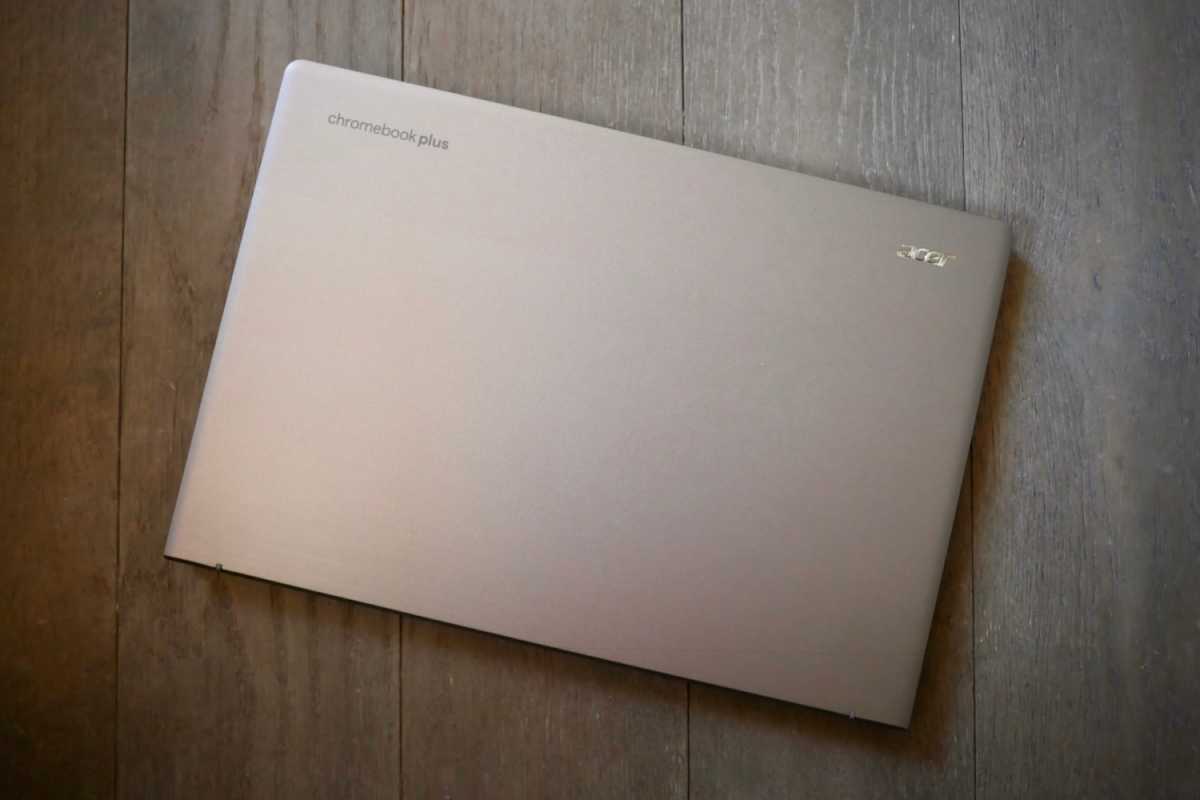
Unboxing the Acer Chromebook Plus 514 reveals a machine that doesn’t feel particularly “Plus.” That’s not to say it’s bad or below average; it’s merely typical for a mid-range Chromebook. The chassis is plastic and, aside from a fake brushed aluminum accent on the top of the display lid, doesn’t offer any notable design flourishes that would make it stand out.
The laptop measures about eight-tenths of an inch thick and weighs in at 3.15 pounds. It’s portable and easy to handle, but it doesn’t feel slim when handled. The plastic chassis is good enough for the price but some panel flex can be felt when opening the display and when picking up the laptop from a corner.
Though it definitely doesn’t feel premium, the Chromebook Plus 514’s plastic construction may have upsides. Fingerprints are less likely to show up than many metal laptops in a similarly dark colorway.
Acer Chromebook Plus 514: Keyboard, trackpad, mouse
Foundry / Matthew Smith
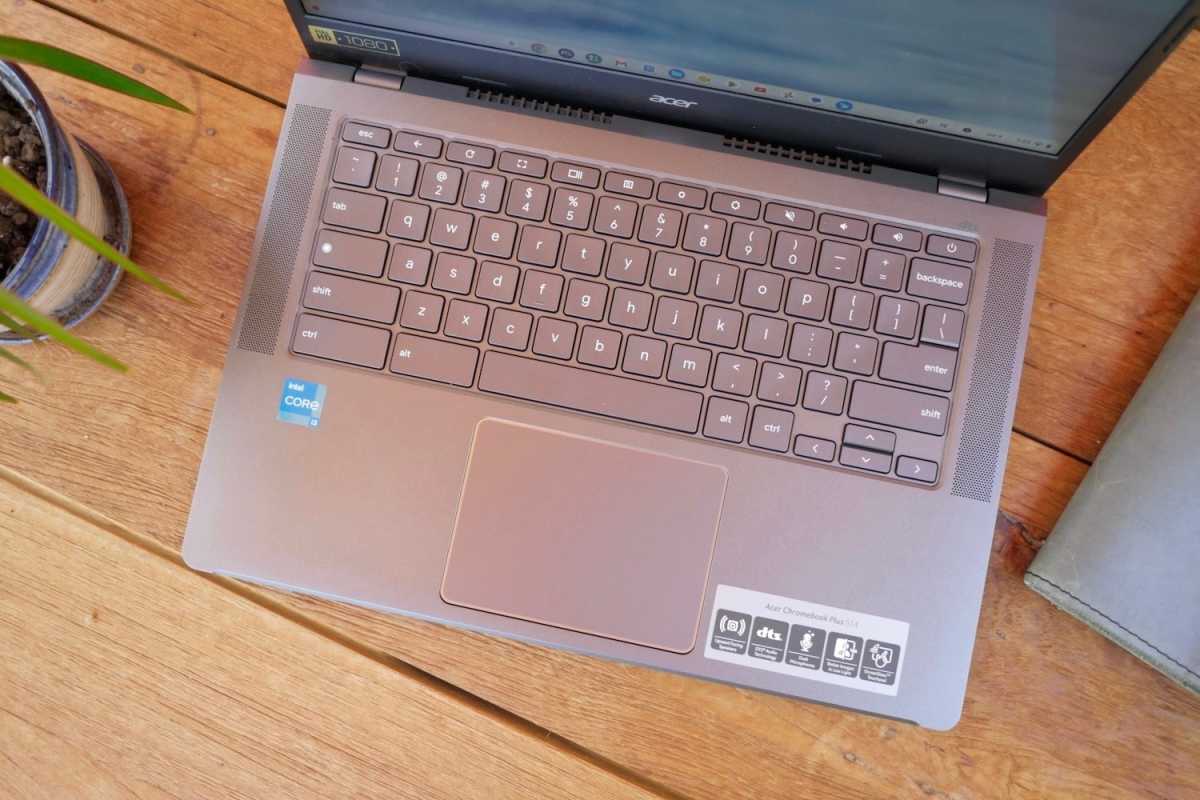
Acer provides a rather spacious keyboard in the 14-inch Chromebook Plus 514. Most keys are quite large, some unusually so for a 14-inch machine; the Shift keys are an example of this. Backspace is the only key that looks a bit smaller than the norm. Like all Chromebooks, the Chromebook Plus 514 has a unique function row that provides access to system features. The row includes fewer keys than on a Windows or Mac laptop, and the keys are wider as a result.
The typing experience is generally good. Key travel is lengthy and keys bottom out with a crisp tactile feel. The plastic chassis allows a fair bit of keyboard flex when I really go ham on the keyboard, but in normal use it’s not that noticeable. There’s plenty of palm rest space below the keyboard, too, which improves comfort.
A backlit keyboard is not available, however, which is something to keep in mind if you often use your laptop in a dark room. The keys will prove difficult to see in dim settings.
I found the touchpad less impressive than the keyboard. It measures roughly four inches wide and three inches deep, which isn’t particularly large for a touchpad on a modern laptop. While some cutbacks must be accepted for the price, a larger touchpad would’ve done a lot to help the Chromebook Plus 514 feel worthy of the “Plus” in its name. Still, the touchpad is responsive and reliable.
Acer Chromebook Plus 514: Display, audio
Foundry / Matthew Smith
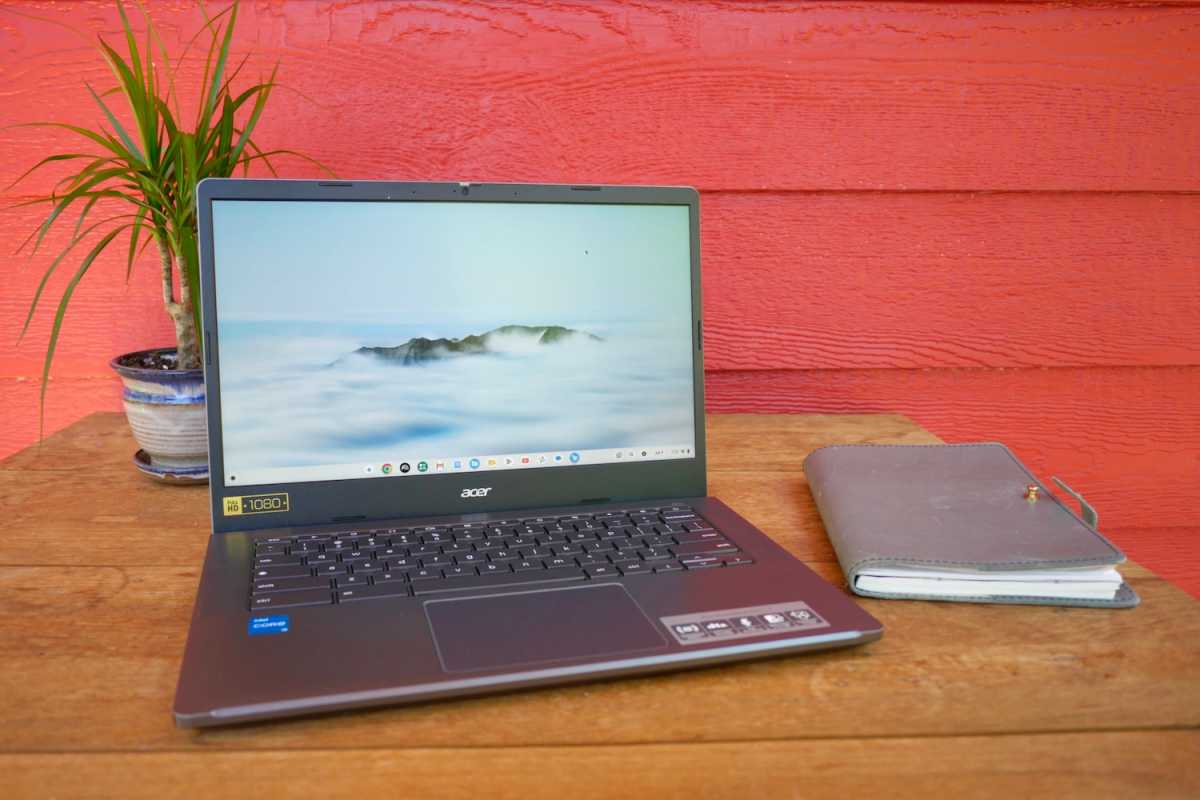
The Acer Chromebook Plus 514’s display is among its weakest traits. It comes equipped with a 14-inch IPS touchscreen that provides 1920×1080 resolution and a 60Hz refresh rate.
While I appreciate the display’s touchscreen functionality, which can be quite useful in ChromeOS due to its ability to run some Android apps, that’s all I can say in its favor. The display isn’t particularly bright, colorful, or contrast-rich.
It’s good enough for writing in Google Docs or browsing websites. A resolution of 1920×1080 on a 14-inch widescreen display works out to a pixel density of about 157 pixels per inch, which is nearly as sharp as a 27-inch 4K monitor. However, YouTube videos and photos look rather faded and lifeless when compared to a better IPS display. And while the display’s semi-gloss finish keeps glare and reflections to a minimum, the display’s brightness isn’t sufficient for comfortable viewing outdoors, or even in a room with several large, sunlit windows.
The speakers fare better than the display. Though they’re not loud, often requiring maximum volume to have real impact, they offer a balanced and clear audio presentation that rarely becomes muddy or distorted. The speakers definitely can’t provide an audiophile-grade experience, but they’re good for the price.
Acer Chromebook Plus 514: Webcam, microphone, biometrics
Acer provides a typical webcam and microphone setup in the Chromebook Plus 514. That means a 1080p webcam, a dual-array microphone, and a physical privacy shutter. The camera is fairly sharp and the microphones pick up clear audio.
While the specifications aren’t shocking, they actually put the Chromebook Plus 514 in a decent spot. I’ve reviewed laptops that cost several times more than the Chromebook Plus 514, yet offer no appreciable improvement in the webcam or microphone.
It’s also worth mention that ChromeOS includes a suite of webcam and microphone adjustments similar to Windows’ Studio Effects. This includes background blur, a studio-style microphone mode, and live captioning.
However, most Windows laptops that are price-competitive with the Chromebook Plus 514 don’t offer the full suite of Windows Studio Effects features, as they often rely on an NPU only present on more expensive laptops. That gives ChromeOS machines, including the Chromebook Plus 514, an edge.
Biometric login is not supported on the Acer Chromebook Plus 514, but this is to be expected for a ChromeOS laptop at this price.
Acer Chromebook Plus 514: Connectivity
Foundry / Matthew Smith
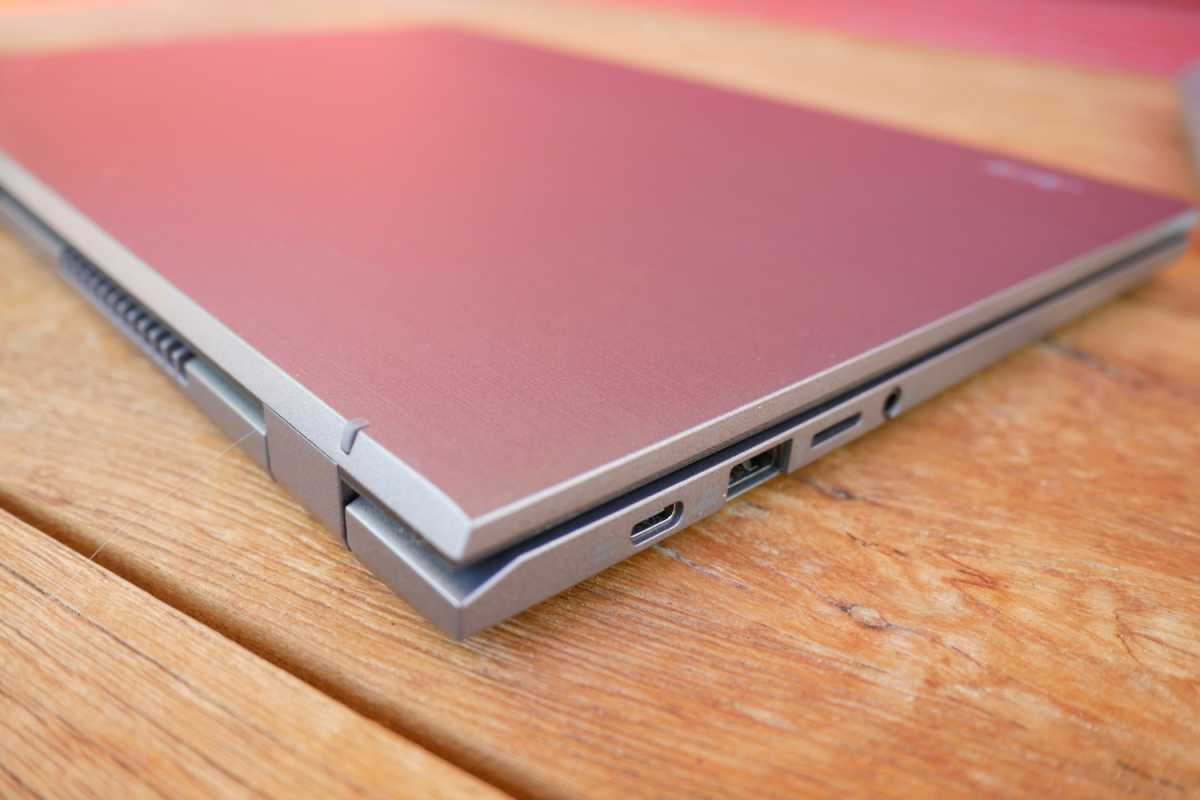
The Acer Chromebook Plus 514 is all-in on USB. That means it provides two USB-A ports and two USB-C ports, both with Gen 1 specifications of 5Gbps. The laptop lacks HDMI and Ethernet, though it retains a 3.5mm combo audio jack, and it also provides a microSD card slot.
Whether this works for you will depend on the gear you already own. A lot of older and less expensive monitors lack USB-C, so you might need an adapter to connect to them. On the other hand, portable monitors tend to use USB-C (many modern portable monitors don’t even have HDMI).
Also, the presence of four USB ports means users are less likely to need to buy a USB hub or dock for expanded connectivity.
Wireless connectivity spans Wi-Fi 6E and Bluetooth 5.2. Neither is the latest version of each standard, which is also a bit disappointing, but it’s more forgivable at a sub-$500 price point. Wi-Fi 6E is still rather fast, and odds are most people looking to buy a budget laptop don’t have a Wi-Fi 7 router, anyway.
Acer Chromebook Plus 514: Performance
At this point you might be scratching your head about the “Plus” in the Acer Chromebook Plus 514’s name. But there is one thing that’s extra about it; the hardware inside.
The Acer Chromebook Plus 514 has an Intel Core i3-N305 CPU. Launched in 2023, the i3-N305 is an eight-core processor that relies entirely on Intel’s slower and more miserly E-Cores (efficient cores). The cores have a maximum turbo frequency of 3.8GHz and the chip’s maximum design power is a mere 15 watts.
None of that sounds great for performance, but the standards are different among low-cost Chromebooks. In this realm the Core i3-N305 is actually better than most, providing plenty of cores and respectable maximum clock speeds. Many best-selling Chromebooks listed on Amazon have older Intel chips with as few as two cores or MediaTek Kompanio chips with similar core counts but slower per-core performance.
And there’s more. The Chromebook Plus 514 I tested also had 8GB of DDR5 memory, which is plenty for most ChromeOS users. And the cherry on top is a gigantic 512GB PCIe NVMe solid state drive. A lot of Chromebooks get by with 64GB or 128GB of slower UFS storage, so Acer’s inclusion of a 512GB PCIe SSD is a big advantage, and rather surprising to see given recent increases in SSD pricing.
- Speedometer 2.0: 209
- Basemark Web 3: 796
- Kraken: 645.3
- Jetstream: 226
These figures blow less expensive Chromebooks with older Intel CPUs, such as the Celeron N4500, out of the water. The Core i3-N305 is between 50 percent and 200 percent quicker, depending on the test. This might seem less than expected given the increase in core count, but ChromeOS tasks do tend to be less multi-threaded, so it’s really the improved per-core performance that’s doing work here.
Acer’s Chromebook Plus 514 is a respectable, workmanlike entry into the ChromeOS ecosystem.
While the Chromebook Plus 514 performs rather well, it’s definitely not the peak of modern Chromebook performance. The newest MediaTek Kompanio Ultra chips, such as that found in the Lenovo Chromebook Plus 14, are a bit quicker. And, of course, Intel-powered Chromebooks with better Core i5 chips will also defeat the Chromebook Plus 514 with Core i3-N305.
To be fair, though, these alternatives are in a different price category. You’ll generally pay $500 or more for a ChromeOS laptop with a MediaTek Kompanio Ultra or Intel Core i5 chip inside.
Acer Chromebook Plus 514: Battery life and portability
The Acer Chromebook Plus 514 has a 53 watt-hour battery. That’s not large for a 14-inch laptop, but not unusually small, and it leads to modest but usable battery life.
I recorded about 12 hours of battery life in a rundown test that streamed a 1080p video from YouTube. That’s not going to set anyone’s hair on fire, as many modern Windows and Mac laptops can now exceed 20 hours of battery life in a video run-down test. Still, it’s plenty of battery life for a typical day of use.
It’s also worth mention that the battery life test is a lot more representative of real-world results than with some other laptops. The miserly Intel Core i3-N305 draws very little power even at full load, and ChromeOS apps generally aren’t geared for high-performance local compute workloads that absolutely wreck battery life. As a result, it’s quite easy to squeeze a full workday of battery life out of the Chromebook Plus 514.
Acer Chromebook Plus 514: Conclusion
Acer’s Chromebook Plus 514 is a respectable, workmanlike entry into the ChromeOS ecosystem. It doesn’t look or feel premium, and it suffers from a disappointing LCD touchscreen, but it benefits from an enjoyable keyboard and good performance.
The Chromebook Plus 514’s $399.99 MSRP might feel a little pricey for a Chromebook, but recent price adjustments due to RAM and storage price increases have shifted the market such that the Chromebook Plus 514 is quite competitive.
It’s not a slam dunk, but it’s worth a look if you want a well-rounded ChromeOS laptop that’s fast enough to handle most tasks but still inexpensive enough to feel affordable.


