At a glance
Expert’s Rating
Pros
- Clean, intuitive interface
- Useful storage cleanup tools
- Excellent customization options
Cons
- InConsistent app uninstaller
- Limited app update detection
- Leftovers require manual removal
Our Verdict
diCleaner offers an impressive collection of free Mac maintenance tools, with standout features including the excellent Space Analyzer, Large & Old Files Finder, Similar Photos Finder, and extensive customization options. However, inConsistent reliability, incomplete uninstall and leftovers removal, an ineffective App Updates tool, and bugs across several features make it feel more like an unfinished beta than a polished utility.
Price When Reviewed
This value will show the geolocated pricing text for product undefined
Best Pricing Today
Best Prices Today: diCleaner
- What is it? A free all-in-one Mac maintenance utility that combines disk cleanup, storage analysis, privacy, optimization, and application management tools.
- Who is it for? Home users and small offices looking for a free Mac cleanup utility with excellent storage-analysis features and extensive customization options.
- Who shouldn’t buy it? Users who need a polished, fully reliable Mac maintenance suite with dependable app uninstalling, update management, and bug-free performance.
diCleaner is a free all-in-one Mac maintenance utility from Doinno that combines disk cleanup, storage management, privacy features, startup optimisation and application management into a polished, Mac-friendly interface. Available from the Mac App Store, it requires macOS Big Sur 11.5 or later and groups its numerous tools into logical categories that make navigation straightforward.
Alongside familiar cleaning and optimisation features found in competing Mac utilities, diCleaner also introduces some original ideas, including a clipboard manager that can store up to 100 items and convenient shortcuts to macOS system settings.
Home users and small offices looking for a free utility to reclaim storage space, locate large files and tidy up their Macs will find plenty to like here. However, users who need dependable cleaning, uninstalling and maintenance tools should approach with caution, as several core features currently fail to function correctly due to software bugs that undermine what is otherwise an ambitious application.
What does diCleaner include?
diCleaner is nothing short of ambitious. Its toolset is a mix of features we’ve seen in competing applications, along with some original ideas. The interface is clean and well organized, with Cleanup, Optimize, Privacy, Applications, and Files sections, alongside quick access to Space Analyzer, Large & Old Files Finder, Duplicate Files Finder, Similar Photos Finder, Downloads Manager, Uninstall Apps, App Updates, Trash Bin, and Junk Files.
diCleaner’s Space Analyzer tool studying a user folder
.
Foundry
The Mac cleaner application also includes Startup Management, privacy tools such as Clipboard Cleanup, Remove Photo Metadata and Secure Remove, plus extensive customization options that let you fine-tune scans and create ignore lists.
There are some handy tools to work with in diCleaner. The Startup Management tool lists login items and background items, and offers quick access to the Accessibility and Open Desktop & Dock system settings, which is a bit handier than digging through menus. The Search feature offers speedy access to macOS’ Apple Intelligence and Siri settings, as well as Notifications, which functions as a quick path and a good, original idea.
The Privacy toolset offers some interesting tools, having placed its Recent Items Cleanup, Clipboard Cleanup, Remove Photo Metadata, and Secure Remove in one section, allowing recent items to scrub documents, applications, and servers as needed. The Clipboard Cleanup works well, and the Secure Remove tool offers multiple layers of sector overwrites for added security.
diCleaner’s Secure Remove tool, complete with a multiple overwrite pass option
.
Foundry
If there was one section where diCleaner shone the brightest, it might be the Space Analyzer tool. Here, the tool offered a handy layered interface and was able to hunt down and delete a hidden 67GB virtual machine partition a copy of Parallels Desktop had left behind.
This was complemented by the Large & Old Files Finder, which offers a nice variety of search filters and can hunt for criteria such as dates, file size, and file type. The Duplicated Files Finder and Similar Photos Finder also have their strengths in that they can quickly dig through a hard drive to locate multiple copies of the same file or picture, aided by a search feature that makes the hunt that much easier. The Similar Photos Finder even offers a cool “Star Trek”-esque “Ping!” sound when it completes its task.
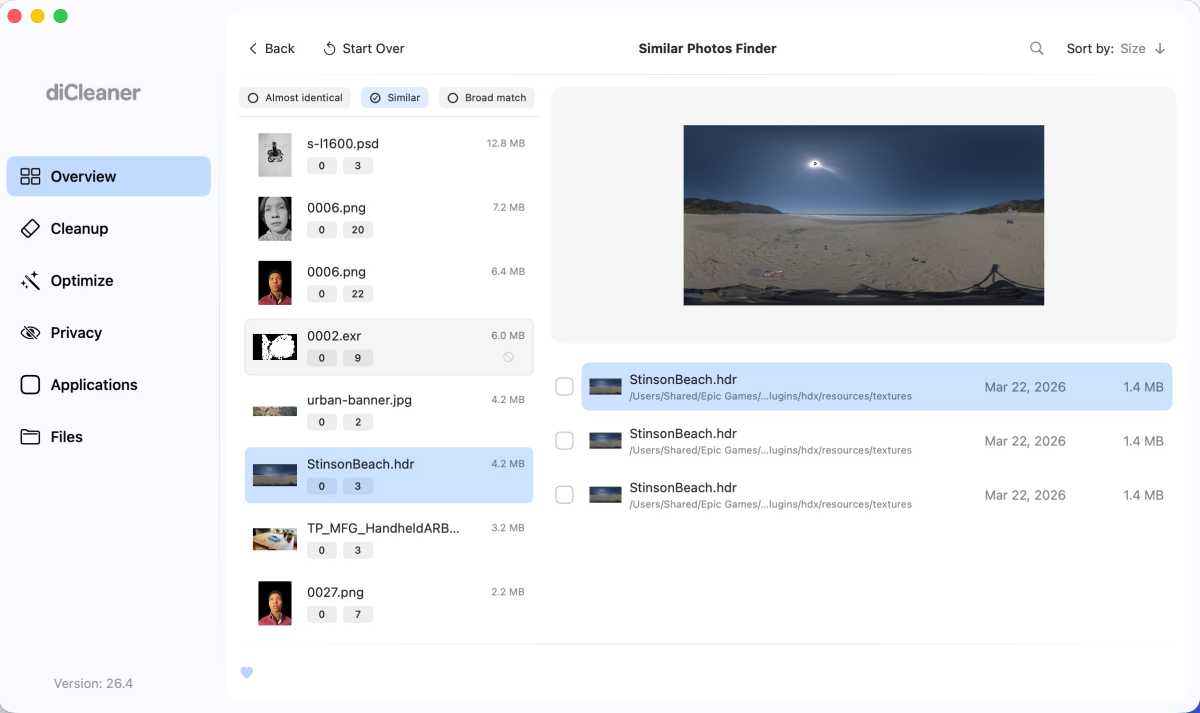
The Similar Photos Finder utility from the diCleaner application
.
Foundry
diCleaner is aided by an impressive amount of customization options, wherein you can customize scan rules to focus on certain file sizes as well as easily set up an Ignore List to gloss over files or applications that don’t need your attention. Poke around in the menus, and odds are you can configure diCleaner’s look and feel to something that works for you.
Which features still need work?
Still, there are some bugs to sort out. The Screenshots Manager tool only sees one screenshot in the folder; the Leftovers feature has a hard time completely removing assorted support files, and the Uninstall Apps tool was stable, but couldn’t always completely remove applications.
The App Updates tool felt extremely disappointing in that it found only updates for my App Store apps, which had already been updated and are now part of the Apple Creator Studio package, which defies the purpose of an updater tool that’s intended to scan your Mac’s applications and locate the updates you’d ordinarily forget.
Finally, the workspaces themselves need a clickable Select All box as opposed to long lists of discovered items that need to be clicked on to work with.
The end product came across as sloppy, as if the application is trying to include every macOS tool the developers could think of without taking the time to test whether it worked well or delivered what the feature set had promised.
How well does it perform?
Scans performed quickly, and this didn’t slow down my Mac, but consistent crashes with the Uninstall Apps tool were disconcerting.
Overall, performance is good when it comes to scan speed and system impact, but reliability varies between tools. Some features work exactly as intended, while others feel unfinished or inconsistent.
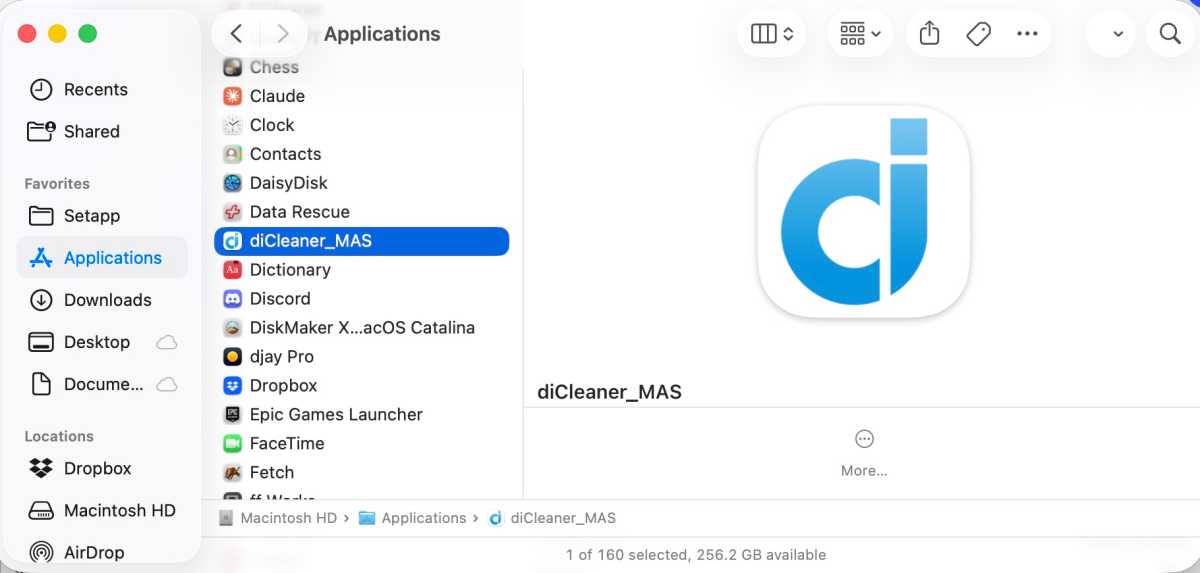
diCleaner’s awkward “diCleaner_MAS” file name in the macOS Finder.
Foundry
Should you use diCleaner?
It’s hard to argue with something free, but if this is meant to open the door and lead you towards the developer’s other products, diCleaner serves as a poor introduction that needed extra time for QA and debugging, especially considering the massive number of scripts and tools it’s trying to offer to the user.
The intention is there, there are some interesting tools to work with, and this would make a great utility for the home user and small office market, but an overall lack of polish among the many tools offered hampers what diCleaner could be. Still, software updates exist for a reason, and here’s hoping that Doinno can make the most of theirs and demonstrate what this application can truly be.


