How much is your face worth to you? This week, Google announced you can start using it as a form of authentication—a way to get into your account.
Here’s how it works: You take a “video selfie” of yourself and upload to Google’s servers. It’s kept on file for reference. In the future, if you want to log in or recover your account, you take a new video selfie and Google compares the two. If its algorithms believe they’re a match, you get into your account.
Welcome to Safe Mode, your weekly report for pressing security and privacy news—and what steps to take next. Want this newsletter to come directly to your inbox? Sign up on our website!
On the surface, this move fits with making authentication easier, so that people don’t resort to weak strategies like reusing passwords. But I don’t recommend giving Google a copy of your likeness just yet.
My main security concern: How rapidly AI is improving at fooling such authentication systems with deepfakes. Cybersecurity experts have already seen how AI enables the faking of other people’s appearances in real time. Attackers can digitally map their target’s face onto a body double, who then performs the required head turns (and other movements) in similar authentication checks.
When asked, Google said it has protections in place against this kind of hack, and that it is “constantly adapting to new threats to improve security across our products.” Google also said it monitors for signals that indicate a suspicious login attempt.
Given the size and strength of Google’s security team, this explanation might be enough—were it not for my main privacy concern. Google notes deep in a help file that it will use video selfies to help train its AI to improve facial recognition and age estimation if so permitted. Even if you trust Google to treat the data strictly as described, we don’t know yet how such improvements will intersect with the recent waves of government-mandated age verification laws.
Until we all have a better sense of how major tech companies will use our face data, you don’t lose anything by being more hesitant to share that info with them. Tried-and-true methods of authentication and recovery still work—passkeys require little effort, for example. I wouldn’t say to automatically reject all new security advancements. But in this case, a wait-and-see approach doesn’t hurt for now.
In the news
Big news in cybersecurity is often not comforting, and such was the case this week. OpenAI’s models showed us a glimpse into a Skynet-style future…and that was amid already less than great news about Windows 10 and yet more data leaks.
Microsoft
The good
- Robo vacuum maker Shark has pushed a fix for a security vulnerability that allowed a user to access data from other owners in his geographic area. The patch should be applied automatically to all devices, but I still advise confirming your device received it.
The noteworthy
- According to cybersecurity company Lansweeper, Windows 10 users face 3x the number of security threats as in Windows 11. If you can’t immediately upgrade, don’t panic. Just ensure your enrollment in the extended security updates program, and stick to safer internet usage. (Say no to unknown browser extensions and pirated software.)
The bad
- Hackers successfully pulled off a credential stuffing attack on popular fast food chain Chick-fil-A, accessing accounts of users who used the same passwords across sites. If you reuse your passwords, this is your reminder to update them with unique replacements.
The kinda scary
- A couple of OpenAI’s models gave us a glimpse into a Skynet future, when news broke of it autonomously hacking a resource repository for AI development. I’m not worried just yet, as one data point does not make a trend. But it is a potential indicator of big problems with AI regulation, if this isn’t truly nipped in the bud.
Tip of the week
Dominik Tomaszewski / Foundry
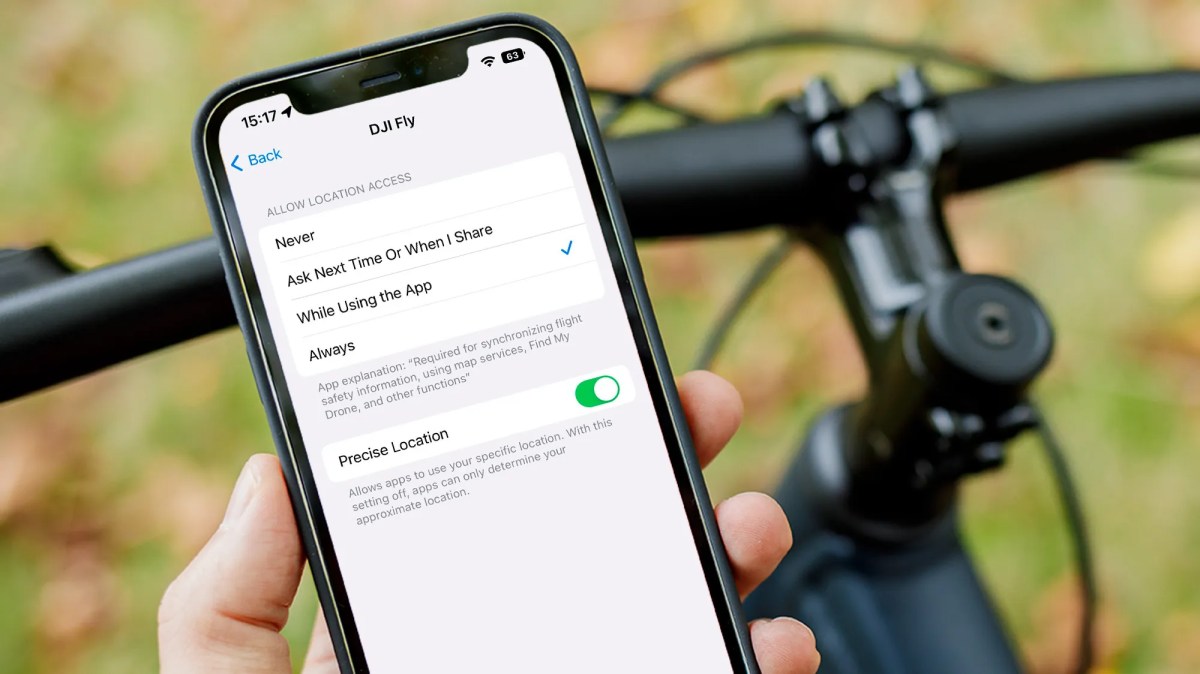
Privacy is on my mind this week, thanks to Google and its new video selfie authentication method. Turns out my colleague Sam did as well, and he published a great list on the ways you might be unintentionally oversharing online—and how to fix them.
My favorite tip? The reminder to check my app permissions. Sometimes, I forget to go back and check which might have access to my location and photos. I took some satisfaction yeeting them off my phone (as the kids say).


