For years, collaborating inside Office documents has been the foundation of Microsoft’s productivity scheme. But what’s the plan for the future? In a telling sign of the AI era, users may collaborate and share custom apps they’ve created themselves in Copilot.
Microsoft just announced changes to Copilot that realize a deeper vision of AI in the workplace. Some of it is cursory: The Copilot app will now have separate tabs for Home, Code, and agents, now called “Autopilots.”
Other changes are more functional, such as a more comprehensive “Today” dashboard that outlines and even performs your to-do tasks. Finally, there are the conceptual changes: Copilot-coded apps and agents, which will require an as-yet undisclosed payment system.
Today’s announcement marks the sort of vision statement that Microsoft is known for: Chart out the future, then release various elements of that vision over the subsequent months. You should see the Copilot app’s look-and-feel evolve throughout October. “Today” will launch in a private preview in October as well, Microsoft said. Let’s dig in a bit deeper…
Microsoft
Today is full of tasks
“Today” sounds like the most immediately useful tool in Microsoft’s new design, and that’s because you’ve seen iterations of it ever since Windows 10.
For years, Microsoft has used what it knows about your inbox to offer a look at your meetings for the day and what you need to do to prepare for them. Outlook, for example, offers you a Copilot-generated “daily briefing” that highlights action items for you to respond to. (Click the Copilot button in the Outlook app to trigger this.)
Mark Hachman / Foundry
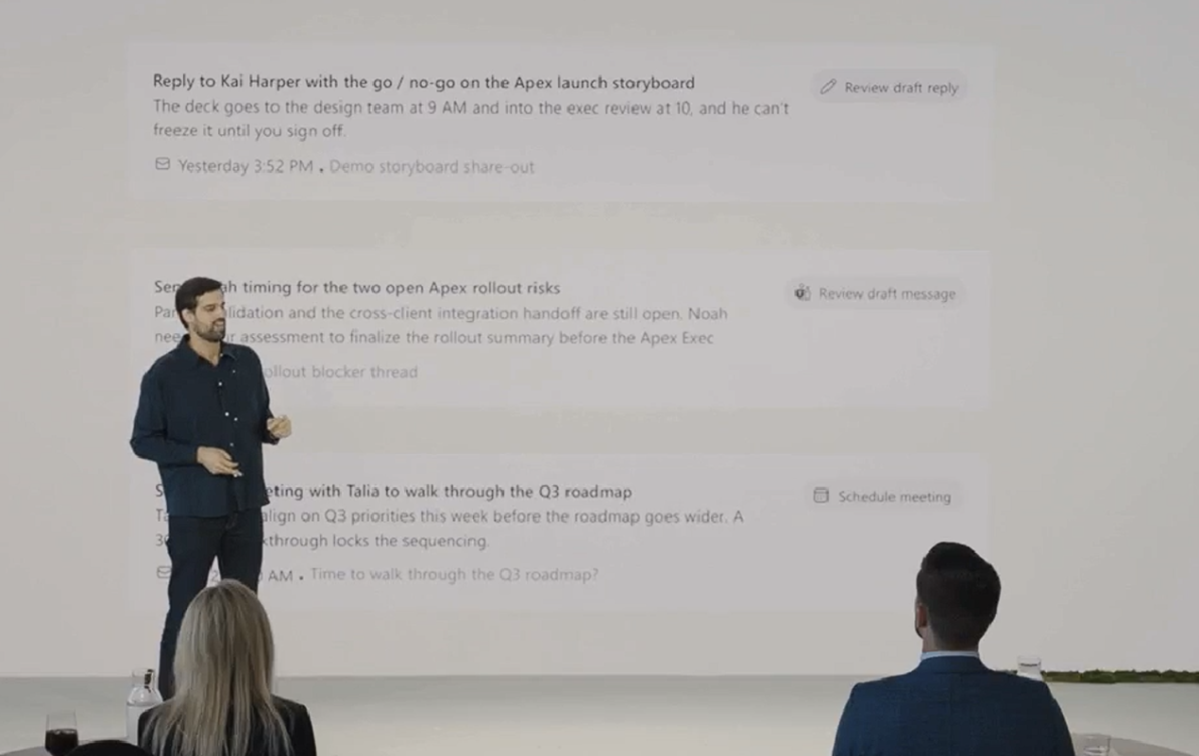
Like Copilot, Today will also prepare a summary of your day, but a more interactive one. Put another way, Copilot supplies a list of tasks for you to act upon. Today appears to take the next step and proactively perform them.
“What’s really important about Today is it’s not just surfacing the work, it’s actually moving it forward,” Jacob Andreou, Microsoft’s executive vice president of Copilot, said in a prerecorded briefing. “So Today leverages Copilot to write the draft that needs to be sent. It actually proposes the change to your schedule when there is a conflict. And if there’s a thing that you forgot, it’ll surface it back to you but always with the context of what actually makes it important.”
Microsoft
You’ll see the Today functionality appear in Outlook and Teams as well as in the “Home” tab in the redesigned Copilot. Will you want Microsoft’s Copilot responding on your behalf? After giving it some thought, maybe! I don’t respond to every email I receive, though I’m not sure what would be more well received, an AI-generated reply or no reply at all.
Microsoft 365 within Copilot
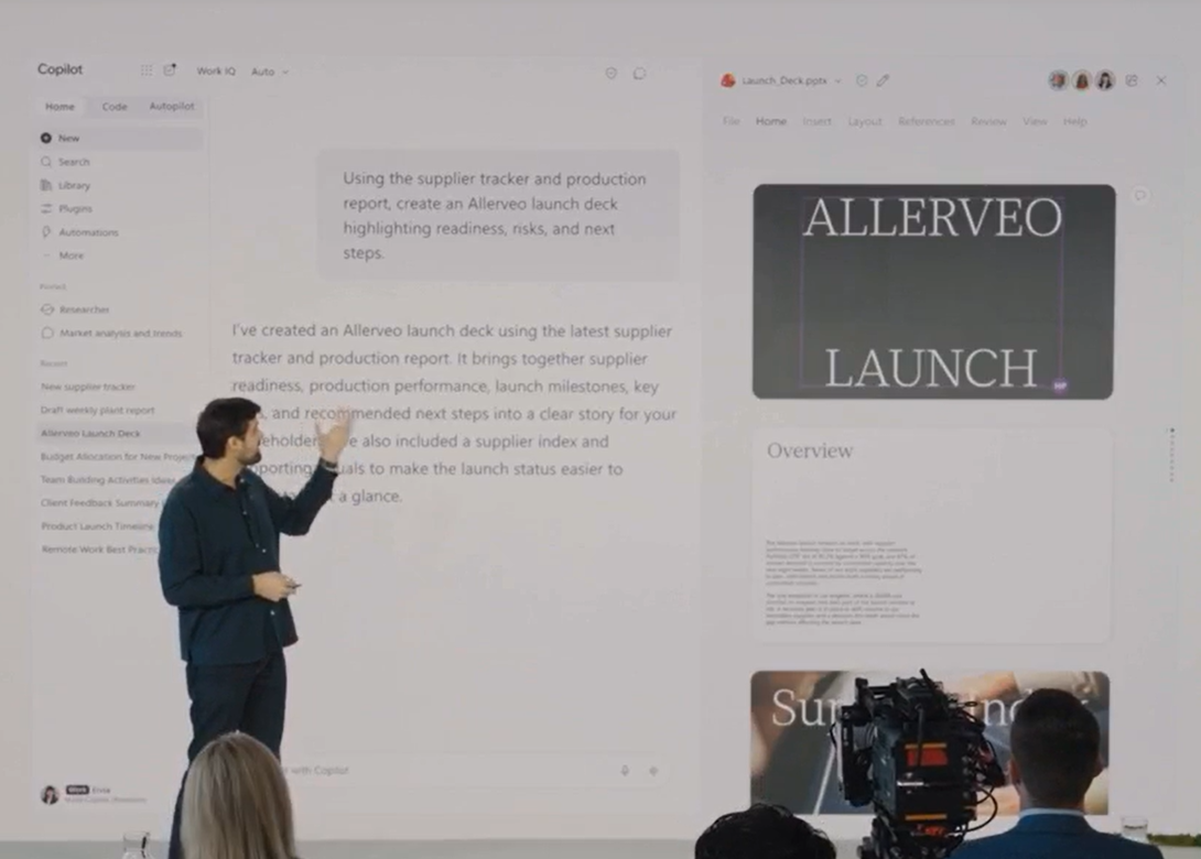
Until now, application vendors have used artificial intelligence to help human users navigate through a maze of tasks and functions, simplifying and automating them. Adobe first integrated AI into Photoshop and other Creative Cloud applications, while Copilot destroyed its human competition when calculating formulas from the Excel World Championship. Adobe later launched Prompt to Edit, using a prompt to control the Photoshop application. Microsoft is now following suit.
Microsoft
Adobe’s products have become integrated into ChatGPT: With the correct plugins, you can ask ChatGPT to perform a task, and the chatbot will access the right tool and execute the instructions. Likewise, you’ll now be able to ask Copilot to create a spreadsheet and it will, if all goes as planned, open an Excel spreadsheet and input the correct data. Microsoft says it’ll roll out Microsoft 365 within Copilot in the coming weeks to its “frontier” test program.
Copilot Code: Now you’re a vibe coder
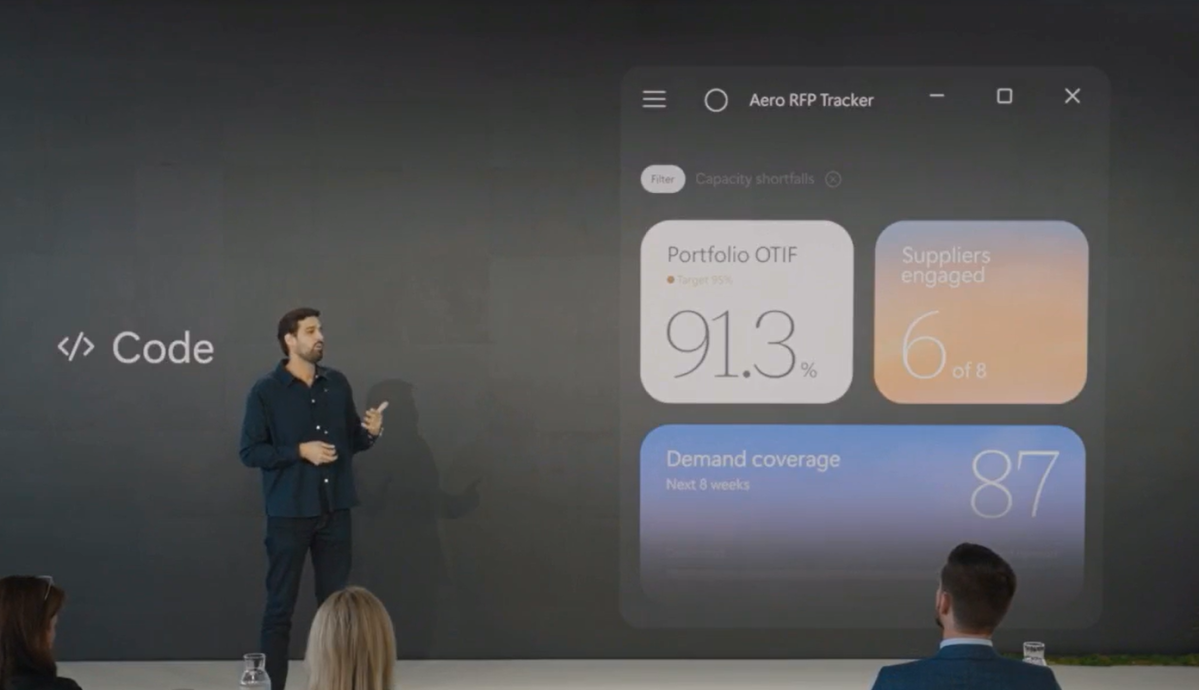
“Code” will form the second tab of the redesigned Copilot, and it’s here where Microsoft sees “vibe coding” intersecting the productivity sphere.
“To date, the unit of knowledge work has been the file: the document, the spreadsheet, the deck,” said Jared Spataro, chief marketing officer of AI at Work, at Microsoft. “Those aren’t going anywhere, but Code adds a fourth: small, purpose-built solutions anyone can create to get a job done. Learning to build them is becoming as basic a skill as writing a memo or modeling a budget.”
Essentially, Code will be used to create a tracker, dashboard, automation, or a full-fledged app, and then run it safely online, Andreou added.
Microsoft
That’s a pretty big statement for Microsoft to make, especially as it asks — well, anyone, really — to take their personal data, give it over to an algorithm, and then run it securely. Microsoft says that a “couple of frontier” customers are testing this, and broad availability will happen over the next couple of weeks.
Still, there’s some big, interesting potential here. What happens when consumers start coding their own alternatives to paid software services? I’ve already started looking at this, and I’m sure others have, too.
Autopilot will roam between Teams, Outlook and beyond
It’s fair to say that Microsoft has been behind on rolling out support for agents — though whether its development efforts have truly lagged, or whether it has simply been more careful with how data is handled, is unclear. The other Copilot efforts, from Today to Code, feel like they straddle consumers and businesses. Autopilot, meanwhile, seems aimed at businesses first.
The fundamental problem, however, is the same. “The hallmark of an amazing, long-running agent is autonomy and flexibility,” Andreou said. “It is their superpower. That is the same thing that makes them absolutely terrifying to an IT admin or somebody who’s trying to maintain a business posture.”
An Autopilot will be an agent that you name, assign a role and tasks to, with its own memory, permissions, compute, and workspace, Microsoft says. Autopilots won’t “live” within any one application, but instead will roam between Teams, Outlook, and other Microsoft applications, governed by oversight and policy. And there could be hundreds, Microsoft believes.
Microsoft hasn’t said anything about Autopilots arriving on Windows, or within the consumer or small business versions of Microsoft 365. Still, hundreds of autonomous agents crawling about your virtual workspace? With ongoing reports about how AI agents from OpenAI and others “broke containment” and hacked external companies, I’m still concerned about trading the benefits of automating certain productivity tasks with the risks of autonomous AIs pursuing their own direction. Hopefully, Microsoft has all of this locked down as it begins testing Autopilots at the end of this month.
How is it all paid for?
What Microsoft hasn’t said is how this will all be paid for. Some of this is clear: Basically, all of the chat capabilities within Copilot’s “Home” tab will be governed by user subscriptions like Microsoft 365. But the rest — Code and Autopilot, namely, plus models like Astra and Fable — will be charged using what Microsoft calls “usage-based billing.”
“As AI capabilities and the ways people use them continue to evolve, we’re evolving Copilot pricing alongside them,” Spataro’s blog post said. Unfortunately, Microsoft hasn’t said what UBB will be based on, or how much it will actually cost.
For now, features like Today and the integration of Microsoft 365 into Copilot feel like they can be realized in the short term. As for the rest? It will all depend on how much users want to pay. That’s why users continue to look hard at local AI versus running it in the cloud — for many, slow, “free” AI makes more sense than more powerful, paid tools.


