At a glance
Expert’s Rating
Pros
- Fast and accurate fingerprint recognition
- High-capacity removable, rechargeable battery with USB-C charging
- ANSI Grade 2 certification and IP65 protection from the elements
- Integrated doorbell
Cons
- Sensitive to misalignment; strike plate and door frame tolerances matter
- Lock will make repeated auto-lock cycles if calibration is off
- No external provisioning API for Airbnb-type integrations
Our Verdict
The Tapo DL110 delivers a reliable and polished daily experience for homeowners. While installation requires more precise alignment than other models we’ve tested, the lock delivers an impressive performance overall.
Price When Reviewed
This value will show the geolocated pricing text for product undefined
Best Pricing Today
Price When Reviewed
$149.99
Best Prices Today: TP-Link Tapo DL-110 Fingerprint Smart Lock

The extremely affordable Tapo DL100 Wi-Fi smart lock I reviewed in July has become a favorite among budget-conscious homeowners. It’s not flashy, but it’s dependable, with solid Wi-Fi connectivity, decent app integration, and a clean design that’s easy to use.
The step-up Tapo DL110 adds sophistication to that design, incorporating a fast fingerprint reader, a more powerful rechargeable battery, stronger build quality, and more robust protection from the elements. The DL110 represents an upgrade over its predecessor, but the right choice for you will depend on the features you need.
Design and build
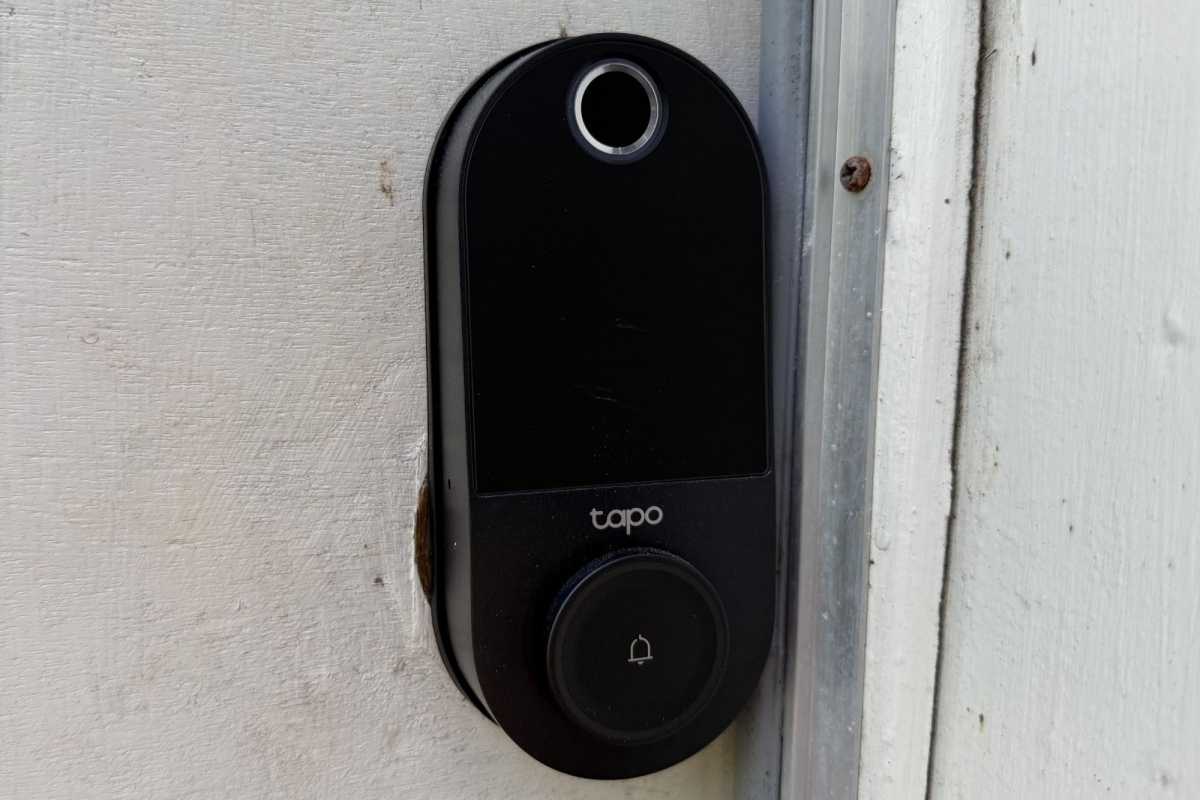
TP-Link carries over the matte-black finish and keypad layout from the less-expensive Tapo DL00, but add several thoughtful refinements. The faceplate now includes a subtle doorbell button that flips up to reveal the keyhole, hiding the backup entry without interfering with the faceplate design.
Near-instant fingerprint recognition lets you forget about remembering codes or pulling out your phone to launch an app.
The overall build feels substantial and durable, with an all-metal housing, firm buttons, and a flush-fitting fingerprint sensor. TP-Link rates the exterior escutcheon at IP65; our IP code decoder tells us that means it’s dustproof and can withstand water jets coming from any direction (short of a pressure washer, that is).
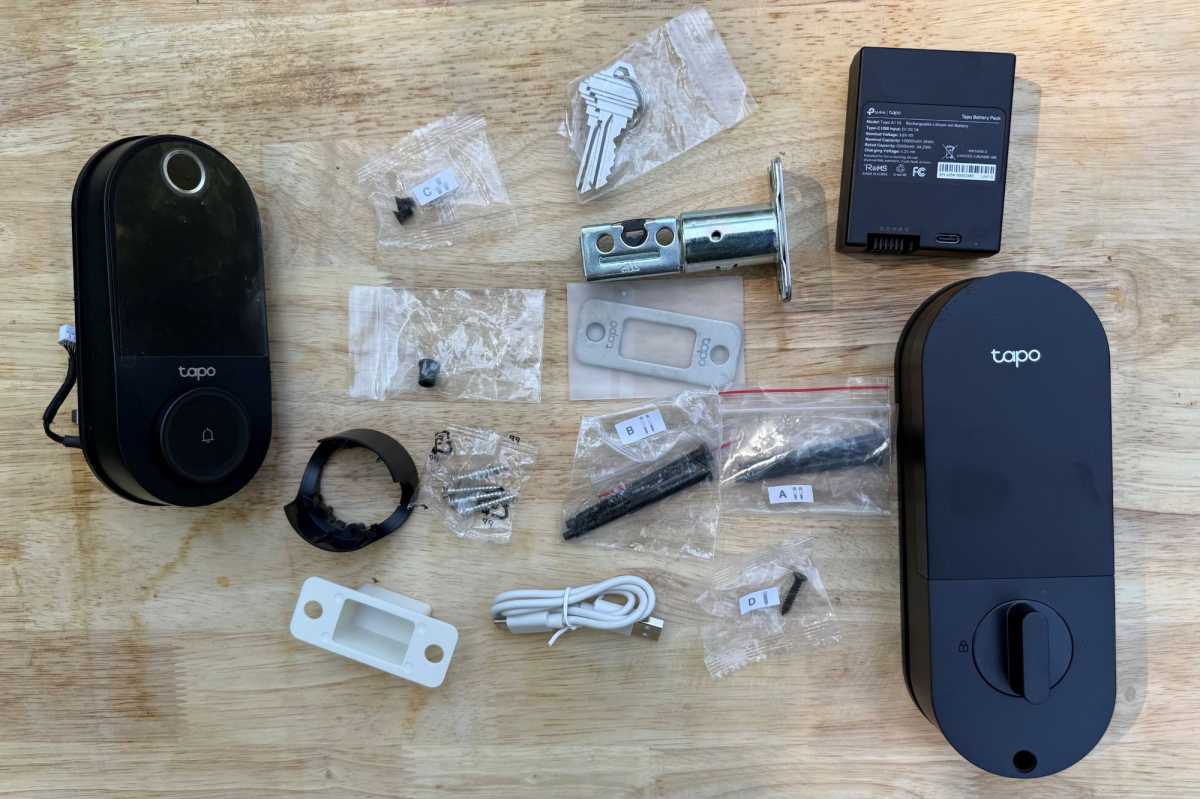
The removable 10,000mAh battery is one of the Tapo DL110’s best features.
James Barber/Foundry
The lock is certified ANSI Grade 2, the commercial version of the BHMA rating scale, which is more than sufficient for most homes (you can read about the differences between ANSI and BHMA certifications at the preceding link). This TP-Link lock feels dependable in daily use.
Installation
If you’ve swapped out a deadbolt before, installation will be relatively easy. The Tapo DL110 uses a standard footprint that fits doors between 1⅜ and 2 inches thick. TP-Link includes all the usual spacers, screws, and templates. The printed instructions are clear, and the Tapo app walks you through calibration and connectivity once the hardware’s in place.
The first step is to charge the 10,000mAh removable battery with a USB-C cable, as I did the evening before installation. Installation was straightforward after I removed my previous smart lock. I used the TP-Link phone app (available for iPhone and Android) to connect the DL110 to home Wi-Fi and followed instructions to set up the fingerprint entry. The entire process took about fifteen minutes, including the brief challenge I had while removing the rear panel from the TCL D2 Pro lock I needed to uninstall first.
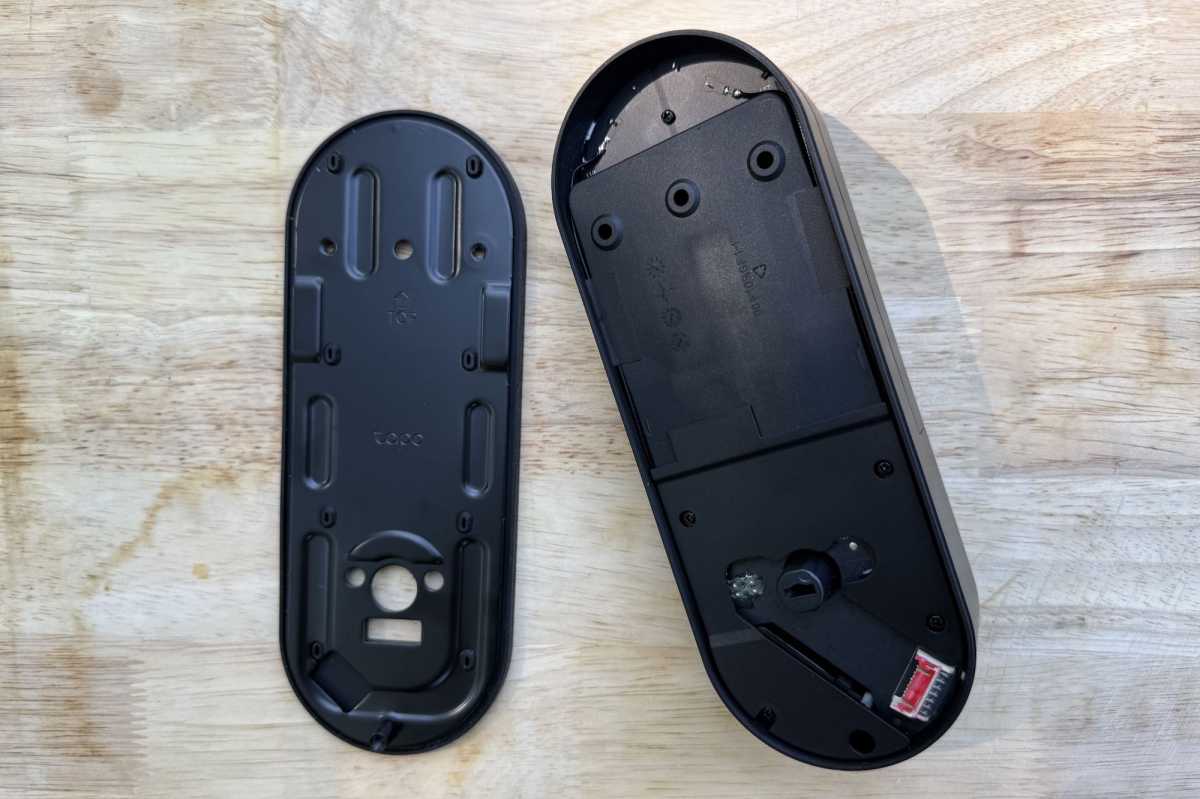
All of this smart lock’s important components are fabricated from metal.
James Barber/Foundry
Unfortunately, precision matters to a Tapo DL110 install more than it does with other locks I’ve tested. The fingerprint and auto-lock functions can behave erratically if the strike plate isn’t perfectly aligned. After running into some issues as I started using this lock, I went online to find that other uses were reporting the same issues.
The motor tends to cycle repeatedly if the bolt isn’t perfectly set, but I eventually adjusted my strike plate to solve the problem. While that doesn’t sound like a surprising issue or solution, this is the first smart lock I’ve tested that was so finicky. All the others worked flawlessly with my existing strike plate.
Day-to-day experience
Biometric entry is the Tapo DL110’s biggest new feature. TP-Link says the fingerprint reader unlocks in about 0.42 seconds, and it really does feel that quick. The reader performed consistently across multiple fingers and even recognized damp fingertips reasonably well. I found the sensors far more forgiving than the home button on a basic iPad.
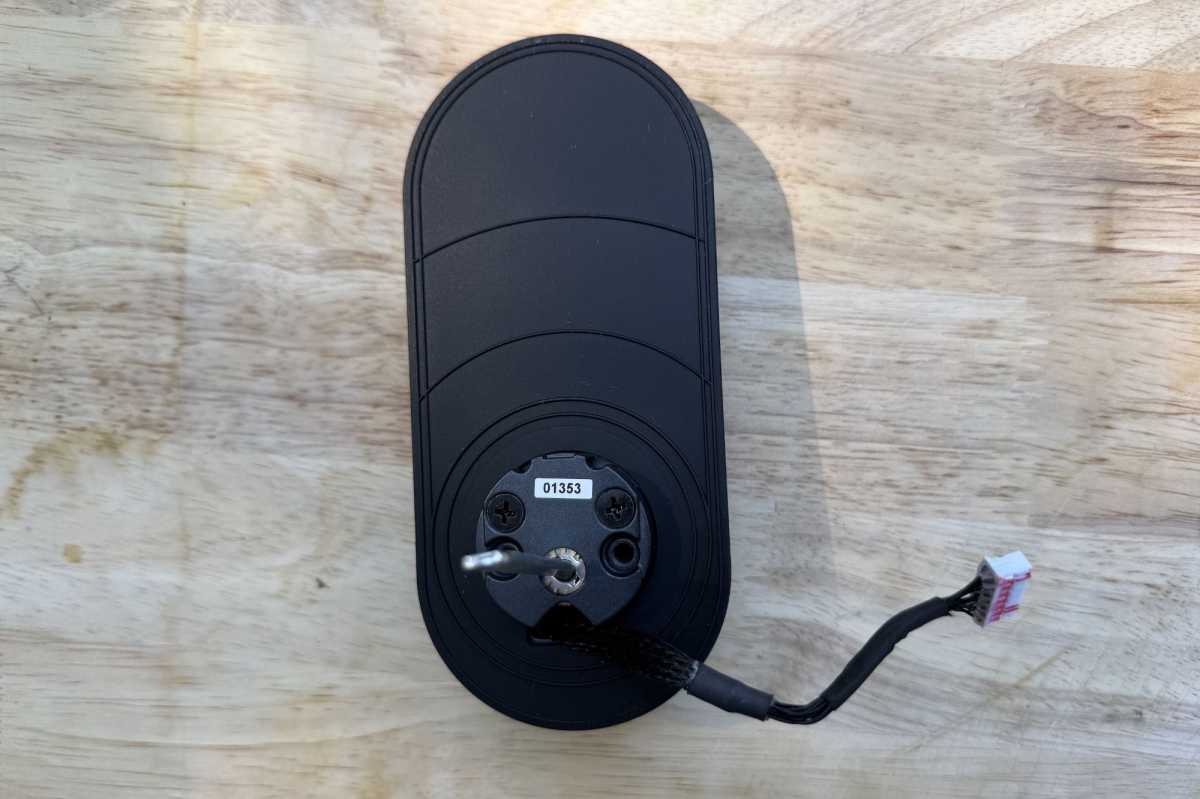
The exterior escutcheon has the typical power cable that must be threaded through the door to a connection on the interior escutcheon.
James Barber/Foundry
That near-instant recognition lets you stop thinking about codes or app taps. Walk up, touch the pad, and its bolt slides back quietly. The motor’s tone is lower than on the DL100, and it feels more refined overall. It’s not quite as impressive as the touchless palm-vein technology on the (far more expensive) TCL D2 Pro, but it’s the best touch sensor I’ve used.
In addition to the fingerprint entry, you can use the PIN pad, which lights up when touched and supports decoy digits when you need to hide your code from prying eyes. There’s also control via the app, which works over either Wi-Fi or via a Bluetooth connection if your home network is down. You can also lock the door with voice control via Alexa, Google Assistant, or SmartThings, and there’s a mechanical key as a last-ditch backup if the battery dies while you’re out. Alternatively, you can plug in a USB-C cable connected to a portable power bank.
The Tapo DL110 also has a built-in doorbell with a variable volume that can be controlled via the Tapo app. You can also pair the this lock with Tapo Chimes and Tapo Hubs, or with any Amazon Echo or Google Assistant speakers or displays.
During day-to-day use, I never needed to pull out my phone to lock or unlock the door. During testing, I discovered that you could configure the app to unlock the door via Bluetooth when your phone is in proximity. This can be convenient if you regularly arrive home with armloads of groceries, but keep security considerations in mind if you choose to use that feature.
Battery and power design
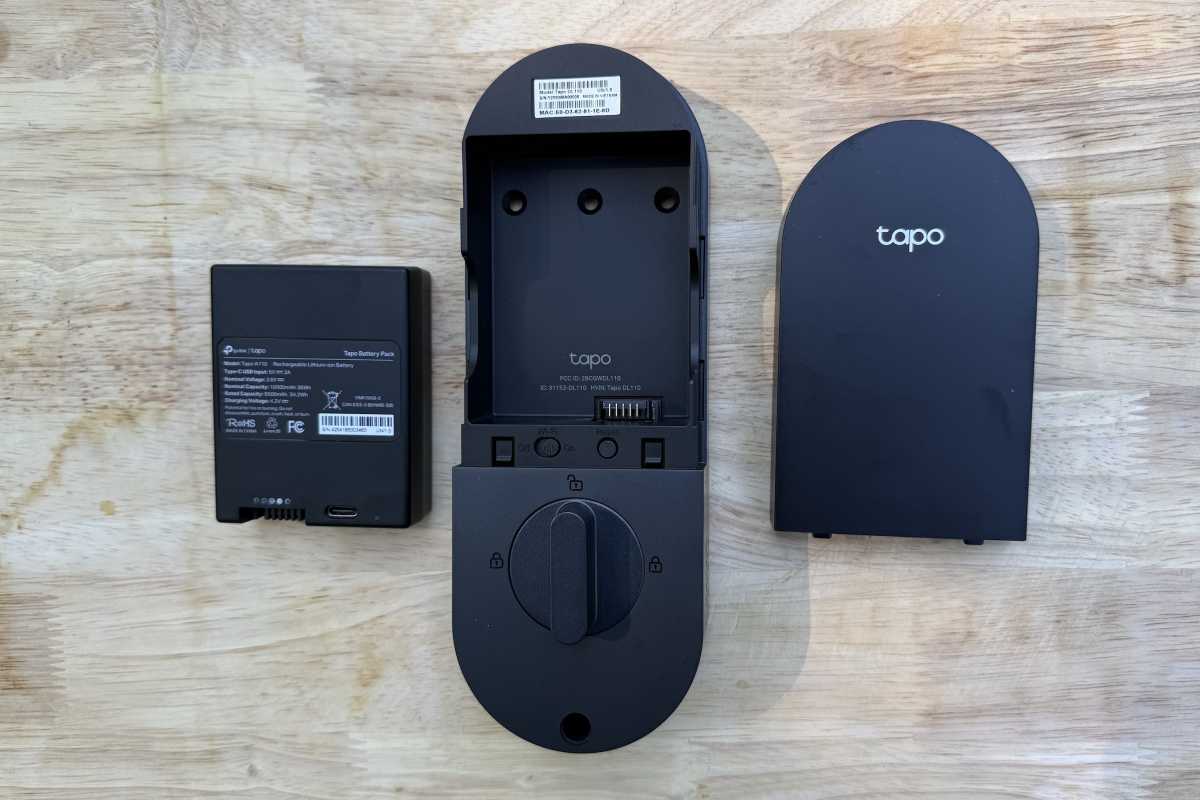
From left to right: The Tapo DL110’s battery, interior escutcheon, and battery cover.
James Barber/Foundry
Smart locks live or die by their power management. The DL110’s 10,000mAh rechargeable battery is a big improvement over the DL100’s smaller, internal pack. TP-Link claims up to a year of runtime, depending on Wi-Fi stability and how frequently you use the lock.
After a month of roughly 10 to 15 entries a day, the battery remained at 100 percent. That’s encouraging, though long-term results will depend on conditions.
Charging is simple. The battery slides out in seconds and connects to any USB-C cable. From a wall adapter or laptop port, TP-Link says a full recharge takes about three to four hours, depending on the output current. A quick 30-minute top-off should easily cover several weeks of typical use.
The only real catch might be a dealbreaker for some users since the lock stays offline during recharging unless you’re using that temporary power source. If your main entry door is your only way in, plan to charge when someone’s home or keep a spare pack on standby. For most users, this is a minor trade-off for a battery you can recharge indefinitely instead of replacing every few months.
Smart features and app control
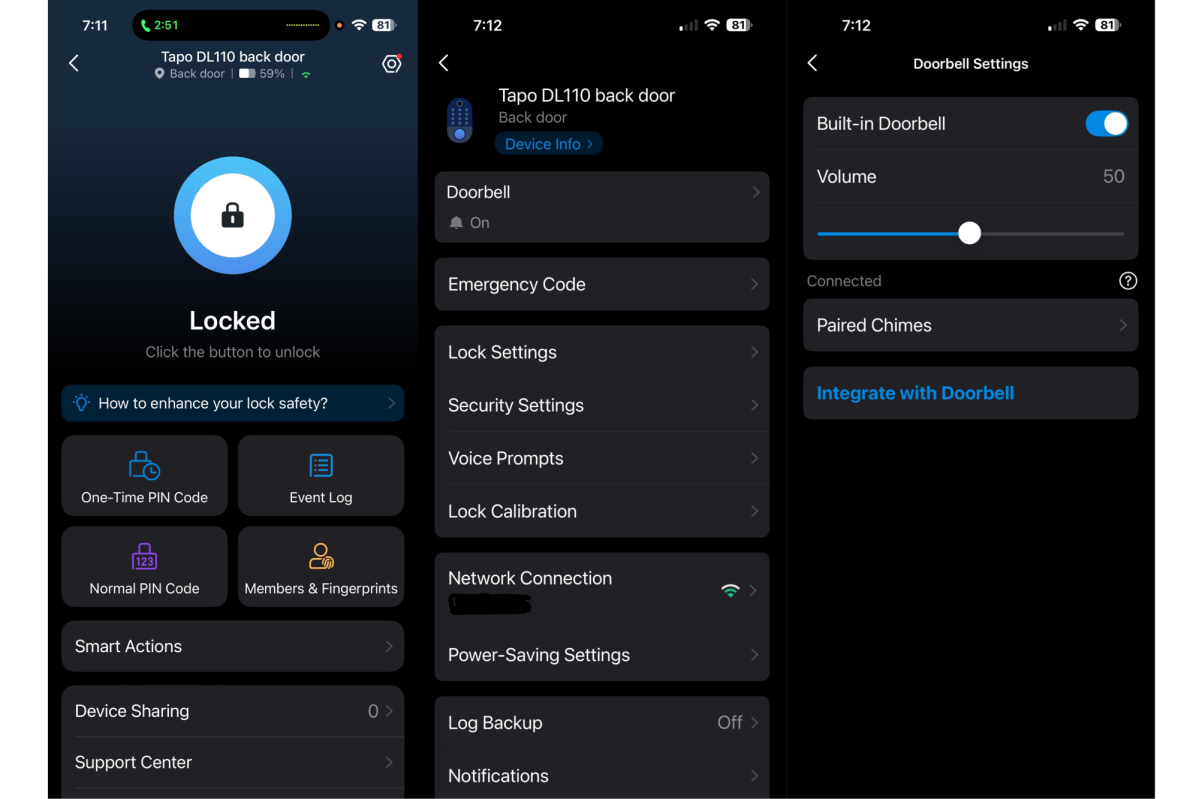
The Tapo app is well laid out and easy to use.
James Barber/Foundry
TP-Link’s Tapo app is one of the lock’s strongest features with a clean user interface with minimal steps required for setup. You can set up fingerprints, create or delete PINs, schedule access, and monitor usage logs without needing to dig through layer upon layer of menus.
The access management system allows you to create time-limited or recurring codes, assign different users their own profiles, and see who unlocked the door and when. Notifications arrive quickly and reliably over Wi-Fi.
You can also integrate the Tapo DL110 into Tapo Smart Actions, TP-Link’s basic automation layer. Users can set up commands that turn on compatible porch lights when the door unlocks, or schedule auto-locks at night.
The Tapo DL110 is less useful for commercial landlords, lacking the advanced automation features that would allow it to generate temporary guest codes for vacation rentals and the ability integrate with third-party property-management APIs.
But for homeowners, the DL110 covers nearly everything you’d expect, offering reliable Wi-Fi connectivity, straightforward scheduling, and instant notifications if your kids forget to lock up.
Performance and reliability
James Barber/Foundry
The Tapo DL110 proved steady over several weeks of testing. The fingerprint reader rarely failed, and when it did, a second attempt almost always worked. The keypad also responded quickly, even in bright sunlight. Bluetooth fallback kicked in instantly when Wi-Fi dropped.
The only hiccup came from the auto-lock calibration mentioned earlier. When the deadbolt meets resistance, the motor sometimes retries rather than timing out gracefully. TP-Link might be able to smooth that behavior with firmware updates, but it’s the one annoyance that keeps the DL110 shy of perfection.
Should you buy the Tapo DL110 smart lock?
The Tapo DL110 is ideal for homeowners who want a biometric smart lock without a luxury price tag. It’s intuitive enough for first-time smart-home users, but flexible enough to satisfy enthusiasts already invested in TP-Link’s Tapo ecosystem.
It’s lightning-fast, with a practical rechargeable battery, and its overall user experience feels refined. Yes, installation precision matters, and the automation layer could go deeper.
If you’re ready to retire your mechanical deadbolt and want something smarter without going full premium, the Tapo DL110 belongs on your shortlist.
This review is part of TechHive’s in-depth coverage of the best smart locks.

