Summary created by Smart Answers AI
In summary:
- Macworld explores how the iPad has transformed from a simple 9.7-inch tablet in 2010 to a powerful computing device with M-series chips, professional apps, and advanced features.
- Key milestones include the 2012 iPad mini’s compact design, 2018 Pro’s edge-to-edge display with Face ID, M1 chip integration in 2021, and iPadOS 26’s laptop-replacement capabilities.
- The iPad now offers professional tools like Final Cut Pro, seamless Mac integration through Sidecar and Universal Control, and advanced cameras with LiDAR technology.
On January 27, 2010, Steve Jobs unveiled the very first iPad, boasting a 9.7-inch multitouch display. While it largely functioned like an oversized iPhone, the tablet filled a clear gap for users who wanted to read, browse the web, or play mobile games on a bigger screen. At the time, the iPhone 3GS featured a 3.5-inch display, making it impractical for many of those tasks.
Over the past 16 years, Apple has steadily transformed the iPad into a far more capable device, equipping it with hardware and software features unavailable on both the iPhone and the Mac. This evolution unfolded through a series of key milestones that gradually reshaped what the iPad is, and what it can do.
Cameras
Perhaps the first notable milestone came in 2011, when the iPad 2 launched with very basic front and rear cameras. This change unlocked a couple of handy features, such as support for FaceTime video calls and casual photography. More importantly, it set the stage for future camera technology that would launch in subsequent iPad models.
Today’s iPad Pro is equipped with a LiDAR scanner, support for 4K ProRes video recording, an adaptive flash, Center Stage for automatic subject tracking in video calls, portraits, and much more. Together, these tools allow iPad users to attend online meetings, 3D-map physical spaces, produce social media content, and complete professional tasks with greater reliability. And it all started here.
1st-gen iPad mini
The iPad mini (2012) marked Apple’s first expansion of its tablet lineup. With this launch, the company acknowledged demand for a compact model that fit between the iPhone and the standard iPad.
Following its success, Apple continued to develop the iPad mini, with the next generation widely expected to feature an IP rating for water and dust resistance for the first time, plus an OLED display.
Dominik Tomaszewski / Foundry
1st-gen iPad Air
Just a year after the iPad mini’s debut, Apple unveiled another variant. The iPad Air (2013) brought 64-bit computing to the lineup with the A7 chip—extending the architecture first seen in the iPhone 5s. Despite its performance gains, it was thinner and lighter than the regular iPad, making it more portable and aesthetically pleasing.
Today’s iPad Air continues this trajectory, pairing desktop-class Apple silicon with a slim form factor that can power advanced workflows.
1st-gen iPad Pro
In 2015, Apple introduced the first iPad Pro, a new high-end addition to the lineup aimed at professionals and creatives who required more power and screen real estate. The 12.9-inch iPad Pro was also the first model to support the Apple Pencil, enabling precise illustration and input.
These Pro exclusives eventually expanded to other models, with the iPad Air now offering a 13-inch size and all iPads supporting one of the several Apple Pencil variants.
3rd-gen iPad Pro
The iPad Pro quickly became Apple’s go-to platform for launching new technologies, with Pro exclusives often taking years to reach the more affordable end of the range. One example was the launch of the 2018 iPad Pro, when Apple retired the physical Home button in favor of an edge-to-edge design, replaced Touch ID with Face ID, and abandoned the Lightning port for USB-C.
Today, all iPads share this futuristic design language and port selection, although facial recognition remains exclusive to the Pro edition.
Mahmoud Itani / Foundry
Sidecar
The iPad’s milestones haven’t been limited to hardware upgrades. In 2019, Apple introduced Sidecar alongside iPadOS 13 and macOS 10.15, allowing Mac owners to use a nearby iPad as a wireless, touch-enabled secondary display. The feature requires minimal setup and integrates seamlessly into Apple’s ecosystem.
That integration deepened further when Universal Control launched in 2022 as part of iPadOS 15.4 and macOS 12.3. This feature enables users to control their iPads using a Mac’s keyboard and mouse, while also supporting drag-and-drop file transfers between devices. It doesn’t replace Sidecar, which remains available; the two Continuity features serve distinct purposes.
5th-gen iPad Pro
In 2021, Apple released an iPad Pro equipped with the Mac’s M1 chip, thereby obliterating its rivals in performance and efficiency tests. While iPadOS at the time did not fully capitalize on the chipset’s capabilities, the hardware upgrade prepared the tablet for more advanced features introduced in later software updates.
This was also the first iPad to support 5G connectivity, making it an appealing work machine for digital nomads. Today, the iPad Air has similarly transitioned to the M-series chips, and every iPad model offers a 5G purchase option.
Desktop-class apps
Apple’s transition to M-series processors enabled the iPad to handle demanding tasks that were previously reserved for the Mac. Then in 2023, the company brought Final Cut Pro and Logic Pro to iPadOS, offering video editors and music producers a viable alternative to their MacBooks for certain workflows. Third-party developers, such as Adobe and Affinity, have similarly taken advantage of the increased performance, delivering desktop-class creative tools on the tablet.
Apple’s release of Pixelmator Pro on the iPad as part of its Creator Studio bundle signals a broader commitment to professional apps on the platform. Future updates could plausibly introduce deeper functionality or other Pro apps currently exclusive to macOS.
Mahmoud Itani / Foundry
7th-gen iPad Pro
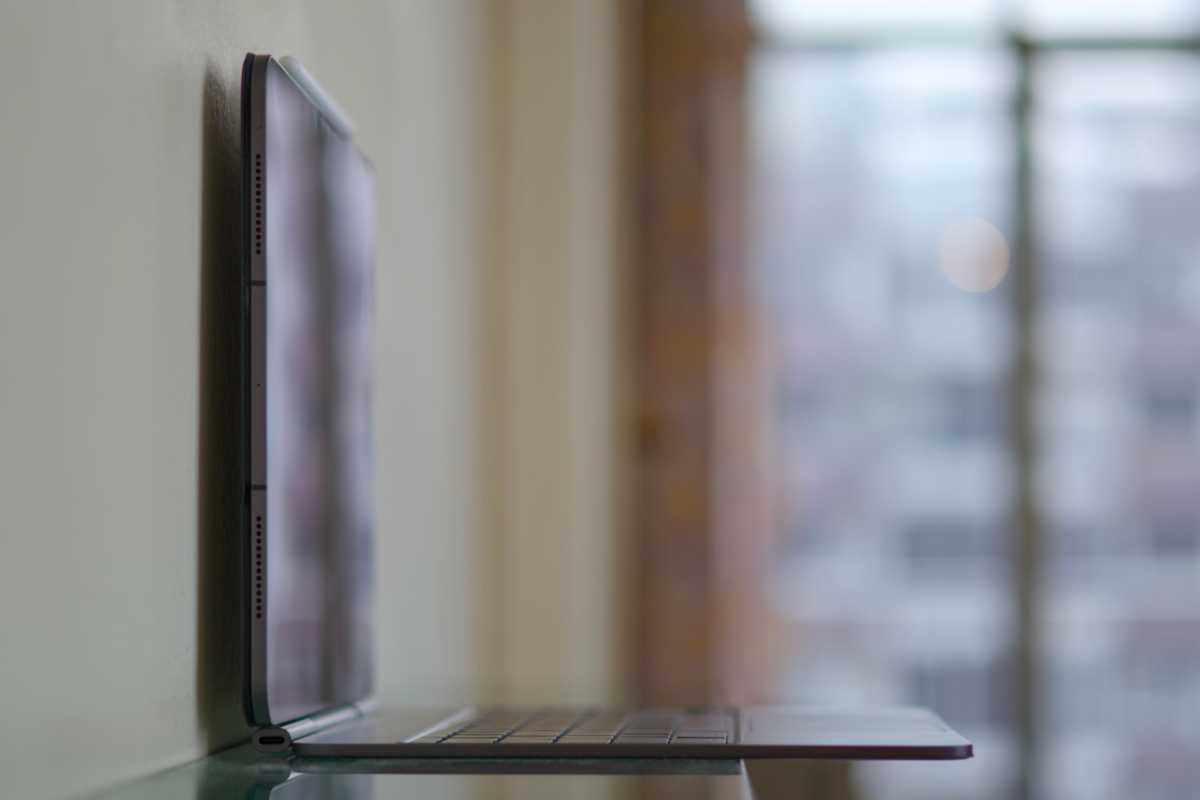
Arguably, the iPad’s most recent hardware milestone arrived in 2024 with the launch of the M4 iPad Pro. Beyond the performance boost, this model adopted a tandem OLED display, delivering improved color accuracy and true black levels. It’s also Apple’s thinnest device to date… other than the famous Polishing Cloth.
Like previous design overhauls and new features, these changes could eventually trickle down to other iPad models.
Windowed apps
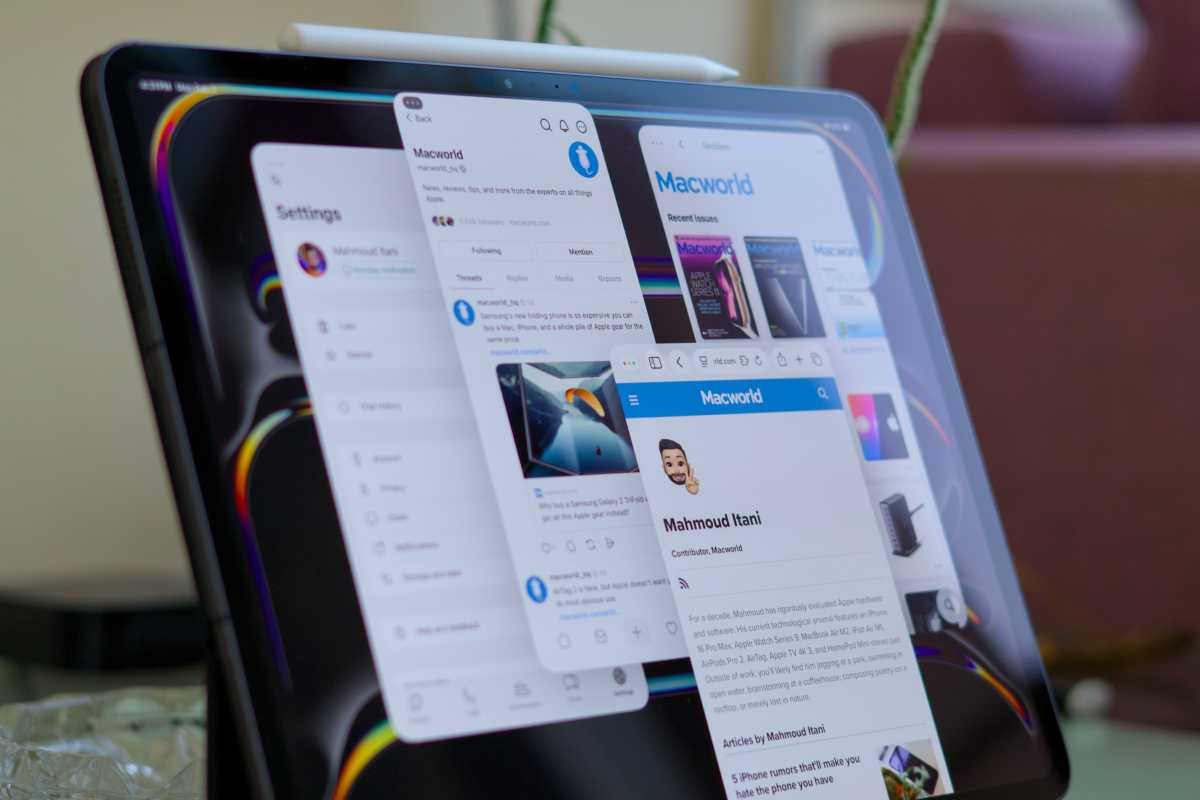
Lastly, Apple significantly transformed the iPad computing experience with iPadOS 26. Released in late 2025, the software update introduced advanced app windowing similar to macOS, along with a menu bar and a redesigned cursor for keyboard-and-mouse use. These changes position the iPad as a more practical laptop alternative for a wider range of workflows.
Mahmoud Itani / Foundry


