At a glance
Expert’s Rating
Pros
- Three 1080p displays
- One single cord
- Third-party drivers, either via USB or the web
- Priced less than the competition
- Compact enough to fit in a backpack; sturdy too
Cons
- 6+ pounds can be carried in a backpack, but not comfortably by everyone
- Average displays, in brightness and appearance
Our Verdict
KYY’s triple-screen laptop extender surrounds your laptop’s display with three 1080p screens, housed in a sturdy display and fed by a single cable to your PC. It’s compact and light enough to be carried.
Price When Reviewed
This value will show the geolocated pricing text for product undefined
Best Pricing Today
Price When Reviewed
479.99
Best Prices Today: KYY Laptop Triple Screen Extender
The future of mobile productivity is not portable displays. Instead, consider the promise of a laptop screen extender, which thankfully is now a lot easier to use than its awkward name suggests.
Yes, we love portable monitors. They’re light, portable, and slip easily into a bag. But I’ve found something better: the KYY Laptop Triple Screen Extender.
Anyone who’s followed my reviews of the best laptop docks understands that productivity scales up with additional displays. Working on a single monitor is fine, and Microsoft implemented virtual desktops within Windows for just that reason. But you can do more if you can see more, and in my book that’s the foundation for a productive home office.
On the road, though, the equation breaks down. Suddenly bulk and weight enter into the equation. Can you stuff your home monitor into a suitcase? Of course not. What about a single, external display? That’s not a bad idea. But trying to tote multiple displays in your bag or backpack means more cables, additional weight, and more risk that an errant elbow will knock the whole thing to the ground. Is there a solution?
Mark Hachman / Foundry
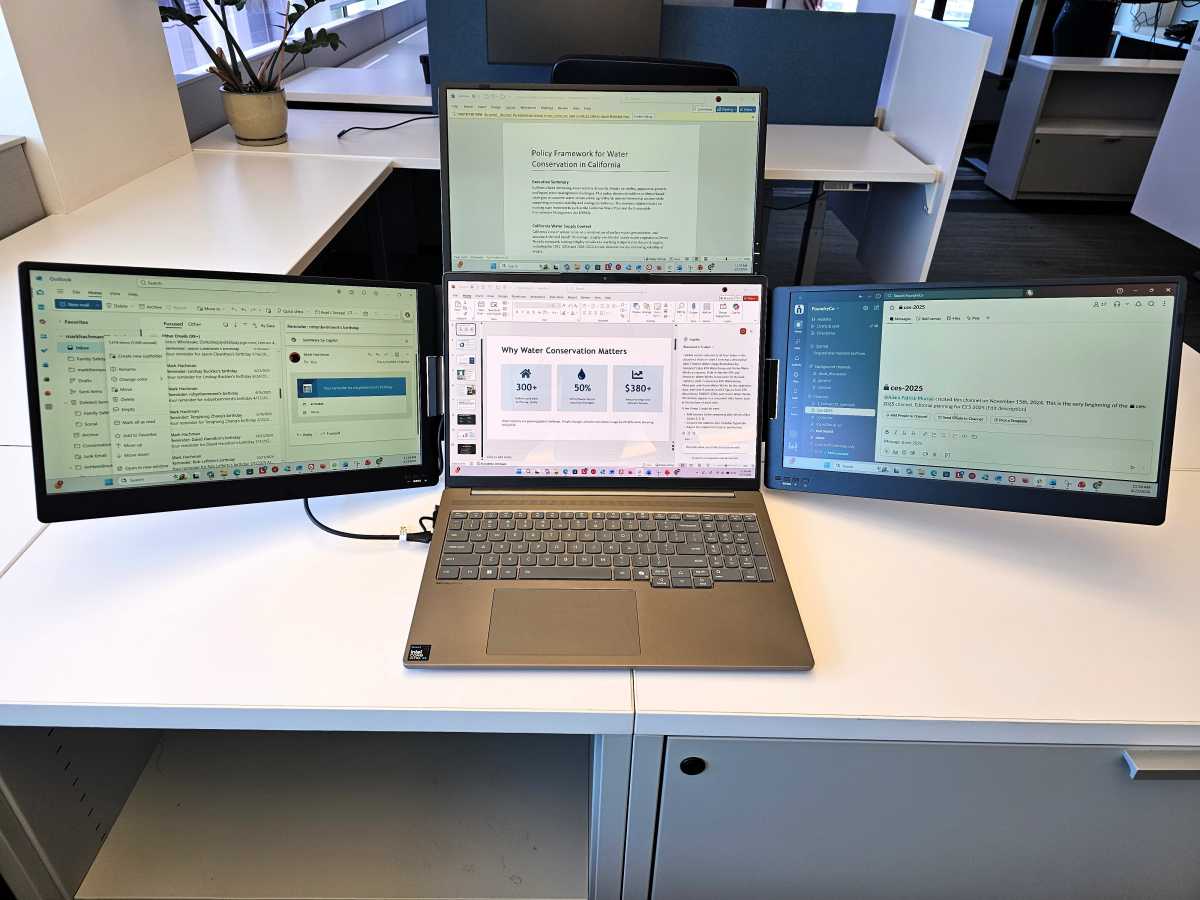
I think so. After testing a two-display laptop extender two years ago, a contact sent me to the next level: KYY’s three-display laptop extender, or the KYY USB-C Triple Laptop Screen Extender. Ignore the name; this $450 gizmo swings a 1080p screen out from the left, right, and top of your laptop, giving you a total of four landscape laptop screens to work from. Email, chat, calendar, browser — organize them how you wish. You won’t need to be swiping and tabbing between screens, as you can see them all.
It’s fantastic for productivity, but any multi-display arrangement arrives with pros and cons. Let’s talk about both.
KYY Triple Display Laptop Extender: Some solid, unexpected advantages
I don’t consider myself to be an expert on laptop screen extenders; Amazon is full of them, varying in price, and from Asian manufacturers you’ve likely never heard of. But KYY’s triple-display (sometimes, confusingly, called a quad display instead) is about $100 to $200 less than other options.
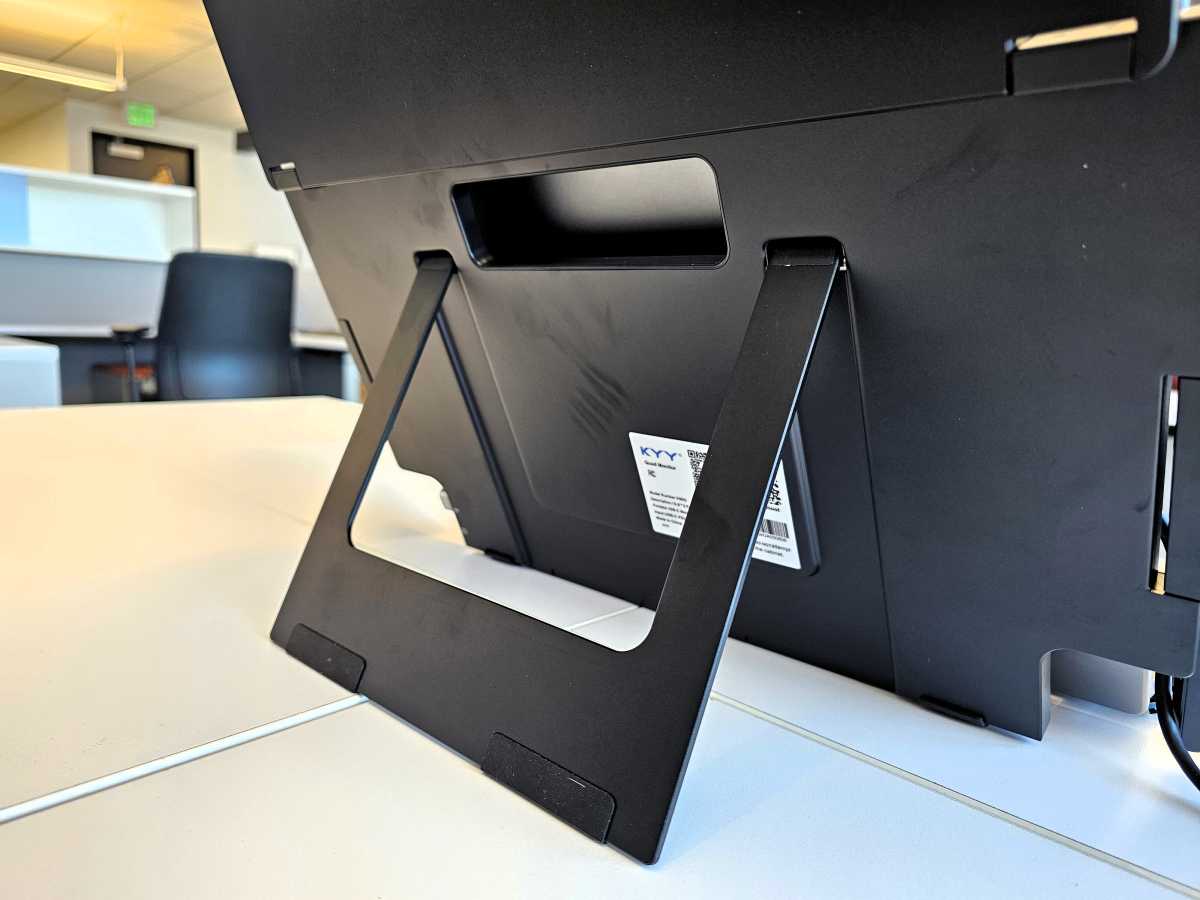
The FOPO two-screen display extender that I tried earlier used brackets to hang off the host laptop, which threatened to drag my laptop screen backwards at an awkward angle. KYY’s triple display extender stands alone, supported by a kickstand, but with a laptop-sized notch that you can fit your screen into. Don’t worry about it being a perfect fit.
Mark Hachman / Foundry
Each of the displays unfolds in a regular pattern — left, right, top — and folds up in the opposite direction. KYY includes a helpful cheat sheet to make sure you’re doing it in the right order — otherwise you might bend or break the displays.
Even better, the displays fold up in an arrangement where all of the screens face inwards, protected by the plastic of the display assembly. That wasn’t the case for FOPO’s assembly, and it means you can probably get away with loading the display extender into your backpack or suitcase unsheathed.
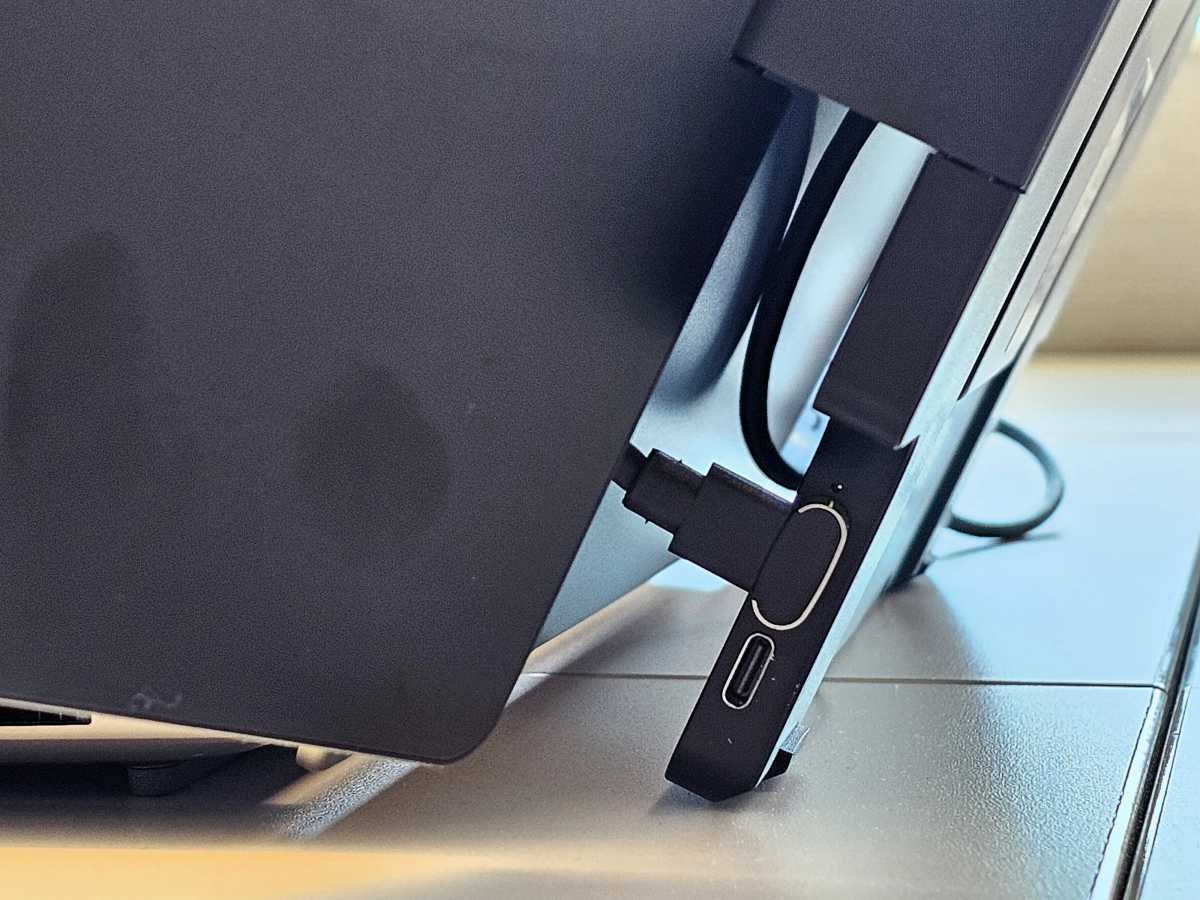
FOPO’s dual-screen extender required a set of cables for each display; in KYY’s case, it provides a single USB-C cable about a yard long, that plugs into your laptop’s USB-C or Thunderbolt port.
Mark Hachman / Foundry
The KYY extender worked out of the box for me. If for some reason your laptop doesn’t light up all three displays, KYY provides a USB stick with drivers or a URL to Silicon Motion’s site to download the drivers. Nothing against KYY, but I don’t like loading random software onto my PC. Being able to download it from a site I know reassures me a bit. (Actually, my Lenovo laptop with two Thunderbolt ports worked without having to download any drivers at all.)
To recap: Three displays that fold to protect the screen, all connected by a single cable, and without the need to download questionable drivers. I like all of this.
KYY Triple Display Laptop Extender: Room for improvement
Are there drawbacks? Yes.
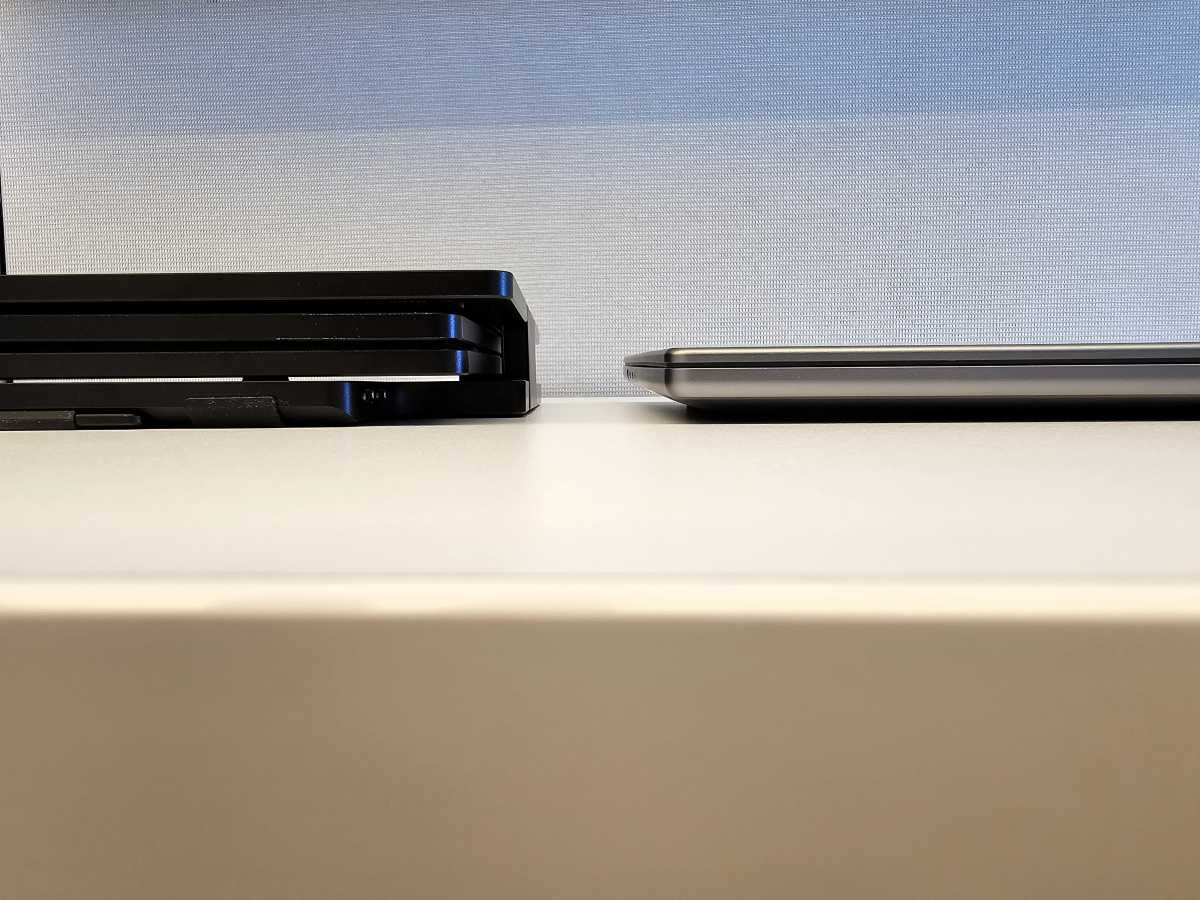
Again, I really like the fact that KYY’s laptop display extender protects all of the screens. Folded down, it’s far thicker than a laptop, of course.
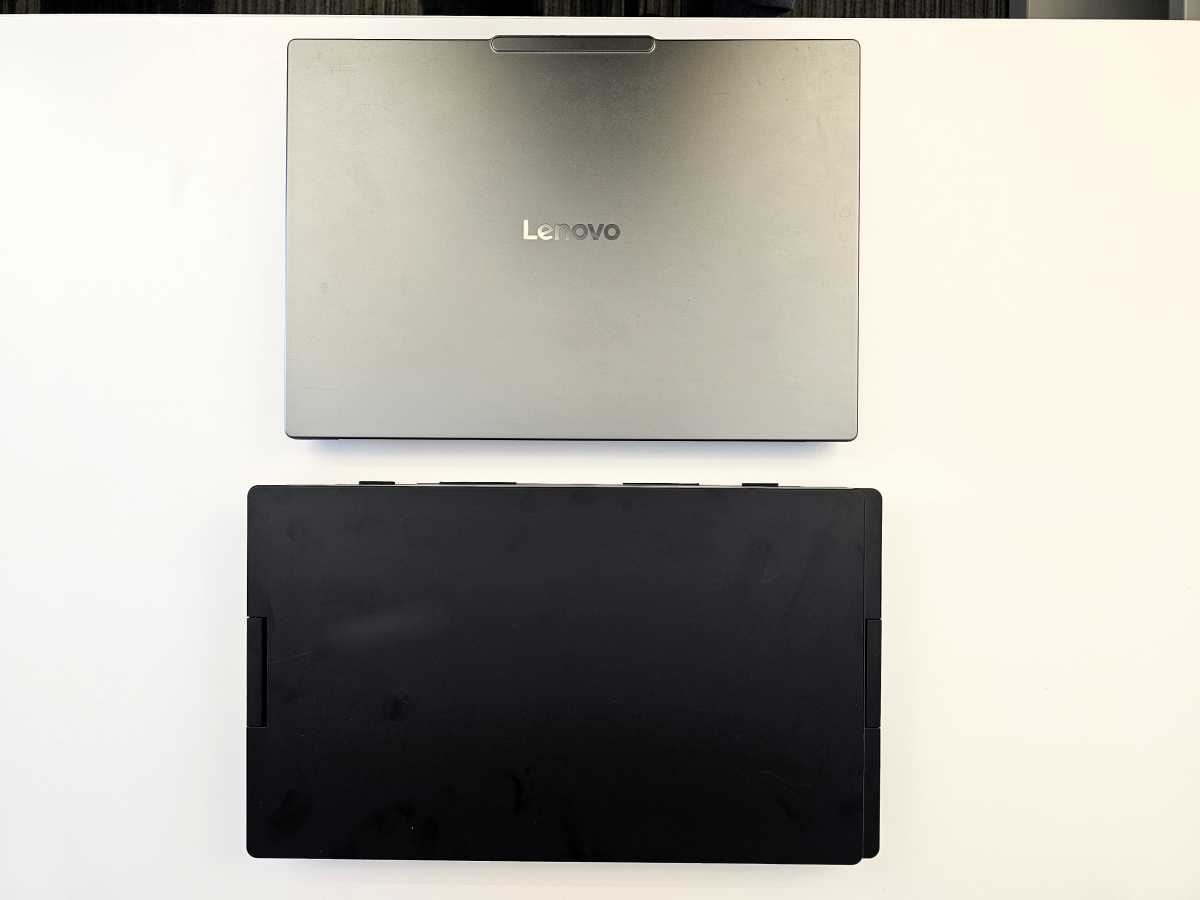
About the only issue I have with KYY’s documentation is that it claims that the laptop extender is 1.6 kilograms, or about 3.5 pounds; but by my scale, the extender is about 6.5 pounds in total. The dimensions are off, as well; by my ruler, the extender measures 15.2 inches x 9 inches x 1.5 inches.
Mark Hachman / Foundry
On the other hand, I toted it on my two-hour commute (yes, unfortunately) from my home to PCWorld’s San Francisco office, via car and the BART subway system and a walk of a bit less than a mile. Extender and laptop together weigh about 10 pounds in total, which isn’t necessarily backbreaking.
More to the point, my laptop and the laptop extender both fit within the same backpack, fairly comfortably. I doubt that you’ll choose to tote along both on a day’s worth of meetings, but I will say that KYY’s laptop extender is small and light enough to fit into a backpack on a work trip, then dropped off at a hotel or office. Just treat it with some care, and consider buying a padded laptop sleeve or bag for extra protection.
Mark Hachman / Foundry
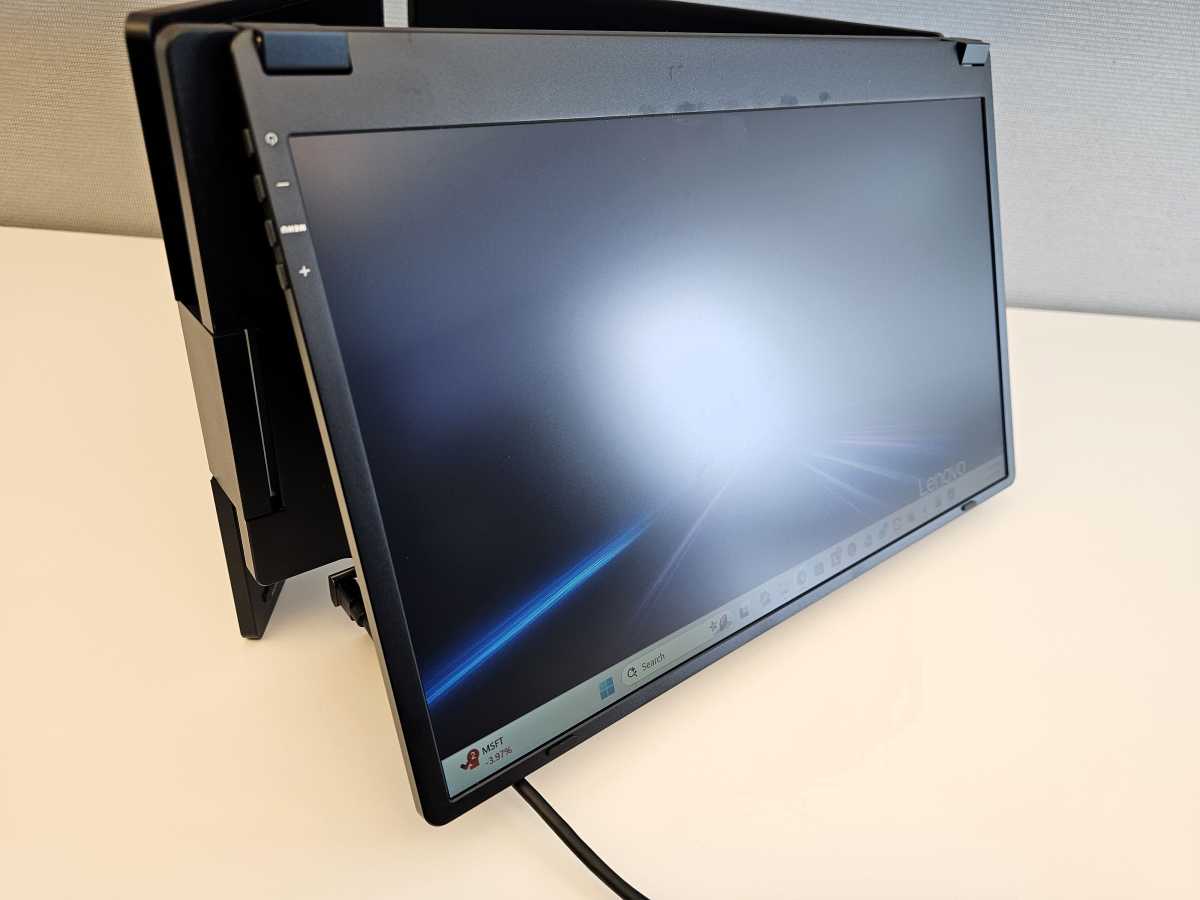
KYY rates the displays at 400 nits apiece, with a matte finish that reduces glare. Again, I’m not sure that the displays will live up to that number, as they’re a bit faint. They’re perfectly fine for indoor use, however.
Keep in mind that your laptop’s battery will be powering not one but four displays, which will drain your battery relatively quickly. I left my laptop idle, screens lit, for a brief errand; in 33 minutes, my power-sipping, Intel Core Ultra Series 3 laptop with a maxed out 99Wh battery dropped 15 percent.
Mark Hachman / Foundry
Fortunately, KYY thought of that. Inside the box is a power cord and charging plug, so you can plug in your displays to offset the power drain. (KYY says that its laptop extender consumes 28W.) Each display includes two USB-C ports each, one for power and the other for display. You can plug either the KYY charger, or your own, into the former.
And while KYY rates the displays at a 1200:1 contrast ratio and 85 percent coverage of the (undisclosed) color gamut, you’d probably be best off simply using this laptop display extender for its expansion capabilities, rather than as a primary workspace for creative work. Image quality is simply fair.
Should you buy the KYY Triple Display Laptop Extender?
I was genuinely surprised to find KYY’s display as functional as it is. KYY and the rest of the industry have a path to follow, laid out by desktop displays: higher resolutions, improved display types like OLED, larger screens, lighter weight. But the bones are there, and this triple-display extender is ready to boost your productivity right now.


