Buying a new TV and a new streaming device used to be separate decisions, as televisions didn’t always come with adequate smart TV software.
These days, though, it’s virtually impossible to buy a television that isn’t a smart TV, with Roku, Fire TV, or other streaming platforms built in. So whenever I write about the latest streaming devices—like Amazon’s new Fire TV Stick or Walmart’s latest Onn players—inevitably some folks will ask me what’s the point. Why bother using an external streaming box or stick when your TV already supports the same apps?
Naturally I have answers to that question, but that doesn’t mean everyone should abandon their smart TV software in favor of a separate streaming device. Let’s walk through the merits of both.
The case for smart TVs
Roku
For those who don’t already own a streaming device that they prefer, my advice is always to give your smart TV a try first. If it has all of the apps that you want, and you’re satisfied with its performance, there’s really no need to buy anything extra.
Smart TVs also have a few distinct advantages over separate streaming players:
- One remote: With a smart TV, you don’t have to juggle a separate remote for streaming. While most streaming remotes can also control your TV via HDMI-CEC, in my experience this can sometimes get finicky, plus you’ll still need the TV remote for things like picture settings.
- Streaming format simplicity: For content that’s in 4K, HDR, Dolby Vision, or Dolby Atmos, you don’t have to worry about making sure your streaming devices matches those formats, or about using the correct TV inputs to take advantage of them. Everything should just work.
- Over-the-air integration: If you’re plugging an antenna into your smart TV, you can switch over to local channels without switching remotes.
- Fancier TV features: Some newer TVs offer hands-free voice control, smart home integrations, and digital art frame features. These will be easier to access if they’re not contending with an external streaming device on a separate input.
Jared Newman / Foundry
Some smart TV platforms even use the same operating systems found on external streaming players. If you buy TV with Roku, Fire TV, or Google TV software-built-in, the experience won’t be vastly different from a separate streaming device that uses the same OS.
When it’s time for a streaming device
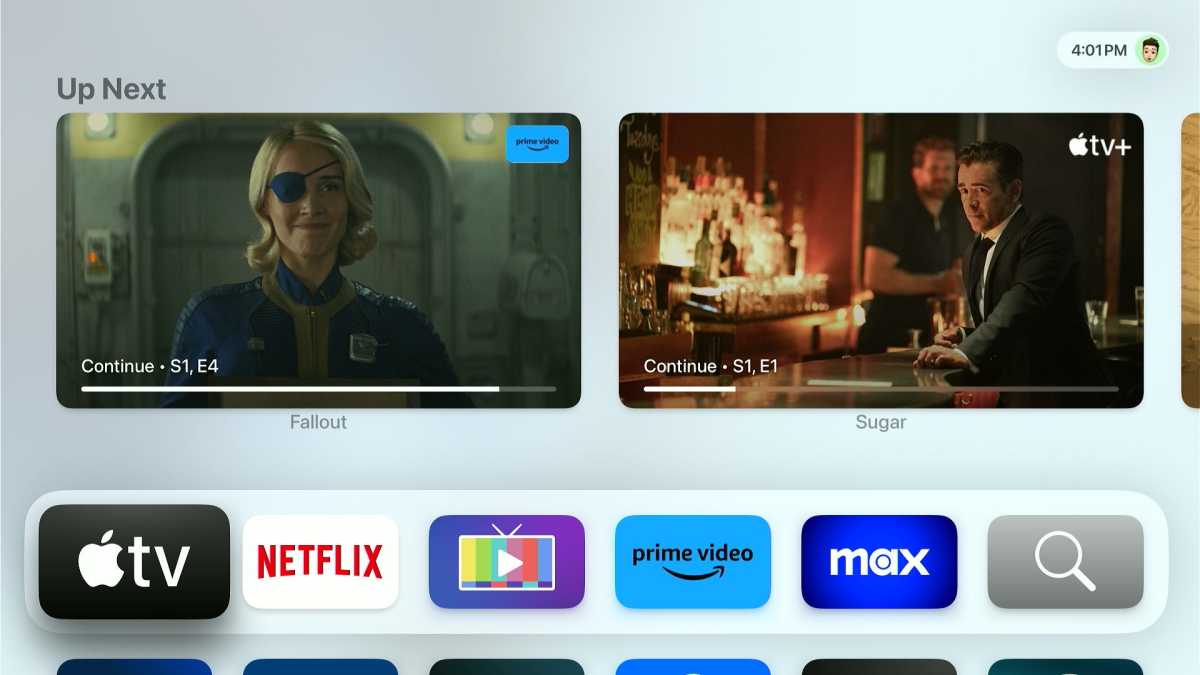
The Apple TV’s ad-free home screen.
Jared Newman / Foundry
Streaming devices are an easy way to upgrade from the streaming experience that’s built into your smart TV. By plugging one of these devices into one of your TV’s HDMI ports and switching over to its corresponding input, you can effectively bypass the TV’s own streaming system.
There are several scenarios where this is worth considering:
Your TV feels slow: Smart TVs, especially cheaper ones, tend to have weak processors and limited memory, resulting in long load times, jerky animations, and sluggish responses when you click on the remote. Even mid-range streaming devices like the Roku Streaming Stick 4K, Fire TV Stick 4K Max, and Walmart Onn 4K Pro should provide faster performance. A high-end streaming box like the Apple TV 4K will be even better.
Some apps are missing: While Samsung, LG, and Vizio TVs have improved their app selections in recent years, they still tend to lag behind Roku, Fire TV, and Google TV, particularly with certain niche apps. The library streaming apps Hoopla and Kanopy, for instance, aren’t available on LG or Vizio TVs, while NCAA March Madness Live app is missing from Samsung and Vizio. Channels DVR and the HDHomeRun app aren’t available on any of the three TV makers’ platforms.
The software is outdated: The older your TV gets, the more likely it is to stop receiving security and feature updates. Streaming services may also stop supporting their apps on older TVs, as Netflix routinely has over the years. An external streaming player will let you run those apps again without having to toss our your TV.
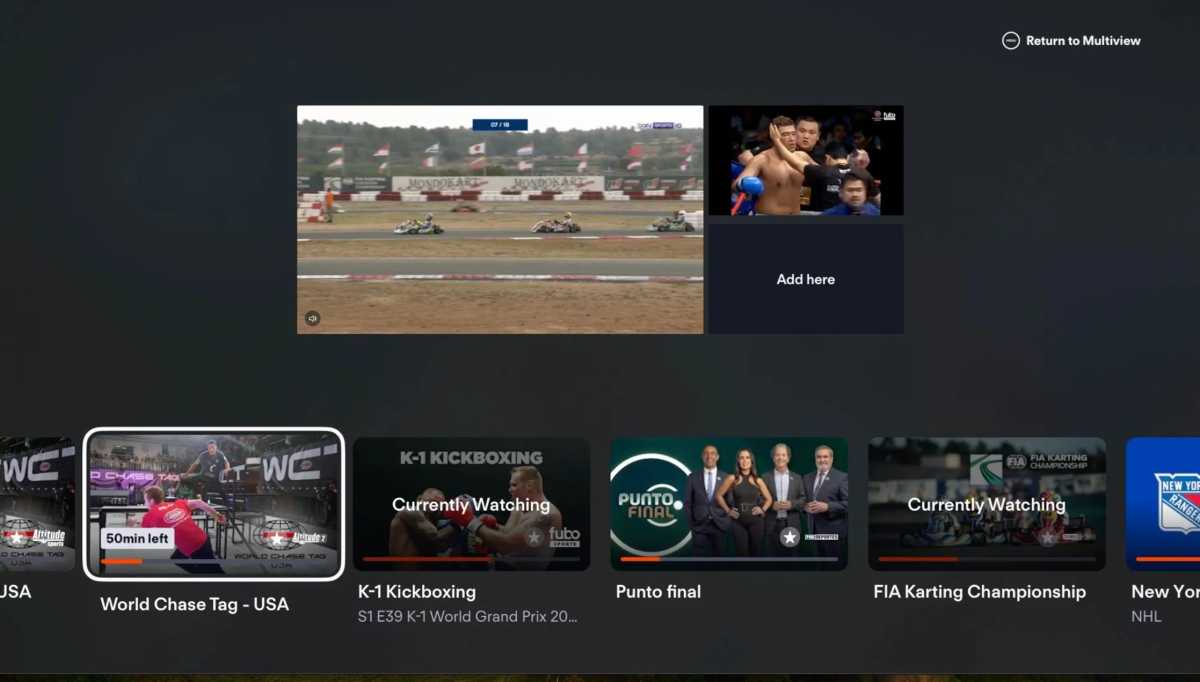
Fubo’s multiview feature requires an Apple TV or select Roku players (with LG TV coming later in 2026).
Jared Newman / Foundry
You’re experiencing feature FOMO: Maybe you have a Vizio TV, but want the Google Photos slideshows that you’d get with a Google TV device. Perhaps you covet the dialogue boost features on the Apple TV 4K. You could also find that sports apps don’t support multiview on your particular TV. In any case, an external streaming device can provide features that your smart TV lacks.
You want cleaner menus: If your smart TV’s software seems overly messy or unintuitive, an external streaming device can help. Apple TV, for instance, offers a uniquely ad-free home screen, while Roku’s home screen can be set up so that even the least tech savvy users can make sense of it.
Don’t toss your TV just because it’s not smart enough
If you do stick with your smart TV’s built-in software, just know that the decision needn’t be permanent. You can use your smart TV features for as long as they meet your needs, then move on to an external Roku, Fire TV, Apple TV, or Google TV streaming player when those features fall short.
The only reasons to replace a TV are if you’re unhappy with the picture or it flat-out stops working.
Sign up for Jared’s Cord Cutter Weekly newsletter for more streaming TV advice.


