Millions of videos, from old camcorder recordings and compressed social media clips to dim indoor recordings, screen captures, gaming videos, and 720p AI-generated content, share the same problems: noise, blur, muted color, and limited resolution. In the past months, Aiarty Video Enhancer has helped millions of video creators tackle these issues with models built specifically for real-world footage.
Now, Aiarty Video Enhancer V3.0 introduces SDR-to-HDR conversion, faster AI processing modes, and expanded fine-tuning controls. This makes Aiarty a more practical AI video enhancement tool for both casual users and video professionals seeking high-quality results without a complicated workflow.
Aiarty Video Enhancer V3.0 is now available at a huge discount for the lifetime license on 3 PCs, including unlimited upgrades at no extra cost.
What is Aiarty Video Enhancer?
Aiarty Video Enhancer is an AI-powered tool specially designed to upscale, denoise, sharpen, enhance, and smooth low-quality videos. It’s able to improve footage with different quality issues into crisper and professional videos with just a few clicks.
V3.0 Highlight: Convert SDR to HDR for More Vibrant, Lifelike Colors
Aiarty Video Enhancer V3.0 adds the ability to convert SDR 8-bit to HDR 10-bit. This feature can help:
- Expand dynamic range for brighter highlights
- Recover shadow detail lost in older analog or early-digital recordings
- Improve color depth and tonal richness
- Make landscapes, skin tones, and night scenes look more realistic
When using in combination with the color correction feature, it’s easy to fix dim or washed-out footage.
Aiarty
Tips: The HDR color improvements are most visible on HDR-capable display.
Fix Grain, Blur, and Texture Loss with More Control
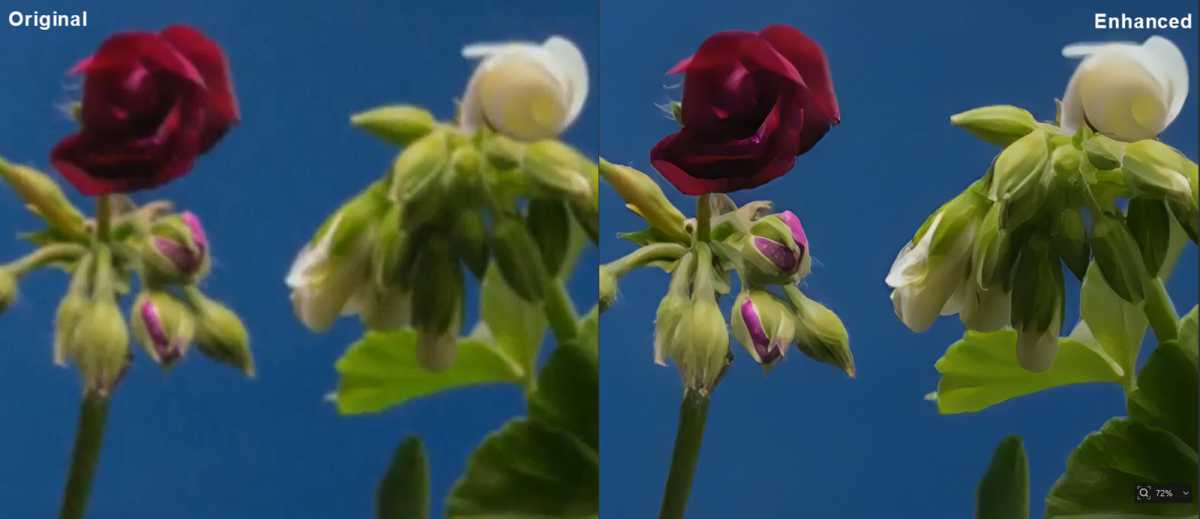
Aiarty’s AI enhancement engine focuses on the issues users encounter most often: grain, blur, and detail loss. The noise-reduction module cleans grain and noise often found in low-light indoor videos, old family recordings, noisy smartphone footage, and high-ISO clips. More importantly, the built-in AI will preserve small details, just like skin pores, animal fur, foliage, fabric patterns. Now it’s even possible to control the denoise strength for a more conservative or more aggressive cleanup.
Aiarty
It also removes blur and compression artifacts in soft-focus shots, low-quality vintage clips, and compressed social media videos. Instead of aggressively oversharpening, it intelligently enhances the clarity and details for a perfectly natural look. You can choose to apply a subtle, gentle refinement for minor imperfections, or you can opt for stronger correction for heavily degraded footage.
Aiarty
Upscale to HD and 4K without Losing Quality
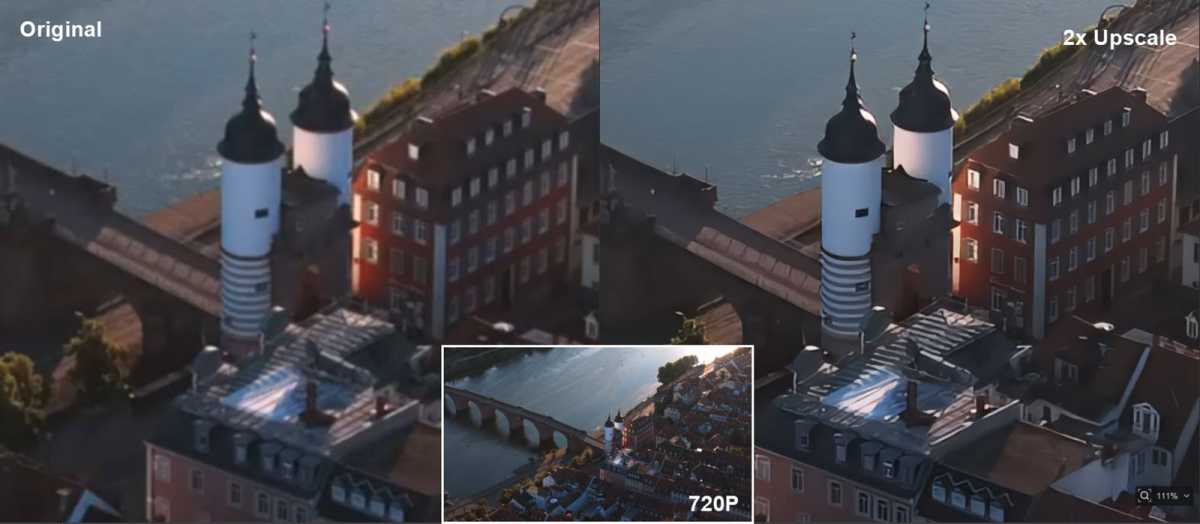
Aiarty lets users enlarge footage by 2× or 4× up to HD or 4K while reconstructing realistic detail instead of just sharpening edges. The AI engine emphasizes natural texture restoration, keeping details looking lifelike and avoiding the over-smoothed, “painted” effect common in many online upscalers. If you simply want to fix the quality issues and improve the visuals without increasing resolution, just choose the x1 mode.
Aiarty
Tips: If the 4K upscaled quality is not desirable, you can try another AI model, namely, MoDetail, Smooth, or SuperVideo, to see which works best for your footage. You can also choose to apply a 2× upscale first, then export and run a second 2× upscale, this sometimes generates better quality.
New Step Mode for Maximum Quality
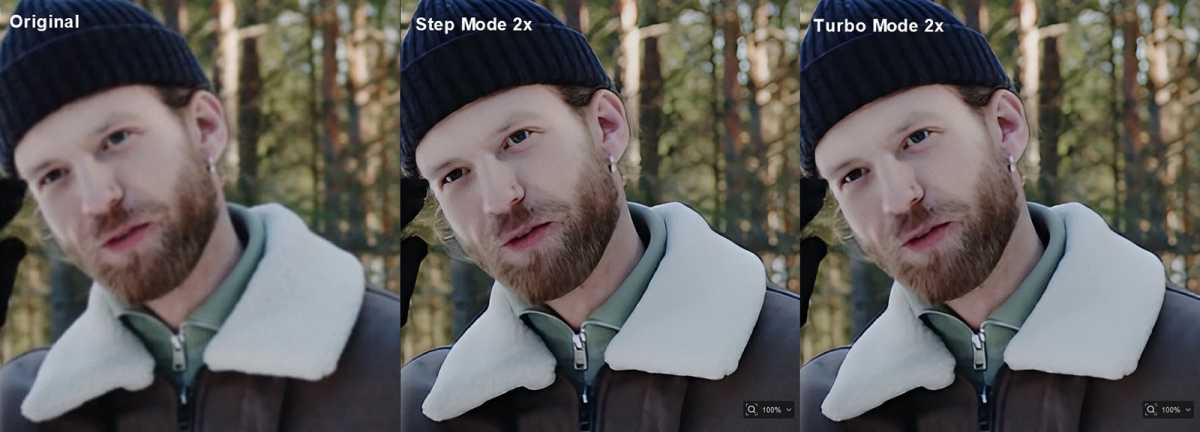
Some users may want faster speed while some others may care about the best quality, and Aiarty V3.0 now supports two processing modes:
- Step Mode: Deliver higher precision and cleaner reconstruction, which however, will result in slower processing speed.
- Turbo Mode: Maximizes GPU usage (up to 95%), greatly reducing processing time for batches or long projects.
You can switch the 2 modes depending on your needs, or simply leave it on the default setting and let the AI model automatically balance speed and quality.
Aiarty
Smoother Motion and Cleaner Audio
Besides, the built-in AI frame interpolation will also convert low-fps videos to 60/90/120fps, smooth choppy playback,, and create slow-motion effets. The audio denoiser removes hums, hisses, and ambient background noise for clear audio. You can also perform simple but essential edits, cut, crop, rotate, directly inside the AI video enhancer. These tools makes it possible to export and share, eliminating the need for a separate editing program.
Grab Time-Limited Holiday Deal
Aiarty Video Enhancer V3.0 is now available with a significant holiday-season savings. You can access get a lifetime license at 36% off ($149 only, working on 3 devices and including all future upgrades). Bundle options that pair Aiarty Video Enhancer with Aiarty Image Enhancer are also available with up to 49% off.


