At a glance
Expert’s Rating
Pros
- AI navigation is effective at quickly hunting down debris
- Floor cleaning quality is very good
- Supports 5GHz Wi-Fi
Cons
- Cleanup is a nightmare
- Skimming mode is nearly useless
- Battery life is too limited for its aspirations
- Major app problems for now
Our Verdict
Aiper’s highest-end robot hits the market as a rocky work in progress and isn’t easy to recommend in its current condition.
Price When Reviewed
This value will show the geolocated pricing text for product undefined
Best Pricing Today
Price When Reviewed
$1,999.99
Best Prices Today: Aiper Scuba V3 Ultra
Introduced at CES 2026, Aiper’s latest pool robot is the Scuba V3 Ultra, the company’s most powerful (and expensive) robot to hit the market to date. Designed with every feature currently available in the category, including waterline docking, plug-free charging, surface skimming, and AI-driven navigation, it’s designed to compete directly with the top-shelf Beatbot AquaSense 2 Ultra. When I put them head to head against each other, there was one clear winner after everything dried out.
Aiper Scuba V3 Ultra: Specifications
Foundry / Christopher Null
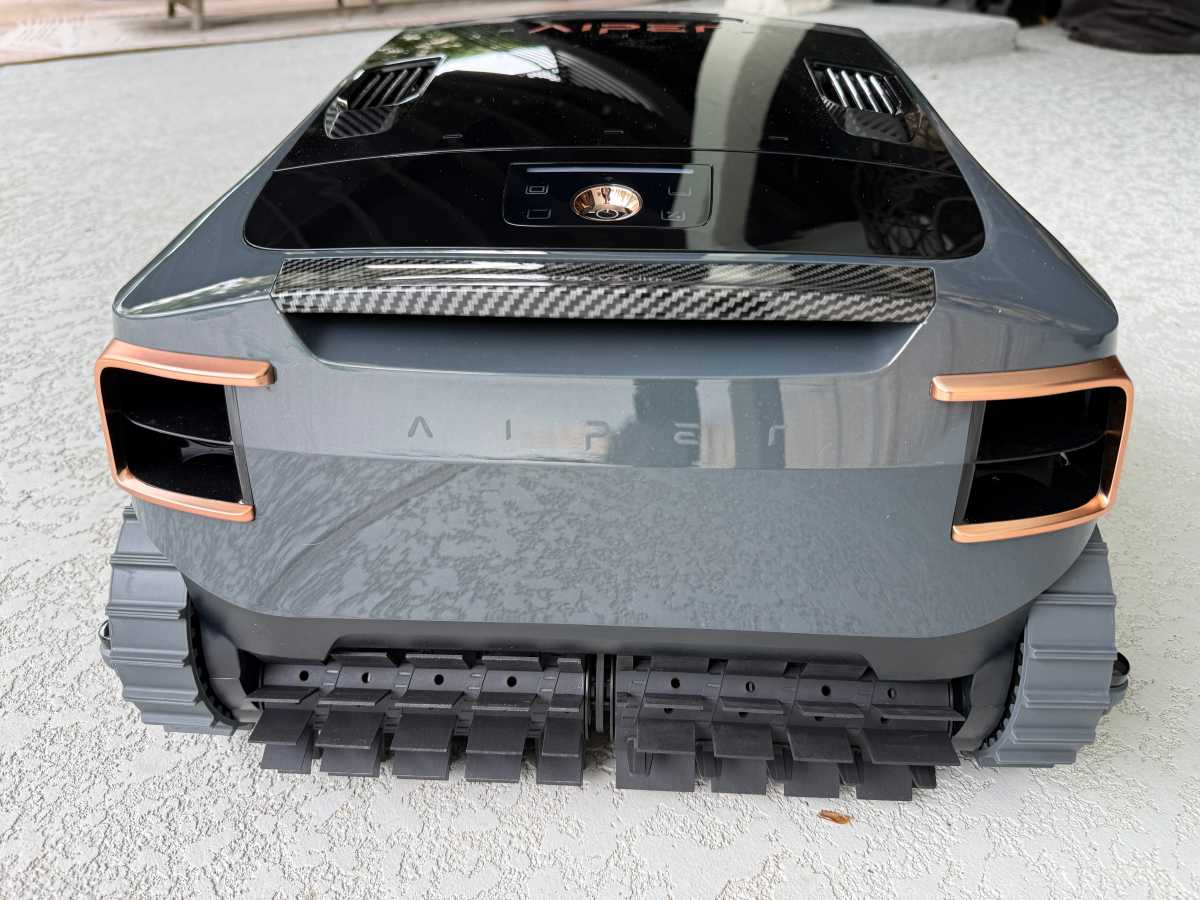
As with other skimmer-enabled pool robots, the Aiper Scuba V3 Ultra is a monster. Its 29-pound weight is matched by its generally massive size (about 18 x 16 x 11 inches) and, as with the Beatbot Ultra, this makes it challenging to maneuver in and out of the pool. It’s also tricky to mount perfectly on its charging dock, which tops up the 10,400 mAh battery without having to plug anything in. (The dock arrives in four pieces but snaps together easily with no tools required.)
Aiper specs the robot to run for up to four hours when under the surface and eight hours in skimmer-only mode.
Foundry / Christopher Null
The glossy black robot features handsome bronze trim, but otherwise resembles most of today’s pool robots, especially other Aiper ones. Two visible treads control floor- and wall-based operations, with a pair of spinning brushes mounted centrally to scoop debris into its rather tiny 3.5-liter filter basket, which features two nesting chambers. (I’ll elaborate on this design later.) Four tiny wheels mounted horizontally to the sides of the robot give it a small buffer when traveling along the waterline, helping it to avoid scraping against your pool’s tile.
AI is, of course, a focus with this robot, which features front-mounted dual cameras that can identify both obstacles and debris, adapting the cleaning path on the fly. Note that this mode isn’t enabled in every cleaning mode. By default, the robot takes a more programmatic path and relies on preconfigured timers to determine where to clean and for how long.
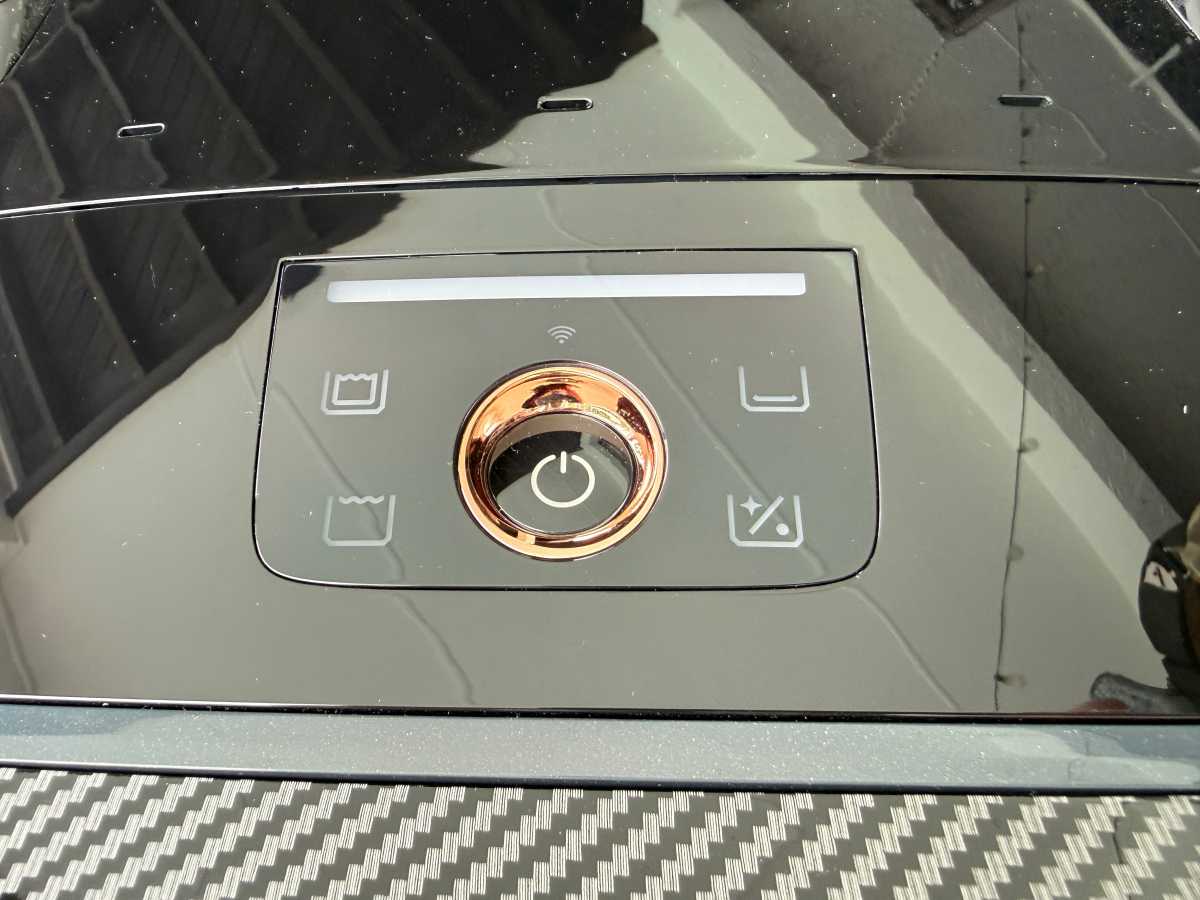
While users have access to a handful of modes via hardware controls (which appear alongside a color-changing light bar that indicates various status conditions), the V3 Ultra naturally works with Aiper’s mobile app, which gives you a dizzying array of additional options and modes to choose from. The robot can communicate on both 2.4GHz and 5GHz Wi-Fi networks.
Aiper Scuba V3 Ultra: Installation and setup
Out of the box, your first order of business is to assemble the docking station, which is a simple process that only takes a couple of minutes. The robot itself is largely ready to go upon unpacking it, aside from having to remove a massive amount of protective tape from the chassis. (I was still finding tape I missed after my third cleaning run.) Aiper specifies a 4 ½ hour charging cycle to top up the battery.
Foundry / Christopher Null
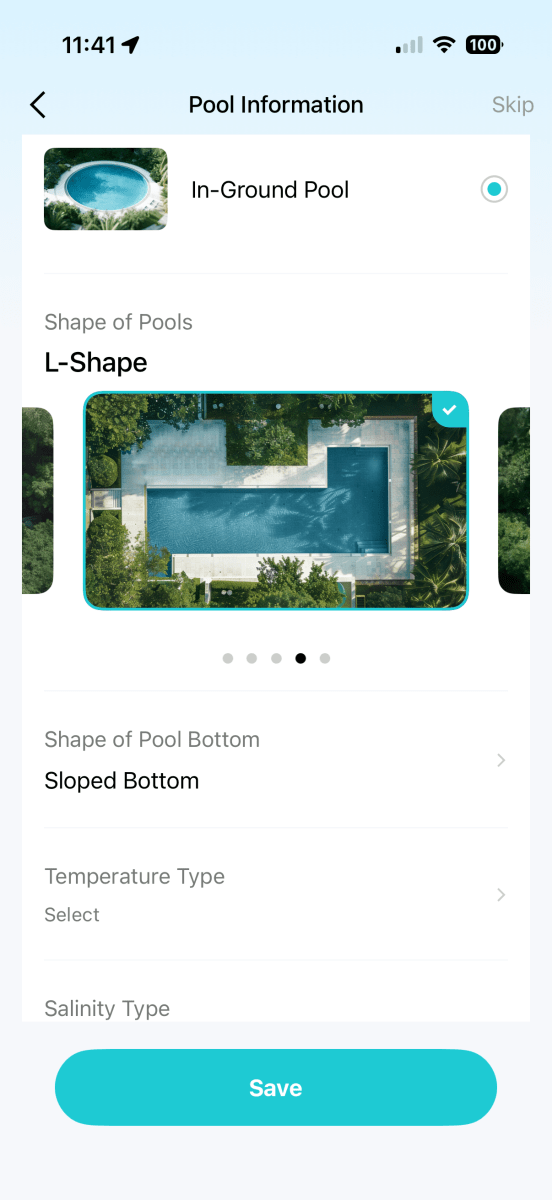
The only setup hiccup I encountered was during the wireless configuration. The Aiper app instructs you to hold down the power button for a few seconds when setting up Wi-Fi, but I must have held it down too long, as this initiated a factory reset. Fortunately, the reset only took a few extra seconds and I was able to pair to my home network without further incident. After an overnight charging session, I began testing the following morning.
Aiper Scuba V3 Ultra: Performance
With so many modes and features to work with, testing the V3 Ultra required an exhausting amount of time to fully run it through its paces. The Aiper app includes a whopping 10 operating modes, including separate floor, wall, waterline, and surface skimming modes, a comprehensive clean-everything mode, a shallow area-only mode, and an AI patrol mode (which activates the debris-scanning camera). A personalization option lets you configure all areas individually, and the AI Navium mode lets you tell Aiper to create a plan for how to clean your pool, setting up a schedule on your behalf.
Foundry / Christopher Null
Let’s start with the basics, which got off to a rocky start. In comprehensive mode (floor, walls, and a brief surface skim), the robot ran for an average time of just under 3½ hours before stopping. Invariably, in this mode I received an error that the “task terminated abnormally” or “task failed” near the end, presumably an indication that the battery had died before it could complete the job. (No further details were ever supplied.) However, it got most of the way done. Results in testing with synthetic debris showed an average 98 percent coverage rate, an excellent showing but bizarre in that the missed debris was left in the center of the pool.
I had better luck in other modes, namely the AI Patrol mode, which was effective at playing seek-and-destroy with debris on both floor and surface (though it struggles to detect very small pieces of debris). If anything, it’s the best feature on the robot. Though I still received task failure messages, it was curious to read the logs, which tell you what the robot discovered during its journey, even if the information seemed specious. (“Leaf x7… Floor Drain X1… Step X1… Fruit X1.” Seven leaves? Fruit?)
Foundry / Christopher Null
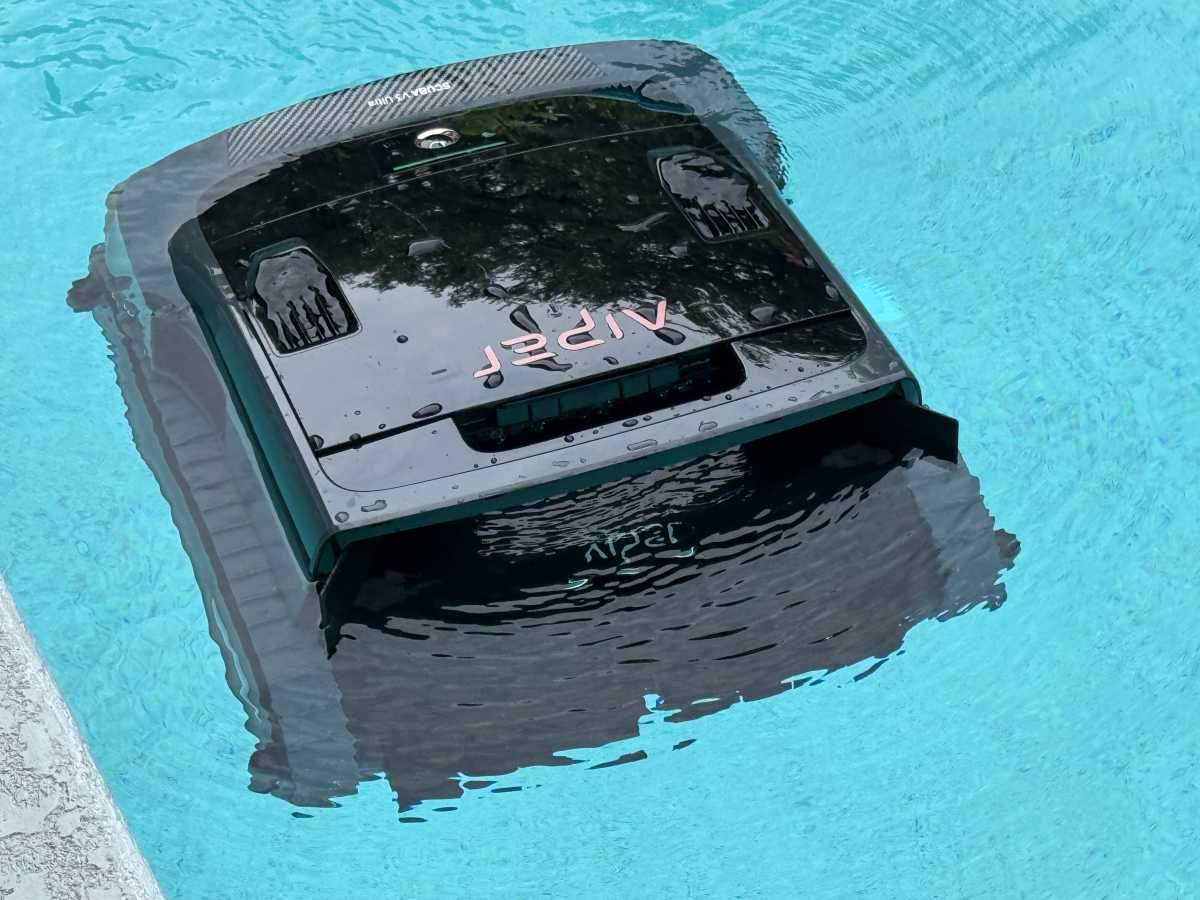
I was far less successful with the V3 Ultra in skimming mode, which I would describe as poor at best. During its default three hour long cycle, the robot managed to pick up less than half of the test leaves I scattered on the surface, the remainder either still floating or sunk to the floor at the end of the running time. My guess is that the extreme slowness of the robot on the surface is responsible for this poor showing, the unit making a sad putt-putt-putt noise as it scoots around on top of the water, its wake often pushing any debris in front of it out of the way before it can be scooped into its maw.
A remote control mode allows you to pilot the robot manually while skimming, but it’s so slow that piloting it toward debris with any degree of accuracy is nearly impossible. It’s also worth noting that the significant height of the robot prevents it from cleaning the area above any shallow areas in the pool, including the top riser of any steps.
The AI Navium mode is billed as a smart scheduling system: “Simply place the device in the swimming pool” and the cleaning plan is updated “per smart strategies” that seem to be developed based on how you use the device. It may take a considerable amount of time to seed the Aiper with running data in order for this mode to be effective, as my attempts to use it invariably left me with bizarre schedules that I would never rely on in the real world (for example: clean the wall only on day one, skim surface three days later, and clean floor/waterline five days later).
AI scheduling modes sound exciting, but I can’t see how they make much sense. My pool’s debris level is entirely driven by whether it rains, which way the wind is blowing, and if yardwork has been recently performed nearby. Yes, Aiper can take weather into account, but unless it fires up those onboard cameras, it’s got no real way of knowing how dirty the pool is on any given day.
$2,000 is a massive ask for this device in its current state.
My least favorite aspect of the V3 Ultra, however, has to be cleanup. The nested debris basket includes three pieces: an outer shell, a plastic cage that fits inside it, and an ultra-fine mesh filter that surrounds that cage. I’ve used these kinds of mesh filters before, which feel closer to a thick towel in use, and they are absolutely awful to try to clean. Removing them from the inner filter cage while wet is difficult, cleaning all the grit and dirt out of them is impossible, and wrestling them back into place is just as hard.
Aiper devotes three pages of its printed manual to cleaning the debris basket, and you can probably read the whole thing in less time than it takes to clean the thing. I dreaded having to clean the basket after each run. To make matters worse, I regularly found bits of debris (including a tenacious snail) trapped inside the robot hardware, underneath the debris basket entirely, where it was nearly impossible to remove.
One additional note relates to build quality. While the V3 Ultra seems sturdy, the hatch that covers the debris basket would not fully close on my review unit. Aiper’s photos indicate that the hatch should be flush with the rest of the chassis, but mine would not shut completely, gaping open by a few millimeters. While this didn’t seem to impact operations for now, it does raise questions about construction and long-term reliability.
Lastly, while Aiper’s app works well most of the time, it was glitchy with the V3 Ultra. Those abnormally terminated tasks would always cause the app to partially freeze and prevent any settings changes, requiring multiple force-quits to get things working again.
Aiper Scuba V3 Ultra: Conclusion
Ultimately, the Scuba V3 Ultra feels a lot more like a V1 than a V3 of anything, full of bugs and raising concerns about overall build quality. Firmware and software updates may someday help with the first issue, but they won’t make the hatch close properly, they won’t speed up surface cleaning, and they won’t remedy the onerous cleanup situation.
$2,000 is a massive ask for this device in its current state. If you’re sold on Aiper, consider instead the Scuba S1 Pro, which cleans nearly as well (sans skimming) and costs $800 less.


