At a glance
Expert’s Rating
Pros
- Gorgeous 4K 60Hz touchscreen
- 32-inch screen size
- Fine color accuracy
- Cheaper than Apple Studio Displays
- Flexible fold Stand
- Omni Stand option for Mac mini M4 owners
Our Verdict
While the same company’s Clarity 6K Touch offers more pixels and greater color accuracy, the Aspekt 4K Touch is a gorgeous touchscreen with flexible stand that will still suit most creative professionals. Mac mini owners will swoon for the optional Omni Stand’s special cradle.
Price When Reviewed
This value will show the geolocated pricing text for product undefined
Best Pricing Today
Price When Reviewed
From £2,148.99
Best Prices Today: Alogic Aspekt 32-inch 4K Docking Monitor
The Aspekt 4K Touch is ideal for creative professionals who want a large 32-inch touchscreen, excellent color accuracy, and a built-in docking solution without paying 6K prices. It suits photographers, designers, illustrators, videographers, and Mac users who value flexibility, connectivity, and an innovative folding stand design.
Professional photographers, video editors, colorists, and designers who need maximum detail, 6K resolution, near-perfect color accuracy, and the sharpest touchscreen experience will prefer the Clarity 6K Touch (reviewed separately).
Alogic is a pioneer of touchscreen displays for the Mac, launching the world’s first 5K and recently 6K touchscreen monitors. The company has now released a whole new range of monitors that includes two new touchscreens. The Aspekt Monitor range includes 32-inch and 34-inch touchscreen models, as well as a 32-inch non-touch display.
The Aspekt 4K Touch is designed as a newer “all-in-one docking workstation monitor,” while the Clarity Touch lineup is focused more on colour-accurate creative work and conferencing. The “docking workstation” refers to the able hub at the back (and one side) of the Aspekt, where you’ll find a row of ports. It’s more than just a USB hub, as it includes an Ethernet network port and decent device-charging options.
The Aspekt 4K Touch is 32-inch a 4K display with touchscreen functionality, with multitouch gestures and 4,096 pressure sensitivity levels.
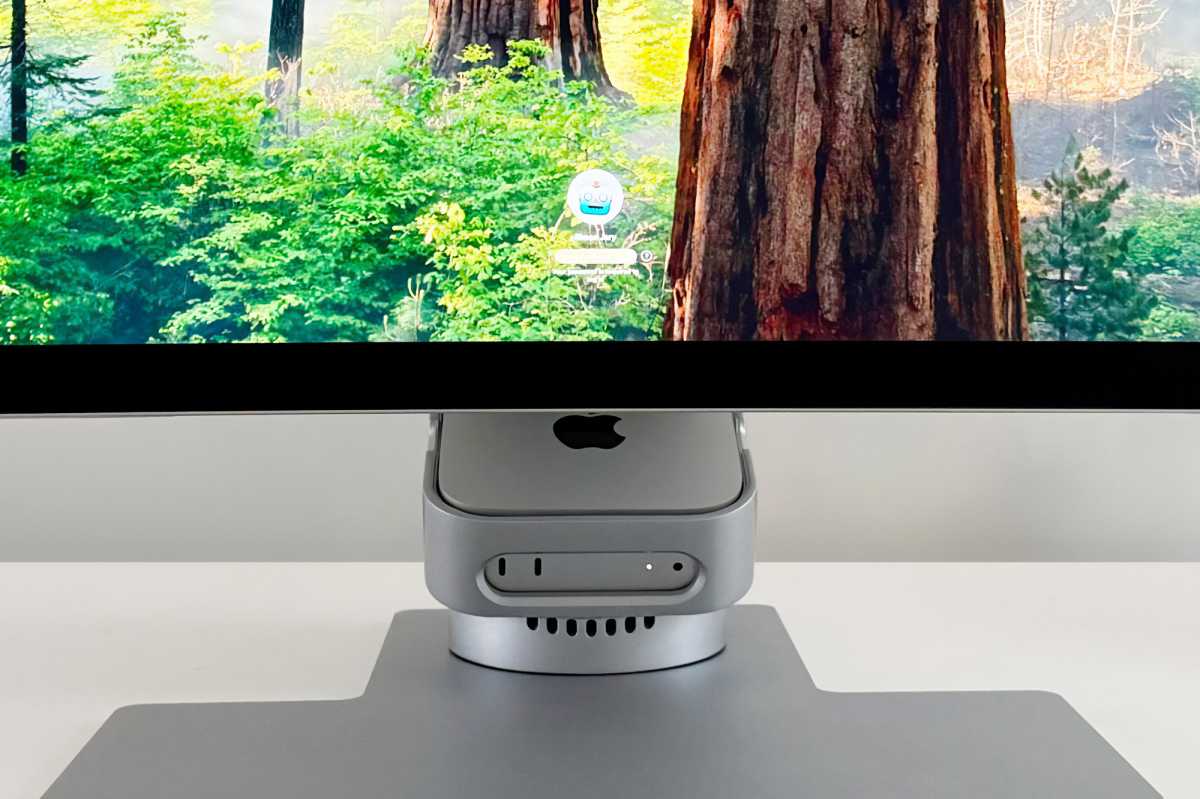
Mac mini M4 owners will be particularly interested in the neat cradle in its optional Omni Stand that carries the mini without hampering the stand’s folding flexibility and gives you some tidy desk space back. It’s a lovely, ahem, touch for Mac mini owners. If you own a MacBook or other Mac you can choose between a standard height-adjustable stand or a cradle-less Fold Stand.
Simon Jary
What’s different between the Aspekt 4K Touch and Clarity 6K Touch?
Alogic recently introduced the Clarity 6K Touch 32-inch Monitor, and we’ve now tested this similar Aspekt Touch 32-inch 4K UHD Docking Monitor.
First, we should look at what differentiates the Clarity 6K Touch and the Aspekt Touch. The most obvious difference is right there in the names. The Clarity 6K has a higher pixel resolution than the 4K Aspekt: read our full Alogic Clarity 6K Touch review.
The Clarity monitor range has been around since 2022, every year introducing new models with higher resolutions and new features such as touchscreens and smart webcams in a variety of screen sizes.
Alogic
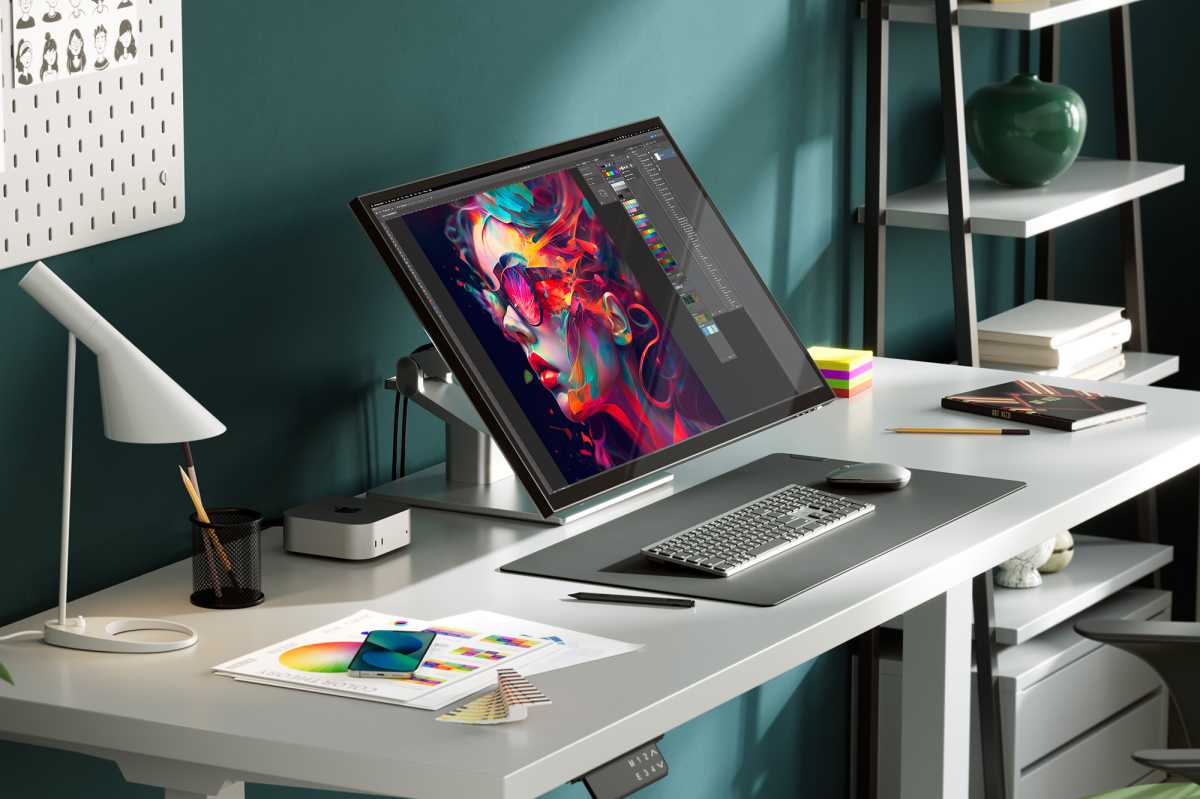
The Aspekt 4K Touch has excellent color accuracy, with 97% DCI-P3, 93% Adobe RGB and 100% sRGB. Its Delta E rating is under 2, which means it shows only minor differences, and probably visible only to a trained eye. It’s not as great as the Clarity’s <1 score (and 100% color-accuracy ratings) but is still excellent for photo editing, design, and video work where it is crucial for ensuring that edited photos look the same on-screen, in print, or across different devices, and for graphic design ensures brand colors and layouts are represented correctly.
Aspekt monitors have a choice of matte screen finish as well as gloss, compared to the Clarity’s gloss-only screen finish. Glossy screens offer superior color vibrancy, deeper blacks, and sharp text, making them ideal for high-end media viewing. However, they can create distracting reflections in brighter environments. Matte screens scatter light to prevent glare but can suffer from reduced contrast and a slightly hazy image.
Both touchscreens benefit from using a stylus such as Alogic’s own $119.99 / £69.99 Clarity Active Stylus Pen 2. You can snap the stylus onto the Clarity’s screen, while you clamp the stylus underneath the Aspekt’s screen. There’s no real better or worse for either approach, but the Aspekt’s is neater.
The Clarity 6K offers 90W passthrough charging to the connected laptop (the 4K and 5K Touch Clarity monitors pass 65W), while the Aspekt has a superior connectivity hub that supports up the same 90W to the laptop but offers a total 145W for all connected devices. It also features more USB ports and functionality such as Ethernet.
Simon Jary
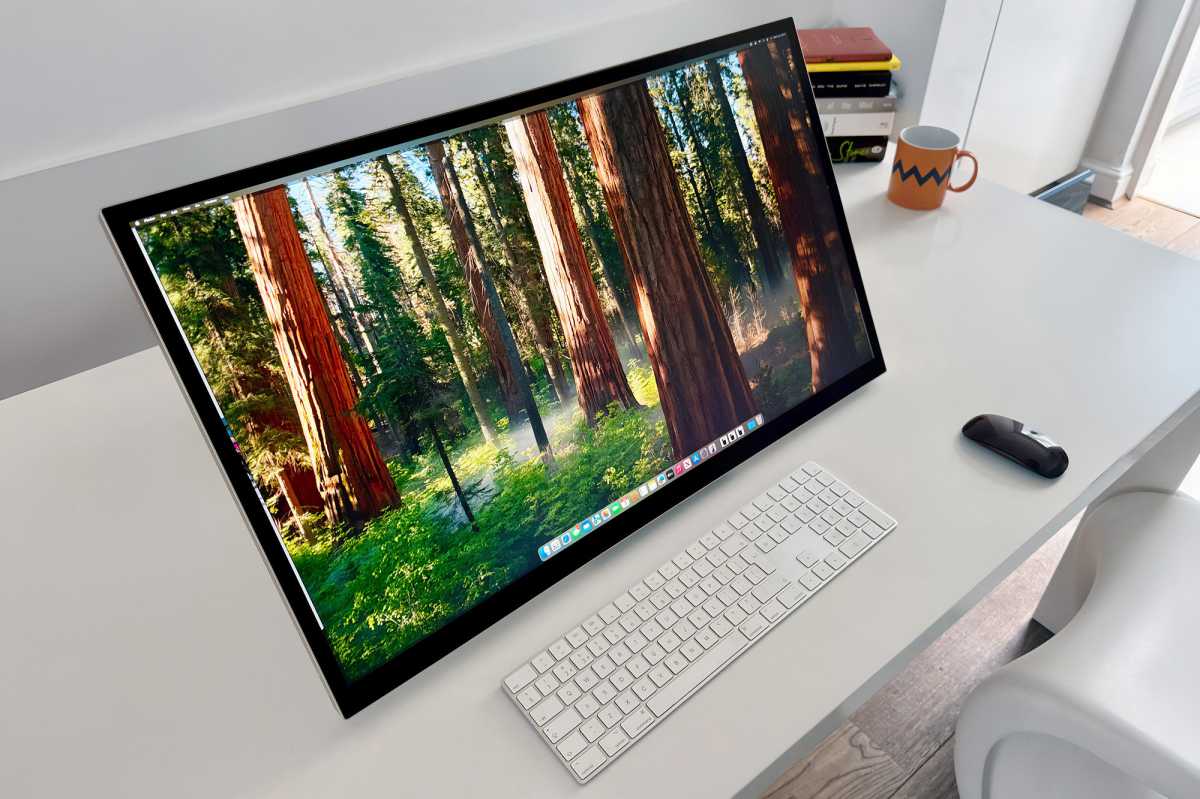
The Aspekt’s crafted aluminum body oozes Apple’s design aesthetic, and makes it a far more affordable option to Apple’s expensive 27-inch 5K Studio Displays. It is available in Space Grey or Silver. Even the glass back looks tremendous.
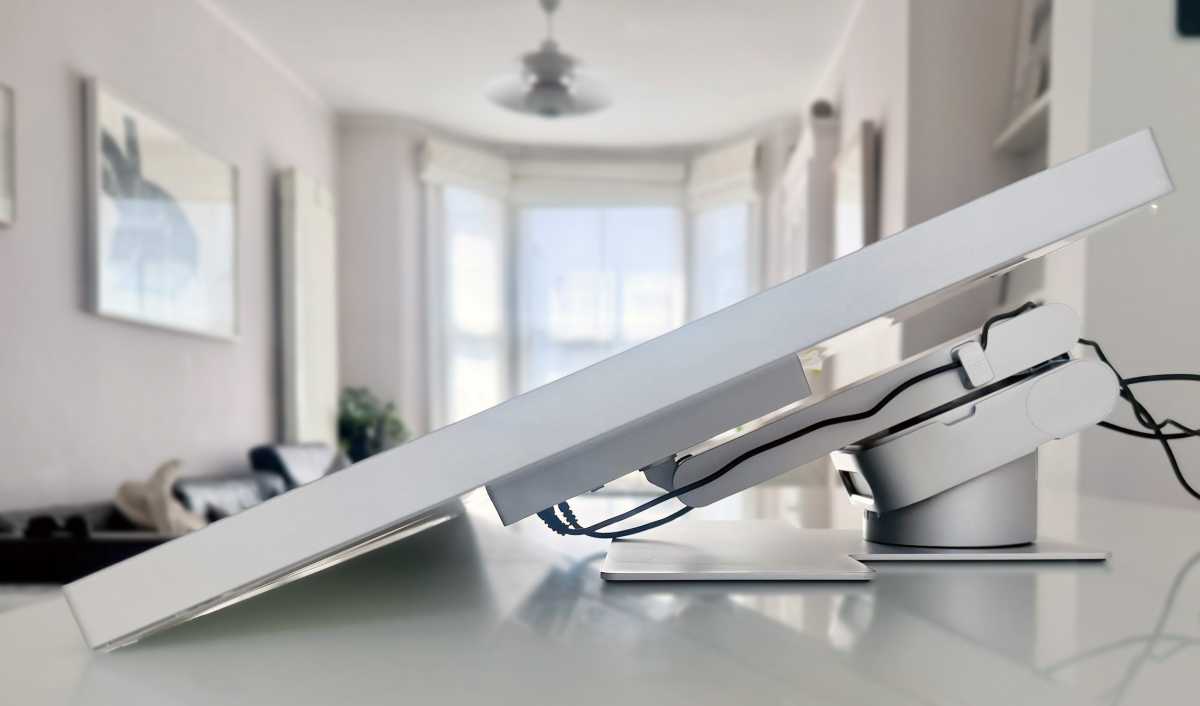
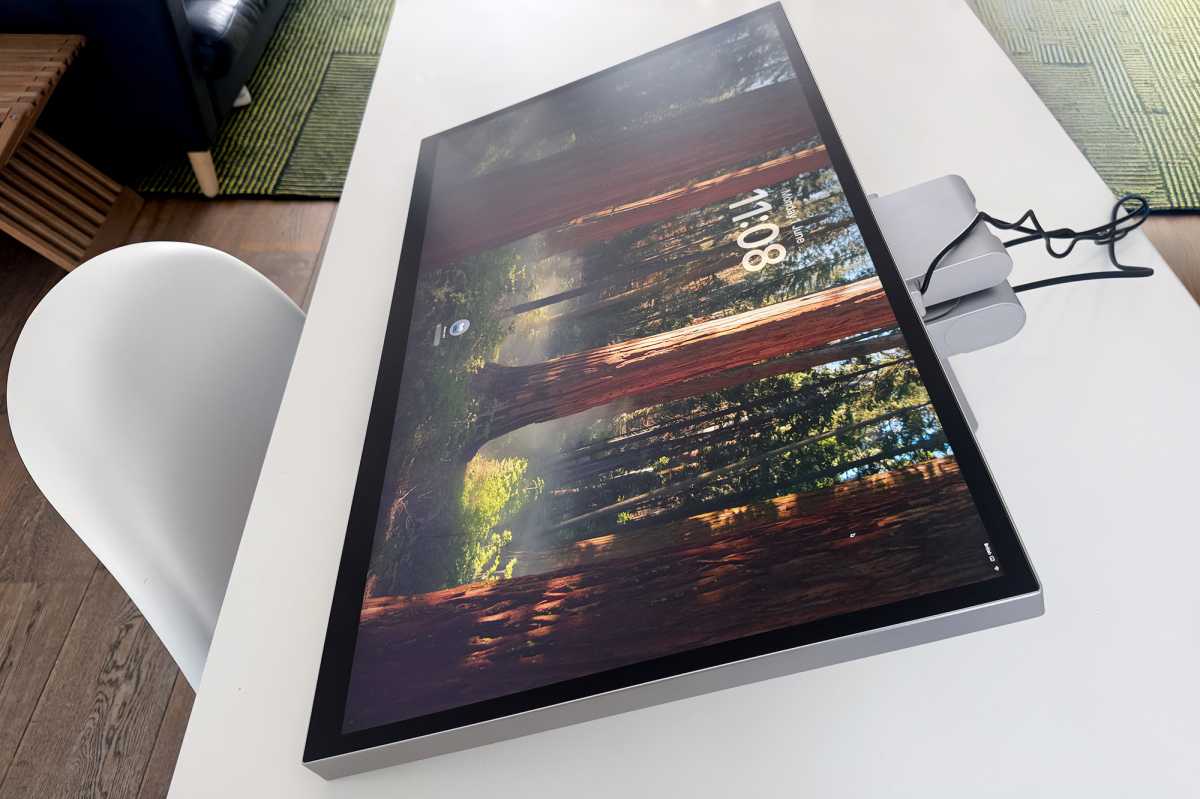
Another difference between the Clarity 6K and Aspekt 4K touch monitors is the choice of stand. The Aspekt offers more stand flexibility than the Clarity 6K Touch. Buyers can choose a highly adjustable Raise Stand, a Fold Stand that lowers the screen almost flat for drawing and touch work, or the Omni Stand, which adds a dedicated Mac mini M4 cradle while retaining full folding functionality.
The Clarity 6K Touch comes with the very able Clarity Fold Stand, which allows the monitor to act not just as a traditional upright monitor but almost flat like a drafting board.
Simon Jary
The Aspekt 4K Touch can be purchased with a similar Aspekt Fold Stand, a traditional Raise stand, or the Omni Stand that includes an innovative cradle of Apple’s Mac mini M4. You can also buy the Aspekt with no stand at all. If you prefer to use the Aspekt Monitor, the Alogic Raise Stand is one of the most adjustable we have tested, and we’ve sung its praises before in our earlier Clarity monitor reviews.
The Clarity 6K Touch is available in a 32-inch model, while the Aspekt 4K Touch has a 32-inch16:9 model and a 21:9 ultrawide 34-inch model.
Simon Jary
How similar are the touchscreen experiences?
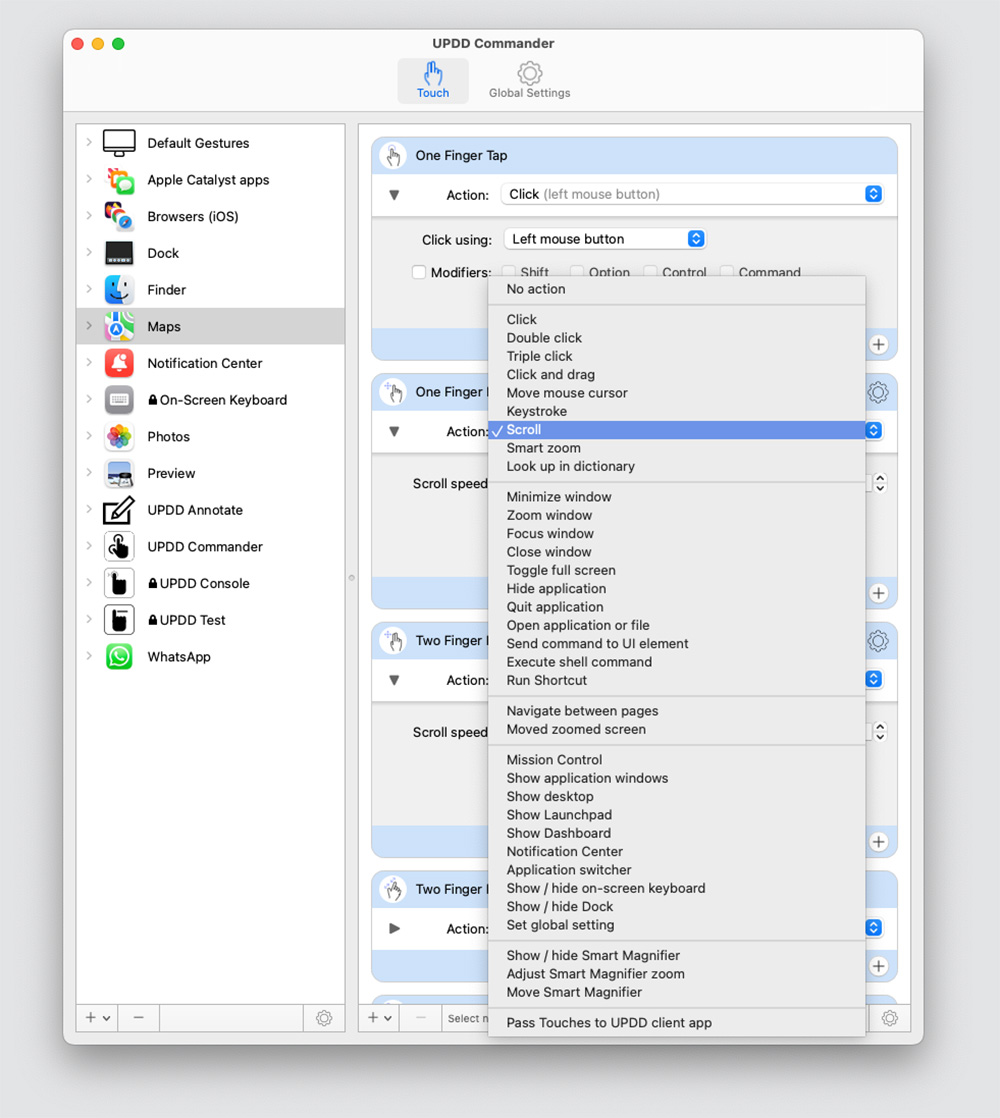
Both Clarity and Aspekt monitors feature the same customizable 10-point multitouch screen technology, with 4,096 pressure sensitivity levels. Both allow you to tap, pinch, swipe and use all the multitouch shortcuts you know from your iPhone or iPad.
If you want even more levels of pressure sensitivity, you’ll have to spend more on a monitors such as the $3,499 / £3,249 Wacom Cintiq Pro (8,192 pressure levels).
Because the Clarity 5K and 6K touch screens have greater resolution screens, they will deliver a somewhat more precise touch experience due to the greater pixel density.
While the Aspekt offers more stand options, if you want a flexible drawing stand such as the Clarity Fold the Aspekt Fold is almost identical.
Simon Jary
Why is this monitor especially appealing to Mac mini owners?
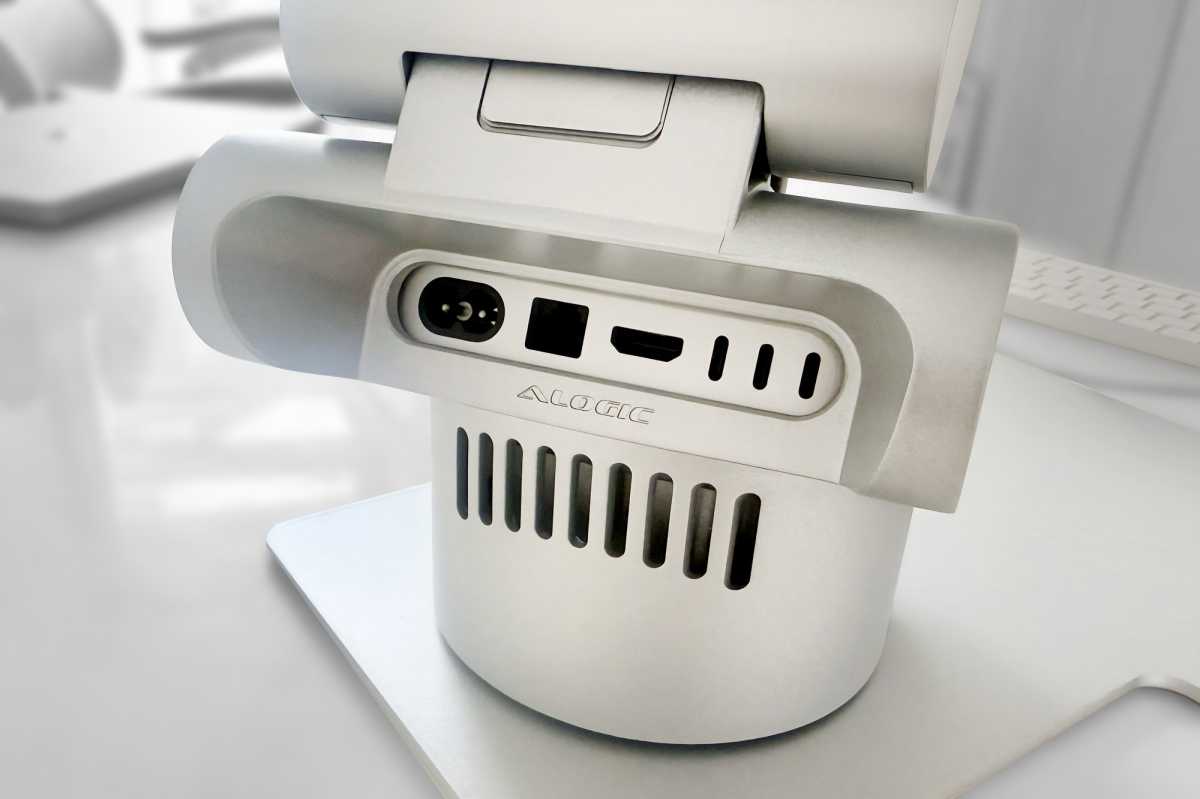
As mentioned earlier, the 32-inch Aspekt has the option of the Omni Fold Stand that includes a tidy cradle that perfectly fits Apple’s Mac mini M4. Sadly, you can’t force the larger Mac mini M2 into its tiny spot. We hope that Apple’s next Mac mini model—be it M5 or later M6—keeps the same shape.
Simon Jary
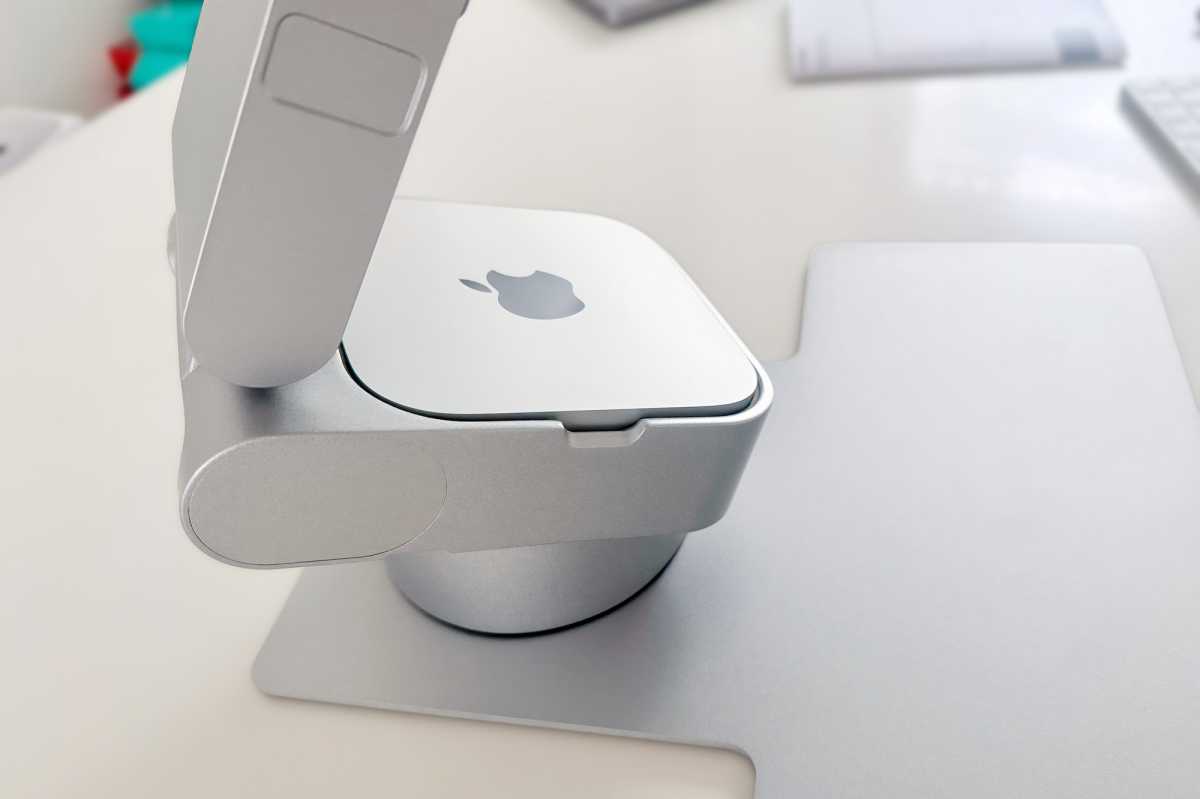
This really is a neat solution for Mac mini owners—some have even called it cute. Both front and rear Mac mini ports are easily accessible in the cradle that stays fixed even when the stand above it folds up and down.
Sadly for Mac mini owners with other monitors, the Alogic Omni Stand works with only the 32-inch Aspekt Monitor as it features a custom quick-release mechanism that means it won’t fit into other monitors, even those that support 100x100mm VESA mounts.
Simon Jary
How good is the display quality and color accuracy?
- Screen: 32-inch IPS
- Finish: Gloss or Matte
- Max resolution: 3840 x 2160 pixels
- Refresh rate: 60Hz
- DCI-P3 color coverage: 97%
- Adobe RGB color coverage: 93%
- sRGB color coverage: 100%
- Contrast Ratio: 1000:1
- Delta E (dE): <2
- Brightness: 400 nits
- Touch: 10 Point Multitouch; One Glass Solution (OGS)
As mentioned earlier, the most obvious difference between Clarity 6K Touch and Aspekt 4K Touch is the resolution. The Aspekt has a maximum resolution of 3480 x 2160 (landscape) pixels—so a total of 7.5 million pixels. The 6K Clarity can stretch as far as a max 6016 x 3384 resolution, although that would be almost indistinguishable to the human eye, so it’s more likely to be used at the screen’s ultra-crisp default 3008 x 1692 setting. The 6K offers 216 pixels per inch (ppi), the 4K a still-decent 137ppi.
A 4K screen resolution is still super sharp, just not to the level of a 6K. The top level of graphics and video professional will demand the finest details, but most will be fine with a premium 4K screen such as the Aspekt.
Alogic states that the Aspekt is designed to meet the demands of photographers, videographers, illustrators and designers, even if the Clarity 6K offers greater pixel depth and almost perfect color accuracy.
The Aspekt supports a default 400 nits of brightness. However, it can reach peak local brightnesses of 600 nits when in HDR mode, aligned with the VESA HDR600 standard—creating greater contrast between the light and dark sections of the picture.
Simon Jary
What makes the Aspekt’s docking features special?
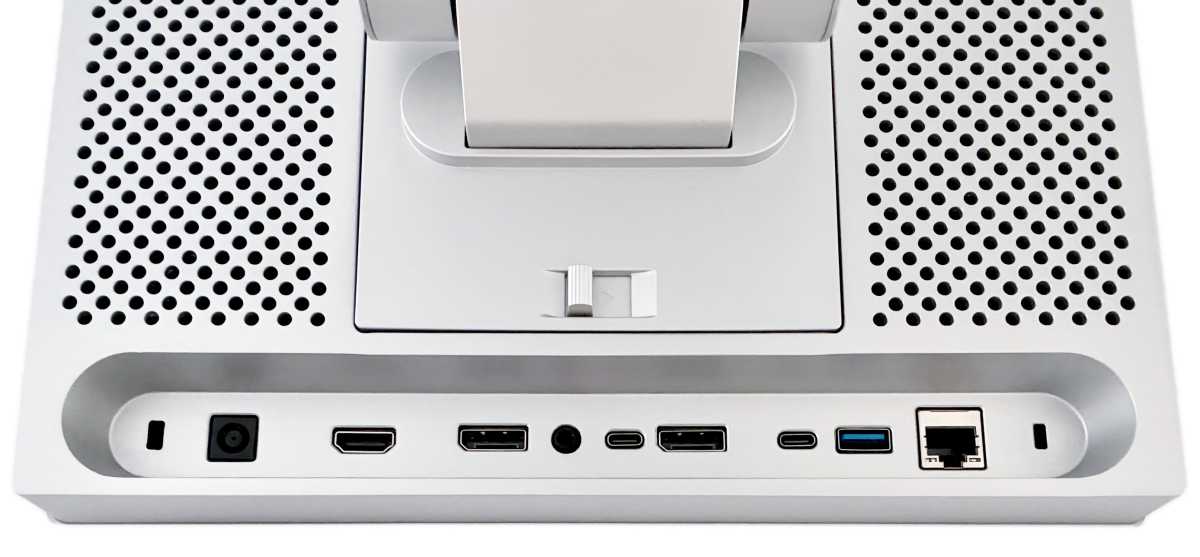
The Alogic Clarity’s rear hub hasn’t changed much since 2022, and includes legacy ports such as the rarely used USB-B. The company’s Aspekt range features what is more like a full docking station hidden within its aluminum frame.
- 2x DisplayPort (1.4)
- 1x HDMI (2.0)
- 1x USB-C (5Gbps, upstream, 90W)
- 2x USB-C (5Gbps, 1x 30W, 1x 15W)
- 2x USB-A (5Gbps, 5W)
- Gigabit Ethernet
- 3.5mm audio jack
- 2x Kensington Security Slots
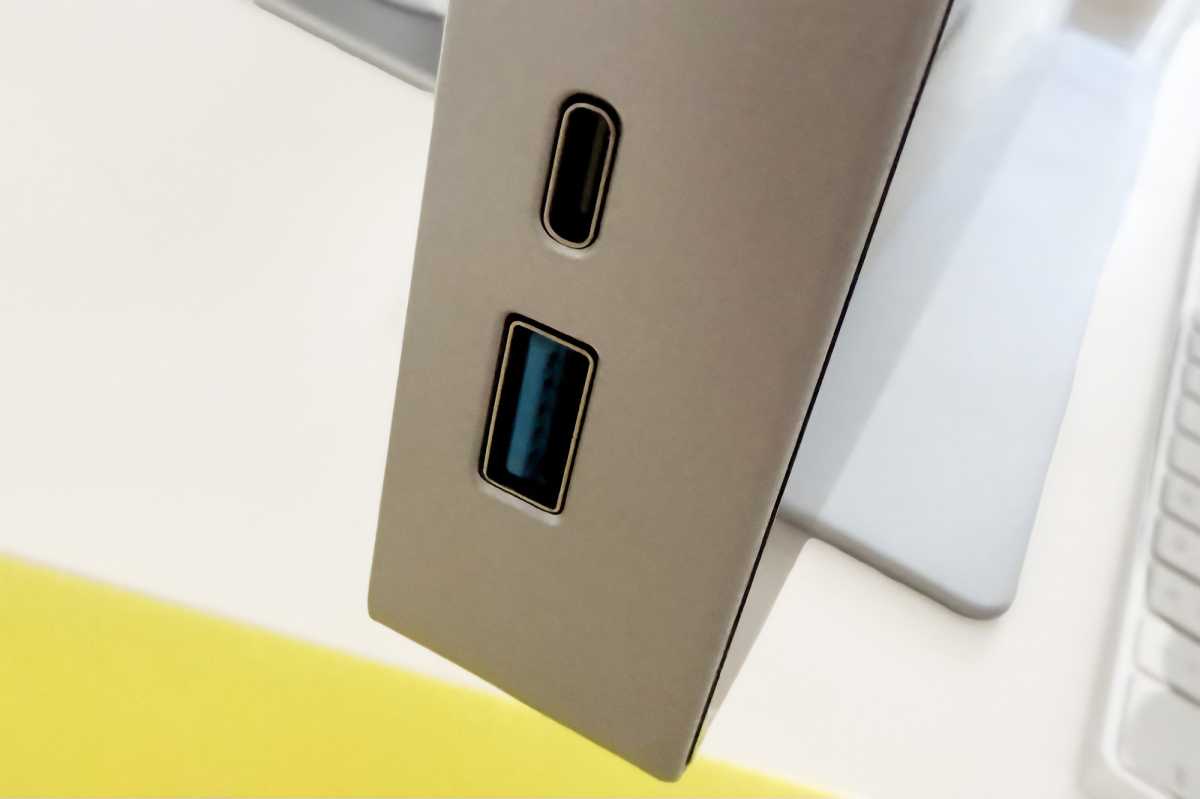
Two of the USB ports—one type-C and one type-A—are situated on the side of the screen for easier access.
Simon Jary
90W of passthrough charging can be supplied to the connected laptop, which is enough to keep a MacBook Pro powered up even under a high processor-driven workload. The other two USB-C ports can also supply charge for your devices: the side one at 30W and the other at 15W. You can fast-charge an iPhone at 20W and over, but 15W will give enough charge to fairly speedily recharge your mobile.
All the USB ports are rated at 5Gps for data transfer, with the potential exception of the top port on 34-inch Aspekt 34/27 that is USB 2/480Mbps. Note that if you are using USB-C for video and data (as recommended), the video bandwidth has priority and will cause the data connection to reduce to USB 2.0 speeds (480Mbps).
Each of the two USB-A ports can output 5W, fine for a wired mouse or keyboard.
The second DisplayPort allows you to daisy chain a second 4K monitor from the Aspekt. Due to Apple’s lack of MST (Multi-Stream Transport) in the macOS the second screen will only show the same picture as the first monitor, whereas Windows computers will be able to properly extend the image.
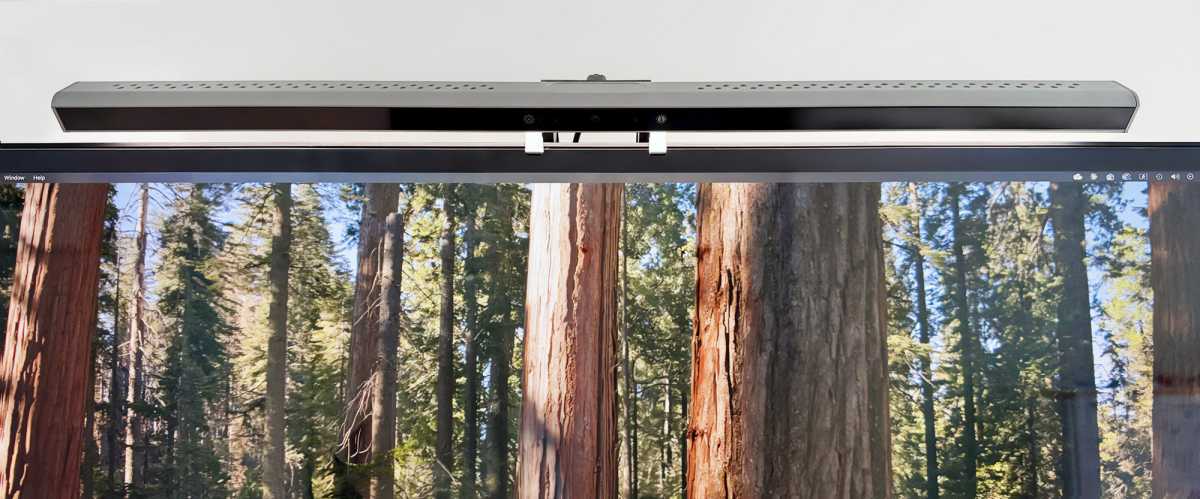
You could use the spare rear USB-C port to connect Alogic’s $189.99 / £119.99 Illuminate Light Bar Webcam (shown below), or any other Mac-friendly webcam.
Simon Jary
How easy is it to adjust monitor settings?
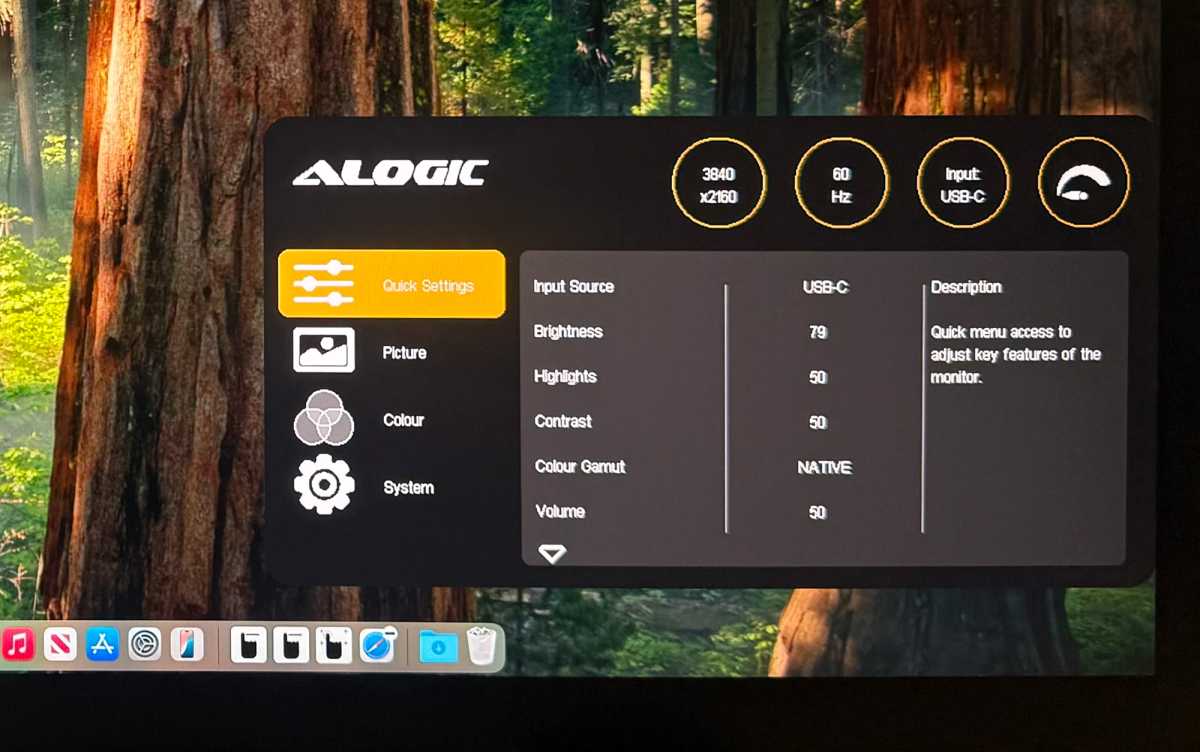
The Aspekt’s On-Screen Display (OSD) that lets you set a bunch of screen settings is easy to access compared to most monitors that hide the OSD buttons unseen underneath the screen. All you need to do is a two-finger swipe left from the bottom-right corner of the screen, and all is revealed.
Simon Jary
The usual suspects are included: Input Source, Brightness, Highlights, Contrast, Color Gamut, Volume, Aspect Ratio, Blue Light, Adaptive Sync, DCR, Sharpness, Overdrive, HDR, Temperature, Gamma, Tint, Saturation, and so on.
Simon Jary
How much does the Aspekt 4K Touch cost?
The Aspekt Touch 32-inch 4K Touch Docking Monitor is priced from $1,899 / £1,599 with no stand. A matte screen adds $100. Add a standard Raise Stand and prices go up to $1,949 / £1,649.
The Clarity 6K’s price of $2,499 / £2,199 should be most closely compared to the the Aspekt 4K Touch with the flexible Aspekt Fold Stand where prices reach $2,148 / £1,949.
Mac mini owners should be tempted by the Aspekt with Omni Stand at $2,199 / £1,999.
The Aspekt Touch 34-inch 4K Touch model costs from $2,299 / £1,899 or with Fold Stand $2,649 / £2,149.
A non-touchscreen 32-inch Aspekt model is priced from $899 / £999.
Read our full roundup of the best monitors for Mac.
Should you buy the Aspekt Touch 32-inch 4K Touch?
While the same company’s Clarity 6K Touch offers more pixels and greater color accuracy, the Aspekt 4K Touch is a gorgeous touchscreen with flexible stand that will still suit most creative professionals. Mac mini owners will swoon for the optional Omni Stand’s special cradle.
Related posts:
 Alogic Clarity 5K Touch 27-inch monitor review: our favorite touchscreen just got 5K
 Alogic Clarity Max Touch and Clarity Max 32in 4K monitor review
 Alogic Clarity 6K Touch Review: 6K resolution meets Mac-friendly touchscreen control
 UPerfect Delta Max Touch review: folding dual-screen 18.5-inch monitor