At a glance
Expert’s Rating
Pros
- A high-quality feel
- Smart touch control
- Smooth and flexible with settings
- Good battery life
Cons
- Cramped key layout
- Unclear what the ‘professional’ angle is
Our Verdict
I’ve no idea what makes the ProArt a keyboard specifically for professionals, and the extra-compact layout won’t be to everyone’s taste. But it’s backed by a smart and user-friendly system, and the quality is undeniable.
Price at time of review
This value will show the geolocated pricing text for product undefined
Best Price Today
Price When Reviewed
$165
Best Prices Today: Asus Proart KD300


It’s hard to find good mechanical keyboards that aren’t marketed as “gaming keyboards,” but this one from Asus is just that. ProArt is their brand for creative gear, primarily monitors and laptops, but also this keyboard and a mouse that I’ve also tested.
When I look at what Asus says about the ProArt KD300 online, I’m met with phrases such as “inspires boundless creativity” and “expressive control.” What exactly is particularly expressive and inspiring about the keyboard is, in fact, rather unclear.
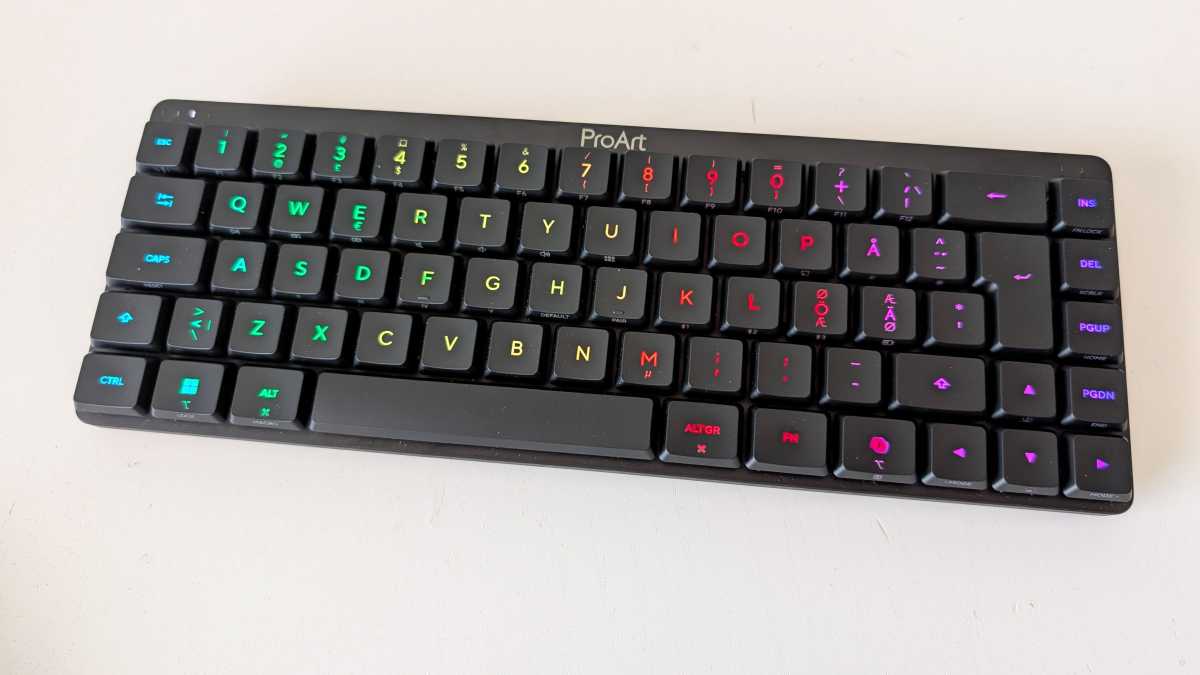
One of the noteworthy features is said to be its format. This is an extra-compact keyboard with a so-called 65 percent layout, which means it’s small in size and lacks some keys. There’s no numeric keypad on the side, nor even a row of function keys above.
Mattias Inghe
Cramped but well-built
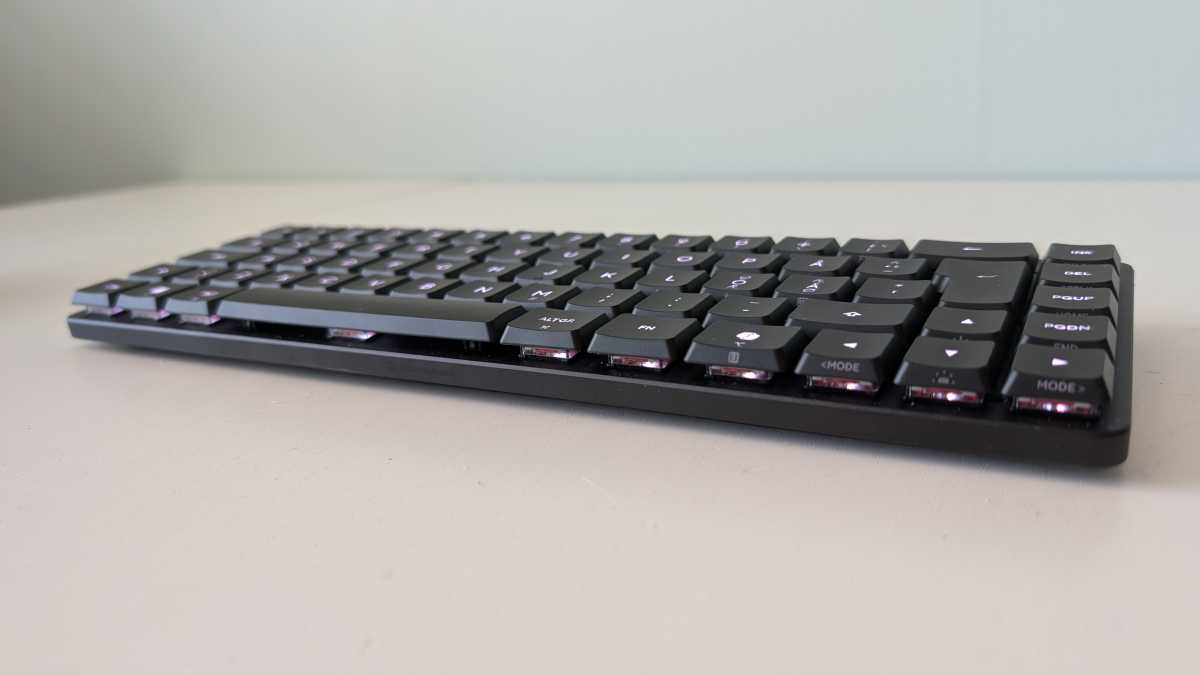
Everything is very well built and the chassis is sturdy, but it’s lighter than many competing keyboards, even compared to similarly small ones. The keys are low-profile, but with full travel and linear switches without a mechanical click. They trigger early when pressed, allowing you to type quickly. There is some clicking sound when pressing and releasing the keys, but it’s not excessively noisy.
The point of the compact design is supposedly to free up more desk space for other things, such as a graphics tablet, mouse, cameras, and a microphone. I’m not sure if it’s worth it — I’ve never felt short of desk space — but that’s up to you. For some reason, this type of more compact keyboard is popular. Personally, I always prefer more keys.
It’s not that the functions are inaccessible. There are F1 to F12 functions, media controls, window management in Windows, screenshot, and brightness and volume controls, but all via Fn combinations. These functions and more are printed on the front edge of the keys. They’re hard to see without good lighting in the room, but they’re there. The backlight doesn’t illuminate them, only the main characters in the center of the top row.
Mattias Inghe
Lots of features, plenty of flexibility
You can also access other features this way, such as controlling the RGB backlighting with colors and effects, a macro function, and switching between paired devices. You can connect up to five devices, using a combination of Bluetooth, a USB receiver, and USB-C.
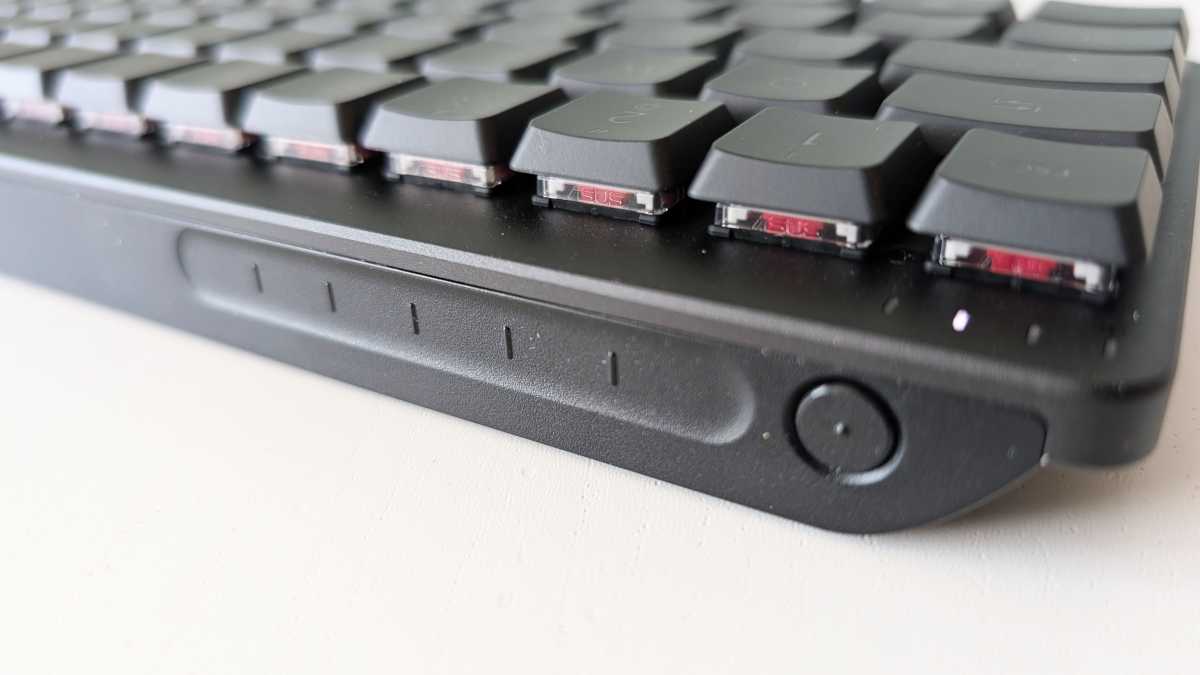
In addition to the buttons on the top, there’s also a touch strip along the back edge of the keyboard. This gives you quick control over things like volume, screen brightness, the media player, and customizable swipe and click gestures.
These are configured in Gearlink, Asus’s web-based interface. You simply browse to it from the computer that you’re connected to, so you don’t need to install any app. Here, you can change the function of absolutely every button and save your settings in different profiles. You get easier access to the backlight and control over power consumption. There are plenty of options for customization for both productivity and gaming, but it’s entirely manual — you’ll need to design your own setups.
Mattias Inghe
Can last for weeks
It’s all powered by a 4,000mAh rechargeable battery, which, according to Asus, should last for “up to 16 months” without backlighting and 100 days with it. But of course, that depends on how much you use it during that time. In any case, you won’t need to hunt for a charging cable straight away. During my week-long test, the battery level dropped by 5 percent. But then I was using the laptop and keyboard rather sporadically. That’s still very good, though.
If you appreciate an extra-compact keyboard — perhaps because you want to be close to your mouse or your desk is a bit cramped — this is one of the better ones you can buy. It offers surprisingly high functionality, a nice sense of quality, and precise keystrokes.
The angle, specifically marketed as a keyboard for creative work, feels rather contrived. It’s a somewhat limiting solution as a text-input device and typing tool, and it doesn’t offer anything extra in terms of control for creative software. But that doesn’t stop it from being really good, if you’re comfortable with the format.
Specifications
Product name: Asus ProArt KD300
Manufacturer: Asus
Connectivity: Bluetooth, 2.4 GHz RF, USB-C
Battery: 4,000mAh built-in rechargeable
Layout: 65% QWERTY keyboard
Key type: Low-profile, ROG RX Red switches
Number of keys: 68
Other: Device switch, touch panel, RGB backlighting
System requirements: Device with USB or Bluetooth and Windows or Mac OS
Dimensions: 30.56 x 10.9 x 2.68 cm
Weight: 595 grams


