I love PC building because I love customization. It’s one of the big reasons to build your own desktop, along with upgradeability and cost savings… though that latter point is out the window right now. Anyway, Corsair is leaning into the custom angle with its latest online “builder” tool, this time for the ubiquitous Frame 4000D ATX case.
It’s a smart move. The 4000D is a fine case, but it’s essentially just a box—no crazy curves, no over-the-top elements. Corsair has seemingly been modifying the design for years, as exemplified by the side bracket for that display you can add to an otherwise mundane enclosure. But I’m getting ahead of myself.
If you’ve played around with other online customization tools—like Corsair’s own K65 Plus keyboard builder or Framework’s laptops—you know what to expect here. It starts with the bare frame, either black or white. Then you get a lot more variety in the front panel, which comes in a dozen options. You get classy wood (already out of stock!), flat or slightly frosted glass, or an RGB-bedecked airflow option.
Corsair
The motherboard tray gets only five choices: basic white or black, a slightly upgraded “rapid route” punchhole version of each (which doesn’t seem like a back-to-front design, just a little more stylish… for something that sits under your motherboard? Okay), or “Elite Meteorite Aluminum.” That’s an $80 upgrade, which only has anodization as a reason for the extra price. Boo.
The next bit is my favorite practical choice: the PSU cover. You get a standard full-length barrier between the lower portion of the case interior and the motherboard area, in black or white. But for $15 you can upgrade to a “compact” shroud, a little cubby for the power supply that leaves a shelf free towards the front. I get the feeling that’ll be a popular option for those who want upgraded cooling… or those who just want to stick a Gundam in that spot to be extra. Either way it’s neat, though the compact shroud might interfere with some side panel options.
Corsair
You get a couple of choices for front I/O, again, reminding me of the Framework Desktop. For $20 to $25, you can get three USB-C ports instead of a 2/1 split, and which one you want will depend on what gadgets you plug in on a regular basis.
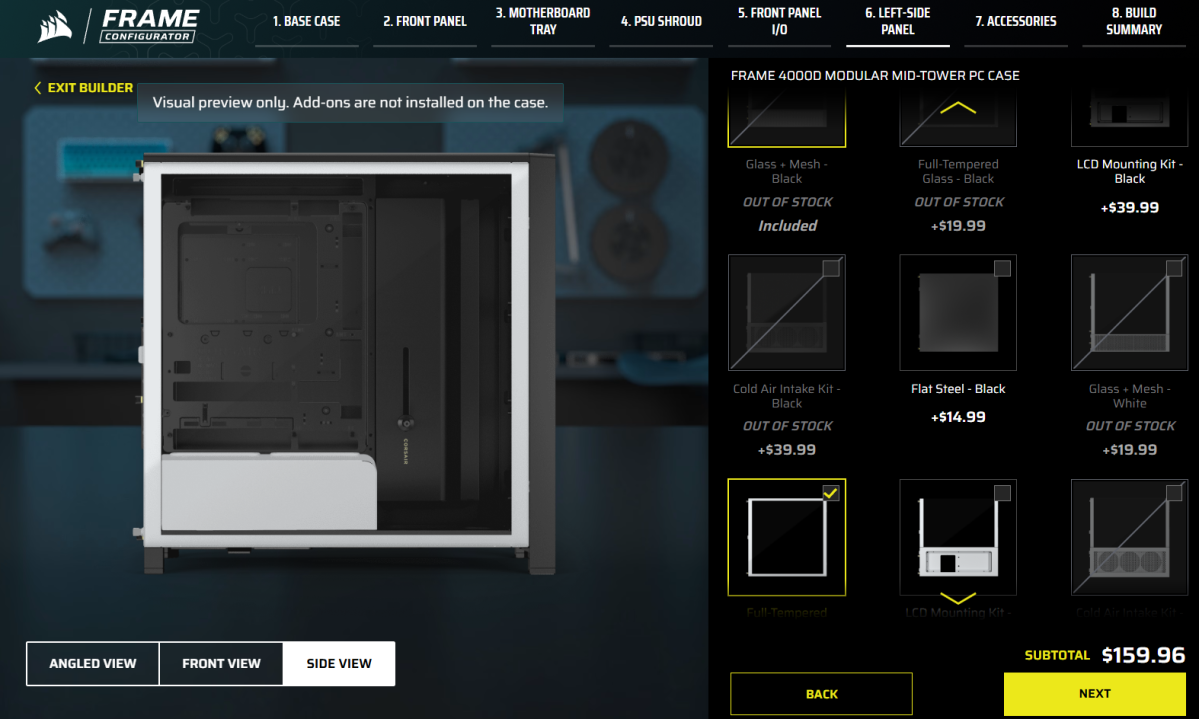
The side panel is where I think a lot of the crunchy customizers will pay attention. You get glass options, with one covering just the motherboard (the PSU area gets a metal airflow shroud) and the other being the full side of the case. You can go with classic full steel if you want the stealth look, in black or white. And for something more deluxe, mounting brackets for side air intakes and Corsair’s LCD add-on are available.
Corsair
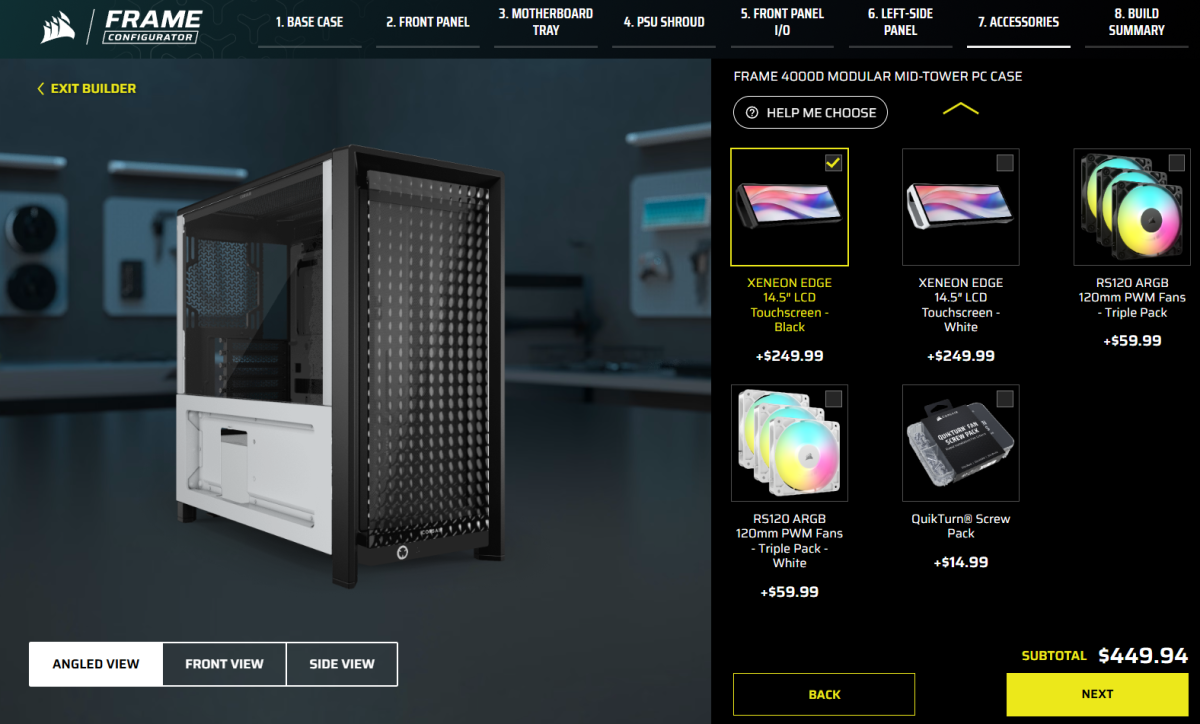
The final section is just extra hardware. This is where you add on the Xeneon Edge touchscreen, or a trio of color-matched fans, plus a “QuickTurn Screw Pack.” It’s worth noting that these additional hardware options don’t come at a discount—they’re exactly the same prices you’d pay for the components separately. Since even my fairly basic 4000D build came in at over $200, that’s discouraging.
Corsair
I should also note that all the upgrades and extras in this builder come as separate pieces to install on a bog-standard 4000D frame, even the ones that are crucial like the motherboard tray or front I/O. You aren’t saving any build time with this tool—in fact, you’re probably adding some.
Overall, I like the options on display here, though I’m not in love with the price. It’s very cool that it looks like all of these Frame pieces are also available as separate purchases on Corsair’s store, so you could start with a basic 4000D and upgrade as you go when you want to change things up (or when your budget allows).
Give it a whirl. It’s a fun little time sink for those of us who like to build PCs but might not be able to at the moment.


