I write about cables, docks, peripherals, laptops, and all sorts of PC gadgets. Every day, random items wash up onto my desk, like a shipwreck after a storm. De-cluttering my desk is a priority…if only!
Part of my problem is my setup. My father owned an antique rolltop desk, and I decided I wanted one too, full of nooks and crannies and drawers to store cables and pens and all sort of little geeky knickknacks. The problem is that those desks don’t really work with what I’d like to do: organize my desk space using the accessories below.
My plan right now is to possibly invest in a new workspace for my office, including the stylish, functional desk at the end of my list. But I’ll need to build it out with the necessary accessories to neaten, straighten, and de-clutter. This is my potential shopping list. Hopefully, it benefits you, too.
(One theme you’ll see here: think vertical! Put stuff above or below your sightlines to reduce clutter.)
Xpatee Under Desk Cable Management Tray: $15.99
Cable clutter comes in two forms: I/O cables like HDMI and Ethernet that can snake across your desk, and power cords to connect and power all of your gadgets. I’ve been considering a cable tray for a while now, and my colleague Alaina Yee owns and recommends this cable tray, by Xpatee. The point here is that it all lives underneath your desk, out of the way.
Amazon
This rather spacious (15.7 x 6.1 x 7.3 inches) wire mesh cable tray also includes four cable clips and six cable ties. It’s a clamping model which means that it might work for the lip that surrounds my rolltop, but it’s just the thing for a flat, traditional desk. Your desktop just has to be between 0.4 inches and 2.4 inches thick.
It looks like it works best if your power cables can either go through a built-in cable port on your desk, or if your desk is pulled out slightly from the wall so that they can reach.
Xpatee Under Desk Cable Management Tray: $15.99
CCCEI Mount Surge Protector: $35.99
A side- or under-mounted surge protector is another option; instead of placing a traditional surge protector in a bin like Xpatee does, this surge protector clamps onto your desk.
This power strip has six outlets — not as many as some do, but arrayed on the top and side to allow for different types of plug arrangements. There’s always that odd plug (like a Google Home device, or a smartphone charger) that can throw the whole arrangement off. Also, there have been no complaints about the clamp strength, which can be an issue if you’re plugging or unplugging a cord or simply dealing with the weight of the assorted cables. There are USB-A ports and a USB-C port for charging, too.
Amazon
Note that I chose the version of this surge protector that pushes out 65W through the USB-C port, giving you an additional power option, as well as the 10-foot cord.
Just be warned: The vast majority of clamping power strips do not carry UL certification, which means that they haven’t endured UL’s safety inspection. If that worries you, use a traditional UL-certified power strip with the cable-management tray, above, or Cable Matters’ 6-outlet desk-mounted power strip, for $41.99.
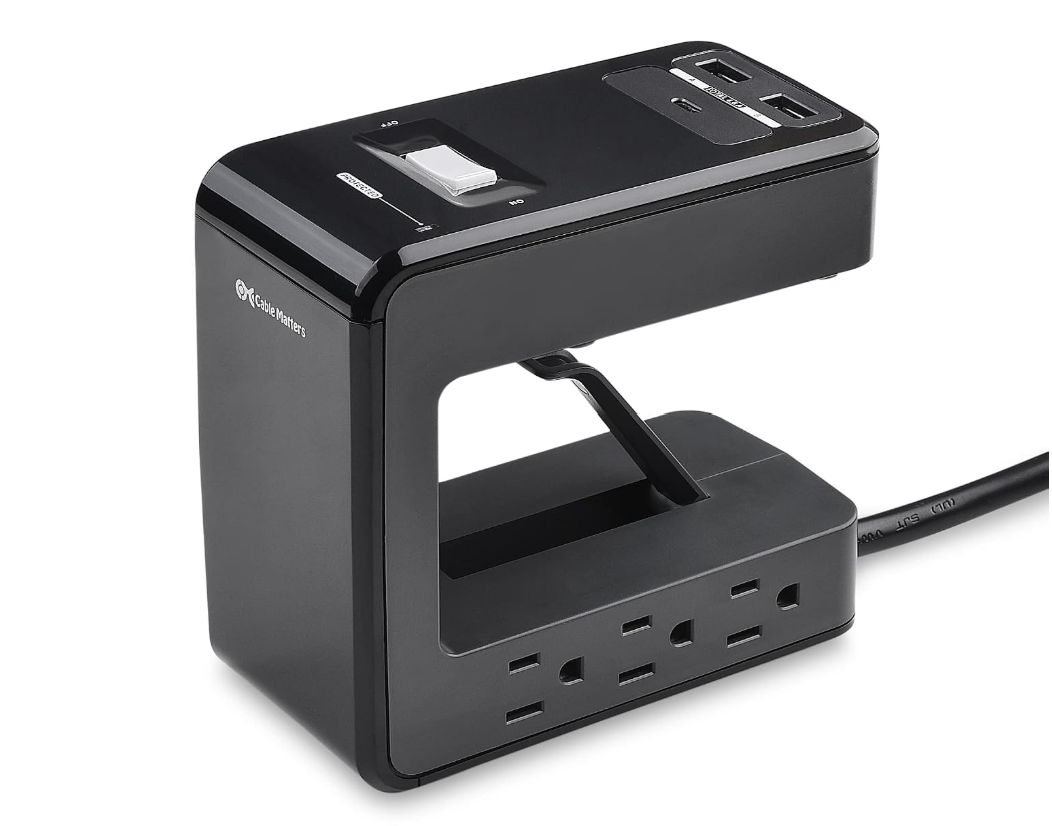
The only thing about the Cable Matters power strip, which I haven’t tried, is the mounting option. It’s a fixed shell of plastic with an adjustable flip-up latching mechanism? It’s definitely a little odd, and only supports up to 24W of USB charging. But it appears to be designed with safety in mind.
CCCEI Mount Surge Protector: $35.99
MSI MAG MT201 Single-Monitor Desk Mount: $69.99
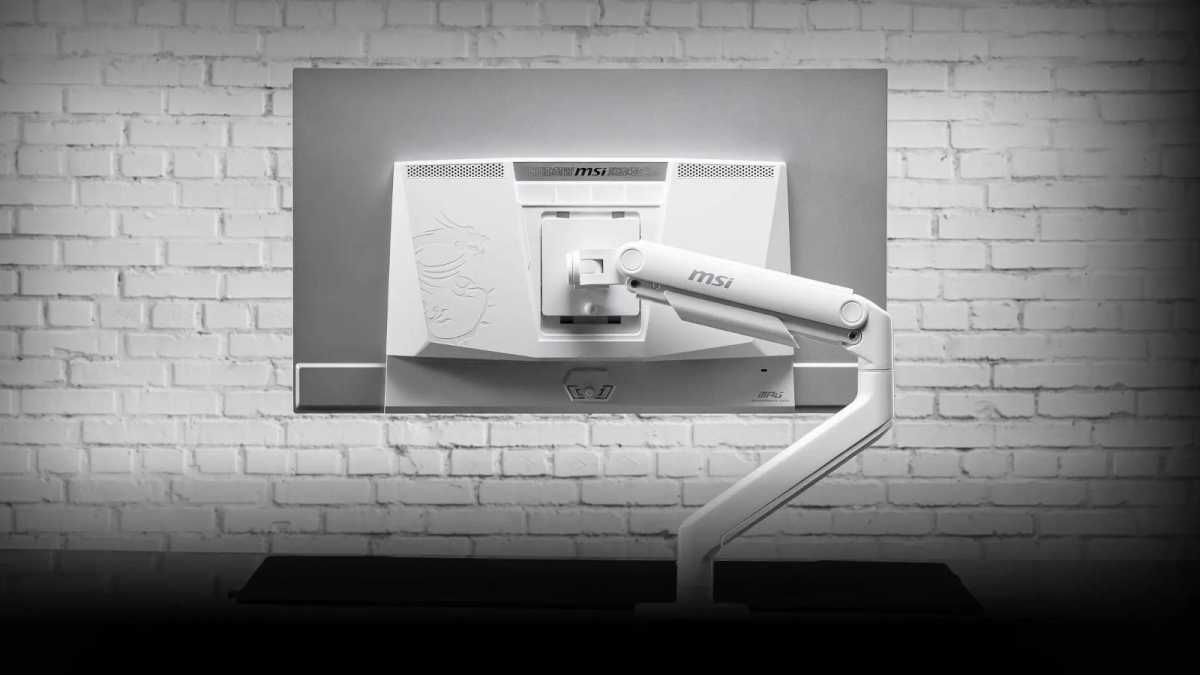
Clutter can include the monitor itself! A monitor mount allows you to raise and lower the display as you like, and move it around your desk to accommodate your position and ergonomics — or just get it out of the way. Our list of the best monitor arms highlights the MSI MAG MT201 for its combination of features and affordability.
MSI
This arm will need some assembly and setup, which differentiates it from the more expensive models. Still, it’ll support up to 44 pounds (way more than necessary), with an easy-release VESA screw to quickly add or replace and existing display.
MSI MAG MT201 Single-Monitor Desk Mount: $69.99
Ugreen Vertical Laptop Stand Holder: $19.98
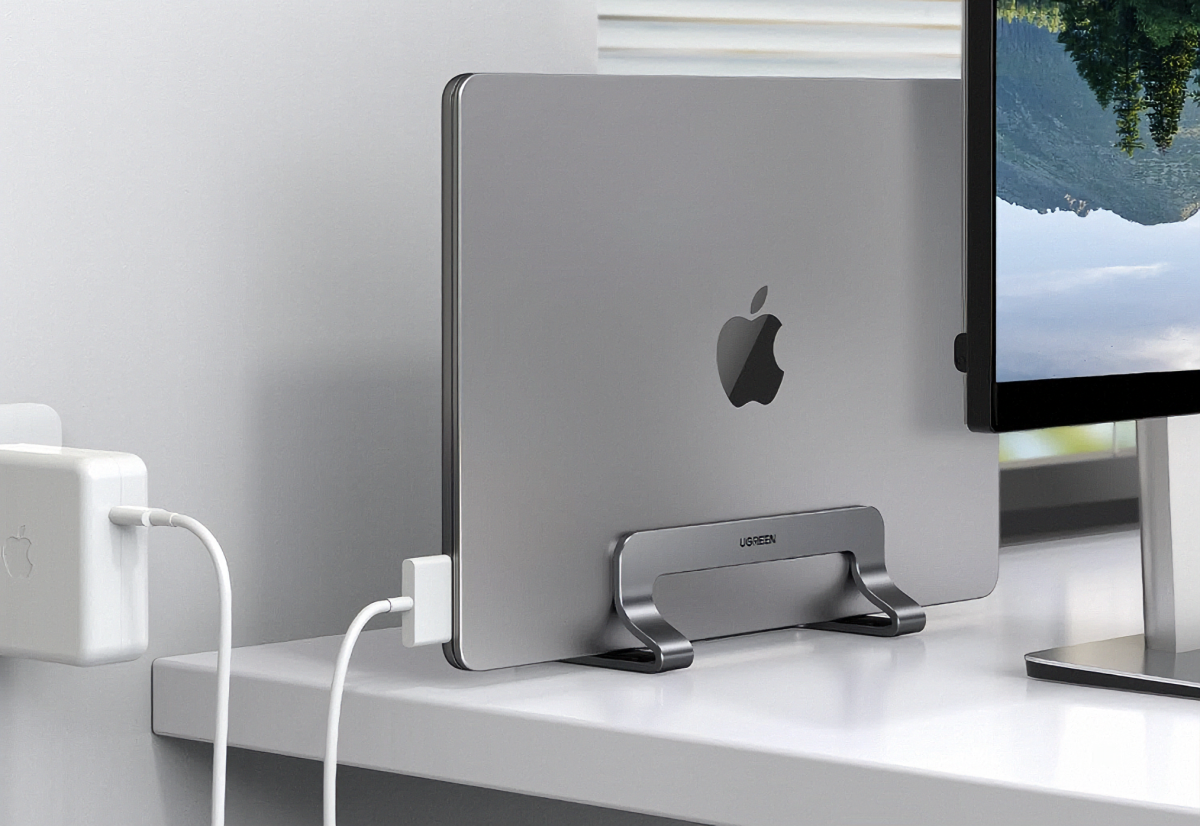
If you own a laptop, you have a few options for how it sits on desk: on your desktop itself, up and out of the way on a laptop riser, or a third option: a vertical laptop stand. This Ugreen laptop stand holds the laptop vertically, and closed; the idea is that you’re using the laptop as a sort of a mini PC, with an external keyboard and display.
Amazon
Some of you might like to use that built-in display, especially if it’s an OLED or a high-refresh-rate display. But laid flat, any laptop takes up desk space. Placed on its edge, your desk space increases dramatically. This holder fits any laptop that’s between 0.47 and 1 inch think (from gaming to productivity devices), with a nice bit of cushy rubber to hold and protect your laptop.
Ignore that Apple logo; it works with Windows laptops, too.
Ugreen Vertical Laptop Stand Holder: $19.98
SVNNELP Under Desk Drawer: $29.44
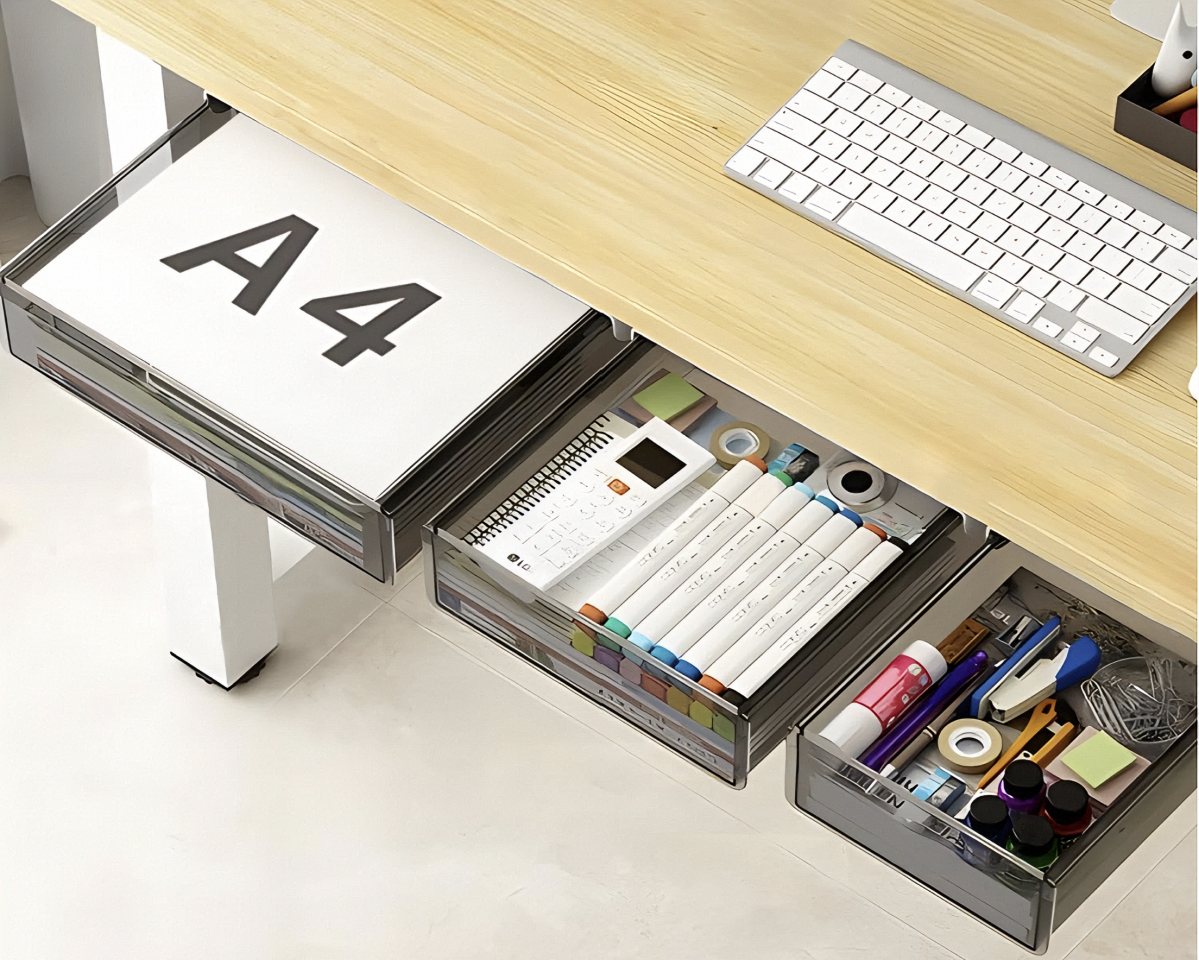
You’re always going to end up with little bits of stuff on your desk: staples, push pins, pens, cables, and more. How you deal with it is up to you, but one way is with an under-desk drawer.
Amazon
SVNNELP offers a trio of small, medium, and large desk drawers that you can pick and choose from. The kicker here is that they’re held on by strong adhesive, rather than screws. You can always opt for a more permanent screw-in model, but these sticky drawers work as long as you don’t store anything too heavy in them.
SVNNELP Under Desk Drawer: $29.44
OPNICE Desk Organizer: $21.99
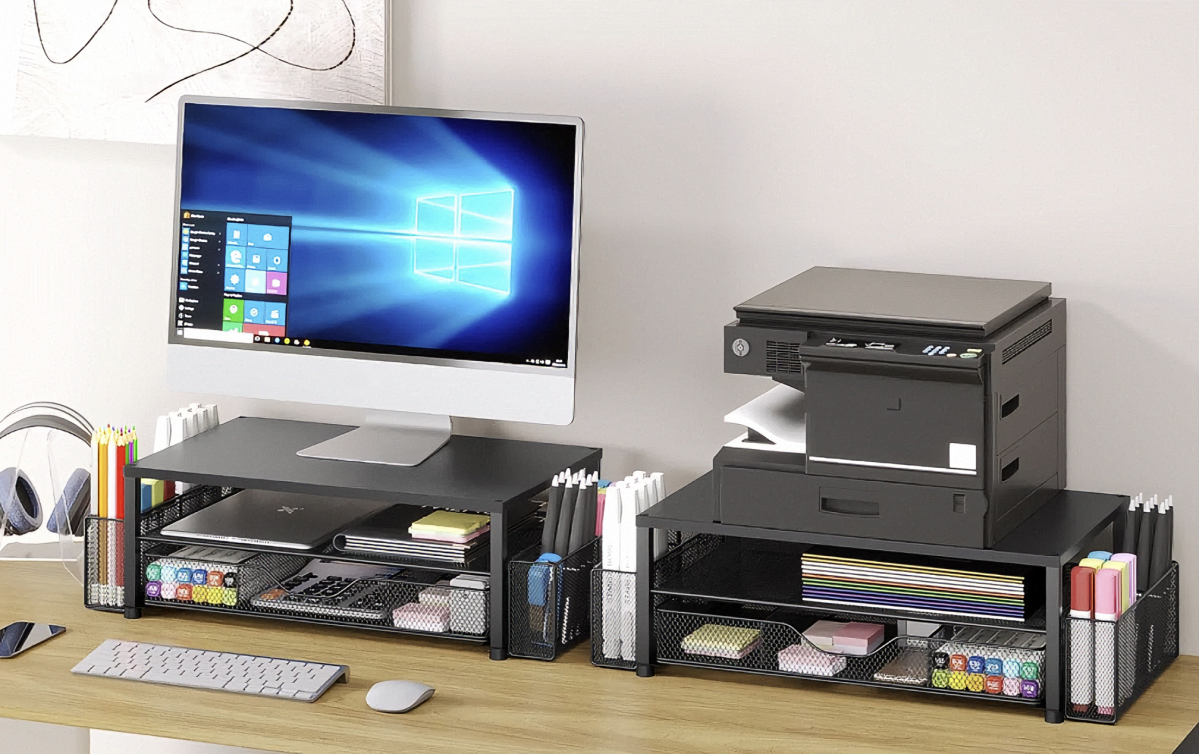
One important point for desk organization that I mentioned earlier is to go vertical: A display that can be aligned vertical in portrait mode can improve a desk’s usable space. In this case, the OPNICE Desk Organizer is actually a monitor riser and a collection of bins to hold all of your extra stuff.
Amazon
If you’re like me, you raise your monitor up a bit via its stand or a riser. In this case, you’re using the extra space (20.5 x 9.5 x 6.3 inches) to good use. It’s all made of metal, and can support up to 44 pounds, which is way more than a traditional external display weighs.
OPNICE Desk Organizer: $21.99
JAKO Headphone Stand: $6.95
I personally don’t have a need for a headphone stand or hook — but many people do, just to clear the last bit of gear off their desk.
Amazon
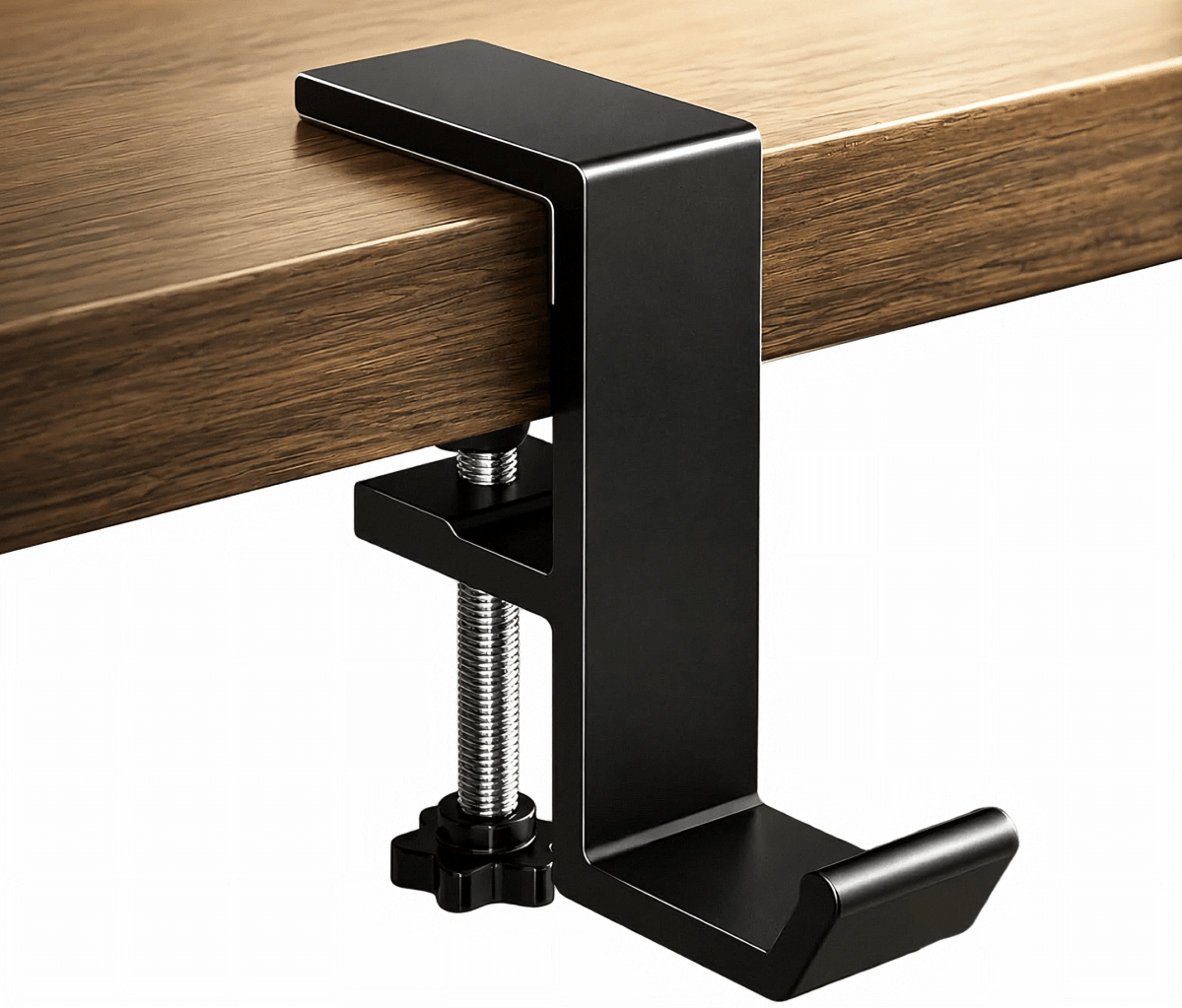
Jako’s headphone stand doesn’t do anything unique, but it clamps on to your desk and provides a home for your headphones. It’s available in three colors: black, white, and aluminum.
JAKO Headphone Stand: $6.95
Tribesigns 78.7-inch Computer Desk: $179.99
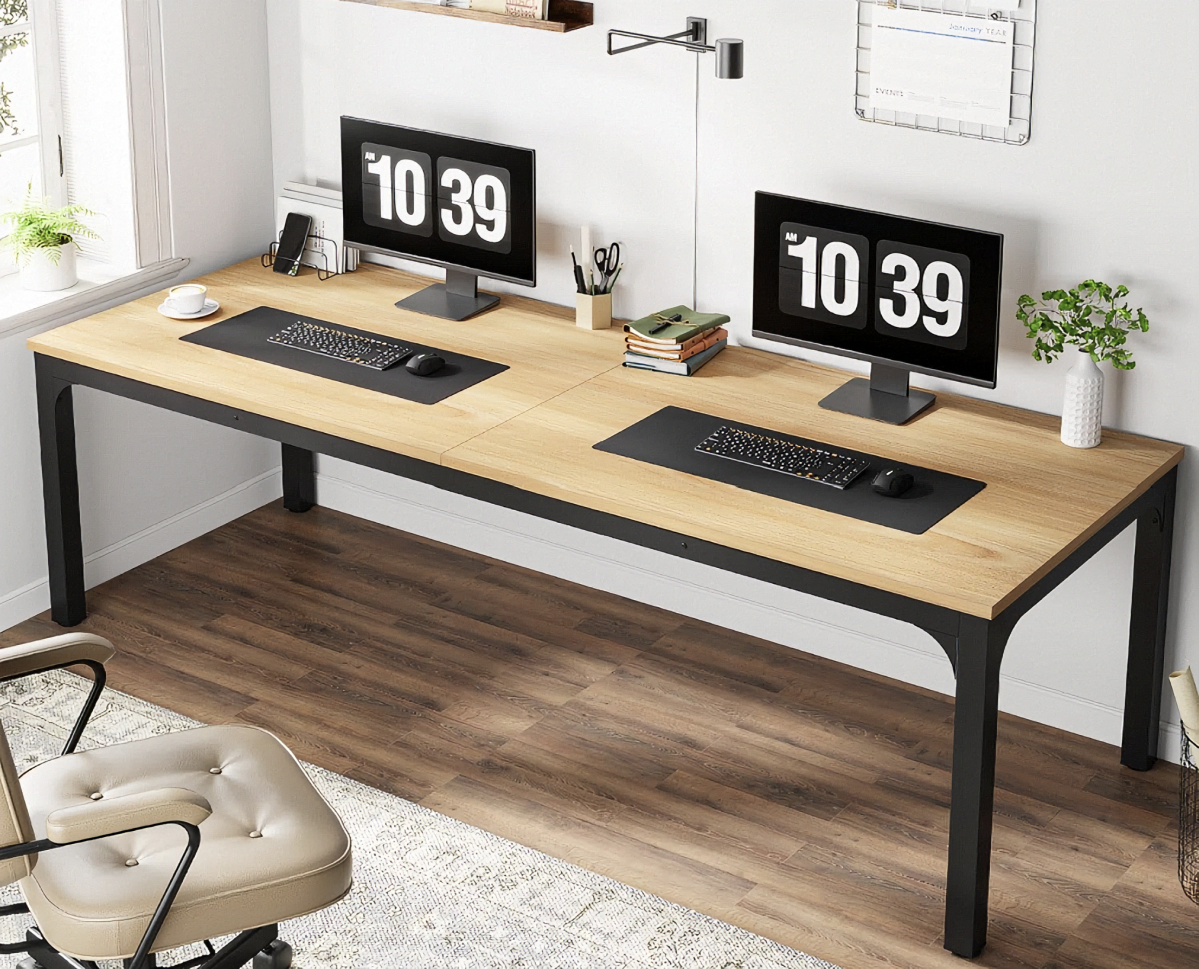
Now I do love my rolltop, but if I wanted to fully implement my de-cluttering plan, I’d need a new desk. I’m seriously considering this Tribesigns computer desk as an alternative for my home office, perhaps even two of them.
Why two? I like being able to pivot between tasks, and an L-shaped desk is pretty ideal for my needs. My second choice, SEDETA’s $109 66-inch L-shaped desk, might even be too small. Sure, I’d lose a little space putting two Tribesigns in an L-shape, but the tradeoff is a generous amount of desktop, sufficient for an office setup as well as after-hours play space.
Amazon
The Tribesigns desk measures 78 inches wide, and 27 inches deep, and about 30 inches high. It’s made of 0.59 inch MDF wood, with metal legs. It’s sturdy and supports up to 200 pounds; the desk itself weighs about 60 pounds. Also, it ships in a variety of finishes, from a neutral walnut finish to coffee and an oak-like stain.
Aside from a new desk, however, most of these improvements don’t cost all that much. With PC prices through the roof, maybe it’s time to save on the other stuff!
Tribesigns 78.7-inch Computer Desk: $179.99


