At a glance
Expert’s Rating
Pros
- HD (1920 x 1080 pixels)
- Lightweight
- Fantastic flexible magnetic stand
- Color choices
- Affordable
Cons
- Not ideal for color-critical work
- Protective case is expensive
Our Verdict
It’s a great fit for users of the MacBook Neo but even MacBook Pro users will appreciate the benefits of this slim second screen that can be tucked into your backpack along with your laptop as you move between rooms or offices. The Lite 15 pushes itself into the top rank of portable monitors with its excellent magnetic Stand+.
Price When Reviewed
This value will show the geolocated pricing text for product undefined
Best Pricing Today
Price When Reviewed
$249
Best Prices Today: espresso Lite 15
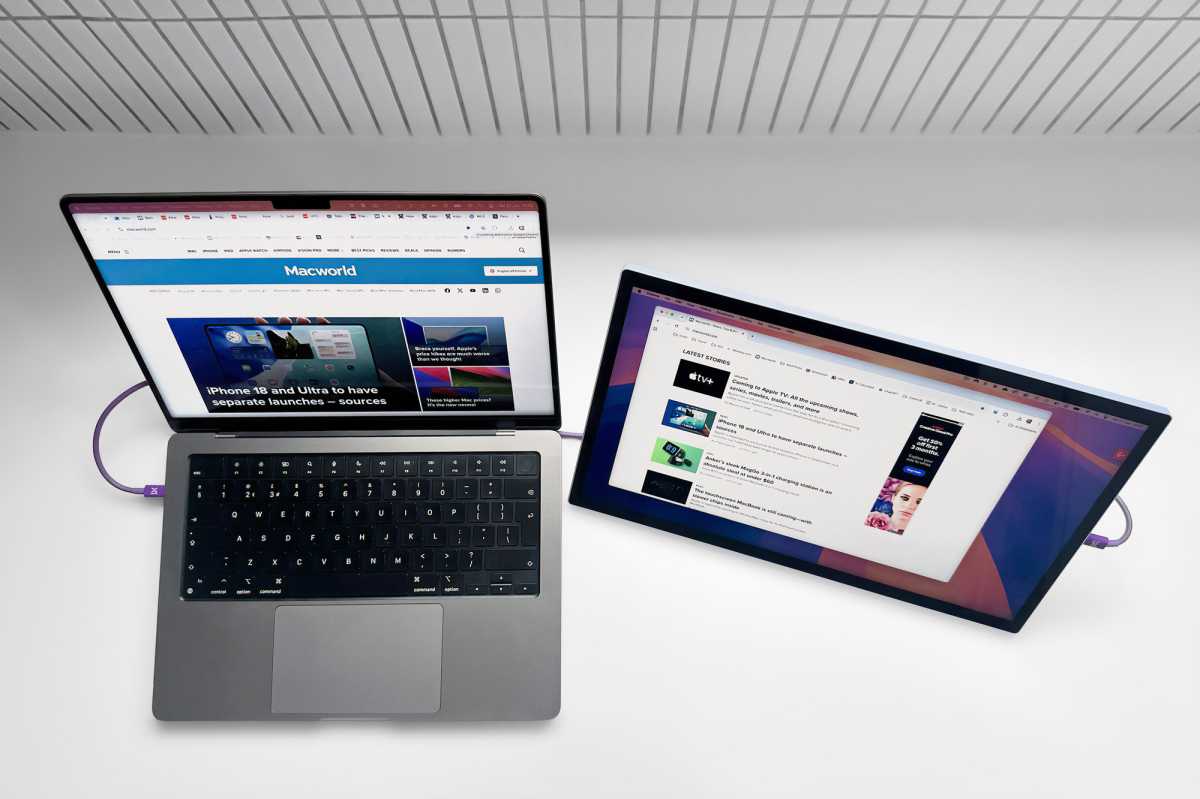
What is it? The espresso Lite 15 is the entry-level and best-value portable monitor in Espresso’s range, adding a lightweight 15.6-inch Full HD second screen to your laptop. Designed for productivity rather than color-critical creative work, its biggest advantage is the superb magnetic Stand+, which provides unmatched flexibility and ergonomic positioning wherever you work.
Who is it for? MacBook users who want an affordable, lightweight second screen for spreadsheets, multitasking, office work, studying and travel.
Who shouldn’t buy it? Photographers, video editors and designers who need 4K resolution, touchscreen features or color-critical accuracy should choose an espresso Pro 4K Touch model instead (reviewed separately) .
Even the 16-inch MacBook Pro’s display can feel cramped when you’re juggling large spreadsheets or multiple windows. A portable second screen solves that problem, but many external displays are too bulky to travel with comfortably.
The lightweight Espresso Lite 15 is the entry-level and best-value model in Espresso’s portable monitor range. Designed for productivity rather than color-critical creative work, it pairs a sharp Full HD display with the company’s outstanding magnetic Stand+, which offers class-leading flexibility and ergonomic positioning.
Prices start at $249 / £219 for the 15.6-inch Lite 15, rising to $799 / £649 for the flagship 17.3-inch 4K Espresso Pro 17 Touch. We’ve reviewed the Pro 17 separately; here we’re testing whether the more affordable Lite 15 delivers the features most people actually need.
Simon Jary
Screen size and specs: Is Full HD enough?
While creatives and people with spare cash will be drawn to the espresso Pro’s 4K resolution (3840 x 2160 at 60Hz), the Lite’s 1080p HD (1920 x 1080 at 60Hz) offers a lot at less than half the price. If you don’t need the Pro’s relatively basic touch functions or the company’s clever touch software tools, a screen larger than any MacBook or professional color matching, the Lite 15 boasts a lot of what makes every espresso portable monitor stand out from the crowd.
The HD is sharp enough for most users who don’t need the 4K’s sharpness and crystal-clear detail. And the Lite 15 has the same 60Hz refresh rate as the top-end Pro.
The screens differ in terms of brightness, with the Lite 15 at 400 nits, which is higher than the more expensive espresso 15 at 300 nits—making the Lite look the better choice if you are often fighting intense ambient light in bright rooms. In a sunlit room, a standard 200 to 300-nit monitor can look dim and washed out. Those extra nits punch through ambient light, preventing washed-out blacks and maintaining vivid colors. Even the Pro 17 maxes at 450 (the Pro 15 at 550) so the Lite 15’s 400 nits is impressive.
The HD screens are great for web browsing and productivity apps, and are acceptable for streaming, too—but maybe not for creative applications where the Pro’s 4K UHD resolution comes into its own.
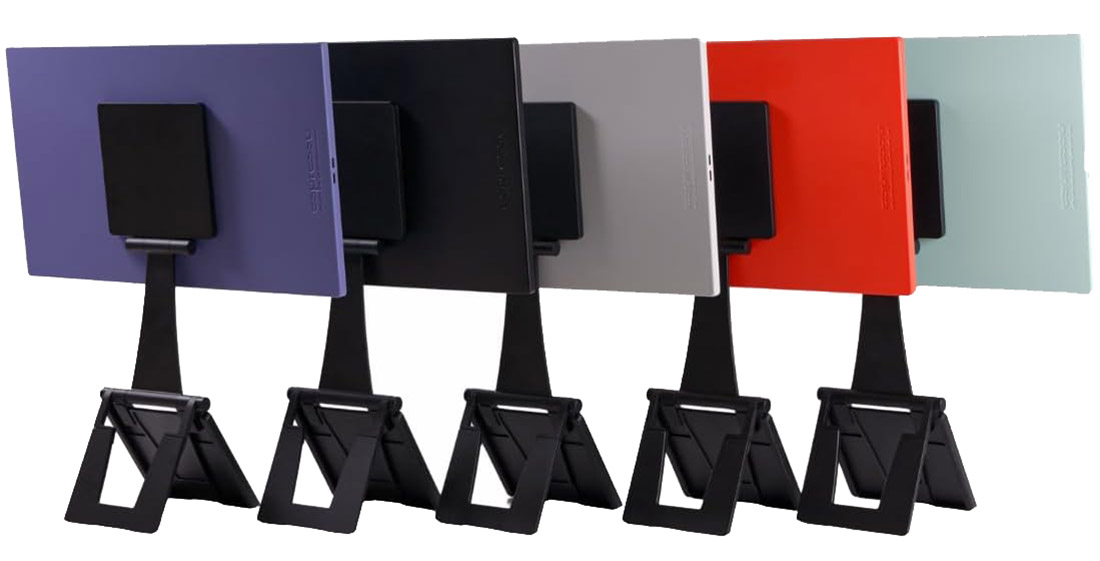
All the non-Pro models are rated at 100% sRGB (16.8 million colors), which helps them stand out from cheaper portable displays. The monitors are available in five colors, shown below, which is another draw for this cute second screen.
Espresso
How portable is the Lite 15?
You’re considering an espresso display because of its portability and these really do deliver on thinness and weight.
The 15 Lite measures 14.3 x 8.6 x 0.37 inches (364 x 218 x 9.5mm) and weighs just 1.55lbs (0.7kg) without its stand. If you have a digital measure or a very good eye and precise ruler, it’s 0.05 inches (0.5mm) thicker than the Pro 17 but you won’t notice it.
That’s one of the small compromises of the Lite. Its plastic body is lighter than the non-Lite models’ anodised aluminum but the bezels (the physical border or frame that surrounds the display area of a monitor) are wider: 9.5mm at the sides and 11.5mm at top and bottom, compared to the 15’s 6.45mm all round except for 22.5mm at the bottom. It might be made of plastic, but it doesn’t look cheap. It looks as premium as the Pro range and also comes in a range of colors—White, Black, Orange, Mint, and Purple—in comparison to the standard Black on all other models.
You can spend an extra $50/£40 to get the non-Lite (and non-touch) espresso 15, which is a little less long and noticeably thinner (5.3mm vs 9.5mm) but a little wider at 256mm vs 218mm. The non-Lite 15 is a little heavier at 1.68lbs (0.77kg)—again without the stand.
The Pro 15 measures 14.2 x 8.9 x 0.35 inches (360 x 225 x 9mm) and weighs 1.76lbs (0.8kg). The margins are fine but the slimmest of them all is the non-Lite 15.
You can buy a protective carry case that includes a section at the back for the stand, but will set you back another $89/£89, which looks steep at more than a third of the cost of the monitor plus stand. You can buy a cheaper laptop sleeve to protect the screen during transport; check out our favorites in the best MacBook sleeve feature.
As a comparison, the Plugable 15.6-inch USB-C Portable Display (USBC-PDMON) measures 14.2 x 8.5 x 0.4 inches (36 x 22 x 1.1cm) and weighs 1.85lbs (0.84kg) with its stand or 1.35lbs (0.62kg) without.
At 1.3lbs (0.58kg) on its own the espresso’s Stand+ adds more weight than those of most portable displays but we think it’s worth the extra heft. Also, a flimsy lightweight stand will lack the robust sturdiness of the Stand+.
Simon Jary
Is the Stand+ worth paying for?
While the non-Lite espresso portable monitors might boast of their aluminum body and smaller bezels, they are all at the same level when it comes to the included Stand+.
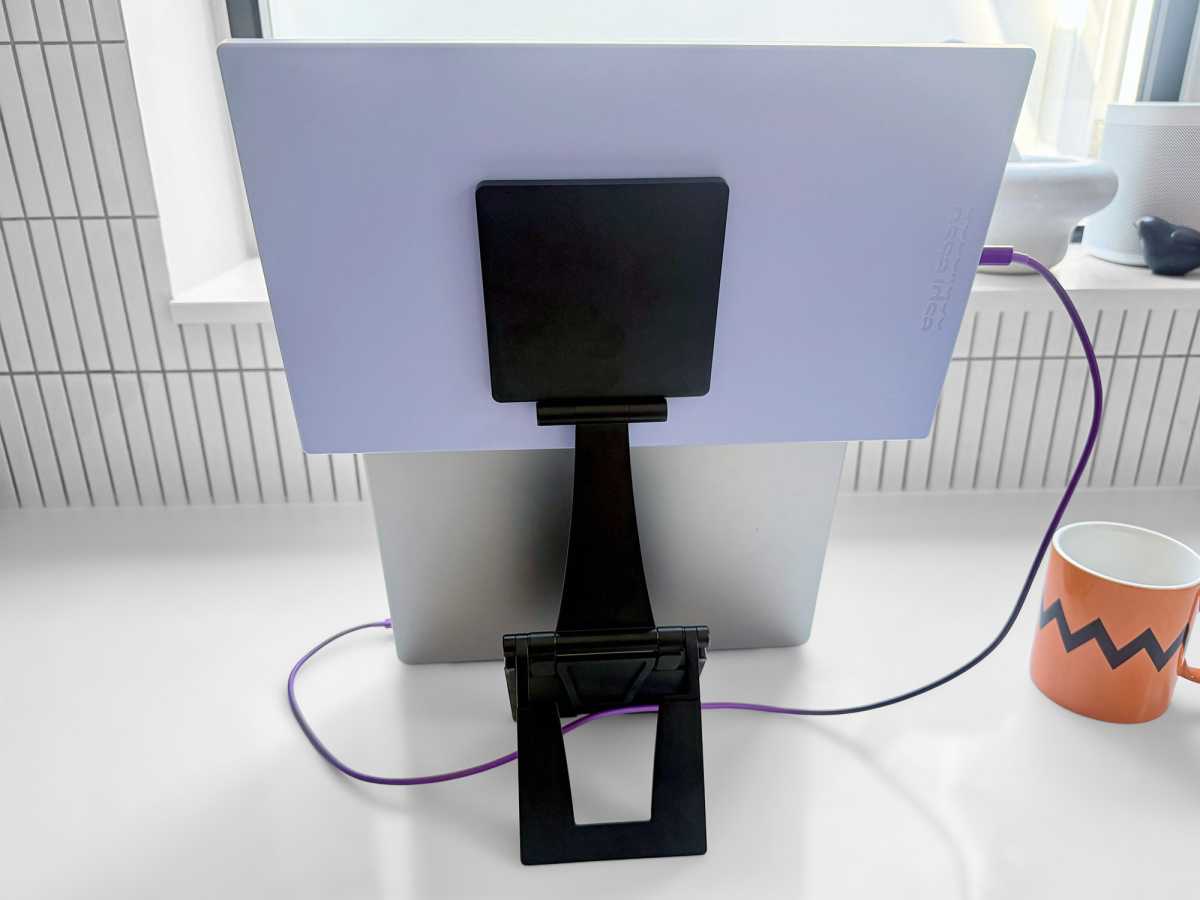
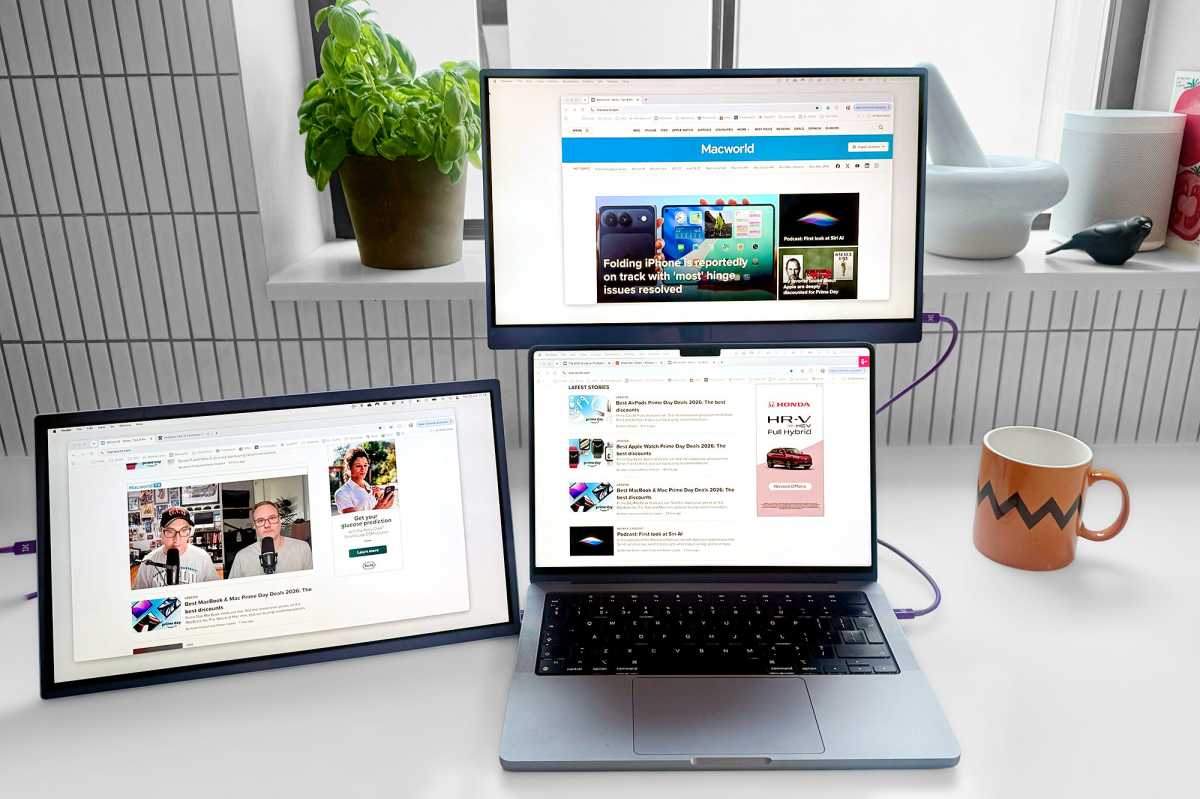
And it’s a high level indeed—in fact literally so. It can raise the monitor up to 1.45 feet (445mm), measuring to the top of the screen. Or you can rest it with the bottom of the screen touching the table, and, in between, 1.07 feet (325mm) is also possible.
At its highest you can raise it comfortably and sturdily above the open screen of your MacBook—we tested with a 14-inch MacBook Pro.
The Stand+ clamps onto the back of the screen via simple but strong magnets. It’s a neat solution and much less hassle than screwing into a VESA mount. It makes taking the monitor and stand apart a matter of seconds in pulling it firmly away.
It packs flat for travel or for packing away out of sight when not in use, or you can keep it on the monitor if you buy the special espresso Case.
Simon Jary
How easy is it to setup?
While some portable displays rely on old-style mini-HDMI connections, the espresso displays connect via USB-C—the same ports as you find on the MacBook Neo and of course compatible with the MacBook Air and Pro’s Thunderbolt—to laptops, tablets, phones, or computers that support USB-C DisplayPort Alt Mode. They will work with any Mac released since 2017.
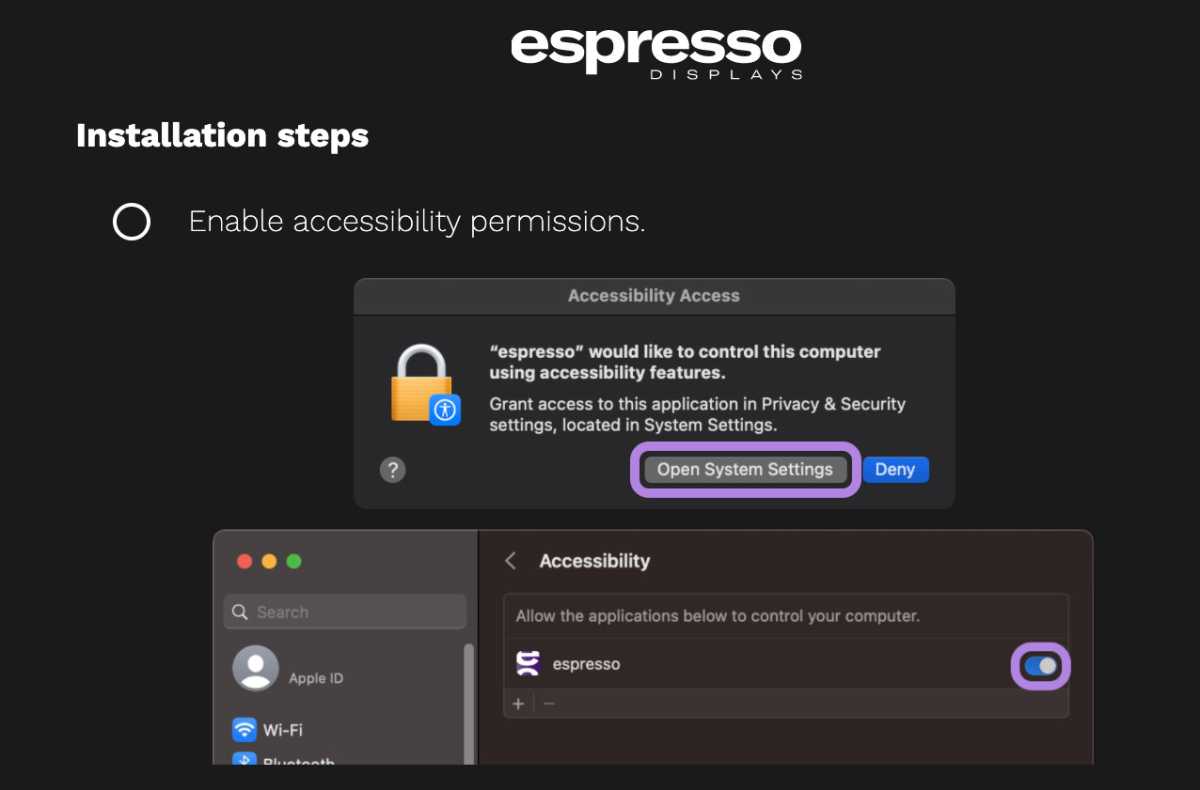
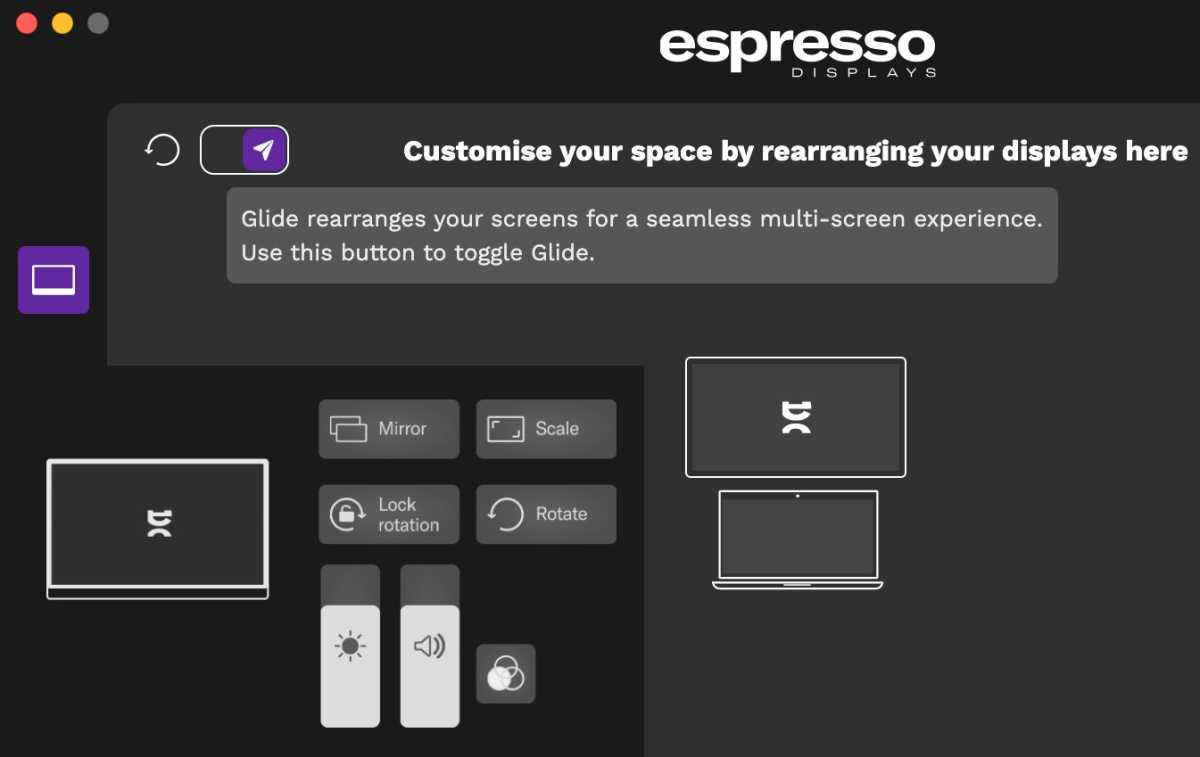
The downloadable espressoFlow software is especially useful for the touchscreen Pro models but offers a neat tool for all. Glide is a simple way for you to arrange and auto-rotate the screens without having to go into the Mac’s Displays Settings–although that works too.
Simon Jary
You can set the screens in either Landscape or Portrait orientations, which isn’t possible with some other portable displays.
The customizable Snap feature makes switching between tasks easier with a simple click of keystroke.
Will it drain your MacBook’s battery?
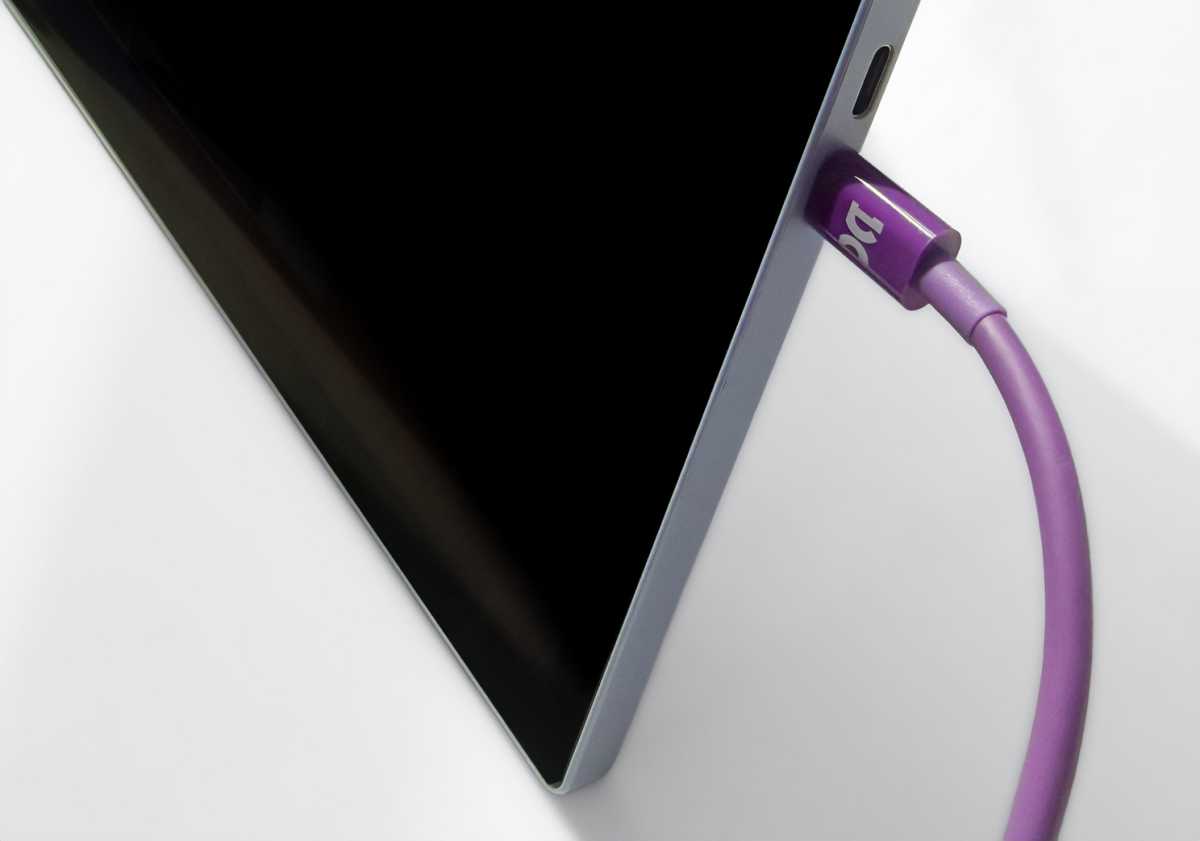
The Lite 15’s two USB-C ports are situated in the middle of one of its sides, and can be used interchangeably. Each screen comes with a distinctive purple cable that is good for both data and power. As we note in our roundup of the best USB-C cables, not all are created equal so it’s important to stick to what espresso ships with. A capable USB-C or Thunderbolt cable should also work if you someone loves purple cables too much to give it back to you.
Simon Jary
You don’t need to connect the bus-powered espresso displays to a power source as they can take power from your MacBook. On the other hand, if the screen is receiving power from a charger it can passthrough power to the laptop.
While some bus-powered portable monitors can drain a laptop’s battery quite fast (the Pro 17 is especially hungry at 18W), the Lite 15 sucks only 5W at full brightness. That makes it a great fit with the MacBook Neo but any MacBook will last longer with such an efficient screen connected.
espresso sells its own battery pack, the matching magnetic espressoCharge that holds a high-capacity 32000mAh (118.4Wh) that will probably last a couple of days but costs $199/£89. You could save money and have a more flexible power supply by picking a decent USB-C charger to supply power direct and passthrough excess charge to the laptop.
If you want to work with the MacBook’s lid closed, you’ll need a separate power connection to the laptop.
Simon Jary
Price: How does it compare with rivals?
The 15.6-inch espresso range of portable monitors is priced like this:
(The espresso Pro 17 (4K) is for deeper pockets at $799 / £649.)
Four colors of espresso Lite 15 are also available at Amazon.
Check out our other reviews of the best portable displays for Mac for comparisons.
The 15.6-inch Plugable Portable Monitor costs $239.95, a little cheaper than the Lite 15 but not by much. The Lite 15 is brighter and comes with a more flexible stand than the Plugable, although it weighs more as a result.
The 16-inch Mobile Pixels Float 2 Pro boasts a 2.5K screen compared to the Lite 15’s 2K but is more expensive at $299, although we have seen it on offer for $215. It too rises on a stand behind the MacBook but is thicker and heavier. We praised this alternative as thin when we reviewed it so we’re not calling it thick—it just looks so compared to the espresso Lite 15.
There are plenty of cheaper portable monitors—such as the decent super-budget MSI Pro MP165 that costs under $100—but they are mostly no match for the espresso in terms of color accuracy or brightness, or indeed stand flexibility. These cheapies are good for shoving a few open windows onto but not for finer work.
Of course, you can add much larger displays—see our roundup of the best monitors for Mac—but few will be as portable unless you drive everywhere and have a very understanding local coffee shop.
Should you buy the espresso Lite 15?
It’s a great fit for users of the MacBook Neo but even MacBook Pro users will appreciate the benefits of a second screen that can be tucked into your backpack along with your laptop as you move between rooms or offices.
This slim portable monitor pushes itself into the top rank of portable monitors with its excellent magnetic Stand+. Set it up to an ergonomic position and you’ll thank yourself for choosing a display with this level of flexibility.


