At a glance
Expert’s Rating
Pros
- Premium build quality
- Excellent OLED display and audio
- Portable
Cons
- Expensive
- Limited ports
Our Verdict
The HP Googlebook 14 is a stylish, lightweight laptop with a great screen, but its high price is hard to justify.
Price When Reviewed
This value will show the geolocated pricing text for product undefined
Best Pricing Today
Price When Reviewed
$1,199.99
Best Prices Today: HP Googlebook 14
The HP Googlebook 14 knows how to make a good first impression. It’s got a fancy aluminum chassis, a gorgeous OLED display, and a comfortable keyboard. But (of course) there’s a catch.
It costs $1,199.99, which is about $300 more than the Acer Googlebook 14. Having recently reviewed the Acer, I couldn’t help comparing the two. While I personally prefer HP’s design, the performance results and form factor make the decision a little more complicated.
I also think Googlebooks are a fairly niche product to begin with because they lean so heavily on Android phone integration. Not everybody has–or wants (hi!)–an Android phone. Also, it would be nice if that integration worked properly… but I’ll get to that later.
HP Googlebook 14: Specs
- Model: HP Googlebook 14
- OS: Googlebook OS
- Processor: Qualcomm Snapdragon X Elite
- Graphics: Integrated Qualcomm Adreno GPU
- Memory: 16GB LPDDR5X
- Storage: 512GB SSD
- Display: 14-inch 2800×1800 OLED touchscreen, up to 120Hz
- Brightness: Up to 500 nits
- Camera: 5MP IR camera with facial recognition and manual privacy shutter
- Audio: Quad speakers with HP Audio Boost 2.0
- Battery: 70Wh
- Charger: 65W USB-C GaN adapter
- Weight: 2.74 pounds
- Price: $1,199.99 starting MSRP on HP.com
HP Googlebook 14: Design, build quality
Foundry / Ashley Biancuzzo
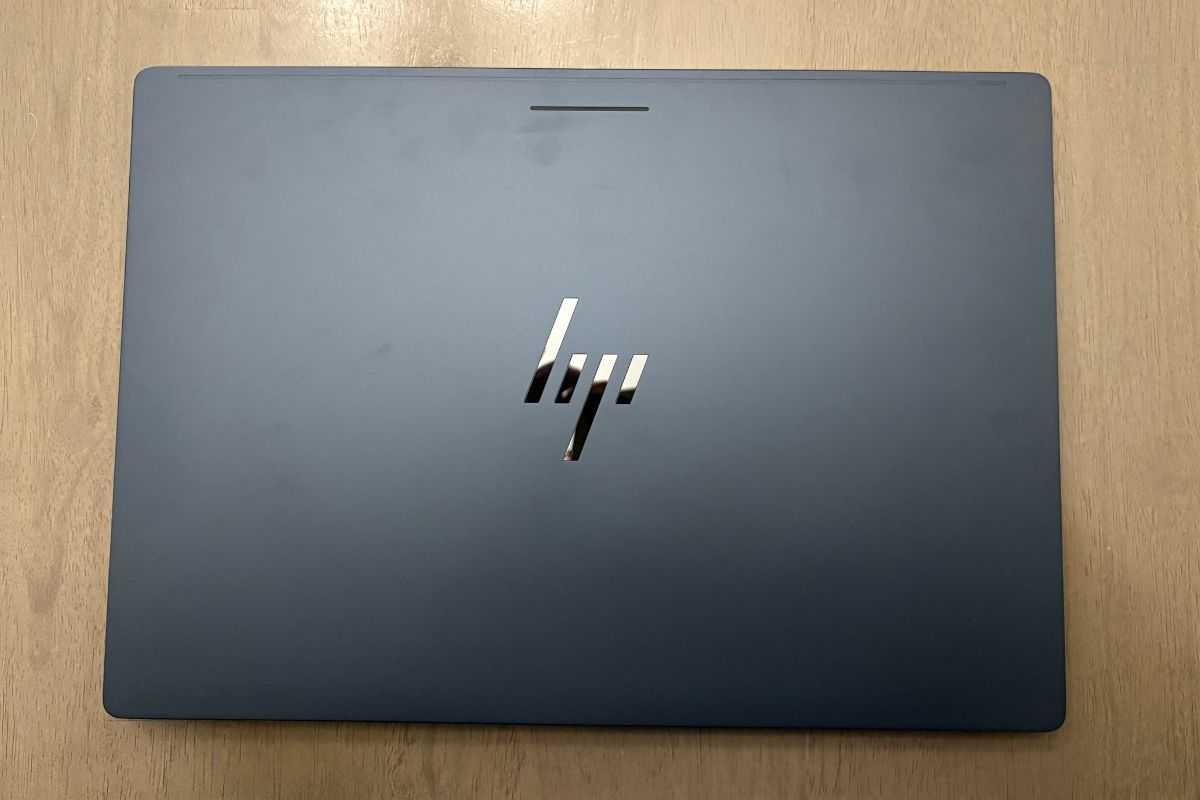
Having just reviewed the Acer Googlebook 14 last week, I had a little deja vu when unboxing the HP Googlebook 14. The two machines have similar builds, but I much prefer HP’s design.
First, the HP logo sits in the middle of the lid. I like the symmetry of it–I think it looks both sharp and clean. On the Acer, the logo sits off to the right corner. This probably wouldn’t bother most people, but I just think the logo looks better in the center.
I like HP’s colorway more, too. The manufacturer calls it “Atmospheric Blue” and it’s subtle yet sophisticated. The deeper blue color is more interesting to look at (in my humble opinion) than the Acer’s grey colorway. That said, this is purely subjective. What I like isn’t going to be what you like.
The build quality is quite good, which is what I’ve come to expect from these particular machines. Googlebooks are a step up from Chromebooks, their mostly plastic brethren, and you can feel the difference as soon as you pick one up.
The HP Googlebook 14 has an aluminum chassis with a sandblasted finish–so there’s no mistaking the premium quality here. Unlike the Acer Googlebook 14, the HP Googlebook 14 is a traditional clamshell laptop rather than a convertible. You won’t get the tablet functionality of a 2-in-1, but this laptop is still built to feel durable.
The hinge feels solid, and the screen barely flexes when you try to twist it. I can also open the lid with one hand, which is always a nice touch. I’m big on small details, and HP really nails it in that department.
HP Googlebook 14: Keyboard, touchpad
Foundry / Ashley Biancuzzo
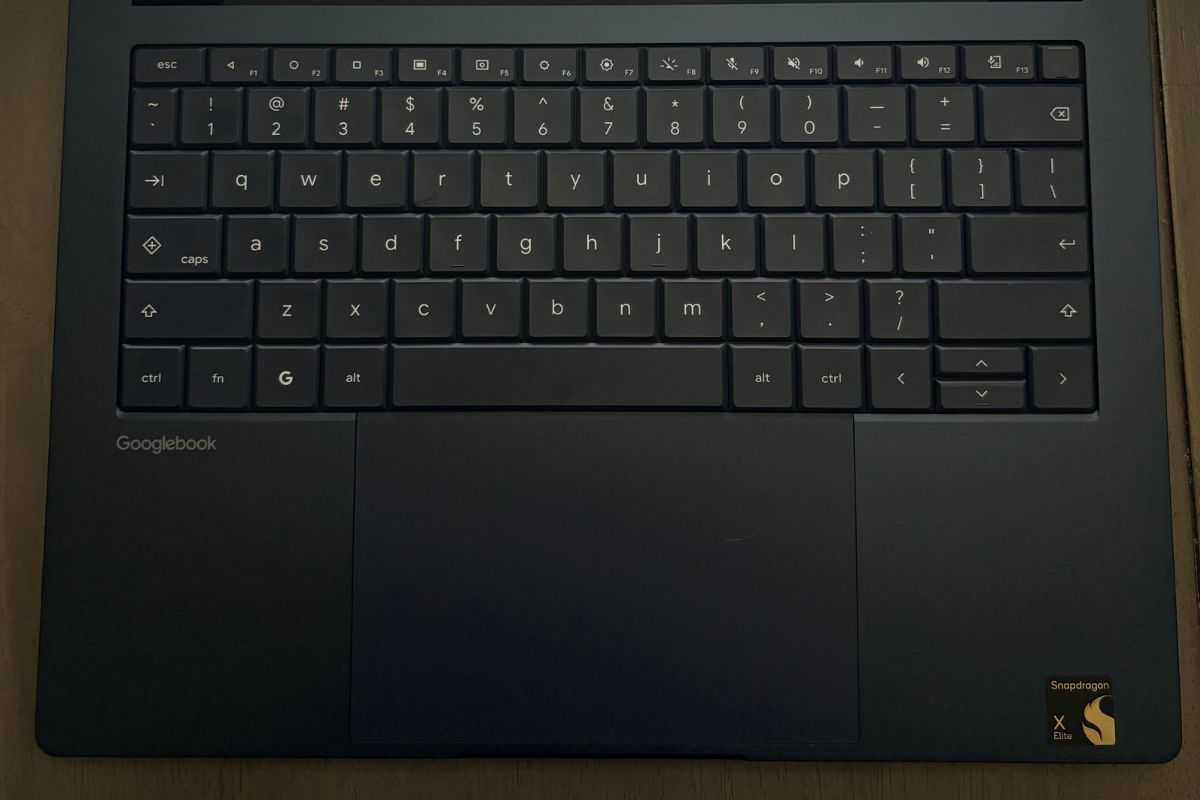
I got accustomed to the keyboard pretty quickly. Again, it’s a 14-inch laptop, so it’s got a similar layout to the Chromebook I use on a daily basis. The keyboard also has backlighting that you can toggle on and off with a dedicated key. The smaller form factor is also just better suited for my hands, which are childishly small for some reason. However, I’m not sure if I’ve been extra oily lately or what, but I noticed fingerprints right away on the space bar. This is a miniscule nitpick, but it’s still worth noting.
The haptic touchpad is a good size and sits in the center, much like the one on the Acer Googlebook 14. It gives you plenty of room to navigate without feeling cramped, which is always welcome on a 14-inch laptop. I found it very responsive, too, and I’m especially fond of the simulated clicks.
HP Googlebook 14: Glowbar
The Glowbar is a strip of light on the outside of the lid. Every Googlebook has one, and it’s meant to indicate battery level and charging status. On the HP Googlebook 14, it sits at the top center of the lid rather than off to the side, which I think looks better. For some reason, Acer really likes putting things off to the side.
My opinion of the Googlebook Glowbar remains unchanged. Is it necessary? Not really. Is it something I mind having? Not really.
HP Googlebook 14: Display, audio
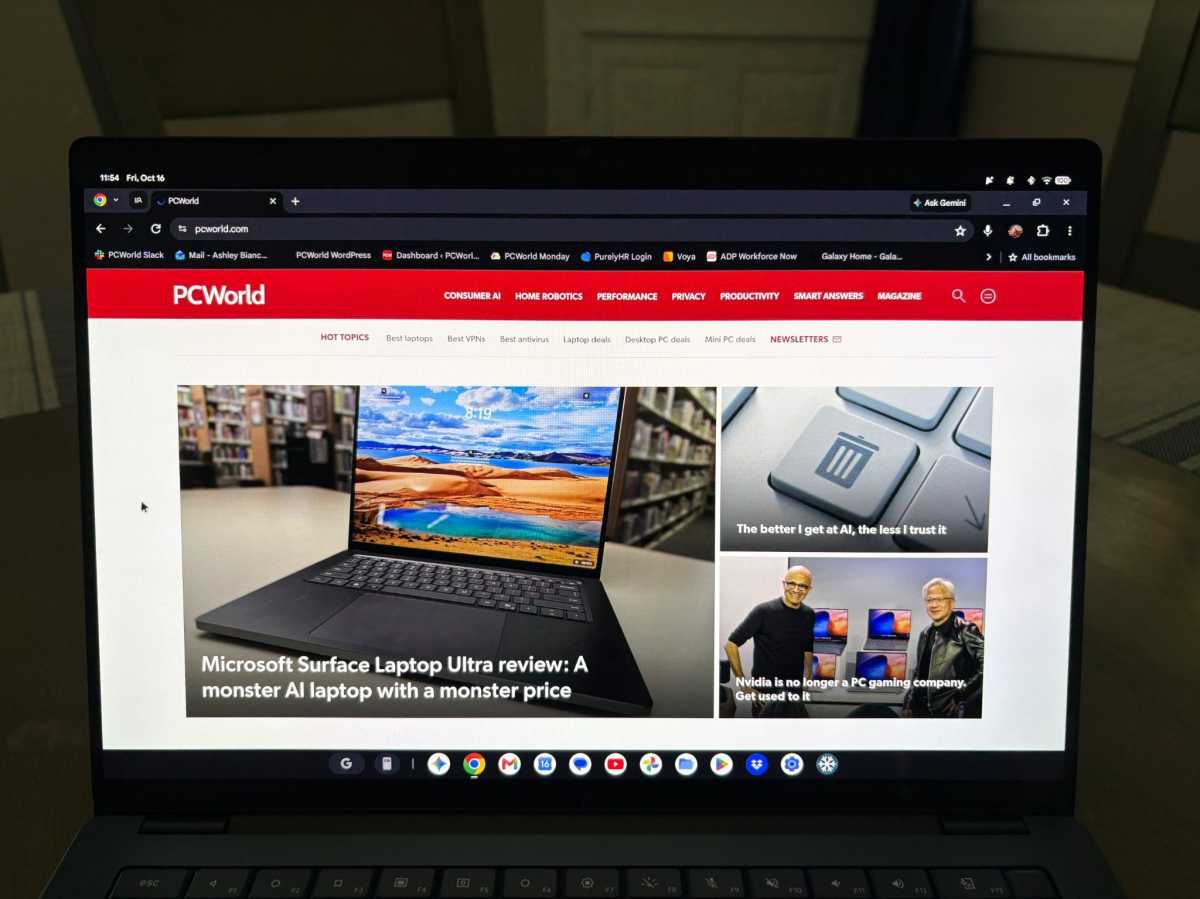
My husband and I watched an episode of Love Is Blind on the HP Googlebook 14. (Not the most dignified use of a review unit, I know.) Still, it gave me a chance to see how the display handled actual video content–I thought the picture looked bright and colorful. The show’s vibrant (creepily uncanny?) sets looked good on the screen, making for an enjoyable viewing experience.
The Googlebook 14’s got a 14-inch 2800×1800 OLED display, with a brightness level of (up to) 500 nits. Colors tend to really pop on OLED panels because of the strong contrast. The display also supports a variable refresh rate of up to 120Hz, so scrolling feels quite smooth.
As for the quad speakers, they’ve got quite the punch! I played Olivia Rodrigo’s new song “expectations” (featuring David Byrne from Talking Heads, which had me so excited!) and found the audio almost overwhelmingly loud at max volume. I actually had to move the volume slider down a bit. That’s definitely a great problem to have. The sound quality was pretty good, too.
HP Googlebook 14: Ports
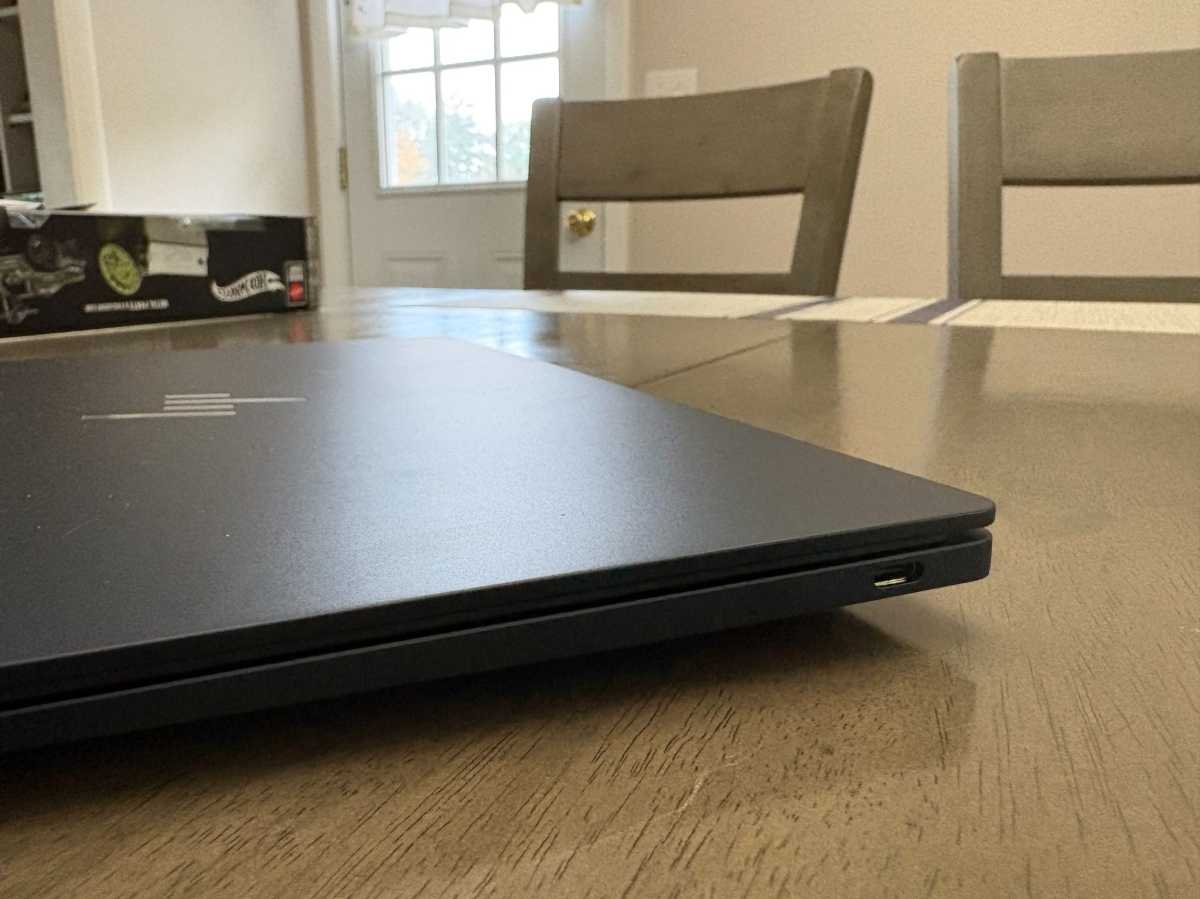
The HP Googlebook 14 automatically wins points here because both USB-C ports (one on either side of the laptop) support charging. We feel strongly about two-sided charging ports here at PCWorld.
That said, the selection is a little slim: just two USB-C ports and a headphone jack. If you need HDMI or USB-A, you’ll need to pick up an adapter. I can’t knock the port selection too much, though, because the HP Googlebook 14 is designed to be portable. Its slim form factor doesn’t leave much room for extra ports — though more connectivity would certainly be welcome on a laptop this expensive.
HP Googlebook 14: Android phone integration
Deep integration with your Android phone is, arguably, the Googlebook’s defining feature. It’s supposed to be seamless. Unfortunately, my experience was anything but.
But I could not, for the life of me, get the Googlebook to link up with the Pixel phone Google supplied me for these reviews. I spent about two hours trying to get them to work together, including pairing and unpairing, restarting both devices, and updating the devices and their apps, but I still wasn’t successful.
Every time I clicked the little phone icon in the Googlebook’s taskbar, I was greeted with a “Get started” screen that took me to a QR code. I never got past that point. I experienced the same issue with the Acer Googlebook 14, too.
The main features you can (theoretically) use are Cast My Apps and Continue On. Cast My Apps lets you access apps from your phone on your Googlebook, which is handy if you don’t want to install those apps directly on the laptop. It could help save storage space. Continue On lets you pick up certain activities from your phone on your Googlebook, making it easier to switch between devices.
Those features sound really neat. I wish I could’ve seen them in action! Turns out I wasn’t the only one running into that issue.
Android Authority actually reported pairing issues with Pixel phones. Google confirmed that the QR code remaining on screen was a known setup issue and said it started rolling out a fix. I also tried the workaround outlined by Hadlee Simons in the article, but no dice.
Because I feel like this needs to be said, I don’t think the fault lies with HP or Acer (or any manufacturer) here. It’s Google and the new Aluminum OS. The truth of the matter is this: Googlebooks are a first generation product, they’re going to have some issues.
HP Googlebook 14: Performance
I compared the HP Googlebook 14 against the Acer Googlebook 14, which uses an Intel Core Ultra 5 325 processor. The HP Googlebook 14, meanwhile, uses Qualcomm’s Snapdragon X Elite. Both laptops felt plenty snappy in everyday use, and their benchmark results were fairly close in some areas. However, MotionMark is where the biggest difference lies.
HP Googlebook 14 benchmark results:
- Basemark Web 3.0: 1,442
- MotionMark: 2683.94 (@ 60 fps)
- WebXPRT 5: 92
Just so we’re clear here, Googlebooks aren’t gaming machines in any way, shape, or form, so I wouldn’t read too much into one graphics benchmark. I just feel it’s important to point out.
MotionMark measures how well a browser handles animations and visual effects.The Acer Googlebook 14 really pulled ahead here with a score of 4,670.12. That’s about 74 percent higher than the HP Googlebook 14’s score.
So what does that mean exactly?
Simply put, the Acer Googlebook 14 handled MotionMark’s browser-based graphics workload much better in my testing. The HP uses Qualcomm Adreno graphics, while the Acer uses Intel Graphics with four Xe cores. Acer’s newer graphics platform could be a factor, but the benchmark alone doesn’t exactly tell us why it performed better.
Another thing to consider is the price. The Acer Googlebook 14 has a starting price of $899.99, so it’s about $300 cheaper than the HP Googlebook 14, which starts at $1,199.99. While browser performance is about the same, the Acer Googlebook 14 is cheaper and scored higher across all three benchmarks. Food for thought.
HP Googlebook 14: Battery life
During my time with the HP Googlebook 14, I clocked about eight hours of active screen-on time across a day and a half of unplugged use. My regular workload consisted of writing in Google Docs, keeping multiple browser tabs open, streaming music on Spotify, and watching YouTube. For full transparency, I turned off the keyboard’s backlight but kept the screen’s brightness at approximately 85 percent (this will naturally consume more power than, say, 50 percent).
I also ran the PCMark for Android Benchmark, which simulates everyday workloads until the laptop dies. With the screen brightness turned down slightly, the HP Googlebook 14 lasted a little over 14 hours in the test.
Charging is relatively quick, too. The laptop reached 50 percent in about 45 minutes.
So, should you get the HP Googlebook 14?
The HP Googlebook 14 is a good machine. I like the build and finish, as well as its colorful display and keyboard.
The problem is the price. At $1,199.99, it’s about $300 more than the Acer Googlebook 14, which delivered stronger performance across all three benchmarks. It’s also a convertible, which offers additional flexibility. That doesn’t automatically mean the Acer Googlebook 14 is the better choice for everyone, though — and many people may better off going with a similarly priced Windows laptop instead.
And then there’s the elephant in the room, which is my desperate attempt to connect an Android phone with the Googlebook. I just couldn’t get past the initial setup. Here’s hoping for a future fix!


