When I bought my Alienware AW3225QF gaming monitor during last year’s Prime Day sales, I mainly got it for the QD-OLED panel. But as an upgrade for a near-10-year-old Asus MG279Q, it was a major step up in multiple other ways: better resolution, better colors and contrast, better response time, and better refresh rate.
I never expected to enjoy the 240Hz refresh rate as much as I do. It’s buttery smooth on my desktop, and it’s wonderfully responsive in games where I can hit those kind of sky-high frame rates.
But that also got me thinking: Do I really need all those frames? It’s summer hot right now, so cutting my FPS in half to give my PC a break would be nice. It’d use less power, too. And I’m not a high-speed esports gamer. Maybe I wouldn’t even notice if I dropped it down.
So that’s what I did for a week—I cut my velvety smooth 240Hz refresh rate down to a modest 120Hz to see if I would actually notice a difference. Color me surprised by the results.
Game choice matters
Before I could even begin testing whether I’d notice a drop from 240Hz to 120Hz, I needed to find the right games for the job. As much as I’d love to play Cyberpunk 2077 at 240 FPS, that’s just not going to happen even with my relatively capable RX 7900 XTX and 7950X3D trying their damndest plus all the upscaling I can muster. Frame generation is out because of its impact on input lag, too.
Psyonix
So I had to focus on more lightweight games—the esports games, the indie games, the older triple-As. You know, games that are able to run super-fast on my PC so I’m able to cut them down.
The games I settled on for testing were a mixed bag to see how much variation there’d be in game feel at the constrained FPS:
- Rocket League
- Overwatch
- Doom Eternal
- Thronefall
- Teenage Mutant Ninja Turtles: Shredder’s Revenge
What I really noticed
There’s no denying that 240Hz is faster and more responsive than 120Hz, but how much faster and more responsive isn’t as obvious.
Rocket League
In Rocket League, I observed no tangible difference between the two refresh rates. My car felt just as responsive and the motion seemed just as clear. That surprised me since I thought this was the most high-speed, esporty-game of the titles I’d selected. Surely twice the refresh rate would matter in a game like this? Apparently not.
Overwatch and Doom Eternal
It was a different story in Overwatch and Doom Eternal, though. At 240Hz, the motion clarity while running around and looking here and there was much improved. I could see everything more clearly, especially when performing faster turns with rapid changes to my field of view. Down at 120Hz, I could tell the frame rate was lacking.
But once the action picked up? I didn’t feel much of a change. It was about as responsive, and I never felt like I missed a shot because I was on the slower refresh rate, or that I had a particularly noticeable advantage from running at the higher refresh rate.
Activision-Blizzard
I suspect a big part of that is I’m in my late-30s without a ton of recent esports or FPS gaming experience, so the biggest bottleneck in my performance and how fluid my gameplay feels… is me. With some training, practice, and a better eye for what’s going on, maybe it would be more noticeable. But I think I represent the majority. Anyone who isn’t a top-notch competitive player shouldn’t notice much difference. (That said, if you ask me which refresh rate I prefer to play at, I’d easily say 240Hz. For this kind of game anyway.)
TMNT: Shredder’s Revenge
In TMNT: Shredder’s Revenge, despite it being a fast-paced game, the difference was basically non-existent. It wasn’t necessary at all, and while I’m sure my ailing reaction speed played a part here as well, I came away with the feeling that no one would really notice.
My original plan for testing a lightweight sidescroller was to run one of my favorites: Streets of Rage 4. But that one’s locked at 60 FPS, so changing the refresh rate there makes absolutely zero difference. There’s no major discovery here, only that for games where your frame rate is locked, your fancy refresh rate will have zero effect. If I were only playing console ports like this, the speedy aspects of my gaming OLED would be entirely wasted. Fortunately, that’s not the case.
GPU draw and fan speeds
So, the differences in visual experience were hit-or-miss between 240Hz and 120Hz. But visuals aren’t the only thing to worry about. The most noticeable difference when dropping refresh rate from 240Hz to 120Hz was in my PC’s power and noise levels.
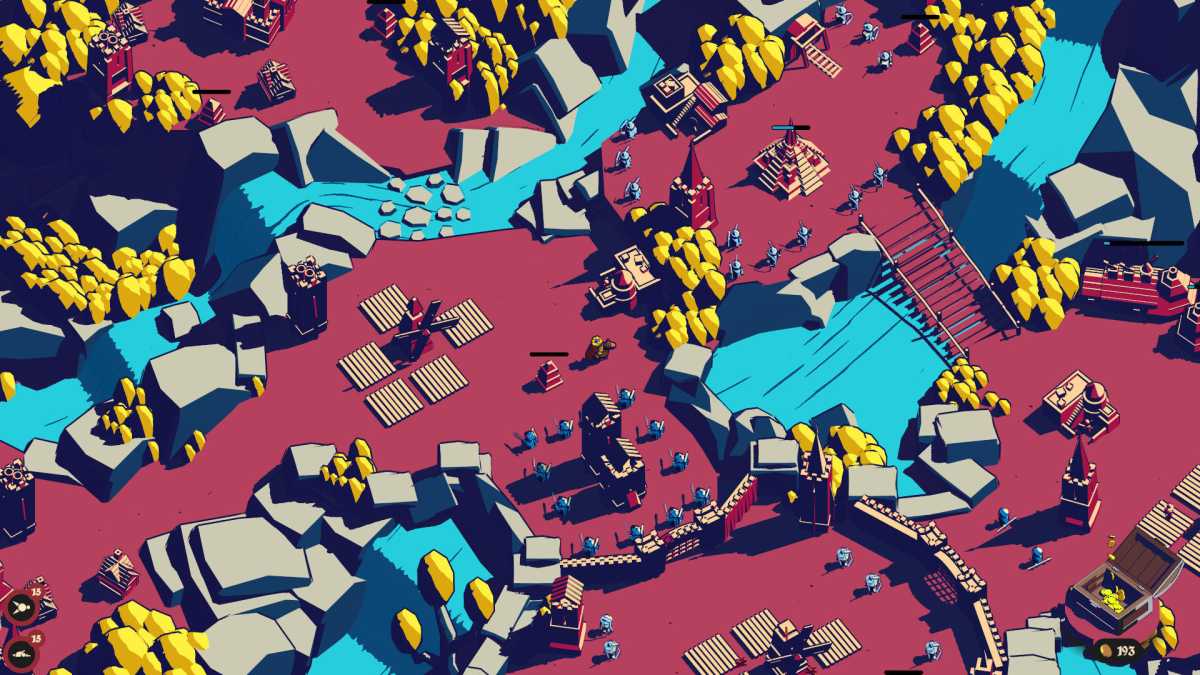
When I did it in lightweight indie game Thronefall, the change was substantial. My GPU went from burning over 300W and the fans spinning at around 2600 RPM, to barely over 100W and around 1500 RPM. Before, it was loud enough that I needed to play in headphones to not be distracted. After, it was basically silent—a much more serene gaming experience with no noticeable hit to gameplay.
Mythwright
In Overwatch, cutting to 120Hz shaved a good 80W off the GPU and 300 RPM off the fans. In Doom Eternal, I noticed no difference in GPU power draw, but the fans dipped by around 200 RPM. Not game-changing, but certainly quieter and more enjoyable than my RX 7900 XTX screaming at me with everything maxed out.
The one caveat here? I’m suffering through a heat wave as I write this, and with my office door shut while the kids are running around, it can get up to around 79F ambient. Not a huge factor, but it’s definitely contributing to the high noise levels while I’m gaming.
Nice but unnecessary
Cutting your refresh rate in half might seem like you’re missing out. And if you mainly play action-heavy competitive games seriously, then you should make sure you’re cranking out every single frame your PC can handle—highest possible refresh rate, highest possible frame rate. It all helps you play that much faster, that much better.
But for single-player gaming, for relaxed multiplayer, for anything but esports where millisecond reaction times don’t matter that much, you don’t really need the extra refresh. If you’re anything like me, you won’t notice it. Meanwhile, your PC will thank you for not making it work so hard. You’ll save power—particularly on laptops—and you’ll cut down on noise, you’ll put less stress on your hardware, and you won’t sweat as much (especially during the hotter months).
In short: You don’t really need a 240Hz monitor if you aren’t taking full advantage of it, so save yourself the cash. OLED is still great if you can afford it, but even then you can put money back in your pocket if you nab one with a lesser refresh rate. Don’t be suckered.
Further reading: The best gaming monitors to do your games justice


