Summary created by Smart Answers AI
In summary:
- Macworld explores switching from Apple Watch to Whoop band, revealing insights about fitness tracking approaches and potential improvements for Apple’s wearable strategy.
- Whoop’s simplified Strain and Recovery metrics provide more intuitive health guidance than Apple’s activity rings, while offering 10-day battery life and continuous wear charging.
- The comparison highlights opportunities for Apple to adopt subscription bundling, AI-powered health coaching, and behavior-tracking journals to enhance user engagement and health insights.
Since taking over the Health and Fitness areas last year with the departure of Jeff Williams, services chief Eddy Cue has apparently decided that Apple needs to “move faster and be more competitive,” pointing to devices like the Oura ring and Whoop band as popular rivals that do more exciting and useful health tracking.
Earlier this year, we wrote about a rumor that Apple’s upcoming health services overhaul, dubbed Health+, was being scaled back. But in this case, “scaled back” could mean more features, sooner. Apple has also been rumored to be working on an AI-powered health and fitness coach for a long time, but that was still a long way off. It, too, has been allegedly scaled back to move faster with individual features that can ship as soon as this year.
I don’t know what Apple’s current plans are, but I’ve now used a Whoop 5.0 band all day, every day for two months, and there are some great ideas here that Apple should definitely steal—and a few terrible ones they should absolutely avoid.
A band you never take off
Whoop is a very different product from what Apple users are used to wearing. It’s a pure health and fitness band that doesn’t tell the time or show notifications. It doesn’t run apps. It has no microphone, speaker, buttons, dials, or display. Rather, it gathers data through a variety of sensors that it sends via Bluetooth to the Whoop app, where it is processed via a cloud service.
The main advantage of Whoop’s limited functionality is its extremely long battery life. Despite being smaller and lighter than the Apple Watch (26 grams including band, vs 30 grams for a 42mm Apple Watch without a band), the Whoop battery lasts for a good 10 days or so. It’s charged with a little clip-on battery pack that slides over the top, as there is no display to block. It’s awkward to wear while charging, but only for an hour or so once every 10 days.
Foundry
In other words, Whoop is designed to be worn all the time, day and night, even while being charged. That’s a challenge for the current Apple Watch for a number of reasons. But any future Apple Watch should be engineered around a few fundamental requirements: multi-day battery life, the ability to charge without taking it off, and superior comfort in touchy situations like sleeping.
Strain and recovery
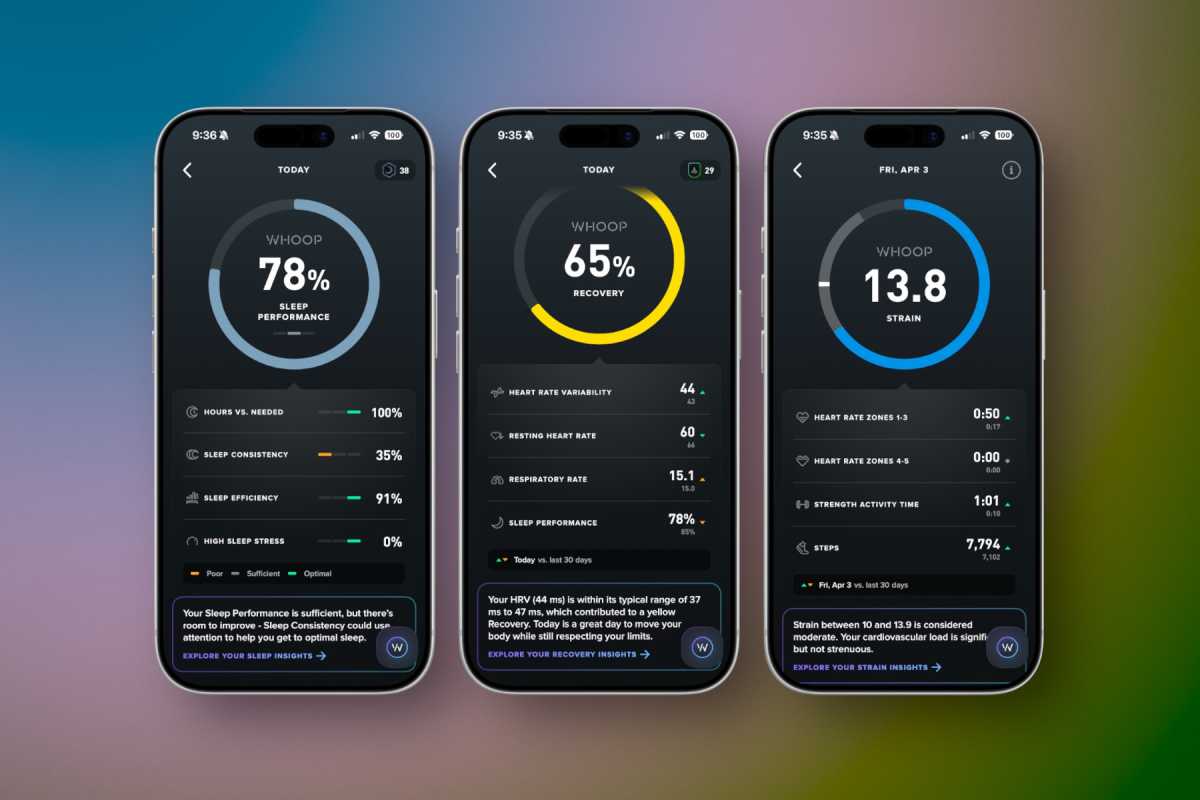
Whoop’s health tracking is built around two fundamental metrics: strain and recovery. Both are metrics of Whoop’s own design, and perhaps not fully defensible from a scientific perspective, but as a user, it’s a nice, easy way to think about day-to-day fitness and health.
Strain is a logarithmic score that tries to measure how much you’re putting your body through. Higher cardio rates or heavier muscular load make you build up strain faster. Each activity you track is given a “Strain” value, and it all adds up to a “Day Strain” number.
Foundry
Is it a medically accurate way to measure how hard you push yourself? It’s hard to say. But the concept is sound: give users a simple number that lets them see how much they put their body through during the day. This is a lot more useful than Apple’s activity rings, and it’s the natural companion to recovery, the other big Whoop metric.
Like the Apple Watch, the Whoop band auto-detects sleep (and naps) while using your movement, heart rate, temperature, and other metrics to determine when you are in different sleep phases. It then takes your sleep duration in various sleep phases to determine how well you slept, similar to Apple’s Sleep Score. That, combined with your resting heart rate and heart rate variability, produces a “Recovery Score.” It’s a simple 0-100 percent number computed each morning that lets you know how much your body has recovered from the strain you put on it.
That’s the ebb and flow of Whoop: work and rest. It’s obviously more complicated behind the scenes, but for users, it’s a very simple and effective way to make health decisions. If you have a great recovery day, Whoop will suggest a higher “Day Strain” target—you can push yourself at the gym or go for a longer run. If you had a terrible recovery, you’ll know to take it easy today.
Apple Watch has all the technology it needs to do something similar, but it needs to compute and present health data in a more intuitive way. How hard am I working? Did all that yard work mean I should skip the gym? Should I relax today since the dog woke me up three times last night to bark at ghosts? Apple’s activity rings don’t tell me this. Whoop’s simple metrics do.
An insightful Journal
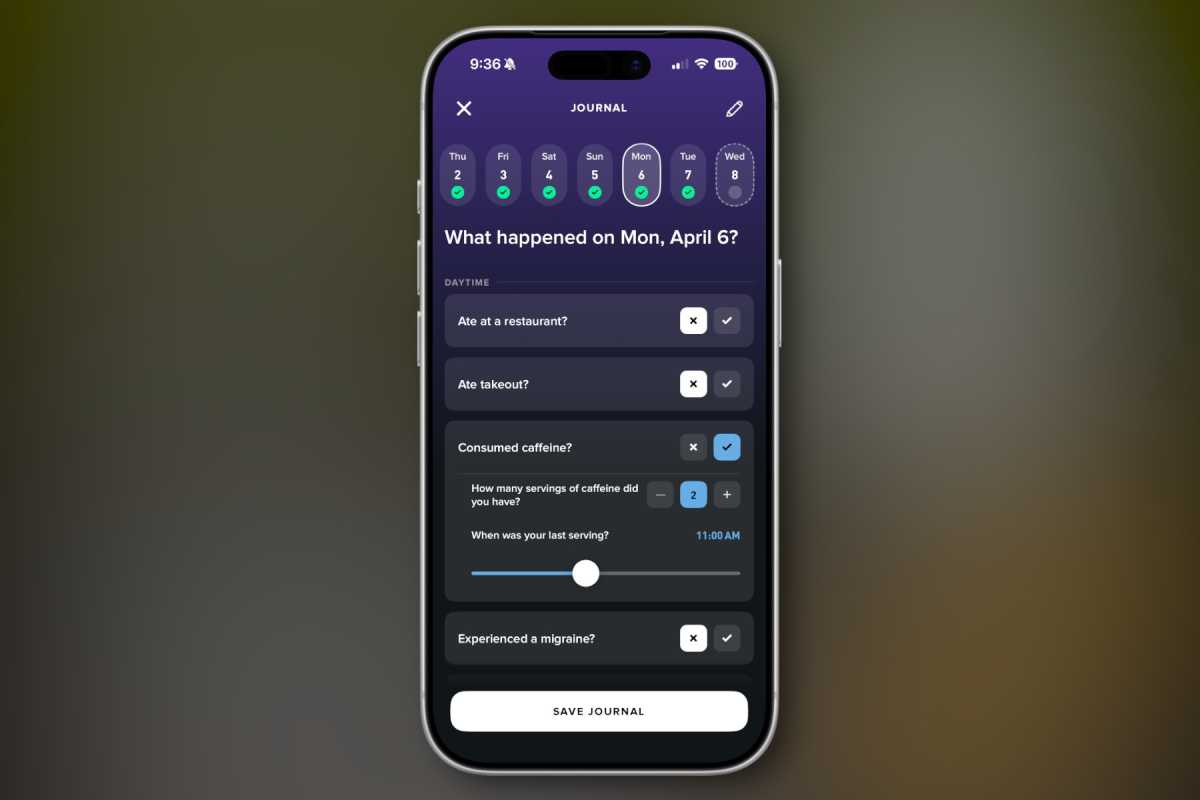
Perhaps my favorite feature of Whoop is the Journal. Every day, you answer a series of yes/no questions about your behavior that day.
- Did you consume alcohol? (How much, and when?)
- Drink caffeine?
- Get a migraine?
- Eat breakfast?
- Consume dairy?
- Wear earplugs to bed?
- Take melatonin?
- Use tobacco?
- Take a vacation day?
There are hundreds of behaviors on the list from which you select whichever ones you want to be a part of your daily journal. Every day, you spend 30 seconds or so tapping yes or no or dragging a slider or two to fill out your custom journal.
Foundry
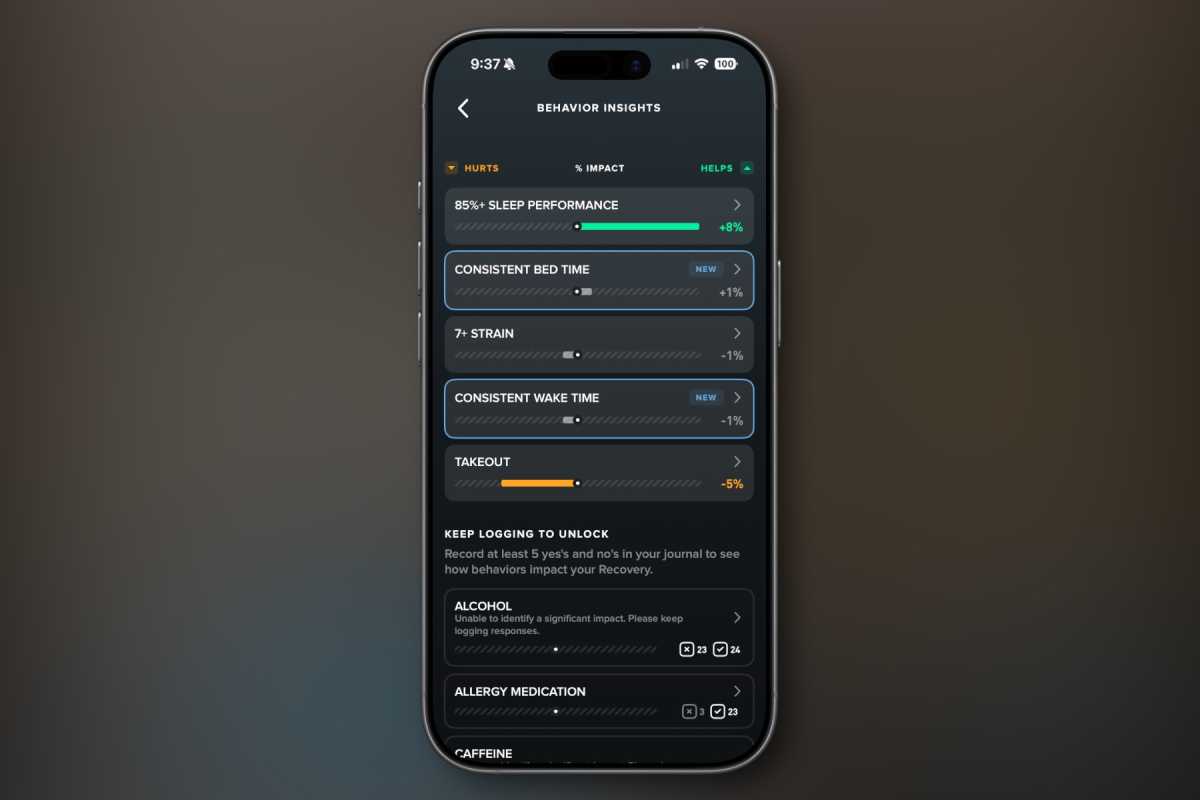
The magic comes in the way Whoop looks at your health metrics and recovery in relation to your answers to these questions. Once it gets enough data to build strong correlations, it can tell you how your behaviors affect your recovery.
When I have a drink at night, my recovery suffers. When I read in bed (not on a screen), my recovery is better. Maybe late workouts are bad for you and early workouts are better. Maybe you sleep badly when you have caffeine after 3 pm. Maybe you have a bad night when you forget to take your allergy medication. Whoop will tell you.
Foundry
More than anything else, I really want Apple to provide a feature like this. I’d love to keep a simple daily habits journal, all encrypted on-device in my Health app, and let Apple Intelligence find associations between the things I do and the health outcomes this suite of sensors on my wrist measures.
This is the kind of thing Apple Intelligence would be perfect for—processing complex data sets and distilling them down to simple insights. Keeping personal details private is what Apple is good at, and providing quantifiable insights into how our daily choices and habits affect our health is the missing link from most fitness services.
A terrible assistant
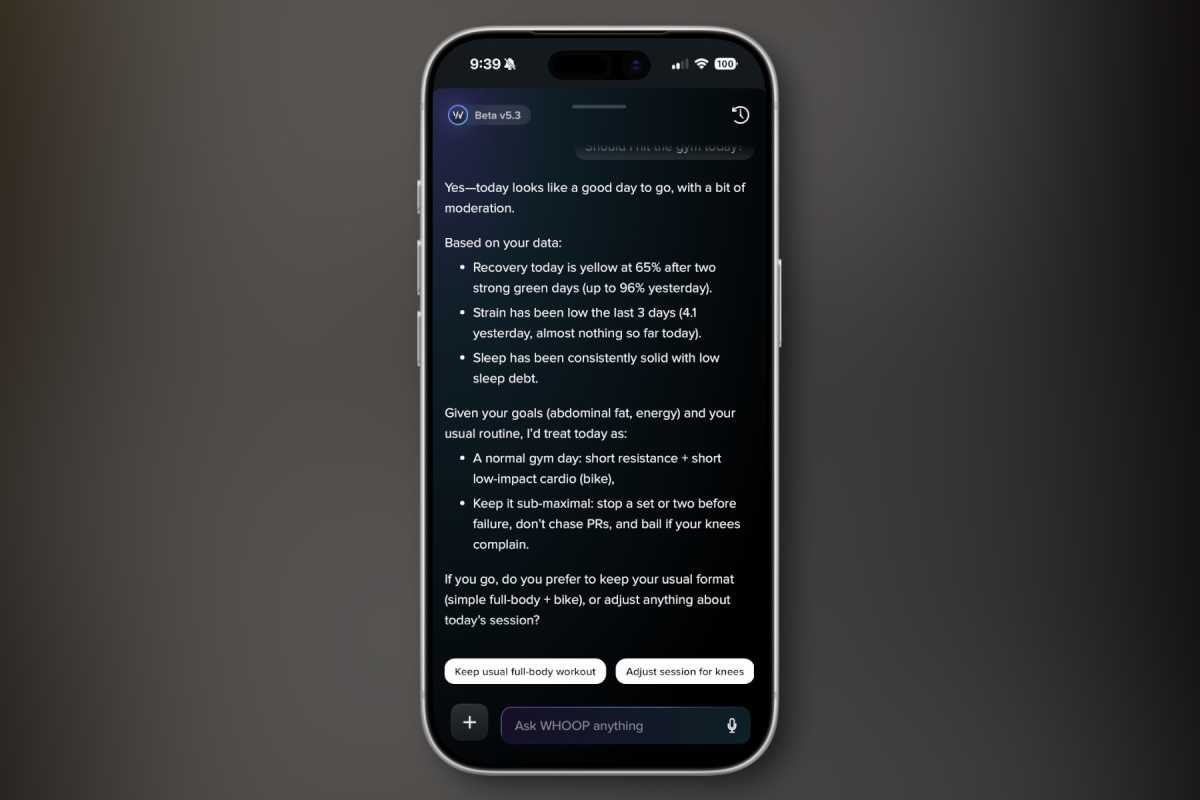
Speaking of AI, Whoop is proud of its AI health coach, but it’s nothing more than an awful LLM chatbot. The Whoop AI assistant, still somehow in “beta” at version 5.3, has a bad case of LLM fever. You know, the basic structure of just about every LLM chatbot:
- Compliment or agree with the user.
- Show your expertise with a data dump, usually using bullet points.
- Offer a fairly obvious suggestion or hallucinate a wrong result.
- Finish with a question that prompts to user to choose a new thing for the LLM to do, in order to maximize engagement.
The Whoop chatbot can do things like make workouts or give you “insights” based on all the data in the Whoop app, but it’s all kind of suspect, as if you just asked ChatGPT to do the same thing instead of a real fitness coach. And it’s all stuck in the chatbot interface, instead of making real graphics, graphs, or using the rest of the app.
Foundry
AI-generated workouts are about the only place the AI really meshes with the rest of the app, and there’s nothing particularly special about it. You could ask any popular chatbot to make a workout with the same input (timeframe and favorite or avoided exercises or muscle groups) and get something just like what Whoop does.
It’s time for the rings to go
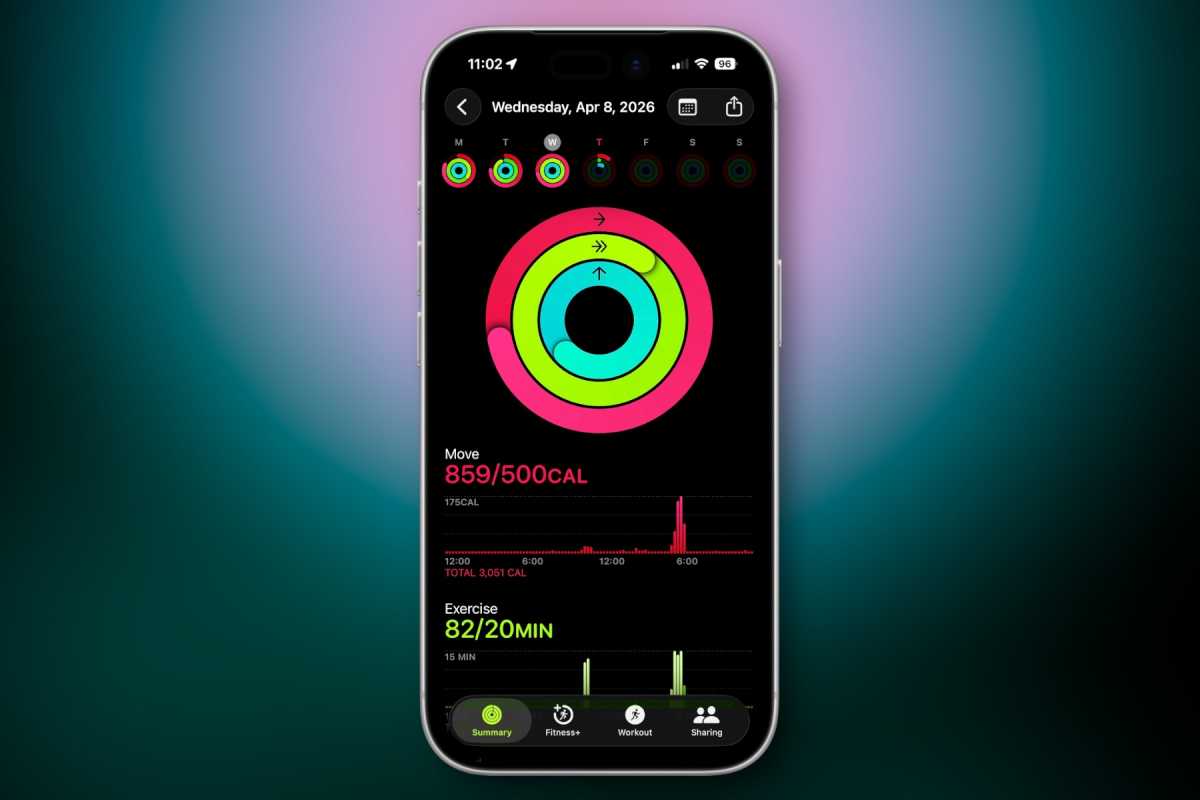
If I learned anything from my two months with Whoop, it’s this: Apple Watch activity rings have got to go. “Close your rings” is not a meaningful measure of anything that people really need to change their fitness.
Foundry
Useful metrics are not a linear number that always goes up. Standing for a few minutes eight times a day is not such an important fitness metric that it should be measured alongside active minutes. An exercise ring based on time rather than intensity isn’t all that useful either, and it doesn’t account for whether or not a particular day is an intense exercise day or a recovery day.
Foundry
As Apple rethinks its Fitness+ service and Apple Watch as a whole, it needs to start from a foundation similar to what Whoop does: using intelligence to combine the data from the device and the data supplied by the user to understand what actions you should take. Take a sea of variables and make it simple: Are you well-rested, or do you need to take a break? Should today be a heavy day at the gym, or should you just go for a walk? Do you need a nap? Which of your habits are helpful or harmful, and why?
Whoop doesn’t fully deliver on this promise, but at least it is built around these concepts. As Apple Watch and the services it feeds evolve into the AI era, it needs to be built around these ideas as well.
A new way to sell Apple Watch?
Perhaps one of the most interesting features of the Whoop is the way it is sold. You can’t use Whoop without a subscription, as all of its data processing is in the cloud. There are three subscription tiers: One for $149 a year ($199 renewal), Peak for $239 a year, and Lifetime for $359. The trick is that the hardware is included.
So you could see it as paying $250 or so for the tracker and getting the first year of service for free, or getting the tracker for free when you sign up for a year of service. Either way, it’s the kind of thing Apple should explore (though with a single subscription tier). There have been rumors of Apple expanding Fitness+ and new AI-powered Health features into a single service called Health+. Imagine if this service is $15.99 a month, but they give you two free years if you buy a new Apple Watch (or give you a free Apple Watch when you sign up for two years of service).
This is just the kind of creative way to tie the hardware and software together so that it looks like you get hundreds of dollars of value, while getting users invested in the ecosystem for a long enough period of time that they won’t quit.


