At a glance
Expert’s Rating
Pros
- Cross-device file transfer
- Display, keyboard, trackpad, and mouse sharing
- Supports Windows, Android, iOS, and ipadOS
- Type-A and Type-C connectors
Cons
- No client software for macOS
Our Verdict
If you’re looking for a simple way to wirelessly extend/duplicate your desktop onto a tablet/phone, or use your PC’s keyboard and mouse with those portable devices, J5Create’s Aero Drop does the trick nicely. The whimsical packaging also makes the device easy to pick out from the crowd.
Price When Reviewed
This value will show the geolocated pricing text for product undefined
Best Pricing Today
Price When Reviewed
$70
The J5create Aero Drop is a wireless Bluetooth dongle (USB device) that in conjunction with client software creates a link between your desktop/laptop and mobile devices. You can share displays as well as transfer files and leverage your PC’s keyboard and mouse on the mobile devices.
The most useful scenario is likely a symbiotic relationship between a desktop/laptop and a tablet, but I found the ability to transfer files between my iPhone and Windows quite handy as well.
It’s also “distinctively styled.”
What are the Aero Drop’s features?
I wasn’t completely sure how to react to the small chubby spaceman with a captive Type-C cable (JUAW22) that is the Aero Drop. I will credit unusual design with making it easy to spot a device among other clutter. For instance, I still use the SanDisk Crayola as my emergency-restore USB stick because it’s super easy to spot. Still, I can’t help but wonder if the Aero Drop is a bit too cute for the intended audience.
If you find it such, know that the dongle itself is actually a small, plain Type-A USB dongle (like those that ship with wireless mice). You can remove it entirely from the astro-body, or pull the helmet/head off and use the exposed Type-A connector with it still in the headless body. Now that’s a conversation starter.
Alas, this is only really doable on desktops because most laptops are too thin and space boy is, again, rather chubby. Think 2.1-inches tall, by 1.6-inches wide, by 1.2-inches deep. The bare dongle is only 0.7 x 0.5 x 0.25 inches.
Beyond its physical attributes, the Aero Drop features a number of capabilities all performed wirelessly via 2.4GHz Wi-Fi and/or Bluetooth.
Mirror to PC allows you to broadcast from your device to the PC for recording, though no actual control of the device is available from the PC. I suppose that would be helpful.
I found Cast to Mobile (PC display to your device) more interesting. It’s like a local version of VNC, Windows Remote, etc. Depending on the resolution you may find the result readable, you may not. Obviously, a lot of that will depend on whether you’re using a phone or a tablet — with the latter having far more screen real estate.
There are two Cast to Mobile modes available: Extend, where the tablet/phone are extensions of your existing desktop, and Duplicate, where it’s simply mirrored. There are also white-boarding features available such as ink and screen capture.
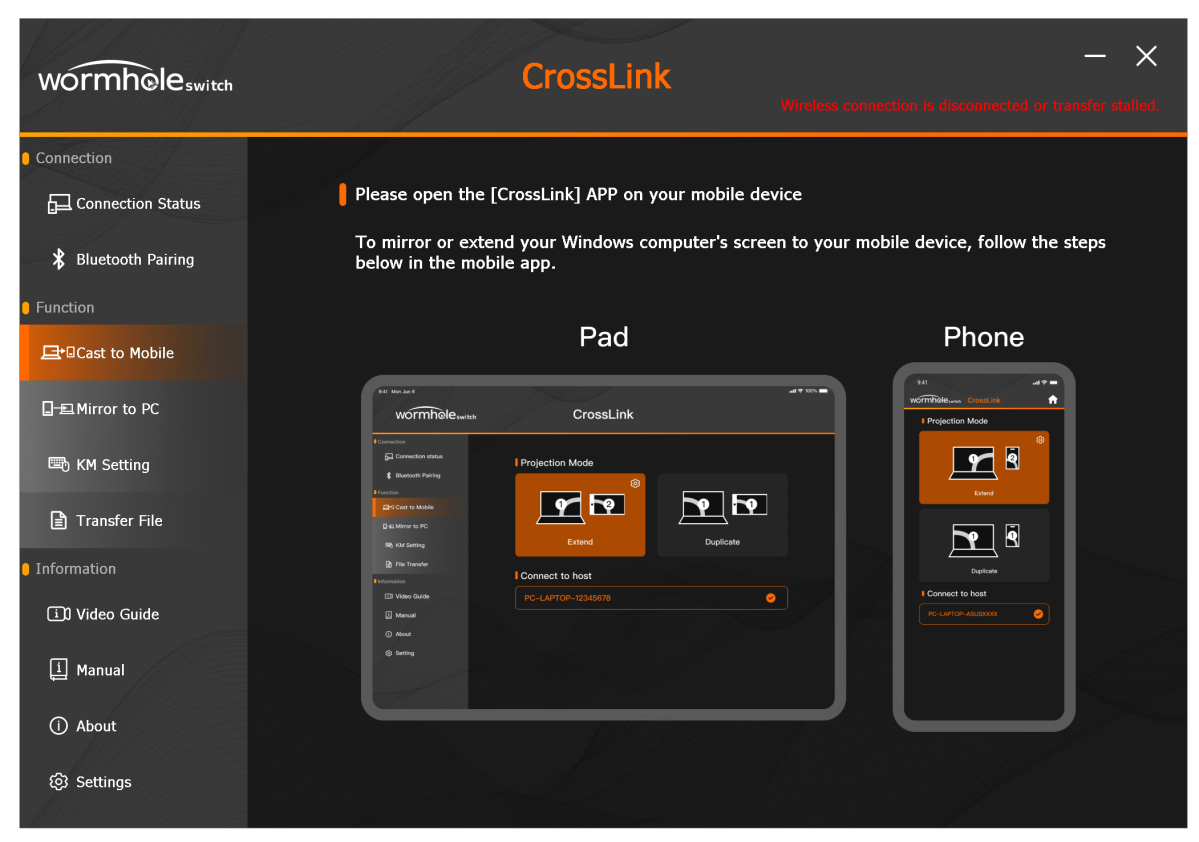
As noted, I did find the file transfer very handy. While iOS/macOS have AirDrop it doesn’t work with Windows. Aero Drop made transferring files to and from the iPhone, as well as my Android phone (which offers other methods such as tethering via a cable) a breeze.
The issue there is, of course, Windows Phone Link and Link to Windows for Android and iOS, which can do the same thing. But those transfer files via your Microsoft account, not local Bluetooth or Wi-Fi. Aero Drop is faster.
I also avoid using my Microsoft account as much as possible (I log onto Windows with a local account) as I don’t like the telemetry involved. But that’s my bias and you should feel free to make use of what’s admittedly a rather handy Microsoft feature.
I would truly have liked to test the Aero Drop with my Macs, but alas… macOS is not supported in any flavor.
How much is the Aero Drop?
The J5create Aero Drop (JUAW22) is $70. That includes the cute spaceman enclosure as well as the client software for all supported operating systems and devices.
How easy was the Aero Drop to install?
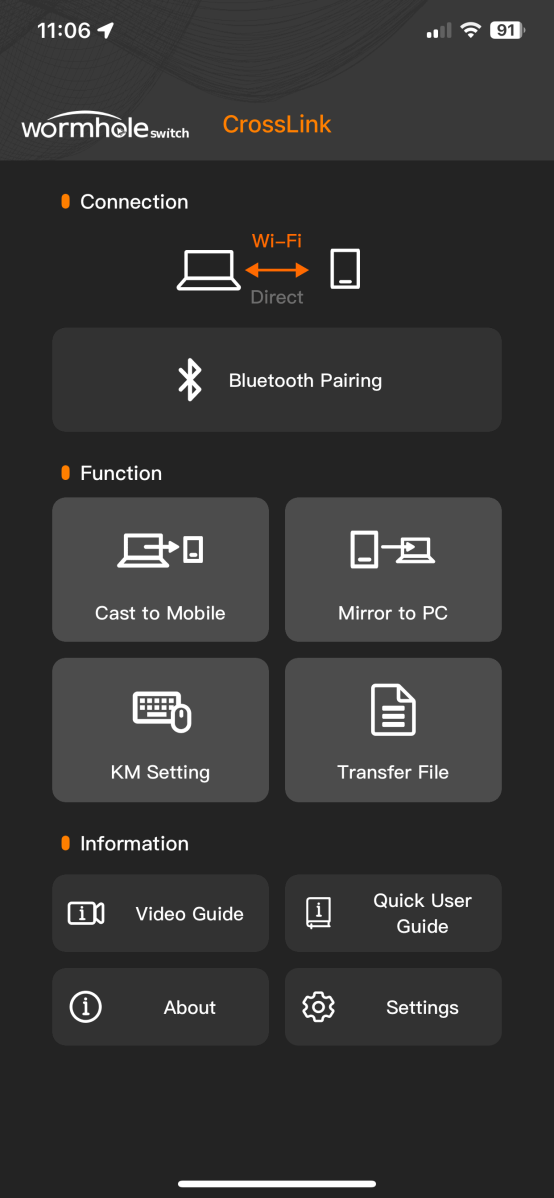
To use the Aero Drop you need to install the Crosslink Wireless client software and keep it running on the PC and devices involved. On iOS and Android this was easy.
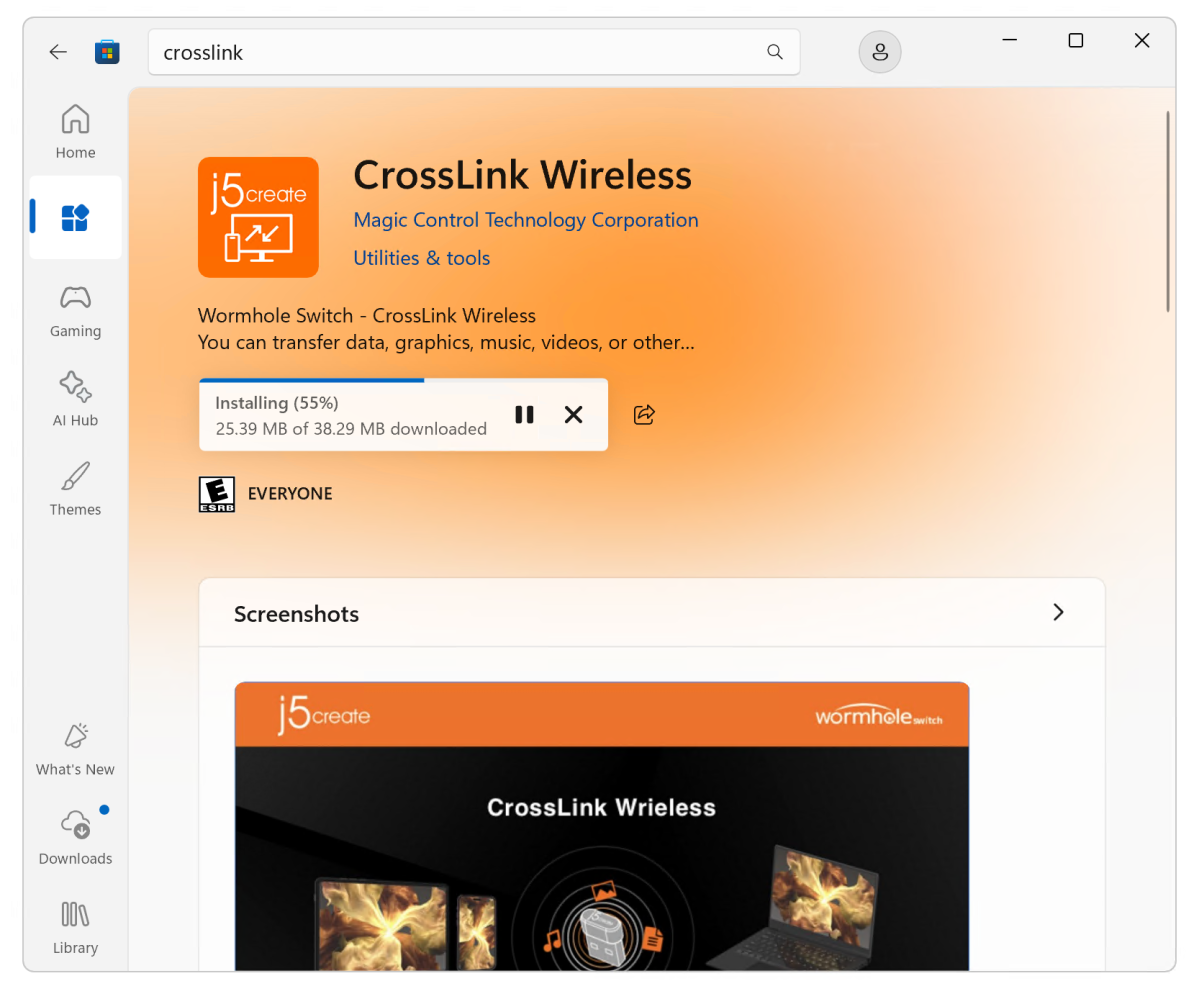
However, I found the Windows install peeving to say the least. Downloading the Wormhole Switch app from the Microsoft store was easy, but at first it complained about a failed transfer and wireless connection, and the Bluetooth pair screen refused to close, blocking my progress to the main page and settings.
I understand that the Aero Drop won’t function without pairing to other devices, but how about a dialog saying that rather than just stubbornly stranding you at the Bluetooth dialog.
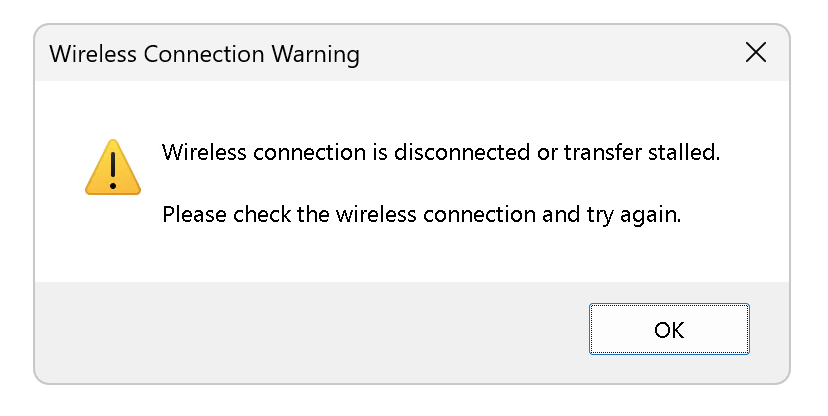
Annoyingly, a popup saying that the wireless connection was kaput kept popping up. Everything worked as it should, but geez…
Pairing of course allowed me to proceed to settings as well as my testing. J5Create said they’re working on these issues and they may be solved by the time you read this. I had no real problem using the software once it was installed, but this was all a bit amateurish.
How does the Aero Drop perform?
I did most of my testing with an iPhone XS Pro (I prefer the older rounder edges and don’t care about the latest iOS at this point), as well as a Motorola G5 Android phone. I borrowed a late-model iPad for the purpose as well.
As to the display sharing, to me it was only really worthwhile with the iPad. Phone displays are simply too tiny to be used on a regular basis. As a one-off when you can’t find your tablet, sure, but that would be it for me.
On the other hand, sharing the phone display to the computer and being able to record it could be quite useful under some circumstances. Below is the desktop screen shared to an iPhone in portrait mode. Not unusable, but not great.
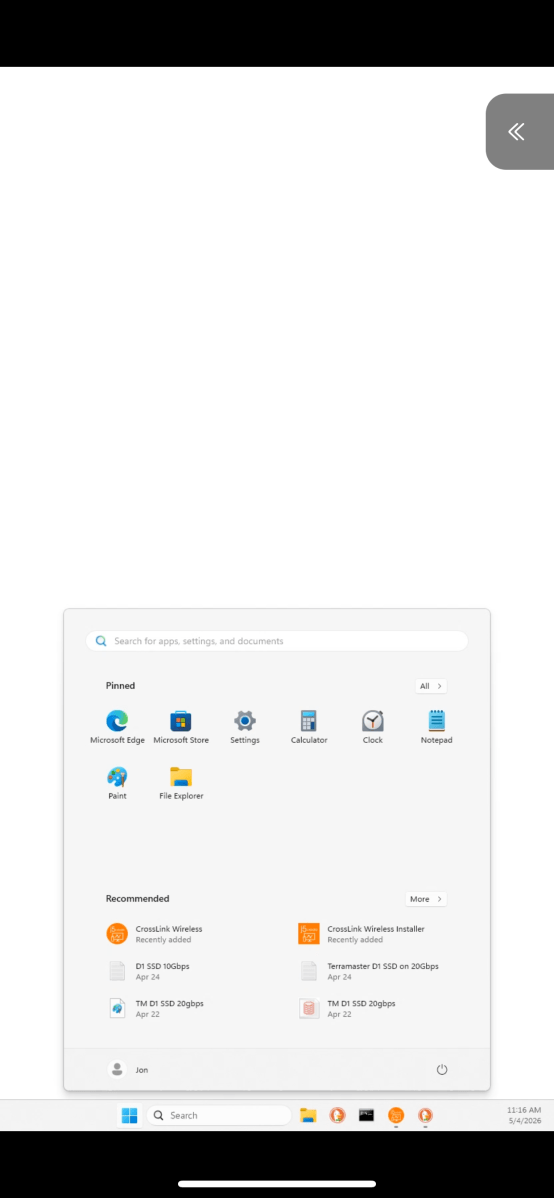
Below is the iPhone with the extended display. Sadly the swipe bar obscures the taskbar. This is accounted for in portrait mode shown above, but not in landscape mode as shown below. Bummer.

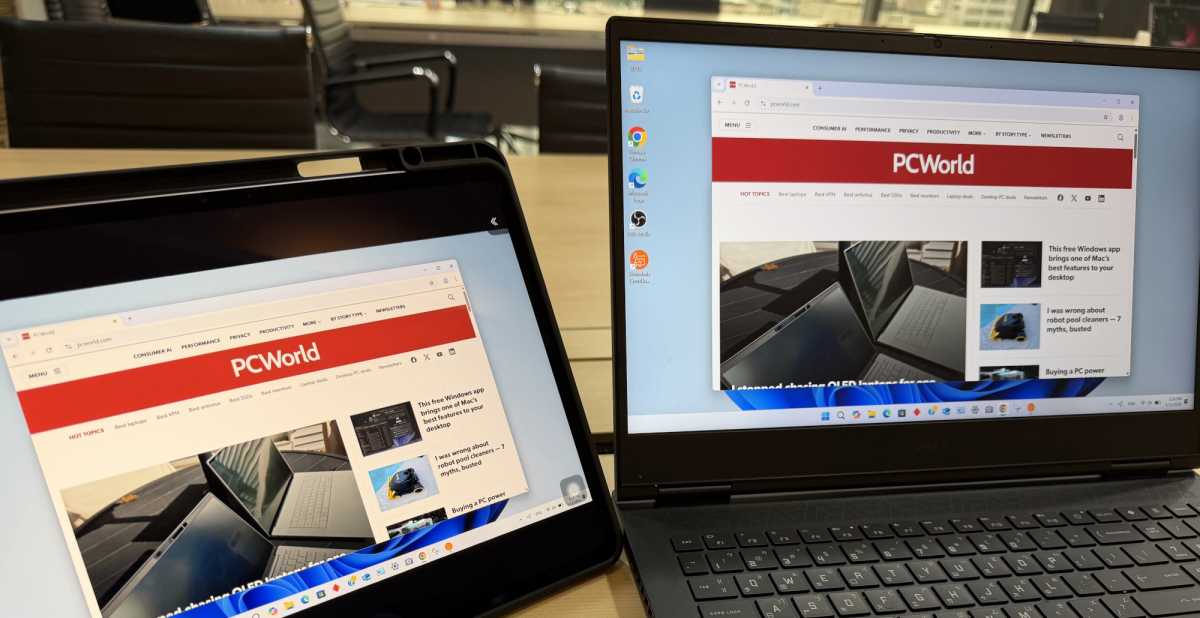
By far the most useful scenario for Aero Drop’s display sharing, in my book, is a tablet mirroring or extending a laptop/PC display. Mirroring lets you use your laptop/PC’s keyboard and trackpad.
File transfers were quick and easy, though of course limited on the iPhone or iPad to what Apple allows to be accessed. Basically photos, videos, and files in the user-files repository.
All in all, the Aero Drop performed as advertised. I would truly have liked to test the Aero Drop using my Macs, but alas… macOS is not supported in any flavor.
Should you buy the Aero Drop?
If you have a tablet as well as a Windows laptop or PC, the Aero Drop CrossLink Wireless dongle is a neat way to share displays and peripherals. Have at it.
If you don’t have a tablet, it might be overkill for simply sharing files — though I do prefer the Aero Drop’s local communications over Microsoft’s cloud relay.


