The first time I pulled the Flowtica Scribe out of its box, two words came to mind:
Old-school.
The Flowtica Scribe is an AI-powered voice recording pen. The leather charging case it comes in reminds me of something you’d see on a writer’s desk. Together (pen plus charging case), it costs $209.
The idea here is to make capturing thoughts easy and effortless…. but that wasn’t exactly my experience. Instead of aiding my life, my AI pen made me forget how to talk and made me deeply self-conscious.
Can AI keep up with the way I think?
I’m not much of a handwriting person anymore. Now I just type my thoughts and observations in the Notes app on my iPhone. It’s not very sexy or magical, I know.
My thoughts tend to arrive in fragmented bursts. It’s a barrage of half-formed thoughts and random asides. Sometimes there’s a weird joke. The point is I want to recognize my own voice when I go back to them later. That’s what AI strips away, and it drives me bananas.
Since I’ve been meaning to get back into the habit of handwriting, the Scribe seemed like a good excuse. Besides, the writer in me can’t resist a beautifully designed notebook. I swear they call to me like sirens. That’s why I’ve got a backlog of empty ones in my home office.
Foundry / Ashley Biancuzzo
Actually writing with the Scribe is okay. I mean, it writes well enough–I just prefer the smoother glide of a gel pen. The bigger issue here is that the pen is uncomfortable to hold for long periods of time. It’s just a metal tube. There’s no rubber to make it more comfortable for your fingers.
How much of my life does the AI need to know?
The setup offered an early clue.
Flowtica asked for access to my personal calendar on my iPhone, which I declined.
I totally understand why it wants to connect to my calendar. The whole idea here is integration: Flowtica can turn action items into scheduled tasks.
But my personal calendar has sensitive information like medical appointments and personal commitments with friends. Those are pieces of my life I’m not comfortable sharing with an AI device. I’m also the type of person that worries a lot about online privacy. I looked over Flowtica’s privacy policy, and it’s not clear whether information from my calendar is ever sent to AI providers.
The dictation feature messes with my creative flow too much
Before I could record anything, I had to wrestle with the Bluetooth connection. I eventually re-paired the Scribe and its charging case through my phone’s settings. It wasn’t exactly the effortless setup I was hoping for.
The buttons were a little confusing at first. Flowtica promises “one press” and “no learning curve.” But my experience wasn’t quite that seamless.
The button on top of the pen starts and stops the recording, while the button on the side is meant to “highlight” an important part of the conversation. I understood the basic idea, but I was initially confused about what the side button was doing and when I was supposed to use it. Trying to remember which button does what totally breaks my concentration when I’m brainstorming.
Instead of following a thought, I found myself thinking about the pen and its buttons. Am I recording? What does this button do again?
When the recording is done processing, the Flowtica app gives you two views. The first is a word-for-word transcription. The second is an AI-generated summary. It does take some time for the transcription to process in the app. Although my first recording was just over a minute long, it took a few minutes to process. That feels slow for such a short note.
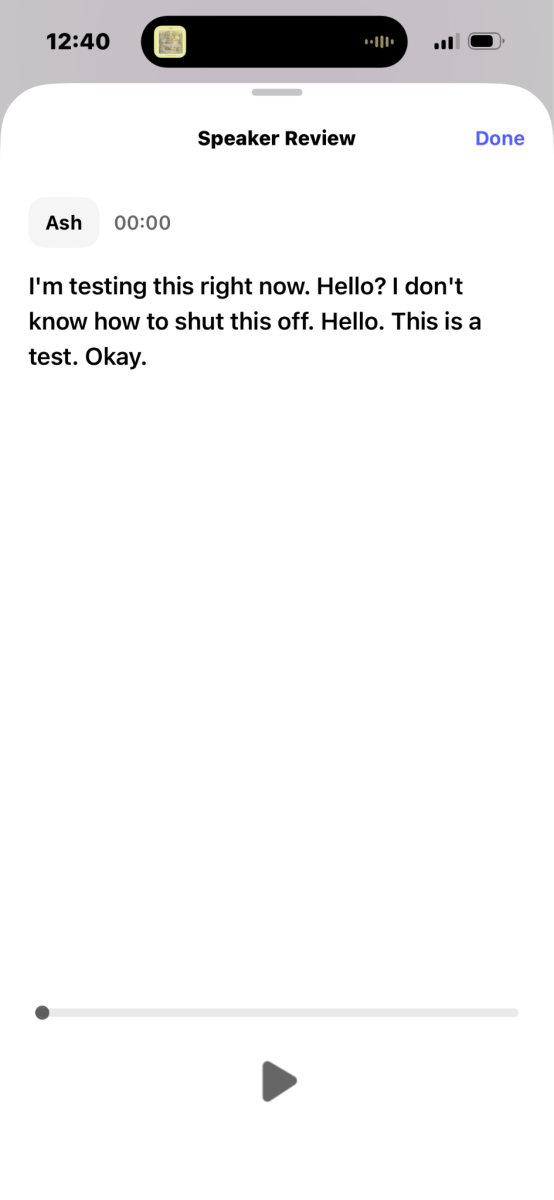
The transcript was comically accurate, right down to how frustrated and confused I sounded while I was fumbling my way through things. So at least it was listening.
The second recording was basically me rambling about how I was still confused about the buttons, although I was getting closer to figuring it out by that point. The transcript captured all of that rambling and then the summary organized it in a way that made it easier to follow.
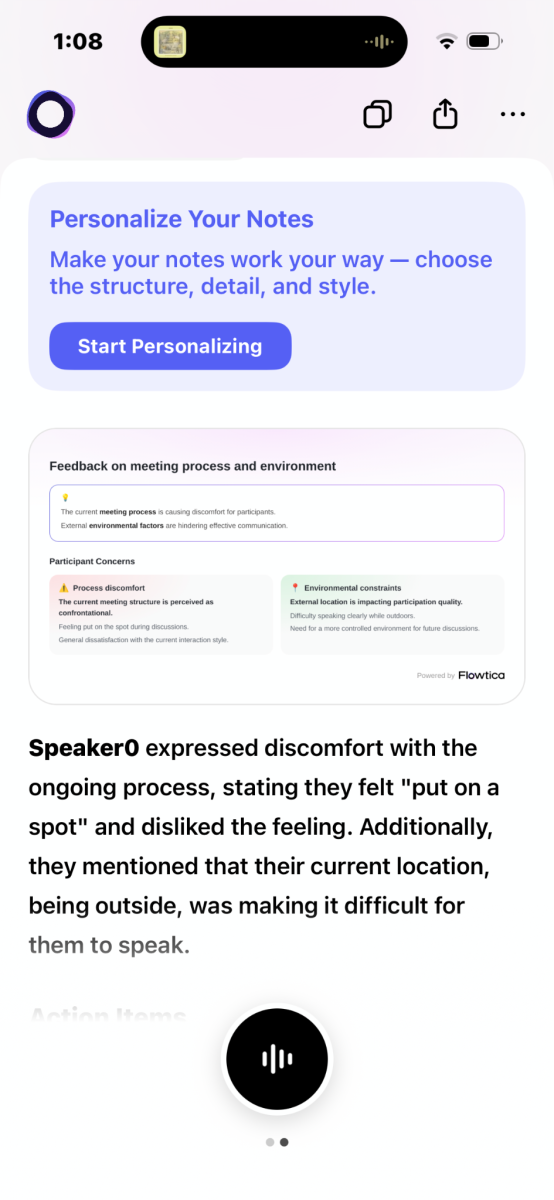
But I find the AI summary off-putting, and I think it’s because it diluted my voice. It made me sound more like a bland corporate person (no offense), not the eccentric person I am.
I’ve had a nugget of a story idea rattling around in my head for a while, so I tried explaining it to the Scribe. Weirdly enough, this is where I really struggled.
The idea was still fuzzy. It’s about a queen who floods her castle with her own sadness. But once the Scribe vibrated in my hand, letting me know I was being recorded, I blanked out. Instead of just letting the idea tumble on out of me, I hesitated–I was hard focusing on how I sounded. My written notes are messy and immediate. Speaking into the Scribe made me weirdly self-conscious, which I didn’t expect to happen.
Who is the Scribe actually for?
The Scribe isn’t a useless gadget–I’ve just got a different way of thinking and processing. But if you’re the type of person who puzzles out your own thoughts and ideas by talking them out, I can absolutely see the appeal. It’s a good tool for capturing meetings, too. That’s probably what the manufacturer had in mind, anyway.
Not my cup of tea
I feel more comfortable writing than speaking. That’s just the truth of it. When I’m brainstorming, I like to let my thoughts come out without restriction. The messier, (usually) the better. With the Scribe, I couldn’t speak my thoughts as well as I could write them. It was like getting stage fright every time I pressed the record button.
I don’t think the Scribe is strictly “good” or “bad.” I just think it’s designed for a very specific type of person. For me, it was more of a hindrance than a help.


