Summary created by Smart Answers AI
In summary:
- Macworld reports iOS 26.5 introduces several major updates including end-to-end encrypted RCS messaging for secure iPhone-Android communication and ads in Apple Maps search results.
- The update enables third-party app marketplaces in Brazil following regulatory changes and simplifies Magic accessory pairing through USB-C connections.
- Key additions include a customizable Pride Luminance wallpaper with dynamic color effects and enhanced cross-platform messaging features for better user experience.
With WWDC less than a month away, Apple has officially released iOS 26.5 to all iPhone users, and while it isn’t a major update, it introduces many long-awaited tweaks and improvements, as well as new options for customizing the look of your iPhone or iPad.
From encrypted RCS messages to controversial changes in Maps and a beautiful new Pride wallpaper, here’s everything new in iOS 26.5.
Encrypted RCS messaging
One of the most notable additions in iOS 26.5 is support for end-to-end encrypted RCS messaging in the Messages app. While it’s still technically labeled as a beta feature and limited to supported carriers, it’s the first step toward iPhone users being able to chat securely with their Android friends.
Apple had previously tested encrypted RCS during the iOS 26.4 beta cycle, but the feature didn’t make it into the general release. Now, it’s officially rolling out to users.
iOS 26.5 brings encryption to RCS messages for the first time.
Foundry
RCS already brings iMessage-like improvements such as better media quality, typing indicators, and read receipts when messaging Android users. With end-to-end encryption, Apple is closing one of the biggest privacy gaps between iPhone and cross-platform conversations.
That said, availability will vary depending on carrier support, so not everyone will see it right away. However, all three major carriers (Verizon, AT&T, and T-Mobile) are already beta-testing it, so it shouldn’t be long. You can enable encrypted RCS messages by going to Settings > Apps > Messages > RCS Messaging.
Pride Luminance wallpaper
As part of its annual Pride collection, Apple is introducing a new “Pride Luminance” wallpaper in iOS 26.5. There’s nothing new about that—Apple has released a new wallpaper to celebrate Pride Month for years—but this year’s design takes it to a new level.
Pride Luminance isn’t just a static background. The wallpaper dynamically refracts colors as you move or unlock your iPhone, creating a subtle animated effect.
Apple’s Pride Luminance wallpaper is as customizable as it is gorgeous.
Foundry
More interestingly, it’s highly customizable. Users can create their own version of the wallpaper by choosing from up to 12 different colors, making it one of the most flexible system wallpapers Apple has ever made.
Not only that, but Apple Watch users will also find a new Pride Luminance watch face in watchOS 26.5 that perfectly matches the new wallpaper.
Apple Maps gets Suggested Places (and ads)
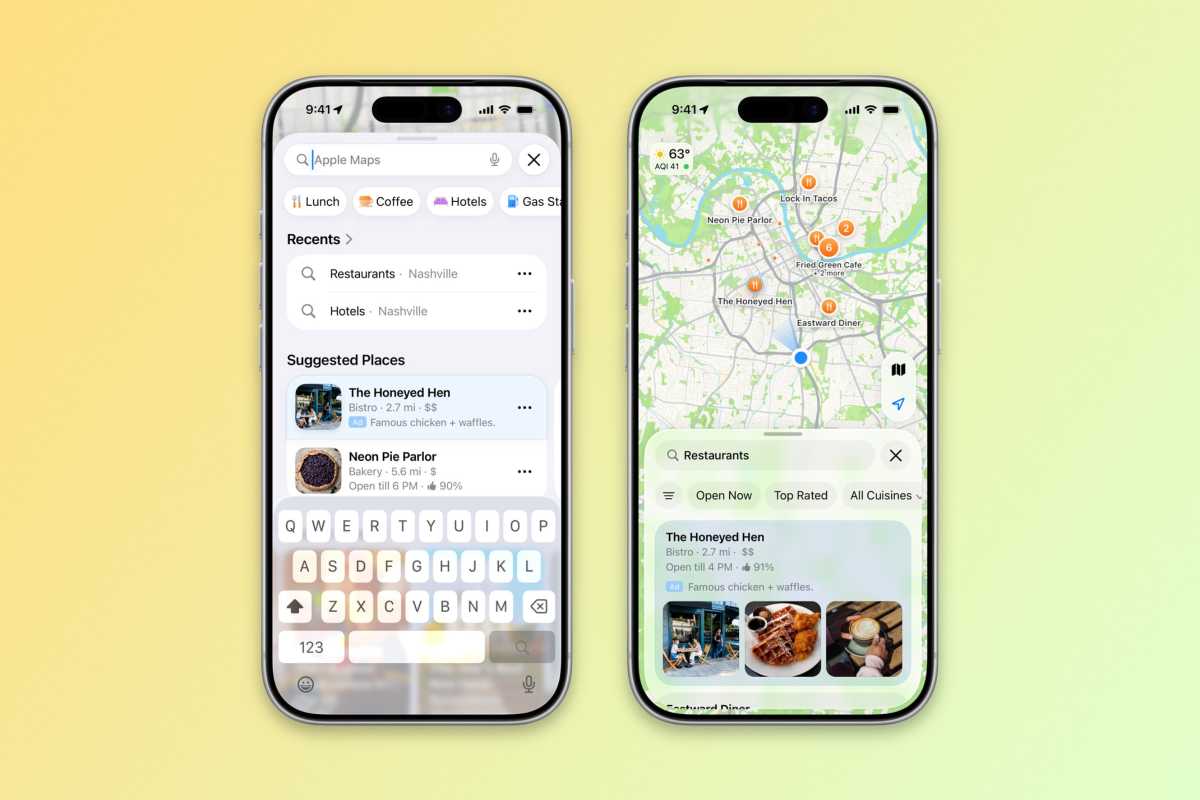
iOS 26.5 paves the way for ads in Apple’s Maps app.
Foundry
iOS 26.5 also introduces a new “Suggested Places” feature in Apple Maps. This section shows recommendations based on what’s trending nearby, along with your recent searches. On the surface, it’s a discovery feature designed to help users find new restaurants, shops, and points of interest.
But it also marks something more significant: the introduction of ads in Apple Maps.
Businesses can now pay to have their locations promoted in search results, meaning some of the suggestions you see may be sponsored. According to the company, privacy remains a top priority. Ads won’t be linked to users, and advertisers won’t be able to target specific groups of users, Apple promises.
Apple hasn’t made a big deal about this in its release notes, but it represents a notable shift for the platform.
Easier accessory pairing via USB-C
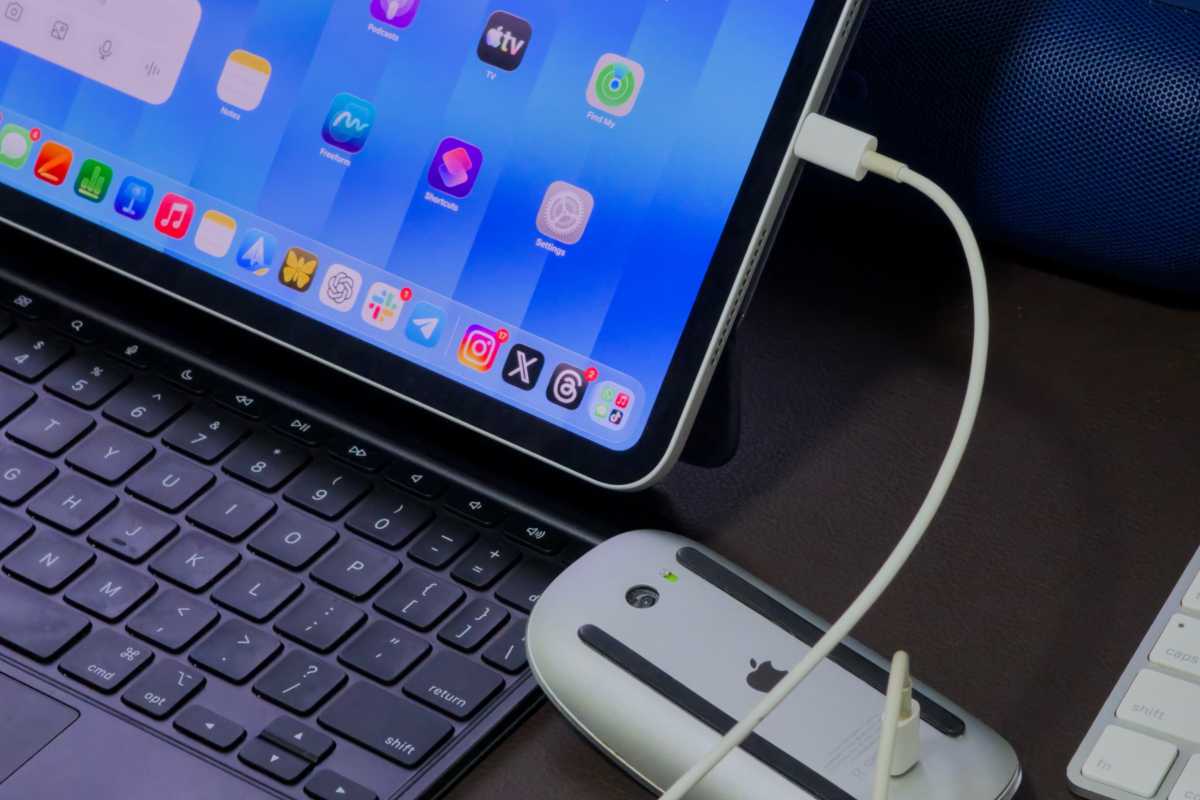
Pairing your Magic accessories with an iPhone or iPad is a little easier in iOS 26.5.
Foundry
Another small but very practical improvement is a new way to pair Apple accessories such as the Magic Mouse and Magic Keyboard.
With iOS 26.5, you can simply connect these devices to your iPhone or iPad using a USB-C cable, and they’ll automatically pair. After that, you can disconnect the cable, and they continue working wirelessly over Bluetooth.
It’s a simple change, but one that removes friction, especially for users who rely on these accessories with multiple devices.
Improvements for switching from iPhone to Android
Following the introduction of a new tool that makes it easier to transfer data from an iPhone to an Android device with iOS 26.3, Apple is now giving users a little more choice.
With iOS 26.5, the iPhone-to-Android transfer process now lets users choose which message attachments they want to keep for more control over what gets moved, instead of forcing a full transfer of all media.
EU-exclusive features continue to expand
As expected, iOS 26.5 includes additional region-specific changes for the European Union.
With this update, users can mirror not only notifications but also Live Activities to non-Apple devices. iOS 26.5 also extends the same AirPods quick-pairing experience to third-party accessories.
Unfortunately, since this is a requirement under EU law, these features aren’t available to iPhone users in the rest of the world.
App marketplaces are coming to Brazil
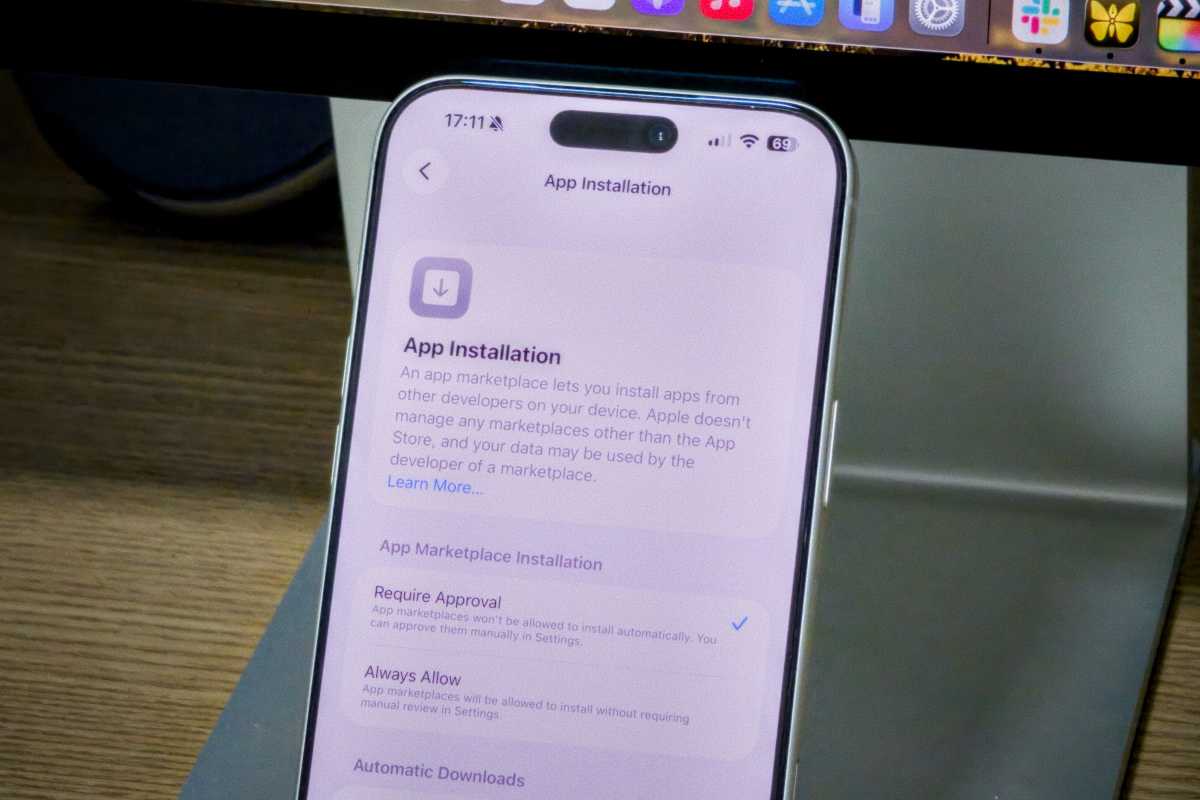
Users in Brazil will soon be able to access third-party app marketplaces.
Foundry
Following similar changes in the EU and Japan, iOS 26.5 lays the groundwork for alternative app marketplaces in Brazil.
While the feature isn’t live for users yet, the update includes the necessary system support for third-party app distribution outside the App Store. That means iPhone users in Brazil will soon be able to download apps from alternative app stores, another international change driven by local regulatory changes.
Update your iPhone right now
In addition to these features, iOS 26.5 also includes bug fixes, performance improvements, and security updates. That’s why it’s always important to keep your devices updated with the latest software.
That said, this is likely the last iOS 26 update ahead of WWDC 2026, where Apple is expected to give a sneak peek at what’s coming in iOS 27.
You can install iOS 26.5 by going to Settings > General > Software Update. The update is available for iPhone 11 and later.


