At a glance
Expert’s Rating
Pros
- Malware detection that caught nearly every threat
- Fast scan speeds, processing 700GB+ and millions of files in under 10 minutes
- Strong, granular firewall controls with easy allow/deny/edit rule management
Cons
- Lacks web/phishing protection and parental controls
- Slow quarantine cleanup
Our Verdict
Intego ONE offers super malware detection and some of the best firewall controls, as well as fast scanning speeds and quick external drive scanning. It’s held back by missing features such as spam and phishing prevention, and slow performance during cleanup, but it’s a strong choice for Mac users who want protection from malware and network control and visibility at a good price.
Price When Reviewed
This value will show the geolocated pricing text for product undefined
Best Pricing Today
Price When Reviewed
Intego ONE Essential from $2.50 a month/one device/first year, then $3.33 a month or $29.99 for the first year and then $39.99 a year.
Best Prices Today: Intego ONE
- Who should consider Intego ONE: Mac users who want strong, reliable malware protection with advanced control over network activity should seriously consider Intego ONE Complete. It’s especially suited to users who prioritize security performance over having an all-in-one feature set.
- What Intego ONE does best: It excels at detecting and blocking malware, with near-perfect detection rates and impressively fast scan speeds even on large drives. The firewall is also a standout, offering clear visibility and granular control over network connections.
- What it lacks: It’s missing key features you’d expect at this price, like phishing protection and parental controls. It can also slow your Mac during cleanup tasks and has a few bugs that can interrupt normal use (we are verifying if these have been fixed in the final version of the software).
Intego ONE is Intego’s new antivirus anti-malware package, which replaces Intego’s Internet Security X9 package. We have long recommended the latter as the best antivirus utility for Mac users thanks to its excellent malware detection, strong ransomware protection, and tools built specifically for macOS. Intego ONE tops its previous efforts in some respects.
There are three plans available, each of which covers one, three or five devices.
- Intego ONE Essential: Antivirus protection and a firewall
- Intego ONE Advanced: Adds SmartClean to free up disk space and remove junk files
- Intego ONE Complete: Adds Intego VPN
We tested Intego ONE Complete, including the Antivirus, Firewall, VPN, and SmartClean modules. Each module offers its own functions and customization settings.
Intego ONE requires macOS 12.4 (Monterey) or later to install and run, and like Intego’s previous products, it is easy set up: the software asking for permission for full disk access as well as permission to create a network extension for firewall and filtering functions.
Antivirus: How good is Intego ONE Complete at detecting malware?
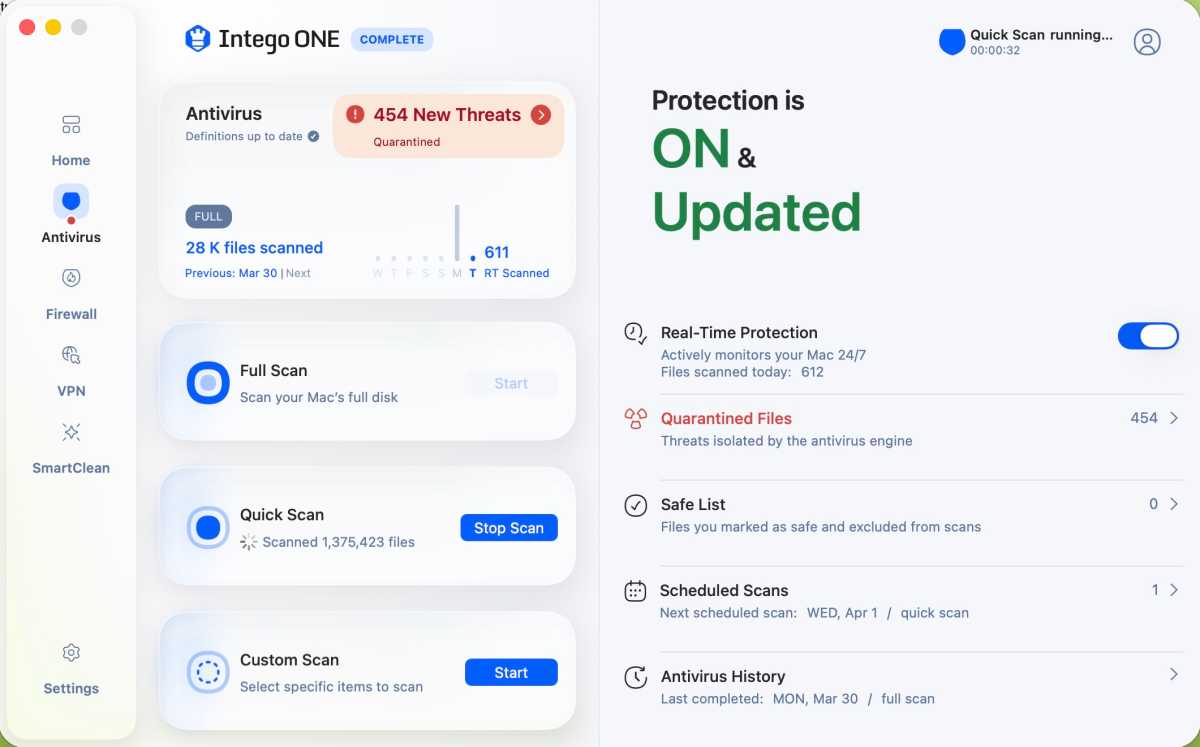
An Intego ONE Complete Quick Scan in progress
.
Foundry
Perhaps the strongest feature of the package, Intego ONE’s antivirus module took just about everything I threw at it from over 130 viral samples from the Objective-See malware collection and came out smiling. The software, which offers Full Scan, Quick Scan, and Custom Scan options, dovetailed in perfectly with the Xprotect/Gatekeeper tools found in macOS Tahoe 26.4, issued warnings, and prevented malware and ransomware from being installed on all fronts.
What few exceptions did get through via developer tools such as Xcode or Visual Code were caught moments later, and where I thought a fake copy of the Transmission BitTorrent client had gotten through, Intego ONE flagged it and quickly removed it via quarantine. Even fake Flash Player applications, which have long been the bane of antivirus utilities, were stopped immediately, and the software came through with flying colors while also scanning my MacBook Pro’s SSD, complete with more than 877GB of data, in under 10 minutes.
Other nifty features from the Antivirus module included a Custom Scan feature, which was well-implemented and included targeted scanning as well as an excellent auto-scan feature in which a test flash drive with malware on it was quickly scanned and its suspect files quarantined. A handy scheduling feature worked like a charm, and it’s easy to configure a set daily, weekly, or monthly scan as needed.
Firewall: How much control does the firewall actually give you?
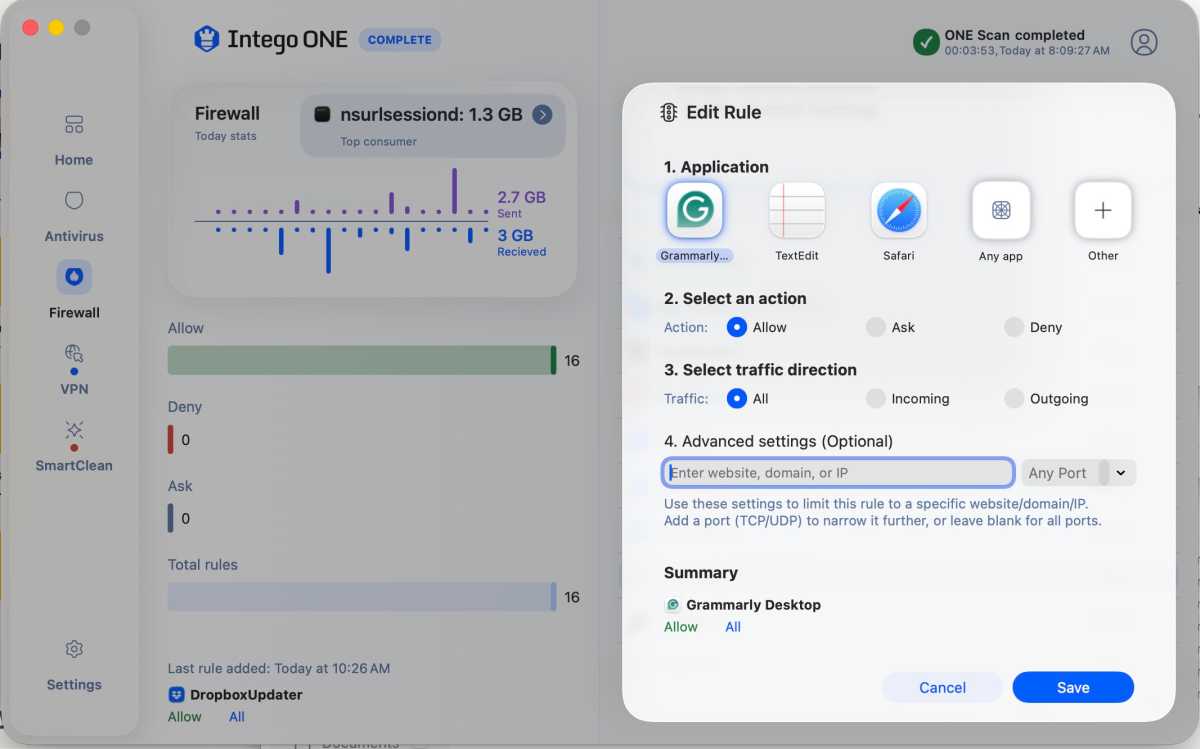
Quickly editing a Firewall function and assigning an application to a function.
Foundry
Intego ONE’s firewall feature may not be as customizable as a systems administrator might like, but what’s present is on point, complete with readily accessible configuration options that allow for a network connection and allow it to be denied or edited on the fly.
One of the first things you’ll notice after installing the software is how active the firewall itself is, reminding you of network connections as they emerge and asking whether you approve them or if they might be suspicious.
New rules can be created on the fly, and easy scripting allows you to activate applications on your Mac to deal with them as well as add a network port. A list of currently approved networks is available, and you can see which servers your Mac is trying to talk to and get a bead on your overall network traffic.
VPN: Is the built-in VPN good enough to use daily?
With the Intego ONE Complete plan you can take advantage of a VPN. This VPN may not be as robust as a dedicated VPN app, but what’s present is robust and has a good level of customization. Just click into the module from the home screen, activate the VPN, and it’s easy to geolocate to one of 51 servers around the world, as well as choose favorites.
Interestingly, the VPN module offers a choice between your preferred VPN module, wherein you can choose between Lightway – UPD, which is optimized for speed, and Lightway – TCP, which is optimized for reliability. Where performance itself was concerned, the bandwidth proved excellent, and the frame rates and audio sync on streaming content proved excellent.
SmartClean: Is SmartClean a good Mac cleaner?
The SmartClean module is included with the Intego ONE Advanced and Intego ONE Complete plans. It’s a tool for disk optimization and offers several functions to manage CPU usage, RAM usage, a Disk Space Monitor, an App Uninstaller, and Optimization history.
Each function works well, and the overall SmartClean Optimization Scan was able to locate 111GB of large files on my Mac that could be removed, as well as 500MB of cache and log files. It is a good way to claw back some drive space without decimating your larger work files.
This disk cleanup can be extended in the settings to also include old downloads and old trash files, which is a nice option.
The Uninstaller function worked well and cleanly removed several extraneous applications I had on my SSD, but an attempt to remove a copy of DaVinci Resolve during a test run had to be repeated. This is one of a few bugs that cropped up in our testing of the Release Candidate, so we raised these issue with Intego and will be verifying that it has been addressed in the final version of the software.
What is missing vs the competition
A lack of parental controls and spam/phishing protection seems to constitute missing features.
What issues and bugs did we encounter?
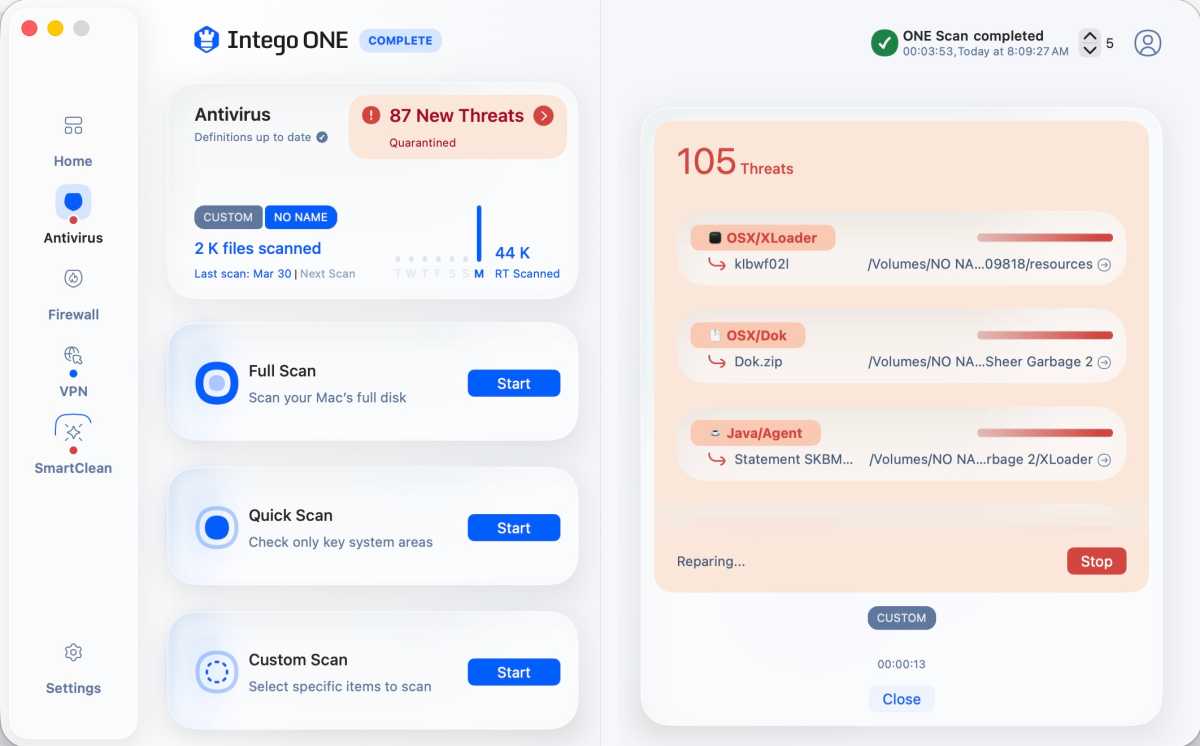
Quarantining suspect files in Intego ONE
.
Foundry
While Intego ONE Complete is generally excellent and its component functions shine, there were some bugs that stuck out as well as interface elements that could stand some improvement. However, since we were testing the Release Candidate it is possible Intego has addressed these issues in the final version and we will verify if this is the case.
- The user interface, though generally friendly and welcoming, doesn’t allow for a full-screen viewing option, which seems odd. Yes, you can minimize and close the window, but never extend it to a full-screen option, which is irritating.
- The application occasionally asked for system password confirmation no less than half a dozen times while quarantining suspect files from a flash drive.
- We encountered incredibly slow performance when the application was quarantining large numbers of files that had been discovered, essentially bringing my Mac to a crawl. This seemed odd in that I’ve seen competing programs tear through this function, which apparently chewed up all of my system’s functionality, and made switching to other applications and using them incredibly slow.
- Another bug surfaced when one morning I opened Intego ONE Complete and the application put me through a setup menu and asked for full disk permissions, which had already been granted. After wrestling with this, I had to uninstall Intego ONE Complete, reinstall it, and reboot my Mac to create new settings and work around the issue, which has yet to resurface.
Still, despite these bugs, which we suspect will be quickly rectified, Intego’s done a good job, and its strengths do outweigh its weaknesses.
Pricing: Is Intego ONE good value?
Intego ONE Essential starts $2.50/£1.87 a month for one device for the first year, after that first year it will default to the full price of $3.33/£2.50 a month. That’s $29.99/£22.49 for the first year and then $39.99/£29.99 a year. You can choose a two year plan to keep paying the lower price for longer.
Intego ONE Advanced (with the Mac cleaner) is currently $52.49/£41.24 for the first year, and Intego ONE Complete (with the VPN) is $67.49/£52.49 for the first year. There are plans for one, three or five devices.
In comparison to Intego’s Mac Internet Security X9, which though available for $24.99/£20.99 for the first year, rose to $49.99/£49.99 a year afterwards, the new pricing structure is better for the long-term. The price is also very favourable compared to alternatives we include in our round up of the Best Antivirus software for Mac users.
Foundry
Should you buy Intego ONE?
Intego ONE proves to be an easy recommendation if you’re looking for strong malware protection and advanced firewall control on your Mac, and this is where the application shines.
There are missing features, such as phishing protection and parental controls, so it might not be for everyone. But, where core protection is concerned, this is one of the best options available for your Mac, and this, combined with Intego’s 30-day money-back guarantee, makes it well worth a trial run.


