At a glance
Expert’s Rating
Pros
- 13 ports including Thunderbolt 5
- Dual HDMI 2.1
- 140W Power Delivery
- 30W USB-C
- 2.5Gb Ethernet
- Compact footprint
Our Verdict
Choose the SD5010T5 if you want a compact Thunderbolt 5 dock with dual HDMI 2.1 ports, 140W laptop charging, fast 2.5Gb Ethernet, and plenty of everyday connectivity. It’s ideal for HDMI-based monitor setups that don’t require extensive Thunderbolt expansion.
Price When Reviewed
This value will show the geolocated pricing text for product undefined
Best Pricing Today
Price When Reviewed
$299.99
Best Prices Today: Kensington SD5010T5 EQ Thunderbolt 5 Dock
$297.99
$304.99
What is it? A small-footprint Thunderbolt 5 dock with two HDMI ports.
Who is it for? MacBook users who want to connect a dock to HDMI displays at the fastest bandwidth.
Who shouldn’t buy it? Owners of displays with USB-C or Thunderbolt connections, or people who need more than three displays who should look at DisplayLink docks.
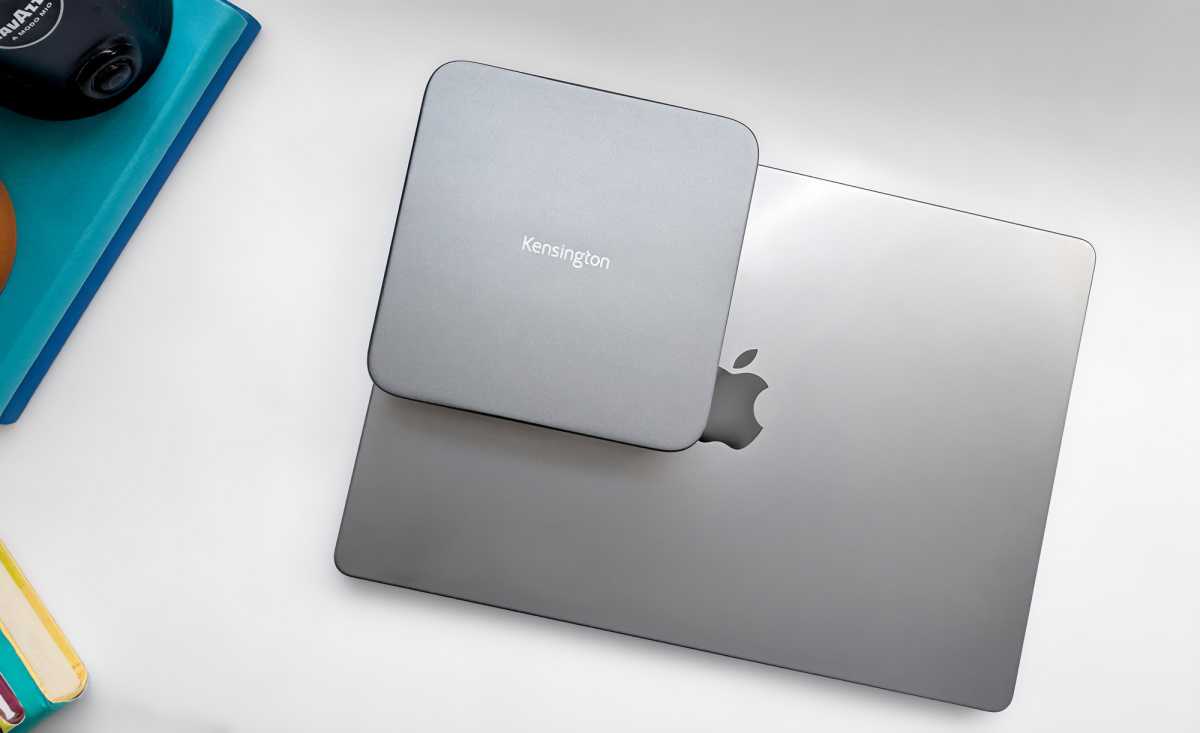
Apple’s Mac mini has inspired many docks and hubs into mimicking its dimensions for an easy fit that keeps dock and Mac in as small a footprint as possible. We round these up in our How to Upgrade the Mac mini feature, but here’s a compact Thunderbolt 5 dock that isn’t an exact match but offers more ports in a neat package.
The SD5010T5 is essentially the HDMI-focused version of Kensington’s SD5000T5. Choose it if your monitors connect via HDMI and you want native dual-display support without adapters. If you prefer connecting Thunderbolt displays, high-speed storage, or other TB5 accessories, the SD5000T5’s three downstream Thunderbolt 5 ports offer greater flexibility.
How big is the SD5010T5?
The Kensington SD5010T5 measure 5.5 x 5.5 x 1.6 inches (140 x 140 x 40mm). Compare that to the Mac mini’s smaller 5 x 5 x 2 inch (127 x 127 x 52mm) footprint, and you get an idea of the Kensington dock’s compact form.
Specs and features
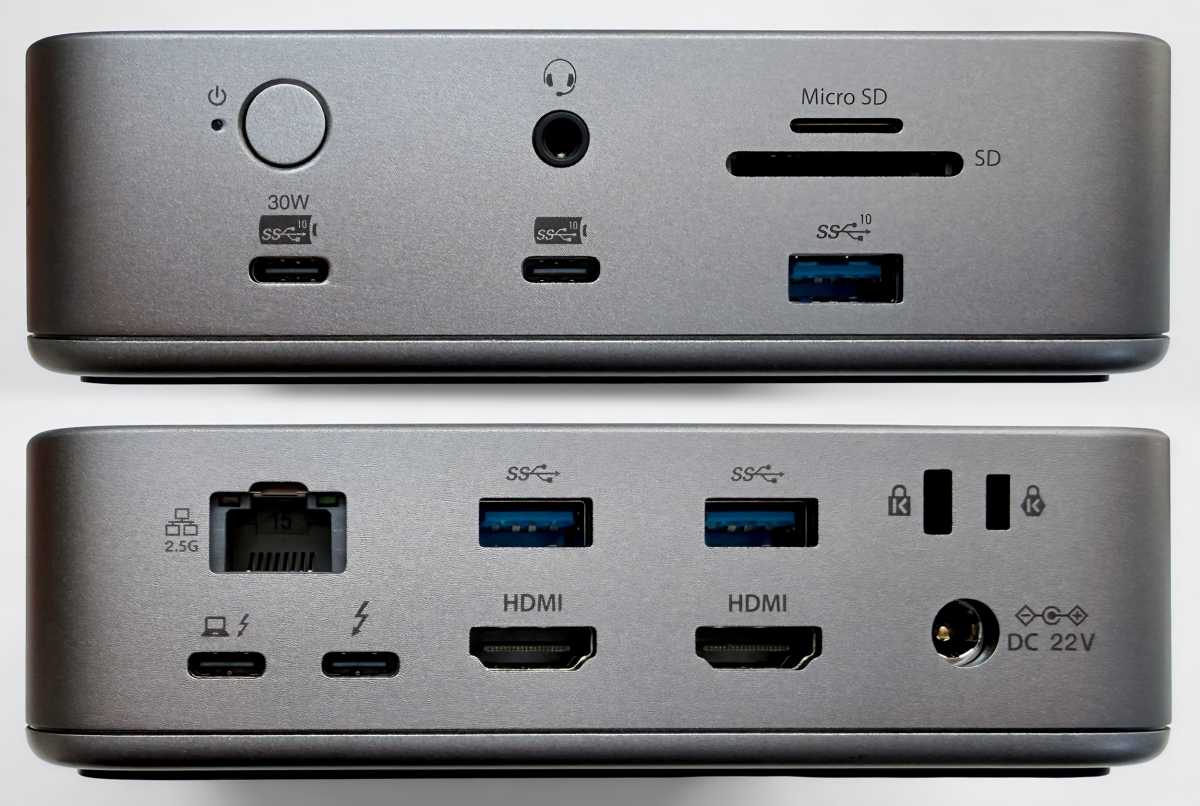
- One upstream Thunderbolt 5 port (80Gbps, 140W)
- One downstream Thunderbolt 5 port (80Gbps, 15W)
- 2x HDMI (2.1)
- 1x USB-C (10Gbps, 30W)
- 1x USB-C (10Gbps, 7.5W)
- 1x USB-A (10Gbps, 4.5W)
- 2x USB-A (5Gbps, 4.5W)
- Ethernet (2.5Gb)
- UHS-II SD card reader (312MBps)
- UHS-II microSD card reader (312MBps)
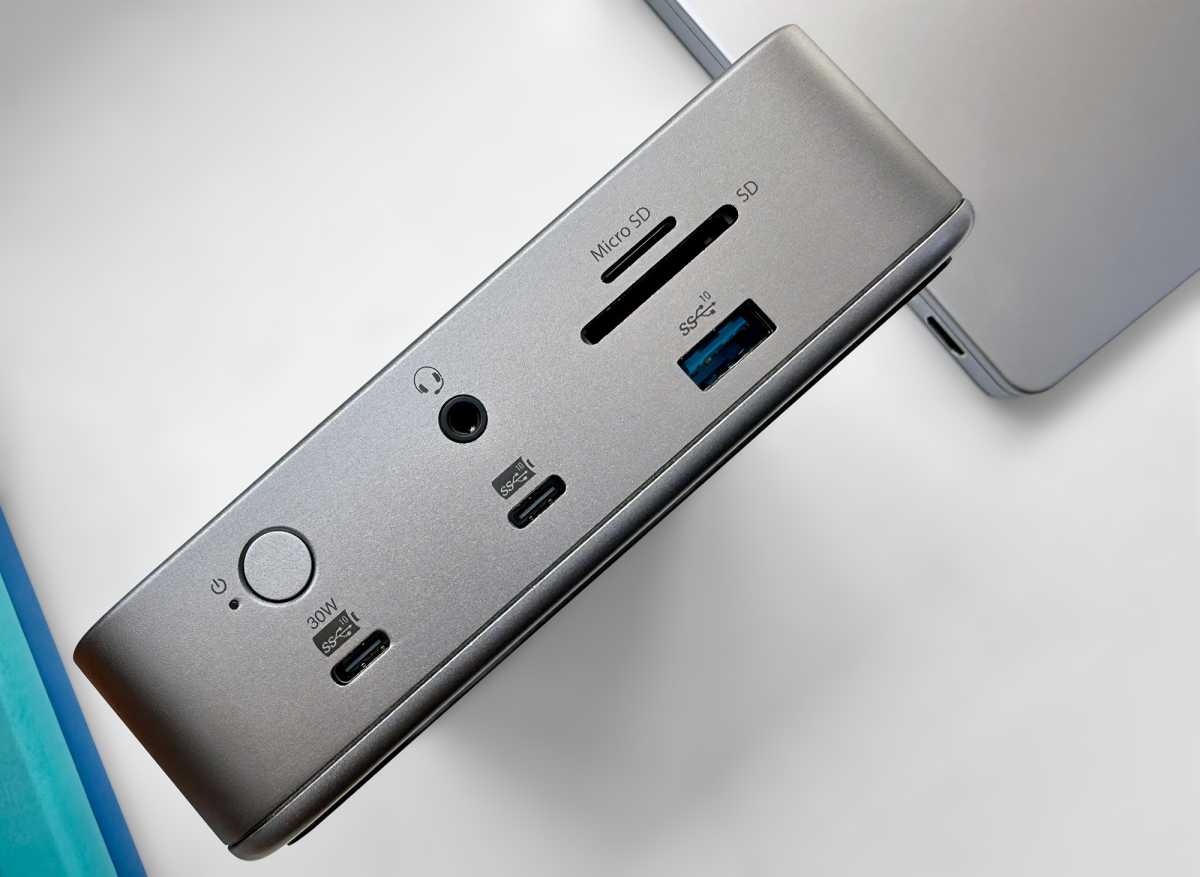
- 3.5mm combo audio jack (front)
- 180W power supply
Simon Jary
Kensington has sacrificed a couple of possible Thunderbolt 5 ports for two display-dedicated HDMI 2.1 ports, which is fine if your monitors host an HDMI connection. While this highly likely, three downstream Thunderbolt would have offered more flexibility although also the prospect of having to buy extra adapter cables if the display lacked a USB-C or Thunderbolt connection.
If you desire more Thunderbolt 5 ports, Kensington’s SD5000T5 Dock omits the HDMI ports for two TB5. Read our Kensington’s SD5000T5 Thunderbolt 5 Dock review to compare.
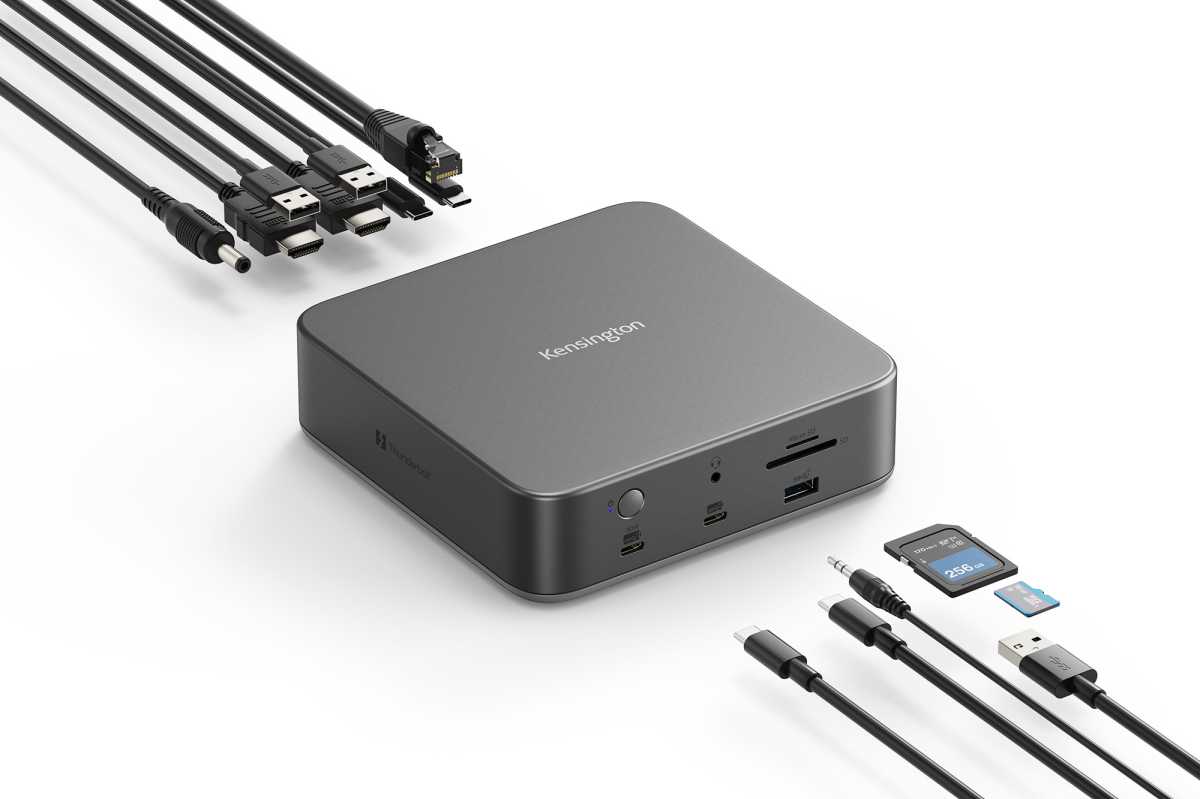
The SD5010T5 dock does have two spare USB-C ports, both at 10Gbps and one with a healthy 30W of power output; the other has 7.5W, which is at least more than the three 4.5W USB-A ports. 30W is enough to slowly charge a second MacBook or fast-charge an iPhone or iPad.
Kensington
The host MacBook can be charged at PD 3.1’s full 140W, which is powerful enough to fast-charge even a top-end 16-inch MacBook Pro.
The external power supply has a maximum 180W, which is enough for that 140W plus the 30W USB-C but not much else. As a MacBook is unlikely to be chugging back 140W, so 180W should be enough to keep this dock going without too much power throttling.
Some docks, such as Ugreen Maxidok 17-in-1 and CalDIgit TS5, come with a 240W power supply to allow for a heavier load from connected devices, but 180W is still the average.
Kensington
What display setups can it handle?
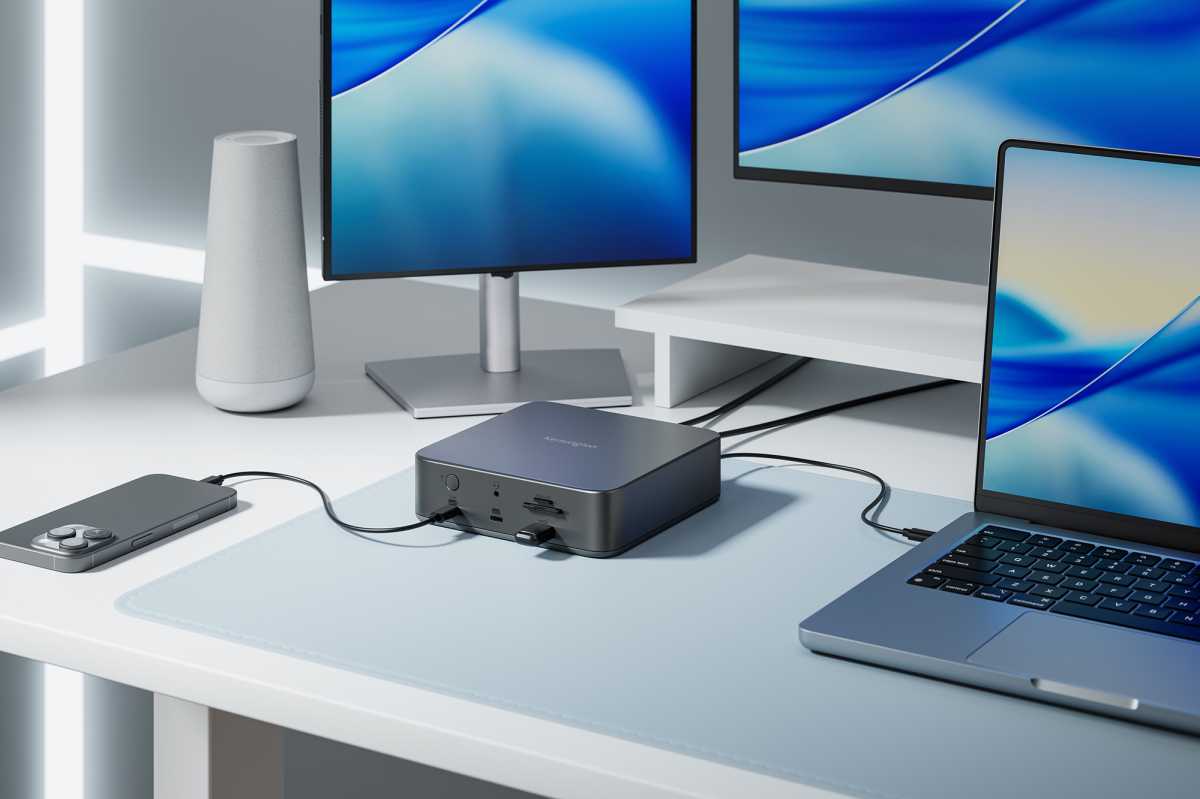
Kensington calls the SD5010T5 a “Triple 4K Docking Station”. However, the number of connected working displays depends as much on your Mac as the dock.
At the very top end, when paired with the latest M5 Pro or M5 Max chips, the SD5010T5 supports up to three external displays in Extended mode: one 6K/60Hz plus two 4K/60Hz. They can also run two 4K/60Hz plus one 4K at 144Hz (M5 Pro) or 240Hz (M5 Max).
MacBooks with M4/M5 base chips and M-Series Pro and Max chipsets, the dock supports two 4K displays at 60Hz via its two HDMI ports, or one 4K display at 60Hz and one display up to 6K via the downstream Thunderbolt 5 port. Sticking to Thunderbolt rather than HDMI might have allowed for dual 6K for Mac.
Kensington’s monitor matrix for Macs doesn’t include an 8K option for single displays. Windows laptops enjoy superior display resolutions: up to three 4K displays at 144Hz, or two 8K displays at 60Hz for Windows laptops via two HDMI ports and one Thunderbolt 5 port.
Simon Jary
What networking features does it offer?
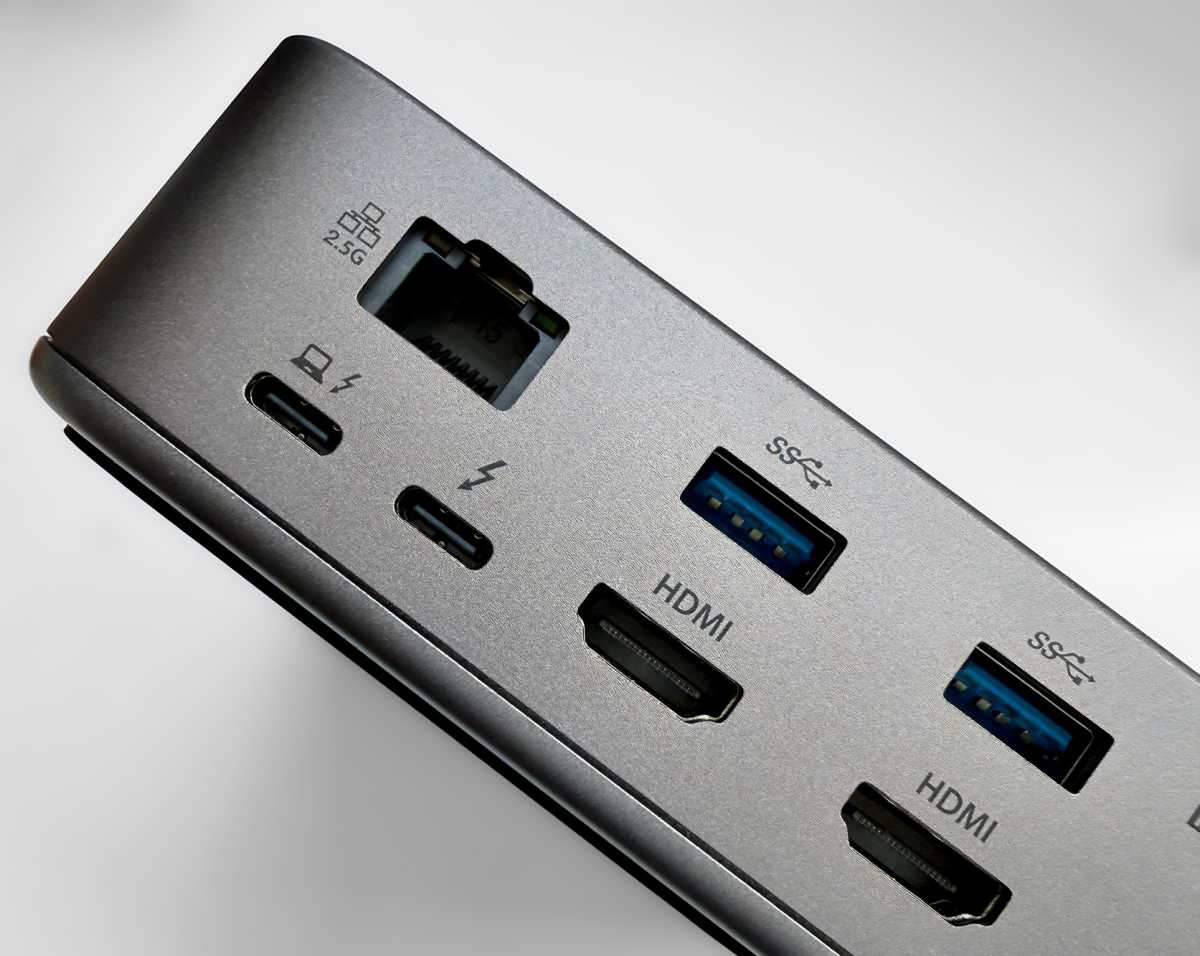
The Kensington SD5010T5 boasts the fast 2.5Gb Ethernet standard that is becoming the norm on top-end docking stations. It’s backwards compatible with Gigabit Ethernet (1GbE) more frequently found in homes and offices.
Simon Jary
What storage options does it offer?
The SD5010T5 doesn’t have an integrated SSD slot like a growing number of docking stations, such as Satechi CubeDock, but it does host both SD and MicroSD card readers for easily accessible portable storage. Both are speedy 312MBps UHS-II and allow you to add storage as and when you need it.
You can find a 1TB MicroSD card for around $200-$270 on Amazon (£150 to £200), depending on speed.
Kensington
Can you mount this dock?
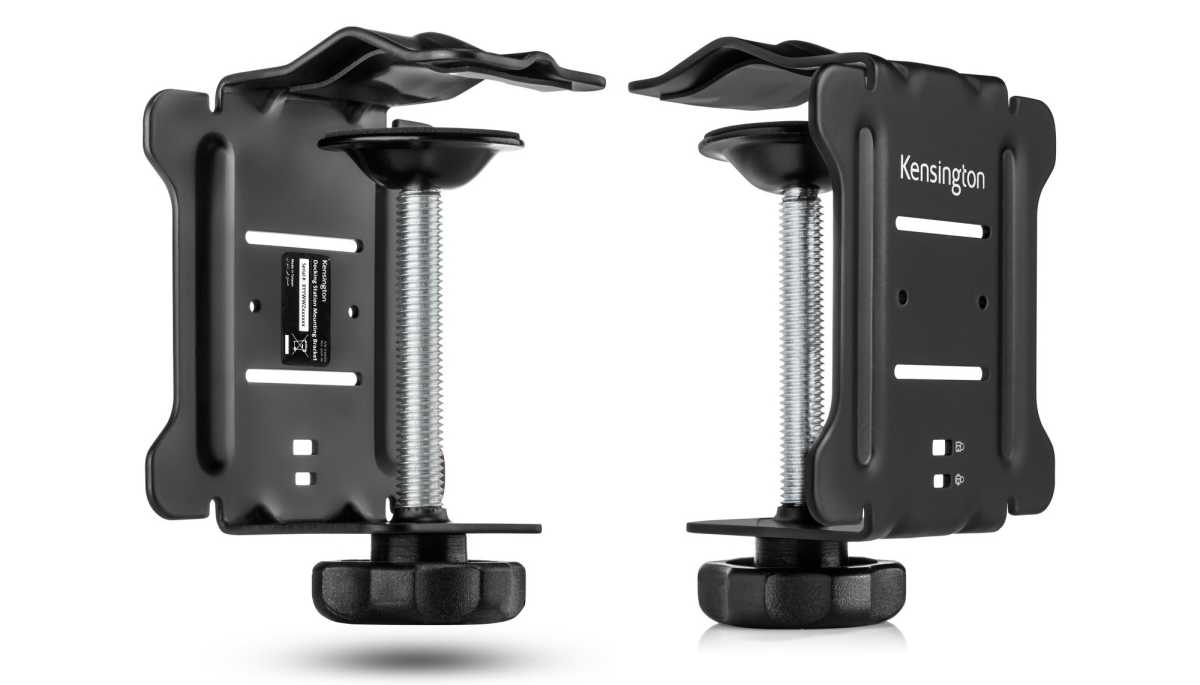
The compact dock fits Kensington’s adjustable K34050 Mounting Bracket Angle Clamp, pictured above, which allows for the dock to be raised off the desk onto cubicle walls, monitor arms, or desk edges to reduce cable clutter and maximize workspace.
Simon Jary
Is the Kensington SD5010T5 worth its $299 price?
The Kensington SD5010T5 EQ Thunderbolt 5 Dock is priced at $299.99. The £335 Amazon U.K. price seems high in comparison.
This is a decent price for a Thunderbolt 5 dock without an SSD slot, which would add around another $100 to the price tag. If you fancy faster extra storage than you’ll get from an SD card, then consider one of these SSD-packing docks in our roundup of the best Thunderbolt docks. Kensington has its own 19-port SSD-slotted EQ Pro Thunderbolt 5 Dock (SD7100TS) for $449.
Another Kensington alternative is the similar Kensington SD5000T5 Thunderbolt 5 Dock, which has two fewer ports for the same price. While that seems a rough deal, it’s a different setup, with three downstream Thunderbolt 5 ports, one with a 60W power output, rather than the SD5010T5’s dual HDMI ports.
Should you buy the Kensington SD5010T5 EQ Thunderbolt 5 Dock?
Kensington has two similar Thunderbolt 5 docks: this square SD5010T5 with two dedicated HDMI ports and one downstream Thunderbolt 5 port, and the long SD5000T5 with three downstream Thunderbolt 5 ports but no HDMI. If your chosen displays demand HDMI, this dock is a good choice and we like the compact footprint, too. But if you want the flexibility of Thunderbolt displays and devices, the sibling SD5000T5 looks a wiser choice.
Related posts:
 Kensington SD5800T Thunderbolt 4 Dock review: Premium in all ways
 Kensington EQ Pro Thunderbolt 5 Dock for MacBook review: Fast with special guest stars
Kensington SD5000T5 EQ Thunderbolt 5 Dock review: 140W and 60W TB5 ports for MacBooks
Kensington EQ Pro Thunderbolt 5 Dock for MacBook review: Fast with special guest stars
Kensington SD5000T5 EQ Thunderbolt 5 Dock review: 140W and 60W TB5 ports for MacBooks
 iVanky FusionDock Max 2 review: 23-port, 3x display pro warship of a Thunderbolt 5 dock