At a glance
Expert’s Rating
Pros
- Great-value 5K display
- Fine color accuracy and tone
- 2K at 120Hz mode for gamers
Cons
- Not for high-end color professionals
- Basic stand
Our Verdict
Offering a high-quality, sharp screen without any bells and whistles, the well-made KTC 5K2K isn’t the very cheapest 5K monitor on the market but it does offer more-than-decent P3 color accuracy and tone on a budget. Its dual-resolution option that turns it from 5K/60Hz to 2K/120Hz will appeal to gamers who want one well-balanced screen for mid-range color work and another for gaming.
Price When Reviewed
This value will show the geolocated pricing text for product undefined
Best Pricing Today
Price When Reviewed
$669.99
Best Prices Today: KTC 27-inch 5K2K Monitor
$549.99
Not many people can afford Apple’s 5K Studio Display at $1,599 plus another $400 for a decent stand. That leaves the market open for others to tempt Mac users with more affordable 5K displays.
You can downgrade to a 27-inch 4K display, where our recommended monitor is the BenQ MA270S for a significantly more affordable $529—at the time of writing just $499 at Amazon—not a great deal more than the Apple’s height-adjustable stand. Step up to BenQ’s MA270S for the full 27-inch 5K experience for $999.
KTC’s curiously named 5K2K Monitor (or KTC H27P3 to its friends) offers a 27-inch 5K display for $669—and at the time of writing just $499, the same price as the BenQ 4K monitor.
We had to try it out to see if that sort of money gets you a 5K you will be proud of.
Design and stand
The KTC 5K2K Monitor is not an Apple aesthetic lookalike in the vein of the Apple Studio Display but it’s a handsome display that’s nowhere near as plasticky as some cheaper monitors. The bezel around top and side clean edges is thin, going a little thicker at the base. KTC has even spent some time on the design of the rear of this monitor, which features an reflective black gloss. Where it matters at the front is a matte finish that reduces glare and reflections.
The T-shaped stand is admittedly basic—even more so than the Studio Display’s default tilt and swivel stand. Like that one, it’s not height adjustable but it does offer 178° wide viewing angles with a -5° to 15° tilt (Apple Studio: 5° to 25°). There’s an option to attach a standard VESA mount at the back if you desire a more adjustable stand, but the KTC 5K2K is certainly more than its basic stand.
Simon Jary
Display
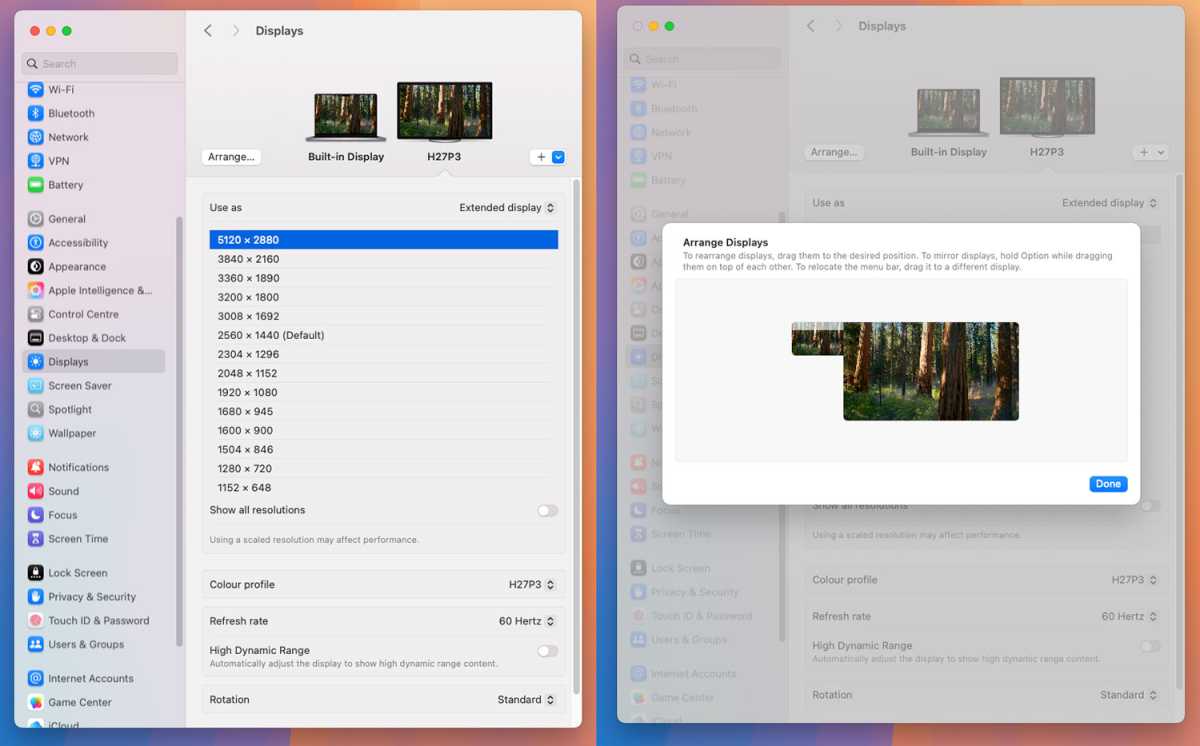
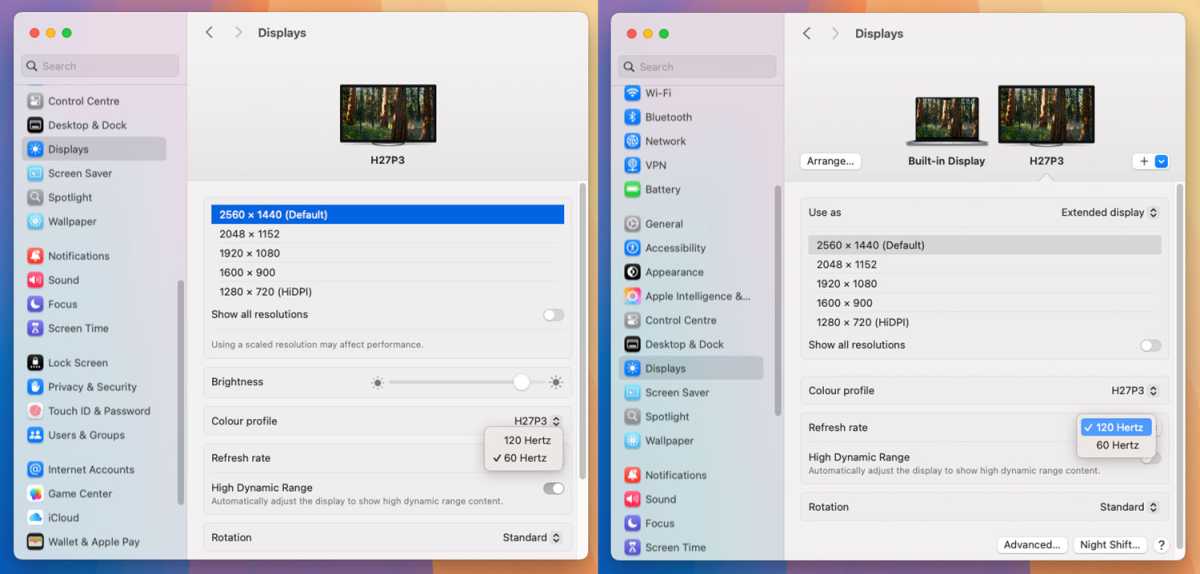
A 5K (5120 x 2880) resolution at a 60Hz refresh rate is excellent going at this price, and the monitor’s name is explained by its Dual-Mode setting that enables you to set it to a 120Hz refresh rate at a lower 2560 x 1440 (QHD) resolution. 120Hz will be much more friendly to gamers than 60Hz, but that lower refresh rate is fine for the vast majority of office users—indeed, it’s the same as the Studio Display’s maximum refresh rate.
Pixel density is fine at 217ppi (Apple Studio almost identical at 218ppi) on this matte LCD IPS display. Brightness is great, too, at 500 nits (Apple Studio brighter at 600 nits).
The KTC 5K2K Monitor can show a wide colour gamut, with a quoted sRGB 100% and 99% DCI‑P3. Color accuracy and uniformity plus tone response offer a great budget choice for office workers and even mid-level creatives. Professional photo creatives looking for very top-end AdobeRGB color accuracy and HDR video creatives will need to step up a level—maybe to consider the BenQ PD2730S 5K Designer Monitor that has a retail price of $1,399 but is often closer to $1,100 online.
Simon Jary
The high-quality screen is what matters most but a monitor usually comes with extras that often disappoint. KTC has been sensible in keeping the price low and dropping the extra features. As such there is no webcam—look instead at our top-rated Mac webcams or just use your iPhone with a mount.
There are no speakers either, but there are very few monitors with a set of speakers you’d actually want to listen to much more than a system beep on.
Apple’s Studio Display features a “high-fidelity six-speaker system with force-cancelling woofers and wide stereo sound, with support for Spatial Audio when playing music or video with Dolby Atmos”—yet it’s not a mind-blowing audio experience. Save your money for a separate decent sound system instead.
Simon Jary
Ports on offer
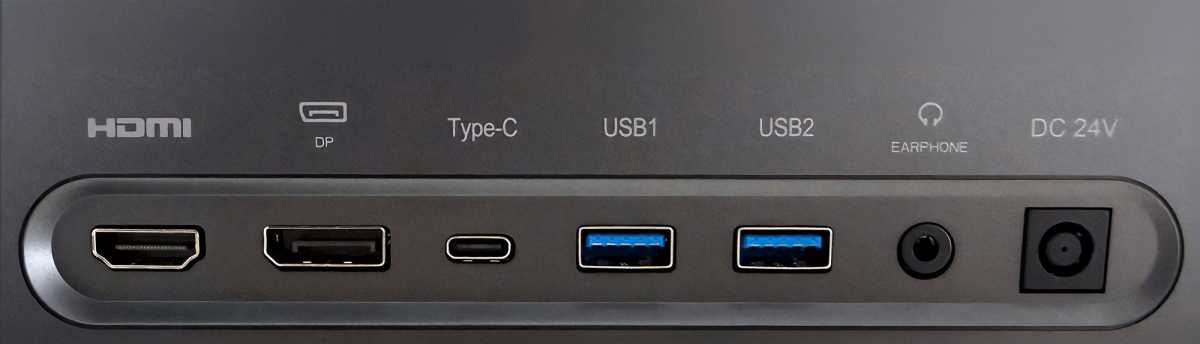
There’s a hub at the back with a choice of HDMI 2.0, DisplayPort 1.4 and USB-C for connecting the monitor to your Mac. The Type-C port is probably all you need. The KTC 5K2K ships with a DisplayPort-to-DisplayPort cable as well as a USB-C-to-USB-C cable. As your Mac will require an adapter for DisplayPort we were happy connecting via USB-C.
This also then supplies up to 65W of passthrough power to your MacBook—not quite enough to fast-charge a MacBook Air but enough to keep any MacBook powered during use.
There are two legacy USB-A ports and an audio out jack. To gain data function using the USB ports, you must adjust the KVM seeing on the on-screen display (OSD). However, turning on to USB-C USB 3.0 takes away the 5K resolution option.
Simon Jary
Controls
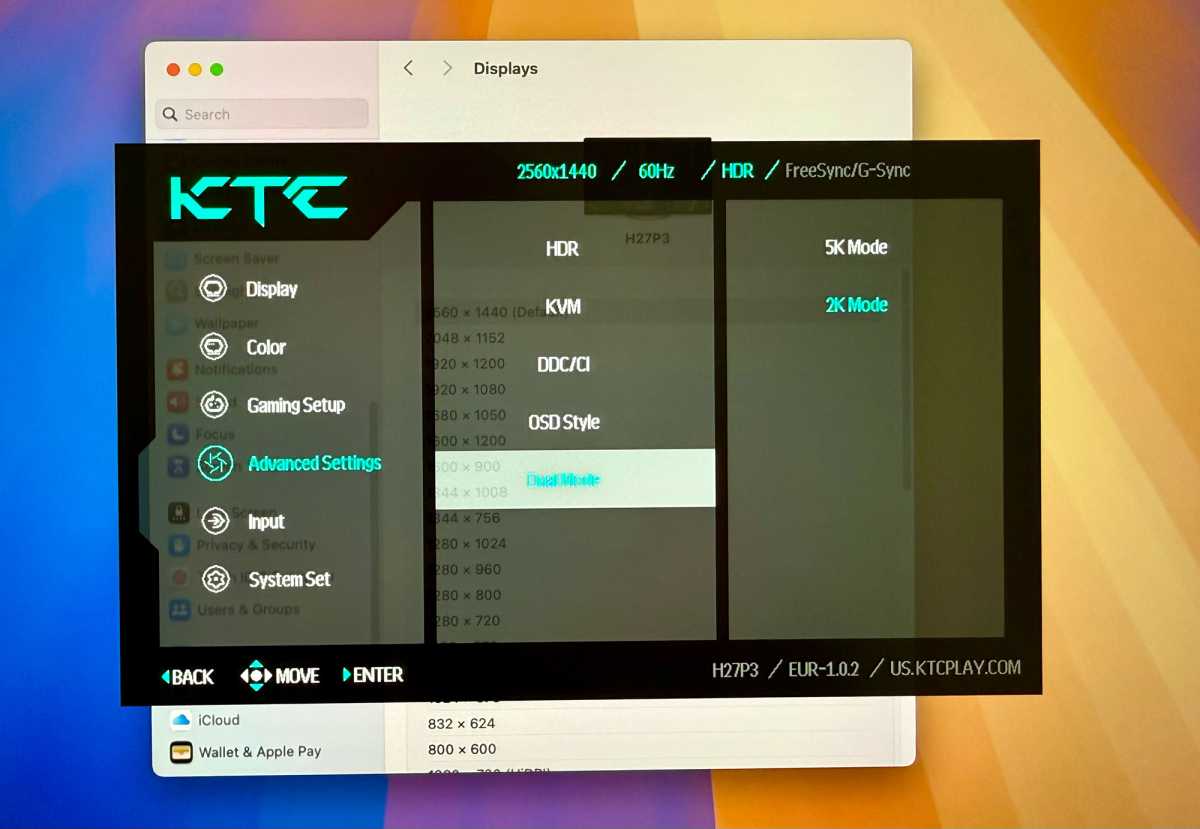
Using a little joystick at the rear of the monitor you get access to an array of menu options, including: Display (Brightness, Contrast, Sharpness, Aspect Rato, etc), Color (there’s a Low Blue Light option), Gaming options such as FreeSync and G-Sync, Advanced (DDC/CI, HDR, KVM for setting up the USB ports, and Dual Mode for switching between 5K work and 2K for 120Hz gaming) and Input (Automatic works fine).
Price
The KTC 5K2K is very well priced at a retail price of $669.99, and expect to see lower prices on Amazon and Amazon UK. Check out our price-comparison widget for the today’s prices.
Of course, it’s silly to compare this display to the $1,599 Apple Studio Display but the KTC’s screen measures up pretty well on the specs front. Its stand is basic but then so is Apple’s default. A better comparison is the $999 BenQ MA270S, which has a better stand than both of them and is an excellent all-round choice (read our BenQ MA270S review), but it’s hard to walk away from the KTC’s super low price-tag.
Should you buy the KTC 5K2K Monitor?
Offering a high-quality, sharp screen without any bells and whistles, the well-made KTC 5K2K isn’t the very cheapest 5K monitor on the market but it does offer more-than-decent P3 color accuracy and tone on a budget. Its dual-resolution option that turns it from 5K/60Hz to 2K/120Hz will appeal to gamers who want a well-balanced screen for mid-range color work and another for gaming.


