At a glance
Expert’s Rating
Pros
- 5K with upscaling capability
- Vibrant and bright mini-LED
- High refresh rate and fast response times
- User-friendly interface
Cons
- Doesn’t beat a top-of-the-range OLED in every respect
- The speakers could be better
- Lacks a KVM function
Our Verdict
More brightness and dynamic range than the best OLED screens, a rich, expansive and accurate color palette, and dual mode offering a good refresh rate in 5K mode and an even higher refresh rate at 1440p. There’s a lot to like about this 5K screen, even if it isn’t the best at absolutely everything.
Price at time of review
This value will show the geolocated pricing text for product undefined
Best Price Today
Price When Reviewed
$999
Best Prices Today: LG Ultragear Evo GM9




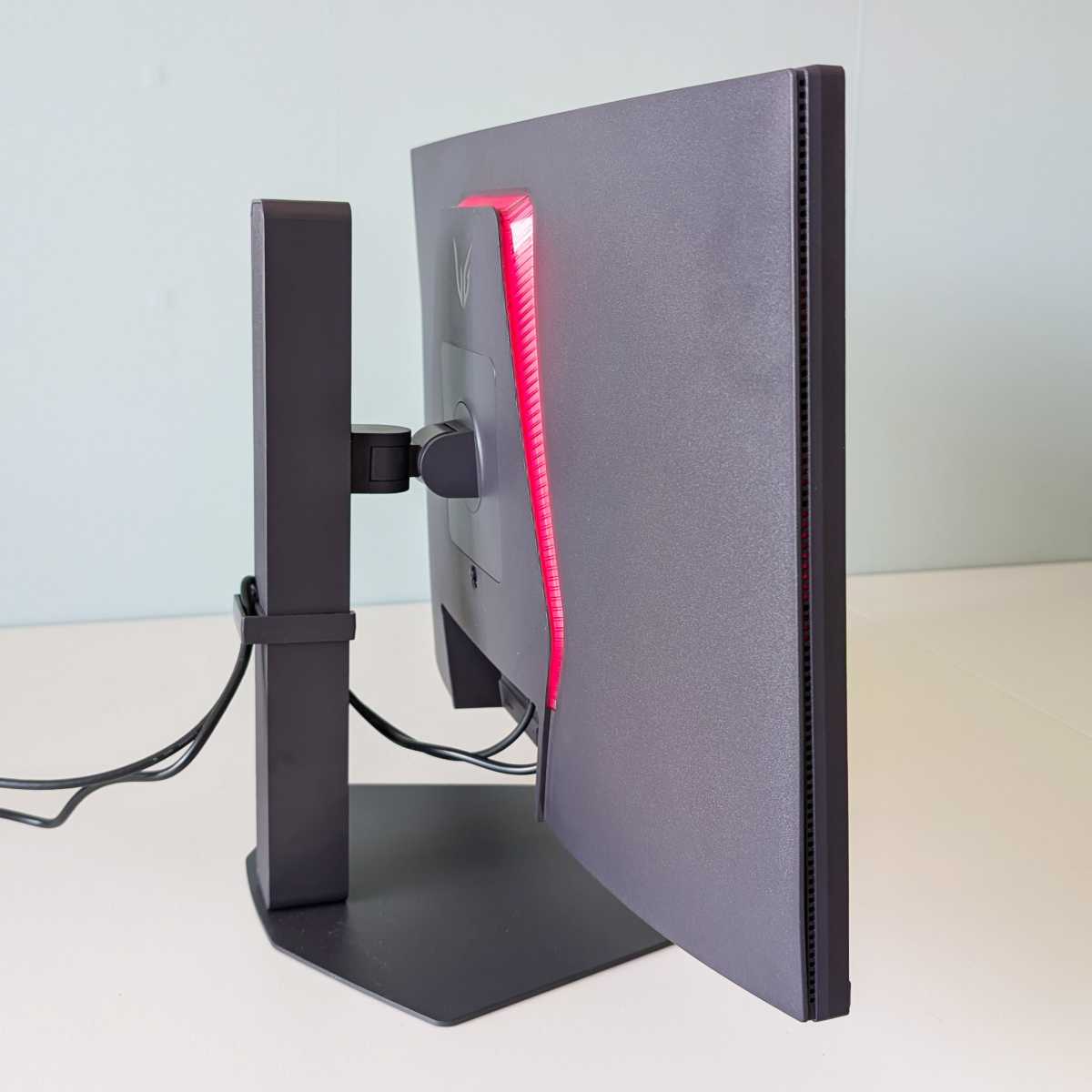
The UltraGear Evo AI GM9, model name 27GM950B-B, is a new and high-end desktop monitor from LG. It measures 27 inches and offers full adjustability in height, lateral movement, tilt, and pivot on a sturdy metal stand. The chassis is made of matte-black plastic, but it gives a solid, high-quality impression and is stylishly designed from both the front and the back.
UltraGear is a gaming-focused brand, and there is the option to add some RGB LED lighting to the back of the monitor, but otherwise the design is understated. There is a definite focus on gaming in the settings menu, with quick-select options for two player profiles and various game genres as the first choices.
The monitor is just as well suited to desk-based work and creative tasks as it is to gaming. You can also select pure sRGB and P3 profiles that maintain good color accuracy, and there are preset modes for blue-light-reduced reading, HDR-optimized media playback, and two additional profiles you can calibrate yourself.
Read on to learn more, then see our roundup of the best monitors for comparison.
Brighter than most
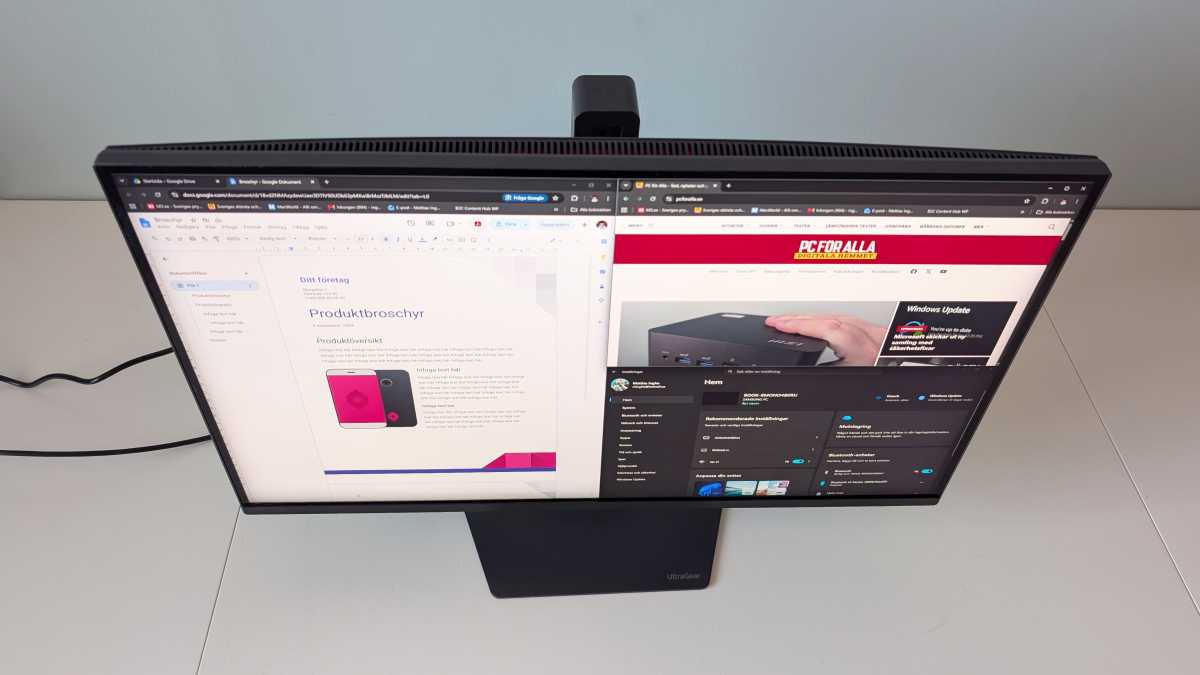
It’s built on a display panel that’s as colorful as it is bright, and as high-resolution as it is fast. Using quantum-dot technology, the LCD layer delivers DCI-P3-class colors with factory calibration to very low color deviation values, while a Mini-LED matrix behind it provides backlighting that offers both high luminance of over 1,200 cd/m² and deep blacks across 2,304 densely packed dimming zones.
Mattias Inghe
It supports HDR10 and is VESA Display HDR 1000 certified. Playing HDR films on it delivers one of the best viewing experiences I’ve seen on a screen to date, with colors that pack a real punch and an image featuring both dazzling highlights and subtle shading in both light and dark areas. Even in SDR mode, it’s very bright and shines more brightly than most other screens do in HDR mode.
Large bright areas are rendered well, and quickly enough to prevent any flickering effect when panning — a good sign of quality for a mini-LED display. Occasionally, however, there can be issues with small bright spots that do not activate the backlight and are therefore too faint.
If I move a white mouse pointer over a black background, it is noticeably dimmed. But I can easily adjust the level of dimming for the zones or switch it off completely if needed. It’s usually possible to find a good balance.
In this respect, an OLED screen has the advantage, but no OLED can match this screen’s brightness and overall dynamic range. Playing an HDR-supported game or streaming a film from the right source makes for an unbeatable experience. For desktop work, it might be a good idea to switch to a profile without local dimming instead. The contrast is still perfectly acceptable.
Playing HDR films on the LG Evo GM9 delivers one of the best viewing experiences I’ve seen on a screen to date…
High refresh rate, high resolution, and AI upscaling
With 5K resolution, the image is exceptionally dense and sharp. Despite this, you can achieve a very high refresh rate — 165Hz if you’re running in 5K mode, or up to a full 330Hz if you drop down to 1440p resolution or lower. In both cases, it supports dynamic refresh rates and can automatically drop to the standard 60Hz refresh rate — though you’d have to choose to do so. To save power, perhaps. But is that really important for a fixed desktop monitor?
Mattias Inghe
If you don’t have a 5K image, the UltraGear Evo AI GM9 features AI-powered image upscaling that makes both 1080p and 1440p video noticeably sharper. I’m not sure if it’s quite as good as on a premium TV, but it does manage to upscale the 1080p picture from my Nintendo Switch to 5K with seemingly decent results, without introducing any unacceptable lag. With this feature disabled, you can achieve response times as low as 1 millisecond.
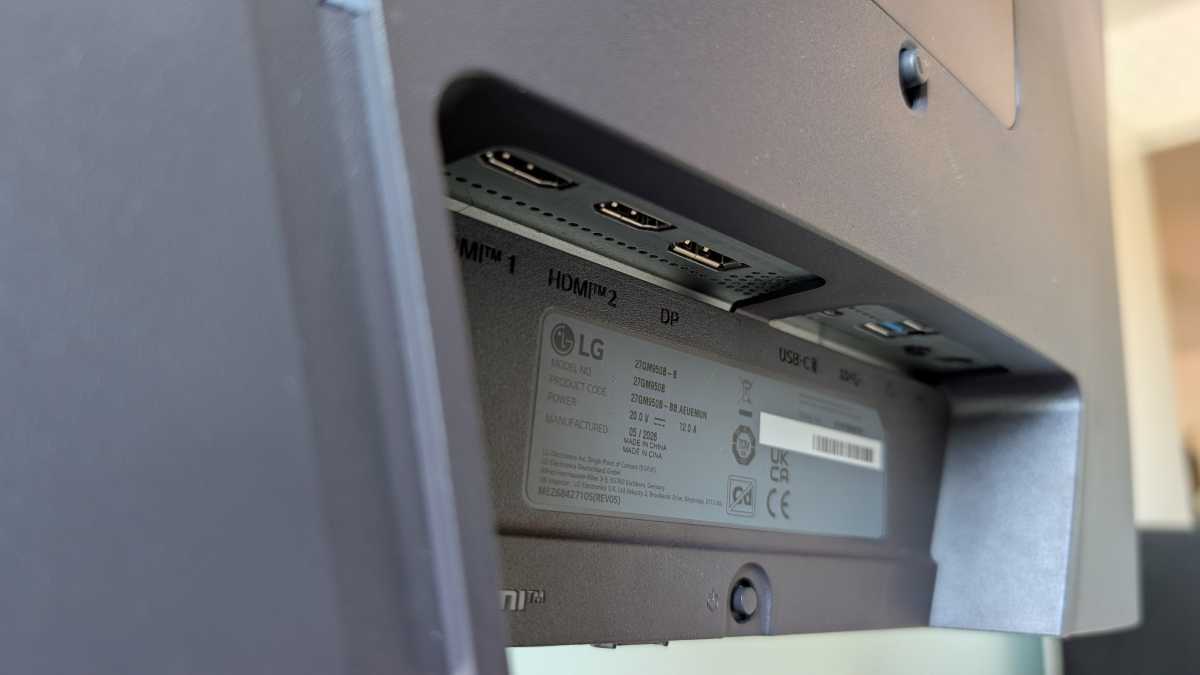
You connect via DisplayPort 1.4 or HDMI 2.1 using the downward-facing ports on the back, and there’s also a USB-C port with DP Alt Mode for docking to a laptop. I’d have hoped for a slightly neater cable management solution than a snap-on loop on the outside of the stand, but it’s better than nothing, at least. Via USB-C, you also get access to a small hub with two USB-A ports, for a mouse and keyboard, for example. There’s only one USB input, so no KVM functionality is offered.
Decent sound, but nothing more
The computer also has a built-in audio unit that works with all video inputs, featuring both a headphone jack and built-in speakers. It sounds better than most monitors, but to call it “good sound” would be an exaggeration. Monitors usually have rubbish sound or none at all — this is just slightly better. If you’re only using it to play back a bit of Windows audio and run video meetings, it’ll do the job; otherwise, I’d recommend separate speakers.
The monitor’s menu is accessed via a tiny control button along the bottom edge of the back panel. It’s hard to find and may be too small for thick fingers. However, the menu it controls via four-way navigation is well-designed and laid out in an exemplary manner for quick and easy access to everything from detailed settings to adjusting volume and brightness, and for switching quickly between preset profiles. In plain Swedish, too.
Mattias Inghe
If you want to control the screen from your computer, you can install LG Switch and access the same controls there, although the update is annoyingly slow. There are also a handful of other features here, such as window guidance on the desktop, a shortcut for video calls, and the option to connect to a Web OS device such as an LG TV.
Skips the bloatware
Over the summer, LG came under criticism for automatically installing the LG App Installer via Windows Update, which also meant you ended up with a whole lot of bloatware. They’ve apparently sorted that out now, but it might still be a reason to steer clear of the app — who knows what they’ll try next? In any case, I don’t see anything being auto-installed when I plug in this monitor, so it probably only applies to certain other models.
With an MSRP of $1,200, I also think LG should be able to steer clear of that sort of thing. This is a monitor you buy for a top-quality experience, and such details would have given it a budget feel. And the experience — from the controls to the colors, refresh rate, and dynamics — is all very premium here.
There are pros and cons compared to a good OLED screen, but the brightness in particular is hard to beat, for both SDR and HDR. With smooth controls for picture modes and backlighting, you can quickly and easily adapt it to different situations. If you don’t have complete control over the lighting in the room and can get plenty of daylight in, its wide dynamic range and, moreover, its anti-glare matte finish are a major plus.
Specifications
Product name: LG UltraGear Evo AI GM9 (27GM950B-B)
Tested: August 2026
Manufacturer: LG
Display technology: Mini-LED, IPS
Screen size: 27 inches, 16:9 aspect ratio
Adjustability: Height adjustment, side-to-side, tilt, pivot
Resolution: Up to 5K, 2560×1440 pixels
Refresh rate: 165Hz @ 5K, 330Hz @ 1440p, dynamic
Response time: 1ms (gtg)
Color gamut, specified: 99% DCI-P3
Brightness, specified: 750 cd/m² (typical), 1,250 cd/m² (peak)
Contrast ratio: 1,000:1 (static)
HDR: HDR10, VESA Display HDR 1000
Video inputs: 2 x HDMI 2.1, DisplayPort 1.4, USB-C with DisplayPort Alt Mode (90 W)
Other features: USB hub (USB-C in, 2 x USB-A Gen 3 Out), flicker-free, 5K upscaling, FreeSync Premium Pro, G-Sync, 2 x 7-watt speakers, headphone jack
Dimensions: 61.47 x 40–53 x 24.9 cm
Price: $1,200


