At a glance
Expert’s Rating
Pros
- Intuitive Microsoft Office ribbon-style interface
- Excellent document conversion
- Multi-platform
Cons
- Expensive
- May be more than casual users need
Our Verdict
Nitro PDF is one of the most full-featured PDF editors available and the strongest alternative to Adobe Acrobat DC.
Price When Reviewed
This value will show the geolocated pricing text for product undefined
Best Pricing Today
Price When Reviewed
$179.99 one-time price
Best Prices Today:

As Adobe Acrobat alternatives go, Nitro PDF remains near the top of the heap. The multi-platform editor still offers a deep set of document tools and business-friendly features, while staying approachable enough for less experienced users. And Nitro has added a clutch of AI-powered capabilities such as document summaries, table and form extraction, and automated sensitive-data detection, that should broaden its appeal.
The features that have long made Nitro beloved by users are all still here in the latest version. You get a complete set of content editing tools; review and markup features; form fill and signing capability; and multiple security options for sensitive documents including permissions, password protection, and data redaction. It’s easy to add interactive elements like hyperlinks, images, or document files to your PDFs. You can also add, remove, and edit bates numbering to legal documents.
Read on to learn more, then see our roundup of the best PDF editors for comparison.
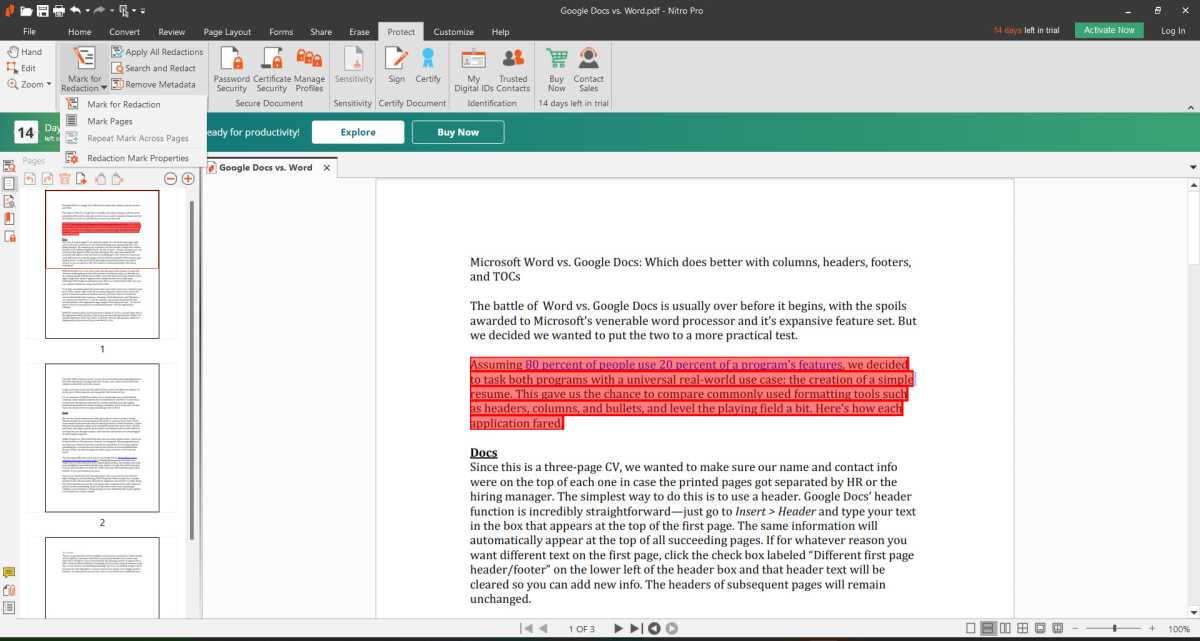
Nitro PDF lets you mark sensitive text for redaction.
Michael Ansaldo/IDG
Creating and converting PDFs is one of the most popular uses for PDF editors. Nitro PDF excels at both, quickly transforming files while faithfully preserving their formatting. The editor can create PDFs from a wide range of file formats, as well as export them to Word, Excel, and PowerPoint files. It also supports OCR, allowing you to create searchable PDFs directly from your scanner or save documents to PDF from any print-enabled application. Documents can be saved as PDF/A files for long-term archiving and file storage.
One of Nitro’s strengths is its Microsoft Office-style ribbon interface that groups features into task-based tabs. With clear labelling such as Convert, Review, Page Layout, Forms, Share, and so on, every tool is exactly where you would expect it to be. Because of this, document workflows feel simpler and more seamless than in many other editors.
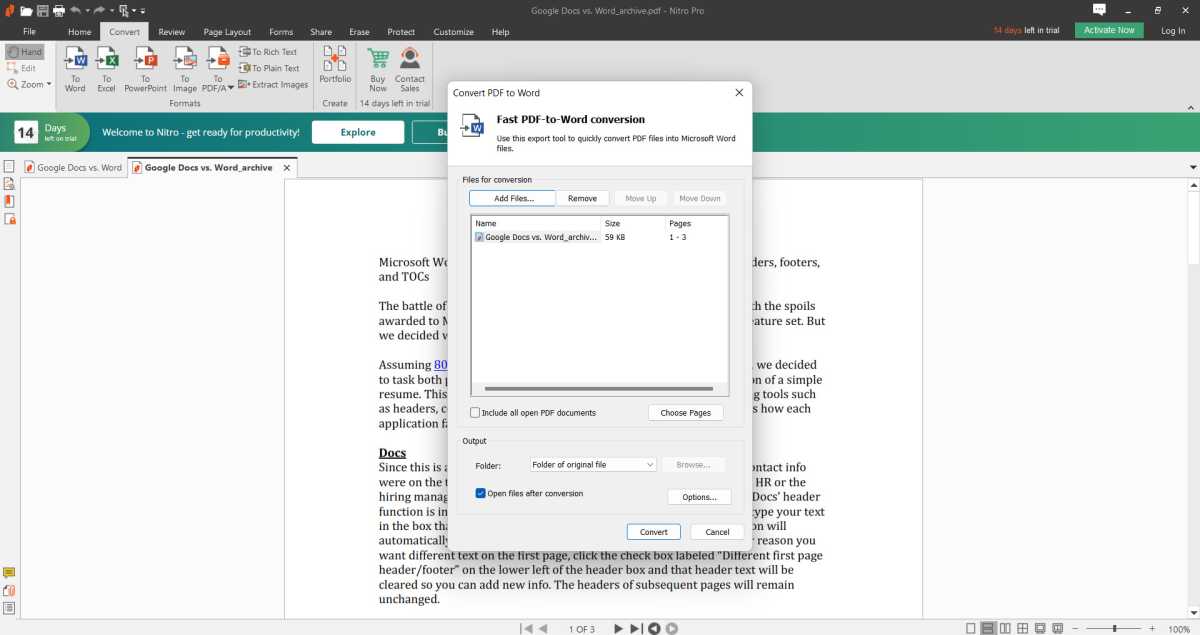
You can convert PDFs to Microsoft Office formats.
Michael Ansaldo/IDG
The AI additions have only made the core PDF editor more useful. Document Assistant can summarize PDFs and answer questions about their contents through a side-panel interface that opens alongside the document, generating a structured summary and offering a prompt box for follow-up questions. Nitro can also extract tables and form data from PDFs and export the results to Excel files. Smart Redact adds automated detection of sensitive information for redaction, identifying more than 30 types of personally identifiable information to help meet compliance requirements such as GDPR, CCPA, and HIPAA, including names, email addresses, Social Security numbers, bank account information, passport data, and IP addresses, as well as sensitive data such as currency amounts, salary figures, and internal policy numbers.
Nitro PDF Standard costs $15 per user per month, billed annually at $180, and is the main cross-platform subscription for Windows, Mac, and iOS. That’s in line with Acrobat Standard and below Acrobat Pro. Nitro PDF Plus is aimed at larger organizations and includes enterprise features such as SSO, domain control, analytics, and premium support, but Nitro doesn’t list public pricing for it, instead directing buyers to contact sales. For users who want a non-subscription option, Nitro PDF Classic is a Windows-only three-year license that costs $270 per license. Smart Redact is sold separately as an add-on, with pricing available through sales. There’s no free version of Nitro PDF, but Nitro offers a 14-day trial with no credit card required and no locked features.
Every tool is exactly where you would expect it to be, making workflows feel simpler and more seamless than in many other editors.
Should you buy Nitro PDF?
Nitro PDF provides everything you need to work with PDFs, whether you need to make some simple modifications to a file or create documents from scratch. It remains one of the most advanced PDF editors available, and its newer AI tools for document summaries, data extraction, and sensitive-data detection broaden its appeal further. With pricing that is competitive with Acrobat Standard and more affordable than Acrobat Pro, it still belongs near the top of your shopping list of Acrobat alternatives.
Editor’s note: Because online services are often iterative, gaining new features and performance improvements over time, this review is subject to change in order to accurately reflect the current state of the service. Any changes to text or our final review verdict will be noted at the top of this article.


