At a glance
Expert’s Rating
Pros
- Enclosures for HDD and SSD
- Adds more ports to Mac Studio and M1/M2 Mac mini
- 80Gbps Thunderbolt 5
- Apple aesthetics
Cons
- No front ports
- M4 Mac mini too small for stacking
Our Verdict
Free yourself from Apple’s exorbitant storage prices with the dual user upgradable drive bays of the OWC StudioStack. Not only will you save a bunch of money for more flexible storage options over the life of your setup but also gain a bunch of handy storage and display ports, all without taking up an extra inch of your desktop as it perfectly fits the Mac Studio and older M1/M2 Mac mini.
Price When Reviewed
This value will show the geolocated pricing text for product undefined
Best Pricing Today
Price When Reviewed
From $329.99
Best Prices Today: OWC StudioStack
Buying your Mac’s storage direct from Apple is notoriously expensive. As each Mac’s RAM and SSD are fixed and not user upgradable, you get one chance to set those vital Mac statistics at purchase. If you need extra storage you’ll have to add it externally, via an external hard drive (HDD), faster solid state drive (SSD), network assisted storage (NAS) or tiny portable SD Card.
Elsewhere we recommend the best hard drives for Mac, best Mac SSD, and best NAS drives for Mac, but there is a neater alternative for owners of Apple’s top-end Mac Studio.
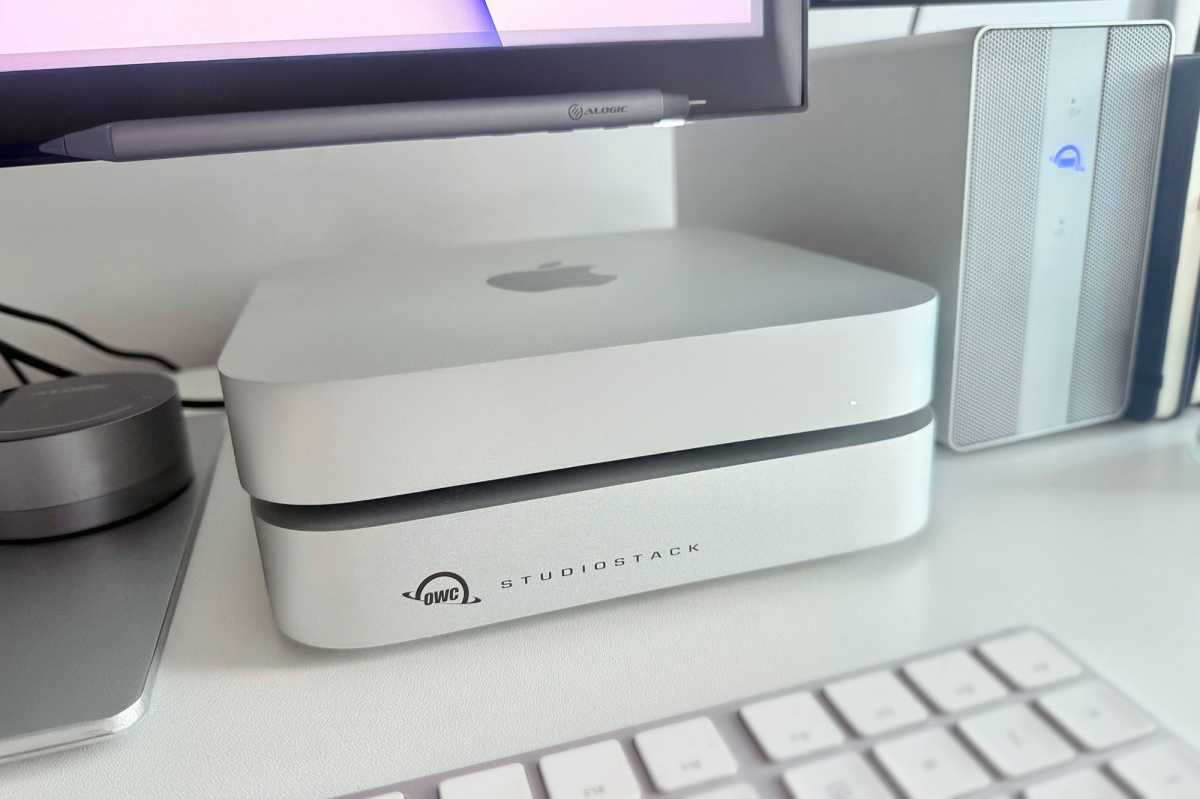
The OWC StudioStack is the same 7.7-inch (19.7cm) width and depth as the Mac Studio (all versions) and also the older M2 version of the Mac mini. It’s noticeably larger than the newer M4 Mac mini—although it can still work with the new mini, Apple computer would have to sit on top.
Foundry
As its name suggests, the StudioStack’s target audience are Mac Studio users—principally creative professionals working in demanding photo/video/audio production—but it will also fit the older M1 and M2 Mac mini models.
The M4 Mac mini is notably smaller: 5-inch (12.7cm) width and depth vs 7.7-inch (19.7cm). This new Mac mini version will work with the OWC StudioStack, but it will not fit as handsomely. The M4 Mac mini form factor is so small that it doesn’t allow enough internal space to accommodate both a full size HDD for capacity and an NVMe SSD for performance while maintaining proper cooling and acoustics.
To get close to the StudioStack’s bandwidth, the closest SSD enclosure design for the M4 Mac mini is the $119 Satechi USB4 Slim NVMe SSD Enclosure (diskless) that has a 40Gbps data-transfer rate, compared to the StudioStack’s 80Gbps.
Simon Jary
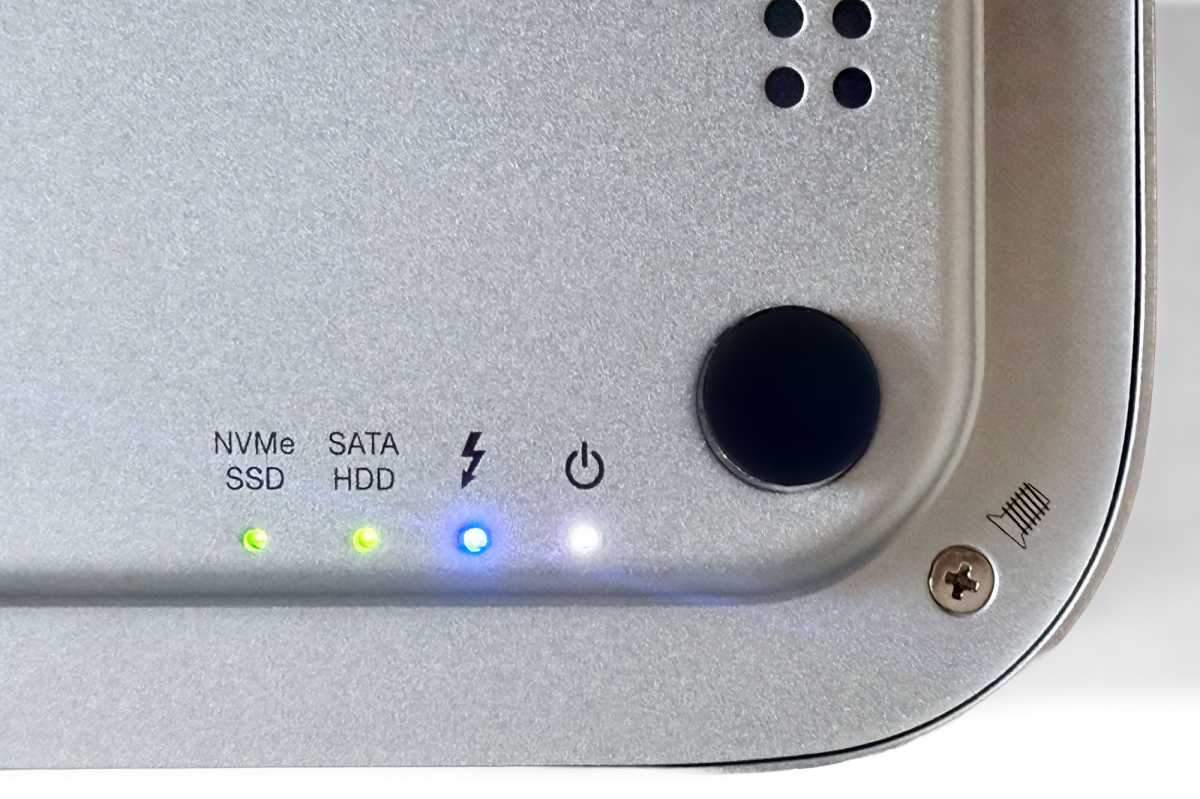
It neatly stacks on top of or below the Apple desktops and matches the Silver case coloring. From a functional and thermal standpoint, OWC states that it doesn’t matter whether StudioStack is placed above or below the Mac. The enclosure features intelligent adaptive active cooling that dynamically manages airflow and heat dissipation to maintain consistent drive performance regardless of orientation.
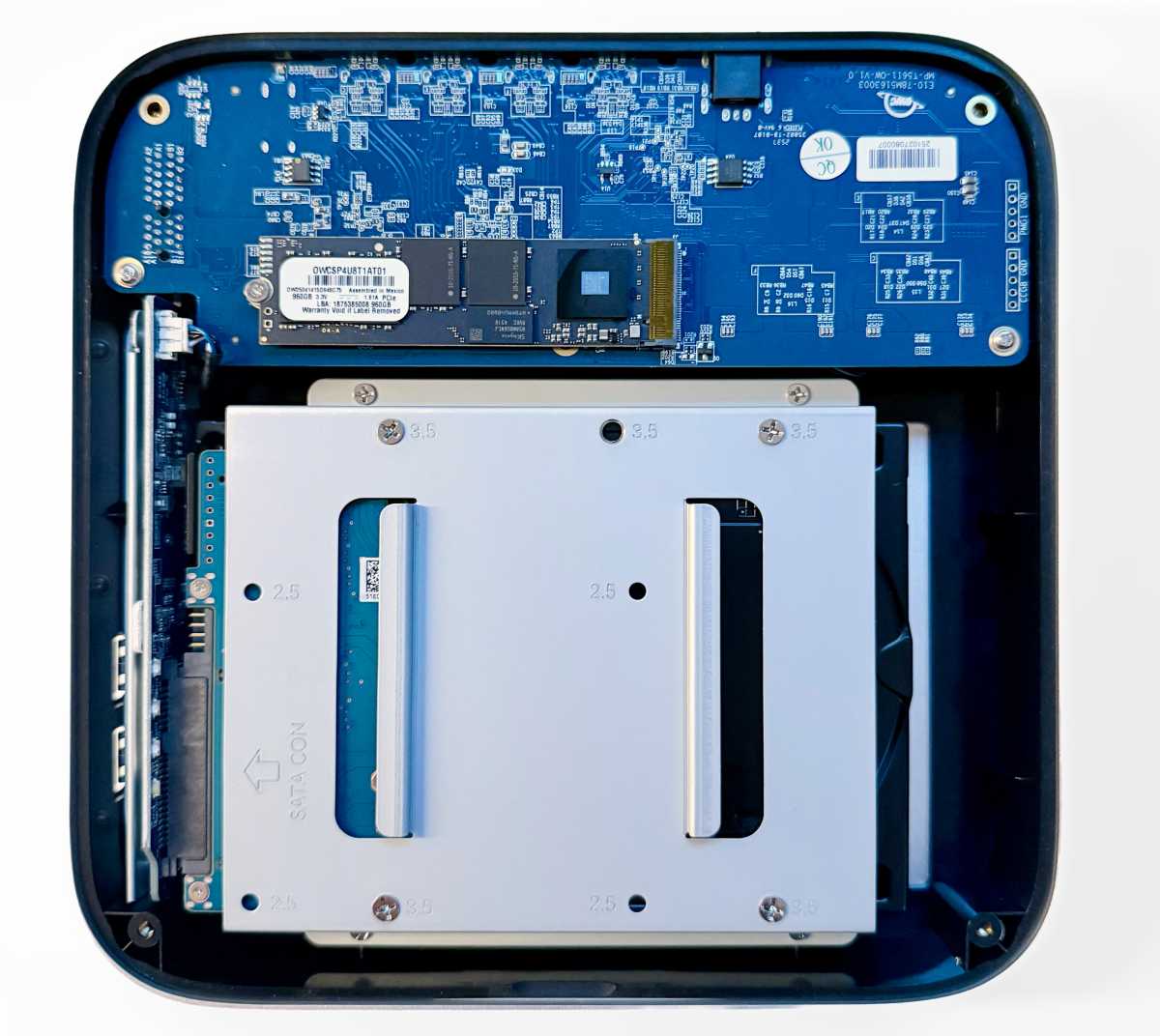
Inside, the StudioStack has two bays for an NVMe M.2 2280 SSD (up to 8TB) and a 3.5-inch SATA HDD. Some might have preferred multiple SSD bays rather than the HDD bay, but there’s still a need for affordable, if slower, mass storage.
Avoid Apple’s storage tax
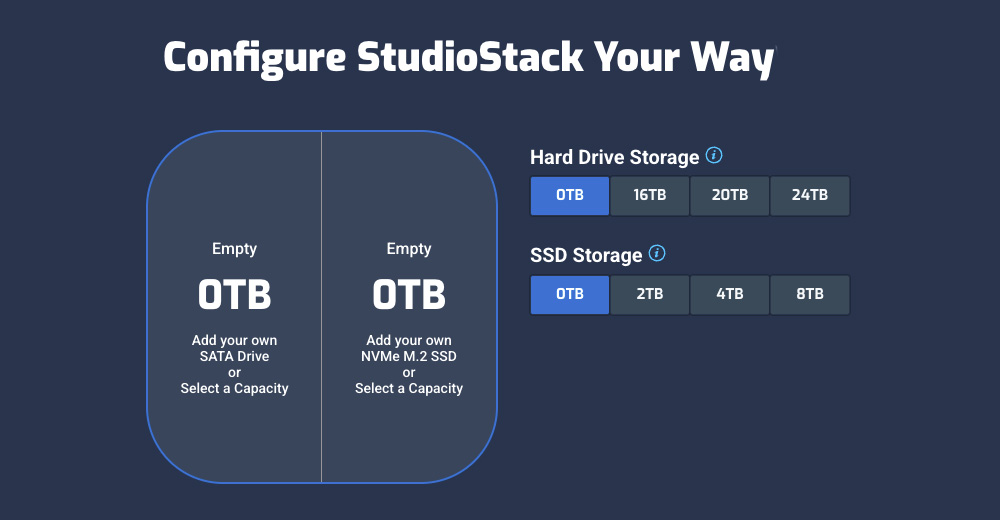
You can buy the OWC StudioStack empty as a DIY enclosure, and add your own drives, or go through OWC’s drive supplier to set a configuration at purchase. These will always be user upgradable so your initial purchase isn’t set in stone forever like Apple’s is. It’s ready for when 16TB and larger NVMe SSDs become affordable outside of the enterprise.
Apple’s option with the cheapest internal storage is the $1,999 M4 Max Mac Studio with 512GB of SSD storage. To get that at 8TB storage would set you back $4,399.
Instead, you could buy the OWC StudioStack with an 8TB SSD for $1,529, so a total of $3,529—a thousand-dollar saving. And there are many more configurations available, either SSD, HDD or a mix of both. The maximum total storage with the StudioStack (given the configuration options) is 32TB (8TB SSD plus 24TB HDD).
Simon Jary
Here are some storage configuration options, at the time of writing (as storage prices can be volatile):
- 0TB = 0TB HDD + 0TB SSD: $329.99 (0TB DIY enclosure)
- 4TB = 0TB HDD + 4TB SSD: $969.99
- 16TB = 16TB HDD + 0TB SSD: $779.99
- 24TB = 24TB HDD + 0TB SSD: $979.99
- 22TB = 20TB HDD + 2TB SSD: $1,199.99
- 20TB = 16TB HDD + 4TB SSD: $1,419.99
- 24TB = 20TB HDD + 4TB SSD: $1,519.99
- 32TB = 24TB HDD + 8TB SSD: $2,229.99
OWC
Configurable HD options include 16TB, 20TB and 24TB. SSD options include: 2TB, 4TB and 8TB. The top-end configurable model with 24TB HD and 8TB SSD costs $2,229—twice as much storage as possible with Apple’s most capacious Mac Studio.
The configuration in our review sample featured a custom 6TB HDD and 1TB SSD combination that is not a standard retail configuration currently listed. Changing the storage options is simple, with the correct screwdrivers. You can see what’s involved in the StudioStack manual, which can also be accessed through the myOWC iOS app.
Of course, bulky mechanical HDD storage is much cheaper than smaller speedier solid-state. Use HDD for bulk archive storage (Lightroom libraries and Time Machine and project backups, for example) and SSD for the active stuff where ultra-fast data work matters.
Storage at full speed
Storage speed on the StudioStack can be as fast as 6302MBps, which is not far off the 6260MBps you can get from the top-end M3 Ultra Mac Studio, and even a little faster than the M4 Max’s top-end 6204MBps.
StudioStack provides a 4x PCIe 4.0 connection to the internal NVMe SSD. When paired with a PCIe 4.0 or PCIe 5.0 NVMe drive and a compatible host system, this enables peak read and write speeds above 6000MB/s.
StudioStack is not faster than an equivalent standalone Thunderbolt 5 external SSD or HDD. However, the stackable all-in-one StudioStack is an external hybrid storage solutions that combines HDD and SSD storage, Thunderbolt 5 connectivity, extra expansion ports. When configured with a high performance NVMe SSD, its speeds closely match the internal storage performance of Mac Studio.
Simon Jary
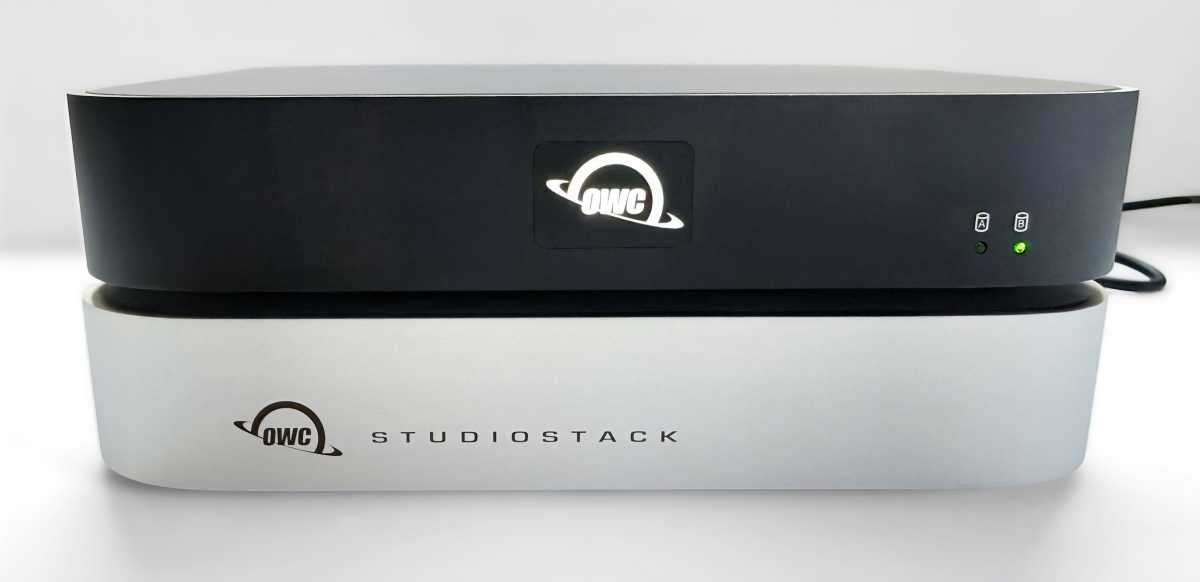
I’ve long been a user of OWC’s ministack STX that is the same size as the StudioStack with my M2 Mac mini, but it is a 40Gbps Thunderbolt 4 solution compared to the StudioStack that matches the latest Studio on 80Gbps Thunderbolt 5. (Thunderbolt 5 is backwards compatible with TB4 and all the way back to USB-C, so it will work with the older connectivity standards at their top speed.)
Pairing an M2 Mac mini with StudioStack offers several advantages over the earlier miniStack STX. Most notably, the internal NVMe SSD in StudioStack takes advantage of the full Thunderbolt 4 bandwidth available on the Mac mini M2, reaching read and write speeds in the range of 3200MBps. Despite being a Thunderbolt 4 device, miniStack STX is limited to approximately 770MB/s due to its internal PCIe configuration.
This represents almost a 4x increase in NVMe performance using the same drive. HDD performance remains similar, but the StudioStack also adds three 10Gbps USB-A ports that are not available on the miniStack STX. Users could easily migrate their existing internal drives into StudioStack and immediately benefit from higher NVMe performance, expanded connectivity, and a more future-ready platform. When paired with a Thunderbolt 5 Mac in the future, NVMe speeds can exceed 6000MB/s with a PCIe 4.0 NVMe SSD.
Simon Jary
Not just a storage solution
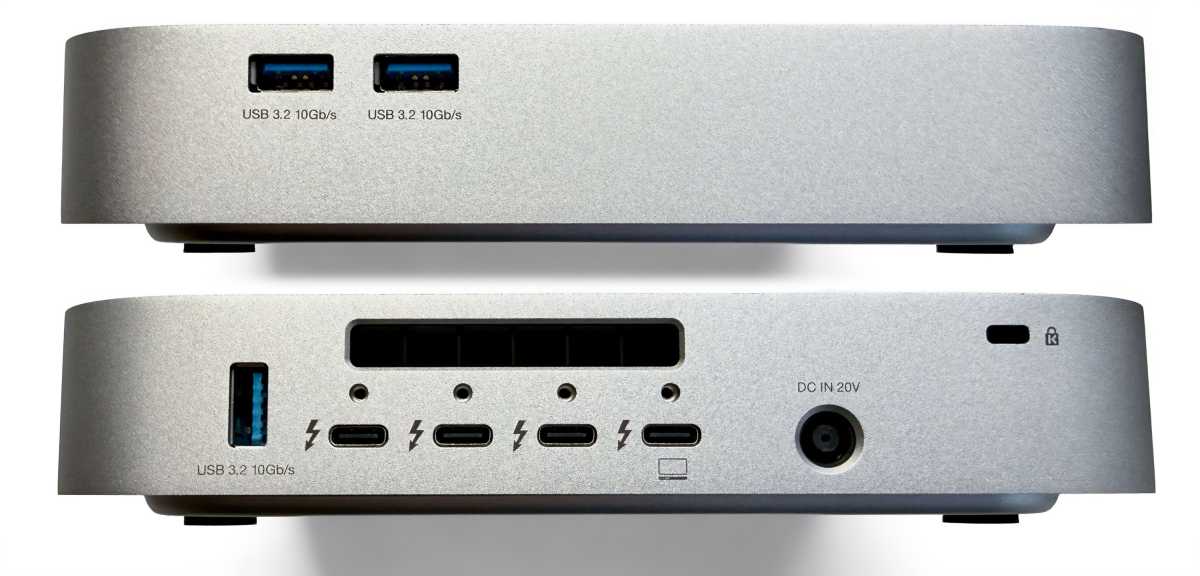
In addition, you get extra ports with the StudioStack sat on top of the Studio:
- One upstream Thunderbolt 5 port (connect to Mac with 60W passthrough power)
- 3x Thunderbolt 5 ports (80Gbps)
- 3x USB-A ports (10Gbps)
In a way, the OWC StudioStack is a desktop design friendly docking station or hub for Apple’s desktop computers. if you need more ports, look to the best Mac docking stations that include built-in SSD drives or enclosures, such as the Sonnet Echo 13 Thunderbolt 5 SSD Dock that can include up to a 4TB SSD.
The Mac Studio already comes with two USB-A ports, and maybe having access to five of the legacy ports will be overkill but they are there if you need them. The StudioStack’s three USB-A are rated at 10Gbps compared to Apple’s 5Gbps, so they are superior.
Handily, the StudioStack has two of its three USB-A ports situated at the side for easier access than you get with the Mac Studio’s at the back. Even if you color-code all your cables, reaching round and easily seeing which port is which is not simple with Apple’s compact, low-profile desktops.
The extra USB-A ports are more useful for M4 Mac mini users, who lack any on their diminutive desktop. There are two on the M2 Mac mini, but again at the back where much fumbling will be required to find the slots.
There is no card reader but the MacStudio has its own, so it’s not missed.
OWC
Display dexterity
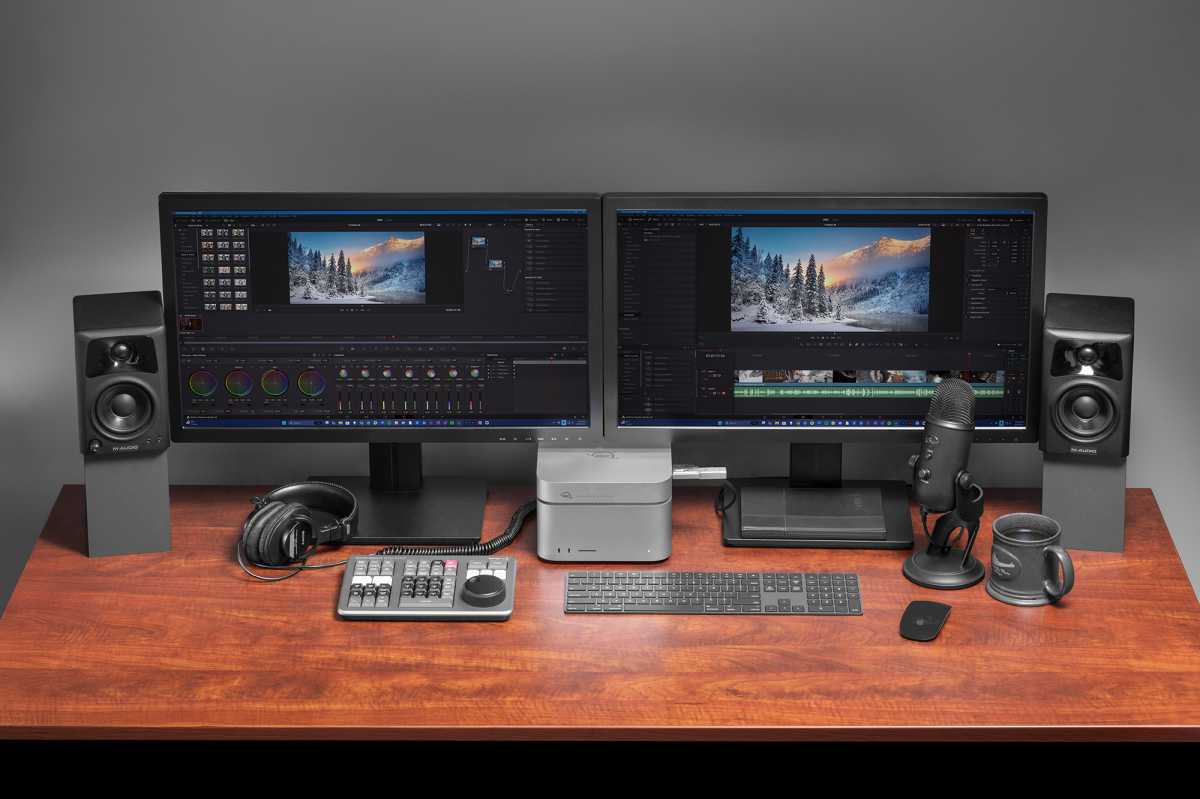
The three downstream Thunderbolt ports can also be used to connect additional external displays. Connecting these via the StudioStack’s Thunderbolt ports will keep the connected Mac’s ports free for other uses.
Current Mac systems support up to two external displays through a Thunderbolt dock or hub when using a single Thunderbolt 5 port, so a user could connect up to two displays via the StudioStack. Depending on the specific Mac Studio model, Apple supports up to eight external displays in total across all Thunderbolt ports and the built in HDMI output.
It is important to note that Thunderbolt bandwidth is shared between displays and storage. Connecting two high resolution displays, particularly 6K or higher, through StudioStack may reduce the bandwidth available for storage in very demanding scenarios and could affect peak NVMe performance.
Simon Jary
Price
The OWC StudioStack has a base (diskless) price of $329.99. It is not yet available outside of the U.S, although OWC lists a long line of international resellers.
You can purchase your own hard drives or SSDs or configure via OWC’s partner MacSales. We listed some of the prices for various configurations above.
Should you buy the OWC StudioStack?
Free yourself from Apple’s exorbitant storage prices with the dual user upgradable drive bays of the OWC StudioStack. Not only will you save a bunch of money for more flexible storage options over the life of your setup but also gain a bunch of handy storage and display ports, all without taking up an extra inch of your desktop as it perfectly fits the Mac Studio and older M1/M2 Mac mini..
M4 Mac mini will be jealous but can still use the StudioStack—just in a slightly less elegant manner than their Mac Studio colleagues.


