At a glance
Expert’s Rating
Pros
- Fast and sustains long writes exceptionally well
- Runs remarkably cool despite its diminutive dimensions
- Up to 8TB of capacity
Cons
- Like all current SSDs — very expensive
Our Verdict
Samsung’s P9 is fast, sustains long writes exceptionally well, and runs cool even under heavy load. It’s available in up to 8TB of capacity. But like all SSDs these days — it ain’t cheap.
Price When Reviewed
This value will show the geolocated pricing text for product undefined
Best Pricing Today
Price When Reviewed
1TB: $340 I 2TB: $650 I 4TB: $1,440 I 8TB: $2,880
Best Prices Today: Samsung P9 USB4 SSD

Samsung’s new P9 is an impressive addition to the company’s panoply of fast external storage devices. It’s fast, can be very capacious, and looks good to boot. It even maintains good performance on uber-long writes and stays cool in the process. Alas, as with all SSDs these days, the price of admission is daunting.
Read on to learn more, then see our roundup of the best external drives for comparison.
What are the Samsung P9’s features?
The P9 is a 40Gbps, USB4 external SSD measuring around 3.5-inches long, by 2.6-inches wide, by a mere 0.3-inches thick. Weight is a miniscule 3.3 ounces.
The P9 isn’t IP-rated, but it’s sealed everywhere except possibly the Type-C connector. Most Type-C connectors on portable drives of this ilk will stand up to some water despite the lack of an IP rating. IP testing is pricey.
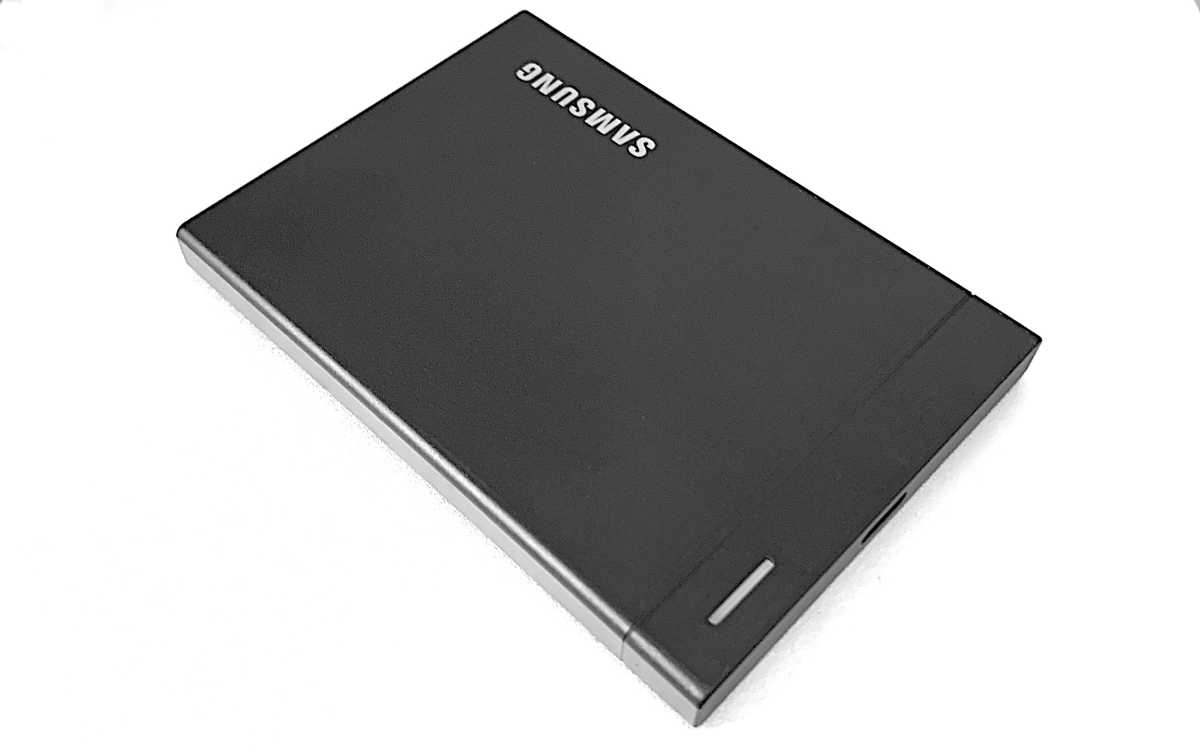
Samsung P9
Jon L. Jacobi
The P9 carries a limited five-year warranty as opposed to the three years we see with a lot of external SSDs. “Limited” no doubt means don’t run over it with a grader, and don’t write hundreds of terabytes to it daily.
Samsung didn’t provide a TBW (terabytes that may be written before becoming read-only) rating, but it’s likely in the 600TBW range, which is what most drives of this type are rated for.
How fast is the Samsung P9?
In synthetic benchmarks, the 2TB P9 Samsung provided fell into the third spot, and the fourth spot out of nine overall.
But guess what? All nine SSDs, including the OWC 1M2, LaCie Rugged SSD4, and TerraMaster D1 SSD Plus shown in the charts, are very fast. There might be something to this 40Gbps thing after all.
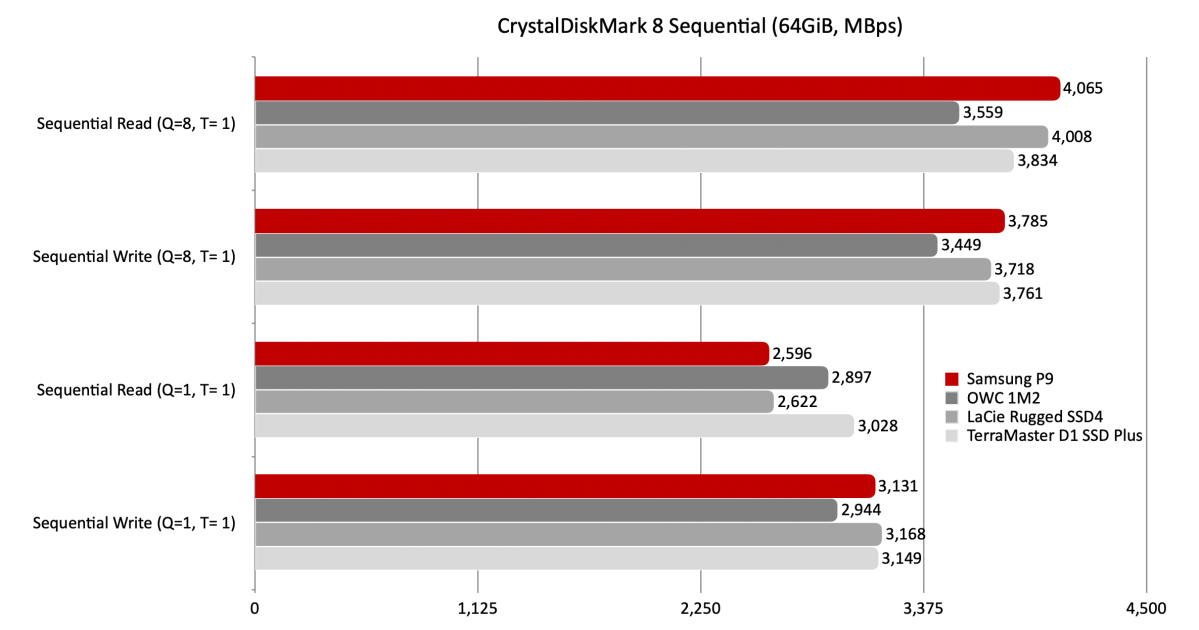
The P9 was also a mixed bag in CrystalDiskMark’s 4K tests, but a very attractive one for the most part.
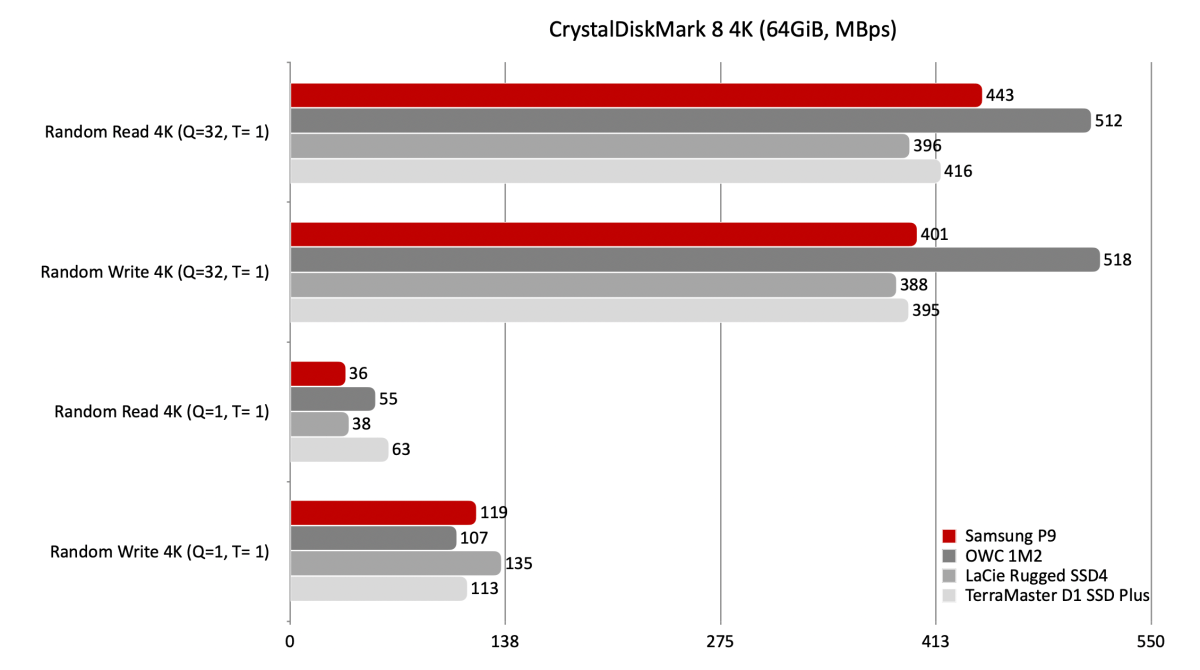
Though a tad slow with folders, the P9 still turned in good numbers overall in our 48GB transfer tests.
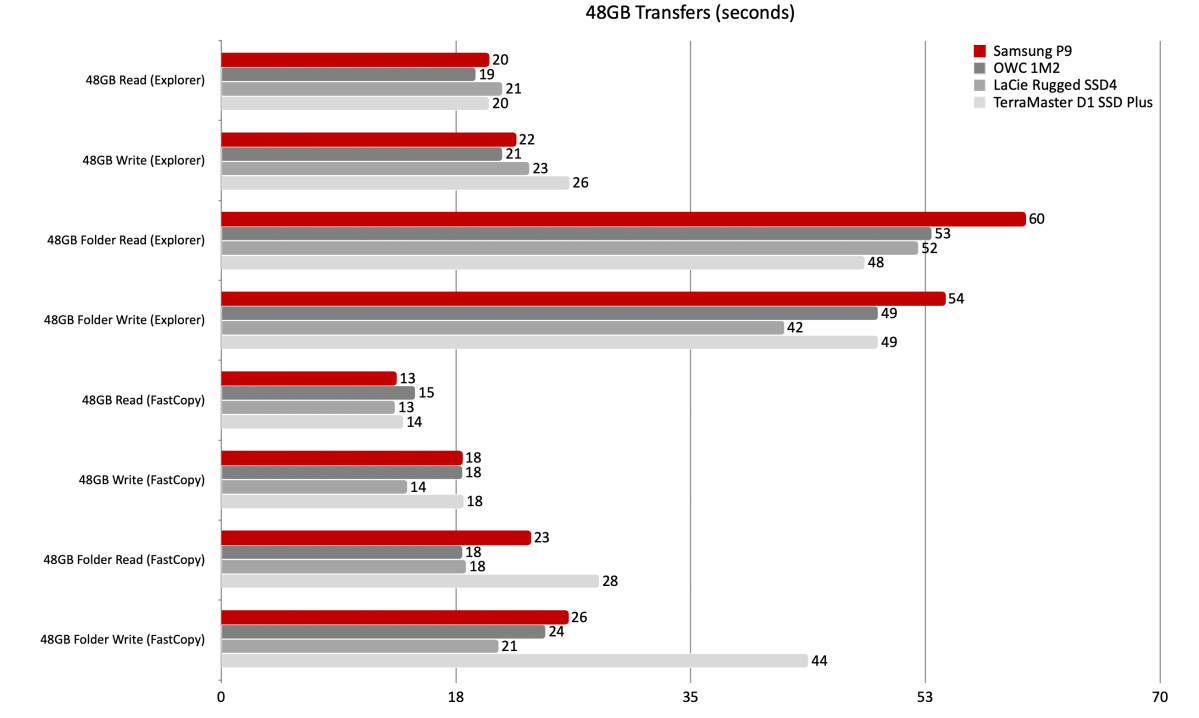
Writing 450GB was child’s play for the P9, though it wasn’t the fastest with either Fastcopy or Windows Explorer.
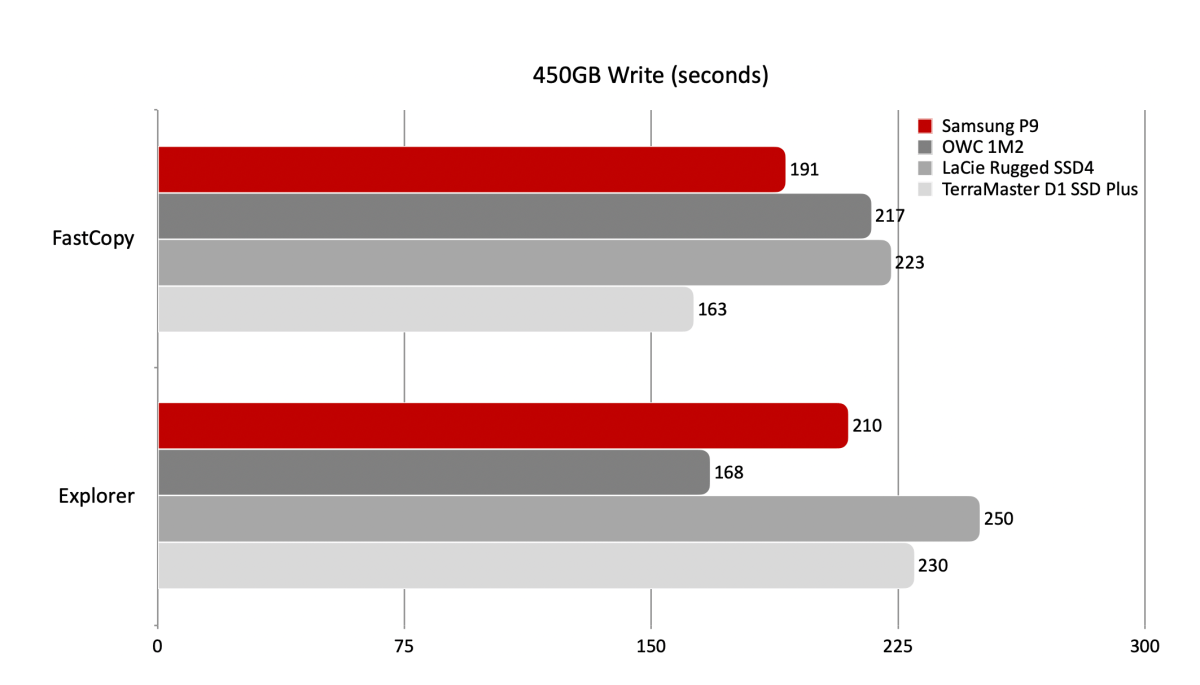
Note that the P9 has one quality that many SSDs lack — the ability to maintain satisfactory performance when writing very large quantities of data. I copied a 900GB file to the drive immediately after writing the 450GB and the transfer rate never dipped significantly. Kewl.
Another trick I’m not sure how Samsung managed is keeping the P9 almost cool to the touch during long writes. Despite the lack of a massive heatsink, fins, or fan (it’s comparatively tiny) that many other 40Gbps SSD sport. I inquired about the energy demands of the NAND and controller, but hadn’t heard back. When I do, I’ll add the info.
While it wasn’t the absolute fastest USB4 SSD I’ve tested overall, the other characteristics described directly above, as well as the pocket-friendly small size do make it likely the most appealing USB4 SSD to pass through our portals. Good stuff Samsung!
How much does the Samsung P9 cost?
The short, like all SSD storage these days, a lot. The P9 clocks in at $340 for 1TB, $650 for 2TB, $1,440 for 4TB, and $2,880 for 8TB. That’s according to the prices on Samsung’s site, which currently shows all models as “Out of stock.” Take heart, Amazon has the 2TB version available as of this writing.
Those numbers average around $350 per terabyte. The market is still in flux so prices may change (probably up), though generally Samsung supplies its own NAND.
I’m recommending a two-tier system these days — smaller SSDs for speed, and larger hard drives, which are literally 1/10 the price, for capacity. Yeah, suddenly it’s 2013 again.
Should you buy the Samsung P9?
Needs being — yes. The P9 is attractive, pocket-sized, runs cool, remains fast even when writing huge data sets, and carries a full 5-year warranty. It’s a new favorite. Yes, it’s pricey, but so is the competition.
How we test external drives
Drive tests currently utilize Windows 11, 64-bit running on a Z790 (PCIe 4.0/5.0) motherboard/i5-12400 CPU combo with two Kingston Fury 32GB DDR5 4800MHz modules (64GB of memory total). Both 20Gbps USB and Thunderbolt 4 are integrated to the back panel and Intel CPU/GPU graphics are used. The 48GB transfer tests utilize an ImDisk RAM disk taking up 58GB of the 64GB of total memory. The 450GB file is transferred from a 2TB Samsung 990 Pro which also runs the OS.
Each test is performed on a newly NTFS-formatted and TRIM’d drive so the results are optimal. Note that in normal use, as a drive fills up, performance may decrease due to less NAND for secondary caching, as well as other factors. This can be less of a factor with the current crop of SSDs with far faster late-generation NAND.
Caveat: The performance numbers shown apply only to the drive we were shipped and to the capacity tested. SSD performance can and will vary by capacity due to more or fewer chips to shotgun reads/writes across and the amount of NAND available for secondary caching. Vendors also occasionally swap components. If you ever notice a large discrepancy between the performance you experience and that which we report, by all means, let us know.
Related posts:
 Ugreen CM642 SSD enclosure review: Fast, roll-your-own USB4 storage
 Get an extra 8TB of storage for your Mac for just $400 with this rare Samsung T5 Evo sale
 Sonnet Echo 21 Thunderbolt 5 SuperDock review: 20 ports and upgradeable 8TB SSD storage
 Satechi DotDisk SSD enclosure review: Svelte, fan-cooled 80Gbps storage