At a glance
Expert’s Rating
Pros
- Six ports for two-port Neo
- Perfect color-matched accessory
- Compact and lightweight
- 4K/60Hz HDMI
- Card readers
- Legacy USB-A
- Passthrough power
Our Verdict
The Satechi USB-C Snap Hub is the best hub for most MacBook Neo owners, combining a perfectly color-matched, flush-fitting design with the essential ports the Neo lacks at an affordable price. Available in Citrus, Blush, Indigo, and Silver, it looks like a natural extension of the laptop while adding charging, USB expansion, HDMI, and SD card support in a compact, cable-free design.
Price When Reviewed
This value will show the geolocated pricing text for product undefined
Best Pricing Today
Price When Reviewed
$44.99
Best Prices Today: Satechi USB-C Snap Hub
What is it? A six-port hub that connects to a MacBook via its adjacent USB-C ports.
Who is it for? The colors match those of the MacBook Neo, and offer those users a bunch of expandability options including power, device-connection, storage and display support. Buy it if you want neat everyday expansion.
Who shouldn’t buy it? While it works with all MacBooks that have two USB-C or Thunderbolt ports next to each other, it is slower than 40Gbps Thunderbolt and even 10Gbps USB-C. It won’t work with desktop Macs. Choose a faster Thunderbolt or DisplayLink hub for professional workflows or multiple displays.
Apple’s MacBook Neo’s low price-point means you must accept certain compromises, but as we point out in our MacBook Neo review these are feature/price trade-offs that won’t be noticed by the target market or even some pro Mac users looking for an affordable laptop.
The most obvious concession to price is the Neo’s constrained ports. There are only two USB-C ports, and even they aren’t identical. The front or right-side port is more than 20 times slower than the 10Gbps rear/left USB-C port as it runs on older USB 2.0 (480Mbps) speeds. It’s good for charging, and that’s about it. It’s about the same speed as you’d get from a USB memory stick in 2010.
Neither port supports Thunderbolt, Apple’s standard and superior connection port on all its other Macs and even some iPads.
The answer is to add a hub to the rear/left port that includes extra ports that then become available to the Neo. We’ve tested the best USB-C hubs and adapters, but there’s something about them that will be off-putting to Neo owners: they are all either silver or Space Gray to match the more expensive MacBooks. While this might not bother owners of the Silver Neo, people who deliberately chose a Citrus, Blush, or Indigo Neo are left a little off-color.
Part of Satechi’s MacBook Neo collection are two Neo-matching hubs: the new USB-C Snap Hub and color versions of the Satechi OntheGo 5-in-1 Multiport Adapter that we reviewed in its black-only 7-port form.
Simon Jary
The USB-C Snap Hub ($44.99 / £44.99) is engineered specifically for MacBook Neo’s asymmetric USB-C port design. It also works with other MacBooks with two adjacent Thunderbolt ports, and measures 3.95 x 1.43 x 0.39 inches (100 x 29 x 10mm) with a marginal weight of 1.13oz (32g).
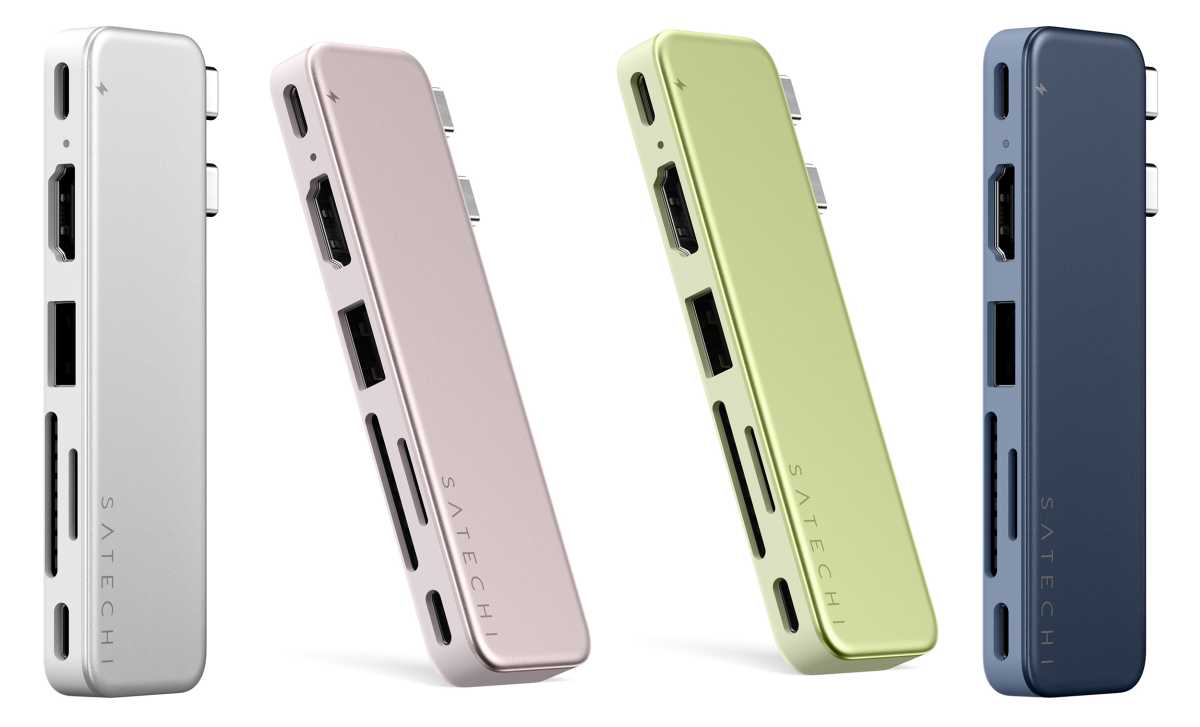
Satechi
What ports do you get?
The color-matched aluminum hub features a flush dual-connector design that expands the Neo’s two USB-C ports into six handy connections:
- Two upstream USB-C connectors to the MacBook
- One USB-C port (5Gbps)
- One USB-C port (45W Power Delivery)
- One USB-A port (5Gbps)
- One HDMI (4K/60Hz)
- One SD card reader (UHS-I, 104MBps)
- One MicroSD card reader (UHS-I, 104MBps)
While the Snap Hub takes up both of the Neo’s ports, it leaves you with six.

Simon Jary
The USB-C port at the far left takes over charging duties, with a potential 45W of output to the Neo, which is plenty as the laptop ships with just a 20W charger in its box (or none if you’re buying in the U.K. or E.U.). Apple doesn’t mention fast-charging when it comes to the Neo’s tech specs but it will charge faster if you connect a 30W or higher charger as it will take in 30W if you supply it—with 30W you should get a Neo from 0-100% in 90 minutes compared to 140 minutes at 20W.
You don’t need the Satechi Snap Hub to achieve faster charging: just a 30W or higher USB-C wall charger such as the Anker Nano 30W Charger ($16.99), which is also available in a range of colors although not exactly matching the Neo like Satechi’s hub.
The Snap Hub’s other USB-C port offers data-transfer at 5Gbps—that’s half as fast as the Neo’s own data port but a speed that should be acceptable to most. I wouldn’t use it in a professional video studio, but for most everyday tasks it should be fine. The remaining 5Gbps of bandwidth could be used by the legacy USB-A port or the HDMI port.

Satechi
Can it connect an external display?
Natively, the MacBook Neo supports only one external display. That’s down to Apple’s display limitations that similarly affect the early MacBooks with base M1 and M2 chip. You’ll need a DisplayLink dock or hub if you want to connect more than one display to the MacBook Neo.
The Satechi Snap Hub isn’t DisplayLink enabled but its HDMI port will let you connect a 4K UHD monitor (3840 x 2160 pixels) at a decent 60Hz refresh rate—the standard for most hubs and docks, even for some of the best Thunderbolt docking stations.
The monitor will need to feature an HDMI port itself, but it’s rare to find a display without HDMI.
If you hanker after multiple external displays to connect to your Neo, look to a DisplayLink dock.
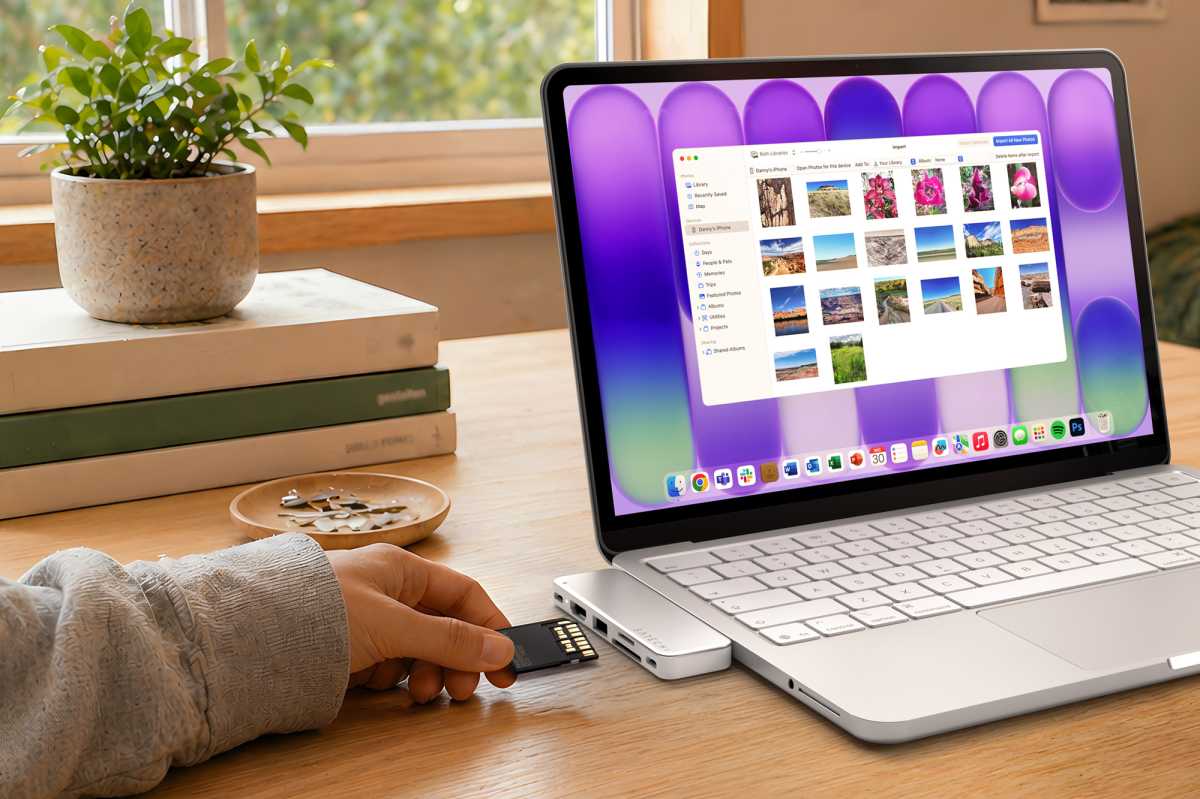
Satechi
Can you expand the MacBook Neo’s storage?
SD and MicroSD card readers are useful for adding affordable and ultra-portable storage. The Neo’s maximum internal storage is 512GB with the Touch ID model. The entry-level Neo comes with just 256GB of internal storage
Although storage prices are volatile right now, you can buy an SD or MicroSD card to boost your Neo’s capacity without breaking the bank. You can expand the base Neo’s 256GB storage 1.5 times to 374GB by adding a 128GB $40 MicroSD card from Amazon or double it to 512GB with a 256GB MicroSD card ($60).
The Snap Hub’s card slots aren’t the fastest—its 104MBps readers are noticeably slower than faster 312MBps slots—for backups and everyday work, they should be acceptable for Neo users.

Satechi
How does it compare with the alternatives?
Available in Citrus, Blush, Indigo, and Silver, the Satechi Snap Hub is priced at $44.99 / £44.99 either direct from Satechi or Amazon. U.K. users should note that Amazon availability will be live at the end of July.
That’s a little cheaper than the Plugable 9-in-1 USB-C Multiport Hub that has more ports but will only semi-match the Silver Neo. It connects via a cable so isn’t as neat as the SnapHub. You get the same basic ports except three USB-A, which I doubt you’ll need. It offers 100W passthrough charging but as the Neo can accept only 30W it’s overkill for Apple’s colorful laptop. What it does have that might tempt you is a Gigabit Ethernet port for wired access to networks.

Satechi
Satechi has also color-matched its OntheGo Multiport Adapter ($44.99 / £44.99) to the Neo range. This five-port hub does differ from the standard $59.99 OnTheGo Multiport Adapter that has seven ports. Both connect to the Mac with a 10Gbps host cable, but the potential passthrough power to the laptop is a lower 60W on the 5-port compared to 80W on the 7-port. This won’t impact Neo users as the entry-level MacBook can take on a maximum of 30W anyway.
Lacking from the 5-port Neo model are the Gigabit Ethernet port, the MicroSD card reader, and one of the USB-A ports. However, it adds a 5Gbps USB-C data port to replace the one used up by the Hub itself, which is more necessary as there’s just the one data port on the Neo.
Its circular shape and soft-touch magnetic base can mount flush to the Neo’s lid via the included 3M adhesive ring. You can also snap it to a USB-C iPhone (15 or later) if you need it on your handset as well as your Neo laptop.
As part of its Neo collection, Satechi has also launched a color-matched, low-profile and stylish Slim EX Wireless Mouse ($29.99 / £29.99) that supports two Bluetooth channels and a 2.4GHz wireless connection with quiet click buttons and a precision-machined scroll wheel.

Satechi
Elsewhere we’ve rounded up the best accessories for MacBook Neo that these will definitely join.
Should you buy the Satechi USB-C Snap Hub?
The Satechi Snap Hub’s slim anodized aluminum form factor fits flush against the MacBook Neo with no dangling cables—until you add the ones you need for power, expansion, storage and display support. There are similarly port-packed USB-C hubs available, but few so perfectly matched to the Citrus, Blush, Indigo, and Silver colors of the Neo.


