The Mac Studio is Apple’s most powerful desktop following the discontinuation of the Mac Pro in 2026. It has effectively become Apple’s flagship professional workstation, aimed at users who need sustained CPU and GPU performance, large amounts of unified memory, and a desktop form factor.
Typical Mac Studio buyers include video editors, software developers, AI and machine learning users, 3D artists, music producers, engineers, and other professionals whose workloads benefit from workstation-class performance.
If you’re considering buying a Mac Studio, there are three questions to answer:
- Should you buy now or wait for the next generation?
- Can you actually buy the configuration you want given current shortages?
- Which model and specification is right for your workload?
Mac Studio: Buy now or wait?
Buy now if…
- You need a machine immediately.
- You’re upgrading from an Intel Mac.
- You primarily use:
- Final Cut Pro or DaVinci Resolve
- Logic Pro and music production software
- Xcode and software development tools
- Docker, virtual machines, and development environments
- Your current Mac is slowing down your work.
Though introduced in March 2024, the current Mac Studio remains an exceptionally capable workstation. The M4 Max model can comfortably handle 4K and 8K video editing, software development, professional audio production, creative applications, and demanding multitasking workloads.
For professionals who need a powerful Mac workstation today, the Mac Studio remains the most affordable way to access Apple’s Max- and Ultra-class chips in a desktop form factor.
Wait if…
- You already own an M1, M2, or newer Mac Studio.
- You’re specifically interested in the upcoming M5 generation.
- You want the longest possible lifespan from your purchase.
- You need the highest memory configurations available.
- Your workloads focus heavily on AI development or large-scale 3D rendering.
A Mac Studio refresh is widely expected, with M5 Max and M5 Ultra models anticipated in the near future. If your current machine is still meeting your needs, waiting may provide access to newer architecture, updated connectivity standards, and potentially improved memory options.
Mac Studio availability problems
There are long waits for Mac Studio configurations.
Foundry
Availability is currently one of the biggest factors affecting purchasing decisions.
Several higher-memory configurations of Mac Studio have become difficult to obtain, while some models have experienced extended shipping times. As a result, the configuration that looks best on paper may not be the configuration you can actually buy.
If you need a Mac Studio immediately, availability may ultimately determine which model and specification makes the most sense.
When is the next Mac Studio expected?
The current Mac Studio lineup was introduced in March 2025 with M4 Max and M3 Ultra options.
Industry expectations point toward a refresh featuring M5-series chips, there were expectations that the update could happen as soon as WWDC on June 8. However, exact timing is now uncertain because supply-chain and memory availability issues could affect both launch timing and availability of future models.
When Apple introduces new Mac Studio models buyers can expect improvements in performance, AI capabilities, storage speeds, wireless connectivity, and overall platform longevity.
Max vs Ultra: Which Mac Studio should you buy?
Foundry
The primary difference between the Mac Studio Ultra and Max models lies in the processing architecture, where the Ultra chip essentially combines two Max chips into a single die to provide roughly double the performance cores and graphical power. The choice between the two comes down to the intensity of your workflow.
M4 Max Mac Studio: Best for most professionals
The M4 Max Mac Studio offers a lower entry price and is the model most buyers should choose.
It’s ideal for:
- Video editing
- Software development
- Music production
- Photography and design work
- General professional workloads
Starting at $1,999, it delivers workstation-class performance without the significant premium commanded by Ultra models.
M3 Ultra Mac Studio: Best for extreme workloads
The M3 Ultra is designed for users who regularly push hardware to its limits.
It’s best suited to:
- Large AI models
- Professional 3D rendering
- Scientific computing
- Massive video-production projects
- Heavily multi-threaded workloads
The Ultra architecture provides substantially more CPU and GPU resources, higher memory ceilings, and greater expansion potential than the M4 Max.
However, most professionals will not fully utilise its additional performance.
Where to buy Mac Studio to get the best deals
In the U.S., you can usually buy the Mac Studio from Apple and the following stockists. Right now availability is constrained and delivery dates are weeks away, however.
- Apple has a 9-10 week wait for the 32GB models, but the 64GB and 94GB RAM options have a 16-18 week wait.
- B&H has a listing for the M4 Max Mac Studio, but they are “unavailable”. The M3 Ultra Mac Studio is listed as “discontinued”.
- Best Buy lists the M4 Max Mac Studio unavailable and the M3 Ultra as “sold out”.
In the U.K., you can usually buy the Mac Studio from Apple or the following stockists:
- Apple has a 10-11 week wait for most models, although the 64GB RAM option has a 16-18 week wait.
- KRCS offers long delivery times for the Mac mini M4 Max, with the 512GB model being out of stock.
- Argos stocks the Mac Studio, but both models are out of stock.
- Currys stocks the Mac Studio, but both models are out of stock.
Another option is to buy refurbished. The best option to buy a refurbished Mac Studio would normally be Apple’s Certified Refurbished Store, but there are none available as of June 2026.
We have seen a refurbished deal at BackMarket U.K. that could be worth buying, if you really need a Mac Studio:
What specifications should you choose?
Assuming you can find one in stock, here is some guidance on which specifications to select.
RAM
Memory is more important than processor upgrades for many buyers.
Because Apple Silicon uses unified memory and cannot be upgraded later, it’s worth buying more RAM than you think you’ll need.
As a general rule:
- 36GB–48GB is sufficient for most professional users.
- 64GB–96GB is recommended for serious video production, AI workloads, and advanced creative work.
- Higher capacities are most useful for large AI models, 3D projects, and specialist professional workflows.
Don’t make the mistake of spending your budget on a larger CPU upgrade while compromising on memory.
Storage
Internal storage can be supplemented with external Thunderbolt drives, making it easier to expand later.
For most professional users:
- 1TB is a sensible minimum.
- 2TB is a better long-term choice.
- Larger capacities are best reserved for users with substantial media libraries or large project files.
Mac Studio vs Mac mini: Which is best?
Many buyers should also consider the Mac mini. Although, like Mac Studio component shortages are affecting availability.
The Mac Studio is worth the extra cost if you need:
- More GPU performance
- Higher memory capacities
- More Thunderbolt connectivity
Additional display support
10Gb Ethernet and extensive peripheral support
Note that the Mac mini with M4 Pro is a more compelling alternative than waiting for an M5 Mac mini. One key advantage is connectivity: only the M4 Pro Mac mini and the Mac Studio support Thunderbolt 5, while the standard M4 Mac mini is limited to Thunderbolt 4.
Thunderbolt 5 provides significantly greater bandwidth and is particularly valuable for:
- External SSD arrays and high-speed storage
- Professional video editing and post-production workflows
- Multi-display setups
- Audio production and recording environments
- AI clusters, machine learning workloads, and advanced storage solutions
For users who can benefit from these capabilities, the M4 Pro Mac mini offers advantages that are likely to remain relevant even as newer generations are released.
If your workloads are primarily coding, productivity, and moderate creative work, the Mac mini m4 Pro may offer better value.
Other things to consider
Apple
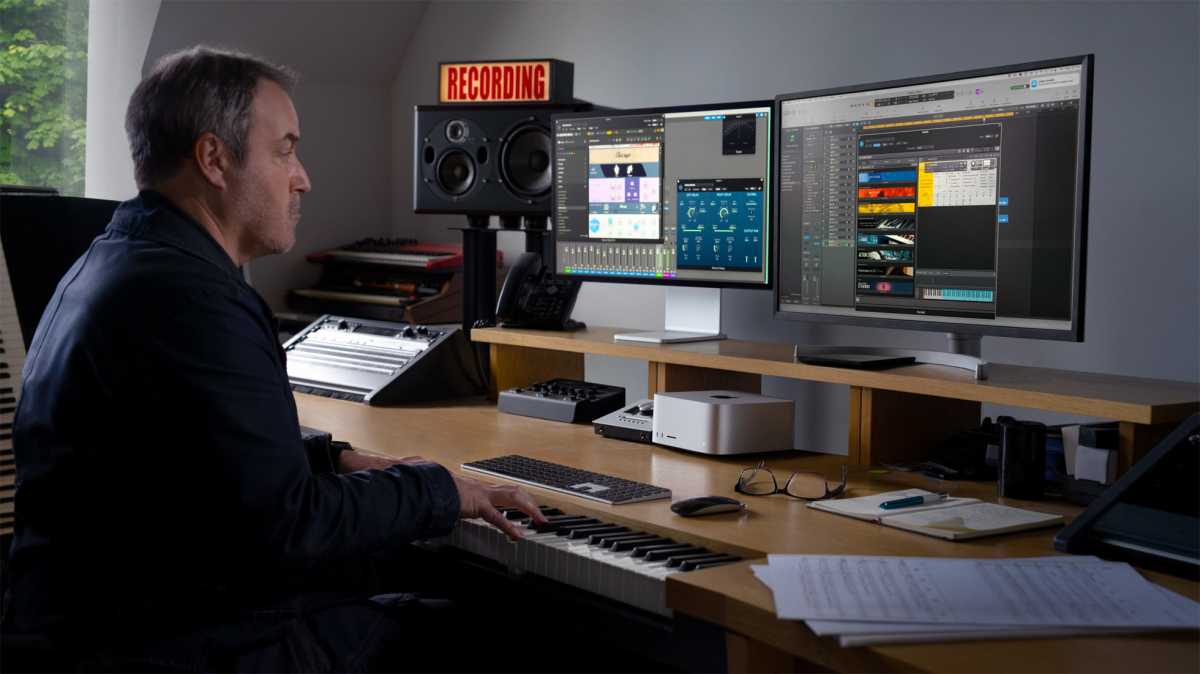
The Mac Studio does not include a display, keyboard, or mouse.
A professional monitor can add significantly to the overall cost of ownership, so factor this into your budget before purchasing.
If you’re buying for the long term:
- Prioritise RAM.
- Don’t skimp on storage.
- Buy the best configuration you can realistically afford.
- Consider whether waiting for the next generation makes sense if you expect to keep the machine for five years or more.
Should you buy a Mac Studio?
Buy now if you’re upgrading from an Intel Mac, your current machine is holding back your work, or you need a workstation immediately. Good luck finding one though.
Wait if you already own a recent Mac Studio, want the latest M5 architecture, or need the highest-end configurations and are willing to see how Apple’s next-generation lineup develops.


