At a glance
Expert’s Rating
Pros
- Driverless dual-display support (M3 and later)
- 40Gbps USB4
- 100W PD to laptop
- More affordable than Thunderbolt
Cons
- Relatively few ports
- Low device charging from USB ports
Our Verdict
The ultra-secure StarTech.com 208N will appeal to frugal IT teams deploying high-performance dual-display workstations across different platforms with its networking and simple driverless setup.
Price When Reviewed
This value will show the geolocated pricing text for product undefined
Best Pricing Today
Price When Reviewed
$143.99
Best Prices Today: StarTech.com Driverless Dual 4K USB4 Docking Station (208N-USB4-DOCK)
$134.99
$143.99
What is it? An entry-level docking station that effortlessly connects up to two external displays without the need to install extra software.
Who is it for? MacBook users who want to natively maximize their dock display options without spending big on Thunderbolt, and IT teams who manage offices with multiple fixed monitor setups.
Who shouldn’t buy it? Base MacBook M1/M2/Neo users who require DisplayLink docks to use more than one monitor.
Most of the docks we recommend to Mac users use Thunderbolt, which offers the fastest speeds and the broadest feature set. USB-C docks are usually much cheaper, making them an attractive alternative, but they come with compromises. They often offer slower data-transfer speeds – typically 10Gbps compared to Thunderbolt’s 40Gbps – and most can’t provide two native extended displays on a Mac.
Because macOS doesn’t support DisplayPort Multi-Stream Transport (MST), a basic non-Thunderbolt dock can only mirror a second external display rather than extend it. There are workarounds. DisplayLink docks can support multiple screens, but require drivers and come with their own limitations. Other docks use two upstream USB-C connections, but that ties up two of your MacBook’s valuable ports.
Why is this USB4 dock different?
StarTech.com has a new solution that affordably gets past the macOS limitation without the need for Thunderbolt or DisplayLink. The StarTech.com 208N uses USB4 to deliver 40Gbps bandwidth and native, driver-free dual extended displays on supported Macs without requiring Thunderbolt, DisplayLink or two upstream connections. The result is a much more affordable dock that overcomes one of the biggest limitations of USB-C docking on the Mac.
This is particularly useful for IT teams deploying docks for offices with mixed platforms such as Windows and Chrome as well as Macs. It also keeps the cost of the dock down as Thunderbolt docks almost always cost more due to their tighter Intel certification.
The pragmatically but long-windedly named StarTech.com Driverless Dual 4K USB4 Universal Docking Station (or just 208N-USB4-DOCK to its friends) delivers driverless dual-display support on MacBooks without the need for Thunderbolt, DisplayLink or two Mac connectors.
Simon Jary
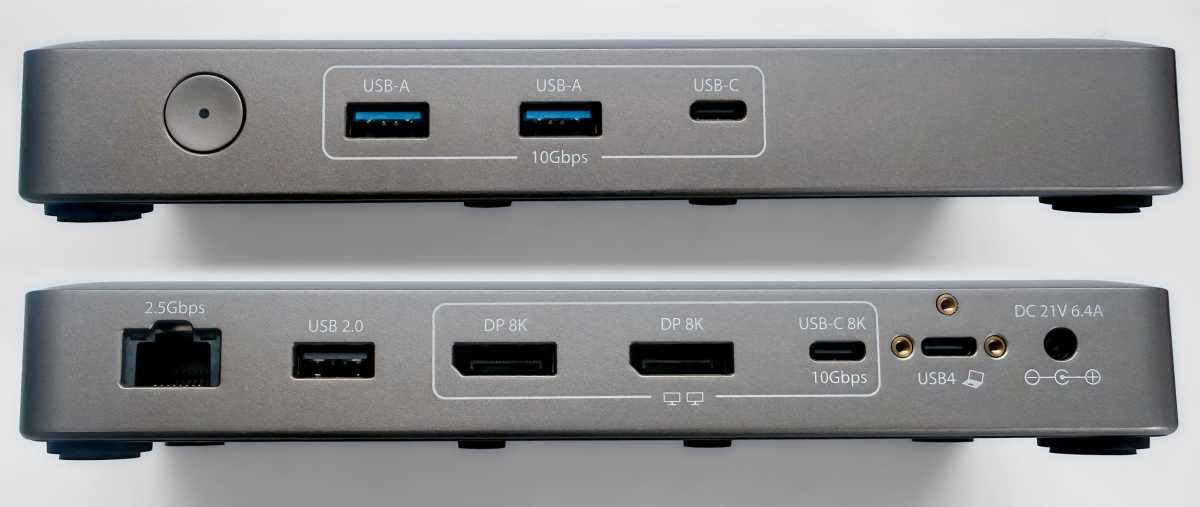
What ports do you get?
- One upstream USB4 port (40Gbps, 100W)
- Two USB-C ports (10Gbps, 7.5W)
- Two USB-A ports (10Gbps, 4.5W)
- One USB-A port (480Mbps, 2.5W)
- Two DisplayPort
- Ethernet (2.5Gb)
- 134W power supply
The first spec to shout about is the upstream USB4 connection that mirrors Thunderbolt 3 or 4’s 40Gbps bandwidth. USB4 is not full Thunderbolt but is compatible with it and offers a more affordable high-bandwidth connection to the Mac. As this dock supports DisplayPort video it compares well to Thunderbolt. Only Thunderbolt 5 is faster.
The dock can deliver up to 100W of power to the connected laptop, which is enough to fast-charge all but the 16-inch MacBook Pro.
With only eight downstream ports, the StarTech.com 208N is a little shy compared to docks with ten or more ports to expand on the MacBook’s own paltry number.
There are two extra USB-C ports, both at 10Gbps and one of which can carry a DP Alt-Mode video signal to a USB-C monitor.
There are three legacy USB-A ports, which should be more than enough these days unless you still prefer wired keyboard and mouse. Two of these ports are rated at 10Gbps and one at the lowly USB 2.0 speed of 480Mbps.
With the exception of the 100W PD to the connected laptop, none of the other USB ports can output much in the way of charge, as suggested by the low 134W power supply. Most docks are equipped with 180W or higher power supplies to support better device charging from their USB ports. An iPhone requires at least 18W for fast-charging—7.5W will charge a phone but very slowly, although it’s fine if you just want to perk up your Apple Watch or AirPods.
StarTech.com is marketing this dock as an entry-level dock focused on the external screen support, but one 15W port at least would have been a bonus.
Simon Jary
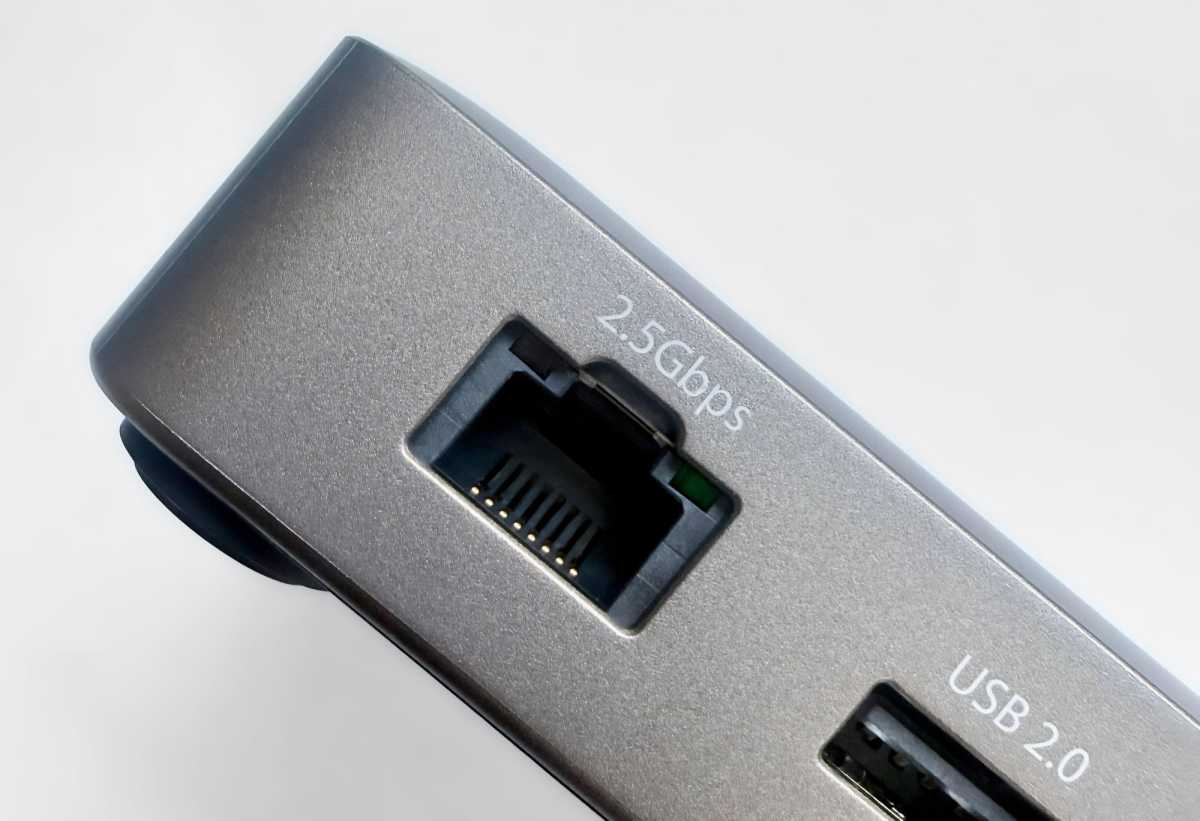
Network support is fast, offering up to 2.5Gbps compared to the standard 1Gbps Ethernet. This is backwards compatible to Gigabit Ethernet networks and will work with even 10Gbps networks although at a maximum 2.5Gbps.
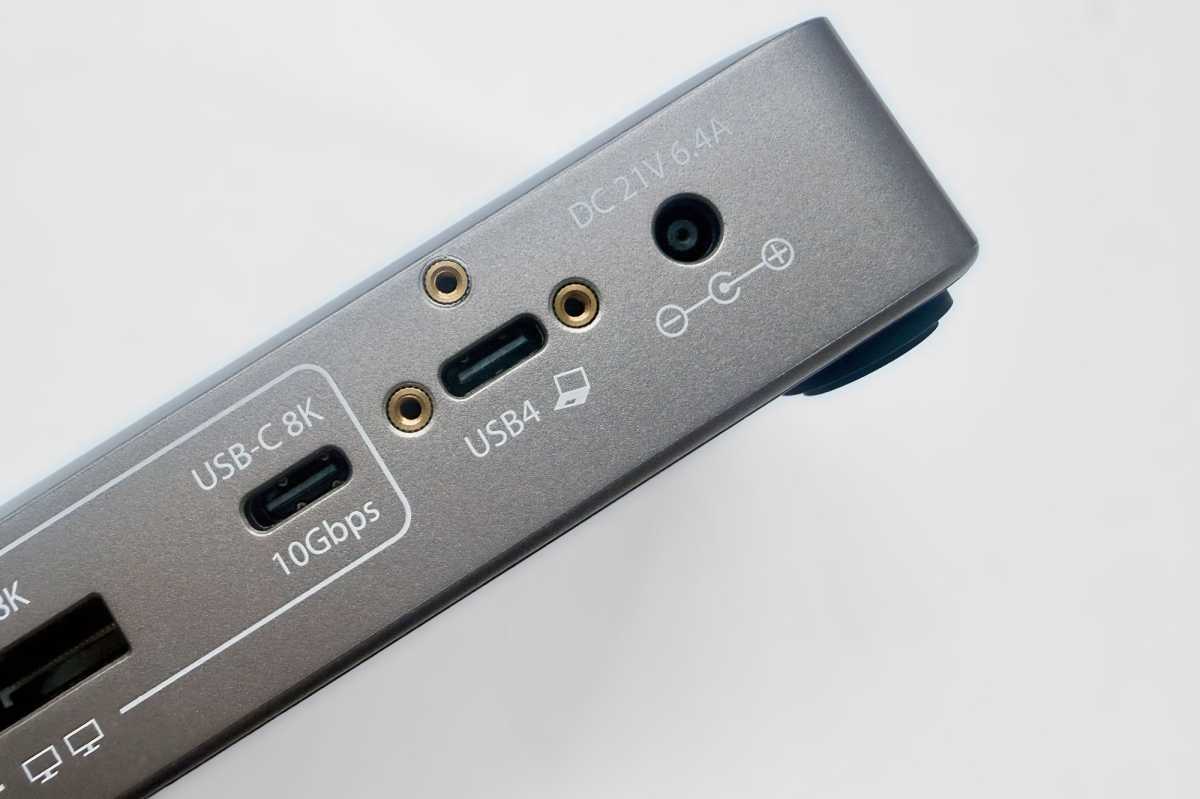
The upstream USB4 port is securely screwed into place to prevent accidental disconnections. The dock also includes integrated lock slots and VESA or surface mounting options to deter theft and tampering. These are all ticked boxes for IT office staff.
Simon Jary
How does it avoid DisplayLink drivers?
Thunderbolt docks can handle as many displays as they have ports and your connected Mac supports.
USB-C docks are hampered by their lower bandwidth and the macOS lack of Multi-Stream Transport that is no brake for Windows PCs. This limits them to the second connected external screen only mirroring what is the first. The usual solution—save buying a more expensive Thunderbolt dock—is to get a dock that supports DisplayLink software that can push past the limitation through compression.
Aside from the compression and potential latency itself, DisplayLink docks won’t work with most streaming services—AppleTV, Disney+, Netflix etc—due to DRM-protected content restrictions.
The StarTech.com 208N gets past this limitation and matches Thunderbolt 4 on 40Gbps bandwidth, and is able to provide a lag-free second external display with a properly extended, non-mirrored screen image by using native USB4 and GPU-based video output.
The technical stuff: It uses Intel’s Hoover Ridge USB4 controller, which supports native DisplayPort video transport over USB4 using DisplayPort tunneling. Rather than generating video in software (as DisplayLink-based docks do), the dock carries the native DisplayPort streams produced by the host GPU and routes them directly to its video outputs. As a result, the operating system detects the connected monitors as native displays, without requiring any additional graphics drivers or software.
Simon Jary
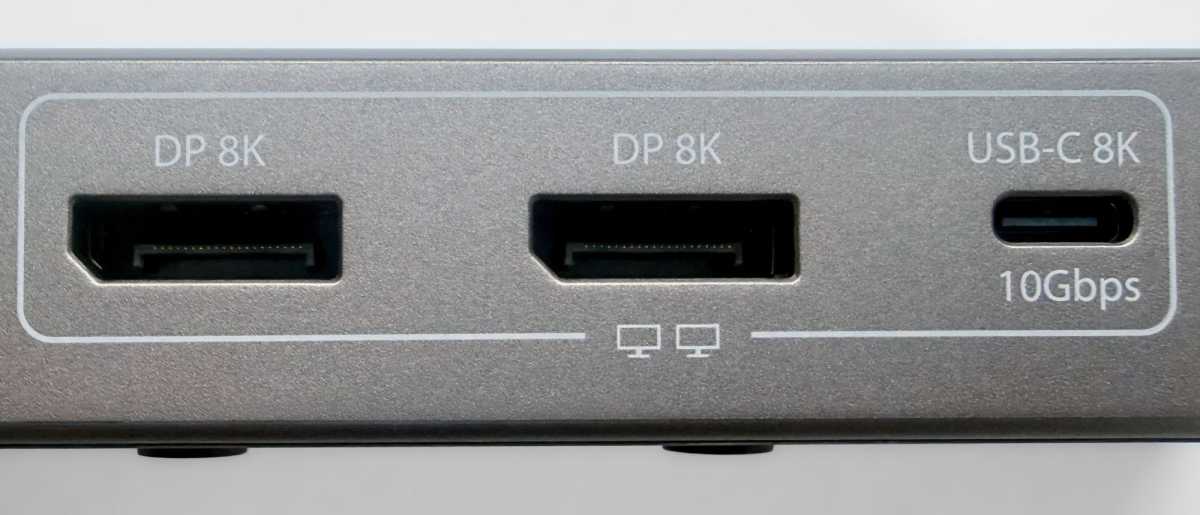
You can choose from the two DisplayPort dedicated video ports or the video-enabled USB-C port at the back of the dock. If you are using the USB-C port for video, it won’t support other data at the same time.
Resolution, as with all docks, is dependent on the capability of your connected Mac.
- Base M1/M2 Macs and MacBook Neo support just a single display, so this dock is less relevant
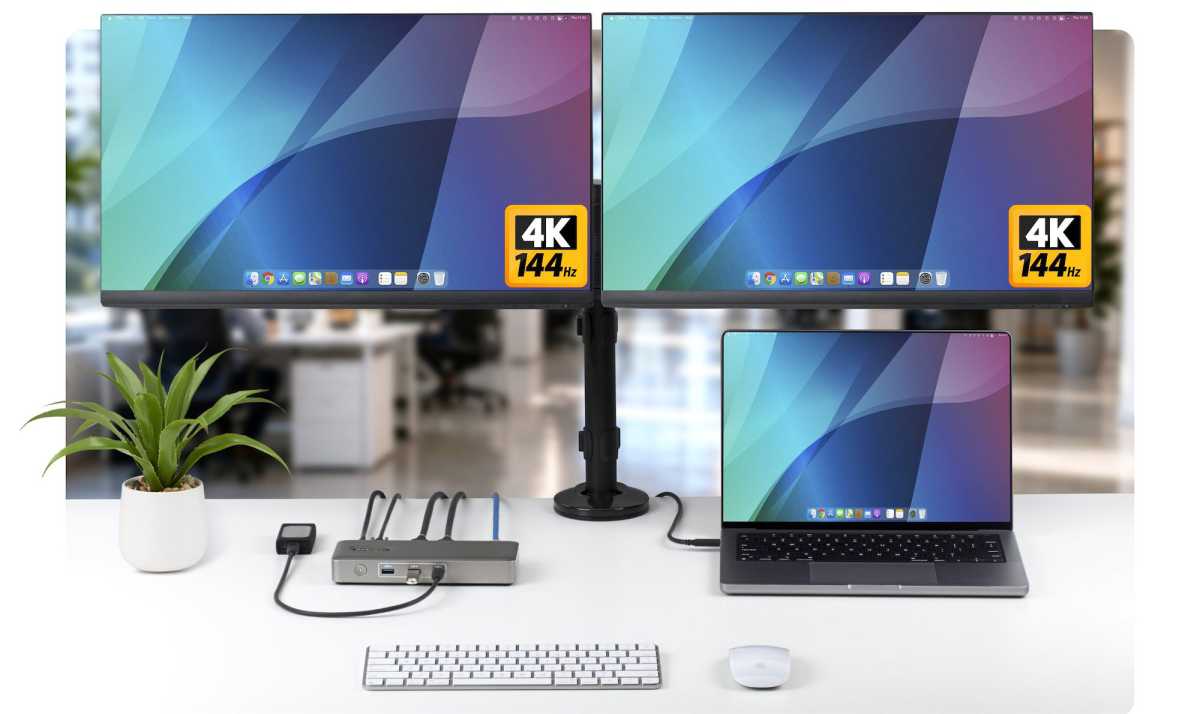
- M1/M2/M3 Pro Macs support a single 8K/60Hz or 4K/144Hz monitor or two 6K/60Hz
- M4/M5 Pro and Max, plus base M5 Macs support up to the same 8K/60Hz single or faster-refresh 4K/240Hz single, plus dual 6K/60Hz or dual 4K/144Hz
StarTech.com
Price
The StarTech.com Driverless Dual 4K USB4 Universal Docking Station (208N-USB4-DOCK) is priced at $143.99 / £141.59, which is significantly cheaper than you’ll find in a Thunderbolt dock.
The dock is clever enough to skip most of the limitations found in other non-Thunderbolt docks for Mac. If you require Thunderbolt functions such as daisy-chaining or certified faster bandwidth, check out our reviews of the best Thunderbolt docks.
We’d prefer better device charging from at least one of the five USB ports, but being more affordable than a Thunderbolt dock, the ultra-secure StarTech.com 208N will appeal to IT teams deploying high-performance dual-display workstations across different platforms with its networking and simple driverless setup.


