If you work at a desk all day every day, chances are you’ve encountered back or neck pain at some point during your storied career. It’s one of the most common side effects of desk work, especially if you spend long stretches on a laptop.
But there are ways to mitigate these issues and set yourself up for better long-term back health, and you can make a number of those changes in just a few minutes.
After struggling with back pain and posture failures for most of my adult life, I’ve successfully resolved things (mostly) over the last few years.
Here’s everything I learned about rectifying back pain and improving desk posture, distilled down to just 10 minutes of tweaks.
Check yourself
The first step is to check in with yourself, your posture, and your routine. Do you sit at your desk all day without breaks? Are you hunched over? Is it the small of your back that gives you issues or your upper back?
Tailor your changes to your particular pain points. If you notice anything you’re doing that’s contributing to your back pain and/or posture issues, make sure to address those habits first.
These kinds of quick changes are great if you can maintain them. The long-term health of your back is down to you and how well you stick to these better habits once you have them in place.
Monitor height
This common mistake is everywhere in stock photography, which has misled so many people. Looking up or down at your monitor is bad.
Your monitor height should be set so that your eyes naturally rest in the upper third of the screen when you’re looking straight ahead. This means the center should be about 10 to 20 degrees lower than your eyeline. It’s the bare minimum of the monitor adjustments you should make.
Jon Martindale / Foundry
Most monitors have the ability to adjust height, but if yours doesn’t, you have options. The simplest is to put it on a box, or raise/lower the height of your chair to adjust your eyeline. If you’re using a sit-stand desk, adjusting the height of the desk itself is another straightforward way to better line up your monitor(s) with your eyes.
If it proves impossible to sit at the right height and if you’re above your monitor, try tilting it upwards slightly. If you’re below the ideal line, try to tilt the monitor down slightly. This kind of tilting isn’t ideal, but it’s still better than nothing when you’ve tried everything else.
The ideal solution that offers the most adjustability and versatility is to mount your monitor on a monitor arm. Arms make it easy to tilt, move, twist, pivot, and raise displays exactly how you need them. Check out PCWorld’s picks for the best monitor arms for options.
Jon Martindale
If you’re working on a laptop and you can’t adjust the monitor height independently, try switching to an external mouse and keyboard and lifting your laptop up on a stand or even a box. That makes it a lot easier to adjust for proper keyboard and mouse height, too.
Keyboard and mouse height
If you use a keyboard and mouse as part of your laptop or PC—which is like 99 percent of people—then you need to make sure you’ve adjusted the height of those peripherals properly.
Jon Martindale / Foundry
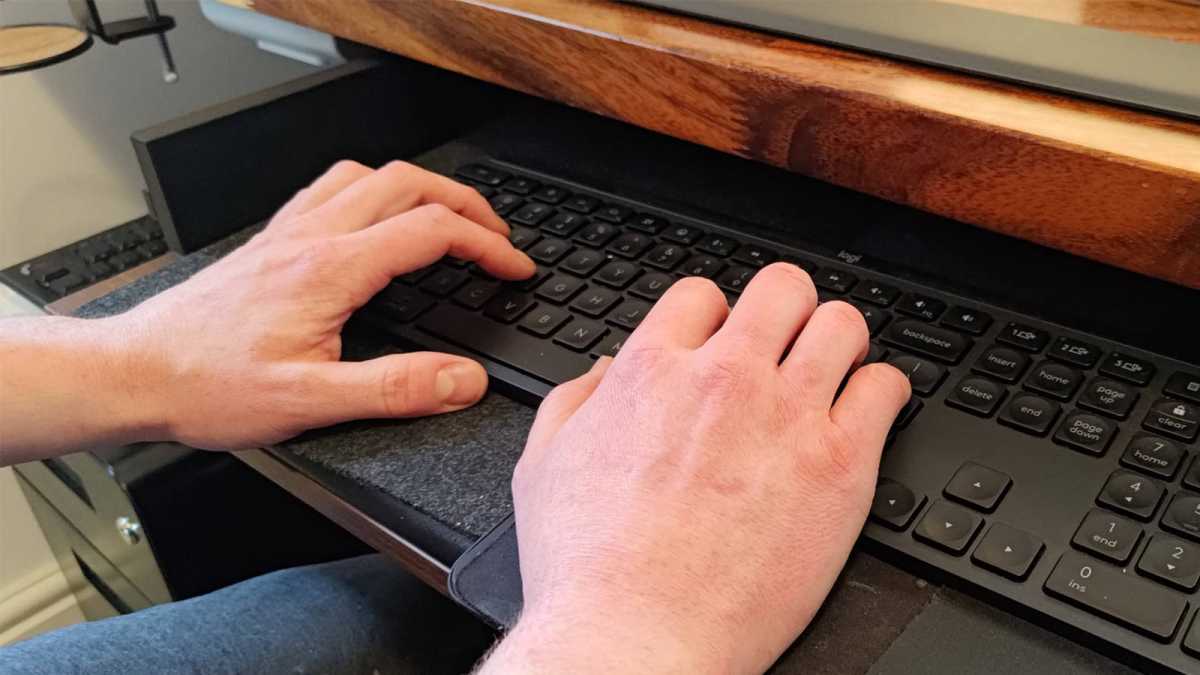
You ideally want a neutral arm position with elbows at 90 degrees and wrists held in a natural, relaxed position. No flexing, no pushing, no craning. No resting on a hard surface, either.
Sometimes you can get the right height by adjusting your seat relative to your desk. If not, you might benefit from an under-desk-mounted keyboard tray for your keyboard and mouse. If you want to go even fancier, a good sit-stand desk can also be a solution.
Put your feet flat
Where are your feet right now? If you’re sitting in a chair but your feet aren’t flat on the floor or a supportive rest, you should really change that—and get into the habit of always maintaining flat feet.

Jon Martindale / Foundry
A lot of upper-body posture issues actually start further down your body. If your feet aren’t properly supported and positioned, then it will twist your hips and spine out of order, causing the rest of your body to compensate. Lower your chair so your feet sit flat on the floor. If your feet don’t reach, get a dedicated box or footrest.
Support your lower back
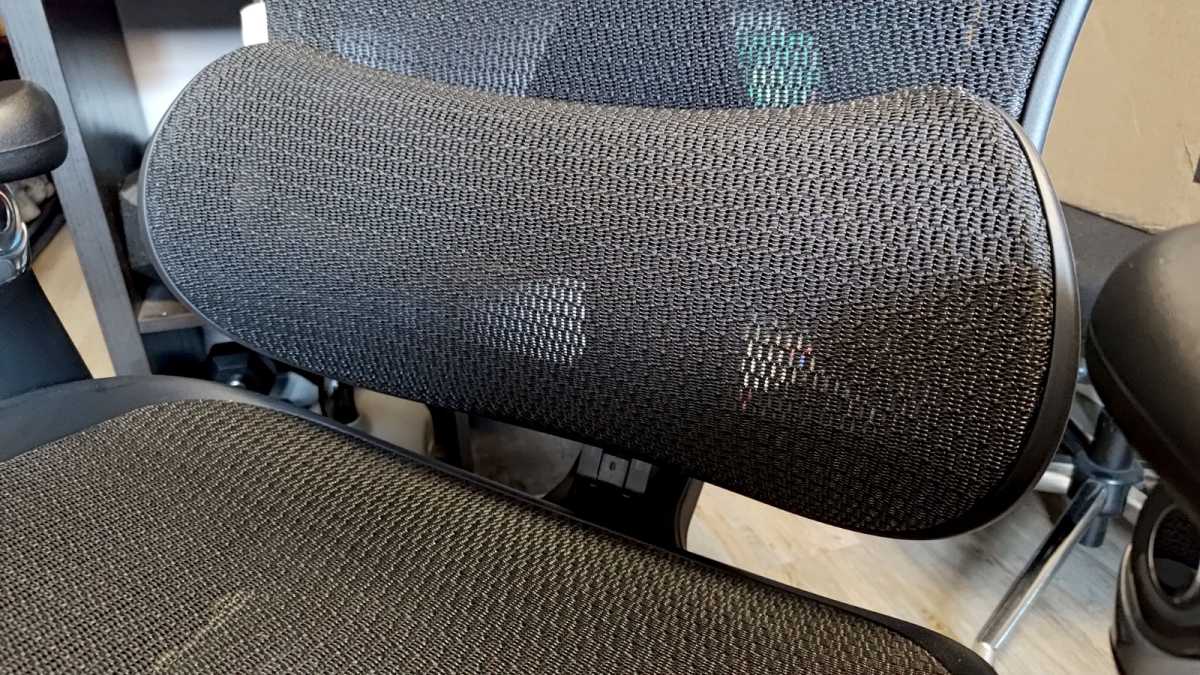
Does your chair have dynamic lumbar support? If not, that’s a gap well worth addressing—and one you can fix with ease. I used to have back pain all the time but this is one of the things that helped.
Jon Martindale / Foundry
Grab a cushion or roll up a towel and place it comfortably so that it sits between the lower portion of your back and the chair back. Lumbar support encourages proper spinal curvature and prevents you from slouching backwards into the chair as the day drags on.
Grab a posture-enhancing tool
I’ve come across lots of awesome free apps over the years, but one of my favorites is called Sit App. It uses your webcam to monitor your posture and gives you a quick nudge when you start to slouch.
Jon Martindale / Foundry
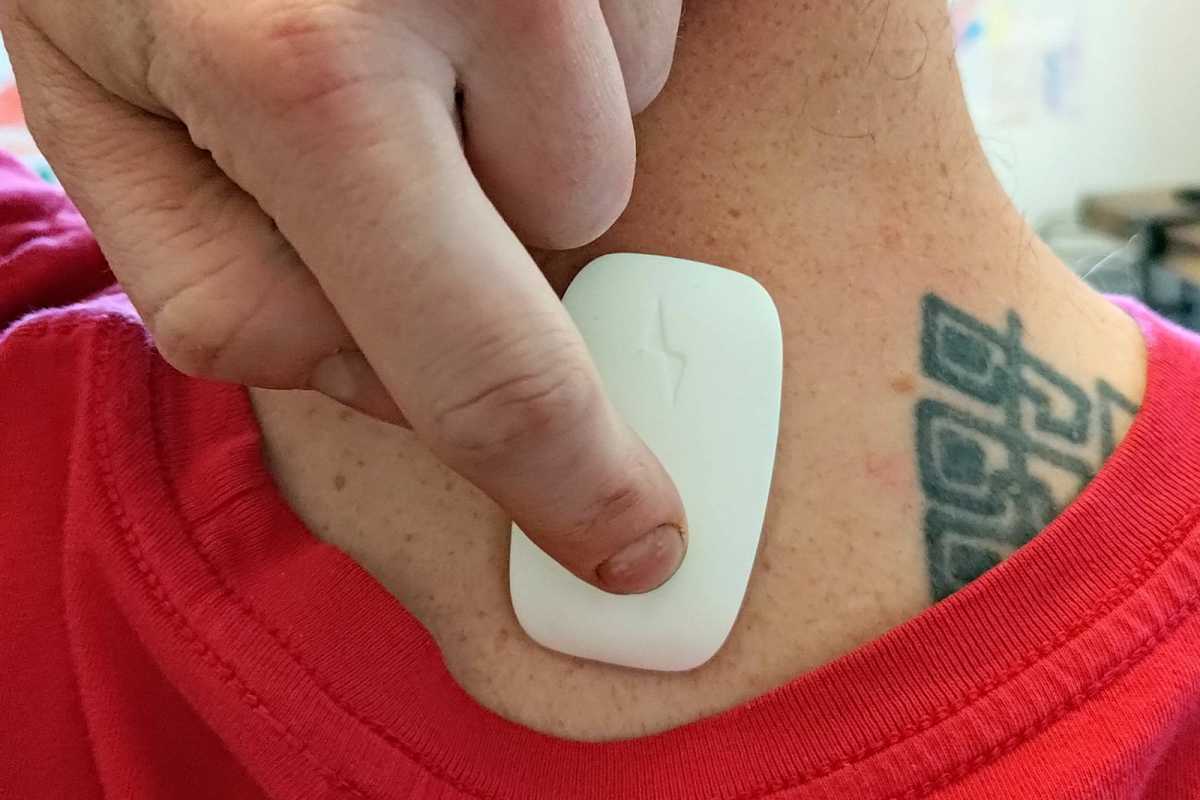
Alternatively, if you’d rather a more reliable hardware solution, I can recommend the Upright Go 2 as a useful tool for the job. This thing gently vibrates when your posture is bad. (Get it with the necklace bundle and you won’t have to deal with adhesive!)
Get moving regularly
Whether you sit or stand for work—or a combination of both—you need to be incorporate movement into your day. Stretch and turn side to side on your breaks to release tension. Roll your shoulders, touch your toes, or kick your butt with your heels a few times. If you’re standing, maybe dance around while reading emails or combing documents.
No single posture is ideal to hold for long periods of time. The enemy is a sedentary (very little movement) lifestyle. Small micro-adjustments and larger macro-movements can go a long way for back health.
Take breaks
I don’t know a single desk worker who hasn’t had at least one late work session where they didn’t step away for hours at a time. It’s bad, and we all know it’s bad, but we still let it happen.
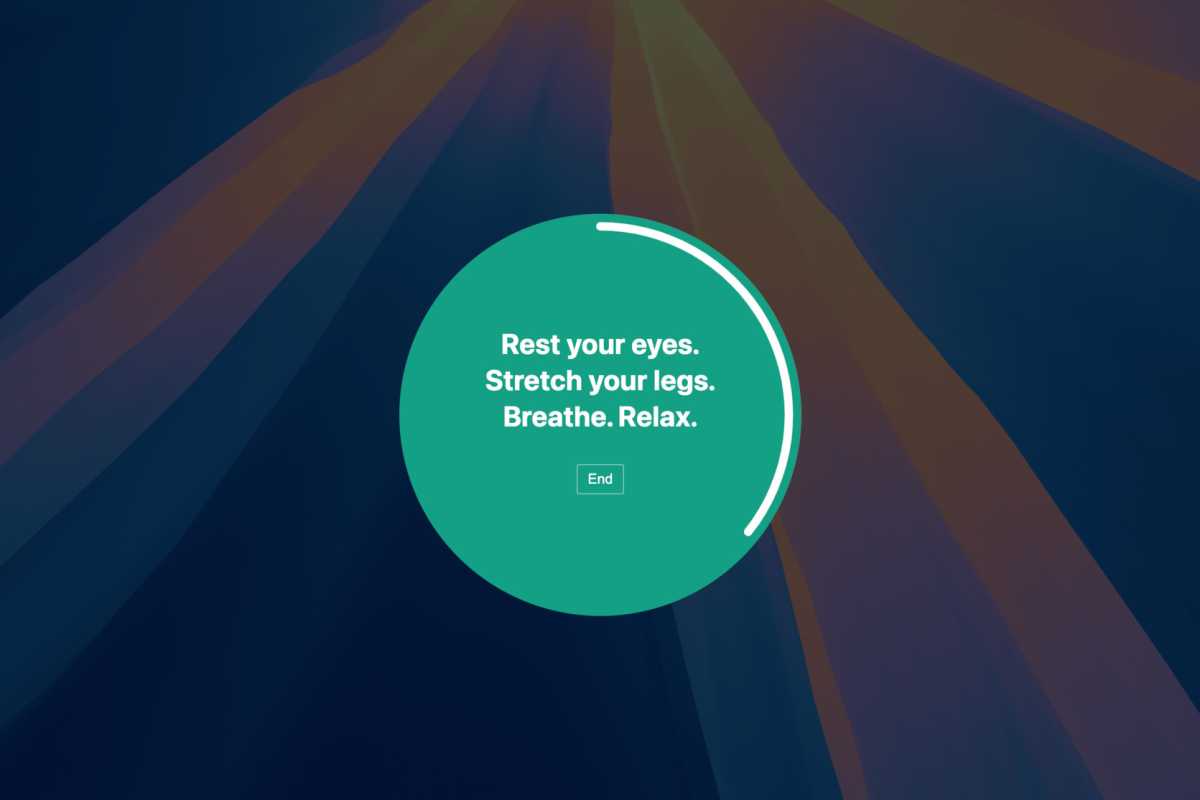
The single most important quick change you can make is to take regular breaks. Use an app like BreakTimer for reminders you can’t ignore or forget, or find some other way like with email reminders or AI chatbot reminders. Anything that snaps you out of your flow and gets you up and moving, away from your desk, for 5 minutes at a time every hour.
BreakTimer
Breaks are also important for giving your eyes rest. The 20-20-20 rule suggests looking at something 20 feet away, for 20 seconds, every 20 minutes, allowing your eyes to relax.
Between regular eye breaks, movement breaks, and posture reset breaks, you’ll be feeling a lot better. Build these resets into your day and turn them into habits. Make them part of your work routine and look forward to them. Your body will thank you.
Do your best
Don’t beat yourself up if you can’t reach or maintain perfection. A skipped break or constant slouching isn’t the end of the world—just keep trying and doing your best. Something is better than nothing. And the more you do it, the easier it’ll be to keep doing it.
Make a few easy tweaks right now in just 10 minutes, then make a few more over the weeks to come. Over time, I hope you’ll develop the right setups and habits to bring yourself to better desk health.
Further reading: These 8 habits keep me sane at my PC desk


