At a glance
Expert’s Rating
Pros
- Affordable for four bays
- Dual 5Gbe connections
- Tons of apps and capabilities
- Excellent performance
- Unlimited IP cams in surveillance app
Cons
- Drive trays don’t lock
- Requires mail address during initialization
- TOS 7 still slightly buggy
Our Verdict
TerraMaster’s F4-425 is a fast, versatile, four-bay storage, backup and media streaming NAS box that’s every bit as good as, if not better than similar units from QNAP and Synology. Especially as the company doesn’t gouge you for IP cam licenses.
Price When Reviewed
This value will show the geolocated pricing text for product undefined
Best Pricing Today
Price When Reviewed
$639
Best Prices Today: TerraMaster F4-425 Pro
$699.99
I’m always surprised how few people own a NAS (Network Attached Storage) box such as the highly capable F4-425 Pro reviewed here. NAS requires a bit more tech savvy than cloud services and storage, plus some upfront cost, but there’s one particular reason it’s worth it: complete and private control of the apps, services, and most importantly –the data you store on it.
Internet outage? Doesn’t affect your NAS. Online data breech? Doesn’t affect your NAS. Monthly payments? Only to your power company. Simply put, NAS is fantastic for data backup and streaming media about the house and can also serve as the engine for a home surveillance network.
We like NAS, and TerraMaster has quickly become one of our favorite consumer flavors thanks to excellent hardware and apps, a newly faster OS, and the lack of surcharges vendors such as QNAP and Synology hit you up with for things such as additional IP cam licenses.
That said, there was the occasional immaturity in the apps and operating system.
What are the F4-425 Pro’s features?
The F4-425 Pro is a silver and black hued, mostly metal, four-bay NAS box with quick swap, non-locking 3.5-inch drive trays. It measures approximately 7.1-inches wide by 8.6-inches deep, by 5.9-inches tall and weighs around 6.5 pounds bare. That will of course increase as you add drives.
If you remove the four screws on the bottom holding the aluminum body to the chassis, you’ll find three PCIe 3.0 NVMe M.2 slots that accept NVMe SSDs. There’s enough space for heat sinks, which would be a good idea to prolong SSD life. Note that you can use PCIe 4.0/5.0 SSDs but they’ll be limited to PCIe 3.0 speed.
The front of the unit provides access to the four drive bays, as well as the power button and a single 10Gbps USB Type-A port. The back is home to an additional pair of 10Gbps Type-A USB ports, twin 5Gbe Ethernet ports, and HDMI port (console use only), and a single Type-C port for diagnostics and the like. There’s also the power jack, a pinhole reset button, and a rather massive exhaust fan.
The processor inside of our test unit was a capable 8-core Intel N350 with a substantial 16GB of DDR5 onboard. That’s plenty of power for advanced tasks like virtual machines and Docker.
TerraMaster also provides several apps for backup up mobile devices, and even controlling the box.
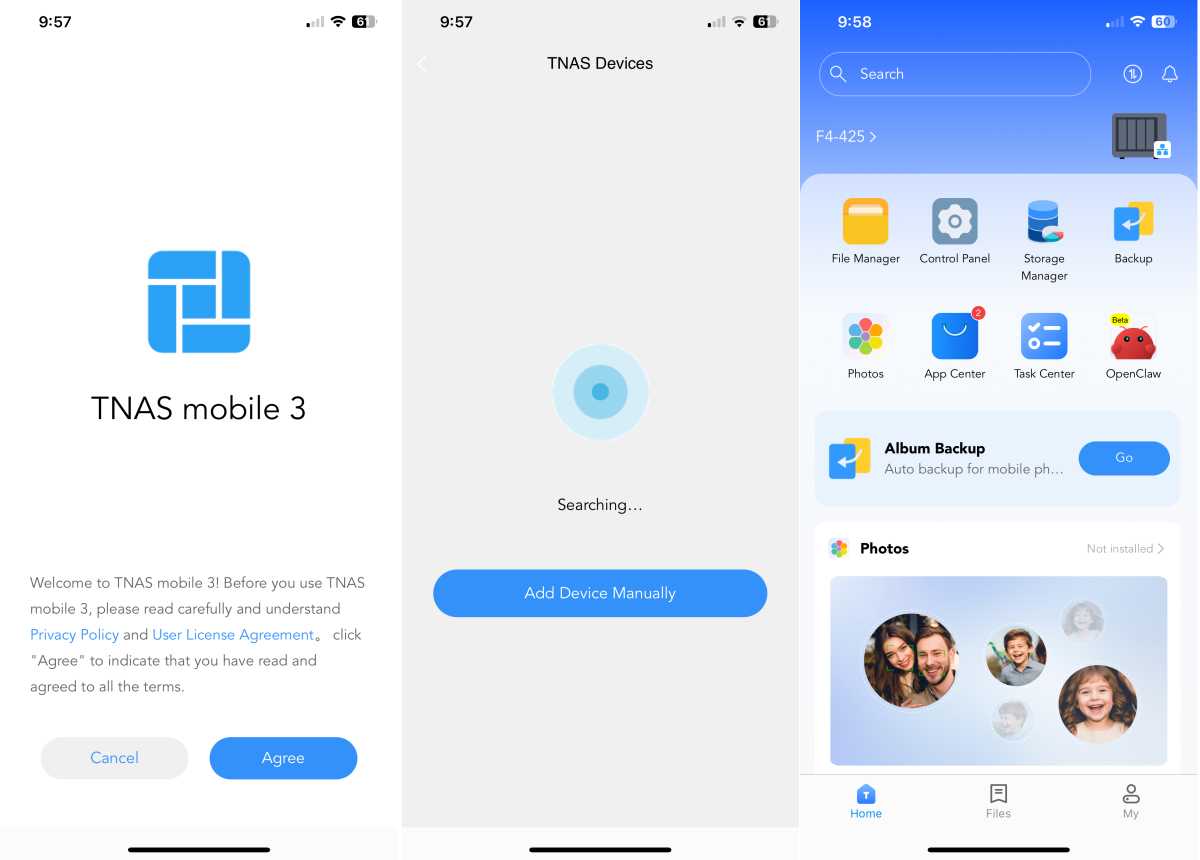
TerraMaster provides 2-year warranty on the F4-425 Pro. And thankfully, the company now also provides a downloadable PDF user’s guide.
How is the F4-425 Pro’s setup?
Adding drives to the tool-less trays is largely painless: slide them out, pop out the side rails, slip in the 3.5-inch HDD and replace the side rails. Screws are provided for 2.5-inch hard drives or SATA SSDs. As described above, you’ll need to remove the outer shell to access the three PCIe 3.0 NVMe slots.
lWhen you first boot the F4-425 (and most TerraMaster NAS) it presents a dialog asking for your email address to receive a code. That’s of course after you find its IP address (E.g. 192/168.1.110) and visit with your browser. Below the email field, in very light lettering, is the ability to bypass this step.
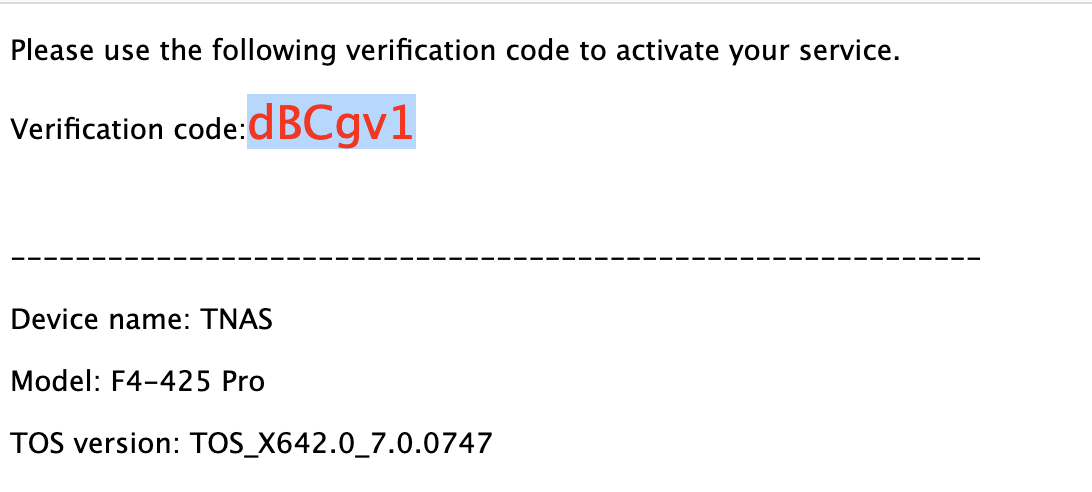
Alas, you still have to enter your email. I don’t like sending info to a company until I’m very familiar with the hardware and said company. I wish TerraMaster would abandon this practice ad to be blunt–it’s none of their darn business.
To be fair, you can put the F4-425 Pro into “Security Isolation Mode” (Control Panel / Security/ Security Isolation Mode) after setup, to prevent any further traffic outside of your local network. The F4-425 also features a highly configurable firewall if that’s too drastic a measure for you.
What is the F4-425 Pro’s operating system and software like?
The F4-425 Pro delivered our first look at the latest version 7 of TOS (TerraMaster Operating System), a substantially feature-equivalent but far better-performing version of the operating system (version 6) than I tested with the F2-425. Especially in regards multitasking.
Beyond that, it appeared to me to be more evolutionary than revolutionary, despite heralding itself as the first AI-enabled NAS OS. It does allow you to install OpenCLAW which enables normal language access to various features.
TerraMaster says OpenCLAW makes things easier, but the real issue with most new NAS users is that they don’t know what to ask, let alone how to ask it. Actually, thinking about it, that’s the issue with just about any AI system. Note also that the minute I opened OpenCLAW, the F4-425 Pro’s fan kicked into high gear. It takes some juice.
That said, I quite like TOS, it’s as well laid out as the QNAP and Synology equivalents, and perhaps a bit more intuitive. However, I found version 7 a bit buggy. Rough around the edges, as it were.
I stuck with TOS 7 as it’s so much quicker at everything than version 6 but there were some annoyances such as the inability to include spaces in a backup job name, and not automatically resuming jobs that were not completed in the last session. I’d also be careful doing searches and deleting the results with the file manager.
There are also tons of apps for backup, surveillance, development, and multimedia streaming. Below is my favorite: Centralized Backup, which can back up from numerous sources (SMB, FTP, etc.) without the need to install clients on every machine. Simply share the folders or files you want across the network, locate them and create a job to back them up.
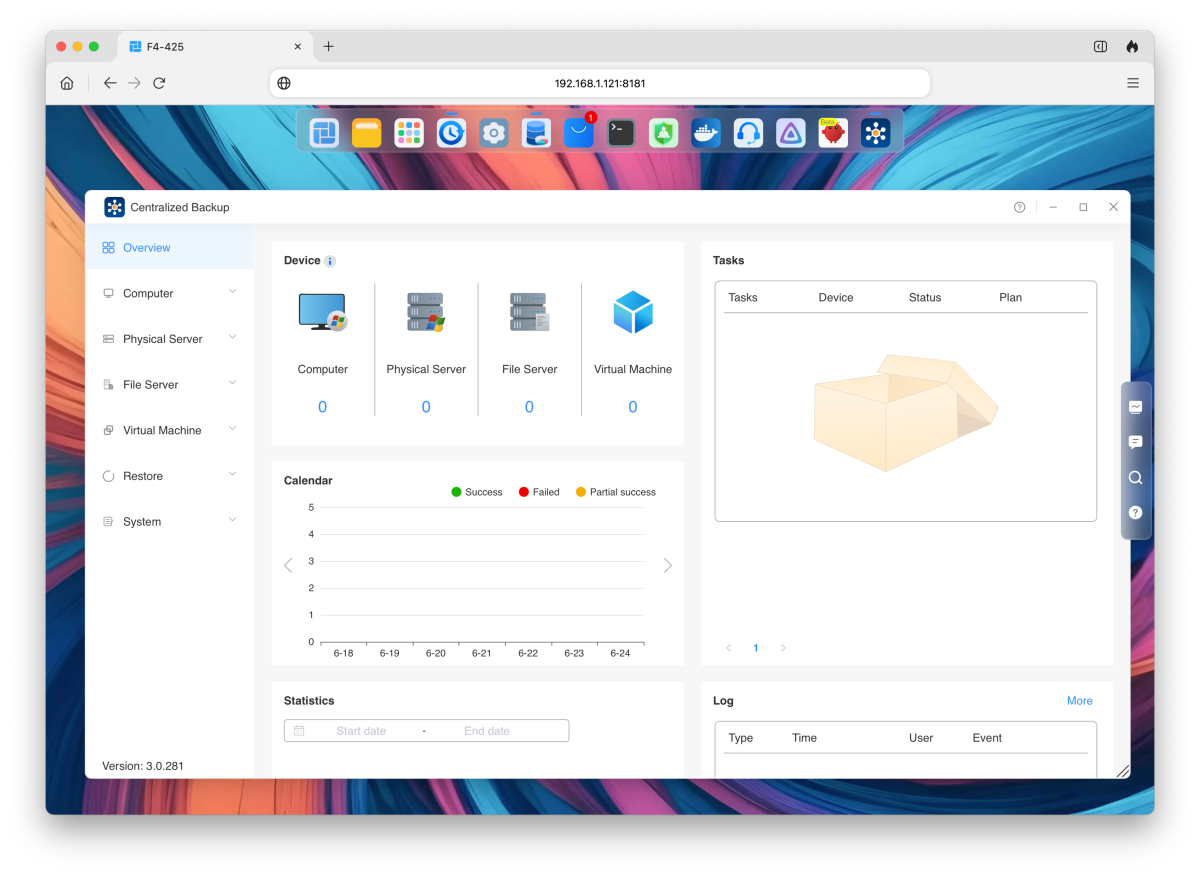
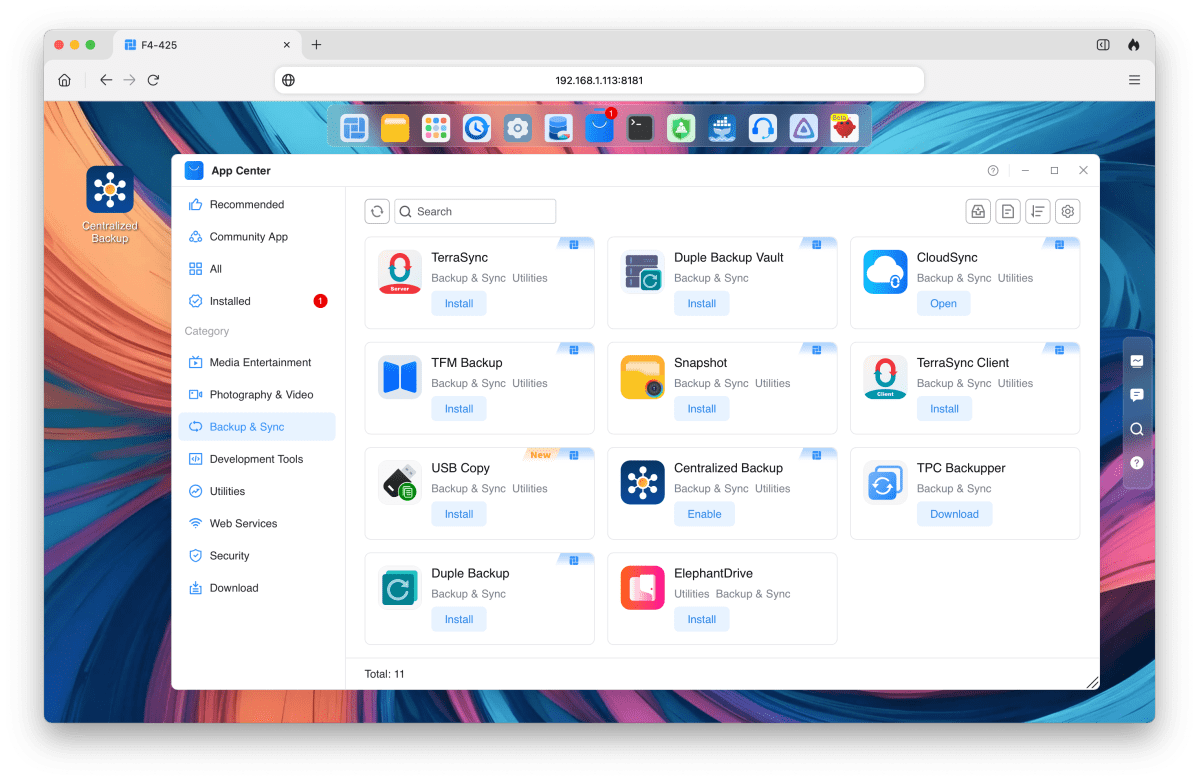
Centralized Backup, along with CloudSync (back up to a host of online services) are my favorite TOS backup apps, but there are quite a few others (Duple Vault, Elephant Drive, etc.) as well as TerraMaster’s own client-based, portal driven TerraSync. There’s also a handy folder mirroring utility (TFM) that you can use across volumes.
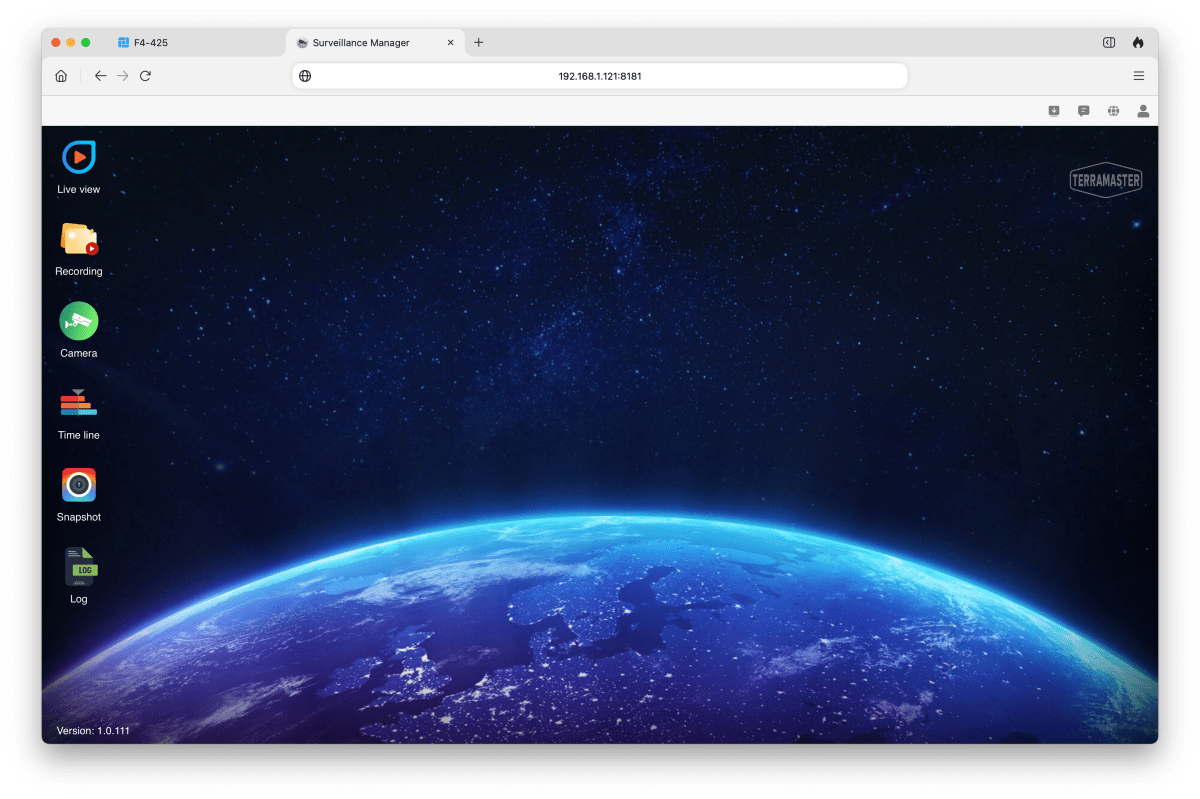
Want to keep tabs on your house? TerraMaster includes Surveillance Manager (shown below), which offers support for unlimited cameras. This is in distinct contrast to Synology and QNAP which limit you to one or two cameras so they can sell you more licenses. This is one of the best reasons to opt for a TerraMaster NAS box, however, note that you’ll have to configure your router to reach the app remotely.
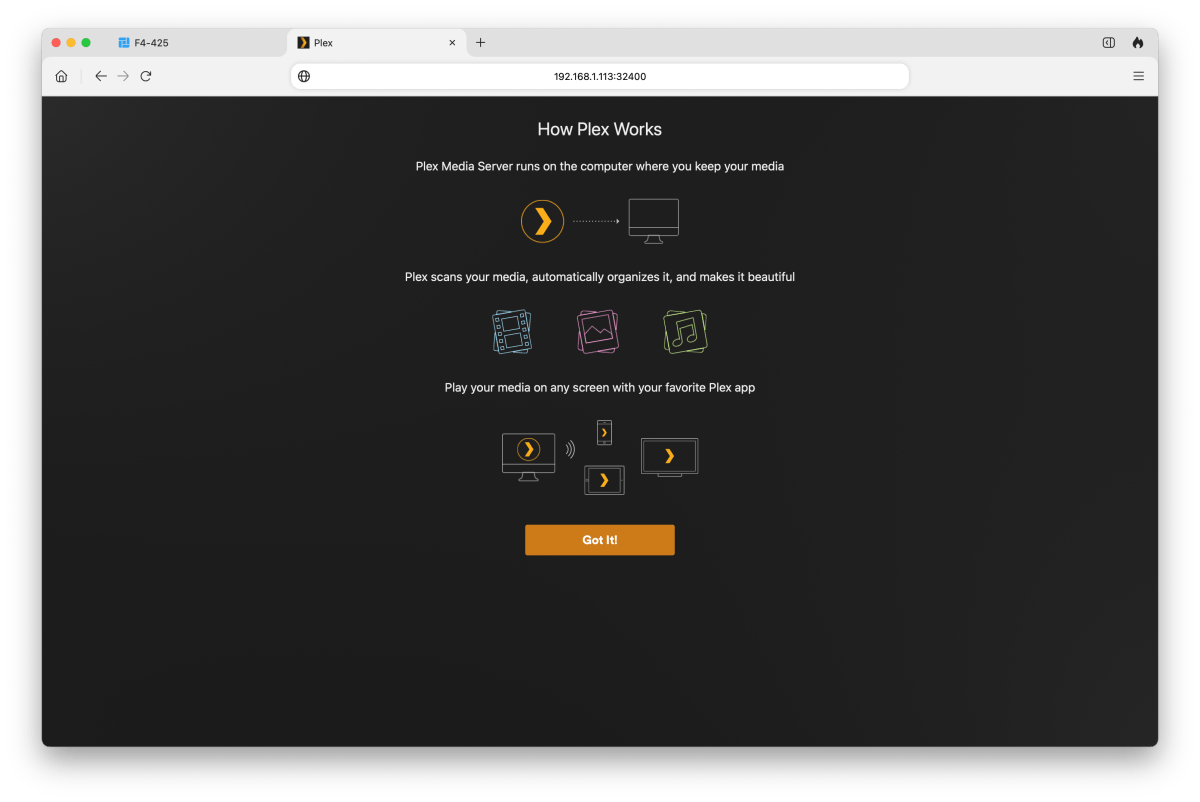
While I use TOS’s DLNA Multimedia Server to stream movies to my TV, TerraMaster also includes the extremely popular Plex (shown below), as well as Jellyfin and Emby for fans of those systems.
TRAID is TerraMaster’s hybrid RAID solution (all NAS vendors have one these days) that combines mirroring (RAID 1) and parity (RAID 5). It allows you to combine drives of different sizes while using more of their capacity than standard RAID modes do.
Generally speaking, most RAID modes allow you to use only the capacity of each drive in the array equal to that of the smallest drive in the array. Combine a 4TB HDD and an 8TB HDD in RAID 0 (striping) or RAID 1 (mirroring), and only 4TB of the 8TB drive is used, while the rest just sits there. TRAID and similar solutions let you employ the otherwise wasted capacity as another volume, or part of one.
How much is the F4-425?
The F4-425 Pro with the Intel N350 retails for $799, but was on sale at TerraMaster’s site for $639 at the time of this writing. From TerraMaster’s Amazon store make that $699.
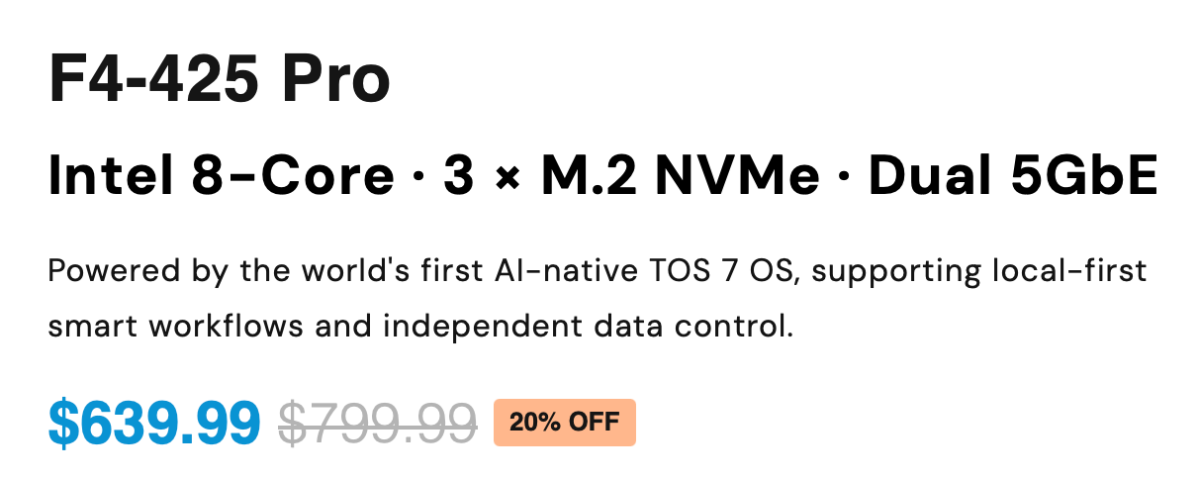
There’s a cheaper $569 Intel N305/8GB version of the F4-425 Pro available, as well as less endowed $599 F4-425 Plus (Intel N150 processor, 16GB), and $429 F4-425 (quad-core, 4GB) models if the Pro is too pricey for you, or you don’t need to run VMs, Docker, etc.
The Plus and plain versions were discounted to $480 and $344 respectively at the time of this writing. All use the same operating system and offer the same applications.
The F4-425 Pro’s price is roughly on par for a NAS box with this grade of processor, 16GB of memory and NVMe slots, but as always — shop around, though we’re fairly sure you’d be happiest with the TerraMaster.
How does the F4-425 perform?
The F4-425 Pro features dual 5Gbpe (Multi-gig) so it’s capable of nearly 600MBps when using that protocol, and around 1GBps if you aggregate the two 5Gbps Ethernet adapters. At 2.5Gbps, expect around 290MBps, and on gigabit, around 140Mbps.
There’s no Wi-Fi, but that’s not the best way to use a NAS box. You can with some (and an add-in card), but commonly NAS is connected via Ethernet directly to a router or switch.
I populated the F4-425 with a single 1.92GB Seagate IronWolf SATA SSD and two Crucial T710 PCIe 5.0 NVMe SSDs (running at PCIe 3.0 speed) and formatted with the Btrfs file system. All those SSDs are massively faster than 5Gbpe or even 10Gbpe. The test network consisted of my M4 Max Studio, an EnGenius ECS2512FP 12-port switch (8 x 2.5Gbe/4 x 10Gbe), and PCWorld’s 10Gbe Intel testbed.
I tested with both a single 5Gbe Ethernet connection and both 5Gbe Ethernet ports bonded using TOS 7. However, there was so little improvement with the ports bonded, I’m showing only the 5Gbe results. As to that…
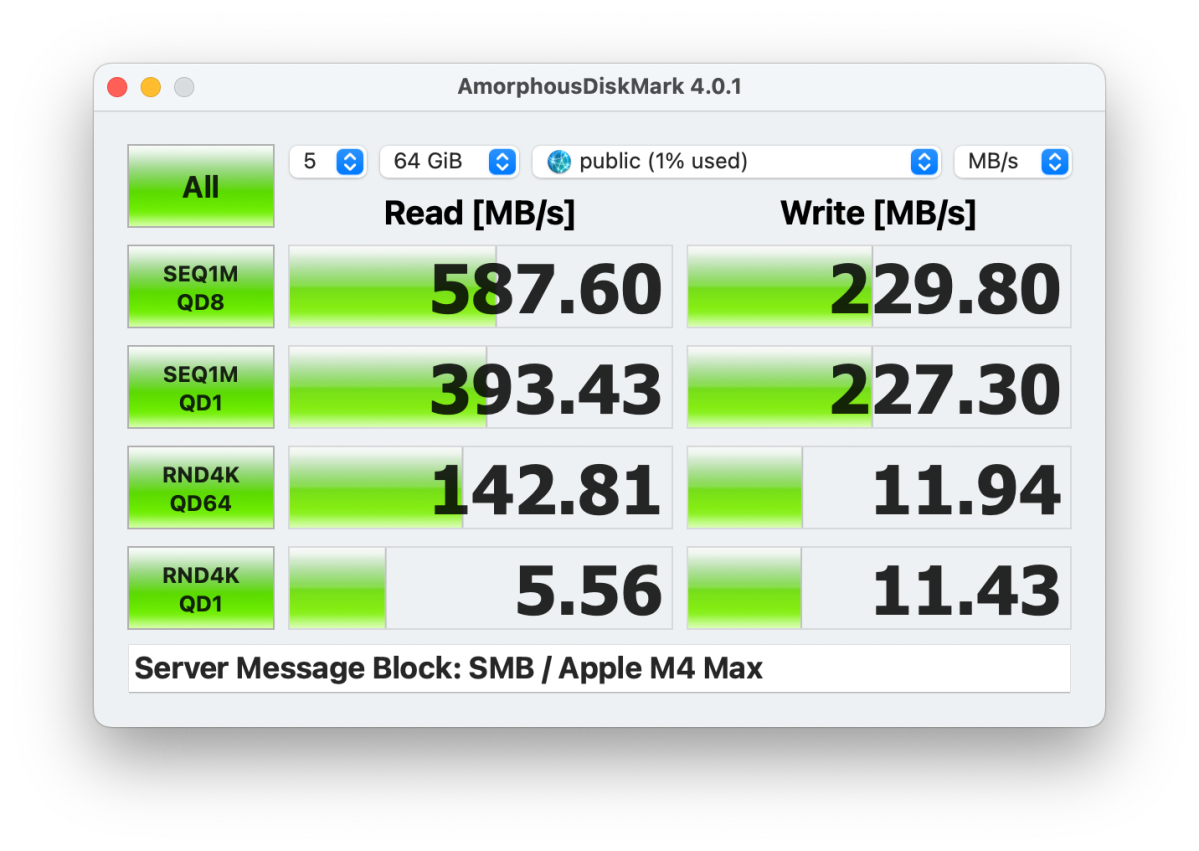
Disk Speed Test was quite complimentary of the F4-425’s throughput, and more so than AmorphousDiskMark.
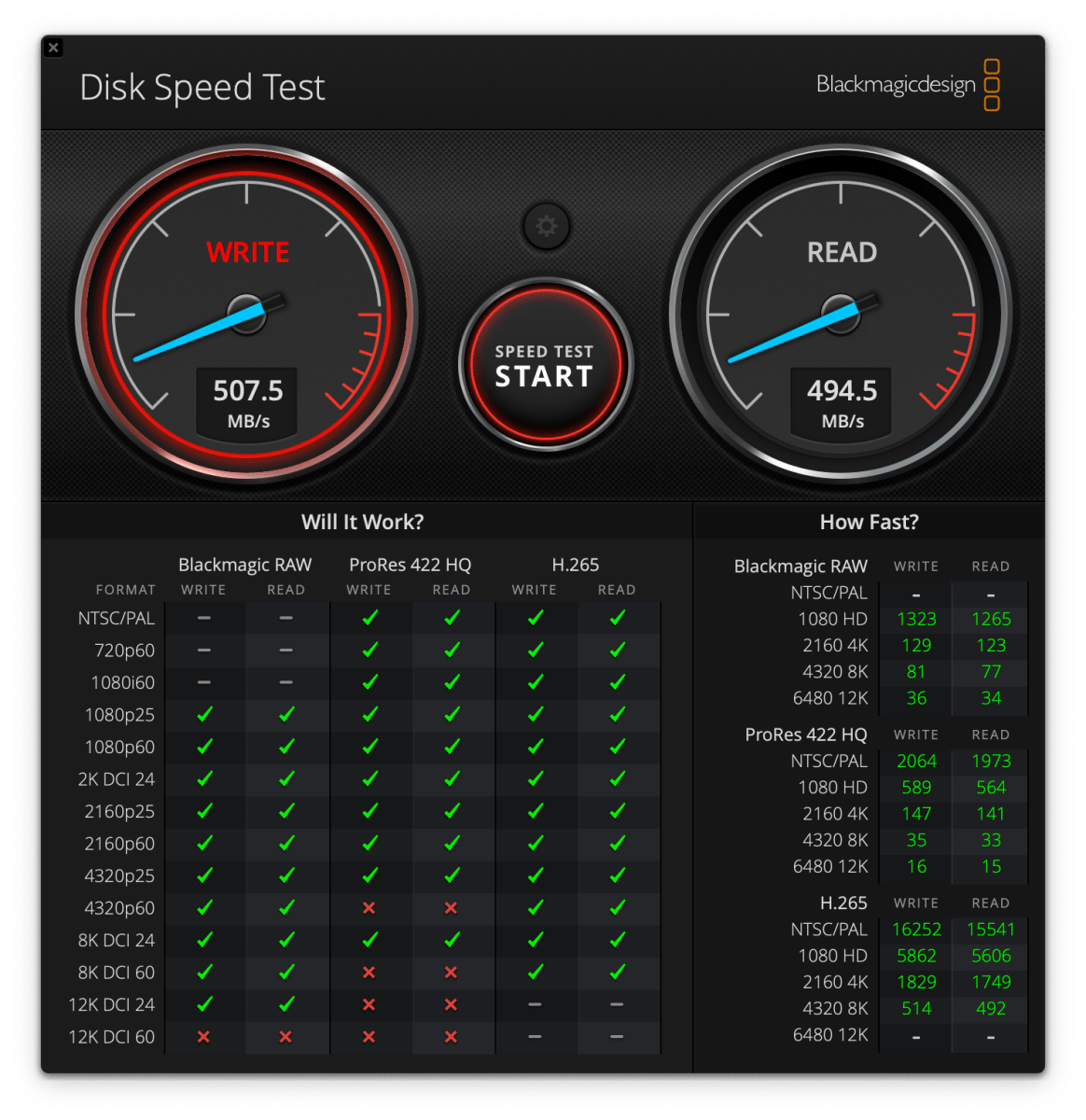
AmorphousDiskMark writes more data at a time than Disk Speed Test, which may be the reason for the lower write number. That said, CrystalDiskMark on the PC showed even greater performance that Disk Speed Test — 587MBps reading and 580GBps writing.
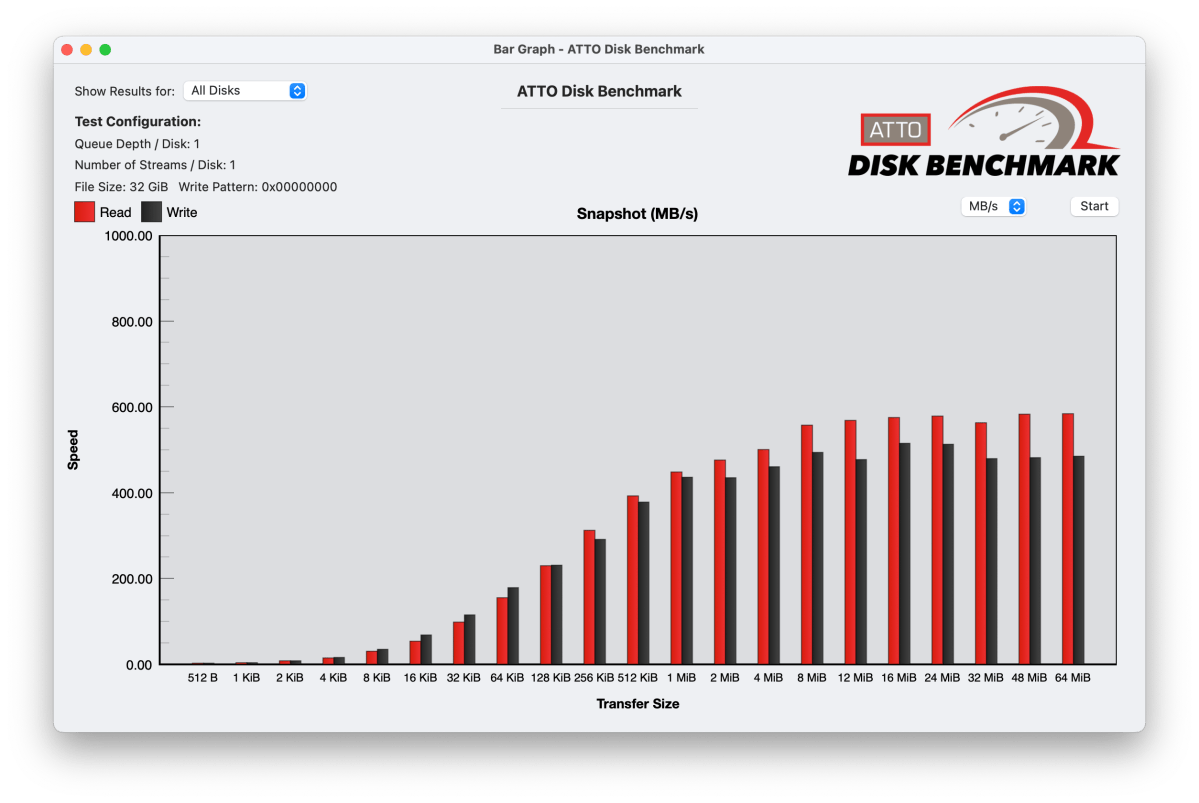
ATTO was more in line with Disk Speed Test than AmorphousDiskMark.
As to sprightlyness, I banged on the interface and apps pretty hard. The F4-425 Pro was extremely responsive. Tasks completely quickly, including firmware updates and reboots. The latter were far faster than what I’m used to with my older NAS boxes. Multi-tasking, which I complained about with TOS 6 on the F2-425 was light years better. Thank you TOS 7! And of course, more memory and a faster processor.
TerraMaster’s advertising teases over 1GBps performance. However, that’s simply totaling two separate 500GBps connections working separately. Expect what you see above.
Note also that there is a list of compatible NVMe SSDs found here. I’ve had issues with the F8 SSD Plus with some that weren’t supported, though the F4-425 seems fine with the same SSDs. I also found that some software required re-enabling after reboots or shutdowns in TOS 7.
Should I buy the F4-425 Pro?
If you need a very fast 4-Bay NAS box, the TerraMaster F4-425 fits the bill. Though you should expect a couple of software glitches here and there with TOS 7 that QNAP and Synology don’t suffer. That said, for creating a surveillance system, the lack of additional fees makes it top dog in that department.


