It takes a lot to live up to a $7,000 price tag. Asus’ ProArt P16 RTX Spark certainly does when it comes to the hardware. With 128GB of memory, a spectacular 16-inch OLED display, and a remarkably thin and rigid all-metal chassis, it feels like a serious Windows challenger to Apple’s premium MacBook Pros despite a couple of annoying quirks. It’s utterly stunning hardware, full stop.
I’m working on a full review of this beautiful monster, centered on the reason it exists in the first place: Nvidia’s new RTX Spark chip, a monumental memory pool, and what happens when you stop paying the cloud to run enormous AI workloads and start doing them locally instead. RTX Spark laptops are an entirely new class of Arm-based Windows machines, with models from Microsoft, Asus, Dell, HP, and Lenovo, culminating with this ProArt’s eye-watering $7,000 price tag.
My testing is deep, weird, and still underway. Stay tuned.
But that review is going to spend a lot of time talking about CUDA cores, tokens, local AI models, and benchmarks. Before disappearing down that rabbit hole, I want to talk about the actual laptop—because this feels like a premium machine designed to brawl with high-end MacBook Pros.
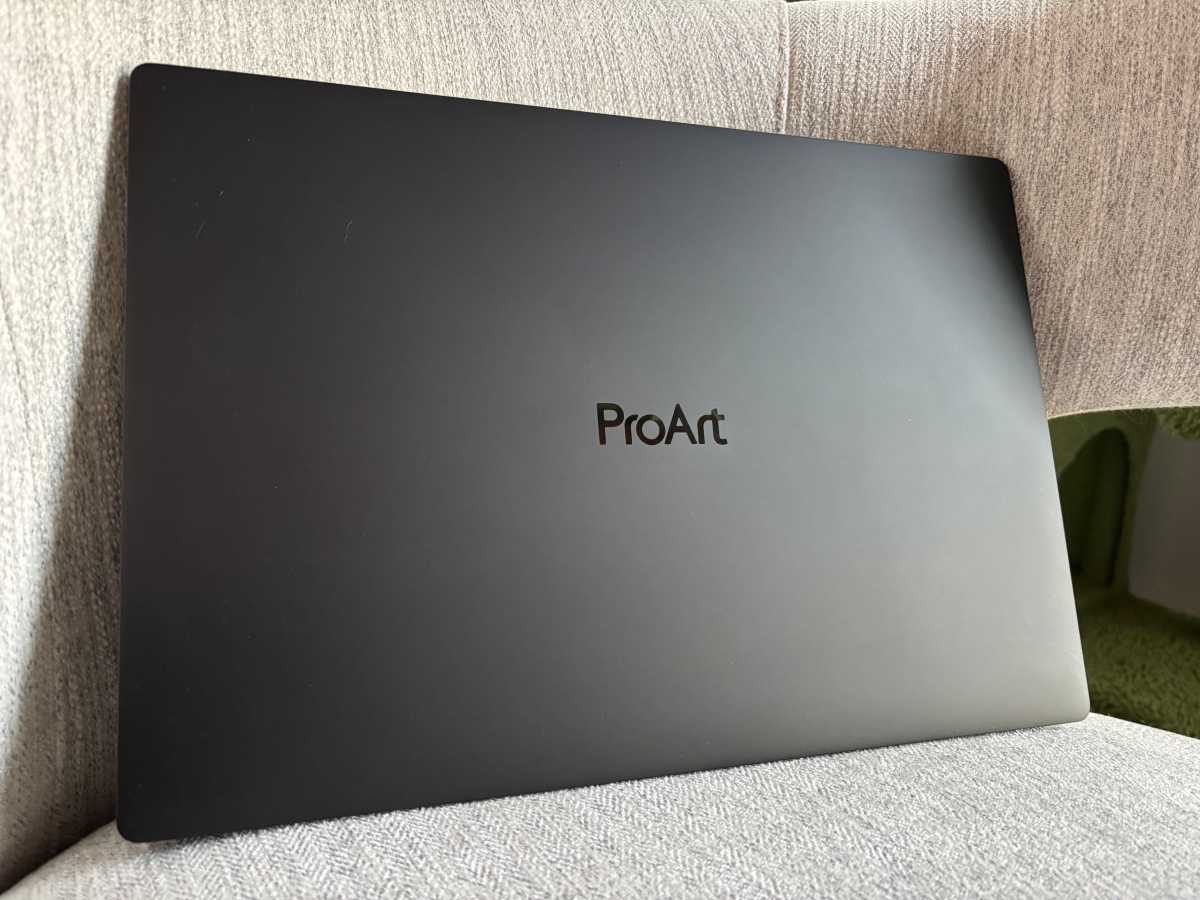
The Asus ProArt P16 is the cleanest, most imposing laptop I’ve ever reviewed. It reminds me of Darth Vader in the best possible way: a big, cold, imposing black slab of metal that looks like it means business. Real “You may dispense with the pleasantries, Commander. I am here to put you back on schedule” kinda vibes. That’s exactly what I want from a $7,000 laptop.
Better yet, Asus somehow squeezes its 16-inch display and 128GB of unified memory in a chassis just 0.51 inches thick and 3.95 pounds. It feels almost impossibly thin when you pick it up, yet the metal construction is rigid as a carbonite-frozen Han Solo, without flex or creaking. The hinge opens smoothly with one hand. The black finish looks fantastic, though it picks up fingerprints and oils over time. That may simply be because I’m a fat greasy degenerate gamer, but hey, on the plus side it also proves easy to wipe away.
More surprising: This thing usually stays remarkably quiet in many (but not all) scenarios. I’ve spent hours hammering large local AI models while developing my real-world benchmark suite, and the P16 remained far less audibly intrusive than I expected from hardware this potent and thin. I haven’t tried gaming on it though.
An OLED fit for $7,000
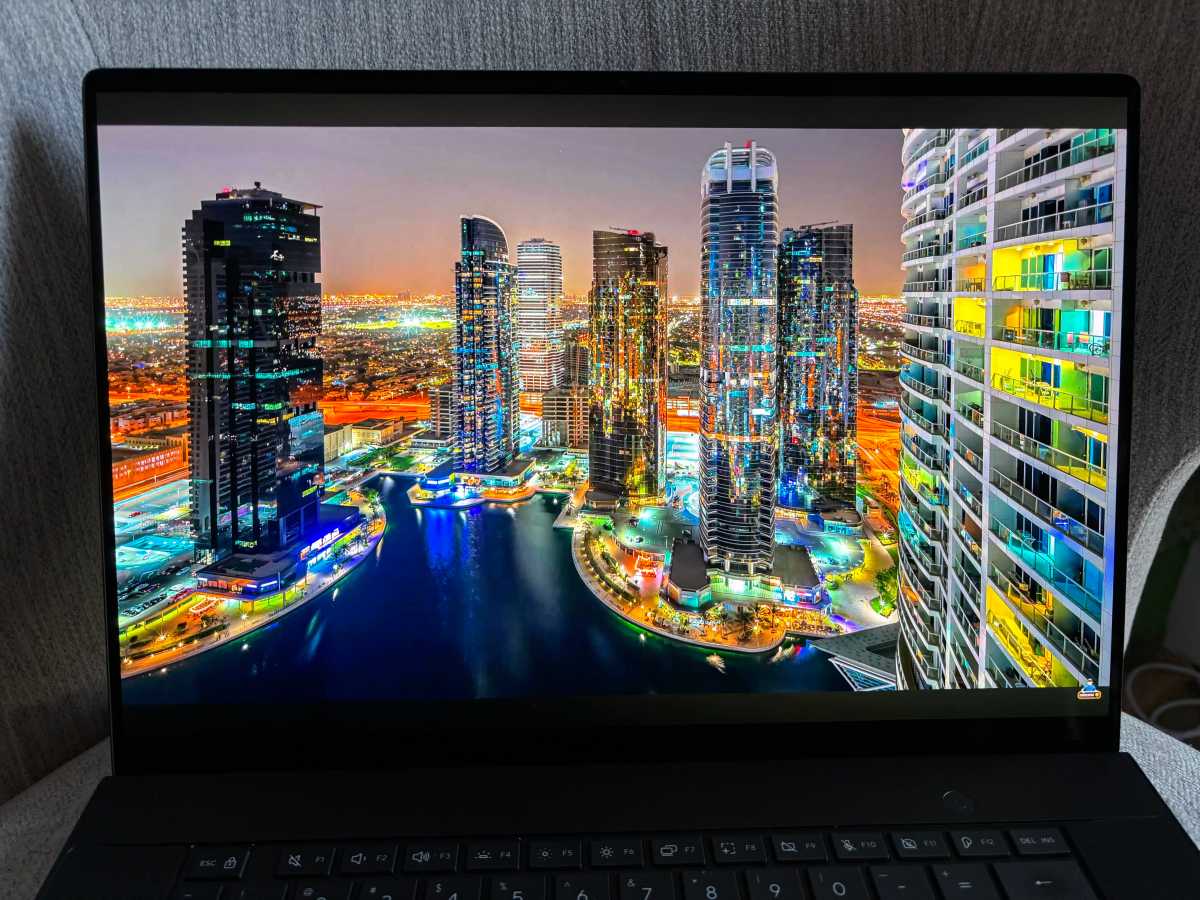
The 16-inch OLED touchscreen is just as luxurious. Its 3840×2400 resolution and 283 pixels per inch make everything razor sharp, while the 120Hz refresh rate keeps motion smooth. OLED’s perfect blacks and punchy contrast make colorful images almost seem to loom over the panel rather than exist inside it. It’s bright, dense, vibrant, and gorgeous. Seriously — I’ve never touched a laptop with an OLED panel this luxurious and delightful, even if it doesn’t translate well to static pictures.
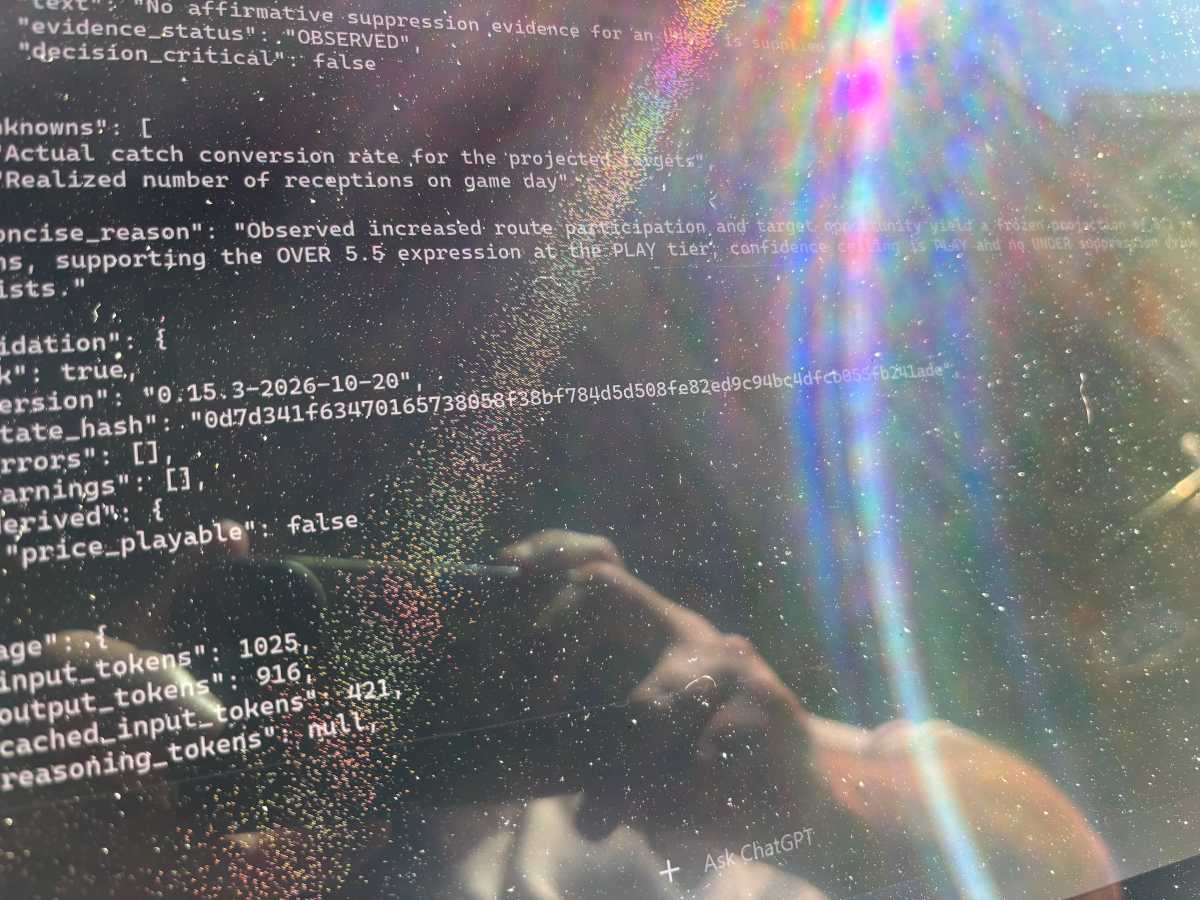
The actual effect is much more noticeable in real life than it is in this picture, and it’s VERY noticeable here (the speckling, not the pollen on the screen). Fortunately, it only appears in direct sun rays outdoors, not in brightly lit rooms.
Brad Chacos/Foundry
The glossy finish is much less luxurious outdoors. Reflections make the P16 difficult to use in bright sunlight, and there’s another interesting quirk: When direct sunlight hits the screen at the right angle, the touch and pen layer becomes startlingly visible, breaking parts of the display into a fine rainbow-like pattern that I could easily capture on camera (though the effect was more striking in person than it is in photos). Notebookcheck also noticed graininess from the touchscreen layer in its independent testing. It’s essentially invisible during my normal indoor use, but once you see it blazing away in direct sunlight, you can’t unsee it. Hell, you can’t see around it!
The display comes with another futuristic trick that I quickly disabled. Windows Hello uses presence sensing to automatically lock the laptop when you walk away and dim the display when you stop looking at it.
Unfortunately, I stare at my keyboard while I type and think. While I was building a local AI project, the ProArt repeatedly decided I had stopped paying attention and dimmed the display, then brightened it again when I looked up at my output. The resulting flickering drove me nuts. If you stare at your screen while typing, your mileage may vary. I turned it off despite loving the concept in theory.
Wait, where did my RAM go?
The ProArt P16’s 128GB of LPDDR5X memory also behaves unlike RAM in any conventional Windows laptop I’ve used.
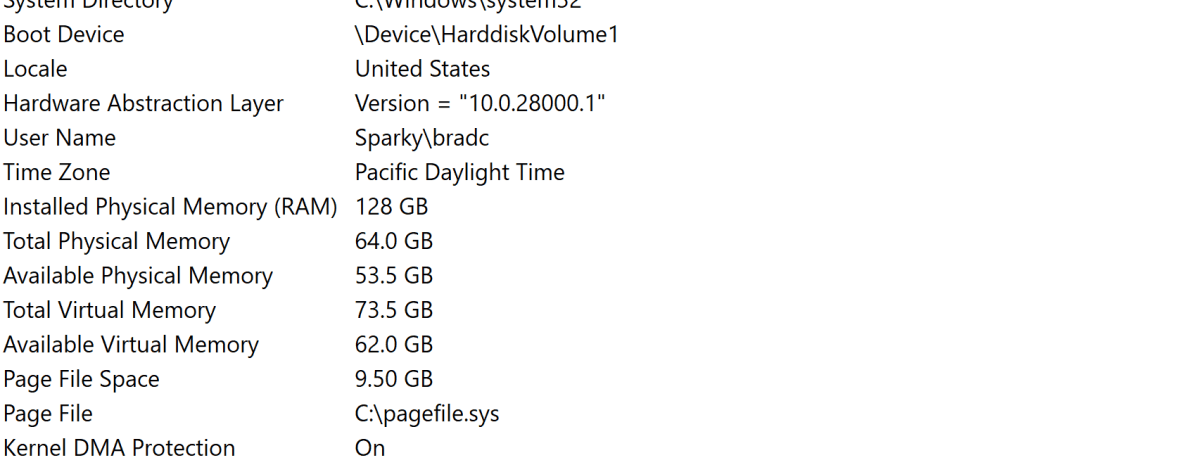
Observe how the installed physical memory and ‘total physical memory’ are different; that’s because the ProArt 16 dedicates half the memory to the system and half to the GPU by default. It can be reconfigured for big projects.
Brad Chacos/Foundry
Open Windows and you may wonder why your $7000, 128GB laptop says it has only around 64GB of system memory. RTX Spark uses unified memory shared between its Grace CPU and Blackwell GPU, and that pool can be partitioned between conventional system RAM and memory reserved for the GPU. My machine initially exposed roughly half of its 128GB to each.
Developers accustomed to unified-memory workstations may shrug. Coming from standard Windows laptops with discrete GPUs, I certainly didn’t. More importantly, that enormous configurable memory pool is central to RTX Spark’s pitch: It lets the GPU tackle AI models that simply can’t fit into the dedicated VRAM on normal laptop graphics chips. I’ll dig much deeper into that in the full review.
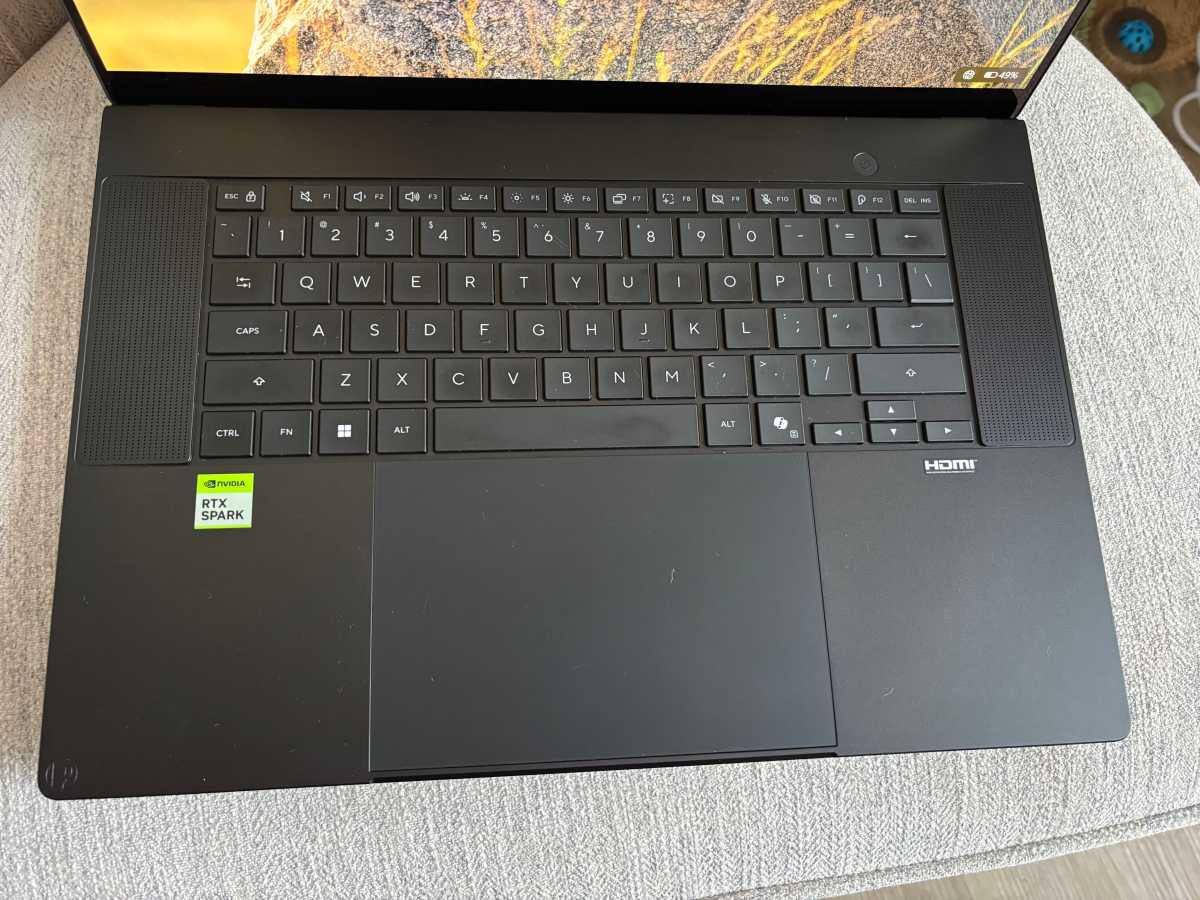
Two large speakers flank either edge of the keyboard. I would’ve loved a dedicated numpad instead but man, these things SLAP
Brad Chacos/Foundry
Elsewhere, Asus put the P16’s space to excellent use. The six-speaker sound system kicks ass, delivering breadth and actual bass in a way you rarely hear from notebook speakers. Run the Jewels and Zack de la Rocha’s “Close Your Eyes (And Count to F***)”—my unofficial bass torture test—absolutely slaps on this thing. It sounds good enough to make me reconsider my usual “just put on a gaming headset” maxim. (Fun aside: It sounds awesome on Apple’s $699 MacBook Neo, too.)
I wish the webcam received the same attention. A basic 1080p IR webcam is fine, I guess, but this is a $7,000 machine designed for serious professional work. At this price, give me 4K so I look my best on Teams calls.
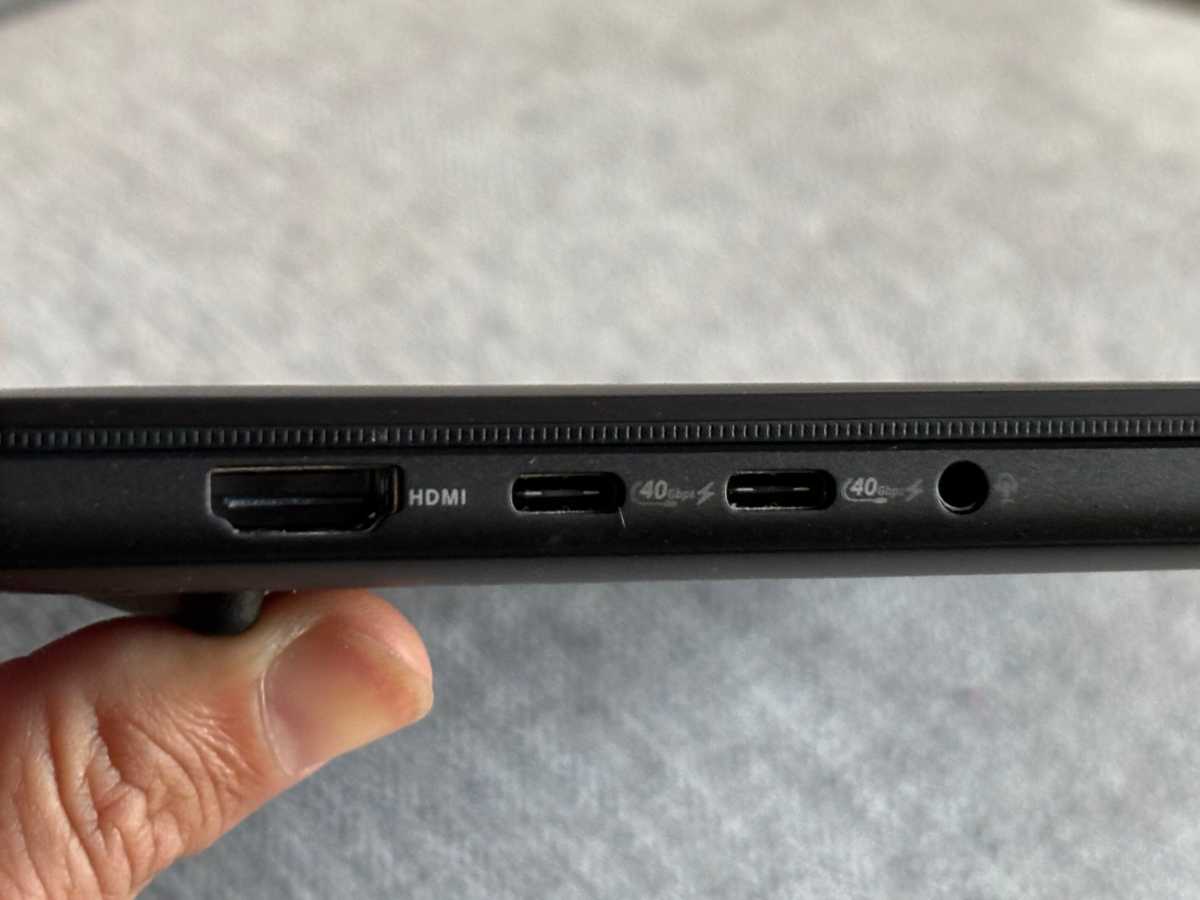
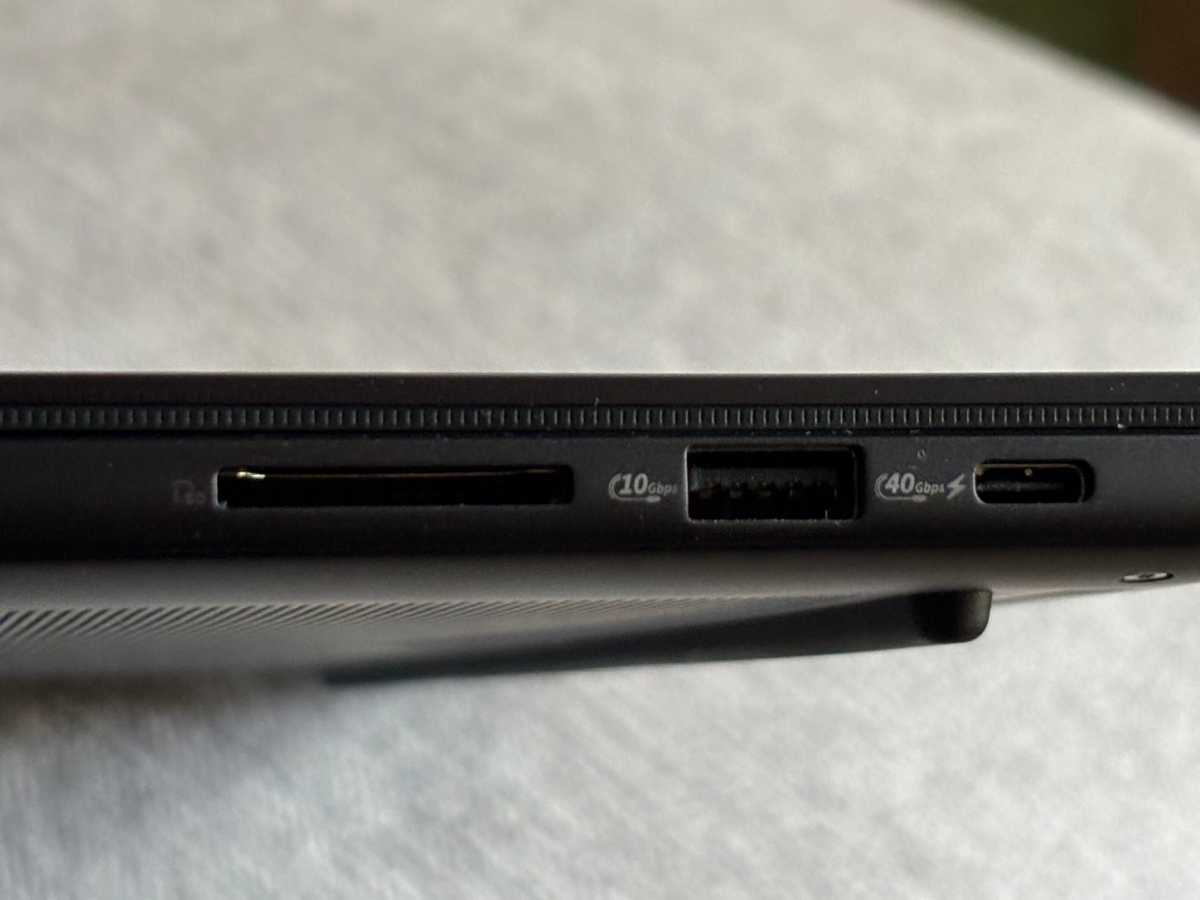
Fortunately, Asus didn’t skimp on connectivity. It crammed three 40Gbps USB4 ports, USB-A, HDMI, a headphone jack, and a full-size SD Express 7.0 card reader into this remarkably thin chassis. Serious work often means moving significant amounts of data onto and off your laptop. Having this much high-speed connectivity built in feels genuinely luxurious, and it’s a perfect fit for a creator-focused laptop like the ProArt 16.
A great keyboard with a serious problem
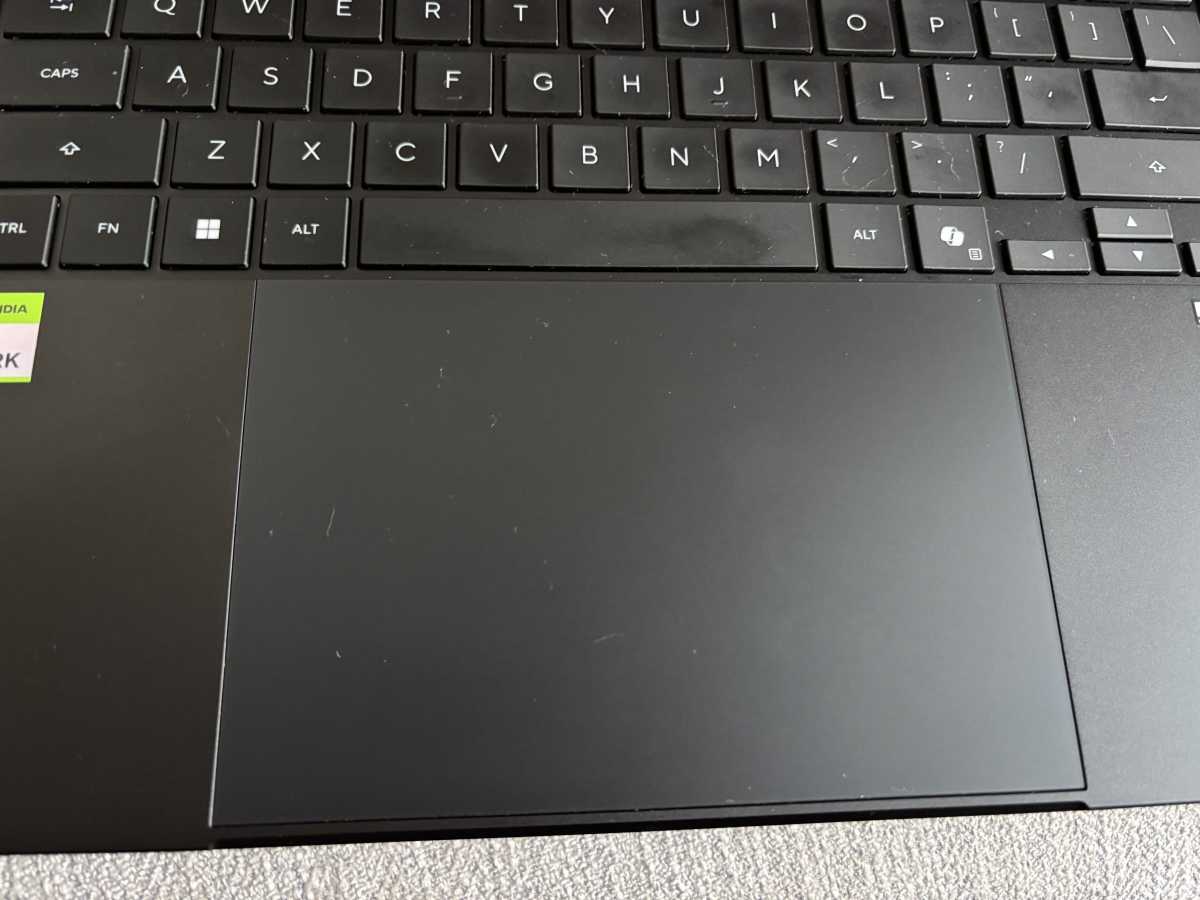
My feelings about the keyboard and glorious Death Star-sized haptic touchpad are much more complicated.
Brad Chacos/Foundry
Most of the keyboard is excellent. The keys feel responsive and the layout makes sense, though I’ll always prefer a mechanical keyboard for hours of serious typing. Likewise, I was thrilled when I saw that gigantic touchpad. Give me room to swipe around a 2400p display!
But the touchpad reaches right underneath the spacebar, and my thumb naturally rests along the bottom edge of the spacebar while I type. I found myself repeatedly brushing the touchpad, causing the cursor to teleport elsewhere in my document and dump words into random sentences. Remember: I look at my keyboard while typing, so sometimes I don’t discover the carnage immediately. Changing how I hit the spacebar helps, but forces me to hover my hand farther over it, which starts hurting my wrist over time.
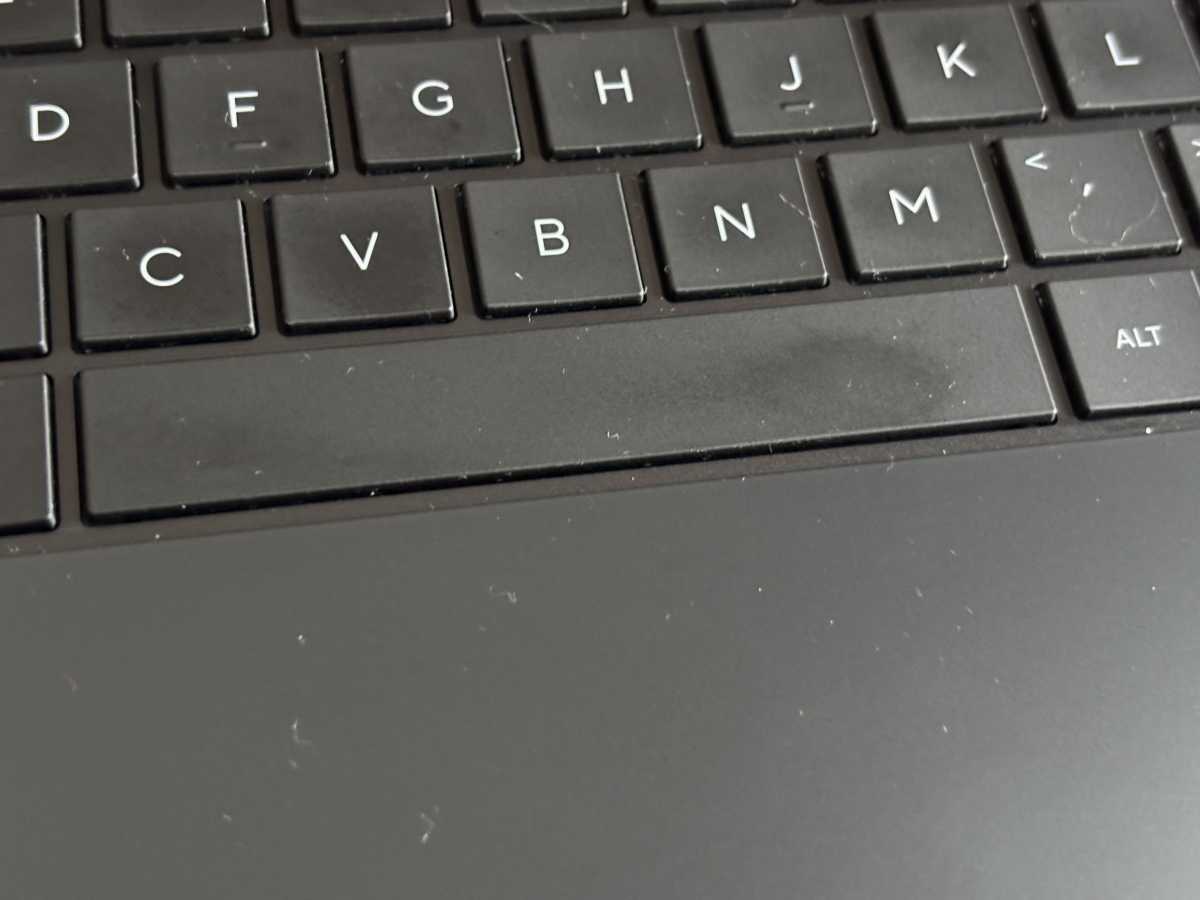
The lack of a gap here is my mortal enemy, and a very rare questionable design decision on Asus’s part.
Brad Chacos/Foundry
Worse, the spacebar itself frequently fails to register my presses. I see words smashed together at least once per sentence. It’s maddening.
Interestingly, Dave James at PC Gamer encountered a different keyboard problem with his ProArt P16, reporting occasional unwanted repeated keystrokes rather than my missed spaces. Two reviewers experiencing different keyboard problems isn’t evidence of a systemic defect, but it’s enough to make me suspicious that something funky may be happening here.
Brad Chacos/Foundry
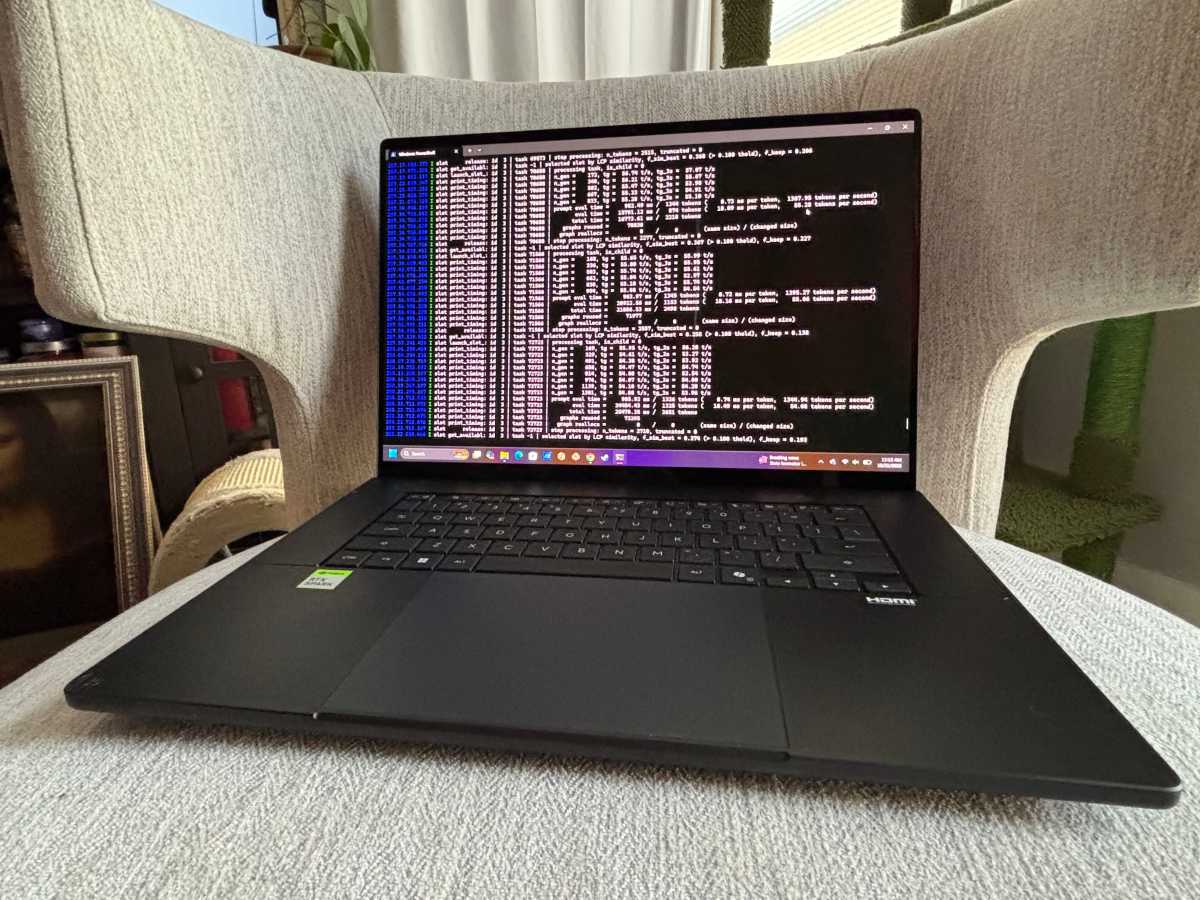
I also wish Asus included a numpad, which I almost never say about laptops. Believe me, I understand the tradeoff. Those excellent upward-firing speakers occupy the space. But engineers and developers buying a $7,000 professional workstation tend to, you know, type lots of numbers.
Battery life has been encouraging during light use, too. While browsing the web and working in documents, Windows initially projected nearly 14 hours away from the wall. Treat that strictly as an observation rather than a benchmark; I haven’t run PCWorld’s formal battery test yet, and hammering local AI models is obviously another matter entirely.
The important part is what happens under the hood with RTX Spark
The outside is beautiful. But does she got it where it counts, kid?
Brad Chacos/Foundry
My early performance experience otherwise broadly tracks what my colleague Mark Hachman found in his full review of Microsoft’s RTX Spark-powered Surface Laptop Ultra: middling single-core CPU performance, much stronger multicore performance, and outstanding RTX-class graphics capabilities from Nvidia’s unusual Arm-based SoC. Mark spent over a week pushing RTX Spark through a battery of tests, including local AI workloads.
But conventional benchmarks aren’t the question I really want this $7,000 Asus ProArt P16 to answer.
I want to know what happens when you take complicated work that normally burns through expensive cloud AI tokens and move it onto your laptop. I’m building an intensive real-world AI benchmark around an actual research workload to find out—not merely measuring how quickly RTX Spark spits out tokens, but how much useful work a huge local model can perform, where it falls down, and what happens when you combine local and frontier AI rather than treating them as rivals.
Asus nailed the physical object, maddening spacebar and all. This is the single most impressive laptop hardware I’ve ever had the fortune to touch. The full review will determine whether RTX Spark makes this beautiful monster worth $7,000.


