At a glance
Expert’s Rating
Pros
- 17 fast ports, including three Thunderbolt 5
- SSD slot
- 2.5Gb Ethernet
- Compact case
- 240W Power Delivery
Our Verdict
Power users demanding a host of fast ports will find a lot to like in this compact 17-port dock, especially its built-in (up to 8TB) SSD slot.
Price When Reviewed
This value will show the geolocated pricing text for product undefined
Best Pricing Today
Price When Reviewed
$499.99
Best Prices Today: Ugreen Maxidok 17-in-1 Thunderbolt 5 Docking Station
$499.99
There are a few Thunderbolt 5 docks fighting it out as the ultimate docking station with incredible numbers of ports, all rated at the top-end, and some with built-in slots for SSD drives to enable the user to dramatically and reasonably affordably increase their system storage.
The Ugreen Revodok Maxidok 17-in-1 Thunderbolt 5 Docking Station sits somewhere in the middle between the 20-26-port generals and the Thunderbolt 5 troops below. It has a lot of ports but not too many; it targets the high-end in terms of speed; and it includes the SSD slot.
The iVanky FusionDock Ultra boasts 26 ports, a drive enclosure and can hook up four external displays all on its own. Now sit down—It costs $649. Most professionals don’t need that number of ports and won’t want to spend that sort of money. The Ugreen Maxidok 17-in-1 therefore represents a high middle ground where you should get all the ports you need at a price you can afford.
Design
Laptop docking stations usually come in either long slim horizontal shells or tall vertical towers—sometimes they can be placed either way, as with the CalDigit TS5 and its sibling docks.
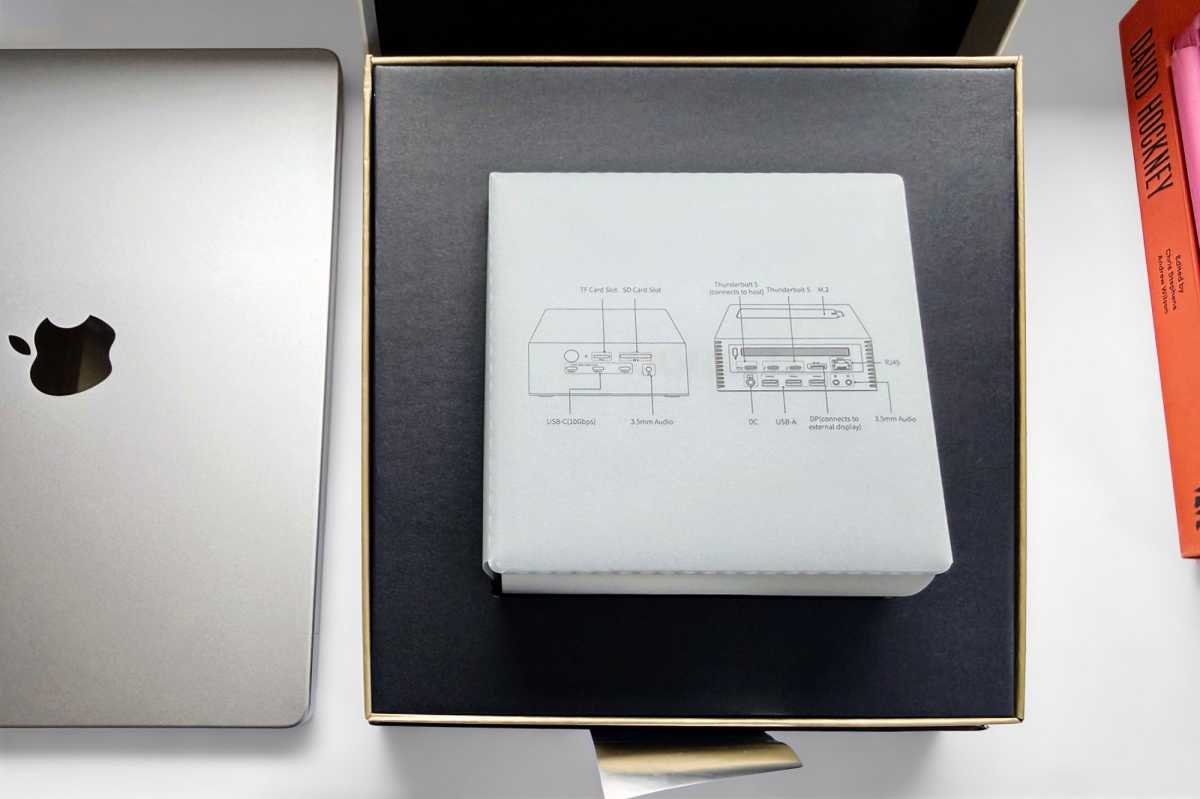
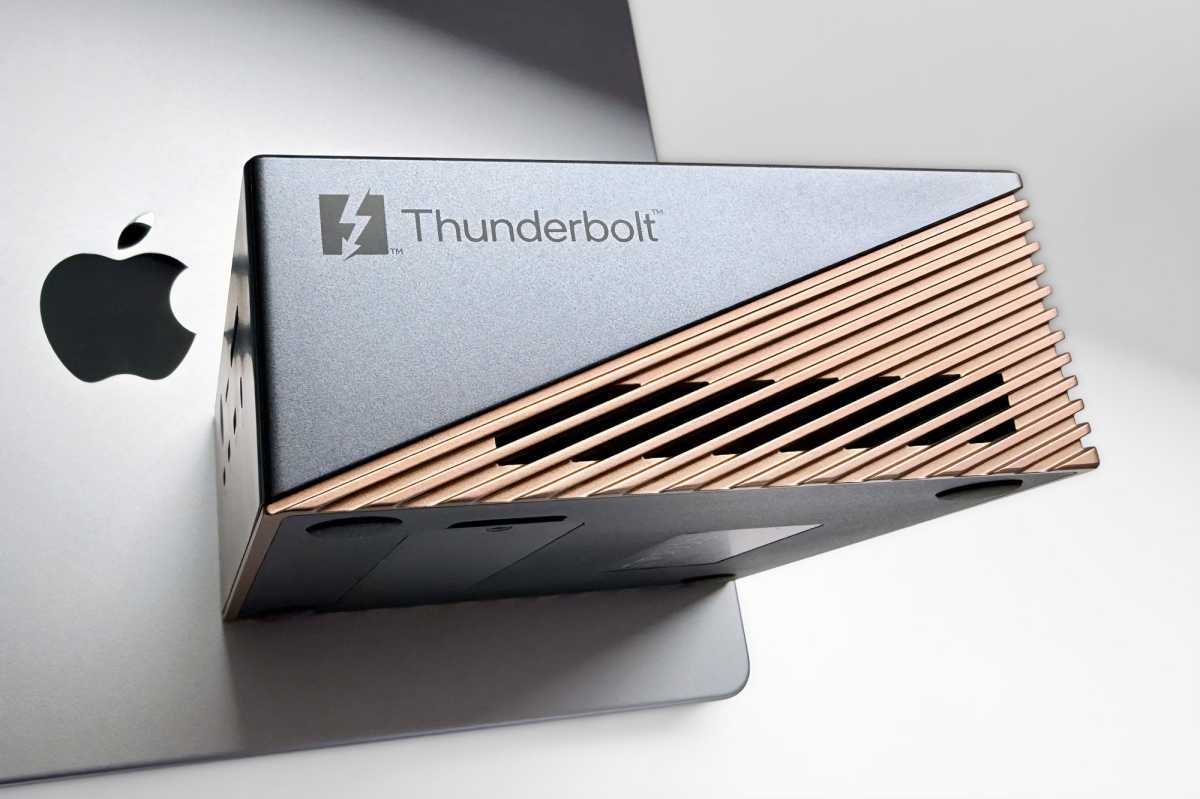
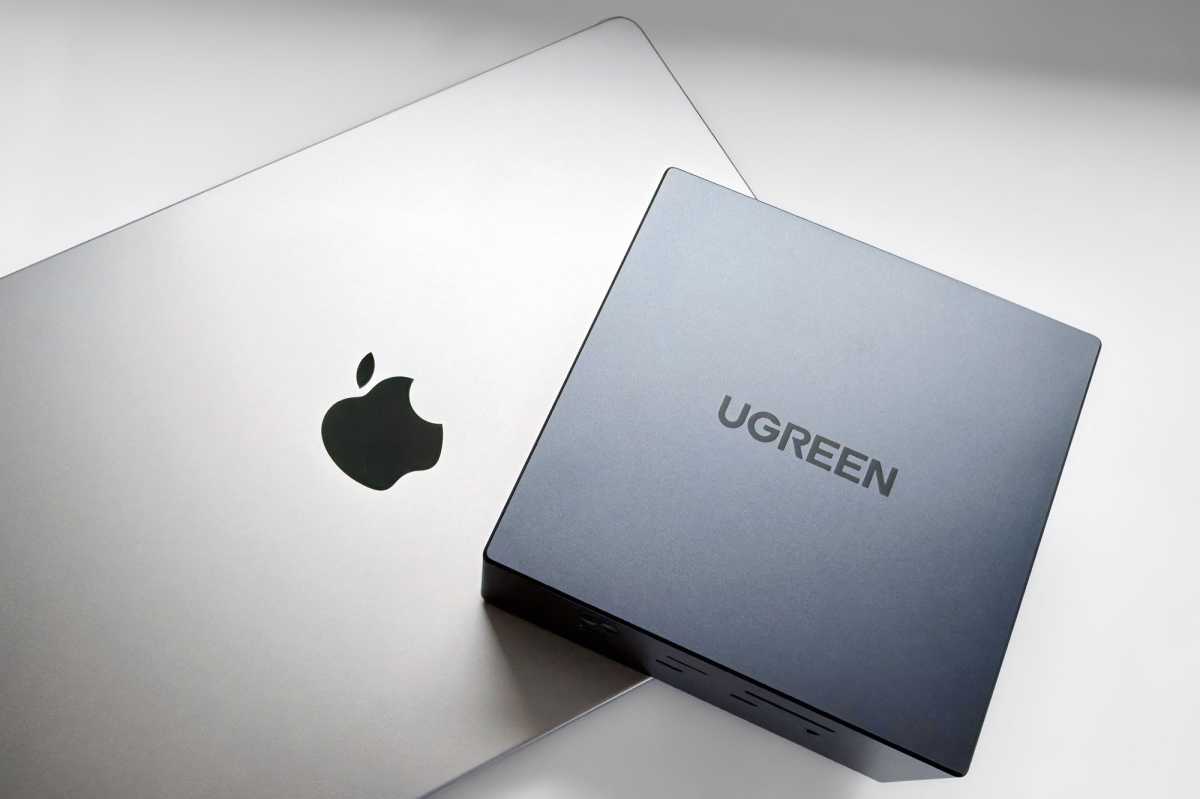
The Maxidok 17-in-1 Thunderbolt 5 Docking Station takes a different approach, being more of a cube, which fits Apple’s desktop aesthetic quite well, in terms of its Mac mini and Mac Studio computers.
Simon Jary
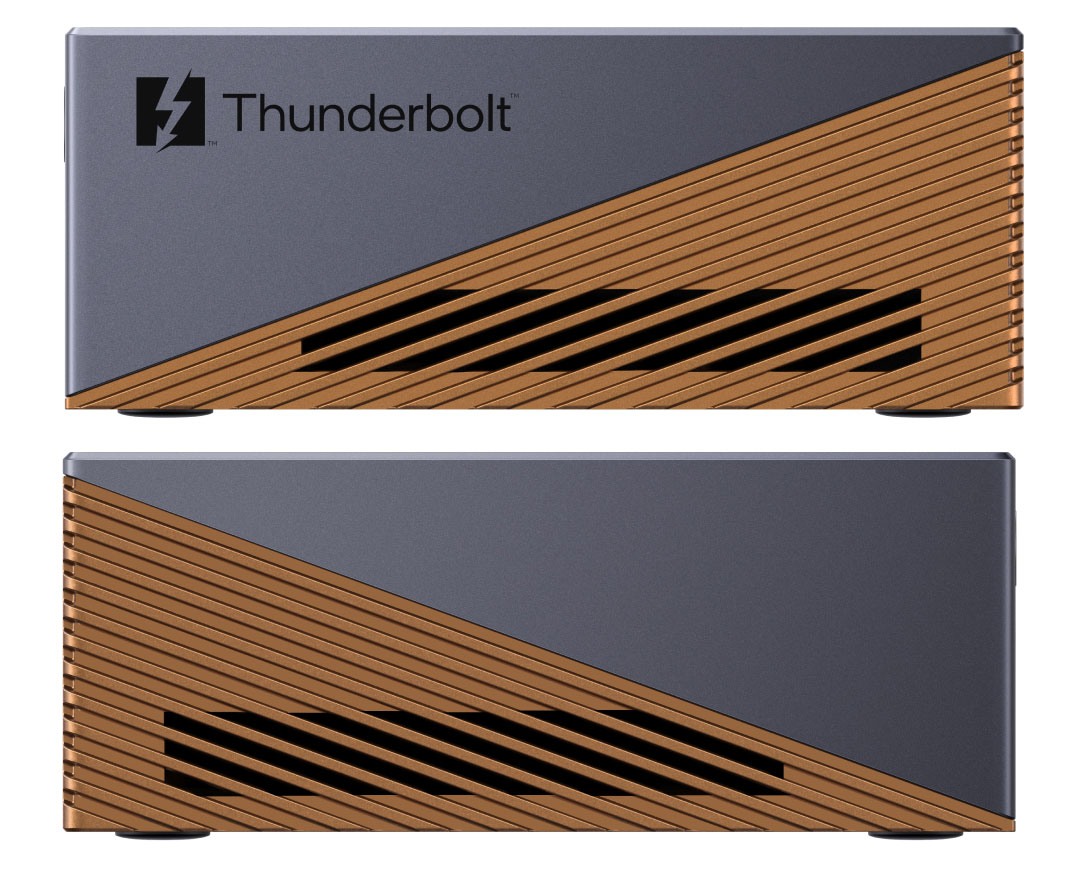
Its shell is a dark gun-metal gray aluminum chassis with attractive copper-colored grilled sides and back. It’s a welcome change from all-over dull gray gear, and I hope we see more color adventure with Mac accessories in the future, following the success of the colorful MacBook Neo—not that the Maxidok 17 is aimed at Neo users; it’s aimed firmly at the Pro market.
It measures 5.2 x 5.2 x 2.1 inches (133 x 133 x 53mm). It weighs in at 1.9lbs (0.87kg). In comparison, a Mac mini is 5 x 5 x 2 inches (127 x 127 x 50mm) and weighs 1.5lbs (0.67kg), so it’s a very close match. Ugreen in fact makes a dock especially for the Mac mini—its forthcoming 10-in-1 Thunderbolt 5 Mac mini dock even matches the Mac mini is its silver color.
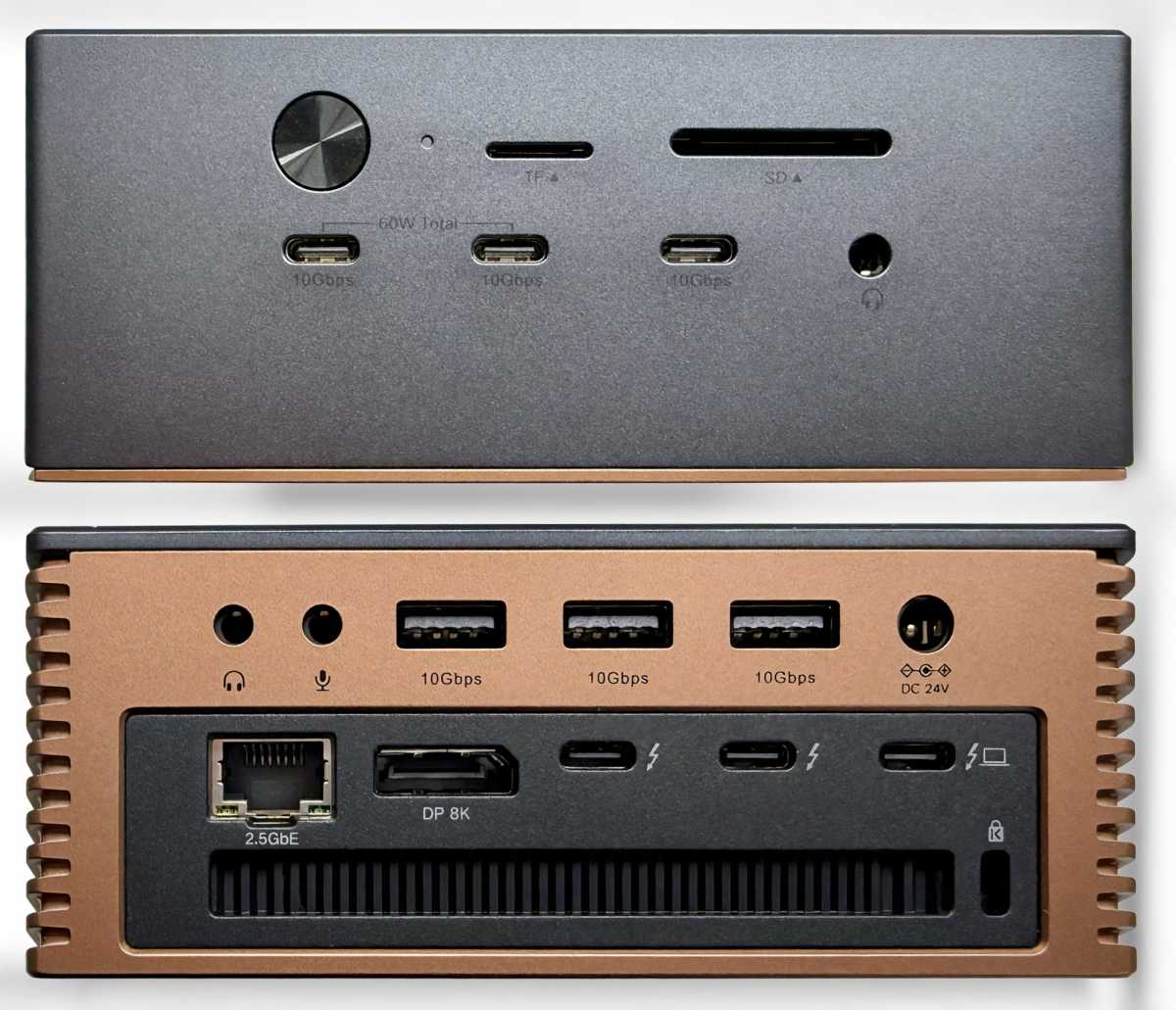
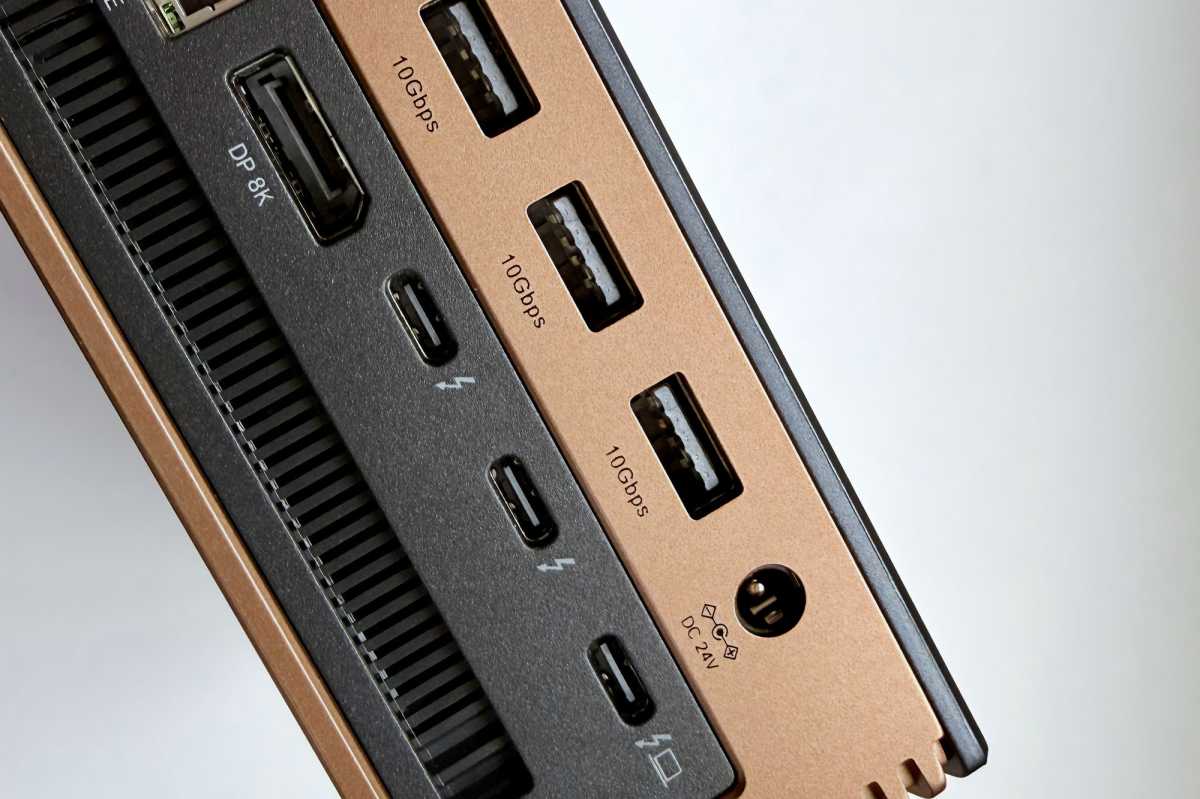
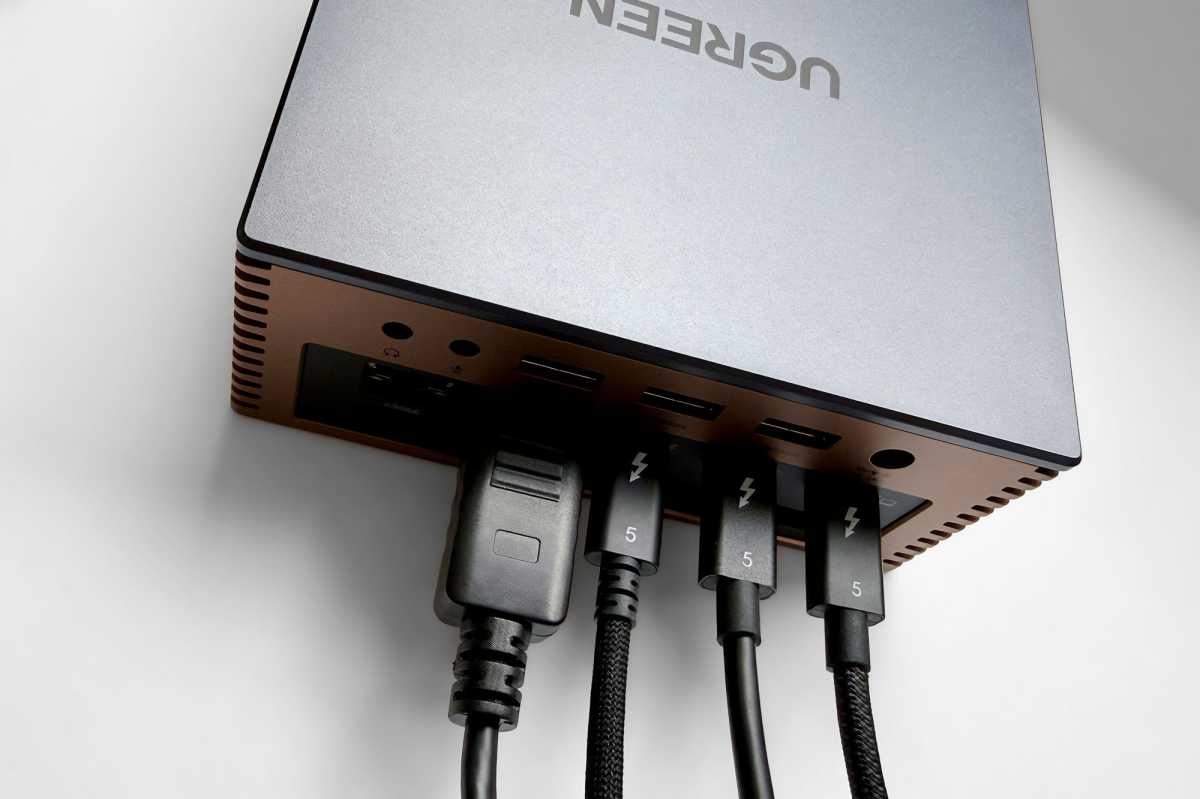
The ports are well placed. The upstream Thunderbolt 5 port that connects to your MacBook is at the back—unlike some rival docks that place it at the front, which increases cable mess in our opinion.
Also, at the back are the two downstream Thunderbolt 5 ports and a dedicated DisplayPort 2.1 for one of the external monitors you’ll be hooking up. The two Thunderbolt 5 ports can also be used for display purposes. The Ethernet LAN port is also at the back—it rightly knows its place—alongside three legacy USB-A ports that are fast but offer little in the way of device charging. Two 3.5mm audio jacks finish off the back ports.
Front facing are the two fast card readers and three USB-C ports, two of which share 60W of power for iPhone or iPad Pro fast charging, or enough to keep a second MacBook charged if that’s your requirement.
There is a power button on the front too, which we prefer, so it’s possible to manually stop power going to the laptop battery during periods of non-use.
The design is engineered to dissipate heat. The colorful sides are ridged for passive cooling, plus there is a fan for active cooling when the dock is under greater pressure.
Simon Jary
Specs and features
17 ports—including six USB and three Thunderbolt—is a lot to squeeze into the dock’s compact cube chassis, but the layout doesn’t feel cramped.
- One upstream Thunderbolt 5 port (80Gbps/120Gbps, 140W)
- Two downstream Thunderbolt 5 ports (80Gbps, 15W)
- Two USB-C ports (10Gbps, 60W)
- One USB-C port (10Gbps, 7.5W)
- Three USB-A ports (10Gbps, 7.5W)
- One DisplayPort 2.1
- Ethernet (2.5Gb)
- SSD slot (M.2 NVme up to 8TB)
- UHS-II SD card reader (312MBps)
- UHS-II microSD card reader (312MBps)
- 3.5mm combo audio jack (front)
- 3.5mm In audio jack (back)
- 3.5mm Out audio jack (back)
- 240W power supply
Thunderbolt 5 (TB5) for data, video and power is found on the latest pro-level Macs, from top-end MacBook Pro and Mac mini to the Mac Studio.
TB5 doubles data speeds from 40Gbps to bi-directional 80Gbps and up to 120Gbps in boost mode for higher display bandwidth, resulting in significantly faster data transfers between devices and your Mac.
If you need to connect high performance SSDs or RAID devices Thunderbolt 5 rewards you with a PCIe performance that is doubled to 64Gbps PCIe 4.0, and the dock supports transfer speeds up to 6,200MBps.
Ugreen decided against offering three downstream Thunderbolt ports in favor of including a dedicated DisplayPort, which helps if one of the monitors you want to attach uses the same connection. If your third monitor requires HDMI or USB-C to connect, you’ll need an adapter cable.
Thunderbolt 5 is just as capable as DisplayPort so having a third downstream TB5 would have offered more flexibility of choice for the user.
All the six USB ports are rated at a speedy 10Gbps, although they differ in terms of power output potential.
Simon Jary
Power
The downstream TB5 ports can each output power at 15W. Two of the USB-C ports at the front can share 60W, meaning that each can output that amount of power but not each at the same time. The remaining USB-C port is not for charging, and nor are the legacy USB-A ports.
Thunderbolt 5 has a mandated higher power delivery (to a connected laptop) of at least 140W (up from TB4’s minimum 100W) with support for up to 240W (vs 140W). The TS5 Plus can power a connected laptop at up to 140W, enough to fast-charge a top-end 16-inch MacBook Pro. To achieve this, make sure you use the included 1m TB5 cable, Apple’s MagSafe 3 Charger, or any of the best Thunderbolt 5 cables.
The Maxidok’s 240W power supply is ample for the outlets on offer: 140W upstream, 30W TB5 and 60W USB-C downstream add up to 230W. We expect the dock itself to use up some power, especially when the active cooling is in effect, so the 240W maximum is just about right. Since the power output to the computer is dynamically adjusted, the system will not experience overload even if all ports are operating at full load. In such cases, the charging power to the MacBook will automatically decrease. Based on real‑world usage scenarios, this will not affect the user experience, as the laptop charging power naturally adjusts according to battery saturation levels.
240W is the standard max power for docks, although the mighty CalDigit TS5 Plus has an unmatched 330W power supply and more bountiful power ports than others.
The two 60W USB-C ports are powerful enough to charge a second MacBook, but the third USB-C port and all the USB-A ports are not rated for much in the way of charging, although 7.5W is fine for fast-charging an Apple Watch or AirPods case.
While two of the USB-C ports are rated at 60W individually, when used at the same time the max output from those two ports is 60W total.
The benefit of not having as many powerful charging ports is that the wattage going into the laptop never needs to fluctuate to accommodate other hungry connected devices.
Simon Jary
Video options
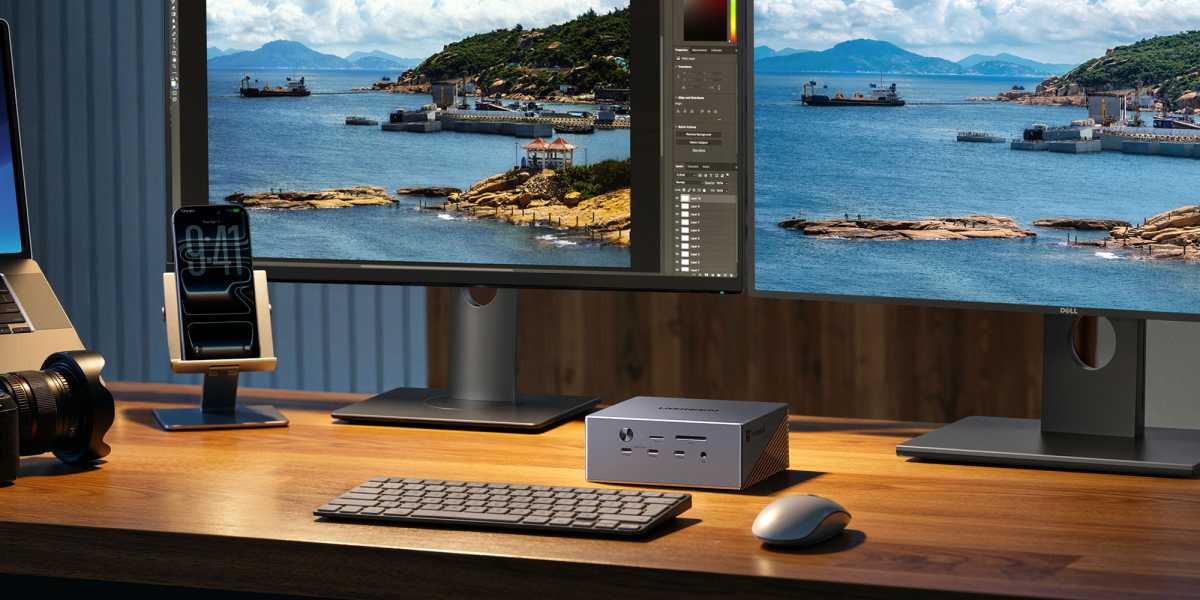
The main purpose of a docking station is to support the running of multiple external displays without using up all the MacBook’s own ports.
The 17-port Maxidok can support a single 8K display at a 60Hz refresh rate or 4K at 240Hz. If you need the very highest refresh rate you can achieve 500Hz when the resolution is 1080P; two 2K displays at 480Hz are also possible, depending on the power of your Mac’s processor.
Ugreen
Multiple display configurations are more set on the limitations of the connected Mac than the docking station itself.
Apple’s latest M5 Pro/Mac Macs offer a higher number of extended displays than was previously possible. Both M5 Pro and M5 Max support up to three 4K displays at 144Hz each. With the M5 Max you could daisy-chain a fourth display from the third. Connected to a Mac with the latest M5 Max processor it can support two 8K displays at 60Hz. With the M5 Pro, two monitors are possible with one 8K/60Hz and one 5K/60Hz.
M2/M3/M4 Pro/Max support a single 8K/60Hz display, while the M1 Pro/Max is limited to a 6K/60Hz. M1/M2/M3/M4 Pro/Max can handle dual 6K/60Hz.
For one display you can use either the DisplayPort or one of the spare downstream Thunderbolt 5 ports. The non-Thunderbolt USB ports of the Ugreen Maxidok won’t work as connectors to monitors. For that purpose, you’ll need to use one of the two downstream TB5 ports.
Windows users benefit from that operating system supporting Multi-Stream Transport (MST) for DisplayPort and Thunderbolt, and so more can connect to three displays using the Maxidok. The maximum resolution and refresh rate for a triple-display setup is 4K at 144Hz.
Simon Jary
Storage
Some of the latest docking stations—such as the Sonnet Echo 13 and Kensington EQ Pro—include built-in SSD storage so that the dock itself operates like a very fast external disk drive.
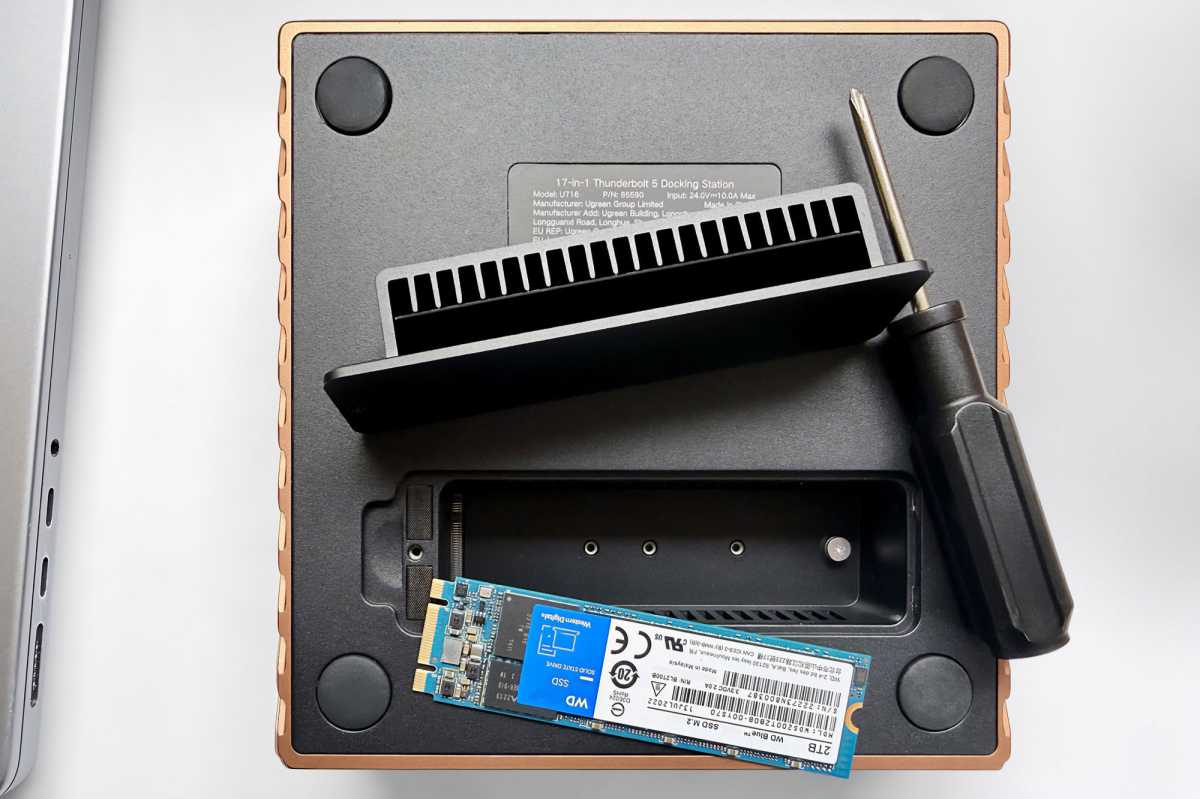
On the base of the Ugreen Maxidok 17-in-1 Docking Station is a slot for you to add an M.2 NVme SSD up to 8TB in capacity. With Apple’s own purchase-only storage prices being so high, this dock slot gives you a lot of storage flexibility. Start with a 1TB or 2TB card and you can upgrade to 4TB or 8TB when you need to.
Installing the SSD card is simple, and Ugreen even includes the required screwdriver; some dock manufacturers don’t.
The dock also includes both SD and microSD card readers at the front for you to slip in and out your own portable and affordable storage cards. At the time of writing a 1TB microSD card was priced at around $170 or £125, although that was a 150MBps UHS-I speed card and this dock’s readers support up to 312MBps UHS-II.
That’s faster than the 250MBps SDXC card slot built into Apple’s current MacBook Pro.
Ugreen
Network speeds
Most office networks are still rated at the standard 1Gb (Gigabit) Ethernet you’ll have at home, but more modern networks are much faster at 2.5Gb, 5Gb or even 10Gb speeds.
Recent professional docks include at least a 2.5 gigabit Ethernet (2.5GbE) port as standard. The CalDigit TS5 Plus and iVanky FusionDock Ultra go all the way to 10GbE.
This is helpful if your network is rated that fast, or at least a high level of future proofing for when it is. 2.5GbE is backwards compatible all the way back to Gigabit Ethernet.
Simon Jary
Price
With the high level and number of ports, it’s no surprise that the Ugreen Revodok Maxidok 17-in-1 Thunderbolt 5 Docking Station comes with a hefty price tag—although at $499.99 / £419.99 it comes in significantly cheaper than the $649 iVanky Ultra.
It’s the same price as the CalDigit TS5 Plus. That dock offers more ports (20 vs 17) and a higher power output (330W vs 240W) plus faster networking (10GbE vs 2.5GbE). However, it lacks the SSD enclosure that offers the dock user greater storage flexibility. If you have plenty of storage at your disposal, the TS5 Plus is the better deal, but we like the flexibility of the Maxidok’s SSD slot.
The $479 Sonnet Echo 13 Thunderbolt 5 Dock has the same SSD slot but fewer ports (12 vs Ugreen’s 17). The $449 Kensington EQ Pro Thunderbolt 5 Dock for MacBook is well priced and has the SSD slot plus a couple more ports, but has a maximum power of 180W that users may find a little under-powered.
Ugreen offers a cheaper Thunderbolt 5 dock, the $299 / £249 Maxidok 10-in 1. This doesn’t have the SSD slot and lacks the volume of ports found on the Maxidok 17, plus has 1Gb Ethernet compared to the Maxidok 17’s 2.5GbE. We will be reviewing the 10-port dock soon.
For more reviews of the best Thunderbolt docks, check out our detailed comparisons.
Simon Jary
Should you buy an Ugreen Maxidok 17-in-1 Thunderbolt 5 Docking Station?
You can buy Thunderbolt 5 docking stations with more ports, but the pro-level compact Maxidok’s well-placed 17 might match your requirement sweet spot at the right price. The SSD slot offers you greater storage flexibility, and the dock will look great on your desktop, too.


