An old printer bought for $20 at a local yard sale, a smartphone that was thrown away–what may seem like harmless electronic waste can be a real jackpot for data thieves. Private photos, tax documents, passwords, or personal identification details often turn up on second-hand devices.
The problem is that many users believe that clicking Delete, Format, or restoring factory settings is enough to remove personal data. In reality, sensitive information often remains intact. Only the table of contents gets deleted. The actual data can be quickly retrieved using simple tools.
The most overlooked data security risks
slawomir.gawryluk / Shutterstock.com
While data protection often brings laptops or smartphones to mind, the greatest risks often lie in devices you may not even think about.
Printers
Modern multifunction printers are small computers with internal hard drives or flash memory. Devices used in offices or law firms often store printed, scanned, or copied pages as temporary copies.
Without a thorough wipe of the internal memory, highly sensitive documents such as scanned ID cards, tax documents, contracts, or medical reports end up accessible to the next owner. Wi-Fi access details for integrated “scan-to-cloud” functions also often remain on the device.
NAS systems
Anyone selling a NAS system (network-attached storage) may simply remove the hard drives and assume they’re in the clear. However, some NAS enclosures contain separate internal flash memory on which the entire operating system runs independently of the drives.
Admin passwords, Wi-Fi configurations, and cloud synchronization tokens can remain permanently stored there. If the buyer switches on the device, in the worst-case–even without your old hard drives–it may automatically reconnect to cloud services or grant access to a home network.
Smartphones, tablets
A standard factory reset is usually sufficient for modern smartphones or tablets that are encrypted by default–but not always. Older Android models in particular, without active encryption, leave fragments of photos, chats, and login details in the memory.
Another common mistake is forgetting to log out of accounts: if Google or Apple accounts are not manually unlinked before the reset, the activation lock remains in place. The device then becomes useless to the buyer or may still retain access to cloud services.
SSDs, USB sticks
Unlike older magnetic hard disk drives (HDDs), SSDs and USB sticks cannot be overwritten. A process known as “wear leveling” constantly and automatically redistributes data across different memory cells to minimize wear and tear on the storage media. As a result, conventional data shredder programs often fail to access all data areas, even when they perform extensive overwrite operations. Fragments of data can therefore remain unrecoverable.
Smart TVs, routers, streaming boxes
Whether it’s a Fire TV Stick, Apple TV, smart home hub, or router, every smart living room device can store Netflix logins, voice profiles, VPN access details, or VoIP data. In particular, the careless resale of old routers such as a Fritzbox is a serious concern, as they often contain not only private Wi-Fi passwords but also full login details provided by the internet service provider.
How to delete data from sensitive devices
Lightspring / Shutterstock.com
To ensure that selling old or disused devices has no negative consequences, you should follow these steps depending on the type of device:
- PCs, laptops, SSDs: Use the Secure Erase function. This can usually be initiated directly via the motherboard’s BIOS/UEFI or via the manufacturer’s own software (such as Samsung Magician). It resets all the SSD’s memory cells simultaneously and securely.
- Smartphones, tablets: Before resetting, manually log out of all Google, Apple and cloud accounts and deactivate features such as ‘Find My’ or anti-theft protection. Remove the SIM and microSD cards before performing a factory reset.
- Printers, routers, smart home devices: Use the physical hardware reset button on the device’s casing and access the admin menu to explicitly carry out functions such as “Delete all data/logs.” Also, disconnect all linked apps.
- USB sticks, memory cards: Old SD cards from drones, dashcams, or cameras sometimes contain extremely private recordings. As inexpensive storage media are difficult to securely erase, it’s often safer to physically destroy them rather than sell or reuse them.
When in doubt, use a hammer
If a storage device is faulty and can no longer be accessed via software, brute force may be the only solution. To prevent data theft, SSD circuit boards should be destroyed, traditional hard drives drilled through, and memory chips or USB sticks mechanically broken before they end up as electronic waste. They should never be disposed of in household rubbish.
When buying new devices, make use of built-in security features
Google/Amazon
Anyone who has successfully sold their old devices for cash and is looking for a replacement can minimize the data protection risks from the moment of purchase. Manufacturers have responded to common concerns: modern devices increasingly include security measures that better isolate sensitive data from the outset or make subsequent data erasure much easier.
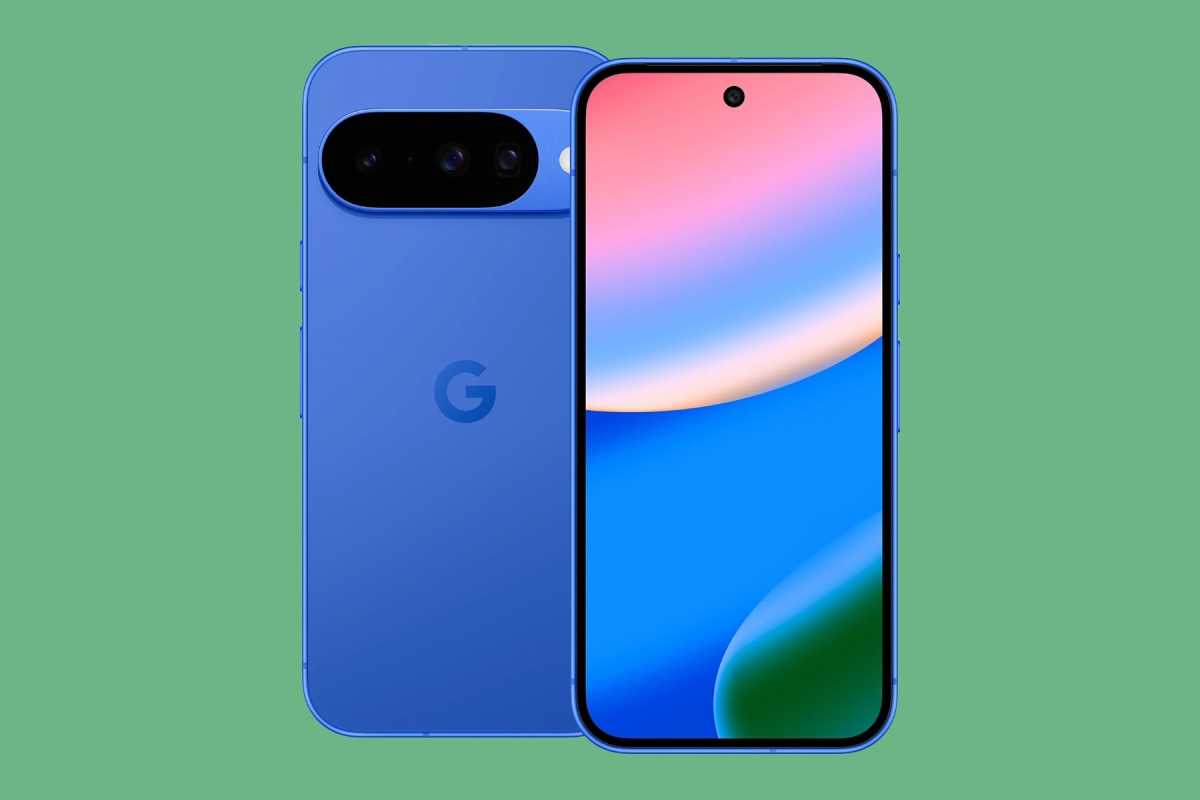
- Smartphones with hardware-based isolation: In modern smartphones, a dedicated security chip protects the most sensitive data separately from the main processor. On the Pixel 10, for example, the Tensor security chip, combined with local AI detection, ensures that sensitive processes such as fraud and phishing defense take place in isolation directly on the device. This enhances protection in everyday use and ensures a clear separation of data streams.
- Printers without permanent document storage: To prevent confidential printouts or scans from remaining on the internal hardware, newer office devices rely on automatic memory clearing. Models such as the HP OfficeJet Pro 9120e utilize integrated security architectures (such as HP Wolf Essential Security). This ensures that data is encrypted during the printing process, so that no readable document fragments remain in the cache once the device is switched off.
- Storage media with built-in erasure functions: When purchasing new SSDs, it is worth looking out for the manufacturer’s own software support for secure erasure. High-end storage devices such as the Samsung 990 PRO NVMe SSD offer not only hardware-based AES 256-bit encryption, but also compatibility with management tools (such as Samsung Magician). This allows the “Secure Erase” function – which is so important for SSDs – to be carried out with just a few clicks when reselling the drive, ensuring no data remains.
A five-minute check can save you a lot of trouble
Digital legacy data is far more than just harmless electronic waste. Many devices store significantly more information than their owners realize–from cloud accounts and private documents to complete identity profiles. Anyone who sells hardware without checking it may be unwittingly giving away their digital life. A thorough, professional reset usually takes just a few minutes, but can effectively prevent sensitive data from falling into the wrong hands.


