At a glance
Expert’s Rating
Pros
- Good vacuum performance for the price
- Gets close to edges and under low furniture
- Good value at $269.99
Cons
- Basic mopping system
- No self-washing mop feature
- Can struggle with lightweight rugs and mats
Our Verdict
The Dreame D20 Air Plus is focused on doing the basics well. It’ll vacuum your floors, empty debris into the base station, and (mostly) stay out of your way.
Price When Reviewed
This value will show the geolocated pricing text for product undefined
Best Pricing Today
Price When Reviewed
$269.99
Best Prices Today: Dreame D20 Air Plus
The Dreame D20 Air Plus is the type of robot vacuum that’s focused on doing the basics really well. It’ll vacuum your floors and navigate well around corners and coffee tables. It doesn’t have the Roborock Saros 20’s fancy mop-washing system, but it does mop…. sort of.
I tested the D20 Air Plus in my split-level home on both hard floors and rugs, amid furniture like a low entertainment center, a coffee table, and a game table with metal legs. While it has limitations common in a budget model, it gets the important stuff right and that’s exactly what I want to see.
Dreame D20 Air Plus: Setup
Getting the D20 Air Plus up and running was refreshingly simple. The hardware setup involved basically just snapping into place the side brush, which sweeps debris toward the main brush, and plugging in the base station. I didn’t feel tripped up at any point here.
The base station itself is much smaller than the one that came with the premium Roborock model I tested, which I appreciated. Some base stations are big and bulky, and can take up a lot of space. This one doesn’t.
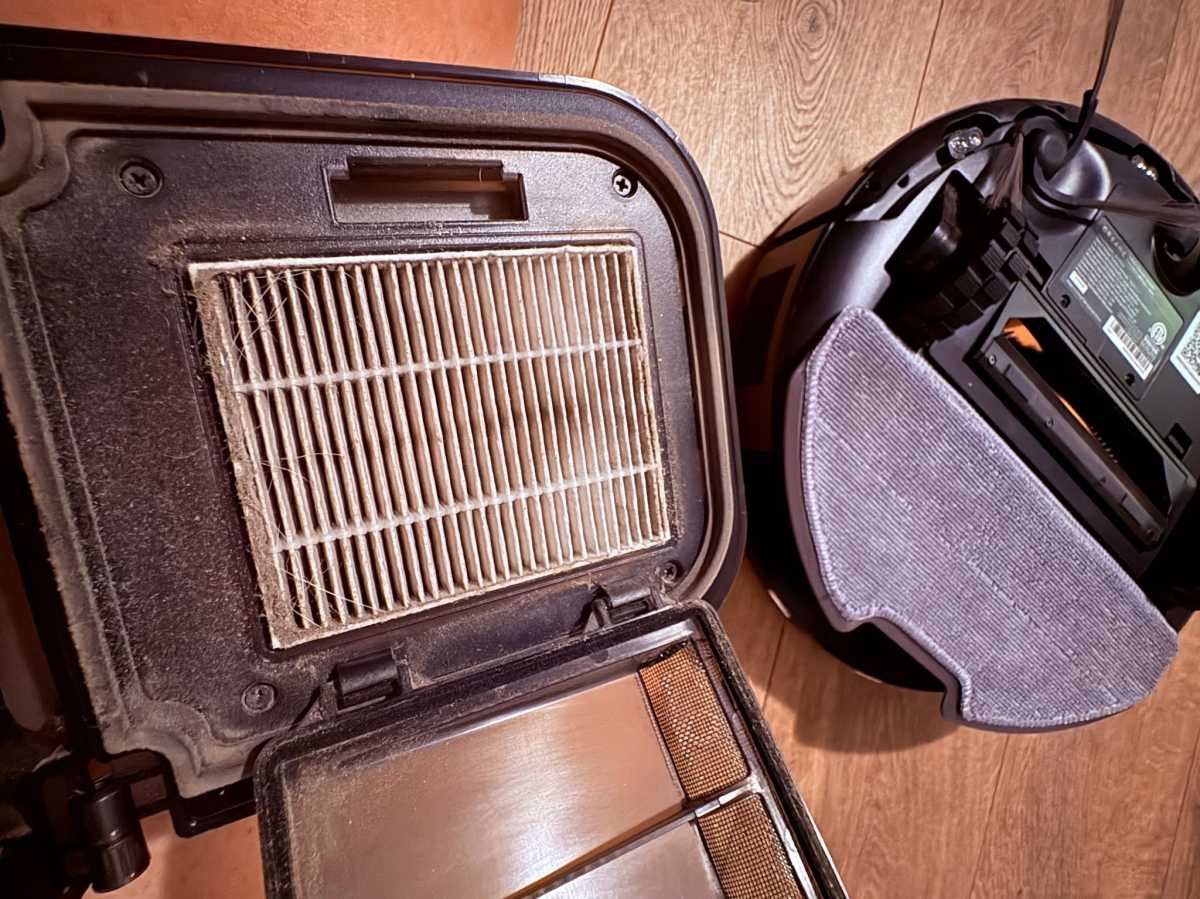
There’s a dust box and a filter inside of the robot — it’s a wedge-shaped piece that slides out of the back. This is where the debris goes until the robot returns to the base station, where the dust gets sucked into a disposable bag. Everything is pretty straightforward here.
There was one tiny hiccup during setup, though. I plugged in the base station and assumed it wasn’t working because nothing happened (usually a base station will start chattering away after you’ve plugged it in). Turns out, there’s a physical power switch on the back that you’ve got to turn on first. It’s obvious, I know. I did spend a few minutes wondering if I had gotten a dud.
Once everything was powered on, the app walked me through the rest of the setup process.
Dreame D20 Air Plus: The app
The app is pleasantly simple.
A lot of robot vacuum apps throw a million different cleaning modes and settings at you. The D20 Air Plus keeps things much more streamlined (thankfully!).
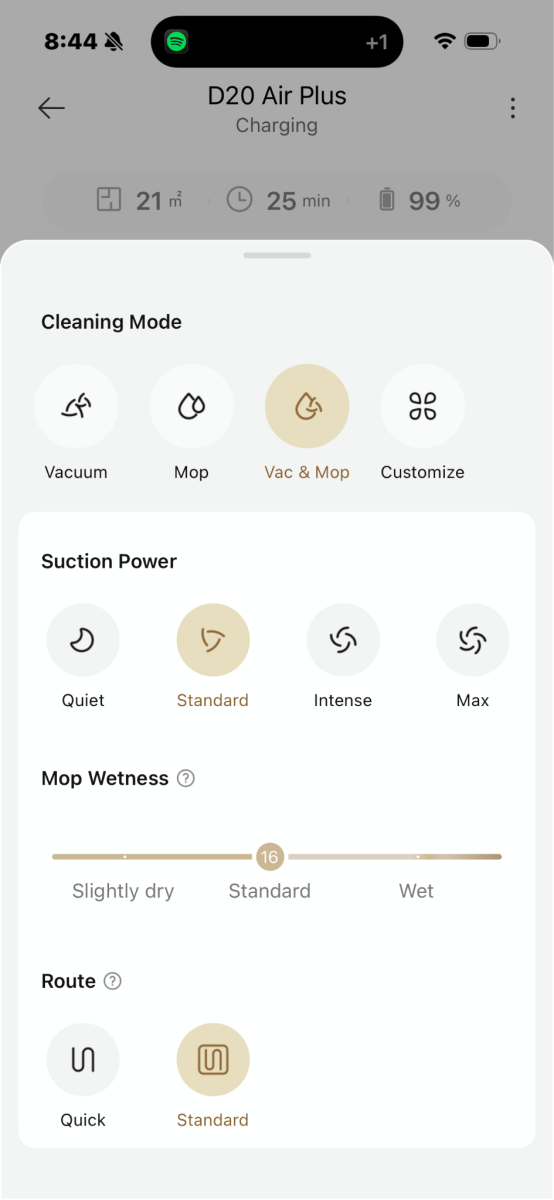
For the D20 Air Plus, you can choose between vacuuming, mopping, vacuuming and mopping at the same time, or a custom mode where you can adjust things to your liking. You can change the suction power, too. Just be careful if you’re going to turn up the suction power because it drains the battery faster.
The options for suction power are Quiet, Standard, Intense, and Max. I mostly stuck with the standard setting for everyday cleaning, but it’s nice to have a little extra oomph sometimes.
During testing, the D20 Air Plus built the map while it cleaned the floor. It didn’t have to map the floor first.
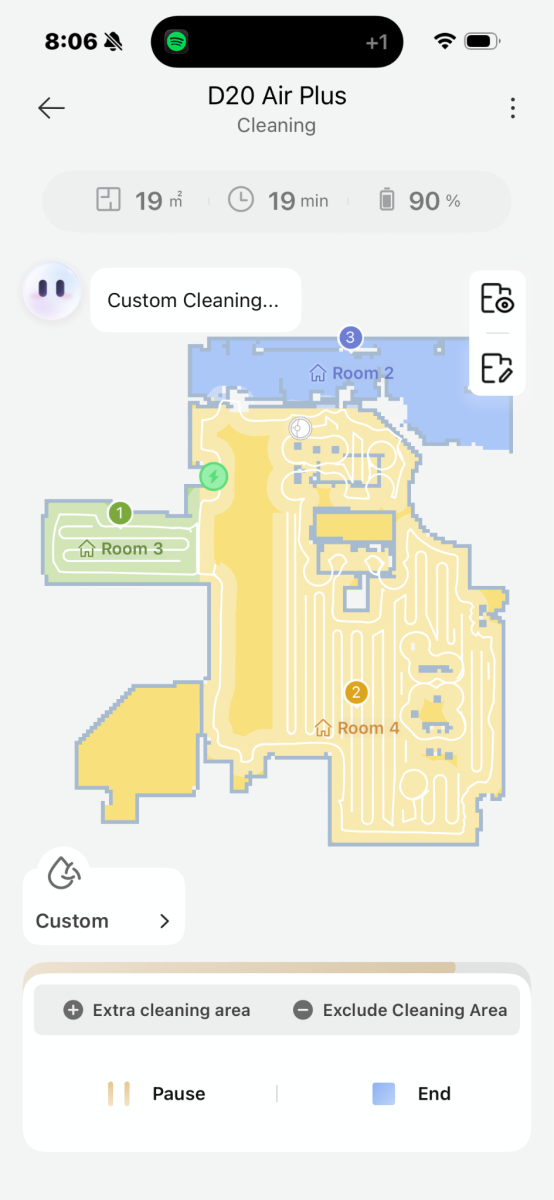
Speaking of, the map view is pretty useful while the robot is cleaning. It shows the vacuum’s current location in real time, along with the areas it already vacuumed (areas with lines indicate they’ve been vacuumed). I like being able to see the robot’s progress. It also makes it easier to spot areas it missed.
Dreame D20 Air Plus: Navigation
Like most robot vacuums, the D20 Air Plus moves in a back-and-forth pattern. The lines are straight and parallel, and there’s no random bouncing around. It slowed down around table legs instead of bumping into them at full speed. It also got surprisingly close to corners and edges.
This robot uses several sensors to help it see the room. It uses a Laser Distance Sensor (LDS) for mapping and navigating around furniture, a bumper for detecting walls and corners, a return-to-base sensor for finding the charging station, and cliff sensors so it doesn’t go tumbling down the stairs.
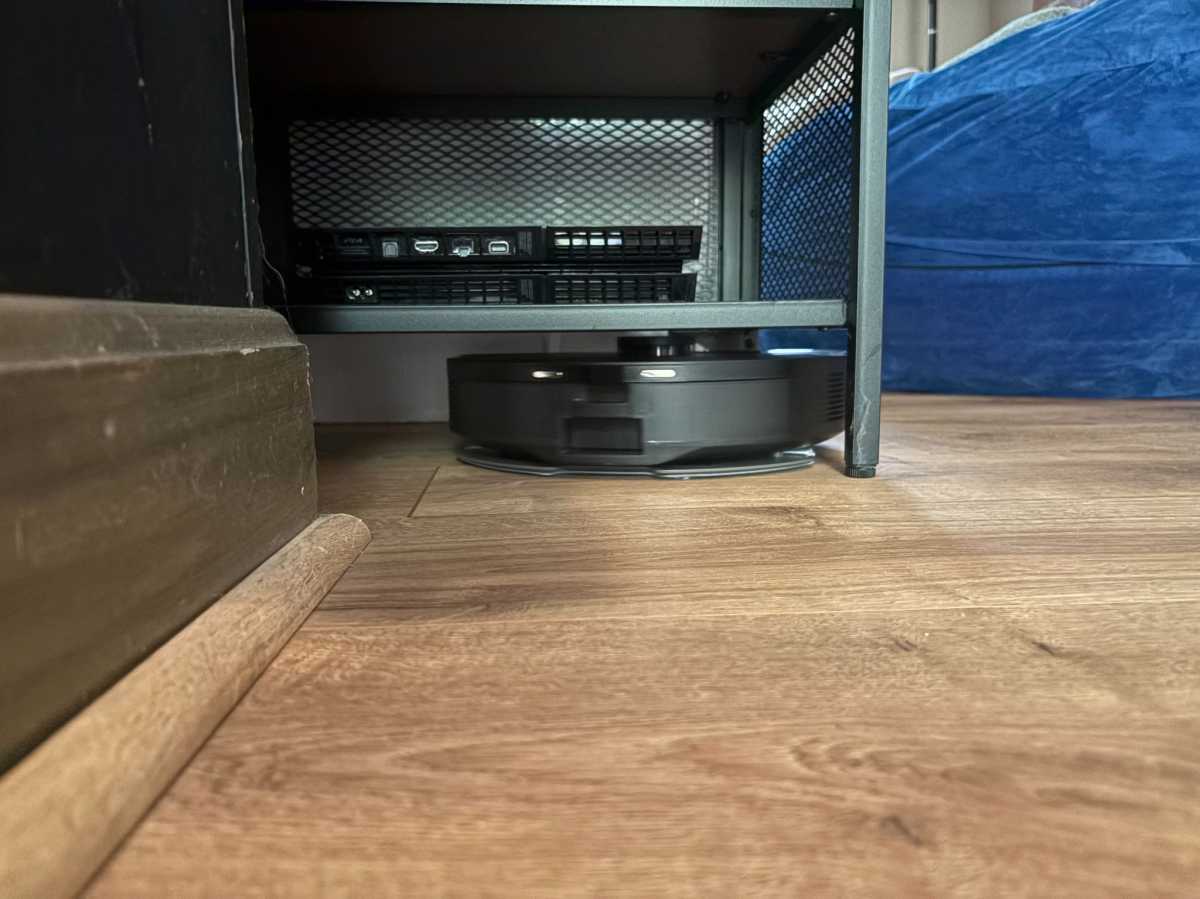
One thing that surprised me was how well it got underneath my small entertainment center, which doesn’t have a lot of clearance. It slid right under there, even with the LiDAR (aka the LDS system) turret sticking out on top, adding height. I half expected it to skip that area, but it cleaned underneath it without any trouble.
That said, it did have one annoying habit: moving the mat by my sliding glass door.
The robot consistently pushed the mat around while it cleaned instead of smoothly driving over it. Not a huge deal, but I did have to walk over and reposition it a few times.
It’s the kind of thing that makes you realize robot vacuums aren’t completely “set it and forget it” devices yet (though I think the tech is definitely going there). Sometimes they still need a little human supervision.
Dreame D20 Air Plus: Vacuuming
Vacuuming is where the D20 Air Plus shines.
It finished cleaning my downstairs in about 33 minutes, and it still had 77 percent battery remaining. That’s plenty of power left over for larger spaces. It also picked up my greyhound’s hair, as well as the dirt and bits of leaves he tends to bring in.
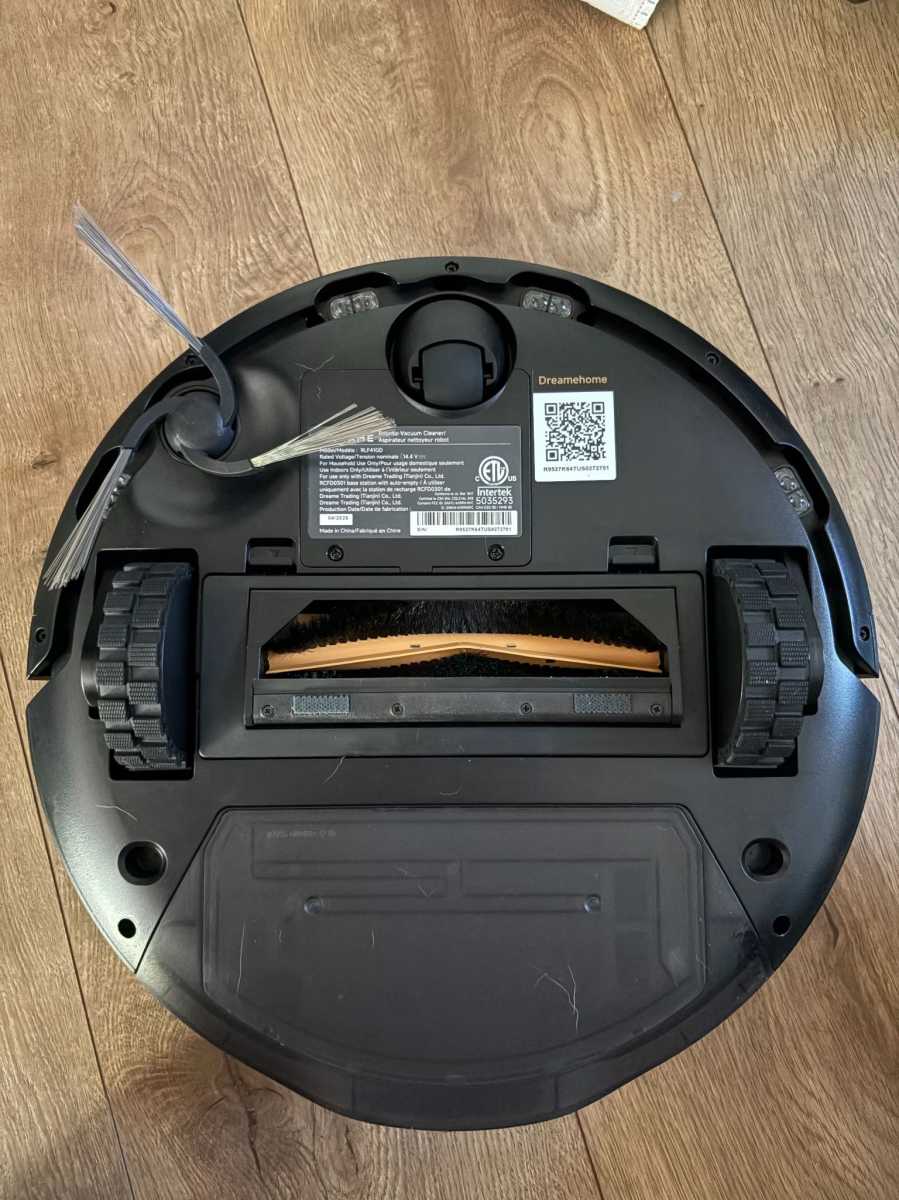
For suction power, the D20 Air Plus has 20,000Pa, which is pretty good for a $269.99 budget model (and for getting the stuff out of carpets). That’s more than enough for the usual suspects: pet hair, dirt, leaves, crumbs, etc. The Roborock Saros 20, a premium model costing over $1,000, has a suction power of 36,000Pa.
If you want the convenience that a robot vacuum brings but don’t want to drop a ton of money on one, the Dreame D20 Air Plus is a good fit.
The vacuum itself is a little louder than I expected. It’s definitely not as loud as a traditional upright vacuum, but compared to the premium Roborock model I tested, the difference was noticeable. It gets louder when it detects carpet, but that’s by design. The vacuum will automatically ramp up suction, and you can actually hear the motor kick into a higher gear.
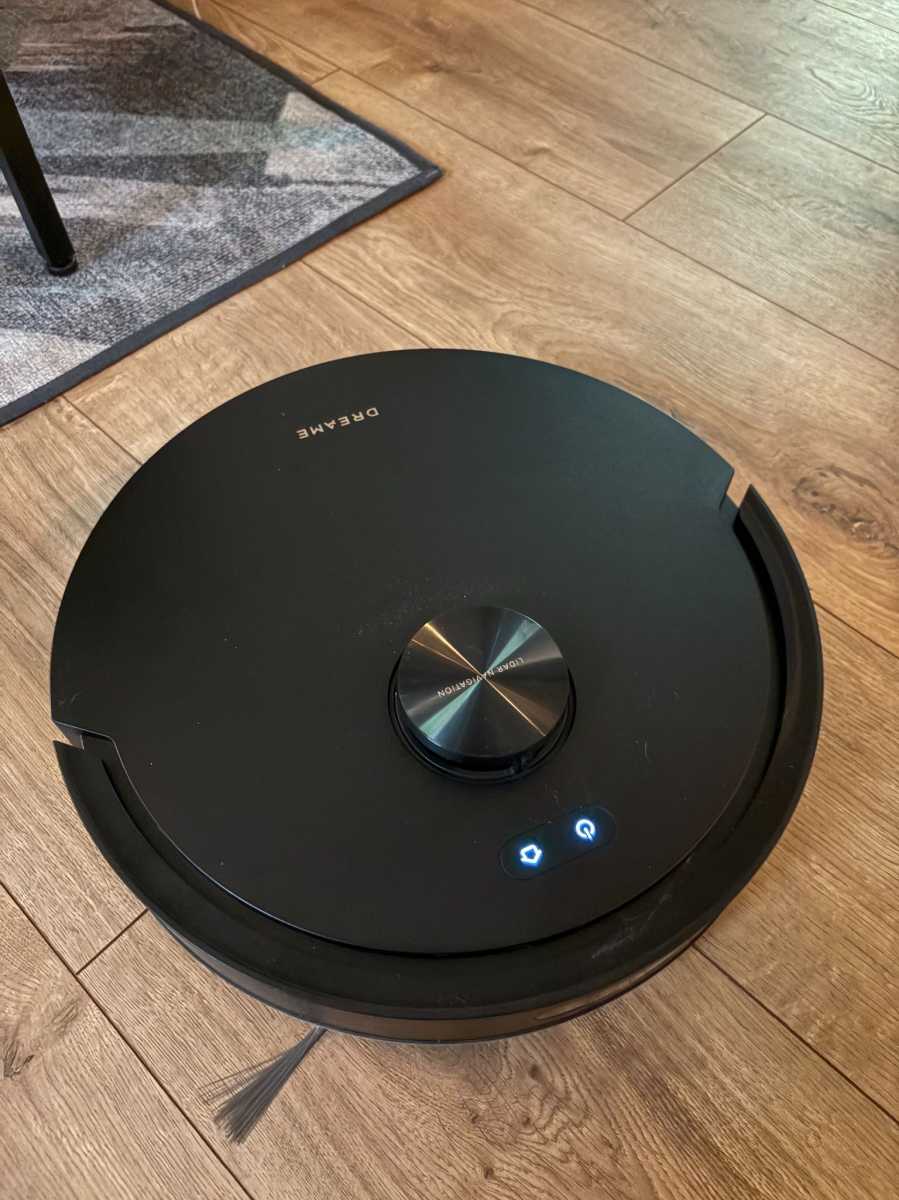
Noise aside, the D20 Air Plus isn’t trying to reinvent the wheel here. It’s just trying to reliably clean your floors without making the experience overly complicated. That’s where it succeeds.
Dreame D20 Air Plus: Mopping
The mopping system is where you start seeing the difference between budget and higher-end models. It feels more like an afterthought, really.
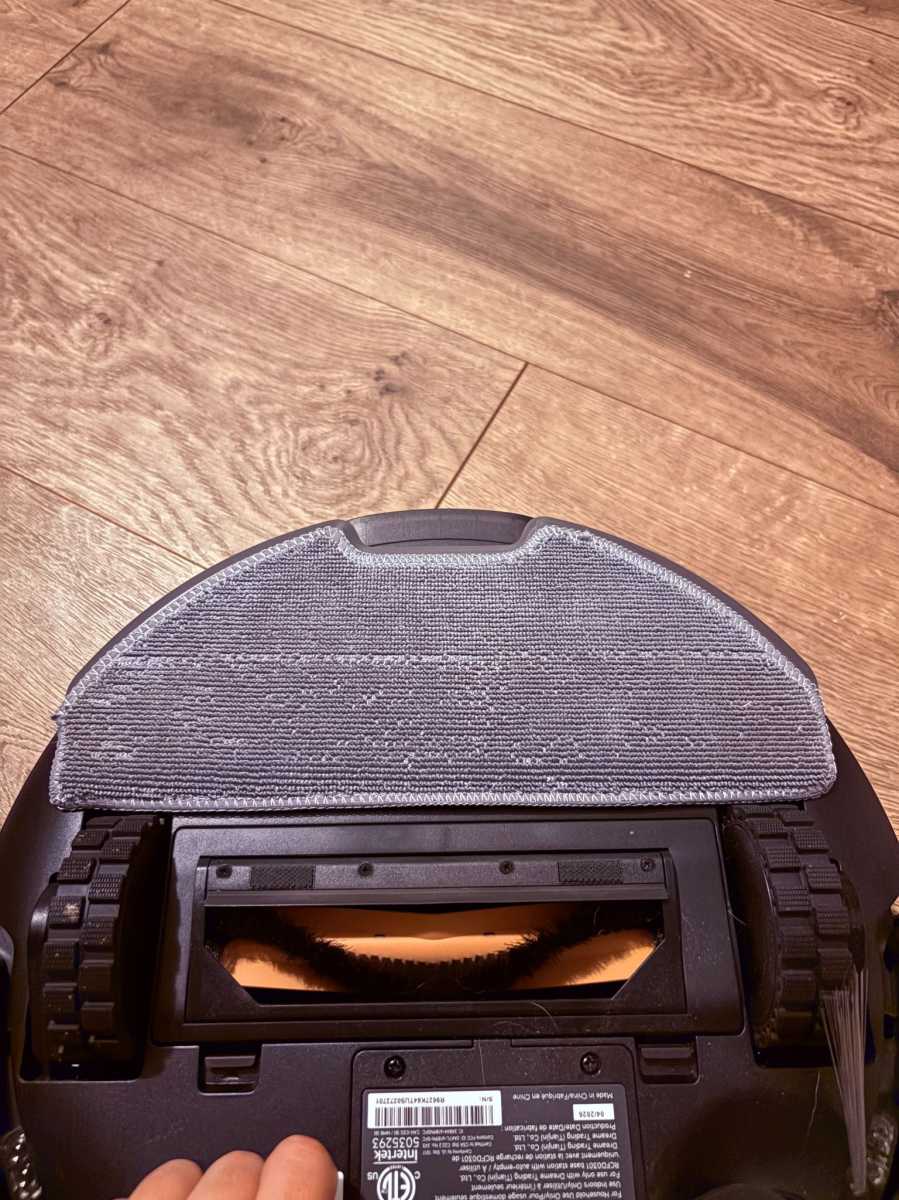
The D20 Air Plus uses a single mop pad that slides along the floor. It doesn’t spin or lift up when going over carpets. The base station also doesn’t wash the mop or empty the dirty water into a separate container like we’ve seen more expensive models do. You’ve also got to wet the mop yourself.
That means the mopping is more of a maintenance feature than a deep clean.
It can help with everyday dust and light marks, but it’s not going to scrub away tougher messes. You’ll also need to manually deal with the mop pad when you’re done.
For me, that’s not necessarily a dealbreaker. I think most people buying a robot vacuum are probably buying it for the vacuuming power anyway. The D20 Air Plus is much better at vacuuming than mopping, and that’s where I’d put my expectations.
Should you buy the Dreame D20 Air Plus?
If you want the convenience that a robot vacuum brings but don’t want to drop a ton of money on one, the Dreame D20 Air Plus is a good fit. I mean, not only does it vacuum well, it also deftly moves around furniture. For just $269.99, that’s very good
The compromises are pretty clear, though. The mopping system is basic, the robot can be a bit noisy, and it doesn’t have the advanced self-cleaning features you’d get in a more expensive model.


