At a glance
Expert’s Rating
Pros
- 20 ports, inc 3x Thunderbolt 5
- M.2 NVMe SSD Slot (Echo 21)
- 10Gb Ethernet
- Dedicated video output DisplayPort and HDMI ports
- 140W Power Delivery
- RCA line out jacks
Our Verdict
While we’d have preferred a bit more power output from the USB-C ports, the Sonnet Echo Thunderbolt 5 docks come with the latest and greatest connectivity standards, and will turn any pro MacBook into a powerful and flexible multi-screen workstation.
Price When Reviewed
This value will show the geolocated pricing text for product undefined
Best Pricing Today
Price When Reviewed
$499.99
Best Prices Today: Sonnet Echo 21 Thunderbolt 5 SuperDock
The Sonnet Echo 21 is a high-end 20-port Thunderbolt 5 docking station that’s ideal for creative professionals and MacBook Pro users needing expandable high-speed storage, multi-display support, and extensive connectivity. Its built-in M.2 SSD slot supports up to 8TB, making it a smarter long-term investment than the cheaper Echo 20. The main compromise is limited 15W downstream USB/TB charging.
- Best for: Creative professionals, multi-monitor MacBook Pro setups, users needing expandable high-speed storage.
- Skip if: You don’t need extra SSD storage or want faster downstream device charging than 15W.
At the top of the docking station market are docks built on the latest Thunderbolt 5 connectivity standard. We’ve reviewed the best Thunderbolt 5 docks, and were big fans of the Echo 20 Thunderbolt 4 SuperDock, so have been looking forward to testing these docks from Sonnet.
We tested the Sonnet Echo 21 Thunderbolt 5 SuperDock, a high-end 20-port Thunderbolt 5 docking station designed to turn a MacBook into a fully featured desktop workstation, but there are two models for you to consider: the Sonnet Echo 20 Thunderbolt 5 SecureDock is identical except for the omission of the SSD enclosure that Sonnet believes is worthy of adding the bold title SuperDock to the Echo 21 that does boast the SSD slot.
- Echo 21: Same dock + expandable internal SSD storage.
- Echo 20: Same dock without the SSD expansion option, making it the cheaper choice for users who don’t need extra storage.
Simon Jary
Specs and features
Echo 21
- One upstream Thunderbolt 5 port (80Gbps, 140W)
- Two downstream Thunderbolt 5 ports (80Gbps, 15W)
- Four USB-C ports (10Gbps, 7.5W)
- One USB-C port (10Gbps, 15W)
- Four USB-A ports (10Gbps, 7.5W)
- One DisplayPort 2.0
- One HDMI port 2.0
- Ethernet (10Gb)
- M.2 SSD slot
- UHS-II SD card reader (320MBps)
- UHS-II microSD card reader (320MBps)
- 3.5mm combo In/Out audio jack (front)
- 3.5mm microphone jack (back)
- Stereo RCA Jacks (R&L, back)
- 240W power supply
Echo 20
- One upstream Thunderbolt 5 port (80Gbps, 140W)
- Two downstream Thunderbolt 5 ports (80Gbps, 15W)
- Four USB-C ports (10Gbps, 7.5W)
- One USB-C port (10Gbps, 15W)
- Four USB-A ports (10Gbps, 7.5W)
- One DisplayPort 2.0
- One HDMI port 2.0
- Ethernet (10Gb)
- UHS-II SD card reader (320MBps)
- UHS-II microSD card reader (320MBps)
- 3.5mm combo In/Out audio jack (front)
- 3.5mm microphone jack (back)
- Stereo RCA Jacks (R&L, back)
- 240W power supply
The only difference between the Echo 20 SecureDock and Echo 21 SuperDock is the M.2 SSD slot located at the base of the Echo 21. The Echo 20 shares the same Thunderbolt 5 architecture and overall port set, but without the internal SSD slot. We think it’s worth paying the extra $50 for the Echo 21 over the Echo 20, as it builds in another level of future proofing.
Aside from this each has 20 ports if you include the right and left stereo RCA jacks as one. That’s a lot of ports. It’s not as many as the iVanky FusionDock Ultra that boasts 26 but the same as the CalDigit TS5 Plus dock.
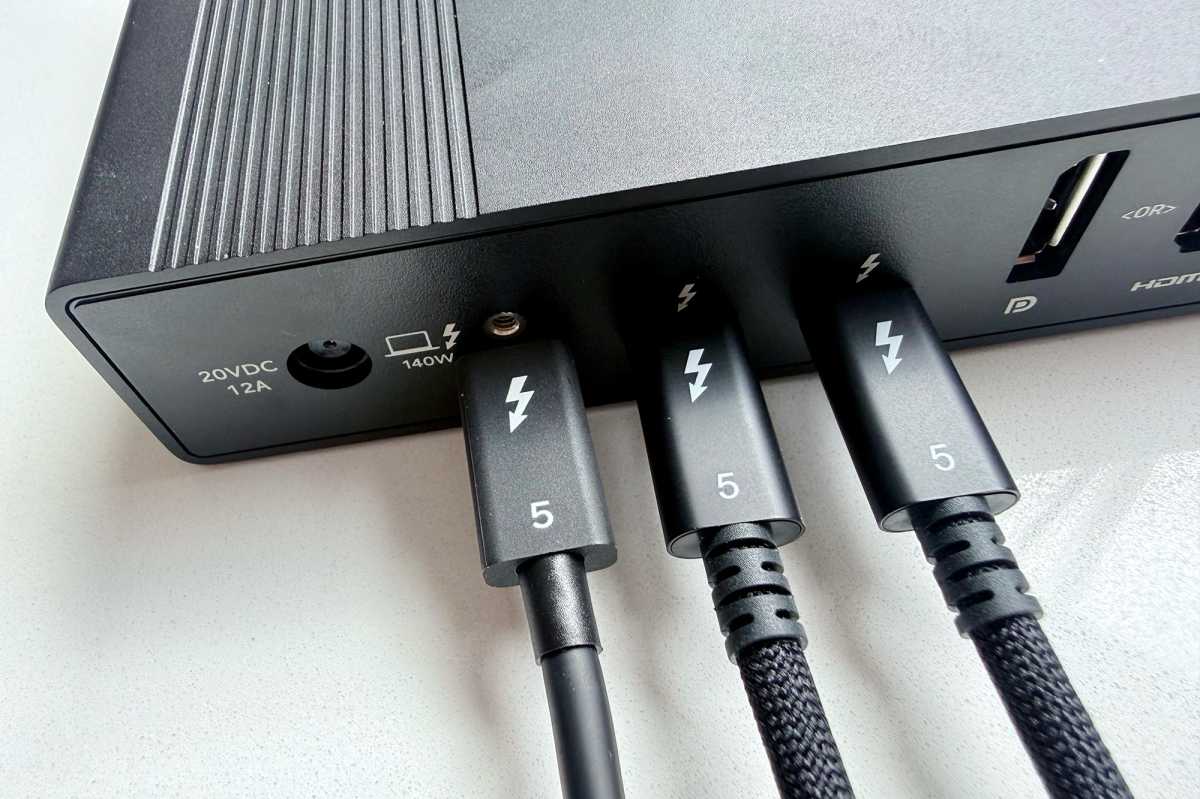
The Echo 20/21 has the same number of Thunderbolt 5 (TB5) ports as the CalDigit: one upstream, capable of 140W power output, and two downstream TB5 ports.
Simon Jary
Thunderbolt 5 is a major jump in performance on Thunderbolt 4—unlike the shift from Thunderbolt 3 to 4. Bandwidth increases from 40Gbps to 80Gbps, with a unidirectional 120Gbps Bandwidth Boost for high-end video needs.
Both have five handy USB-C ports and four legacy USB-A ports, which seems over-generous these days, but the old rectangular USB persists still in many older devices.
Sonnet includes both HDMI or DisplayPort for dedicated video ports (on top of the TB display-connecting option), which adds a level of flexibility missing from the DP or TB TS5+.
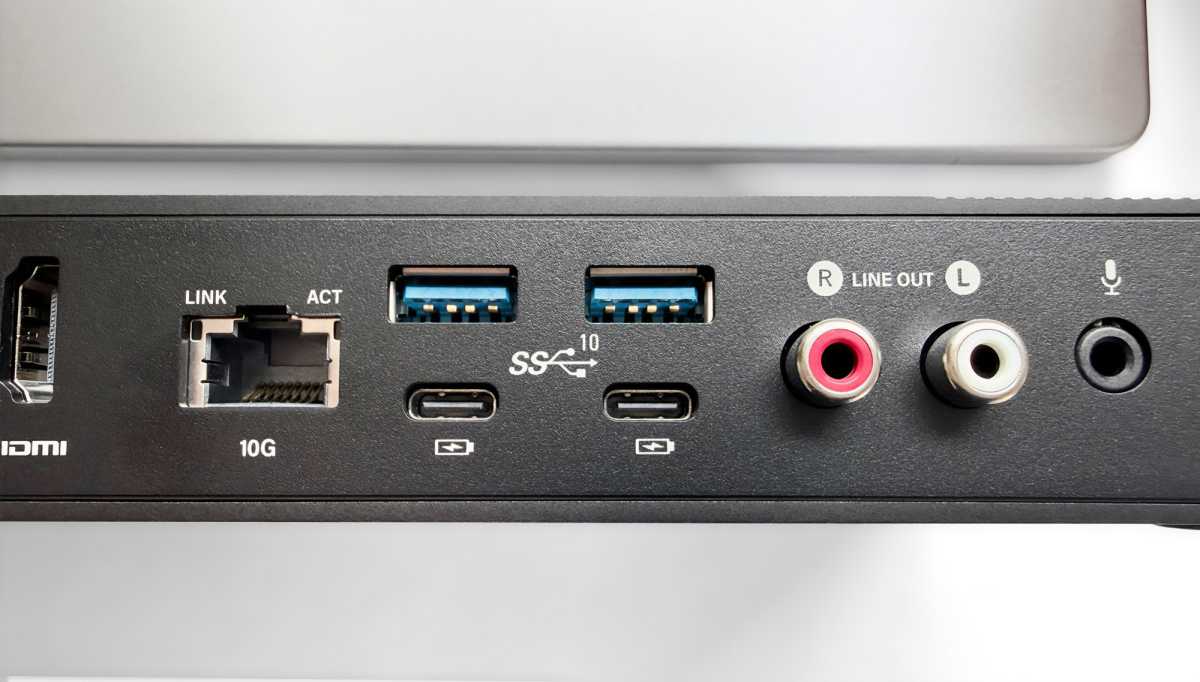
Both offer a top-end Ethernet (10Gb) connection for wired network access. This is backwards compatible to 1GbE, 2.5GbE and 5GbE for older, slower networks. Connect to 10GbE infrastructure using Cat 6 or Cat 6A copper cabling (up to 55 or 100 meters, respectively). You might not be lucky enough to have a 10Gb network but with the Echo 20 and 21 you’ll be ready for it when the time comes to upgrade, eliminating a later need for a separate adapter.
The two docks are also matched with fast UHS-II SD and microSD card readers at 320MBps.
Simon Jary
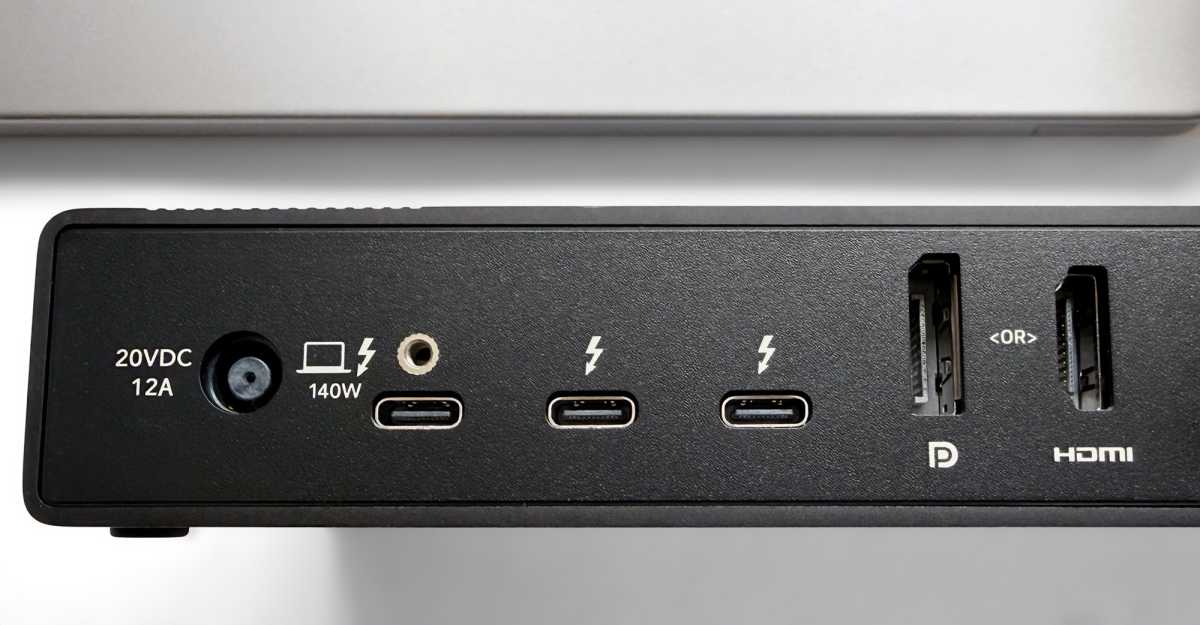
Both docks offer a 3.5mm combo audio jack at the front, but the Sonnet goes a step further by including right and left RCA jacks (shown above) that reduce crosstalk by using separate right and left audio cables, are more durabile with a larger contact area, and offer better connection stability than 3.5mm audio jacks. The Echo docks also have a separate microphone jack at the back. Aside from digital audio—only the Kensington EQ Pro Thunderbolt 5 Dock has a TOSLINK audio port—the Echo docks are ably sorted on the audio front.
Both docks are fanless, and the silent design marks this dock out as attractive to high-end audio and podcast creators.
Simon Jary
Design
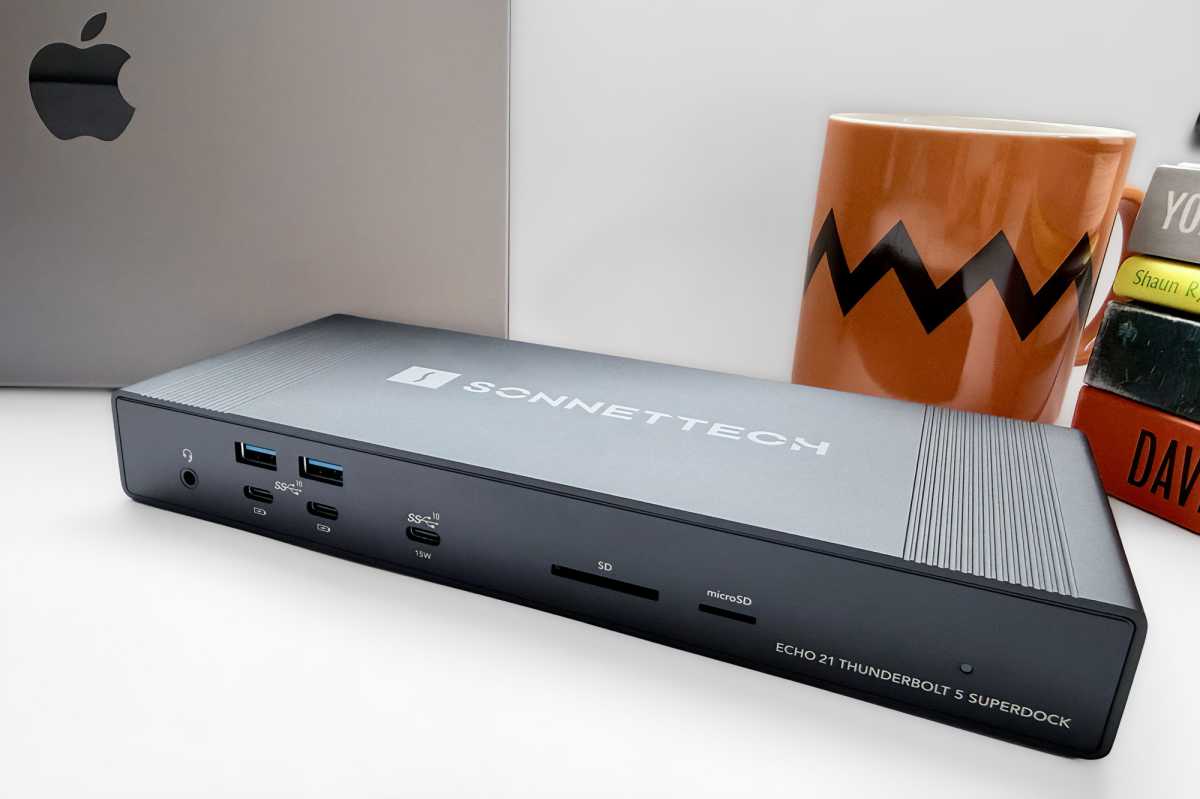
Unlike the compact but solid CalDigit TS5 or iVanky FusionDocks, the Sonnet Echo 20 and Echo 21 are shelled in a slim and long low-profile case.
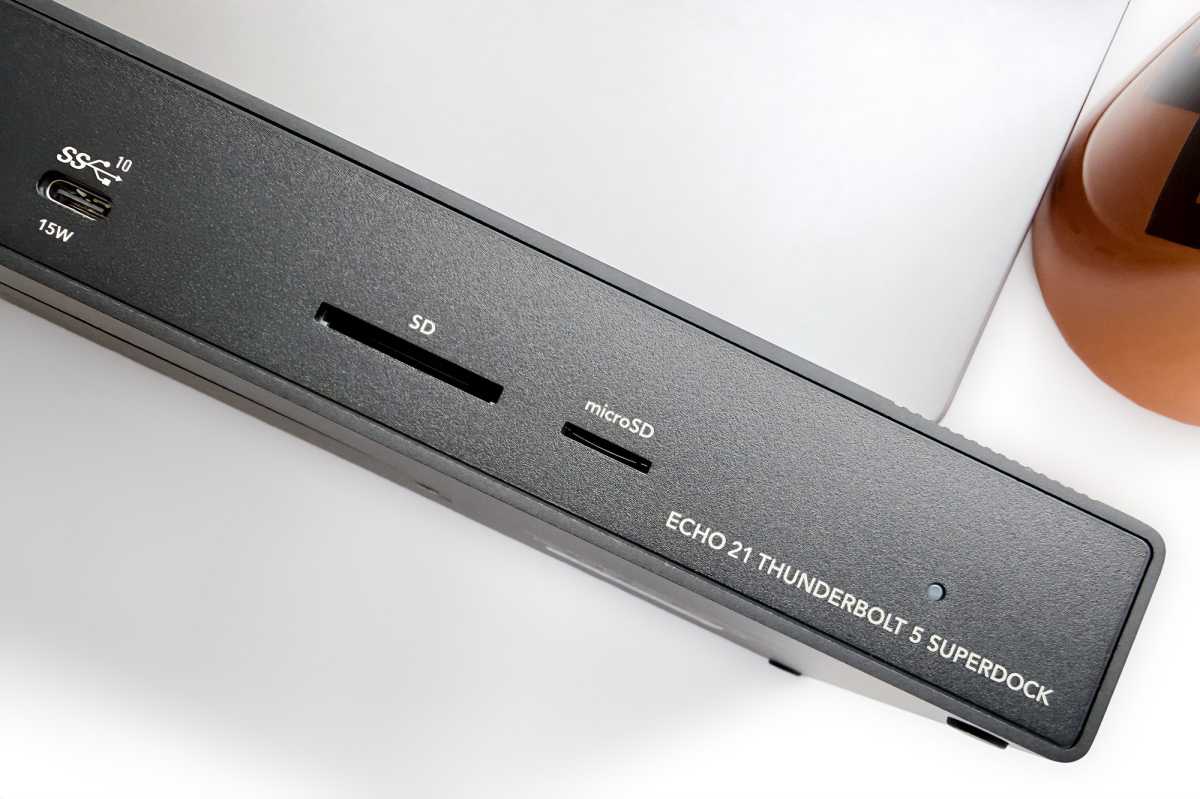
The ports are well placed, with all the TB5 ports tidied away at the back. The nine 10Gbps USB ports are well-placed, with two USB-C and two USB-A on the front and back, with the 15W USB-C charging port also close to hand at the front. Also at the front are the two card readers and the combo audio jack.
I’d have preferred a power switch to keep my mind at rest that the connected laptop isn’t forever drawing power and causing possible battery wear, but Apple’s smart battery power system should take care of that worry.
Although only the Echo 20 is called a SecureDock, with the Echo 21 top dog as SuperDock, both feature Kensington security slots, and include ThunderLok connector lock to help prevent accidental disconnections.
The physical dimensions are 9.6 x 4.2 x 1.3 inches (243 x 106 x 330mm) with a weight of 2.9lbs (1.3kg).
Simon Jary
Storage
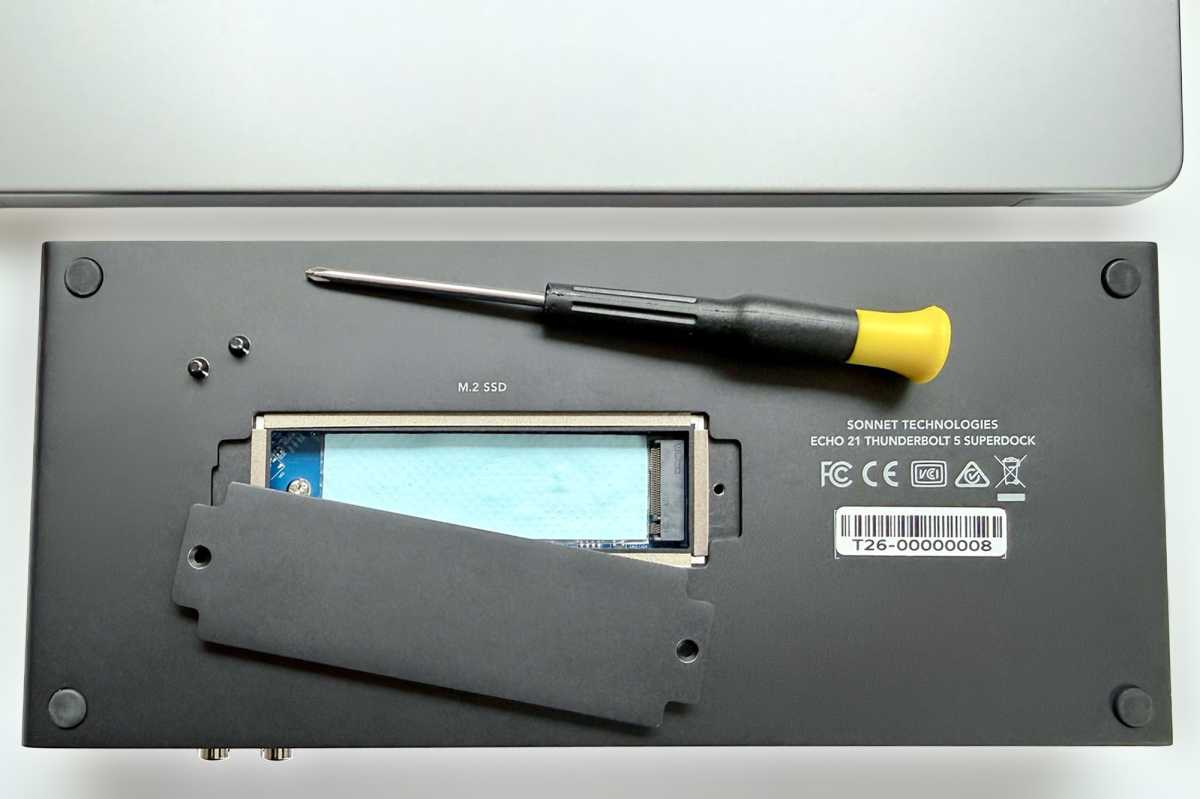
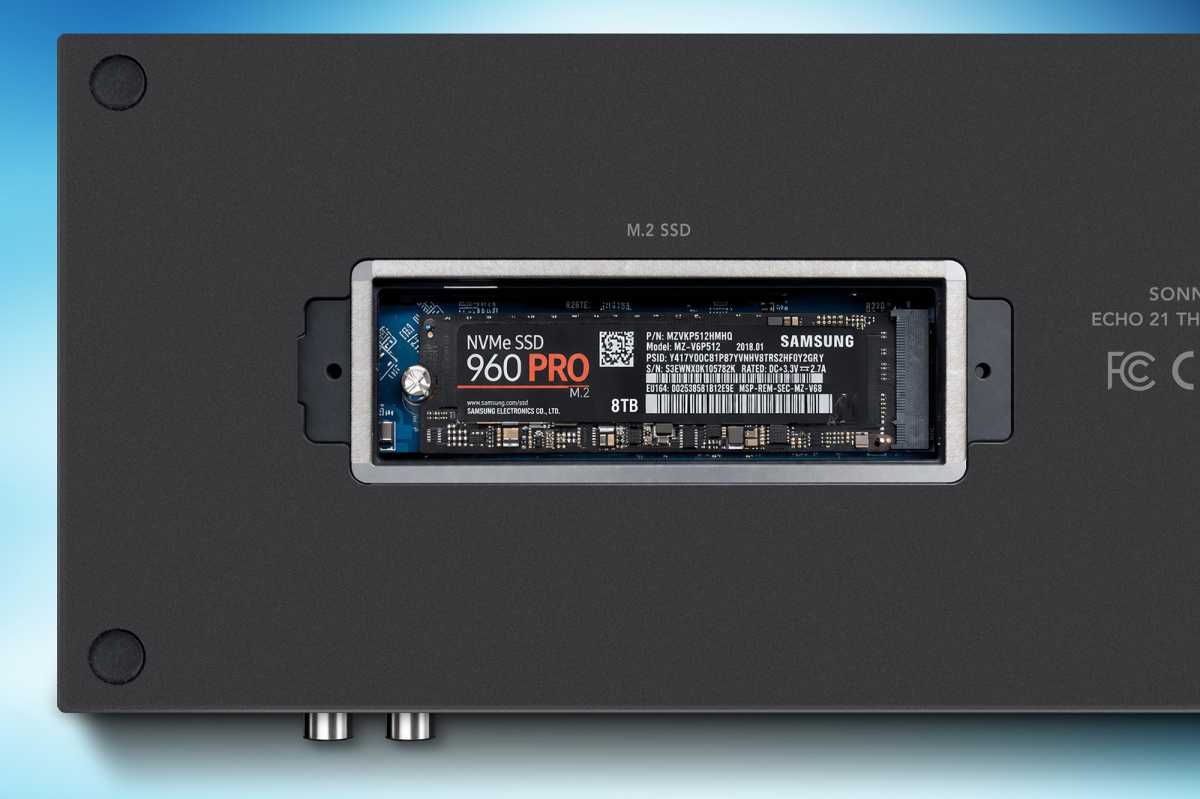
The Echo 21 becomes a SuperDock through its SSD enclosure. It doesn’t come-prepopulated with an SSD. The card for the integrated M.2 NVMe SSD socket must be user-installed. That’s different from Sonnet’s Echo 13 Thunderbolt 5 SSD Dock that has the internal SSD installed at purchase and isn’t user upgradeable.
Turn the Echo 21 dock over and unscrew the panel to locate the SSD slot that supports high-speed NVMe SSD storage cards up to 8TB and able to transfer data at up to 3300MBps.
Apple charges a fortune to add even 2TB (an extra $400) or 4TB (add $1,000) of internal storage to a MacBook when you purchase it, and after that you can’t upgrade it.
Adding your own choice of external fast storage is ideal for large media libraries and Time Machine backups, and will appeal especially to professional content creators.
At the time of writing, you could pick up a 2TB NVMe SSD for around $200—although storage prices are notoriously volatile, which to be charitable to its accountants is maybe why Apple charges so much. 4TB costs around $500 and 8TB $1,300.
Simon Jary
The dock also offers fast UHS-II SD and microSD card readers that at 320MBps are faster than the 250MBps card reader Apple offers on its MacBook Pro models. This ultra-portable storage is also a flexible way to add decent capacities at affordable prices. The older TB4 Echo dock lacked the microSD slot.
Displays: How many displays can it run?
Of course, one of the key functions of a docking station is to run one or more external displays via the single connection from dock to laptop.
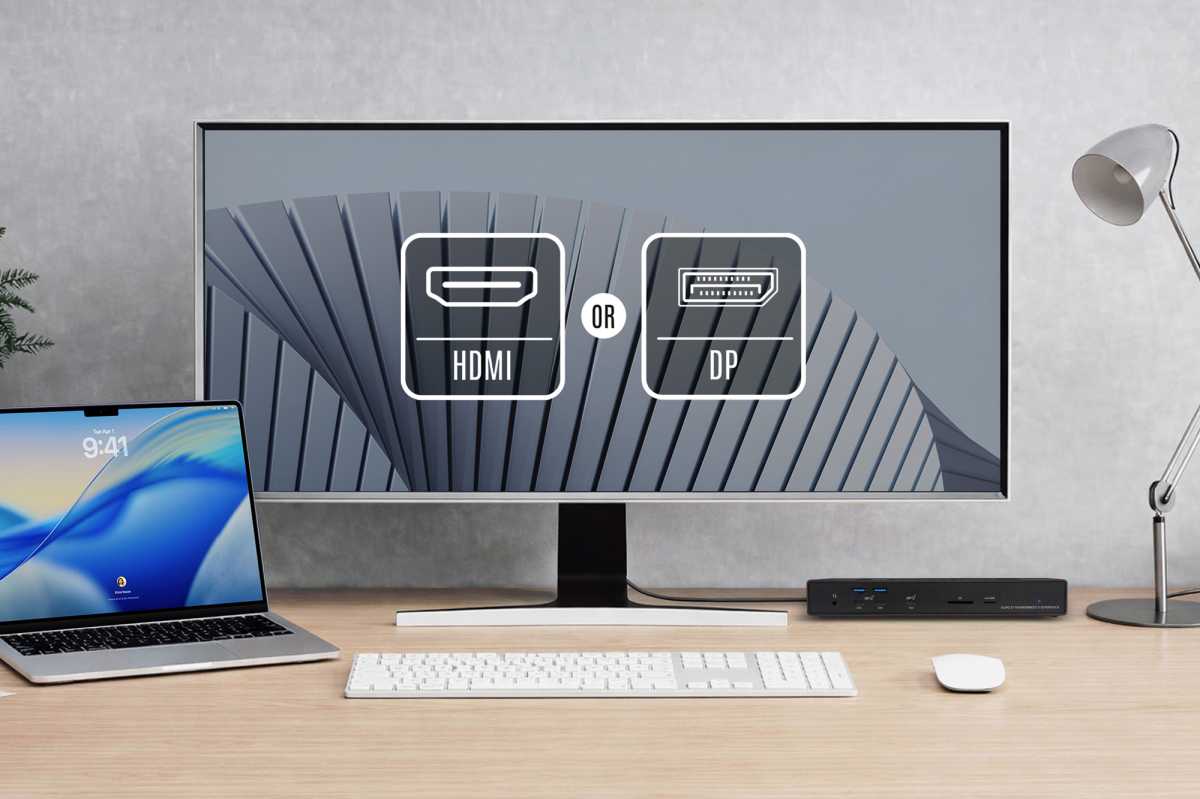
Depending on the power of the processor in your Mac, the dock can drive 4K, 5K, 6K, and up to 8K Displays via its downstream Thunderbolt ports, but also packs both DisplayPort and HDMI ports for monitor flexibility. Using one of these frees up the TB5 ports for other data-demanding devices.
Sonnettech
These video ports aren’t equal in their capabilities, though. You can connect up to an 8K monitor at a 60Hz refresh rate via the HDMI port but only up to a 4K display at 144Hz using DisplayPort. You can’t use both at the same time, so for multiple monitors you will need to use at least one of the TB5 ports.
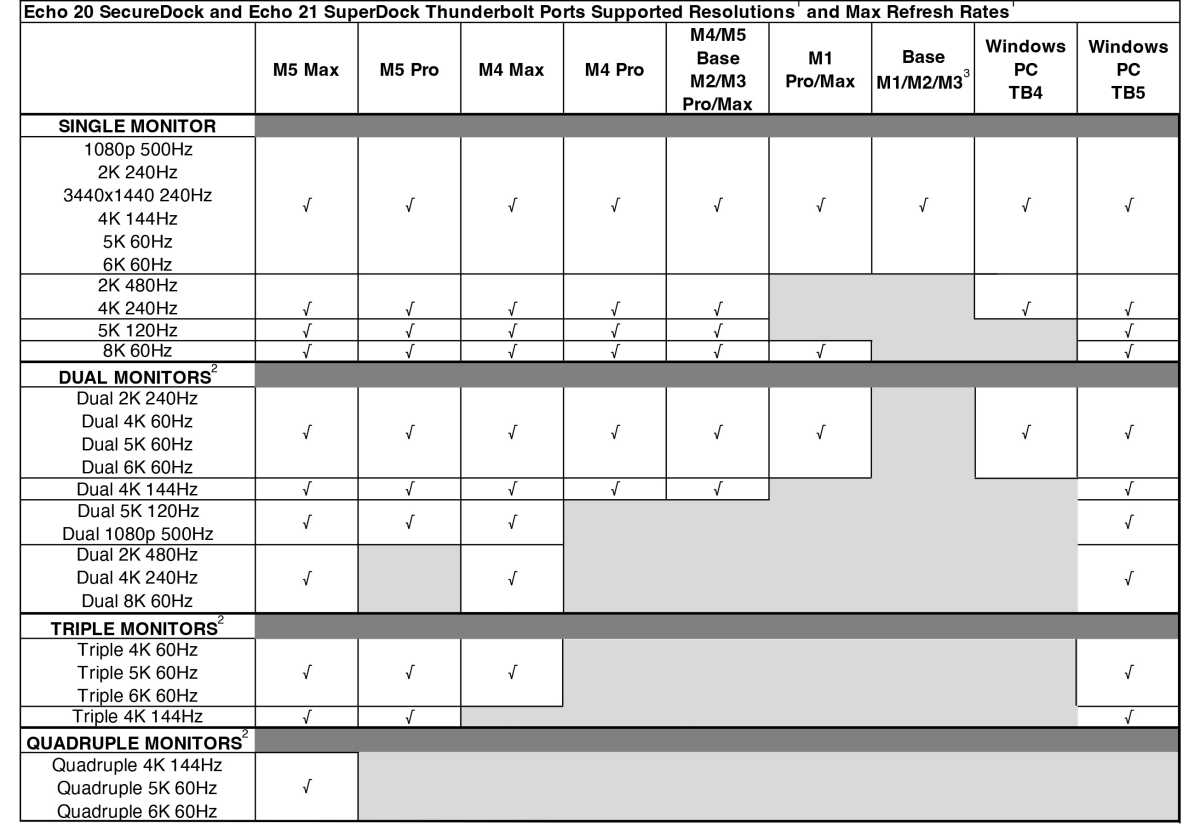
Owners of a SuperDock are unlikely to be hooking it up to a MacBook Neo or base M1/M2 MacBook—all of which are limited to a single external display, unless you install special software and a DisplayLink dock.
Any MacBook with a Pro or Max M-series chip can run two 6K displays at 60Hz.
M2/M3/M4 Pro/Max and base M4/M5 Macs have the option to swap that for dual 4K/144Hz monitors.
The M4 Max can run a triple 6K/60Hz setup, and the M5 Max supports up to four 6K/60Hz displays.
In testing, the Echo 21 successfully supported three 4K 144Hz displays using two TB5 downstream ports and the DP port.
As the dock has only three working video-ready ports—two TB5 and either HDMI or DisplayPort—the M5 Max’sfourth will have to daisy-chain off the third. Only the iVanky FusionDock Ultra has enough video ports to run all four directly from an M5 Max.
See the full Mac monitor matrix below.
Sonnettech
Power
Each of the CalDigit TS5 Plus’s downstream ports can output 36W of power, which is enough to fast-charge an iPhone or iPad or even keep a MacBook ticking over. One of its USB-C ports is also a 36W charger.
The downstream TB5 ports of the Sonnet Echo docks are rated at the usual 15W output, which will charge an iPhone or iPad but not at the fastest-possible rate.
As with most top-end docks, the upstream TB5 ports of both docks output to 140W (PD 3.1) that’s enough to fast-charge the top-end 16-inch MacBook Pro. The Thunderbolt 4 Echo 20 maxed out at 100W passthrough power.
Simon Jary
The front-mounted USB-C port is also capable of 15W output, with all the other USB ports at 7.5W. The TB4 Echo lacked the 15W USB-C port. The USB-C ports support device charging even when the computer is off, asleep, or disconnected.
It would have been preferable for one of the downstream TB5 or USB-C ports to output at least 20W for fast iPhone/iPad charging, but Sonnet is certainly not alone among dock makers to stick to the standard 15W.
The Echo’s maximum power output among all its charging ports is 240W, compared to 330W for the TS5+. To be fair, the most power output the Echo is capable of is 245W: 140W + (15W x 3) + (7.5W x 8). The 240W power supply should cope with bursts of heavy power requirements. The handy three 36W ports of the TS5+ are the reason why it has an unmatched power supply.
Sonnettech
- The Sonnet Echo 21 Thunderbolt 5 SuperDock is priced at $499.99 / £582 / €690.
- The Echo 20 Thunderbolt 5 SecureDock is $50 cheaper at $449.99 / £525 / €620.
If you value expandable high-speed storage and long-term flexibility, the Echo 21’s integrated SSD slot easily justifies the extra $50 over the Echo 20.
U.K. and E.U. customers will rankle at those high prices, but you get a lot for your dollar with the Echo 21 and its SSD slot. Unless your files live entirely in the Cloud, we particularly like the option to increase your MacBook’s storage when you want and with how much you need.
Remember, though, that the dock doesn’t come with an SSD pre-installed so you’ll need to factor that into your overall cost. If you want a simpler, pre-installed solution look to the Sonnet Echo 13 Thunderbolt 5 Dock with the 1TB model costing $479, 2TB at $649, and 4TB at $999.
Simon Jary
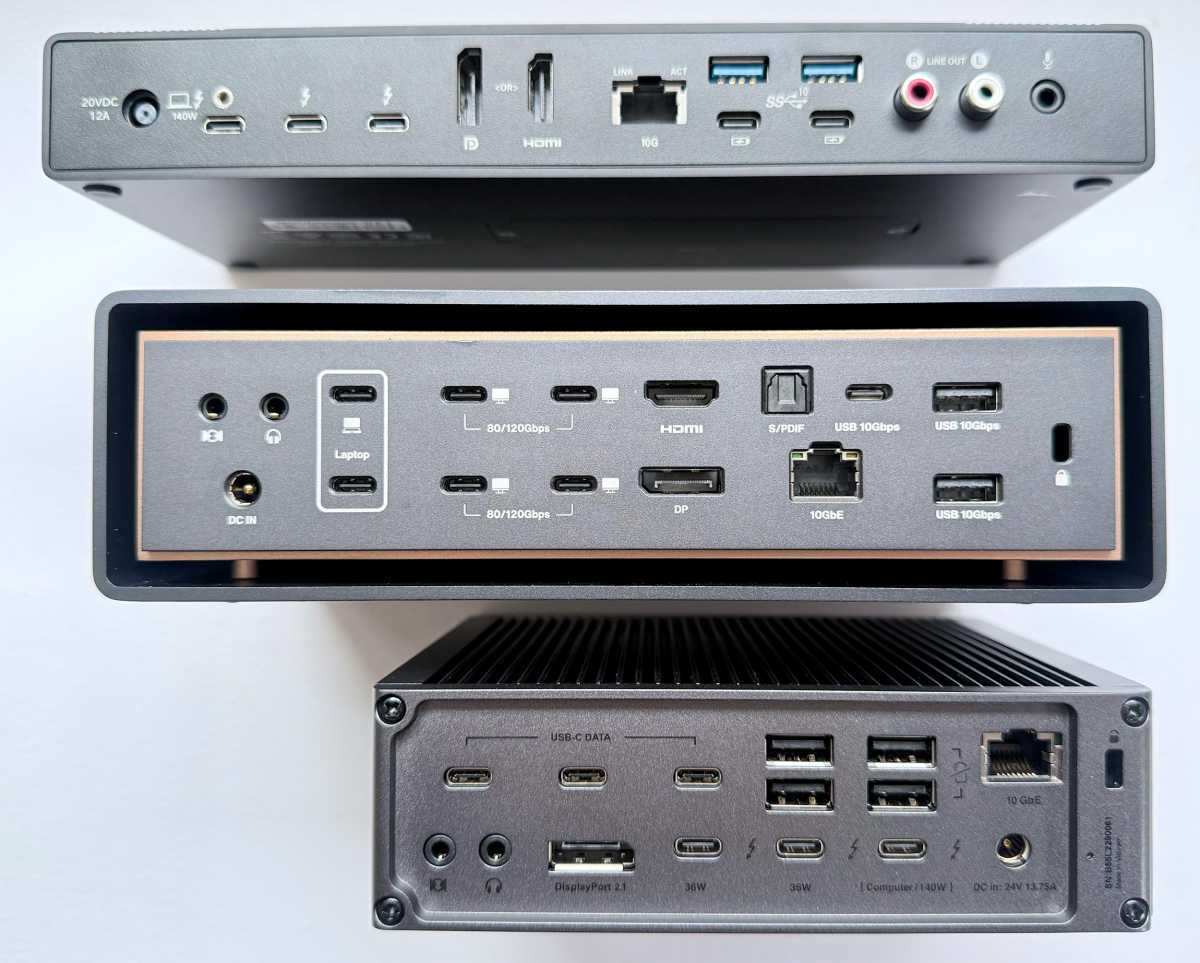
In comparison, the 26-port iVanky FusionDock Ultra costs $749 and 20-port CalDigit TS5 Plus costs $499, and neither has the Echo 21’s SSD slot.
Read all our best Thunderbolt 5 dock reviews for the full range of options.
Should you buy the Sonnet Echo 21 Thunderbolt 5 SuperDock?
While the Echo 20 and Echo 21 are identical except for the SSD enclosure, we rate the Echo 21 as our choice because of its extra storage flexibility.
While we’d have preferred a bit more power output from the USB-C ports, the Sonnet Echo Thunderbolt 5 docks come with the latest and greatest connectivity standards, and will turn any pro MacBook into a powerful and flexible multi-screen workstation.


